63% of the phone numbers on your prospect list are useless right now.
Not because they were wrong when someone added them, but because B2B contact data decays faster than most teams realize.
People change roles, companies restructure, and numbers get reassigned within months.
If you have ever spent a morning dialling through a list and hitting switchboards, dead lines, and voicemails that clearly haven’t been checked in months, the problem is not your pitch. It is your data.
I have tested every common method to find a business phone number that actually connects to the person you want to reach.
Some work for one-off research, some work at scale, and most advice online treats them all the same, but they are not.
Here are 8 methods ranked by what they actually deliver, plus how to verify numbers before you waste a single dial.
How to Find Business Phone Number – TOC
TL;DR: Top 3 Ways to Find a Business Phone Number
Short on time? Here are the three methods that deliver the best results:
- B2B Contact Databases: Best for finding verified direct dials at scale. Saleshandy Lead Finder searches 852M+ contacts across 9 data providers and returns only verified numbers.
- LinkedIn Profiles and Company Pages: Best for researching a specific prospect. Check their Contact Info section or the company’s About page for listed numbers.
- Google Business Profiles: Best for local businesses with physical locations. Google-verified listings show the phone number directly in search results.
Types of Business Phone Numbers You Can Find
Before jumping into methods, it helps to know what you are looking for. Not all business phone numbers are equal.
| Type | What it is | Value for outreach |
|---|---|---|
| Company main line Switchboard | The public number on the website footer or Google listing. Routes to reception. |
Low
You get transferred, put on hold, or hit a voicemail tree.
|
| Department direct line Team-level | Routes to a specific team like sales, partnerships, or support. |
Medium
Closer, but you still don’t reach a specific person.
|
| Individual direct dial Mobile / desk phone | Rings the decision-maker’s desk phone or personal cell. |
High
This is the number that gets you a conversation.
|
The methods below focus on finding direct dials and mobile numbers. Those are the ones that actually move deals forward.
Pick Your Method Based on What You Need
Quick framework before you scroll:
- Need 1 number for a specific person? Start with LinkedIn or their company website.
- Need 10-50 numbers for a target account list? Use press releases, directories, and email signatures to fill gaps.
- Need 100+ verified direct dials? Skip manual research entirely and use a B2B contact database.
8 Best Ways to Find a Business Phone Number
Here are the 8 best methods to find business phone numbers based on speed and accuracy.
1. B2B Contact Databases
This is the only method that scales without adding hours to your day.
A good B2B contact database does three things manual research cannot: it finds direct dials, it verifies them in real time, and it lets you pull hundreds at once.
Saleshandy is what I use for volume prospecting. The database covers 852M+ verified B2B contacts across 60M+ companies.
What makes it different from most tools is Waterfall Enrichment. Instead of pulling from one data source and hoping for a match, it checks 9 providers sequentially until it finds a verified number.
That means higher match rates on the exact contacts other databases miss.
How to Find Phone Numbers Using Saleshandy Lead Finder:
Step 1: Log In and Open Lead Finder
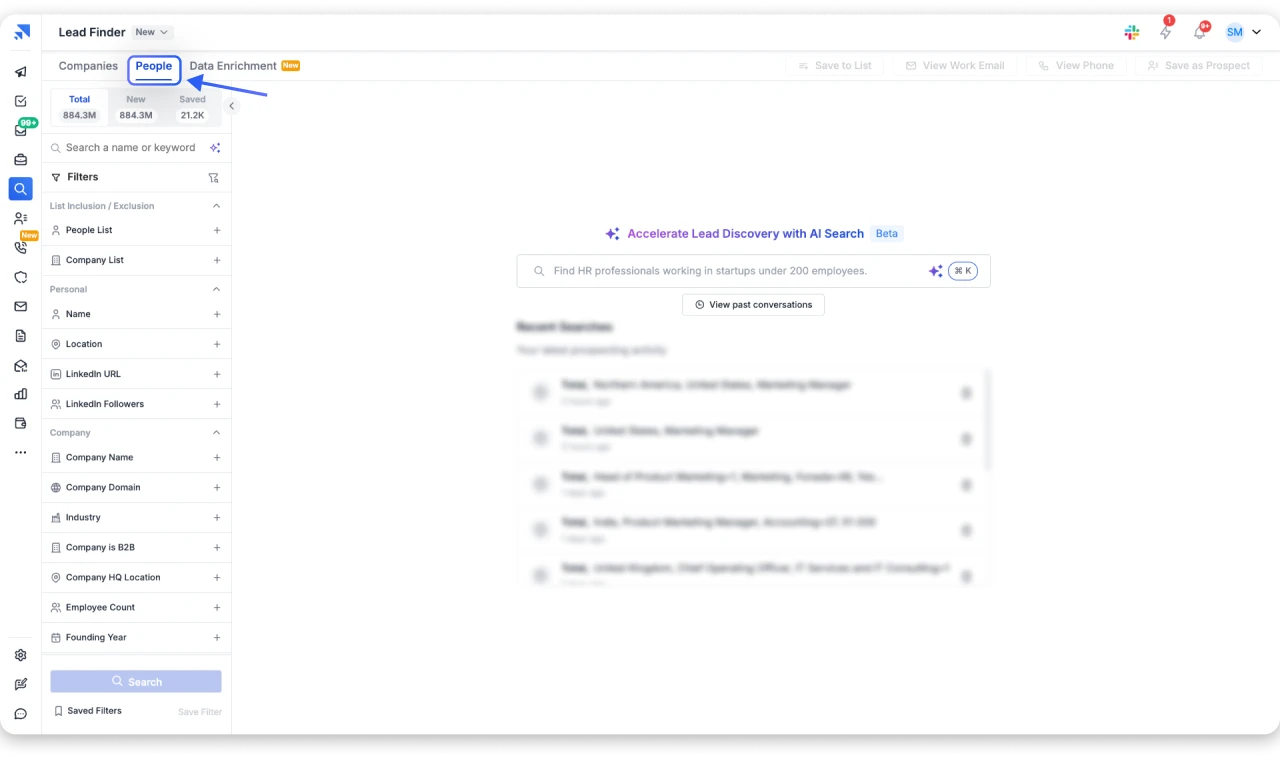
Go to saleshandy.com and create a free account (no credit card needed).
Once logged in, click the Lead Finder icon (magnifying glass) in the left sidebar. This opens the Lead Finder dashboard with an AI-powered search bar and your recent search history.
Step 2: Apply Filters & Find Phone Number
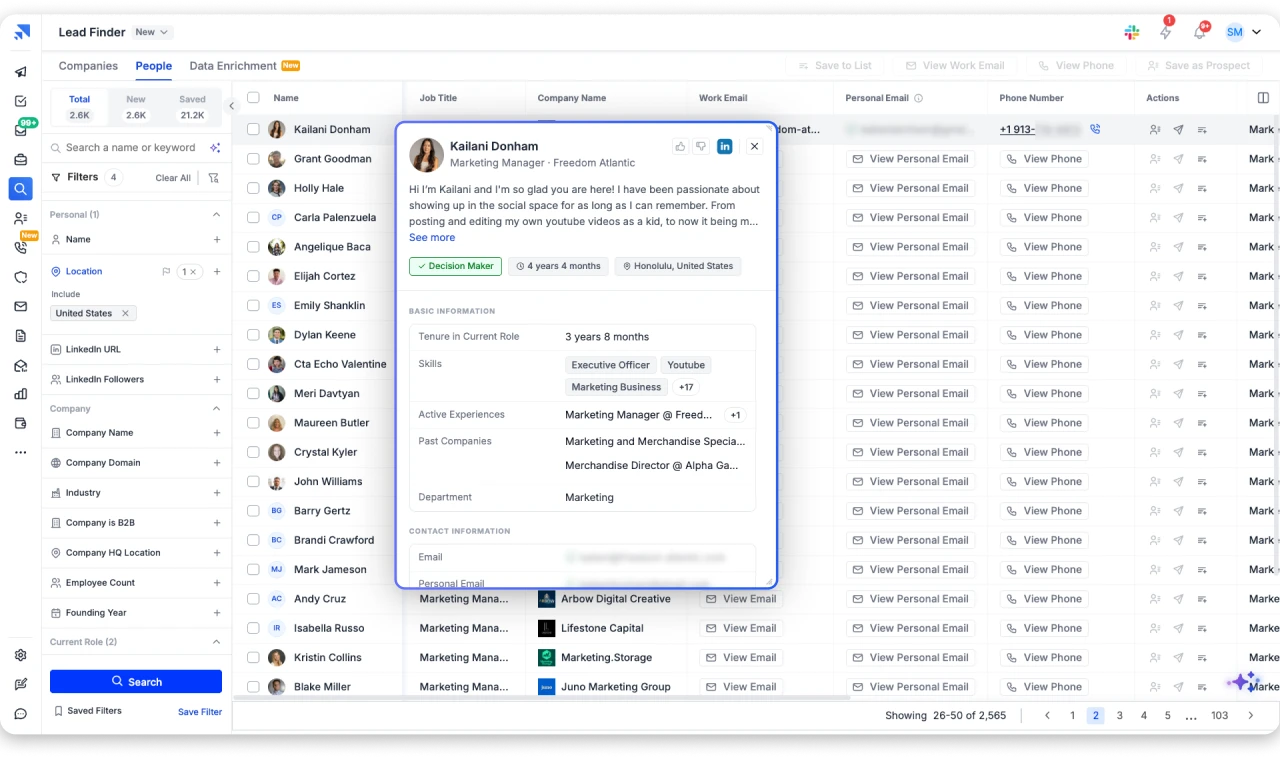
You can filter by job title, department, management level, decision-maker status, company name, industry, employee count, revenue, and location.
For example, setting Location to “United States” and Job Title to “Marketing Manager” returned 340,343 matching leads in a single search.
Each lead shows a “View Phone” button next to their name. The table also displays job title, company, work email, and personal email for a complete view of each contact.
Step 3: Save Leads to a List
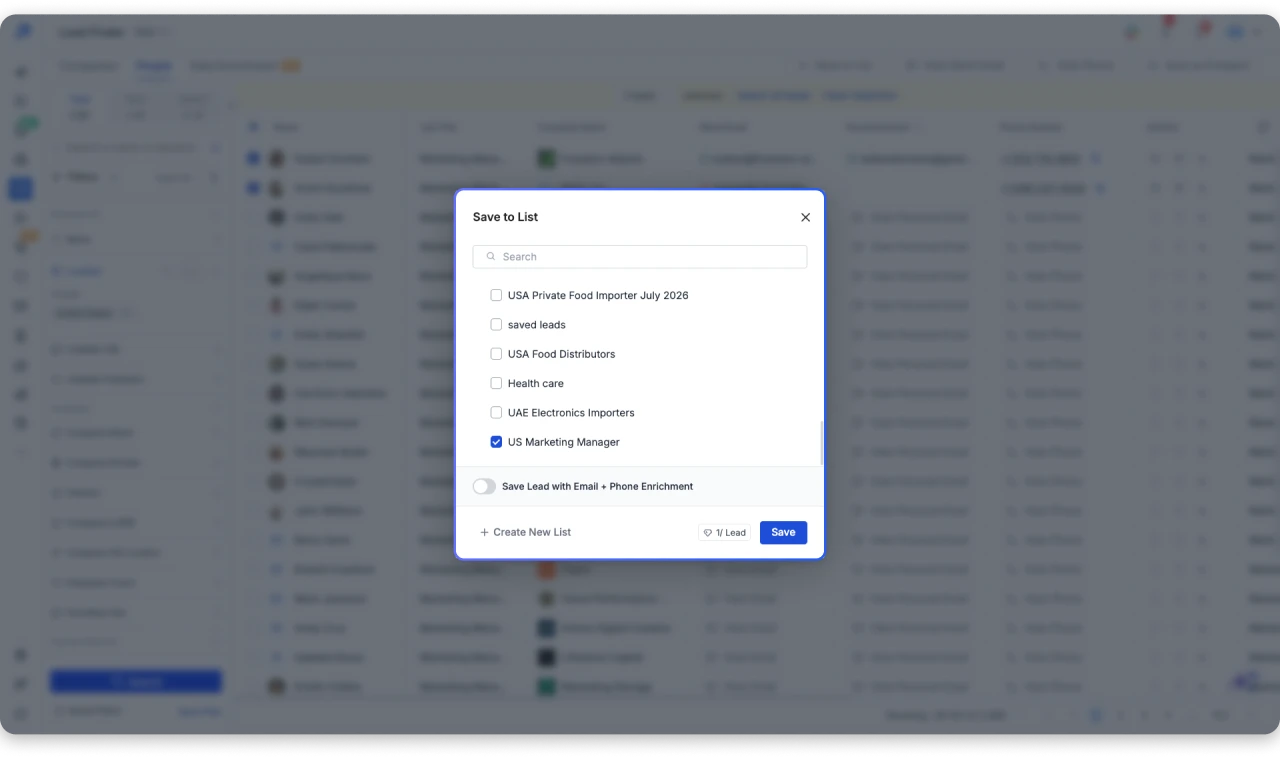
Select contacts using the checkboxes and click “Save to List” from the top action bar. You can save to an existing list, create a new one, or toggle “Save Lead with Email + Phone Enrichment” to auto-reveal all contact details when saving.
Quick Tips to Get Better Results:
- Use the “Decision Maker” filter to focus on people with buying authority who are more likely to have direct numbers on file.
- Combine multiple filters (job title + location + industry + employee count) to get highly targeted results.
- Select multiple leads at once and click “View Phone” from the top bar to bulk-reveal numbers instead of one at a time.
- Use the AI Search bar Sage to describe your ideal prospect in plain English (e.g., “Find California CEOs with fewer than 50 staff”) and let the AI set the right filters automatically.
You are not charged credits when a search does not return a result. You can also upload a CSV of company names and get phone numbers back in bulk through CSV Enrichment.
2. LinkedIn Profiles and Company Pages
LinkedIn is the first place most people check. The problem is that it almost never has the number.
Click on any prospect’s profile, then hit “Contact Info” below their name. If they have added a phone number, it shows there.
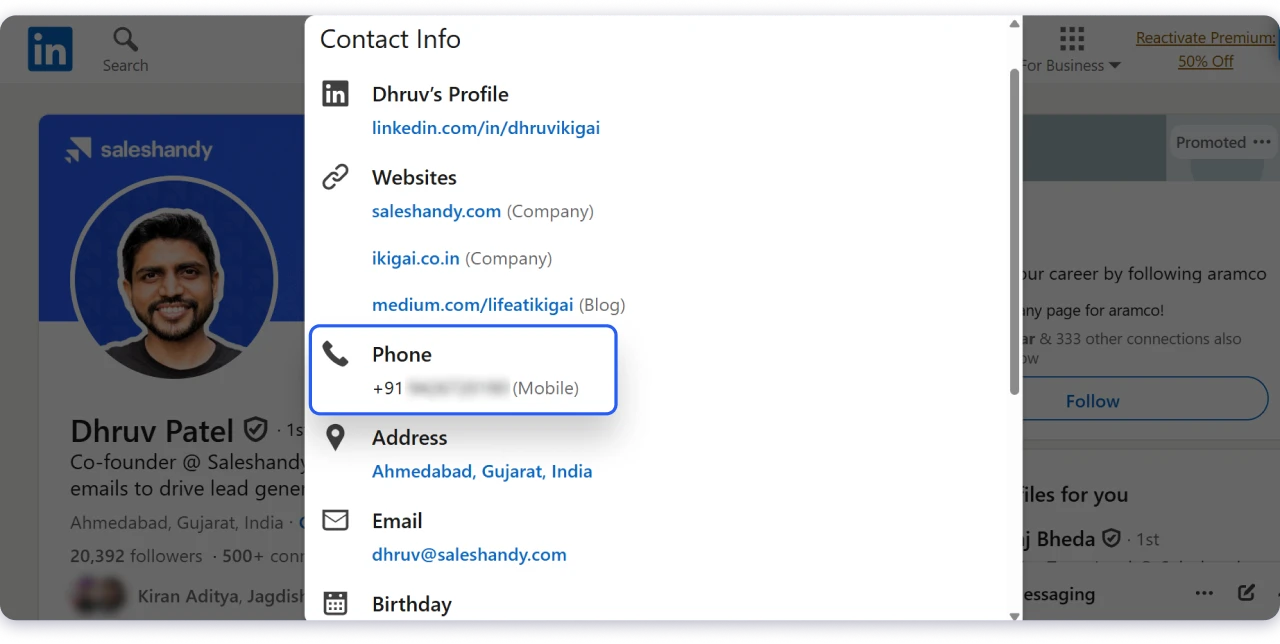
Most decision-makers have not, and in my experience maybe 10-15% of profiles have a number listed publicly.
What Actually Works Better: Check the company’s LinkedIn page instead. Go to “About” and scroll down. Company pages are more likely to list an office number than individual profiles are to show a direct dial.
For the other 85%, a LinkedIn Chrome extension that enriches profile data with phone numbers from external databases is the more practical move.
How to get phone numbers from LinkedIn (full guide)
3. Google Business Profiles
Search any business name on Google or Google Maps. If they have a Google Business Profile, the phone number appears right in the Knowledge Panel on the right side of the results.
This method is fast and usually accurate because Google requires businesses to verify their listings.
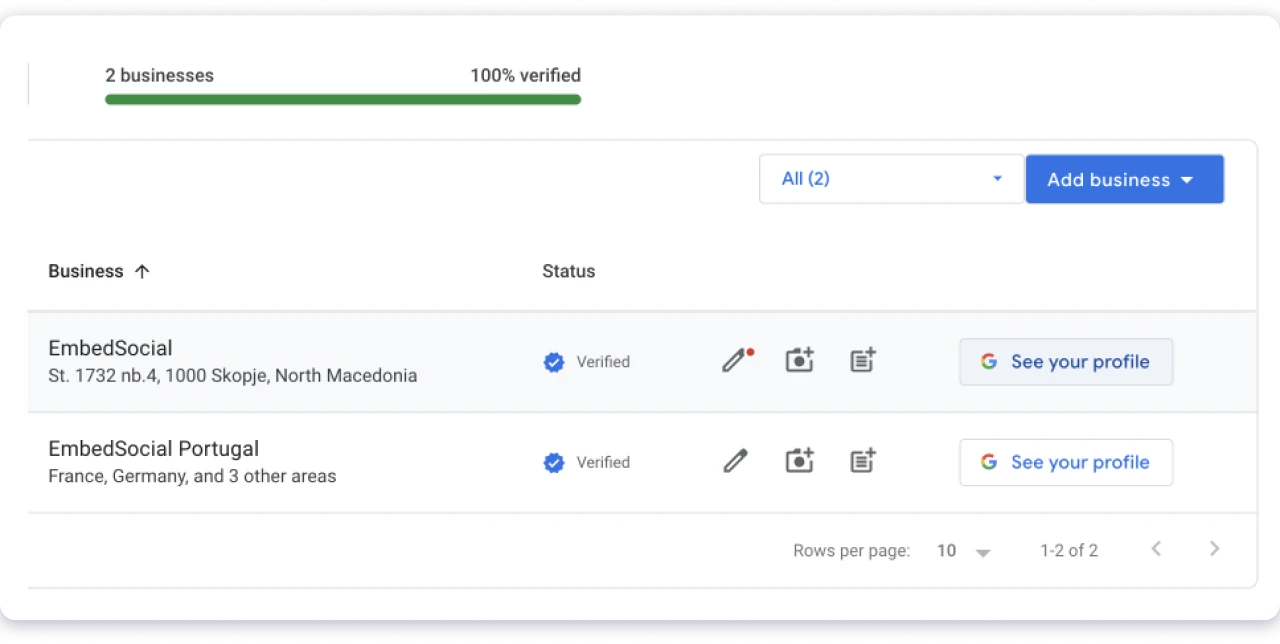
It works best for local businesses, retail, and service companies that rely on customers calling them.
It is far less useful for remote-first companies, B2B SaaS, or companies that operate without a storefront.
Those businesses often do not maintain a Google Business Profile at all, or the number listed routes to a general line nobody monitors.
4. Company Websites and Contact Pages
The obvious places: footer, “Contact Us” page, “About Us” page, “Locations” page.
But here is a trick most people miss. Press Ctrl+F (or Cmd+F) on any page and search for “tel:” because phone numbers coded as clickable links use this HTML tag, even on pages where the number is not visually displayed.
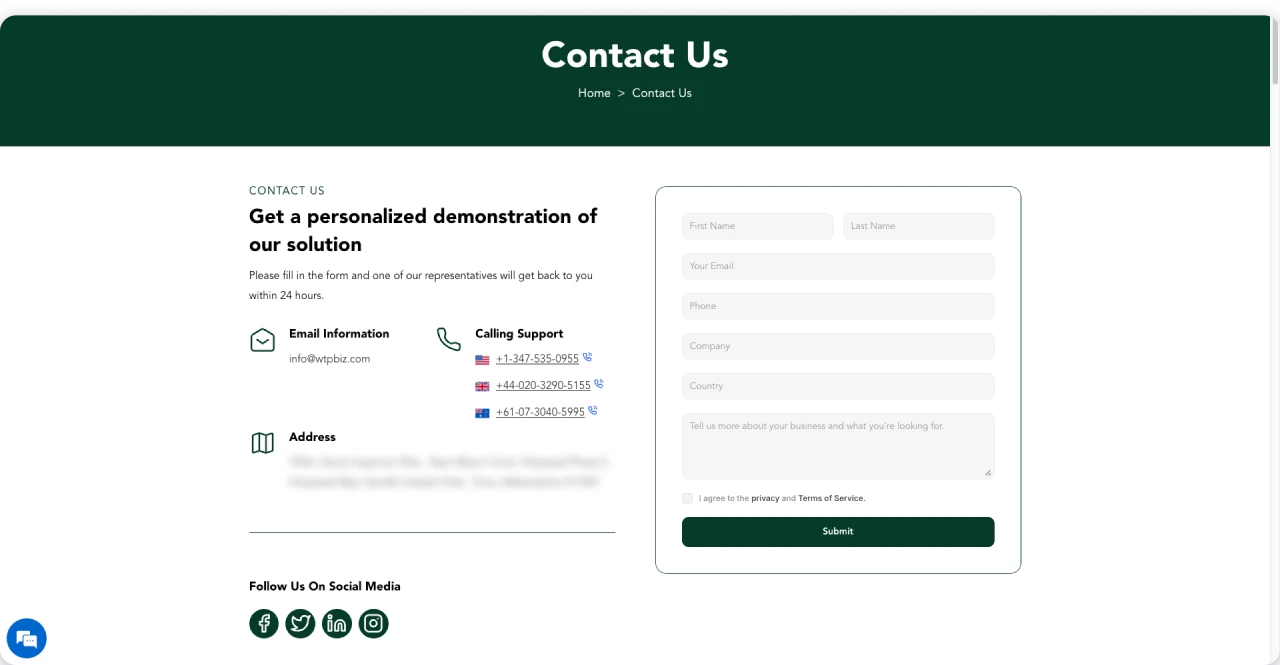
I have found direct lines this way on pages where the number was not visible to a casual visitor.
If the company has multiple offices, check the “Locations” or “Regional Offices” page. These often list department-specific numbers that are more useful than the main switchboard.
Skip This: Submitting a “Contact Us” form and asking for a phone number. The response time is days, not minutes, and your message usually reaches a marketing coordinator, not the person you want.
5. Press Releases and News Announcements
This is the method nobody talks about, and it is one of the best for finding direct lines to senior people.
Every press release includes a media contact at the bottom, and that contact is rarely a receptionist.
It is usually a VP of Communications, a department head, or sometimes the CEO at smaller companies. The number listed is a direct line, not a switchboard.
How to Find Them:
- Search Google for “[Company Name] press release”
- Check results from PR Newswire, Business Wire, or GlobeNewswire
- Scroll to the media contact section at the bottom of the release
- Note the name, title, and direct number
This method is especially powerful around trigger events like funding rounds, product launches, and leadership changes.
Each one generates a press release with a direct number, and the timing gives you a natural reason to call.
6. Online Business Directories
Directories are useful when you are targeting industries where businesses have been operating for years. Think law firms, contractors, agencies, manufacturers.
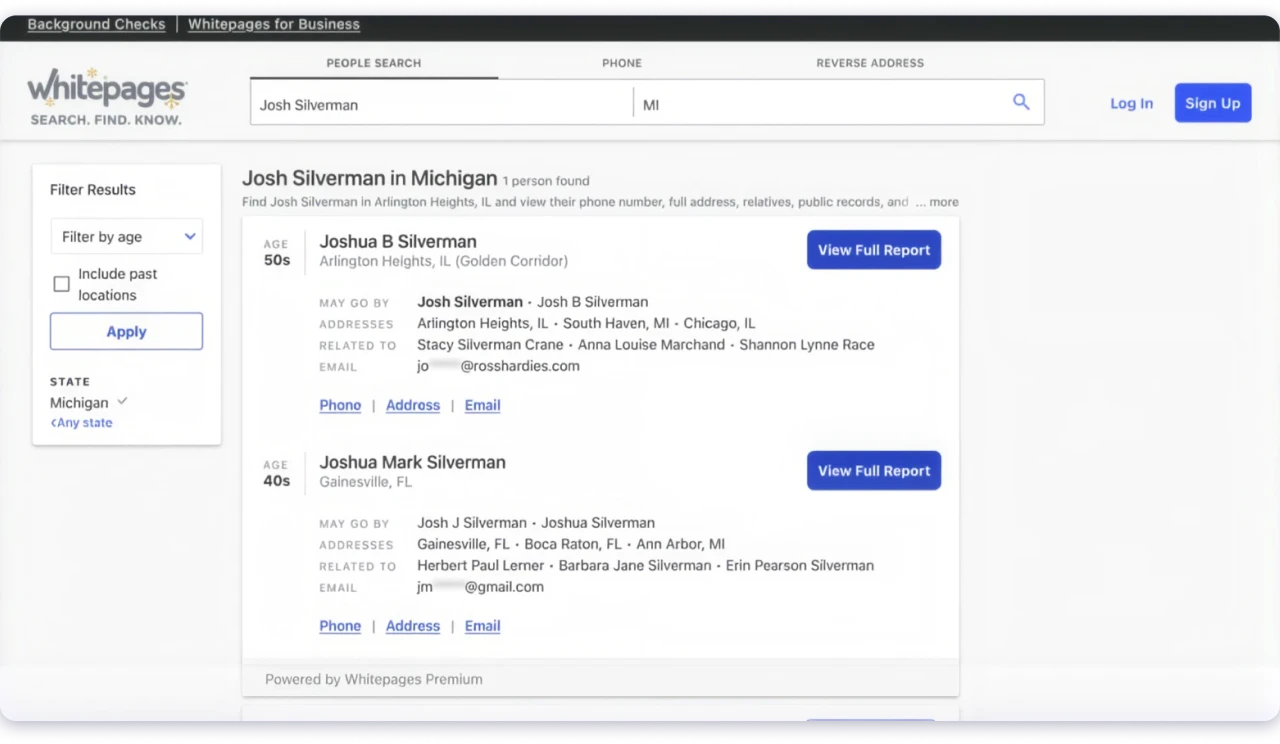
Where to Look:
- Better Business Bureau (BBB) for accredited businesses with verified contact details
- Yellow Pages for category and location-based search
- Whitepages for reverse phone lookup (when you have a number but need to verify who it belongs to)
- Chamber of Commerce websites for local business listings
Cross-Checking Tip: Search Google for “[Business Name] [City State] chamber directory” to find official listings instead of scraping generic aggregator sites that recycle outdated data.
7. Social Media Pages
Facebook is the most reliable here. Visit the business page, click “About,” then “Contact and Basic Info.” If the business maintains its page, the phone number is usually listed.
Instagram rarely shows phone numbers directly, but check the bio for a Linktree or website link that leads to a contact page. X (Twitter) bios occasionally include contact links, but it is uncommon for B2B companies.
When Nothing is Listed: A short, polite DM works for smaller businesses. Something like, “Hi, I am trying to reach your [sales/partnerships] team.
What is the best number to call?” Keep it brief and professional. This works better than you would expect for companies under 50 employees.
8. Email Signatures and Existing Conversations
This is the easiest method, and it gets overlooked constantly.
If a prospect has replied to any email from anyone at your company, their signature almost certainly includes a phone number.
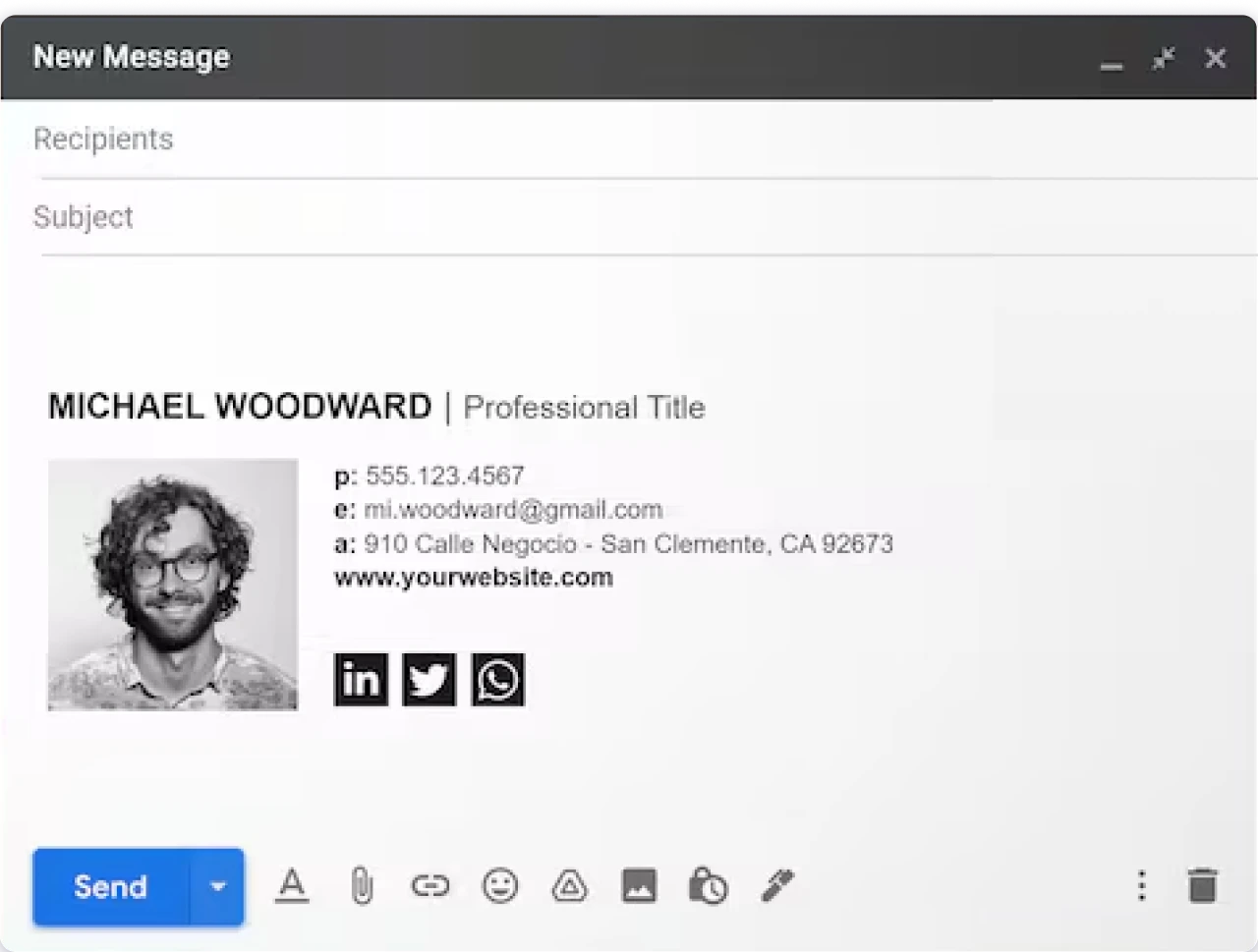
Search your inbox, ask your teammates, and check the CRM. SDRs, AEs, and even marketing team members may have had contact with the same prospect or company.
Also check auto-reply and out-of-office messages. People sometimes include a direct number or an alternate contact’s number in these.
The Simple Rule: Before you search anywhere externally, search internally first. The number you need might already be sitting in your CRM or a colleague’s inbox.
How to Verify Business Phone Numbers Before Calling
Finding a number is only useful if the number is still active and reaches the right person. Contact data decays fast.
A list that was accurate three months ago can already have 20-30% bad numbers.
1. Run Quick Format Checks
Before dialling, rule out obvious bad data:
- US numbers should be 10 digits with a valid area code
- Watch for placeholder patterns (555-0000, 000-0000, or repeated sequences)
- If the number matches the company’s main switchboard, it is probably not a direct dial
2. Use a Verification Tool
Carrier lookup tools check each number against telecom databases and flag whether the number is active, disconnected, invalid, or recently reassigned.
If you sourced your numbers through Saleshandy Lead Finder, this step is already done. The platform runs real-time verification before revealing a number, so you are only working with active contacts.
3. Cross-Check Across Sources
When you find a number through a single source, confirm it against at least one more:
- Compare the number on their company website vs. LinkedIn vs. Google Business Profile
- If two or more sources show the same number, confidence is high
- Mismatched numbers across sources = flag for manual review before calling
4. Stay Compliant While You Dial
B2B phone outreach is broadly legal in most markets, but the rules matter:
- US: Check the National DNC Registry. Follow TCPA rules. Respect state-level calling hour restrictions (typically 8 am- 9 pm in the prospect’s time zone).
- EU: GDPR applies to personal data including phone numbers. Document your lawful basis for processing.
- Everywhere: Honor opt-out requests immediately. Keep a clean internal suppression list.
Saleshandy includes DNC Management as part of its cold calling workflow, so your team stays compliant without maintaining a separate process.
Start Finding Verified Business Phone Numbers Today
Free methods (company websites, LinkedIn, Google Business Profiles, directories) work when you need a handful of numbers for targeted research.
They do not scale, and they do not verify.
For anything beyond a small list, a B2B database pays for itself in the time it saves.
The real difference between teams with high connect rates and those burning through call lists is not how many dials they make.
It is whether the numbers are accurate, direct, and verified before the first call.
Verify before you dial, tag and import into CRM before you campaign and start with the method that matches what you actually need: one number, fifty numbers, or five hundred.
FAQs About Finding Business Phone Numbers
1. What Is the Most Reliable Source for Verified Business Phone Numbers?
A B2B lead database with real-time verification gives the most consistently accurate results. Saleshandy Lead Finder uses Waterfall Enrichment across 9 providers to maximize match rates. For one-off lookups, cross-checking between the company website, Google Business Profile, and LinkedIn works well.
2. How Do I Find Phone Numbers of B2B Companies?
Start with a B2B database like Saleshandy, Apollo, or Cognism for verified direct dials. If you need a specific person’s number, check their LinkedIn Contact Info section or look for press releases where they are listed as a media contact. Cross-check any number you find against the company website.
3. Is It Legal to Collect Business Phone Numbers?
Using publicly available business phone numbers for B2B outreach is legal in most markets. In the US, check the National DNC Registry before calling. In the EU, GDPR applies. Always honor opt-out requests and maintain a clean suppression list.
4. What Tools Provide Valid and Verified Business Phone Numbers?
Saleshandy Lead Finder (852M+ contacts with Waterfall Enrichment), Apollo.io (275M+ contacts with free tier), Cognism (strong EU coverage), Uplead (SMB-friendly pricing), and Lusha (LinkedIn-based lookups) are the most reliable options. Each has different strengths depending on your target market and team size.
5. How Can I Verify if a Business Phone Number Is Active?
Cross-check the number across the company’s website, Google Business Profile, and LinkedIn. For bulk verification, use a carrier lookup tool that checks against telecom databases. Saleshandy Lead Finder runs real-time verification before revealing any number.
6. What Is the Difference Between a Direct Dial and a Main Line Number?
A main line routes to a receptionist or automated phone tree. A direct dial rings a specific person’s desk or cell phone. For sales outreach, direct dials skip the gatekeeper and give you a much higher chance of an actual conversation.
7. How Often Should I Re-Verify My Business Phone Number List?
At minimum, every quarter. For high-velocity SDR teams making hundreds of calls per week, monthly re-verification prevents wasting time on disconnected numbers. B2B contact data can decay 20-30% within a year as people change roles and companies.
8. Can I Find Business Phone Numbers From LinkedIn for Free?
LinkedIn shows phone numbers in the “Contact Info” section of individual profiles, but fewer than 15% of professionals list one publicly. Company pages sometimes show an office number under “About.” For better coverage, use a LinkedIn Chrome extension or a B2B database that enriches LinkedIn profiles with verified phone data.

 Dhruv Patel