Finding someone’s phone number used to be as simple as flipping through a phone book.
That’s obviously not how it works anymore.
The irony is, more contact information exists online today than ever before.
But it’s scattered across dozens of platforms, buried behind paywalls, or hidden behind privacy settings.
You can find someone’s LinkedIn, their company page, even their dog’s Instagram, but not their phone number.
And the approach changes completely depending on your situation.
Reconnecting with an old friend? That’s a directory and social media search.
Identifying an unknown caller? Reverse lookup tools.
Building a cold-calling list with verified direct dials? You need a B2B database.
This guide covers 9 methods to find anyone’s phone number in 2026, whether it’s a cell phone number, a mobile number, a business direct dial, or a personal landline.
Each method is ranked fastest to slowest, with step-by-step instructions so you can try it right now.
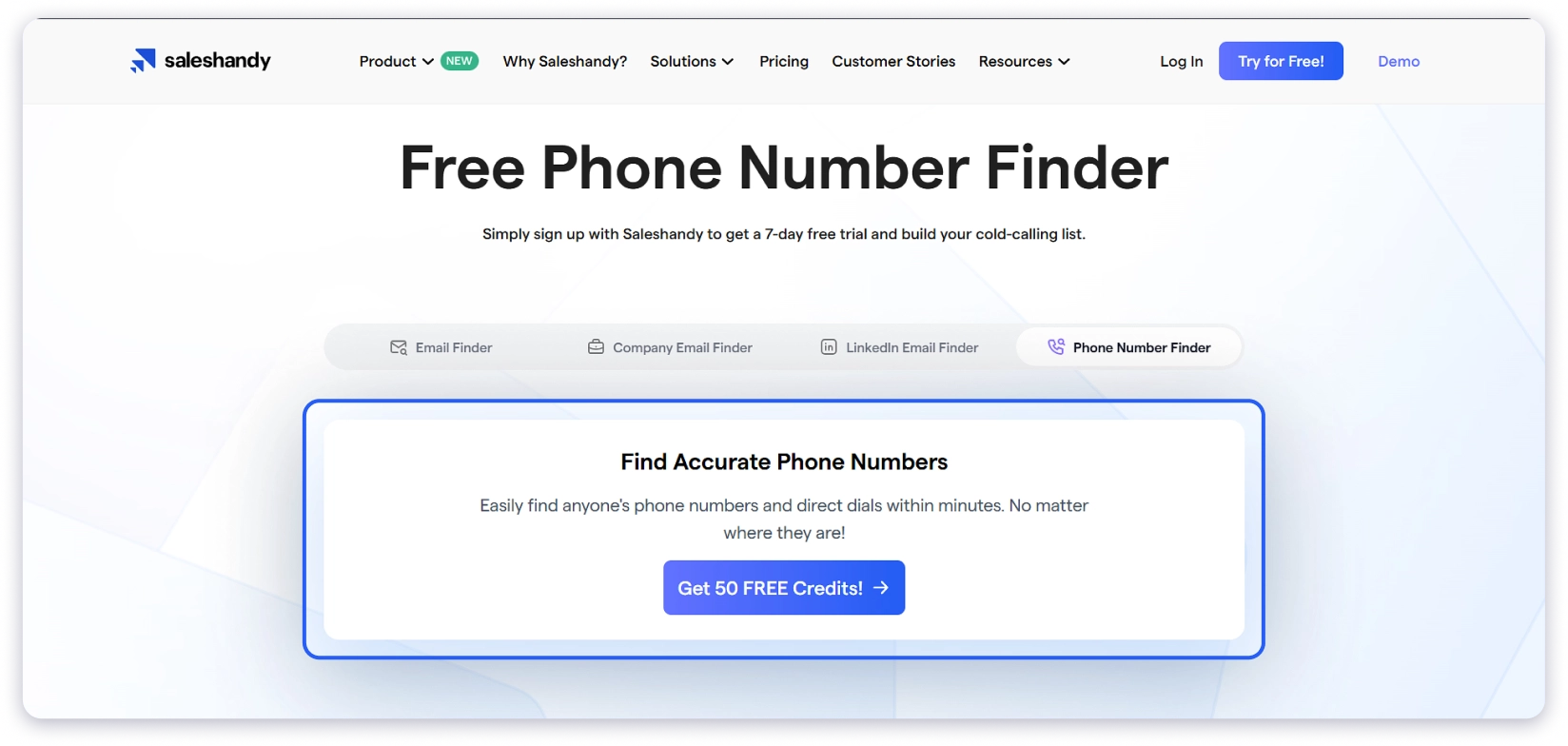
Quick verdict: If you need verified B2B phone numbers fast, a dedicated lead database like Saleshandy’s Phone Number Finder gives you the best accuracy-to-speed ratio. It searches 800M+ contacts, and you get 50 free credits to test it.
For personal lookups, start with Truecaller for reverse lookups or Whitepages for name-based searches before paying for anything.
9 Simple Ways to Find Someone’s Phone Number
I have tested a bunch of methods to find phone numbers, but I am only sharing the ones that actually work properly.
Moreover, I have sorted them based on speed, accuracy, and practicality. Why? Because not every method can be used when you really want to find someone’s phone number fast.
FYI: Our cold outreach expert created this detailed video, where he breaks down the exact steps to find someone’s phone number (from start to finish). Check it out.
1. Use a Phone Number Lookup Platform
🎯 Best For:
Sales teams, recruiters, and anyone who needs verified business phone numbers at scale.
⚡ Speed:
Instant (under 10 seconds per lookup).
If you’re looking for how to find someone’s phone number for business purposes, specifically a direct dial or mobile number for outreach, a B2B lead database is the fastest and most reliable method I’ve tested.
I use Saleshandy’s Phone Number Finder for this. It has a database of 800M+ B2B contacts with verified email addresses and phone numbers.
What sets it apart from basic directories is real-time verification through waterfall enrichment.
This means the system cross-checks every phone number against multiple data providers before showing it to you, so you’re not wasting time on disconnected lines.
Here’s exactly how to find a phone number using Saleshandy:
Step 2: Enter what you know about the person. You can search by name, job title, company, location, or industry. If you only have a name and a company, that’s usually enough.
The platform has 75+ advanced search filters, so you can get very specific: filter by company size, revenue range, tech stack they use, seniority level, and even buying signals like recent funding or hiring activity.
Step 3: Find the person in the results and click “View Email+ Phone” to reveal their verified phone number. The number appears with a confidence indicator so you know how recently it was verified.
Step 4: Save the contact, export it to a CSV, or add them directly to a Saleshandy cold outreach sequence if you want to follow up by email first.
What Makes This Method Reliable:
✔
Real-time verification
The waterfall enrichment approach checks numbers against multiple data sources. In my experience, this cuts wrong-number rates significantly compared to static databases.
✔
AI-powered search
You can describe your ideal prospect in plain English (e.g., “Marketing directors at SaaS companies in New York with 50-200 employees”) and the AI generates a targeted lead list. No manual filter setup needed.
✔
Phone AND email together
You’re not juggling separate tools. One search gives you both contact types plus company data.
✔
Buying signals
The platform flags companies that are actively hiring, recently raised funding, or expanding. This context helps you prioritize who to call first.
✔
Credits roll over
Unused credits carry forward to the next month, so nothing gets wasted.
Limitations:
This is built for B2B contacts. If you’re looking for an old friend’s personal cell number, you’ll need a different method.
What It Costs Per Phone Number:
With Saleshandy, you get 50 free credits for finding phone numbers, which is enough to reveal about 7 verified phone numbers at no cost and with no credit card required.
If you need more, paid plans start at $49/month (billed annually) with 30,000 credits/year.
🎯 Best For:
Finding out who owns a phone number, identifying unknown callers, and verifying numbers you already have.
⚡ Speed:
Instant (results in 2-5 seconds)
Reverse phone lookup works the opposite way from most methods in this guide.
Instead of searching for a person to find their number, you use it to find someone by phone number free — identifying the person behind the digits..
This is the go-to method when you have a missed call from an unknown number and want to know who called, or when you need to verify that a number actually belongs to the right contact before dialing.
You can also use reverse lookup to trace a phone number back to a name and location, or to locate the owner of a phone number you found through another source.
How to Use It:
1. Truecaller
Truecaller is the largest caller ID and phone number lookup service in the world, with a database of over 4 billion phone numbers.
You can download it’s app and enter the phone number you want to look up in the search bar. It will show the registered name, location, and carrier associated with that number.
2. Spokeo
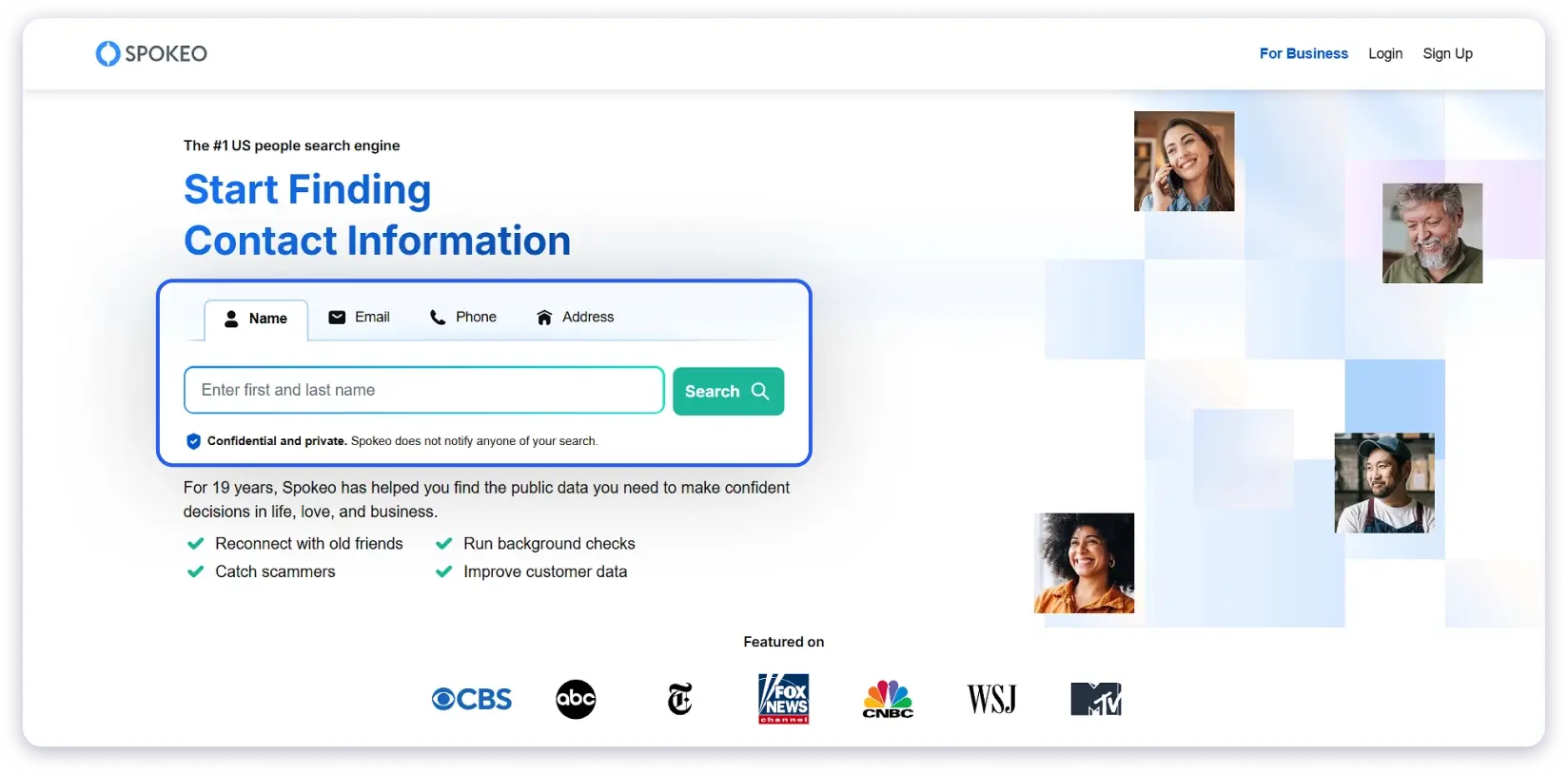
Spokeo goes beyond just caller ID. It aggregates data from public records, social media, and online sources to build a comprehensive profile. Enter a phone number and you can get the owner’s name, address, email, social profiles, and more.
3. NumLookup
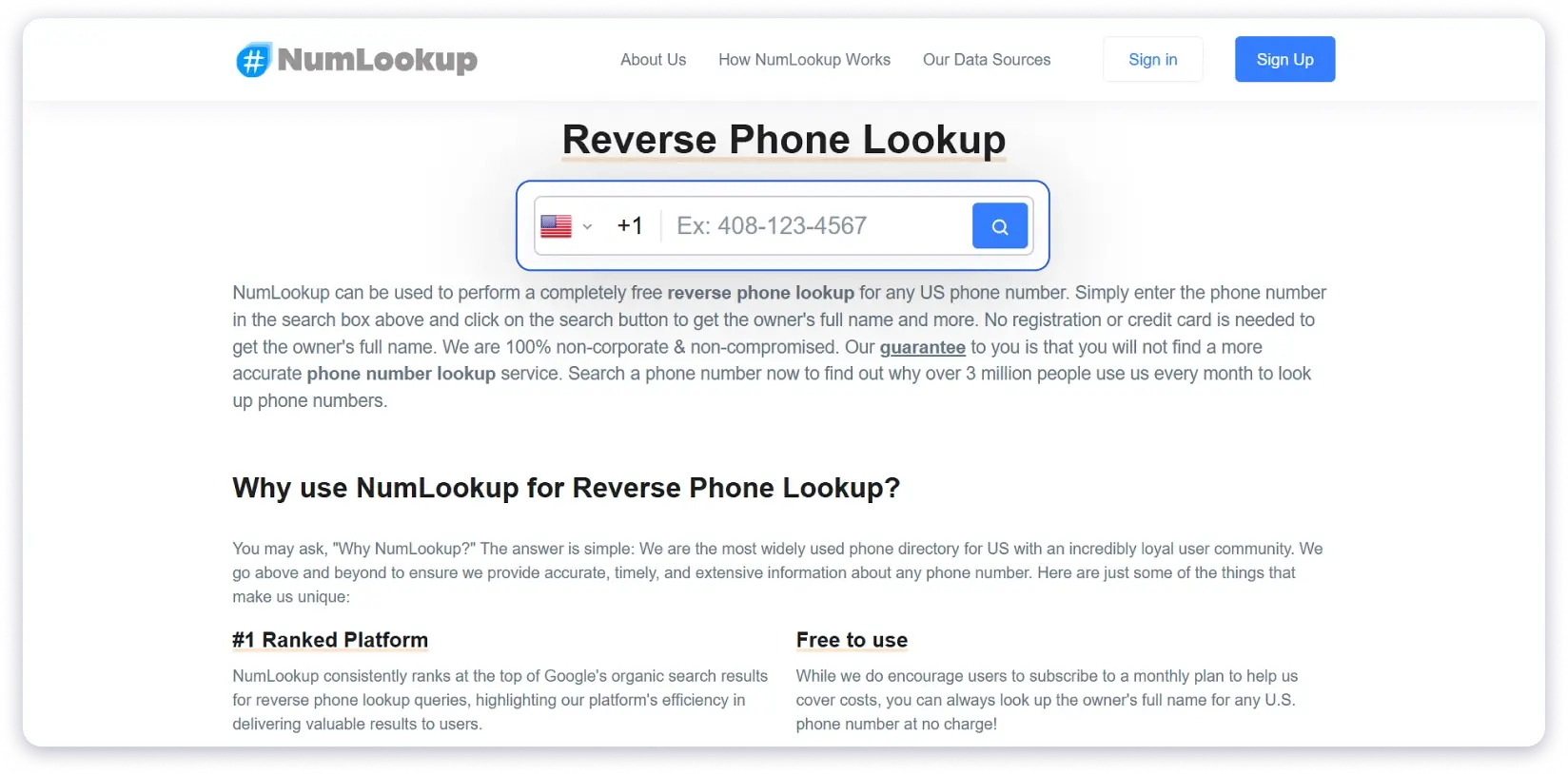
NumLookup is a simple, no-signup reverse phone lookup tool. Enter any phone number and it attempts to identify the owner.
What Makes This Method Reliable:
✔
Truecaller’s database of 4B+ numbers means it has coverage for most phone numbers you’ll encounter, especially in India, Europe, and the Middle East.
✔
Results are instant. Unlike directories where you search by name and hope, reverse lookup gives you a direct answer in seconds.
✔
Free options exist that actually work. Truecaller and NumLookup both provide useful results without requiring a subscription or even an account.
✔
Cross-referencing is easy. If one tool doesn’t have the number, you can check another in under a minute.
Limitations:
These tools rely on their own databases. Brand new numbers, recently changed numbers, or very private numbers may show no results.
Truecaller’s data is crowdsourced, so accuracy depends on how many users have that contact saved. Popular business contacts have great coverage. Random personal numbers might not be listed.
Free lookups typically show partial results. You’ll see a name but need to pay for full contact details and address.
International coverage varies by platform. Truecaller is strongest in India, Europe, and the Middle East. US coverage is good but not as deep as dedicated US people search engines.
How to Trace a Phone Number Back to Its Owner
Tracing a phone number means identifying who it belongs to using reverse lookup tools.
Truecaller is the fastest free option — enter the number and it returns the registered name, carrier, and location.
For deeper traces that include address history and social profiles, Spokeo and BeenVerified provide full trace reports.
If you’re tracing a business number, a simple Google search of the number in quotes usually reveals the company and department within seconds.
What It Costs Per Phone Number:
Truecaller: $0 per lookup (basic), $2.99/month for premium features
Spokeo: ~$0.66/lookup ($19.95/month subscription with unlimited searches)
NumLookup: $0 per lookup (completely free, no account needed)
3. Use People Search Engines to Find Cell Phone Numbers
🎯 Best For:
Finding personal phone numbers, cell phone numbers, and detailed background information when simpler methods haven’t worked.
⚡ Speed:
1-2 minutes per search
People search engines, sometimes called phone number search engines, are more thorough than basic phone directories
They aggregate data from public records, court documents, social media, property records, and other databases to build detailed profiles.
If you’re trying to find someone’s cell phone number by name or locate a person using limited information, these platforms cast the widest net.
How to Use It:
You can use these tools to find cell phone numbers
1. BeenVerified
BeenVerified is one of the most popular people search platforms. You can search by name, phone number, email, or address and get a detailed report.
2. Intelius
Intelius works similarly to BeenVerified, with a strong focus on phone number lookup and background checks.
3. Pipl
Pipl is built more for professional investigations and identity verification. Fraud prevention teams, HR departments, and investigators use it. The data is deeper than consumer-grade tools, but it’s priced for business use.
All three function as a people finder by phone number, name, email, or address — casting the widest net when simpler methods fail.
What Makes This Method Reliable:
✔
Always start with a name AND a state or city. Name alone returns too many results for common names.
✔
If you know any associated people (spouse, parent, roommate), add that to narrow your search.
✔
Cross-reference results across two platforms. If both BeenVerified and Intelius show the same phone number for a person, it’s much more likely to be accurate.
✔
Try searching by address if you have it. “Find phone number by address” searches often return results that name-based searches miss, especially for people who have opted out of name-based directories.
Limitations:
These tools are paid. The “free” previews are designed to get you to subscribe. You’ll see a name match, but the actual phone number requires a paid plan.
Data can be outdated. People search engines compile data from multiple public sources, and these sources don’t update in real time. I’ve encountered numbers that were 2-3 years out of date.
Primarily US-focused. If you’re looking for contacts outside the United States, these tools have limited coverage.
Not suitable for mass outreach or marketing. Terms of service typically restrict commercial use.
What It Costs Per Phone Number:
BeenVerified: ~$0.90/number ($26.89/month, unlimited searches) or ~$0.58/number on the 3-month plan
Pipl: Enterprise pricing ($300+/month, not practical for individual lookups)
4. Check LinkedIn Profiles & Sales Navigator
🎯 Best For:
Finding phone numbers of business professionals, especially when you can identify them by job title and company.
⚡ Speed:
2-5 minutes of manual checking, varies by profile
LinkedIn is the largest professional network, and a surprising number of users list their phone numbers on their profiles.
In my experience, about 15-20% of LinkedIn profiles have a phone number visible in the contact info section.
That’s a minority, but when it works, it’s free and accurate.
How to Use It:
Option A: Check their Contact Info
Go to the person’s LinkedIn profile.
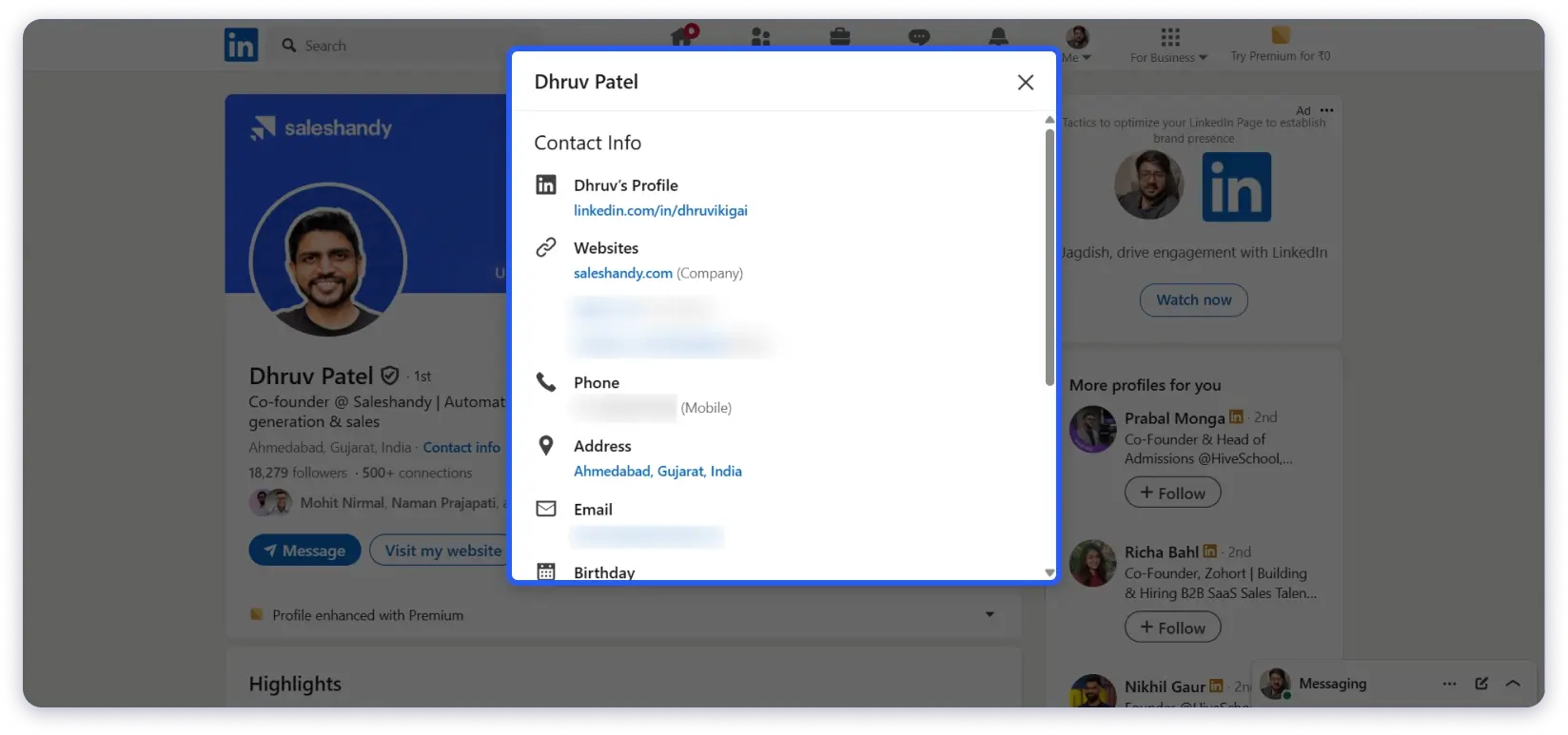
Below their profile headline and location, click “Contact info” (the link with an envelope icon).
A pop-up opens showing their contact details. Look under “Phone” for any listed numbers.
Note: This is only visible if they’ve made their number public, or if you’re a 1st-degree connection and they’ve shared it with connections.
Option B: Read their About section
Some professionals, especially consultants, freelancers, and salespeople, include their phone number directly in their LinkedIn summary. Scroll down to “About” and scan for a number.
Option C: Check their posts and activity
People sometimes share their phone numbers in LinkedIn posts, especially when promoting events, webinars, or offering consultations. Search their recent activity for any mention of “call” or “phone.”
Option D: Use LinkedIn Sales Navigator
Sales Navigator ($99/month) doesn’t directly reveal phone numbers, but it helps you find the right person with advanced filters like company size, revenue, seniority, and technology used.
Once you’ve identified the target, use one of the other methods in this guide (particularly Method 2, Chrome extensions) to get their number.
What Makes This Method Reliable:
✔
Even if a phone number isn’t listed, the LinkedIn profile gives you enough information (full name, company, job title) to search for the number using Saleshandy Lead Finder, Google, or a company website. LinkedIn is often step one of a two-step process. And when someone has listed their number, you know it’s current because they actively chose to share it.
Limitations:
Most users don’t publicly share phone numbers on LinkedIn. The success rate for finding a number directly on a profile is low (15-20% in my experience).
Contact Info visibility depends on privacy settings. Many users restrict this to 1st-degree connections only.
Sales Navigator is expensive ($99+/month) if you’re only using it for occasional number lookups.
What It Costs Per Phone Number:
Free LinkedIn: $0 (but only works for ~15-20% of profiles that list a number)
Sales Navigator: $99+/month (doesn’t reveal numbers directly, but helps find the right person to look up through other methods)
For a detailed walkthrough on how to find phone number from LinkedIn profile, including Sales Navigator tricks, check out our full guide.
5. Search Online Directories and Phone Books
🎯 Best For:
Finding listed personal phone numbers, landlines, and residential numbers by name.
⚡ Speed:
2-5 minutes per lookup
Online phone directories are the digital version of the old white pages phone lookup and yellow pages.
They function as a free online phone directory, aggregating data from public records, phone carriers, and business registries.
If you need to find a phone number by name for a personal contact, especially a landline or listed residential number, directories are a solid starting point.
How to Use It:
1. Whitepages
Whitepages is the most well-known online phone directory and remains the go-to whitepages phone number lookup tool.
It works for both forward lookups (name → phone number) and reverse lookups (phone number → name).
You can also use the free white pages phone numbers search to find listed residential landlines at no cost.
2. AnyWho
AnyWho is powered by similar data sources as Whitepages but has a cleaner, simpler interface. Good for quick white pages and yellow pages searches.
3. 411.com
411.com works well for business phone number lookups. It aggregates data from business listings and public records.
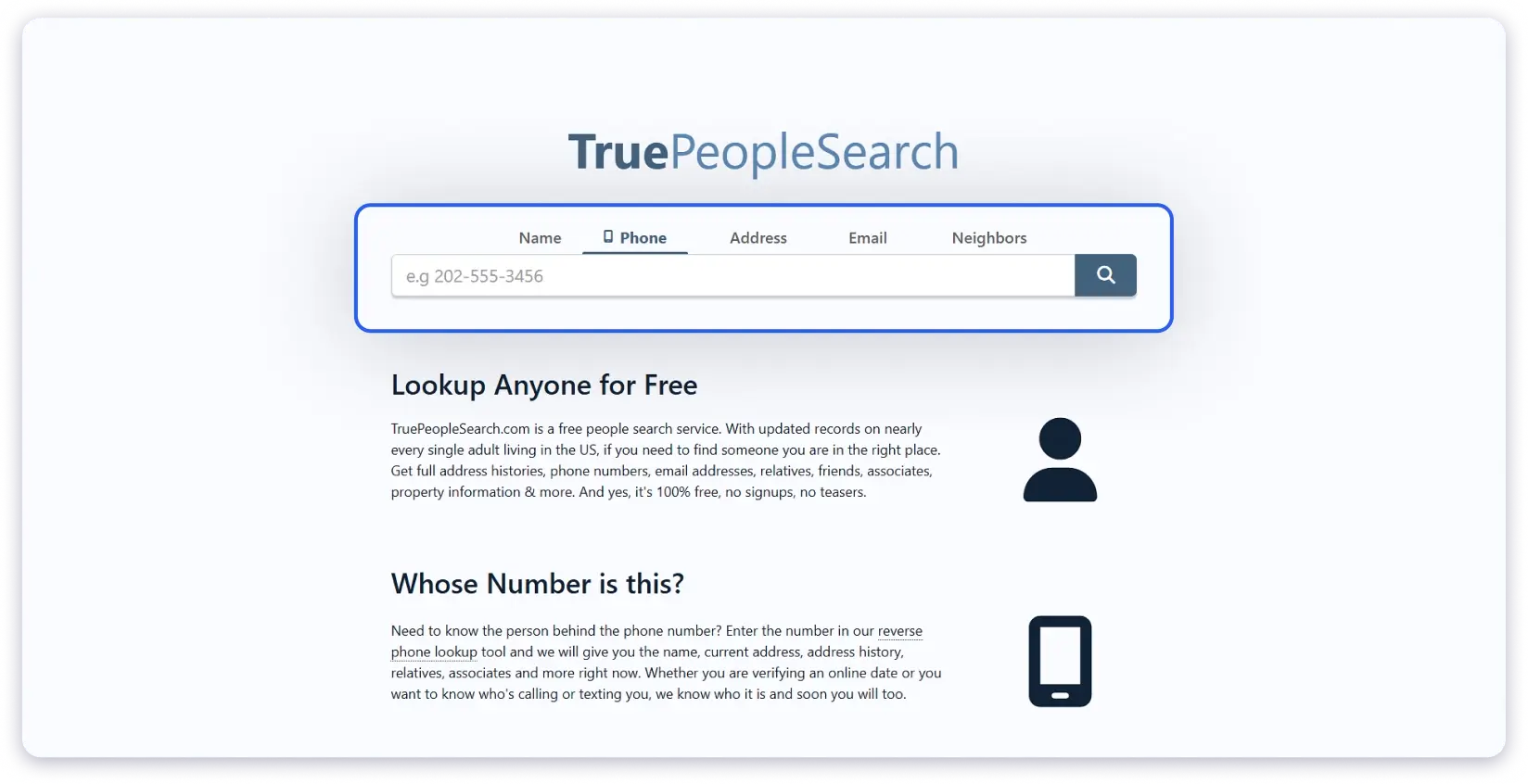
4. TruePeopleSearch
TruePeopleSearch comes up frequently in Reddit discussions about finding phone numbers for free.
It aggregates publicly available data and sometimes surfaces cell phone numbers alongside landlines. Completely free, no account required.
TruePeopleSearch also functions as a basic cell phone directory free of charge — one of the few directories that occasionally surfaces mobile numbers alongside landlines.
5. Yellow Pages
Yellow Pages remains one of the most reliable sources for business phone number searches.
Unlike white pages directories that focus on residential listings, Yellow Pages specializes in business listings organized by category and location.
Search by business name, category, or location at YP.com. It’s particularly useful when you know someone works at a specific business but don’t have their direct line — you can find the main business number and ask to be transferred.
What Makes This Method Reliable:
✔
Always include the city or state. Name-only searches return too many results for common names.
✔
Try the person’s maiden name or previous name if married.
✔
Search for relatives or people who lived at the same address. Directories often link household members together.
✔
Cross-reference across 2-3 directories. If Whitepages doesn’t have a result, TruePeopleSearch might.
Limitations:
Cell phone and mobile numbers are rarely available in free directory results. Most directories are better at surfacing listed landline numbers.
Data can be years out of date. Directory information comes from public records, which update slowly.
Many directories show partial data for free and push you toward paid reports for the actual phone number.
Coverage is primarily US, UK, Canada, and Australia. International coverage is very limited.
People can opt out of directories, which removes their listing entirely.
What It Costs Per Phone Number:
TruePeopleSearch: $0 (completely free, no account needed)
Whitepages: $0 for partial results, $1-5 per full phone number report
AnyWho: $0 for basic listings
411.com: $0 for basic listings
6. Use Google Search With Advanced Operators
🎯 Best For:
Finding phone numbers when you have a name plus additional details like city, company, or email address.
Google is one of the most accessible ways to look up someone’s phone number for free. But a simple name search rarely works on its own.
You need to use specific search operators to narrow down results and filter out noise.
I’m putting this at method #7 and not higher because, honestly, it takes patience.
You’ll likely need to try 3-5 different search combinations before finding a useful result.
When it works, it’s free and effective. But it doesn’t work on every search, and mobile numbers are especially hard to find this way.
Does Google Phone Number Lookup Actually Work?
Google can function as a basic phone number lookup tool, but only for numbers that are publicly indexed.
If someone’s phone number appears on a company website, press release, business directory, or PDF document, Google will find it.
Where Google fails is with private cell phone numbers, unlisted landlines, and numbers that have never been published online.
For those, you’ll need a dedicated lookup tool. Here’s how to get the best results from Google:
How to Use It:
1. Find a phone number by name and city
“John Smith” “phone” “Chicago”
The quotes force Google to find pages with those exact words together. Without quotes, Google shows scattered matches that aren’t helpful.
2. Find a business phone number by name and company
“John Smith” “Acme Corp” “contact”
This surfaces company directories, press releases, and team pages where both the person’s name and contact info appear.
3. Google phone number lookup using a site-specific search
site:linkedin.com “John Smith” “phone”
Limits results to LinkedIn only. Some profiles that don’t show phone numbers in the LinkedIn interface still have them indexed by Google.
4. Find phone numbers in documents
“John Smith” filetype: pdf “phone”
PDFs like conference speaker lists, event programs, nonprofit donor lists, and government filings often include phone numbers that regular web pages don’t.
This is one of the most underused Google search tricks for finding numbers.
5. Search with an area code to narrow results
“Jane Doe” “phone” “212”
If you know the person’s likely area code, adding it to the search filters out matches from other regions.
If you have someone’s email address, searching for it in quotes often surfaces pages where both their email and phone are listed together, like conference registrations, white papers, or business directory submissions.
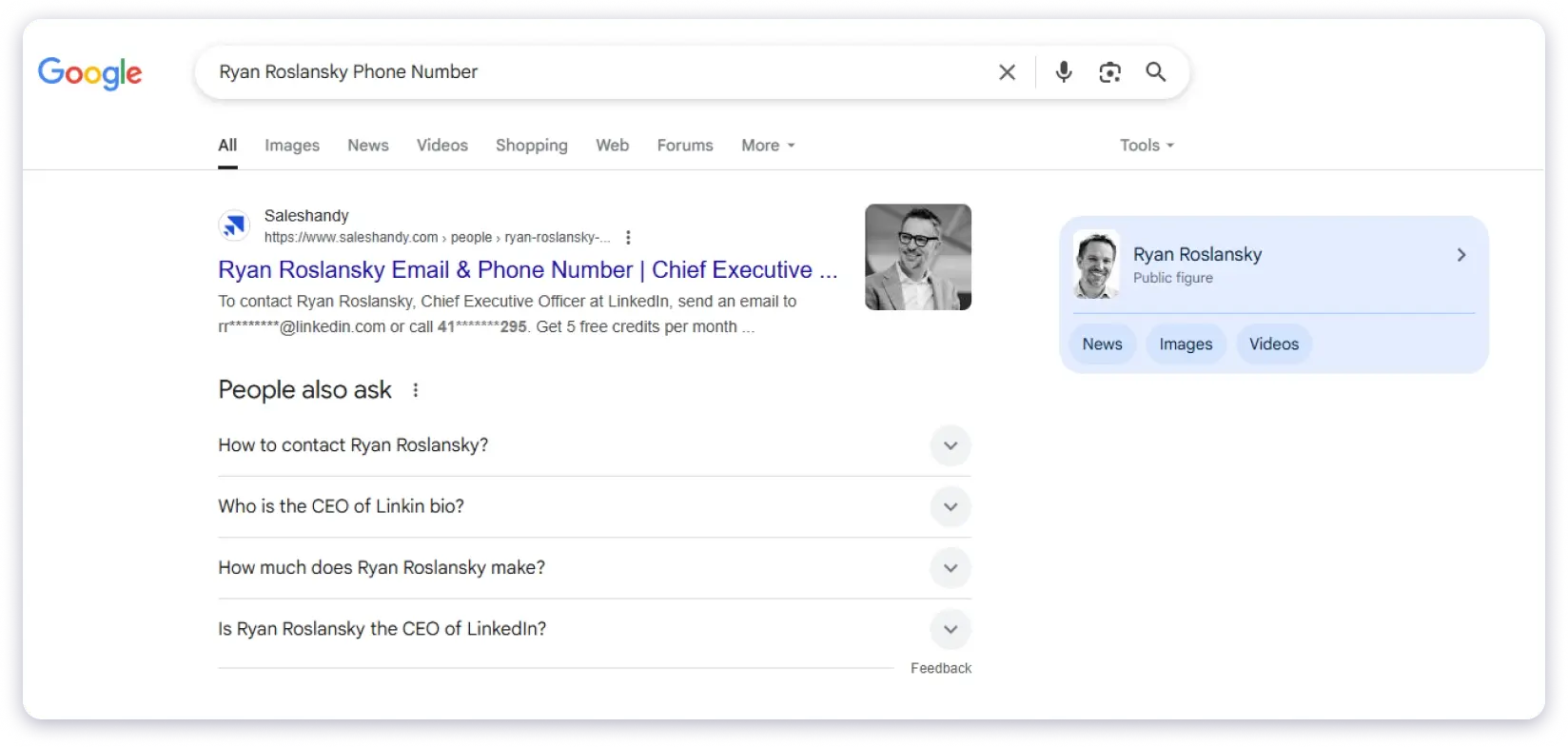
7. Look up a number using Google as a free phone lookup
Simply paste any phone number into Google with quotes: “212-555-1234”.
Google will return any indexed page where that number appears — this works as a free phone number lookup by Google without needing any third-party tool.
What Makes This Method Reliable:
✔
Google can find any phone number that’s been published on an indexed web page. This includes company websites, professional associations, government databases, press releases, event agendas, and academic publications.
✔
For business contacts, this method works more often than you’d expect.
✔
Where it fails: Google won’t find numbers that have never been published online. Private cell phone numbers, unlisted landlines, and recently changed numbers won’t show up. If the person has a very common name, you’ll get hundreds of irrelevant results even with operators.
Limitations:
Time-consuming. You’ll need to try multiple search combinations and manually review results.
Only finds publicly indexed numbers. Private and unlisted numbers won’t appear.
Mobile and cell phone numbers are rarely found this way. You’ll mostly find office lines, landlines, and business numbers.
Common names make this method impractical without additional details.
What It Costs Per Phone Number
$0. Completely free. The only cost is your time (expect 5-15 minutes per search).
7. Search Social Media Profiles
🎯 Best For:
Finding personal phone numbers of people you can identify on social media.
⚡ Speed:
5-10 minutes of manual browsing
Social media profiles sometimes contain phone numbers, either listed publicly or visible to connections and followers.
The success rate is lower than most methods in this guide (maybe 10-15% of profiles have a visible phone number), but it’s free and easy to check.
How to Use It:
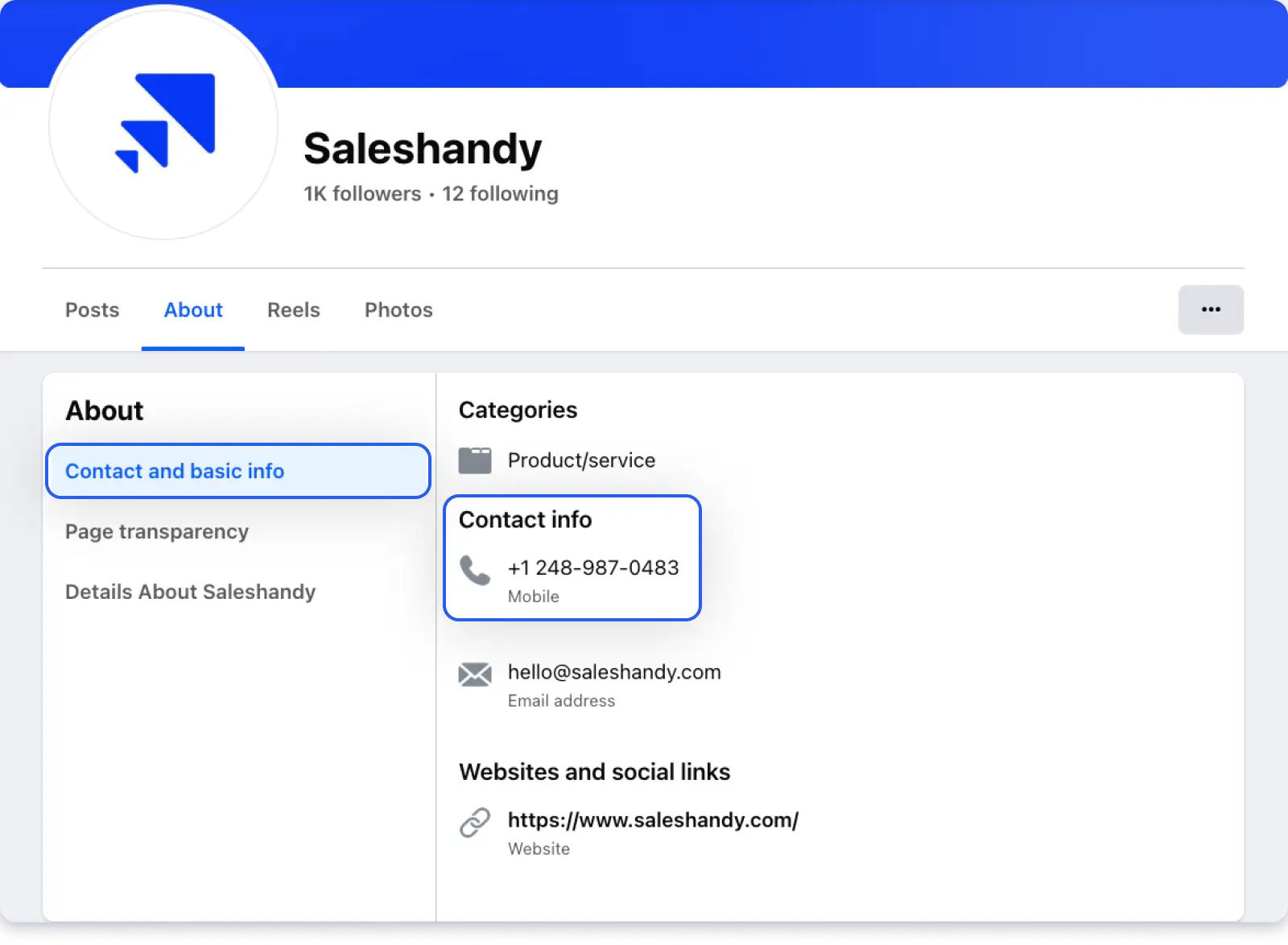
1. Facebook
Go to the person’s Facebook profile.
Click the “About” tab.
Look under “Contact and Basic Info.”
If they’ve added a phone number and set visibility to “Public” or “Friends” (and you’re friends), it appears here.
Another Facebook trick: Try typing a phone number directly into the Facebook search bar.
If someone has linked that number to their account, their profile may appear in results. This works as a reverse phone lookup through Facebook.
2. Instagram
Go to the person’s Instagram profile.
Business and Creator accounts may have a “Contact” button visible on their profile. Tapping it reveals their phone number.
Personal accounts rarely show phone numbers.
3. X (Twitter)
Phone numbers are not a standard field on X profiles. However, some users, particularly in B2B sales, consulting, or freelancing, include their phone number in their bio or pinned tweet to encourage inbound calls.
What Makes This Method Reliable:
✔
If you can’t find a phone number on someone’s profile, try sending a direct message asking for it. Keep the message short, explain why you’re reaching out, and give a reason for them to share their number. In my experience, a warm DM gets a response about 30-40% of the time if you have a legitimate reason.
Limitations:
Success rate is low. Most people keep phone numbers private on social media.
Facebook’s privacy changes over the past few years have made phone numbers much less visible than they used to be.
This method is manual and slow. There’s no bulk lookup capability.
You need to be able to identify and find the correct person’s profile first.
What It Costs Per Phone Number:
$0. Free on all platforms, but expect a low success rate (10-15% of profiles have a visible number).
8. Check Company Websites & Contact Pages
🎯 Best For:
Finding business and department phone numbers for specific companies.
⚡ Speed:
2-5 minutes per company
This method is straightforward, but I’m consistently surprised by how often people skip it.
Company websites frequently list direct phone numbers for sales teams, support departments, executives, and specific employees.
How to Use It:
Step 1: Check the Contact Us page
Navigate to the company’s “Contact Us” page. Most companies list a general phone number here. Some also list direct lines for different departments (sales, support, billing, press).
Step 2: Check the About Us or Team page
Many companies list leadership bios on their website, and these bios sometimes include direct phone numbers or extensions. This is especially common on consulting firms, law firms, real estate agencies, and professional services websites.
Step 3: Check the footer
Some companies put their main phone number in the website footer on every page. Scroll to the bottom and look for it.
Step 4: Check press and media pages
PR and media relations contacts often include direct phone numbers for journalists. These numbers can be useful for reaching specific people in marketing or communications roles.
Step 5: Check job listings
Internal recruiter phone numbers sometimes appear in job postings, especially on the company’s own careers page (not always on third-party job boards).
Step 6: Try Google Maps
Search for the company on Google Maps. Business listings on Google often show a phone number that may not be prominently displayed on the company’s own website.
This works especially well for local businesses, retail locations, and service providers.
What Makes This Method Reliable:
✔
If the website only shows a general reception number, call it and ask to be transferred to the person or department you need.
✔
Receptionists and front desk staff are usually willing to help if you explain who you’re looking for and why. Company websites also tend to keep their contact information accurate because it’s customer-facing.
Limitations:
You’ll typically find the main office number or a department line, not an individual’s personal direct dial.
Startups and smaller companies may not list phone numbers at all, relying entirely on contact forms and email.
Phone trees and automated systems can make it difficult to reach a specific person even when you have the main number.
What It Costs Per Phone Number
$0. Free. You just need access to the internet and sometimes a phone to call reception.
9. Ask Mutual Connections or Network Directly
🎯 Best For:
When other methods haven’t worked, or when you want the warmest possible approach to getting someone’s number
⚡ Speed:
Hours to days (depends on response time)
Sometimes the simplest approach is the best one.
If you know someone who knows the person you’re trying to reach, asking for an introduction or phone number is often more reliable than any tool or database.
How to Use It:
1. Reach Out On LinkedIn
If you share mutual connections with someone, send a message to your mutual contact: “Hey [Name], I’m trying to reach [Person] about [reason].
Would you be comfortable sharing their phone number or making an introduction?” Keep it specific and give a clear reason.
2. Send an Email
If you have someone’s email address but not their phone, send a short message asking for the best number to reach them.
Something like: “Hi [Name], I’d love to discuss [topic] briefly. What’s the best number to reach you on?” In business contexts, this works surprisingly often.
People are generally willing to share their number when there’s a clear reason for the call.
3. Ask In the Alumni Networks
University alumni directories often include contact details.
If you attended the same school as the person you’re looking for, log in to your alumni network and search for them.
Many alumni databases include phone numbers that aren’t available anywhere else online.
4. Meet at Industry Events
Conferences, meetups, and networking events are natural places to exchange phone numbers.
If you’re trying to reach someone in a professional context, attending the same event and meeting them in person bypasses all the digital search entirely.
What Makes This Method Reliable:
✔
A phone number shared directly by the owner or a trusted mutual connection is always more accurate than data pulled from databases or directories.
✔
There’s zero chance of it being outdated or belonging to the wrong person. The tradeoff is speed, since you’re waiting on a human response instead of an instant lookup.
Limitations:
Slow. You’re dependent on someone else’s response time.
Requires an existing network connection to the person or someone who knows them.
Not scalable if you need phone numbers for dozens or hundreds of contacts.
Not every mutual connection will be comfortable sharing someone else’s phone number.
What It Costs Per Phone Number
$0. Free, but the tradeoff is time and social capital.
Bonus Section: How to Find a Phone Number by Name
If all you have is a person’s name, here’s the fastest path to a phone number, depending on what kind of contact you’re looking for.
Use Saleshandy Lead Finder. Enter the person’s name along with their company or job title, and the platform searches 800M+ contacts to return a verified direct dial.
This is the most reliable name-to-number method I’ve found for B2B.
2. For Personal Contacts in The US
Start with TruePeopleSearch (completely free, no account needed).
Enter the first name, last name, and state. If the name is common, add a city or age range.
Cross-check any result against Whitepages for accuracy.
3. For an Unknown Person you Can Identify by Name
Try a Google search with their full name in quotes plus “phone” and any detail you know (city, workplace, school).
If Google doesn’t surface it, run the name through BeenVerified or Intelius for a deeper search that covers cell phone numbers, landlines, and associated addresses.
4. For International Contacts
Most US directories won’t help. Saleshandy’s database covers contacts across North America, Europe, Asia-Pacific, and more.
For European contacts specifically, Kaspr has strong name-based search coverage.
6. For Finding a Phone Number From an Email Address
If you have someone’s email but not their phone number, start by Googling the email address in quotes — pages where both email and phone are listed together (conference registrations, business directories, author bios) often surface. For B2B contacts, paste the email into Saleshandy Lead Finder to pull the associated verified phone number from their 800M+ database. You can also try searching the email on Truecaller, which sometimes links email addresses to phone numbers in its database.
How to Verify and Validate Phone Numbers Before Reaching Out
Finding a phone number is only half the job. Calling a wrong number wastes your time and, in a B2B context, can make your team look unprofessional. Here’s how I verify numbers before using them.
Tools like Saleshandy Lead Finder run real-time verification using waterfall enrichment, meaning the number has been cross-checked against multiple data providers before you even see it.
If you start with a verified source, you skip most of the validation work. This is the single biggest time-saver if you’re building a cold calling list.
2. Cross-check Across Multiple Sources
If you found a number through Google, a directory, or social media, try to verify it by checking at least one additional source.
For example, if Whitepages gives you a number, see if the same number appears on the person’s LinkedIn profile, company website, or in a Google search.
Two matching sources significantly increases confidence.
3. Check the Number Format is Valid
Before calling, confirm the number has the correct format for its country:
US/Canada: +1 followed by 10 digits (e.g., +1 212-555-1234)
UK: +44 followed by 10-11 digits
India: +91 followed by 10 digits
Australia: +61 followed by 9 digits
Getting the format wrong means your call won’t even connect.
If you’re calling internationally, always include the country code.
You can also use a free tool to verify phone number online — services like NumVerify or Phone Validator check whether a number is active, identify the carrier, and confirm the line type (mobile, landline, or VoIP).
4. Send a Quick Verification Text
For mobile numbers, a brief text message or WhatsApp message is a low-risk way to confirm the number is active before calling.
Something like: “Hi [Name], is this the best number to reach you?” This also gives the person a heads-up that your call is coming.
5. Use a Bulk Verification Tool for Large Lists
If you’re working with hundreds or thousands of phone numbers, running them through a phone verification service can flag disconnected, reassigned, or invalid numbers before your team starts dialling.
This prevents wasting hours on dead numbers and protects your team’s call metrics.
Final Verdict
Finding someone’s phone number comes down to matching the right method to your specific situation.
For B2B sales teams and cold calling, a verified lead database gives you the fastest path to accurate direct dials.
For personal lookups, free tools like Truecaller, Whitepages, and Google handle most situations before you need to pay for anything.
The biggest mistake I see people make is relying on a single method. If your first approach doesn’t work, move to the next one.
The 10 methods in this guide are ordered from fastest to most time-intensive, so start at the top and work down until you find what you need.
And regardless of which method you use, always verify before calling. One wrong number can waste more time than the entire research process.
FAQs — How to Find Someone’s Phone Number Blog
1. How Can You Find a Person’s Phone Number?
For personal numbers — Google their name in quotes with their city, or search on Whitepages / TruePeopleSearch. Truecaller works great for reverse lookups.
For business numbers — use a B2B database like Saleshandy Lead Finder. Search by name, company, or job title across 800M+ verified contacts. You can also check LinkedIn profiles or company websites.
2. Can I Find a Phone Number Using Just a Name?
Yes, but add details for better results. A name alone works on Whitepages for uncommon names. For common names, add a city, company, or age range to narrow it down. B2B tools like Saleshandy let you filter by job title, company, and industry for precise matches.
3. How Do I Look Up a Phone Number for Free?
Best free options:
Google the name in quotes + “phone” + city
TruePeopleSearch — completely free, no signup
Whitepages — free for basic listings
Truecaller — free reverse phone lookup
LinkedIn / Facebook — some profiles show phone numbers
Saleshandy — 50 free credits for verified B2B numbers
4. Can Google Find a Phone Number?
Yes — if the number exists on any publicly indexed page. Google can surface numbers from company websites, directories, press releases, and even PDF documents.
Use search operators for better results: “Jane Doe” “Acme Corp” “phone”. It’s essentially a free google phone number lookup. Won’t work for private, unlisted, or cell numbers that were never published online. See Method 7 above for a full walkthrough.
5. How to Find Someone’s Phone Number on LinkedIn?
Go to their profile → click “Contact Info” below the headline. If they’ve shared their number publicly or with connections, it shows up there.
No luck? Check the “About” section — some professionals list their number there. If nothing’s visible, use a Chrome extension like Saleshandy Connect, Kaspr, or Lusha to pull verified phone data directly from the profile.
6. Is There a Free Way to Find a Cell Phone Number?
Cell numbers are harder to find for free since most aren’t in public directories. Your best bets:
Truecaller — strong mobile coverage through crowdsourced data
TruePeopleSearch — sometimes surfaces cell numbers
Social media profiles — check Facebook “About” or Instagram business contacts
Ask mutual connections directly
For verified business mobile numbers, Saleshandy gives you 50 free credits.
7. How to Find a Phone Number by Address?
Use a reverse address lookup on Whitepages, TruePeopleSearch, or AnyWho. Enter the street address + city → it returns residents and their listed numbers.
Works best for landlines. Cell numbers tied to an address are harder to find through free tools — paid services like BeenVerified sometimes include them.
8. What Is the Best Free Phone Number Lookup Site?
Depends on what you need:
Reverse lookup (who owns this number?) → Truecaller
Find by name, no signup → TruePeopleSearch
Landlines and listed numbers → Whitepages
Quick reverse lookup, no account → NumLookup
B2B direct dials (50 free credits) → Saleshandy Phone Number Finder
9. How to Find Someone’s Phone Number and Address?
People search tools like BeenVerified, Spokeo, and Intelius return both in a single report. For free, TruePeopleSearch often shows phone + address together. Whitepages also pairs the two. You can also try Googling the name + city + “address” or “phone” to find public records pages.
10. Are Phone Number Finder Tools Legal?
Yes — completely legal for legitimate purposes. B2B tools like Saleshandy, ZoomInfo, and Cognism collect from public business sources and opt-in databases. Consumer tools like Whitepages and BeenVerified pull from public records.
What matters is how you use the data. In the US, follow the TCPA and respect the Do Not Call Registry. In Europe, GDPR applies. Bottom line: use numbers for legitimate outreach, recruitment, or reconnecting — and always respect opt-out requests.
11. How Do I Trace or Locate a Phone Number?
Truecaller is the fastest free option — enter the number and get the registered name, location, and carrier instantly. For deeper results (address, email, social profiles), Spokeo and BeenVerified offer paid trace reports.
You can also Google the number in quotes — if it’s listed anywhere online, Google will find it. For business numbers, this usually reveals the company and department right away.
12. How Can I Find an Old Phone Number I’ve Lost?
Search your email inbox for the person’s name — old signatures often have their number. Check Google Contacts or iCloud too, which may have synced it from a previous device.
If that doesn’t work, try TruePeopleSearch or Whitepages with their name + last known city. For business contacts, Saleshandy Lead Finder can pull their current number even if the old one changed.
13. How Can I Find a Phone Number Using an Email Address?
Google the email in quotes — you’ll often find pages where both email and phone appear together (directories, event registrations, author bios).
For B2B contacts, paste the email into Saleshandy Lead Finder to get the verified number directly. Truecaller also sometimes links emails to phone numbers.
14. How to Find a Phone Number From a Name for Free?
Start with TruePeopleSearch — it’s completely free, no account needed. Enter the first name, last name, and state. For common names, add a city.
Cross-check on Whitepages for accuracy. If you need a business number, Saleshandy gives 50 free credits to search by name + company across 800M+ contacts. Google with “name” + “phone” + city also works for publicly listed numbers.





 Dhruv Patel