
 Anil Salvi
 Contents
- 1Find Someone’s Email Address: TOC
- 2 TL;DR: Best Ways to Find Someone’s Email Address
- 3 How to Find Someone’s Email Address (13 Methods)
- 3.1 Method 1: Use an Email Finder (Fastest Way to Find Anyone’s Email Address)
- 3.2 Method 2: Use AI Tools Like ChatGPT or Perplexity to Find Email Addresses
- 3.3 Method 3: How to Find Someone’s Email Address Using Google Search Operators
- 3.4 Method 4: How to Find Someone’s Email Address on LinkedIn (3 Ways)
- 3.5 Method 5: How to Find Someone’s Email Address by Name (Guess + Verify the Pattern)
- 3.6 Method 6: How to Find a Business or Corporate Email Address on a Company Website
- 3.7 Method 7: How to Find an Email Address on Twitter / X
- 3.8 Method 8: How to Find a Developer’s Email Address from GitHub Commits (the .patch trick)
- 3.9 Method 9: Find Email Addresses in Slack and Discord Communities
- 3.10 Method 10: Use DuckDuckGo to Find Email Addresses Google Hides
- 3.11 Method 11: How to Find Someone’s Email Address from Their Phone Number
- 3.12 Method 12: Sign Up for Their Newsletter to Reveal a Personal Email Address
- 3.13 Method 13: Ask Through a Generic Company Email (info@, hello@, support@)
- 4 Why You Should Only Use Verified Email Addresses
- 5 Start Finding Email Addresses Now
- 6 FAQs
- 6.1 1. Is it legal to find and use someone’s email for outreach?
- 6.2 2. How do I verify if an email address is valid?
- 6.3 3. What is the fastest way to find a business email address?
- 6.4 4. How can I find someone’s email address by their name?
- 6.5 5. Can I find email addresses for free?
- 6.6 6. What is the most common business email format?
- 6.7 7. How do I find email addresses from LinkedIn?
- 6.8 8. How to find someone’s email address from their phone number?
- 6.9 9. How to find personal email addresses vs. business emails?
So you are searching the internet to find someone’s email address.
Well, I can teach you that!
In this post, I am going to walk you through the simplest and most effective ways to find email addresses (step by step.)
Whether you are in sales, recruiting, journalism, freelancing, or just trying to reach someone you need to talk to, these methods will save you hours and help you actually start real conversations.
Let’s get started!
Find Someone’s Email Address: TOC
- TL;DR: I Tested All 13 Methods
- How to Find Someone’s Email Address (13 Methods)
- Use an Email Finder
- Use AI Tools
- Search on Google
- Check Their LinkedIn Profile
- Guess the Email Pattern and Verify
- Check the Company Website
- Search on Twitter/X
- Find Emails from GitHub Commits
- Join Slack and Discord Communities
- Use DuckDuckGo Domain Search
- Use a Reverse Phone Number Lookup
- Sign Up for Their Newsletter
- Ask Through a Generic Company Email
- Why You Should Only Use Verified Email Addresses
- Start Finding Email Addresses Now
- FAQs
TL;DR: Best Ways to Find Someone’s Email Address
I tried to find 25 real email addresses using every method in this guide.
Here is how each one performed.
| Email Finding Method | Emails Found (out of 25) | Verified & Deliverable | Avg. Time per Email |
|---|---|---|---|
| Email finder tool | 24 | 23 | ~10 seconds |
| Contact database (filtered search) | 22 | 21 | 2–3 minutes |
| AI tools (ChatGPT, Perplexity) | 15 | 10 | Under a minute |
| Google search operators | 11 | 8 | 3–5 minutes |
| LinkedIn Contact Info | 8 | 8 | 1–2 minutes |
| Email pattern + verify | 19 | 17 | 3–5 minutes |
| Company website | 10 | 9 | 2–3 minutes |
| Twitter/X bio and tweets | 6 | 5 | 2–5 minutes |
| GitHub commits (.patch trick) | 7 | 6 | 2–3 minutes |
| Slack and Discord communities | 4 | 3 | 15–30 minutes |
| DuckDuckGo domain search | 7 | 5 | Under a minute |
| Reverse phone lookup | 9 | 6 | ~30 seconds |
| Newsletter signup | 5 | 4 | 1–5 min + wait |
| Generic company email (info@, hello@) | 7 | 6 | 24–48 hours |
Bottom line 👇🏼
Email finder tools and the pattern-guess-and-verify method had the highest hit rates.
Free methods like Google operators and LinkedIn worked well for people with some public presence, but missed a lot of mid-level contacts.
AI tools surprised me, fast, but about a third of the emails they returned were outdated or wrong.
How to Find Someone’s Email Address (13 Methods)
Here’s a video that shows the different methods for finding someone’s email address step-by-step→
Method 1: Use an Email Finder (Fastest Way to Find Anyone’s Email Address)
When you need to find someone’s email address fast and you have at their name and company, an email finder tool is the highest-accuracy method.
These platforms give you access to millions of verified professional email addresses.
You set filters for job title, company size, industry, location, revenue, tech stack, and more. The tool returns a list of people matching your criteria, along with their verified emails.
Here is how the most popular contact database tools compare:
| Tool | Free Credits | Accuracy | Best For |
|---|---|---|---|
| Saleshandy Lead Finder | 50/month | 95%+ | Finding + verifying + outreach in one platform |
| Hunter.io | 50/month | ~92% | Domain-based email lookups |
| Apollo.io | 10,000/month | ~85% | Largest free tier + built-in CRM |
| Prospeo | 75/month | ~98% | Cost-per-email efficiency |
| Snov.io | 50 (trial) | ~79% | Budget all-in-one with drip campaigns |
| Skrapp.io | 100/month | ~92% | LinkedIn-focused prospecting |
| GetProspect | 50/month | ~93% | LinkedIn lead scraping |
| VoilaNorbert | 50 (one-time) | ~89% | Simple, single lookups |
You can find the detailed review of these tools in my article, 12 Best Email Finder Tools (Ranked By Accuracy)
That said, I use Saleshandy Lead Finder most often because it combines finding and outreach in one place.
The database covers 842M+ B2B contacts across 42M+ companies.
You can filter by 75+ criteria, use AI-powered search (type a plain English description of your ideal prospect), and reveal up to 10,000 contacts in a single search.
It also verifies emails in real time. If it cannot find a valid email, it does not charge credits, which saves a lot of waste compared to tools that charge regardless.
How to Find Emails with a Contact Database
- Sign up free at Saleshandy (no credit card needed)
- Go to Lead Finder
- Set your filters: job title, company size, location, industry, tech stack, etc.
- Or use AI search: type “VP of Sales at B2B SaaS companies with 50-200 employees in California”
- Review the results
- Reveal contacts individually or in bulk (up to 10,000 at once)
- Export as CSV or add directly to a cold email sequence
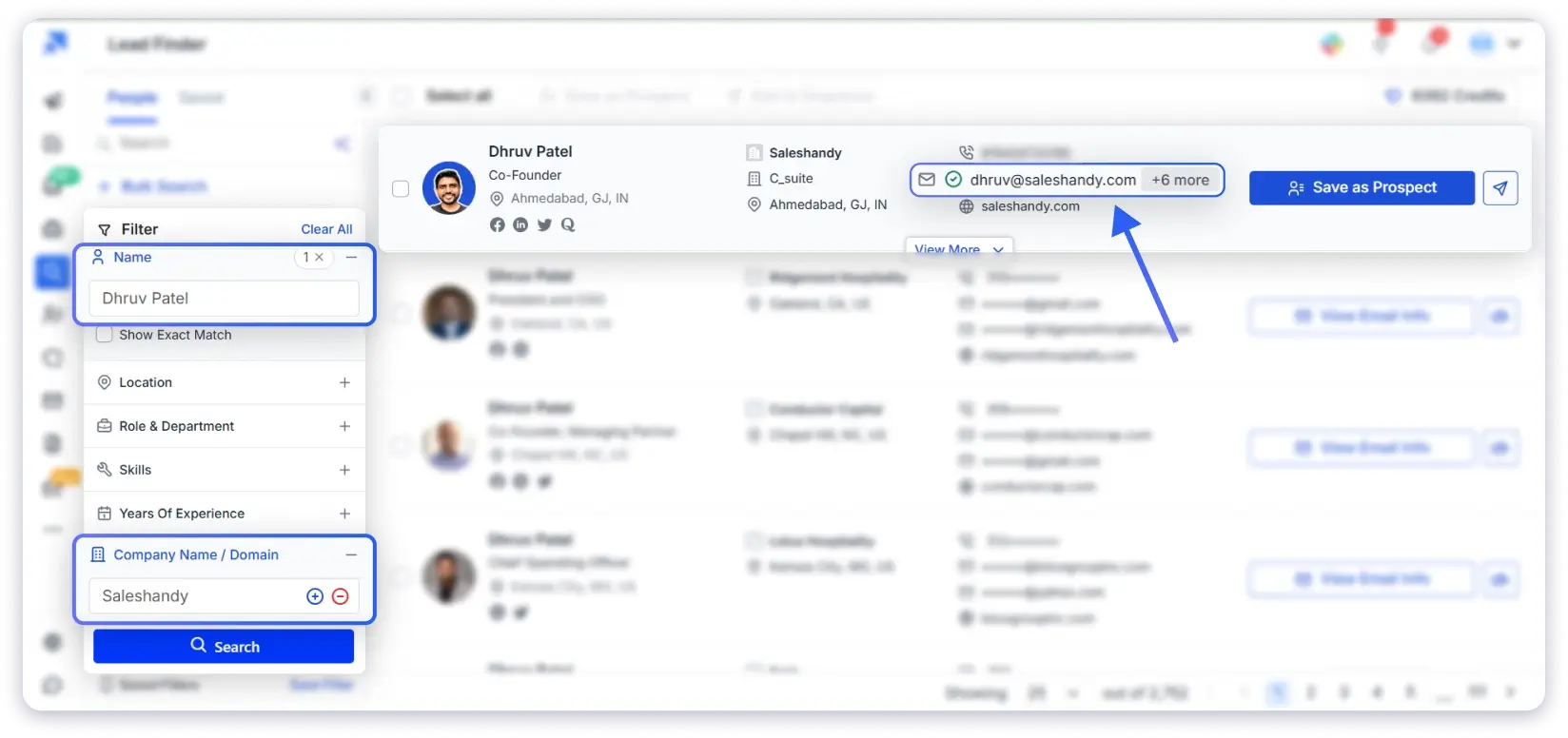
When to Use a Free Email Finder vs. a Contact Database
Use the free email finder (from the intro) when you need one or two emails and you already have a name + company. Instant, free, no account needed.
Use a contact database when you need to search by criteria (title, industry, location), find emails at scale, or go from finding to outreach in one platform.
Method 2: Use AI Tools Like ChatGPT or Perplexity to Find Email Addresses
AI email finders like ChatGPT, Perplexity, and Claude can scan public web pages in seconds and surface email addresses you would otherwise have to find manually.
They check company websites, press pages, speaker bios, social profiles, and public directories all at once.
The accuracy is not as high as a dedicated email finder tool because AI is searching the open web rather than a verified database.
But for emails that ARE publicly available somewhere online, AI is surprisingly good at finding them.
How to Find Emails with AI
- Open ChatGPT (Agentic Mode works best), Perplexity, Gemini, or Claude with web search
- Give a specific prompt. The more detail you include, the better the results:
- “Find the business email address of [Full Name], [Title] at [Company]”
- “What is the email for [Company]’s head of marketing?”
- “Find contact information for [Full Name] who works at [domain.com]”
- Review the results. Perplexity is especially good because it cites sources, so you can check where the email came from.
- Verify the email with an email verifier before using it. AI can return outdated or guessed addresses, so this step is not optional.
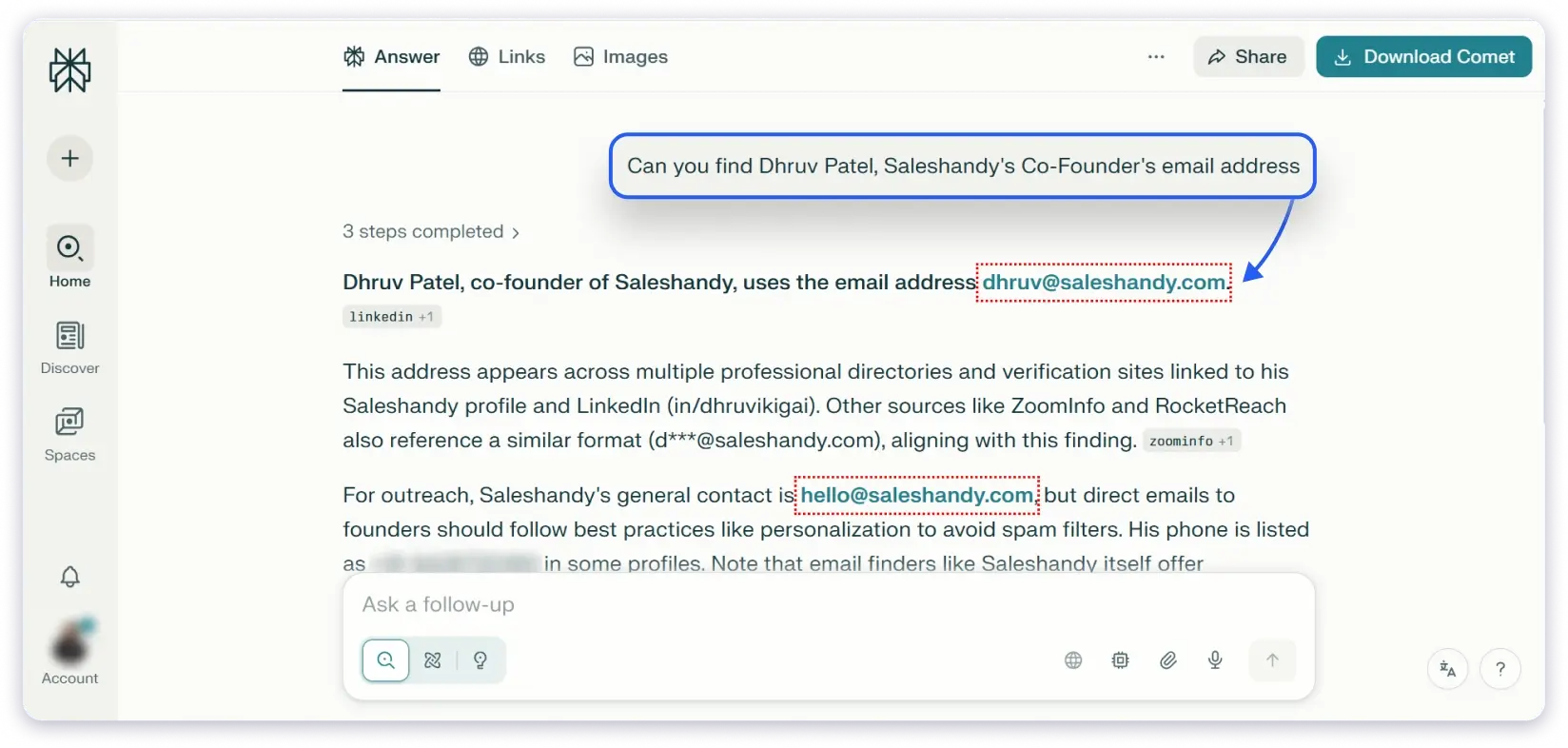
AI tools work best for people who have some public presence: executives, founders, speakers, authors, or anyone who has been mentioned in articles, interviews, or event pages.
They are less effective for people in mid-level or junior roles who do not have much online visibility. Always treat an AI-found email as a lead, not a confirmed address, and verify before sending.
Method 3: How to Find Someone’s Email Address Using Google Search Operators
This is the most reliable free way to find someone’s email address on Google without using any tool.
Google indexes billions of pages, and many of them contain email addresses in places you would not think to look, PDF whitepapers, conference speaker bios, regulatory filings, press releases, and job postings.
The trick is knowing how to search for them.
1. Use Google AI Overview
Google’s AI overview now answers many email-related queries directly. Start with a simple search:
“[Full Name] [Company] email address”
If the email exists somewhere on the public web, the AI overview sometimes surfaces it right at the top of the results.
This takes about 5 seconds and works more often than you would expect.
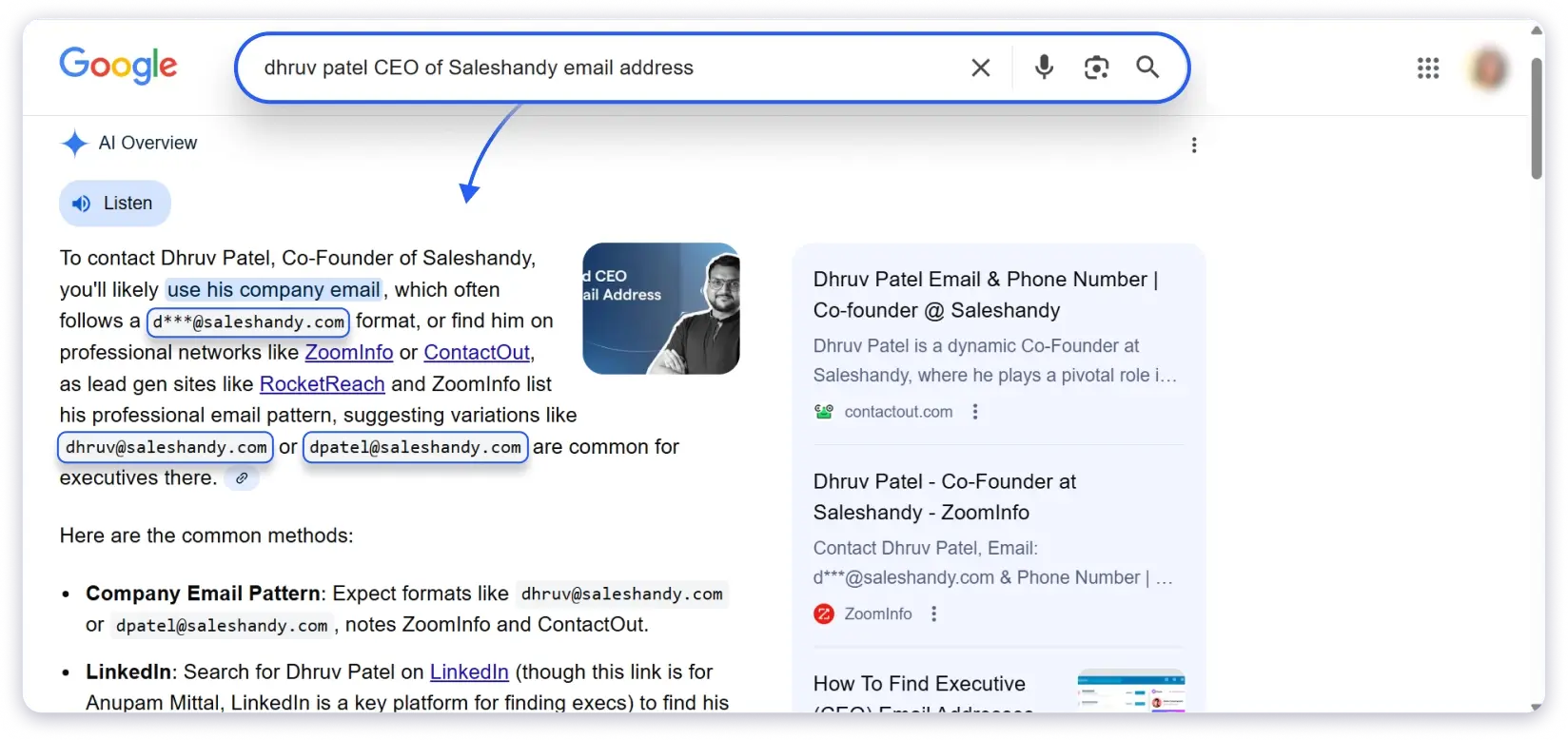
2. Use Advanced Search Operators
If the AI overview does not return what you need, use these operators to search more precisely:
| Search Query | What It Finds | When to Use |
|---|---|---|
"[Name]" "[Company]" email | Pages mentioning both name and “email” | Starting point for most searches |
"[Name]" "@company.com" | Pages showing the actual email | When you know the company domain |
site:company.com "[Name]" email | Searches only that company’s website | For team pages, bios, contact pages |
filetype:pdf "[Name]" "@company.com" | Emails inside PDFs and documents | For speakers, authors, researchers |
"[Company]" hiring OR careers "@company.com" | Emails in job postings | Recruiters leave emails in job ads constantly |
"@company.com" -site:company.com | Every page outside the company listing an @company.com email | To discover the company’s email pattern |
That last operator is worth highlighting.
If you find two or three emails from the same company using “@company.com” -site:company.com, you can figure out the email format (first.last@, flast@, firstname@) and guess any employee’s email from there.
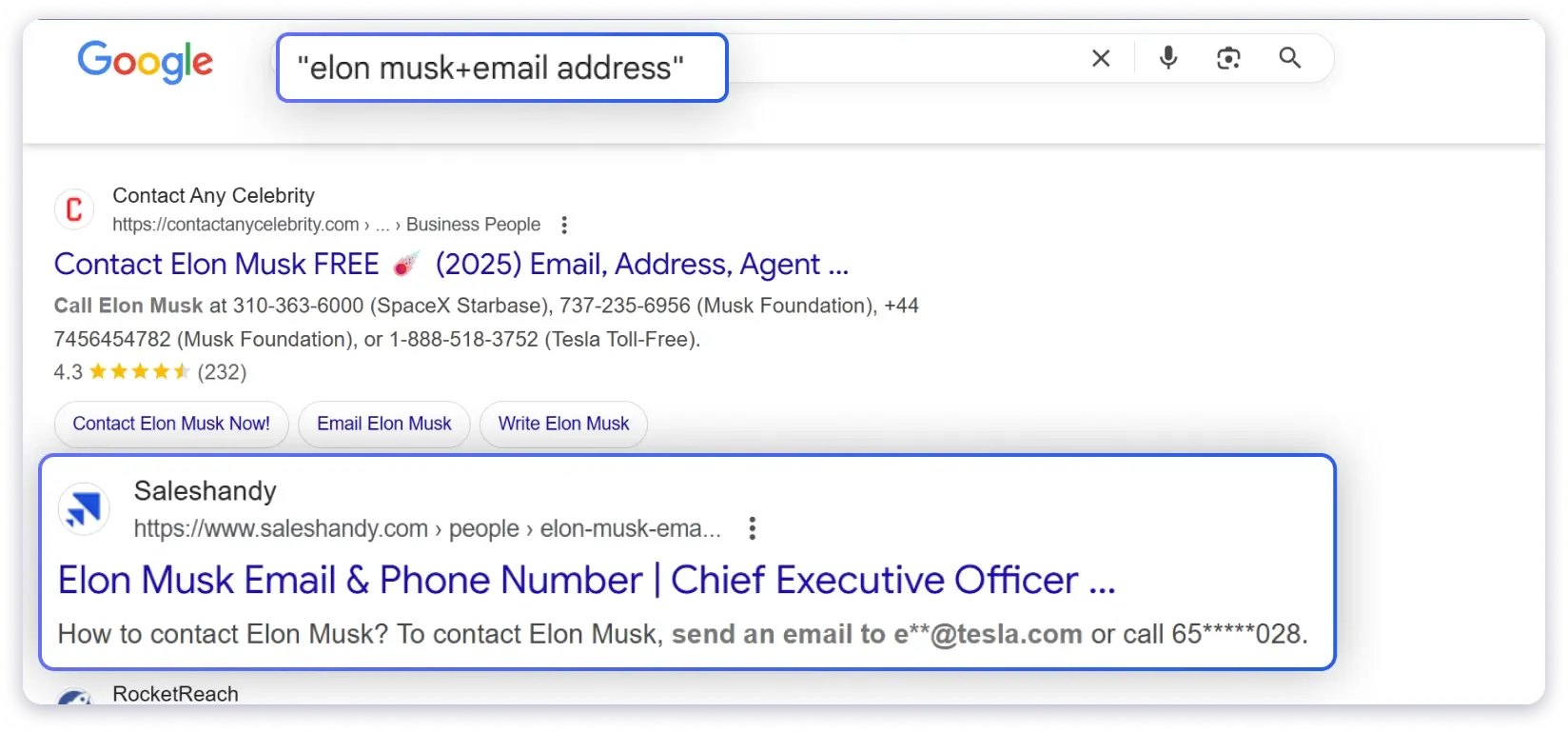
Then verify it using Method 7.
💡 Pro tip: Job postings are one of the most overlooked sources. Recruiters constantly include their email addresses in listings, and Google indexes them.
Method 4: How to Find Someone’s Email Address on LinkedIn (3 Ways)
LinkedIn is the single best free source to find someone’s email address, if you know where to look.
The catch is that only about 30% of users share it, and the visibility depends on your connection level.
How to Find Emails on LinkedIn
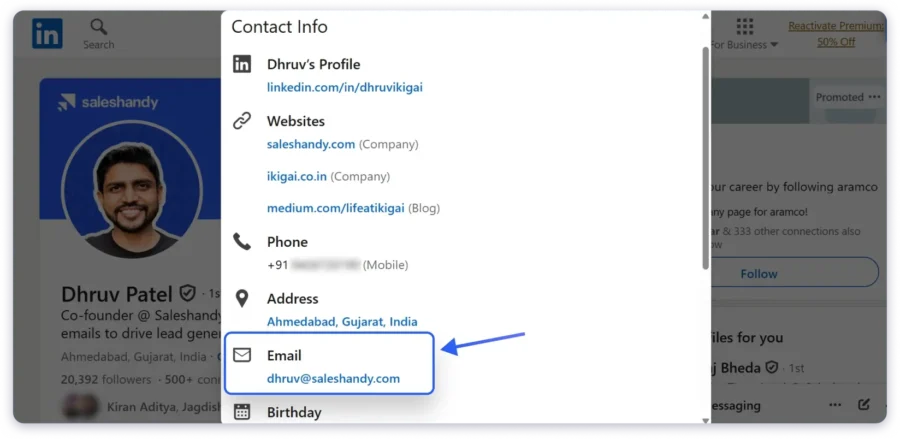
Step 1: Check the Contact Info section
Go to the person’s profile and click “Contact Info” just below their headline and profile photo.
If they have made their work email visible, it shows up here. This is the most common place to find it. I have found C-level emails using this method more times than any other free approach.
Step 2: Read the About section
Founders, consultants, and freelancers frequently include their email in the About section.
They want to be reachable. Scroll down and look for “reach me at,” “email me,” or an address written in plain text.
Step 3: Export your connections (for 1st-degree connections only)
If the person is already in your LinkedIn network, go to Settings → Data Privacy → Get a copy of your data → select “Connections.”
LinkedIn emails you a CSV file containing the email addresses your connections have shared. This is a one-time download that covers your entire network.
📊 Keep in mind: Only about 30% of LinkedIn users share their email, and 2nd/3rd-degree connections have a visibility rate around 5%. This method is hit-or-miss, but when it hits, it is the fastest free option.
Method 5: How to Find Someone’s Email Address by Name (Guess + Verify the Pattern)
Most companies use a standard email forIf you want to find someone’s email address by name and you know the company they work at, you can guess the company’s email pattern and verify it in under 5 minutes.
If you know the person’s name and the company domain, you can guess the format and verify which version is real.
This works because companies are predictable.
A company that uses [email protected] for one employee almost certainly uses [email protected] for everyone else.
Most Common Email Formats by Company Size
| Company Size | #1 Format | #2 Format | #3 Format |
|---|---|---|---|
| 1-50 employees | firstname@ (42-71%) | flast@ (13-27%) | first.last@ (10-23%) |
| 51-200 employees | flast@ (42%) | first.last@ (30%) | firstname@ (17%) |
| 201-1,000 employees | flast@ (42-45%) | first.last@ (35-41%) | firstname@ (5-7%) |
| 1,000+ employees | first.last@ (48-56%) | flast@ (22-35%) | firstname@ (3-7%) |
This is the most reliable free way to find an email address by name when no tool returns a result.
Quick rule:
- Small company? Try [email protected] first.
- Large enterprise? Try [email protected].
How to Verify a Guessed Email
- Use a free email permutator (Mailmeteor or Metric Sparrow) to generate all possible combinations from a name + domain
- Run each combination through Saleshandy’s Email Verifier, NeverBounce, or ZeroBounce
- The verifier checks MX records and SMTP responses to confirm which address is active and deliverable
- Use the verified email. Discard the rest.
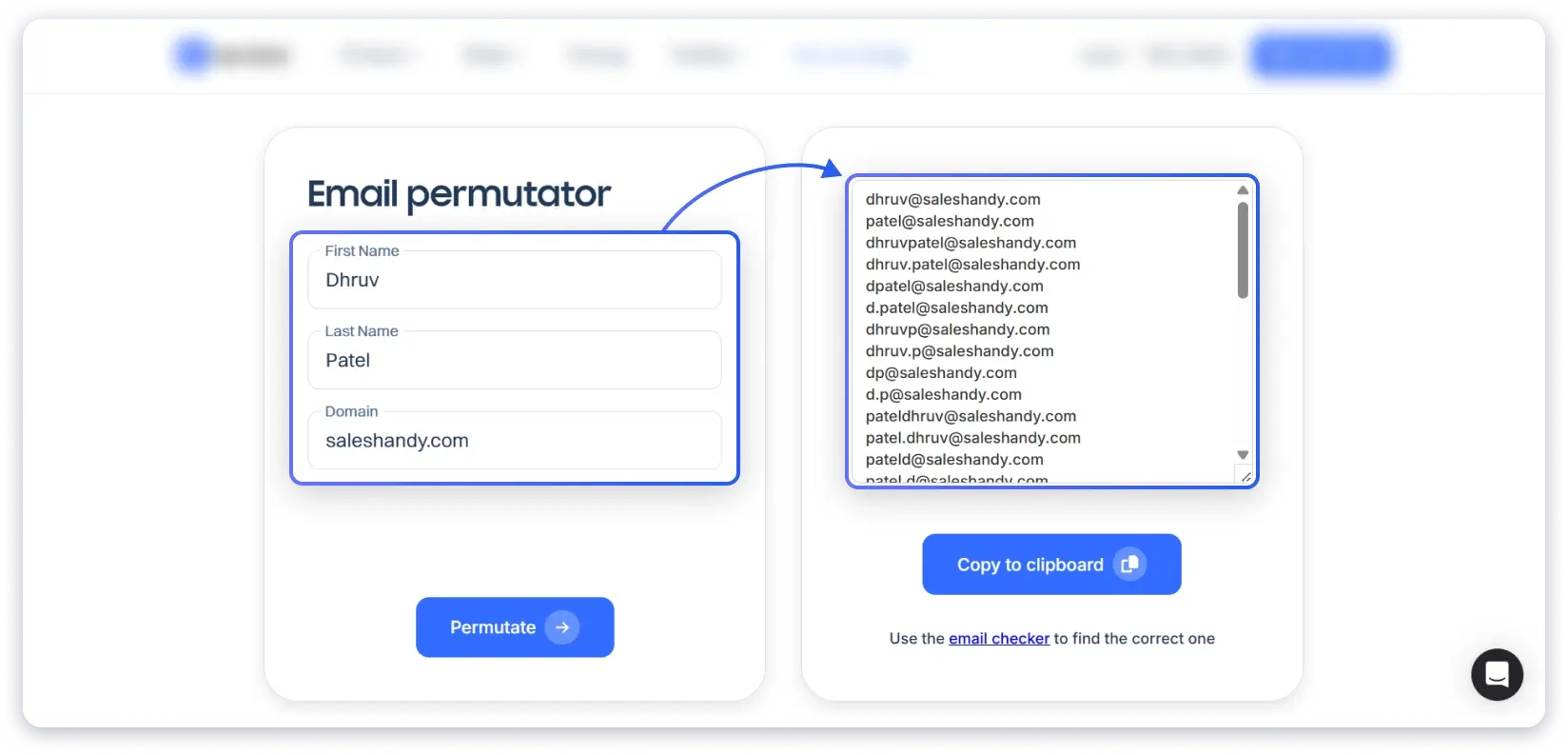
This method takes a few extra minutes but is completely free and has a high success rate once you crack the company’s pattern.
Method 6: How to Find a Business or Corporate Email Address on a Company Website
Company websites are still the most underused source for finding a business email address, especially at smaller companies.
Businesses need customers, partners, and candidates to reach them. So they publish contact information on their websites, usually in the same few places. Here is where to look.
Where to Find Emails on a Company Website
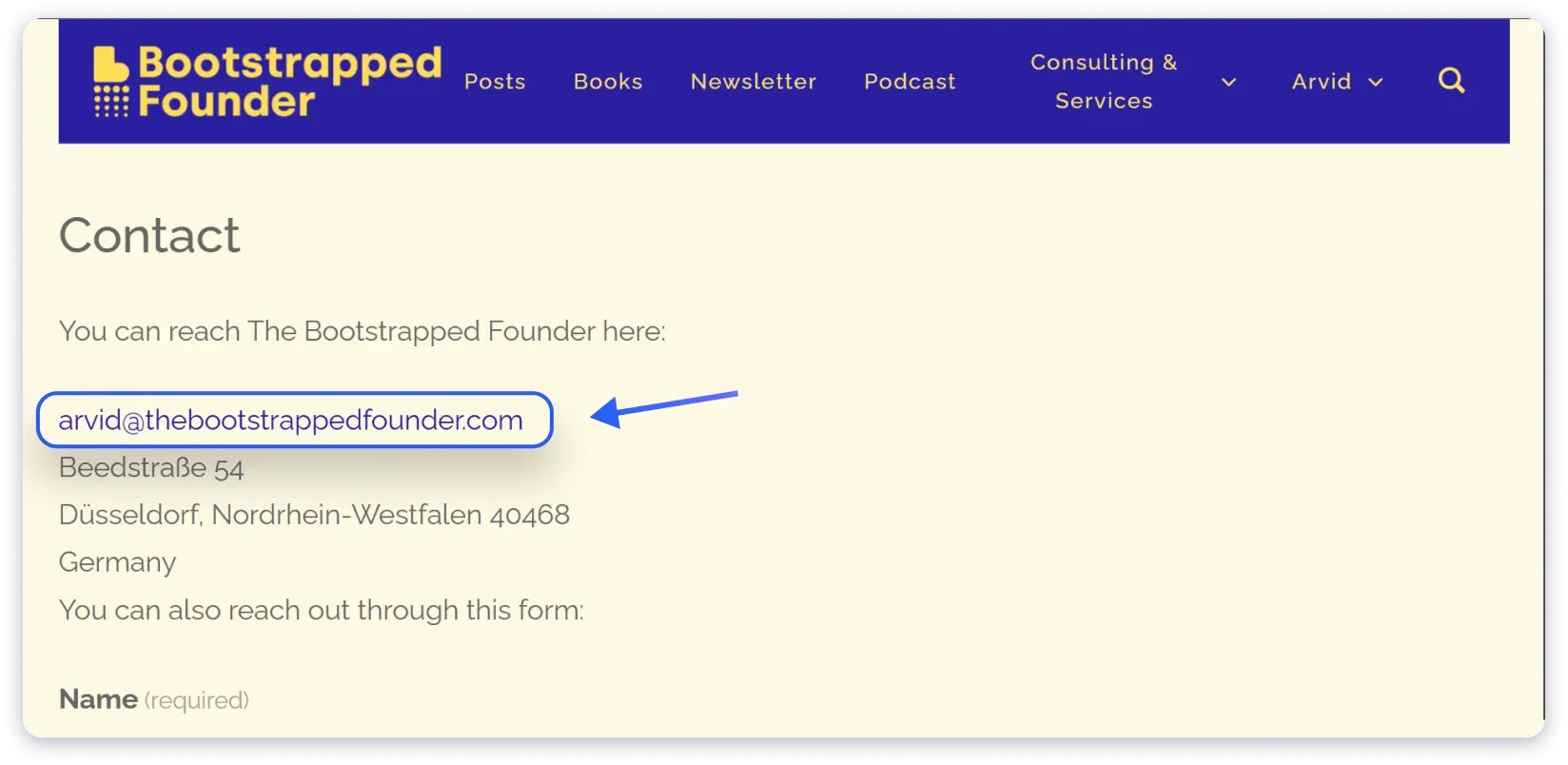
- Contact Us page: The most obvious spot. Larger companies tend to list department emails (sales@, support@, press@), while smaller companies often list individual team members with direct email addresses.
- About Us / Team page: Many companies showcase their leadership team with bios that include email addresses. This is especially common at startups, agencies, and professional services firms where personal relationships drive business.
- Blog / Author pages: If the person you are looking for writes content for the company blog, check their author bio. Writers frequently include their email or a link to their profile with contact details.
- Press / Media page: If the company has a press room or media inquiry page, the PR contact email is almost always listed. PR teams expect to be contacted by strangers, so these emails are highly responsive.
- Careers page: Job postings sometimes include the hiring manager’s or recruiter’s direct email, especially at smaller companies.
Method 7: How to Find an Email Address on Twitter / X
Twitter is a surprisingly good source for email addresses because many professionals share their email publicly, either in their bio or in tweets.
The accuracy is lower because not everyone does this, and the emails can be outdated if the person changed roles. But when it works, it is fast and free.
Founders, freelancers, and creators are the most likely to share their email on Twitter. They WANT to be contacted. But they often disguise it to avoid bots:
- yourname [at] company [dot] com
- “reach me at name at domain dot com”
- “email / contact → [email protected]”
How to Find Emails on Twitter
1. Check the bio first
About 90% of the time, if someone shares their email on Twitter, it is in their bio. This takes 10 seconds.
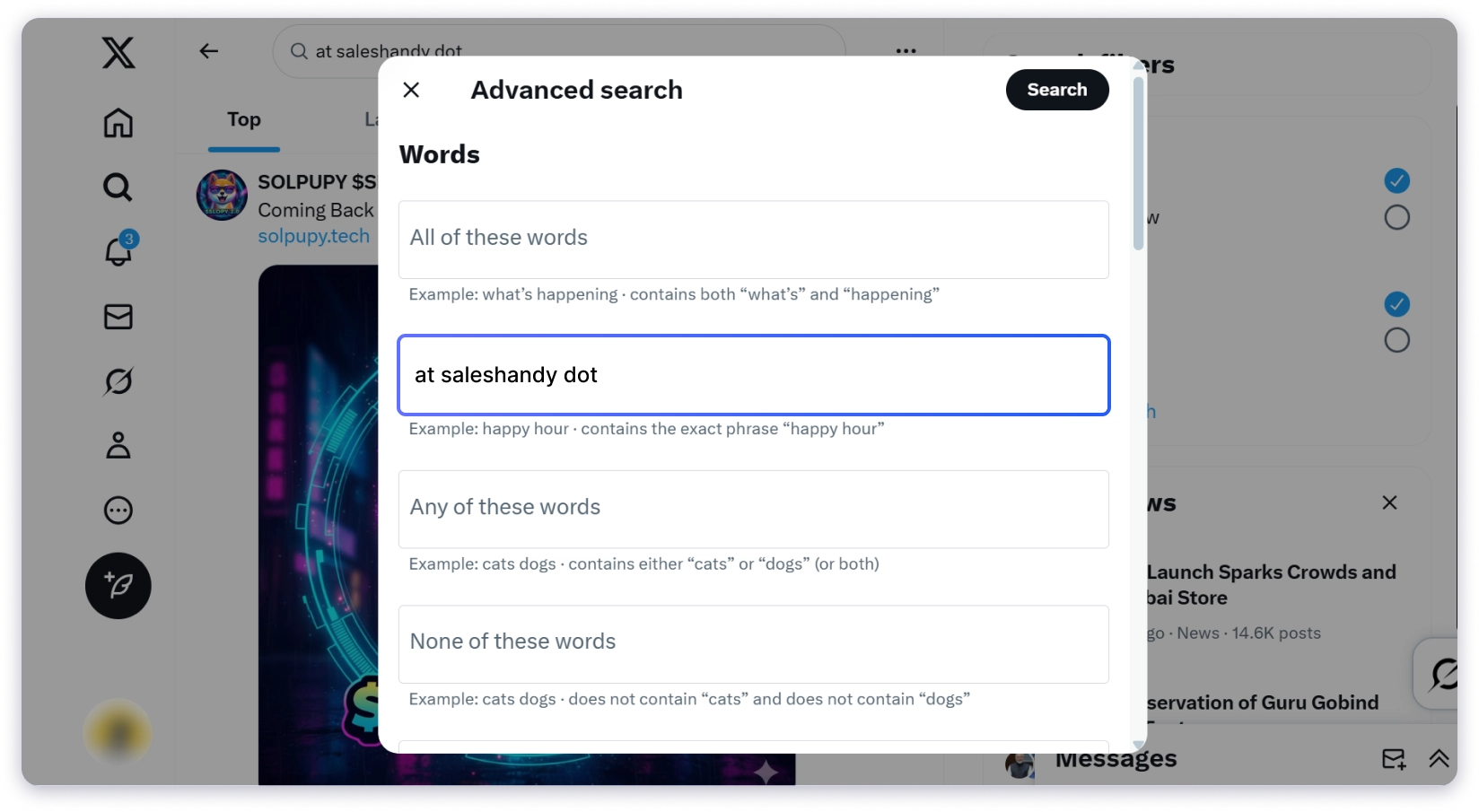
2. Use Twitter Advanced Search if the bio is empty:
- Go to Twitter’s Advanced Search
- Enter the person’s handle or name
- Add keywords like “email”, “contact”, “reach me”, “at”, “dot” in the search fields
- Browse results for any tweets where they shared their email
You can also search: from:@username “at” “dot” or from:@username “email”
I find 3-5 valid emails a month using this method alone. It works best for people who are active on Twitter and use it for professional networking.
Method 8: How to Find a Developer’s Email Address from GitHub Commits (the .patch trick)
This is one of the least talked about methods for finding email addresses, and it is one of the most reliable for a specific audience: developers and technical professionals.
The reason it works is built into GitHub’s operation.
Every time a developer pushes code to a public repository, their email address is embedded in the commit metadata.
Even if their GitHub profile does not display an email, the commit history usually contains it.
How to Find a Developer’s Email on GitHub
- Go to the person’s GitHub profile (github.com/username)
- Find a non-forked repository. Look for a project they created, not one they copied from someone else. Forked repositories may not contain their commits.
- Click “Commits” to see the commit history
- Find a commit made by the person you are looking for
- Click the commit ID (the alphanumeric string on the right side)
- In your browser URL bar, add .patch to the end of the URL
- Press Enter
The page reloads and shows the raw commit data. Near the top, you will see a “From:” line that includes the author’s email address.
⭐ Example: If the URL is github.com/username/repo/commit/abc123, change it to github.com/username/repo/commit/abc123.patch
Some developers have enabled GitHub’s privacy setting, which replaces their real email with a noreply address ([email protected]). In that case, this method will not return a usable email.
But most active GitHub users, especially those who have been contributing for years, still have their real email in their commit history.
This is particularly valuable for recruiters, hiring managers, and anyone selling to technical decision-makers. Completely free and takes about 2 minutes once you know the process.
Method 9: Find Email Addresses in Slack and Discord Communities
Industry-specific Slack workspaces and Discord servers are places where professionals network, share knowledge, and often share contact information openly.
Unlike other methods on this list, this one requires some upfront effort. But the payoff is that you get access to an ongoing source of contacts, not just a one-time lookup.
Many of these communities have member directories where people list their email.
Others have public channels where professionals share contact details while offering help, promoting work, or responding to questions.
Some members include their email in their Slack or Discord profile.
How to Use This Method
- Search Google for “[your industry] Slack community” or “[topic] Discord server” (for example, “SaaS sales Slack community” or “product management Discord”)
- Join and spend a few minutes participating in conversations
- Check member directories and profiles for email addresses
- If you find the person you are looking for but their email is not listed, send a direct message and ask politely
🤝 Bonus: This method doubles as networking. When you ask for someone’s email after engaging with them in a shared community, they are significantly more likely to respond to your outreach later.
Method 10: Use DuckDuckGo to Find Email Addresses Google Hides
Google and DuckDuckGo handle the “@” symbol differently, and that difference creates an opportunity.
When you search for “@company.com” on Google, it treats the “@” as a social media tag and filters it out. DuckDuckGo does not.
It treats “@company.com” as literal text and returns pages where that exact string appears. This means you can find email addresses that are publicly listed on the web but invisible to Google searches.
How to Use This Method
1. Go to DuckDuckGo.com
2. Search for “@company.com” (include the quotes)
3. Browse results for pages where email addresses from that domain are listed
To narrow it down to a specific person, add their name: “Jane Doe” “@acme.com”
⚡ Why this works: This method takes under a minute and works especially well for discovering a company’s email pattern. Once you see two or three emails from the same domain, you know the format and can guess any employee’s address.
Method 11: How to Find Someone’s Email Address from Their Phone Number
If you have someone’s phone number but not their email, a reverse phone lookup connects the two in about 30 seconds.
These tools search public records and databases to find information associated with a phone number, including email addresses, names, and locations.
How to Use This Method
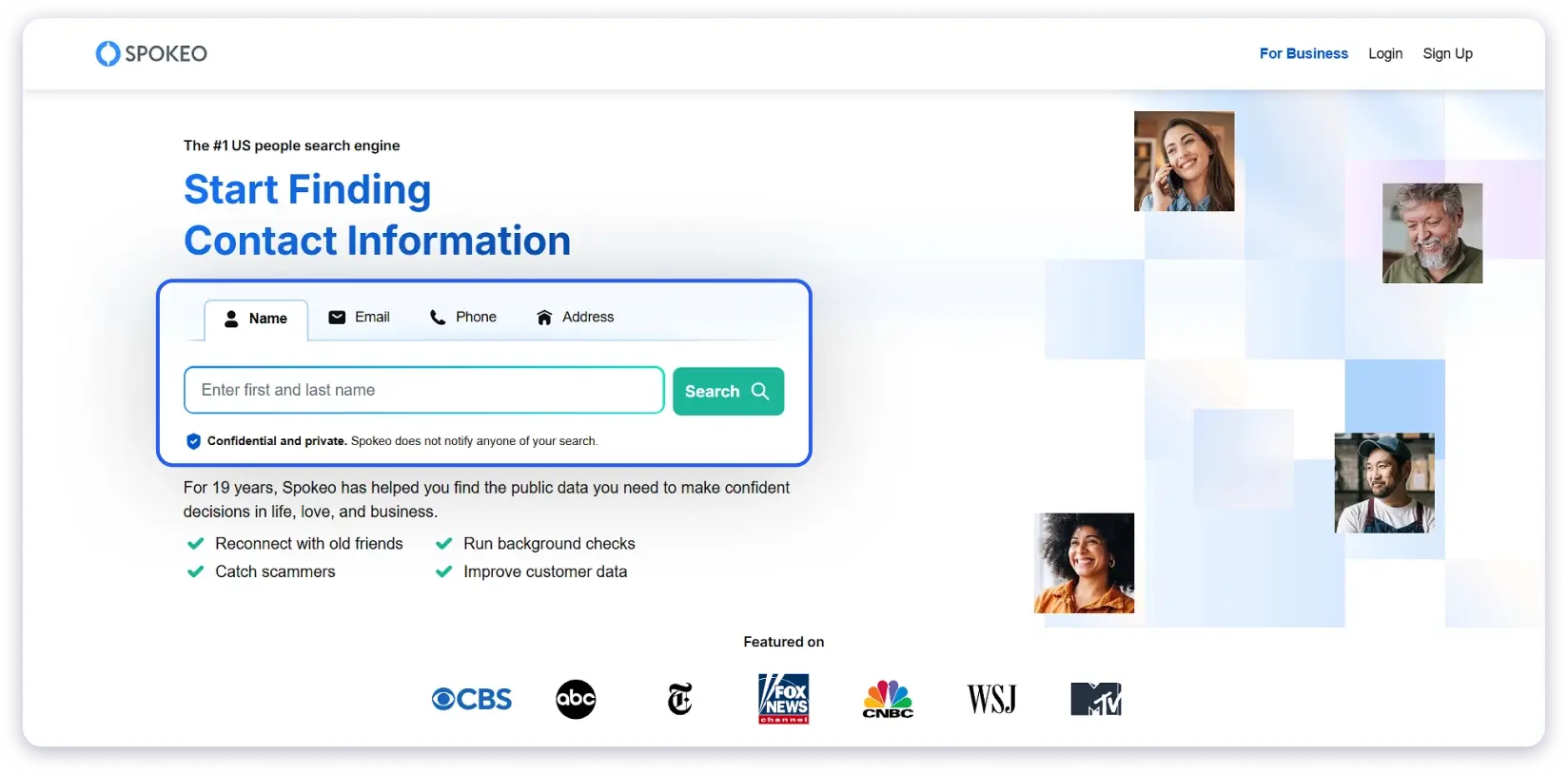
- Open a reverse phone lookup tool (Truecaller, Saleshandy’s Phone Number Finder, or Spokeo)
- Enter the phone number
- Review the results: the tool returns associated name, email, location, and sometimes linked social profiles
This works best when the person has used their phone number for professional accounts or business registrations.
It is less reliable for people who keep their phone number strictly private.
Also read: How to Find Someone’s Phone Number
Method 12: Sign Up for Their Newsletter to Reveal a Personal Email Address
When someone sends a newsletter or a free resource (ebook, template, webinar recording), the email it comes from often reveals their real address.
This is because many individuals and small businesses send from their personal inbox rather than a no-reply address.
How to Use This Method
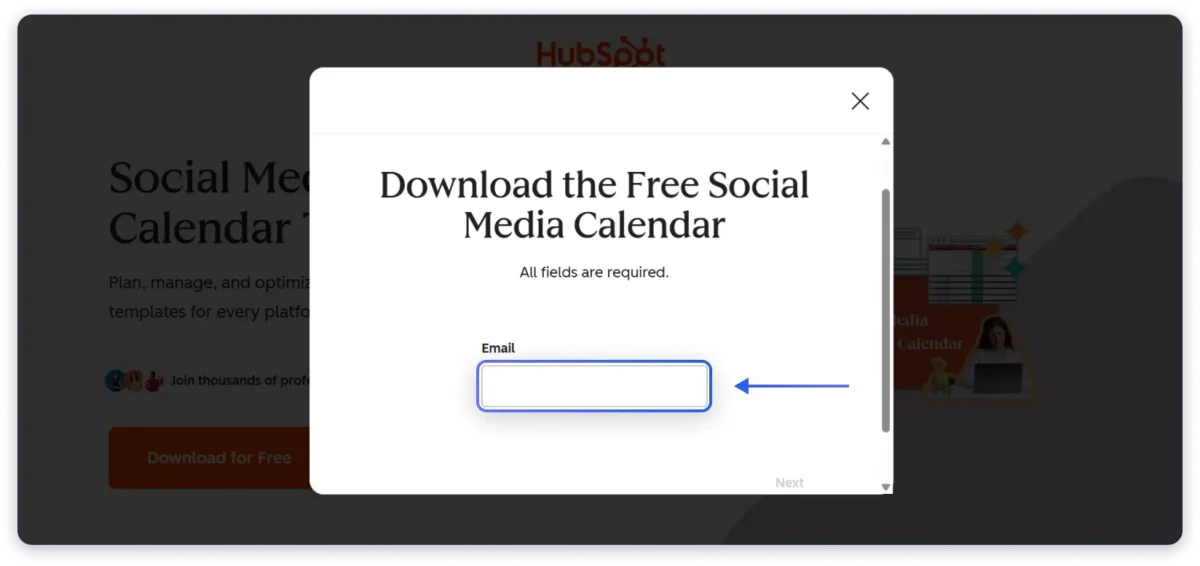
- Look for a newsletter signup, lead magnet, or free resource on the person’s website or blog
- Subscribe with your email
- When the confirmation or welcome email arrives, check the “From” field and the email signature
- If it comes from a real person’s address (not noreply@ or marketing@), you have the email you need
🎯 Best for: Solo founders, consultants, coaches, bloggers, and small business owners who handle their own email marketing. Less effective for mid-to-large companies that use dedicated email marketing platforms with no-reply addresses.
Method 13: Ask Through a Generic Company Email (info@, hello@, support@)
Most company websites have a generic contact point: [email protected], [email protected], [email protected], or a contact form. These go to admin or support teams who handle incoming inquiries.
What most people do not realize is that these teams are usually happy to help you reach the right person inside the company. You just have to ask clearly.
How to Use This Method
- Find the company’s generic email or contact form on their website
- Send a short, specific message:
“Hi, I am looking to connect with [Name or Role] regarding [specific topic]. Could you point me to the right person or share their email? Thanks.”
Keep it brief and professional. Mention a specific name or role, and explain your reason for reaching out.
🔑 Key difference: Vague messages (“I want to talk to someone about partnerships”) get ignored. Specific messages (“I would like to speak with your VP of Engineering about a speaking opportunity at [Event]”) get forwarded.
Response times vary. Some teams reply within hours. Others take a day or two. But the accuracy is high because you are getting the email directly from someone inside the company.
Why You Should Only Use Verified Email Addresses
Finding an email is the first step. Making sure it is the RIGHT email is what actually determines whether your outreach works.
1. Wrong emails kill your reply rate
The average response rate for outreach emails is around 8.5%. That assumes the email reaches a real inbox.
Send it to a dead address, a wrong person, or a generic info@ account, and that 8.5% drops to zero.
The 30-60 seconds it takes to verify an email is the highest-ROI step in any outreach workflow.
2. Hard bounces destroy your sender reputation
Every email sent to an invalid address creates a hard bounce. Email providers like Gmail and Outlook track your bounce rate.
If it goes above 2-3%, they start routing your emails to spam, not just for the bounced address, but for ALL your emails.
Recovery from a damaged sender reputation takes weeks to months. In severe cases, accounts get suspended permanently.
Always verify before you send. Use Saleshandy’s Email Verifier, NeverBounce, or ZeroBounce
Start Finding Email Addresses Now
You now have 13 methods, each with clear timing, accuracy, and step-by-step instructions.
For the fastest results, start with a free email finder. Type a name and domain, get a verified email in seconds.
For targeted searches by role, industry, or company size, use Saleshandy Lead Finder with 75+ filters and AI-powered search.
For situations where tools do not have the answer, use Google operators, AI tools, LinkedIn, GitHub commits, or any of the manual methods in this guide.
For everything from finding to outreach in one platform, Saleshandy lets you find verified emails, build prospect lists, and send personalized cold email campaigns without switching tools.
Whichever method you use, always verify the email before you hit send.
Also Read: A detailed guide on how to find an email from a phone number.
FAQs
1. Is it legal to find and use someone’s email for outreach?
Yes, as long as you use publicly available data and follow email compliance laws.
- In the US, CAN-SPAM requires a physical address, an unsubscribe link, and honest subject lines in every commercial email.
- In the EU, GDPR allows B2B outreach under “legitimate interest” but you must respect opt-out requests.
- Canada’s CASL requires express or implied consent. The rule across all regions: always include an easy unsubscribe option.
2. How do I verify if an email address is valid?
Use an email verification tool like Saleshandy’s Email Verifier, NeverBounce, or ZeroBounce.
These tools check MX records, SMTP responses, and domain status to confirm whether the email is active, deliverable, and safe to send. Always verify before outreach.
3. What is the fastest way to find a business email address?
Use a free email finder tool. Enter a name and company domain and get a verified email in seconds.
Saleshandy’s email finder searches an 800M+ contact database and verifies in real time. For bulk needs, Lead Finder offers 75+ filters and AI-powered search.
4. How can I find someone’s email address by their name?
If you have a name and company, use an email finder tool (enter name + domain).
If you only have a name, try Google search operators: “[Full Name]” + “email” or “[Full Name]” + “@company.com”.
Also check their LinkedIn Contact Info section and Twitter bio.
5. Can I find email addresses for free?
Yes. Free methods include: Google search operators, DuckDuckGo domain search, LinkedIn Contact Info, Twitter bios, GitHub commit history, AI tools (ChatGPT, Perplexity), company websites, and newsletter signups.
Most paid tools also offer free tiers: Saleshandy gives 50 free credits, Hunter gives 50, Apollo gives 10,000, and Skrapp gives 100.
6. What is the most common business email format?
It depends on company size.
- Small companies (under 50 employees) most commonly use [email protected] (42-71%).
- Mid-size companies (51-200) favor [email protected] (42%).
- Large enterprises (1,000+) typically use [email protected] (48-56%).
Data from Interseller’s analysis of 5M+ companies.
7. How do I find email addresses from LinkedIn?
Check the “Contact Info” section below the person’s headline. Use a LinkedIn email finder extension like Saleshandy Connect to find verified emails from any profile in one click.
For bulk LinkedIn prospecting, use Lead Finder with LinkedIn URL filters.
You can also export your 1st-degree connections via LinkedIn Settings → Data Privacy → Get a copy of your data.
8. How to find someone’s email address from their phone number?
Use a reverse phone lookup tool like Truecaller or Saleshandy’s Phone Number Finder. Enter the phone number to get associated contact details including name, email, and location.
9. How to find personal email addresses vs. business emails?
Most email finder tools focus on business email addresses. For personal emails (Gmail, Yahoo), check social media bios, Google the person’s name + “gmail.com”, or use people-search services.
For professional outreach, always use business emails to stay compliant with GDPR and CAN-SPAM.