
![13 Best Email Scraping Tools in 2026 [Tested & Compared]](https://www.saleshandy.com/blog/wp-content/uploads/2025/07/Email-Scraping-Tools.webp)

Finding the right email scraping tool shouldn’t feel like a gamble.
But for most sales reps and outreach teams, that’s exactly what it is.
You sign up for a tool, run a few searches, and half the emails bounce. The other half? Ending up with Outdated, generic, or just wrong email addresses.
I got tired of that cycle. So I did what most people skip.
I actually tested 13 email scraping tools side by side using the same prospect list, the same industries, and the same expectations.
For this list, I tracked how many emails each tool found, how many passed verification, and whether the experience felt worth the price.
This post covers everything: my test results, honest comparisons, actual pricing, and a clear recommendation for who each email scraper works best for.
So, let’s get started.
Email Scraping Tools – TOC
- TL;DR: 13 Best Email Scraping Tools in 2026
- What is an Email Scraping Tool?
- 13 Top Email Scraping Tools in 2026 [Best-Rated by Users]
- How to Scrape Emails from a Website (5 Steps)
- How to Verify Scraped Emails and Avoid Bounces
- Is Email Scraping Legal? What You Need to Know in 2026
- My Final Take: The Email Scraping Tool I Would Pick
- FAQs About Email Scraping Tools
TL;DR: 13 Best Email Scraping Tools in 2026
Let’s take a look at the best email scraping tools with the highest accuracy and verified emails.
| Tool | Best For | Emails Found | Verification | Starting Price | Free Plan |
|---|---|---|---|---|---|
| SaleshandyBest | B2B email scraping + outreach in one platform | 98% | ✓Built-in (waterfall) | $34/mo | 50 credits + 7-day trial |
| Snov.io | Bulk email scraping with 7-tier verification | 88% | ✓Built-in | $30/mo | 50 credits |
| Hunter.io | Domain-based email scraping | 70% | ✓Built-in | $34/mo | 25 searches/mo |
| Lusha | LinkedIn email + phone scraper | 80% | ✓Built-in | $37.45/mo | 50 email credits/yr |
| Kaspr | LinkedIn email extractor (EU-focused) | 82% | ✓Built-in | $65/mo | 15 emails/mo |
| Clay | AI email scraper with 100+ data sources | 78% | Via integrations | $134/mo | 100 credits |
| Skrapp.io | LinkedIn + domain email finder | 76% | ✓Built-in | $21/mo | 100 emails/mo |
| GetProspect | LinkedIn email scraping + CRM sync | 73% | ✓Built-in | $49/mo | 50 valid emails |
| Outscraper | Google Maps + web email scraper | 68% | Optional | Pay-as-you-go | 500 domains/mo |
| AeroLeads | Budget LinkedIn email extractor | 65% | ✓Built-in | $39/mo | 10 credits |
| Apify | No-code web scraping for emails at scale | 72% | Via actors | $49/mo | $5 credits/mo |
| Findymail | Strict verification, lowest bounce rate | 74% | ✓Binary | $49/mo | 10 credits |
| Evaboot | Sales Navigator scraper + data cleaner | 77% | ✓Built-in | $29/mo | No free plan |
What is an Email Scraping Tool?
An email scraping tool, also called an email scraper, email extractor, email crawler, or email spider, is software that automatically collects email addresses from a source and returns them as a usable list.
The source can be a website, a LinkedIn profile, a Google Maps listing, an online directory, or a B2B contact database.
Under the hood, most email scraping tools use one of four methods:
- Pattern-Based Discovery — The tool guesses common email formats (like firstname.lastname@company.com) and verifies them via SMTP. Used by Hunter and Skrapp.
- Web Crawling (Email Spidering) — A bot crawls a website’s pages and extracts anything matching an email regex. Used by Apify and Outscraper.
- Database Lookup — The tool queries a pre-built B2B database (no live scraping). Used by Saleshandy (852M+ contacts), Apollo, and ZoomInfo.
- LinkedIn Enrichment — The tool scrapes emails tied to a LinkedIn profile, either through a Chrome extension or a URL upload. Used by Kaspr, Evaboot, and Skrapp.
Some tools combine multiple methods that’s what makes waterfall enrichment (used by Saleshandy) more accurate than any single-source scraper.
The goal of using an email scraper is almost always the same: build a targeted lead list for cold email outreach, recruitment, or research without spending hours copying data from LinkedIn or company sites manually.
13 Top Email Scraping Tools in 2026 [Best-Rated by Users]
Let’s now learn about each platform in detail, one by one.
- Saleshandy
- Snov.io
- Hunter.io
- Lusha
- Kaspr
- Clay
- Skrapp.io
- GetProspect
- OutScraper
- AeroLeads
- Apify
- Findymail
- Evaboot
1. Saleshandy
Saleshandy is the AI email scraper best for B2B teams that want to scrape verified emails and run cold outreach from one platform.
Saleshandy operates as a database-lookup email scraper; it queries an 852M+ B2B contact database (built from 42M+ companies) and returns emails that are verified in real time through waterfall enrichment.
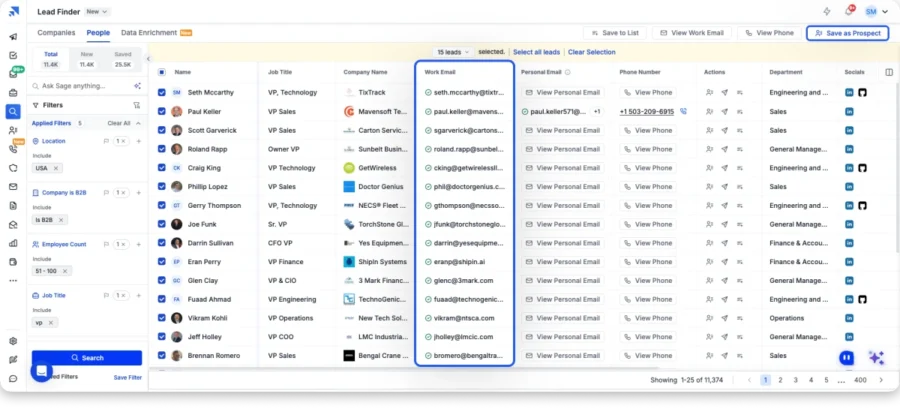
That means each scraped email is cross-checked against multiple data providers before it’s marked deliverable, which is why the accuracy sits at 98%, far above traditional web-crawling scrapers.
The AI Lead Finder acts as an AI email extractor if you describe an ICP in plain English (“marketing directors at SaaS companies with 50–200 employees in the US“), and it scrapes a matched list without any manual filter stacking.
For bulk scraping, up to 10,000 emails come back in a single run, and unused credits roll over month-over-month.
Pros
- Highest scraping accuracy of any tool on this list, with waterfall enrichment across multiple providers that pushes verified rates past every single-source scraper
- Every scraped email is verified before delivery, so no separate email verifier is needed downstream
- 852M+ contact database fills the gaps that domain scrapers and LinkedIn email extractors leave behind
- Bulk email scraper handles 10,000+ prospects per run with credit rollover
- AI Lead Finder scrapes a targeted list from a plain-English ICP prompt
- Includes the sending layer; scraped emails go straight into cold email sequences without CSV shuffling.
Cons
- Free plan gives you 50 credits, which is enough to test the data but you’ll need a paid plan for campaigns
Pricing (Billed Annually):
- 7-day free trial and 50 Free Credits
- Starter at $34/month (1500 Lead Finder Credits/month)
- Pro at $76/month (4000 Lead Finder Credits/month)
- Scale at $149/month (8000 Lead Finder Credits/month)
- Enterprise: Custom
2. Snov.io
Snov.io is the bulk email scraper best for teams that need to scrape emails, verify them with 7-tier verification, and warm inboxes from the same platform.
Snov combines pattern-based email discovery with a 50M+ company database and pushes every scraped email through a 7-tier verification pipeline before it lands in the export.
Its Domain Search functions as a straight-up website email scraping tool for company.com, and it extracts every publicly available email tied to the domain.
For bulk scraping, CSV uploads support up to 50K contacts per batch.
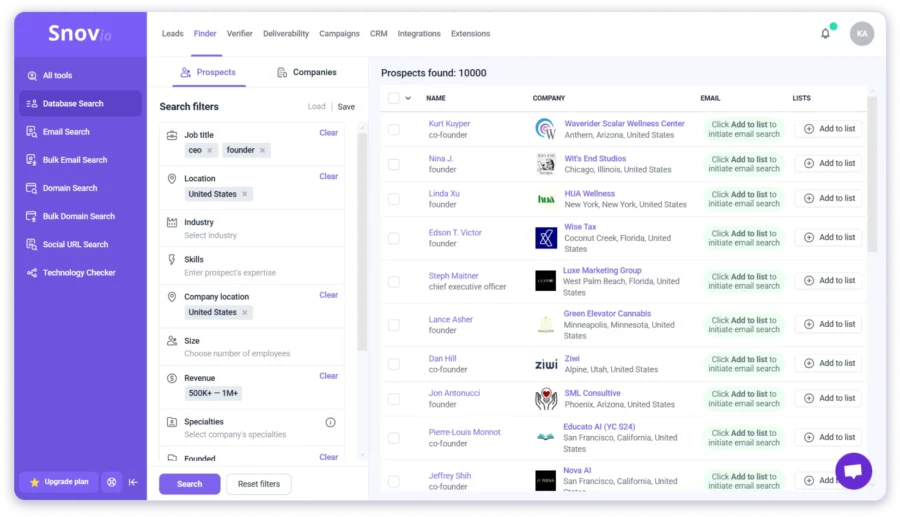
A LinkedIn Email Finder Chrome extension covers LinkedIn scraping, and a Technology Checker adds firmographic context (what SaaS a target company runs).
One thing to note: LinkedIn automation is a separate $69/month add-on and isn’t included in base plans.
Beyond email scraping, Snov.io provides a technology checker that helps identify the tools and software a company is using.
So you can get better and more detailed insights into your prospects.
Pros
- Best bulk email scraper for CSV uploads with 50K contacts per batch
- 7-tier verification runs automatically on every scrape
- Domain Search extracts every publicly listed email tied to a company website
- Free CRM included on all plans
- Credits roll over with an active subscription
Cons
- LinkedIn automation costs $69/mo extra per slot
- Credits are shared across search and verification, which burns through faster than expected
- Some users have faced data accuracy issues
- Smaller database compared to tools like Saleshandy
Pricing (Billed Annually):
- Custom Ultra: Custom
- Starter: $29.5/month
- Pro: $74.25/month
3. Hunter.io
Hunter.io is the domain-based email scraper best for scraping every publicly available email address tied to a company website.
Hunter is the classic domain scraper.
Feed it a URL, and it crawls the site plus the public web to pull every associated email, ranked by a confidence score.
That transparency knowing why each email was returned is rare among email scrapers, which is why it stays a go-to for domain-based prospecting.

Because Hunter is a web-crawling scraper (not a database), it can only return what’s publicly listed.
If a company doesn’t publish emails on its site, Hunter returns nothing.
The Chrome extension mirrors the same logic while you browse company sites.
Bulk email extraction and verification are built in, but there’s no LinkedIn email extractor and no phone number scraping. It is rare among email scrapers.
Pros
- Best domain email scraper on the market, with confidence scores per email
- Built-in email verifier removes invalid results before export
- Chrome extension scrapes emails from any company website you’re browsing
- GDPR- and CCPA-compliant, safe for EU outreach
- One of the best free email extractors: 25 free searches/month
Cons
- Can’t scrape emails from LinkedIn profiles
- Doesn’t return personal, hidden, or non-public emails
- No phone number scraping
- Coverage depends entirely on whether the company lists emails publicly
Pricing (Billed Annually):
- Free Plan with 50 Free credits/month
- Starter: $49/month
- Growth: $149/month
- Scale: $299/month
- Enterprise: Custom
4. Lusha
Lusha is the LinkedIn email extractor best for pulling direct emails and mobile numbers from LinkedIn profiles in real time.
Lusha’s Chrome extension turns any LinkedIn profile into a one-click contact card, and email, direct dial, and firmographics appear inline within seconds.
Under the hood, it’s a database-lookup scraper, so results come from a proprietary B2B database rather than live LinkedIn scraping (which keeps it on the right side of LinkedIn’s ToS).

Coverage is strongest for US and EU B2B contacts.
Bulk contact scraping works via CSV upload, and native CRM connectors push scraped leads into Salesforce, HubSpot, and Outreach.
Where it gets expensive is phone numbers, which burn credits faster than emails.
Pros
- Real-time LinkedIn scraping: email + phone appear inline on any profile
- Verified B2B emails and mobile numbers, not guessed patterns
- Bulk contact scraping via CSV upload
- Native CRM sync (Salesforce, HubSpot, Outreach)
Cons
- Phone number credits burn fast and cost more than email credits
- Coverage thins for non-US/EU regions
- Pricing scales aggressively once you need real volume
Pricing (Billed Annually):
- Free: 40 free credits
- Starter: $37.5/month
- Pro: $52.45/month
- Premium: $299.95/month
- Scale: Custom
5. Kaspr
Kaspr is the LinkedIn email extractor best for LinkedIn-first prospecting into European ICPs.
Kaspr’s Chrome extension scrapes verified emails and phone numbers from any LinkedIn profile, Sales Navigator search, or Recruiter Lite view, usually in under 5 seconds.
It’s the strongest LinkedIn email scraper for UK, French, German, and Nordic prospecting because that’s where its database is deepest, and it’s GDPR-aligned (relevant given the 2024 CNIL enforcement action on similar tools).
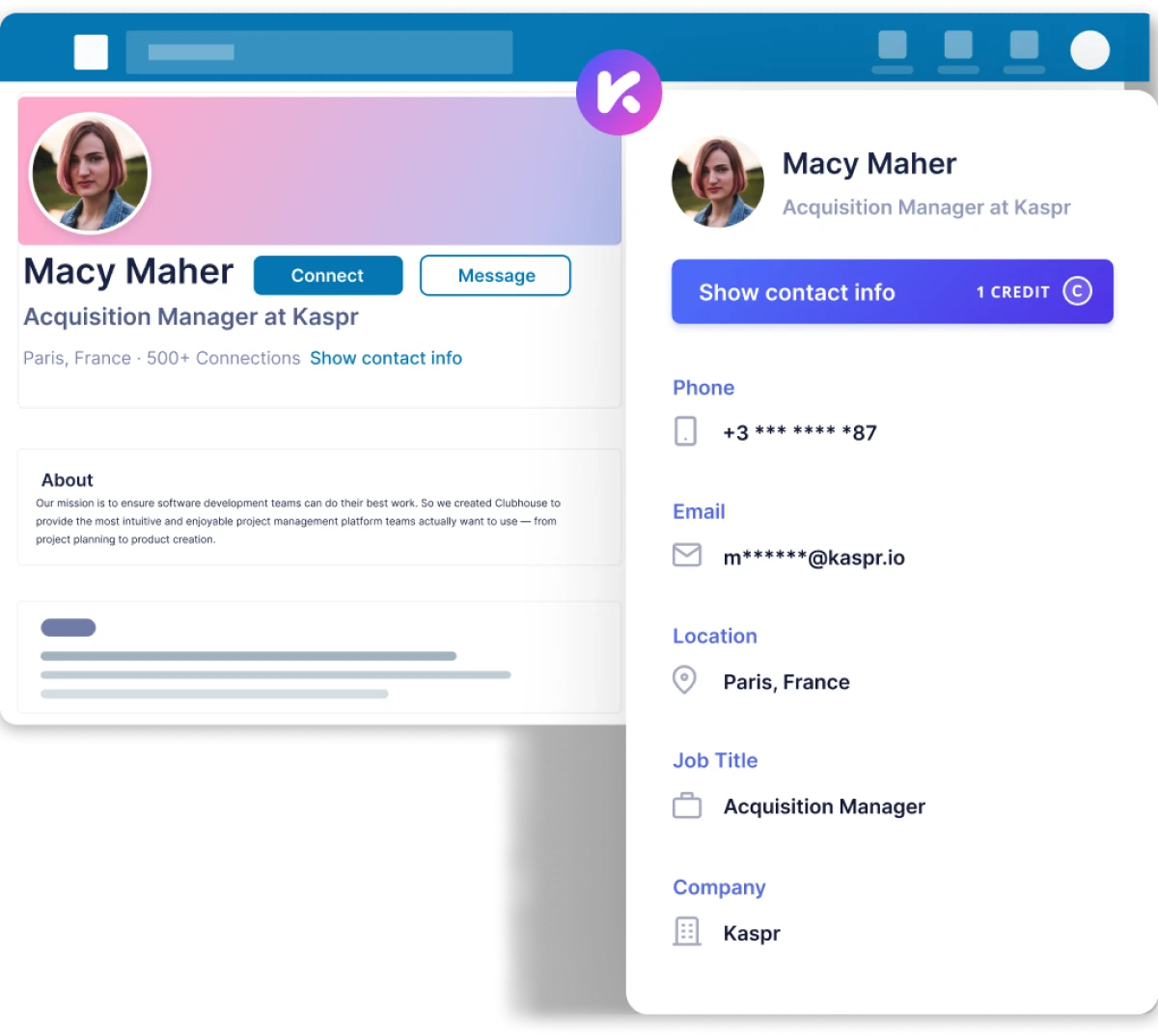
Bulk scraping works through CSV uploads, and automation workflows can enrich contacts from LinkedIn searches, groups, or events automatically.
The trade-off: Kaspr is a pure data tool with no outreach layer, so it needs to be paired with a cold email software for sending.
Pros
- Fastest LinkedIn email extractor available, sub-5-second results per profile
- Strongest European B2B data coverage of any tool on this list
- Bulk scraping via CSV upload from LinkedIn searches, groups, and events
- GDPR-aligned (important for scraping EU contacts)
Cons
- Purely a data tool and does not have email sending, sequences, or a campaign layer
- US coverage is thinner than European
- Phone number credits are limited and expensive as add-ons
Pricing (Billed Annually):
- Free: 15 B2B email credits/month
- Starter: $65/month per user
- Business: $99/month per user
- Custom: Contact sales
6. Clay
Clay is the AI email scraper best for teams that need to enrich lists with emails pulled from 100+ data providers at once.
Clay isn’t a single email scraper; it’s a data orchestration platform that runs a list through 100+ enrichment providers (including Hunter, Apollo, Findymail, and its own scrapers) and picks the best result per row.
Its AI agent, Claygent, works as a natural-language contact data scraper describe what data is needed and it pulls emails, roles, and company details from any public page.
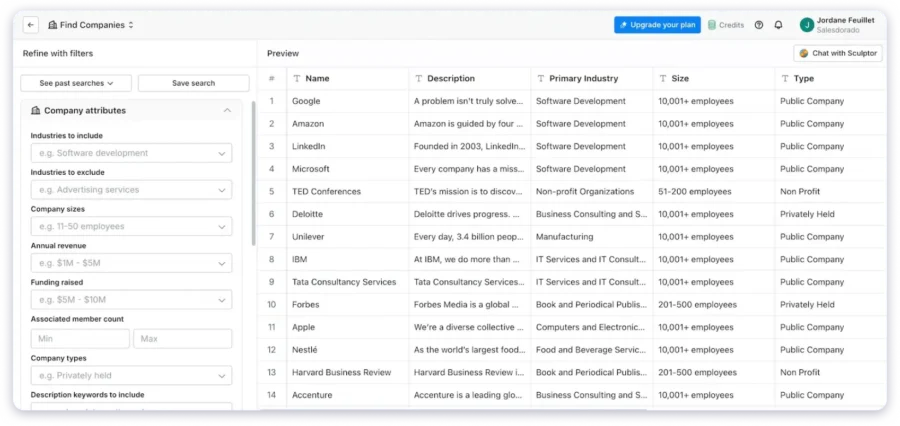
The find rate is decent; the real strength is finding emails for the harder rows most single-source scrapers miss.
Verification isn’t native, and it usually runs through an integrated verifier like Findymail or NeverBounce. Structured export supports CSV, Excel, and JSON.
Pros
- Chains 100+ email data providers into a single waterfall, with the highest find rate on hard-to-reach ICPs
- Claygent (AI agent) scrapes contact data from any public page using plain-English prompts
- Structured export in CSV, Excel, or JSON
- No-code interface, handles bulk lists cleanly
Cons
- Steep learning curve compared to plug-and-play email scrapers
- Starts at $134/month, which is the biggest barrier for solo users and small teams
- Verification usually needs a separate integration (Findymail, NeverBounce)
Pricing (Billed Annually):
- Free: 100 credits/month
- Starter: $134/month
- Explorer: $314/month
- Pro: $720/month
- Enterprise: Custom
7. Skrapp.io
Skrapp.io is the LinkedIn email extractor best for scraping business emails from LinkedIn profiles and company domains on a starter budget.
Skrapp runs a Chrome extension that scrapes verified business emails from LinkedIn profiles and Sales Navigator searches, plus a Domain Search that pulls emails tied to a company URL.
It’s one of the best free email extractors for early-stage teams, and 100 scraped emails/month on the free plan is more than most competitors offer.
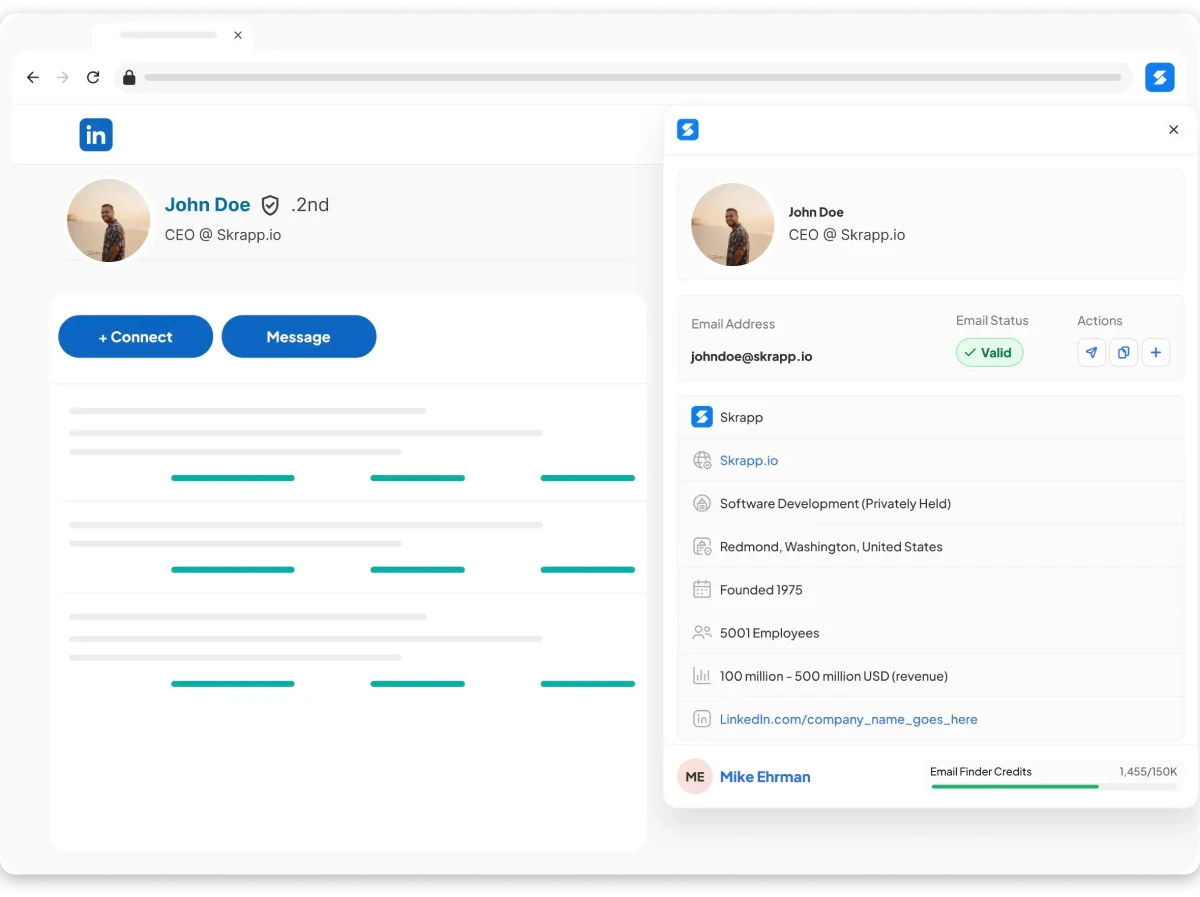
Accuracy trails Saleshandy and Snov, but the $21/month starter price is hard to beat for teams just getting started with outbound.
Bulk scraping and export to CSV work as expected. There’s no phone number scraping or proprietary B2B database.
Pros
- Cheapest LinkedIn email extractor on this list ($21/month starter)
- Chrome extension works across LinkedIn, Sales Navigator, and company websites
- Bulk email finder for larger prospect lists
- 100 free scraped emails/month and one of the best free email extractors
Cons
- Data source limited to LinkedIn + public domains without a proprietary B2B database
- Accuracy varies by industry, especially outside SaaS and marketing
- No phone number scraping
Pricing (Billed Annually):
- Free: 100 emails/month
- Starter: $21/month (1,000 emails)
- Seeker: $59/month (5,000 emails)
- Enterprise: $129/month (20,000 emails)
- Global: $269/month (50,000 emails)
8. GetProspect
GetProspect is the best email scraping tool for LinkedIn email extraction paired with native CRM sync.
GetProspect blends a LinkedIn email finder with a 200M+ contact database and direct CRM connectors.
Input a name, company, or LinkedIn URL, and the tool scrapes the professional email plus enrichment fields (job title, company size, location).
That enrichment depth also makes it one of the best contact scrapers for recruiters, where role and seniority matter more than raw email volume.
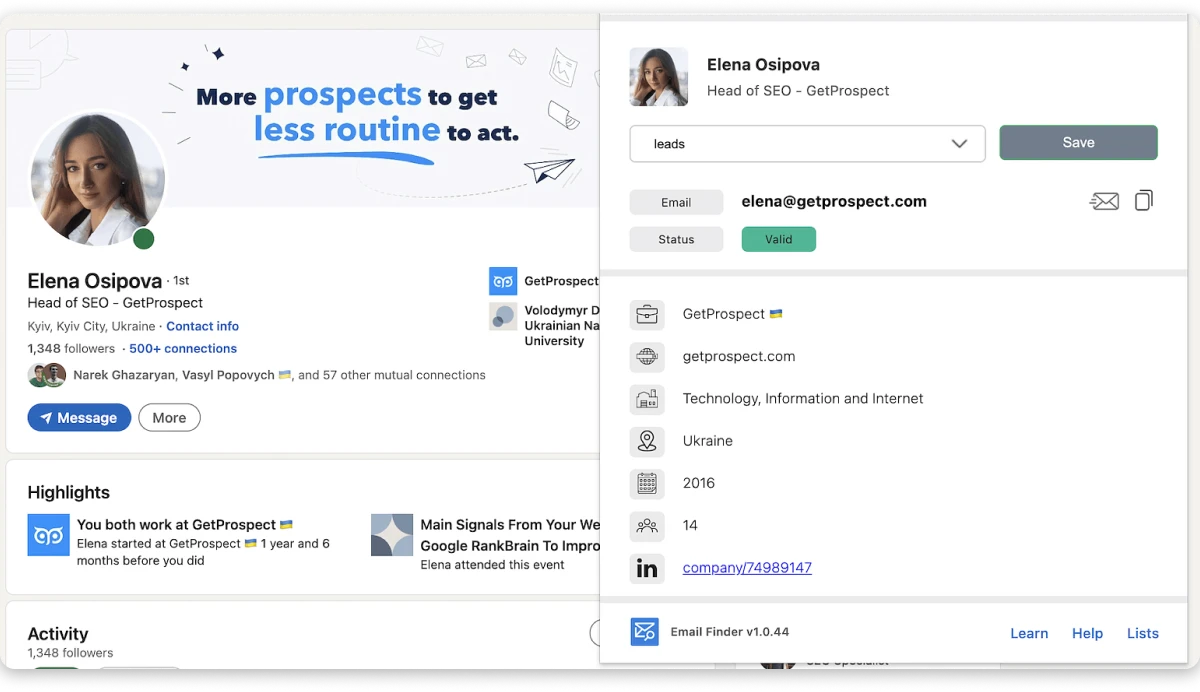
Verification runs on every result, though accuracy trails the top three tools on this list.
Chrome extension covers scraping while browsing LinkedIn or a company site, and API access is available for custom workflows.
Pros
- It gives LinkedIn email scraping + domain search in one tool
- It also has rich enrichment fields, which is one of the best contact scrapers for recruiters
- Direct CRM sync (HubSpot, Salesforce, Pipedrive)
- Chrome extension works while browsing LinkedIn or a company site
Cons
- There are limited credits in the free version
- The platform lacks data for some domains, and phone numbers are not available
- Some users have reported inconsistent customer support
Pricing (Billed Annually):
- Free: 50 valid emails
- Starter: $49/month (2,000 valid emails)
- Basic: $99/month (5,000 valid emails)
- Plus: $199/month (20,000 valid emails)
- Pro: $399/month (50,000 valid emails)
9. Outscraper
Outscraper is the contact information scraper best for scraping business emails and owner contact details from Google Maps, Google Search, and local business websites at scale.
Feed Outscraper a list of domains, Google Maps URLs, or search queries like “dentists in Denver”, and it works as a Google Maps email extractor plus a web scraping tool for contact information extraction.
It pulls emails, phones, and social links from every result. Everything runs in the cloud with proxy rotation, so there’s no IP risk and no software to install.

A chunk of results come back as generic addresses (info@, contact@) because that’s what small-business websites publish filter them out before sending.
For anyone building lead lists off directory data, Outscraper is the fit.
Pros
- Best email scraper for local-business and Google Maps prospecting
- Doubles as a full contact information scraper — emails, phones, and social profiles per site
- Cloud-based with proxy rotation and no IP risk; no software to install
- Pay-as-you-go pricing with a 500-domain free tier
Cons
- Depends on publicly available data, so coverage may vary
- Some email results may require additional verification
- Credit-based pricing can add up for bulk scraping of leads
Pricing (Billed Annually):
- Free: 500 domains/month
- Contact Data Scraper: $1.90 per 1,000 records
- Google Maps Scraper: $3 per 1,000 records
- Email & Contacts Bundle: Custom volume pricing
- Enterprise: Custom
10. AeroLeads
AeroLeads is the best email scraping tool for early-stage teams that need a budget LinkedIn email extractor with CRM sync.
AeroLeads runs a Chrome extension for real-time email scraping on LinkedIn profiles and a domain search feature for company-wide extractions.
Accuracy is the lowest of any LinkedIn-focused scraper on this list.

But the $39/month starter price makes it a viable starter option for teams testing outbound before committing to a bigger investment.
Bulk email extraction works for larger campaigns, and native CRM sync pushes leads into HubSpot, Salesforce, Zoho, and Pipedrive.
Credits don’t roll over, and the counter resets monthly regardless of usage.
Pros
- The Chrome extension works well with LinkedIn
- The tools are helpful in finding prospects and import/export lists
- Bulk email search to find emails in an easy and fast way
- Easy CRM integrations to manage leads in a better way
Cons
- Some users have noted that the tool is slow
- The usage counter resets monthly, which could lead to wasted subscription
- Some users have reported that customer service is not customer-friendly
Pricing (Billed Annually):
- Free trial: 10 credits
- Take Off: $39/month (2,000 credits)
- Climb: $59/month (8,000 credits)
- Cruise: $99/month (18,000 credits)
- Enterprise: Custom
11. Apify
Apify is the no-code email crawler best for scraping emails at scale from any public website, Google Maps listing, or niche directory.
Apify is effectively an email crawler online no download, everything runs in the cloud. Instead of one scraper, it’s a platform with 1,500+ pre-built scrapers (Actors) covering websites, Google Maps, LinkedIn, and directories.
For email work, the Contact Details Scraper and Google Maps Email Extractor are the two most-used Actors, doubling as a web scraping tool for contact information extraction at scale.
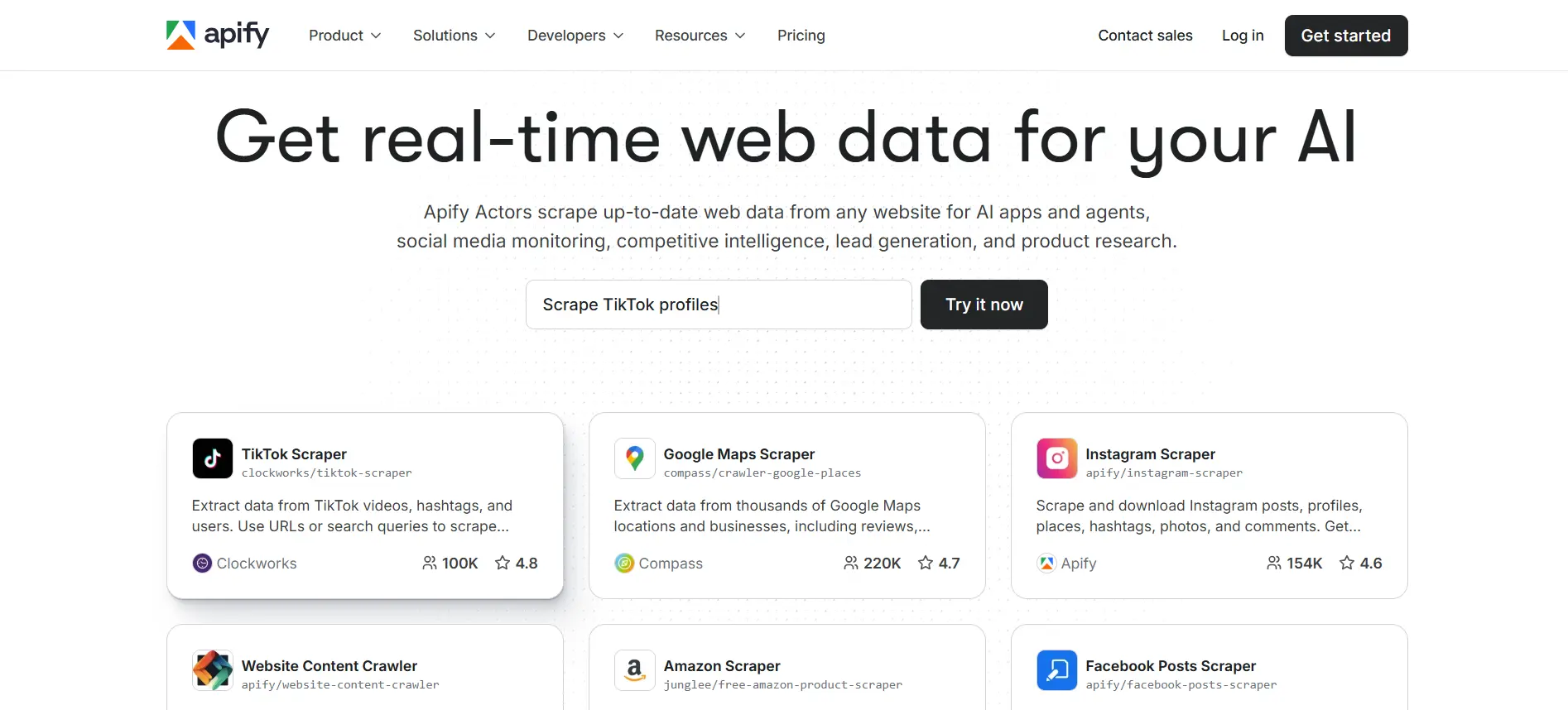
Volume and flexibility are the strength.
Expect to clean and verify the output before sending Apify doesn’t include native verification.
Cloud-based with proxy rotation, exports to CSV/JSON/Excel, integrates with Google Sheets and Zapier.
Pros
- Scrapes almost any website or directory at scale
- No-code interface for pre-built scrapers
- Free $5 monthly credits on the free plan
- GDPR-compliant infrastructure
Cons
- More technical than typical email finder tools
- Results need external cleaning and verification
- Credit consumption varies by scraper complexity
Pricing (Billed Annually):
- Free: $5 credits/month
- Starter: $49/month
- Scale: $499/month
- Business: $999/month
- Enterprise: Custom
12. Findymail
Findymail is the email scraper best for teams that want the lowest possible bounce rate on every scraped email.
Findymail runs strict binary verification to check email is valid, or the tool returns nothing.
That approach delivers the tightest gap between emails found and emails verified of any tool on this list.
It matters for high-stakes outreach where a single bounce damages sender reputation.
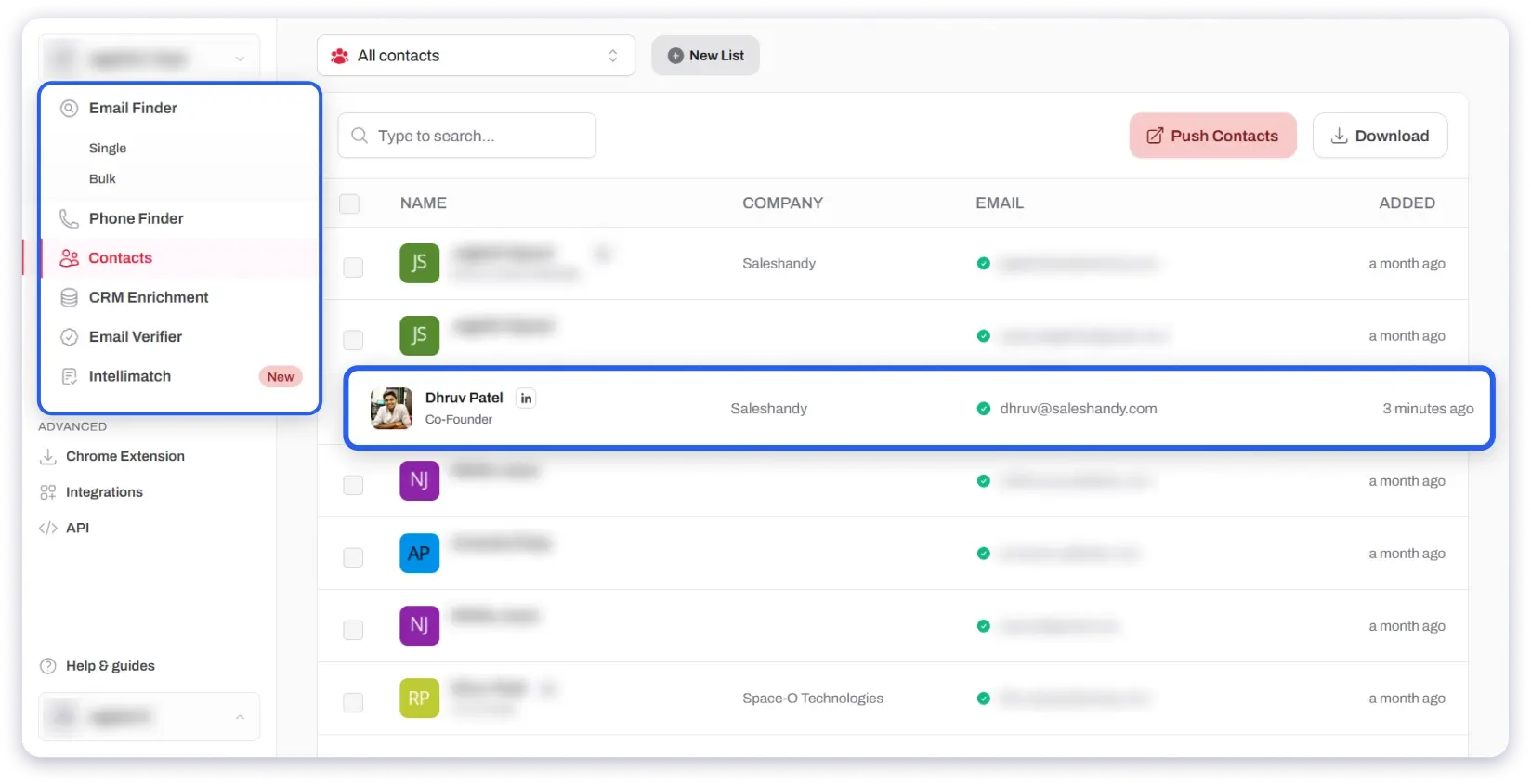
Sales Navigator integration handles one-click exports with clean formatting, bulk finding works via CSV upload, and credits roll over up to 2x the monthly limit.
Billing is usage-based, and only found-and-verified emails count against the credit balance.
Pros
- Lowest bounce rate available and strict binary verification eliminates guesswork
- Clean one-click Sales Navigator export
- Only charges for emails that are actually found and verified
- Credits roll over up to 2x monthly limit
Cons
- Smaller database compared to Saleshandy or Snov.io
- Phone number lookup costs 10 credits per number
- No outreach or campaign features built in
Pricing (Billed Annually):
- Free trial: 10 credits
- Starter: $49/month (1,000 emails)
- Growth: $99/month (5,000 emails)
- Business: $249/month (15,000 emails)
- Scale: $499/month (50,000 emails)
13. Evaboot
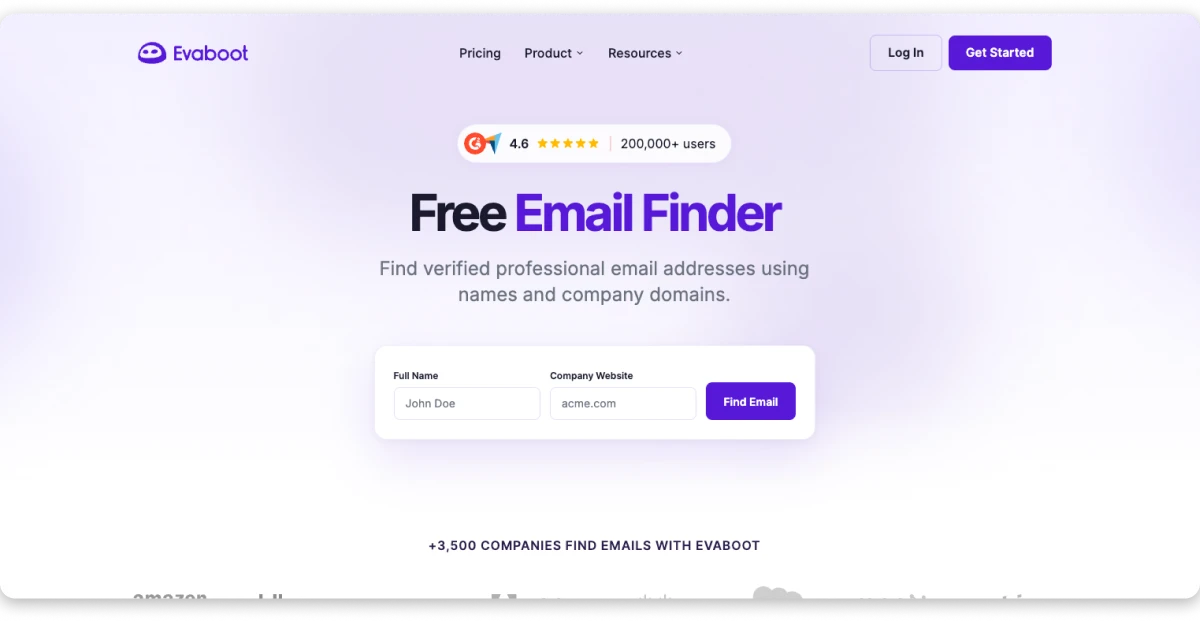
Evaboot is the LinkedIn email extractor best for scraping and cleaning lead data straight out of Sales Navigator.
Evaboot is a Chrome extension that exports Sales Navigator searches in one click, something LinkedIn doesn’t natively allow.
It then cleans the data (strips emojis, fixes company names, flags off-target leads). It also runs an email finder and verifier as part of the export, so the CSV that lands in the download folder is already usable.
The catch: an active Sales Navigator subscription is required ($99+/month on top of Evaboot’s own pricing).
Credits are consumed 2-per-lead (one scrape + one email).
For teams that already live in Sales Navigator, no other scraper matches Evaboot’s export quality.
Pros
- Best-in-class Sales Navigator integration
- Automatic data cleaning saves hours of manual work
- Filter matching catches false positives other scrapers miss
- Simple Chrome extension setup
Cons
- Requires LinkedIn Sales Navigator ($99+/month additional)
- No outreach or campaign features
- Uses 2 credits per lead
- No phone number lookup
Pricing (Billed Annually):
- Free trial: 10 credits
- Starter: $29/month (500 credits ≈ 250 leads)
- Growth: $59/month (1,500 credits)
- Business: $99/month (5,000 credits)
- Enterprise: Custom (Sales Navigator required separately)
How to Scrape Emails from a Website (5 Steps)
If you’ve never used an email scraping tool before, here’s the exact workflow.
Step 1: Pick an email scraping tool that matches your source – Scraping from a company website? Use a domain scraper (Hunter, Saleshandy). Scraping from LinkedIn? Use a Chrome extension (Kaspr, Skrapp, Evaboot). Scraping from Google Maps or local business listings? Use Outscraper or Apify. The comparison table above maps each tool to its best use case.
Step 2: Enter the domain, LinkedIn URL, or search query – For a domain scraper, paste the company URL (e.g., company.com). For LinkedIn, open the profile or Sales Navigator search. For directory scraping, paste the search query (“marketing agencies in Austin”).
Step 3: Run the bulk search – Every serious tool supports bulk scraping via CSV upload or URL list. Saleshandy handles up to 10,000 leads in one run; Snov.io handles up to 50,000. For small batches, click “Find Emails” and wait; most tools return results in under 60 seconds.
Step 4: Verify the scraped emails – If your tool has built-in verification (Saleshandy, Snov, Findymail), this happens automatically. If it doesn’t (Apify, Outscraper), run the output through a standalone email verifier before sending. Skipping this step is the #1 reason cold email campaigns land in spam.
Step 5: Export or push to your outreach sequence – Export as CSV, sync directly to your CRM (HubSpot, Salesforce, Pipedrive), or push into a cold email sequence. Saleshandy is the only tool on this list that scrapes, verifies, and runs the sequence in one platform, so there’s no export/import step at all.
That’s the full flow. You’ve now scraped verified emails from a website, LinkedIn, or a directory and moved them into outreach without writing a line of code.
How to Verify Scraped Emails and Avoid Bounces
Finding emails is only half the work. If you send to unverified addresses, your bounce rate climbs, your sender reputation takes damage, and your emails start landing in spam instead of inboxes.
Here’s the verification workflow I follow:
- Step 1: Start with a tool that verifies the built-in. Saleshandy, Snov.io, Hunter.io, and Findymail all verify emails before showing you results. That cuts out an entire extra step in your workflow.
- Step 2: Run a secondary check on larger lists. Even with built-in verification, I pass bulk lists through a dedicated email verifier to catch anything that slipped through the first filter.
- Step 3: Remove catch-all and risky addresses. Catch-all domains accept any email sent to them, which means you can’t confirm if a specific address actually works. I remove these from cold outreach lists entirely.
- Step 4: Watch your bounce rate after sending. Keep it under 2%. If it creeps higher, pause the campaign and clean your list before continuing.
- Step 5: Re-verify older lists before reuse. People switch jobs. Email addresses get deactivated. Any list older than 60 days gets re-verified before I send it again.
The email scrapers on this list that handle verification best are Saleshandy (waterfall enrichment across multiple providers), Findymail (strict binary verification), and Snov.io (7-tier verification).
If the tool you choose doesn’t verify, pair it with a standalone verifier before hitting send. Your email deliverability depends on it.
Is Email Scraping Legal? What You Need to Know in 2026
This is the most common question I get. The honest answer — it depends on how you collect the data and what you do with it.
GDPR (Europe): Collecting personal data without a lawful basis is prohibited. If you’re emailing prospects in the EU, you need a legitimate interest justification and must provide an opt-out option. France’s data authority (CNIL) fined Kaspr €240,000 for scraping contact details from LinkedIn without adequate compliance controls. That fine tells you exactly how seriously EU regulators are enforcing this in 2026.
CAN-SPAM (United States): You can email someone without prior consent, but every message must include an unsubscribe link, a real physical address, and an honest subject line. Violations carry penalties up to $51,744 per email.
CCPA (California): Gives consumers the right to know what personal data is being collected and to request its deletion. If you target California-based prospects, you need clear opt-out mechanisms in place.
Best practices for staying compliant:
- Only use email scraping tools that source data from public, legitimate channels
- Include an unsubscribe option in every outreach email you send
- Maintain a suppression list of contacts who’ve opted out
- Don’t scrape personal or private social media profiles
- Choose tools with SOC 2 certification and transparent data sourcing policies
Saleshandy is SOC 2-certified and GDPR-compliant, sourcing contact data through verified, legitimate channels. That’s worth considering if your team operates in regulated industries or runs outreach targeting EU contacts.
My Final Take: The Email Scraping Tool I Would Pick
After running every tool through the same test, here’s what I came away with.
For most B2B teams that need to find, verify, and reach out to contacts, Saleshandy covers more ground than anything else on this list.
The 852M+ database, AI Lead Finder, waterfall enrichment, buying signals, and the new CRM mean you can go from building a prospect list to running a full cold email campaign without leaving the platform. That kind of workflow consolidation saves real time every single day.
The right email scraper depends on your team, your workflow, and what you can budget. But if I had to pick one tool to handle the most ground,
I’d go with Saleshandy.
FAQs About Email Scraping Tools
1. Is it legal to scrape emails?
It depends on the method you use and where your prospects are located. Scraping publicly available business emails is generally acceptable in most countries, but collecting personal email addresses without consent can violate GDPR, CAN-SPAM, or CCPA. Always use a compliant email scraping tool and include an unsubscribe option in every outreach message.
2. Can I use email scraping tools for free?
Yes — several tools on this list offer free plans or trials. Saleshandy gives you 50 free credits with a 7-day trial. Hunter.io offers 25 free searches per month. Snov.io provides 50 free credits. Kaspr has a free plan with 15 B2B email credits monthly. These work for testing and small-scale prospecting, but serious outbound campaigns need a paid plan.
3. How accurate are email scrapers at finding emails?
It varies quite a bit across tools. In my testing, Saleshandy returned the highest verified rate at 85%. Tools with built-in verification, Saleshandy, Findymail, and Snov.io, consistently outperformed those that only scrape without verifying. If accuracy matters to your outreach (and it should), pick a tool that verifies before delivering results.
4. What is the best free email scraping tool in 2026?
For usable free plans, Hunter.io (25 searches/month) and Kaspr (15 B2B email credits on the free tier) give you the most to work with. Saleshandy’s 50 free credits let you test the quality of the 852M+ database before deciding on a paid plan.
5. How do I scrape emails from a website?
Use a domain search tool like Hunter.io or Saleshandy. Enter a company’s website URL, and the tool returns all publicly associated email addresses. For scraping contact details from any webpage at scale, Apify’s Contact Details Scraper or Outscraper handle that well. For LinkedIn specifically, use a Chrome extension from Kaspr or Skrapp.io.
6. What is the difference between email scraping and email finding?
Email scraping usually means extracting email addresses directly from web pages, HTML source code, or online directories. Email finding is a broader term, it covers B2B database lookups, pattern-based prediction, API-powered searches, and LinkedIn enrichment. Most modern tools on this list combine both approaches.
7. Can email scraping tools find phone numbers, too?
Some can. Lusha and Kaspr are strongest for direct phone numbers alongside business emails. Saleshandy’s Lead Finder also returns phone numbers. Hunter.io, Skrapp.io, and Findymail are email-only.
8. How do I avoid getting my domain blacklisted when using scraped emails?
Verify every email before sending. Keep your bounce rate under 2%. Use email warm-up to build sender reputation before increasing volume. Send from multiple inboxes with sender rotation. And always include an unsubscribe link in every message.
9. Which email scraping tool is best for LinkedIn?
For LinkedIn-first prospecting, Kaspr and Skrapp.io are the top options. Kaspr is particularly strong for European contacts. Evaboot is the best dedicated option for exporting and cleaning Sales Navigator results. Saleshandy adds the advantage of moving LinkedIn-scraped leads directly into cold email sequences from the same platform.
10. How many emails can I scrape for free?
Hunter.io gives 25 free searches per month. Snov.io offers 50 credits. Kaspr provides 15 B2B email credits on its free plan. Apify gives $5 in free monthly credits (enough for roughly 500+ emails from Google Maps). Saleshandy offers 50 free credits to test the database. For any real volume, a paid plan is necessary.
11. What’s the difference between an email finder and an email scraper?
An email finder predicts a specific person’s email based on name + domain (input: “Jane Doe + company.com”). An email scraper pulls every available email from a source, a webpage, LinkedIn profile, or directory (input: URL or query). Most modern tools like Saleshandy do both from one interface.
12. How do I scrape emails from LinkedIn without getting banned?
Use a Chrome extension that pulls from a compliant database (Kaspr, Skrapp, Saleshandy) instead of scraping LinkedIn’s UI directly. Limit profile views to a natural pace (under 100/day on a free LinkedIn account), avoid automation that mimics rapid clicking, and never scrape from a logged-out session.
13. What’s the best email scraper Chrome extension?
For LinkedIn scraping specifically, Kaspr and Skrapp lead on speed and accuracy. For scraping emails from any company website, Hunter’s Chrome extension is the strongest. Saleshandy’s Chrome extension covers both use cases in one install.
14. Can I scrape contact information at scale on a budget?
Yes. For under $50/month, Skrapp.io ($21/mo) handles LinkedIn scraping, Outscraper (pay-as-you-go) handles Google Maps and websites, and Saleshandy’s $34/mo Starter plan gives 18,000 credits on an 852M+ database, the best cost per verified email of the three.


![11 Best Phone Number Extractor Tools for B2B Outreach [2026]](https://www.saleshandy.com/blog/wp-content/uploads/2026/04/Extract-Phone-Numbers-in-Seconds.webp)