

Cold calling in 2026 remains a vital B2B sales strategy with a 2-3% average success rate for booking meetings.
And the top performers are consistently achieving 6-10%+.
But your SDRs can only hit those numbers if you give them the right tools to work with.
A rep dialing from a spreadsheet, manually logging every call, and watching their numbers get flagged as spam will never outperform someone whose dialer handles all of that in the background.
I mean, the craftsman is no one without their tools.
Therefore, I have evaluated 10 cold calling software options across pricing, AI capabilities, call quality, CRM integration depth, and what 12,050+ real users say about them on G2 and Reddit.
Let’s get into it!
Best Cold Calling Software – TOC
Top Cold Calling Software at a Glance in 2026
Don’t have time to read the full breakdown?
Here’s a quick look at the top cold calling software in 2026.
Saleshandy publishes this comparison. We make Saleshandy Dialer and recommend it for specific use cases. For use cases where other tools genuinely win, we’ve said so honestly. All pricing verified May 2026.
10 Best Cold Calling Software in 2026
Every tool on this list takes a different approach to cold calling.
Some give you a dialer and nothing else. Others bundle calling inside a larger outbound platform with lead data, email sequences, and CRM.
I’ve reviewed each tool below on what actually impacts your cold calling results: call quality, local number coverage, AI features, pricing transparency, and what you’re really paying once add-ons and seat minimums are factored in.
1. Saleshandy Dialer
Best for: B2B sales teams that want an AI cold calling tool with local number coverage in the USA & Canada, call intelligence, and built-in reporting for outbound performance.
Saleshandy Dialer is the best AI cold calling software in 2026.
It is built for modern sales and revenue teams that want to book more meetings.
Getting started is easy. You just need to pick a local number by searching with an area code, choose the number you want, and start using it within minutes.
Saleshandy also gives you your first number for free on any plan, and you can assign different numbers to different reps directly from the Phone Numbers tab.
So if your team is calling into New York, Chicago, and Toronto, each rep can carry a local number for each market.
Once the numbers are set up, local presence dialing takes over.
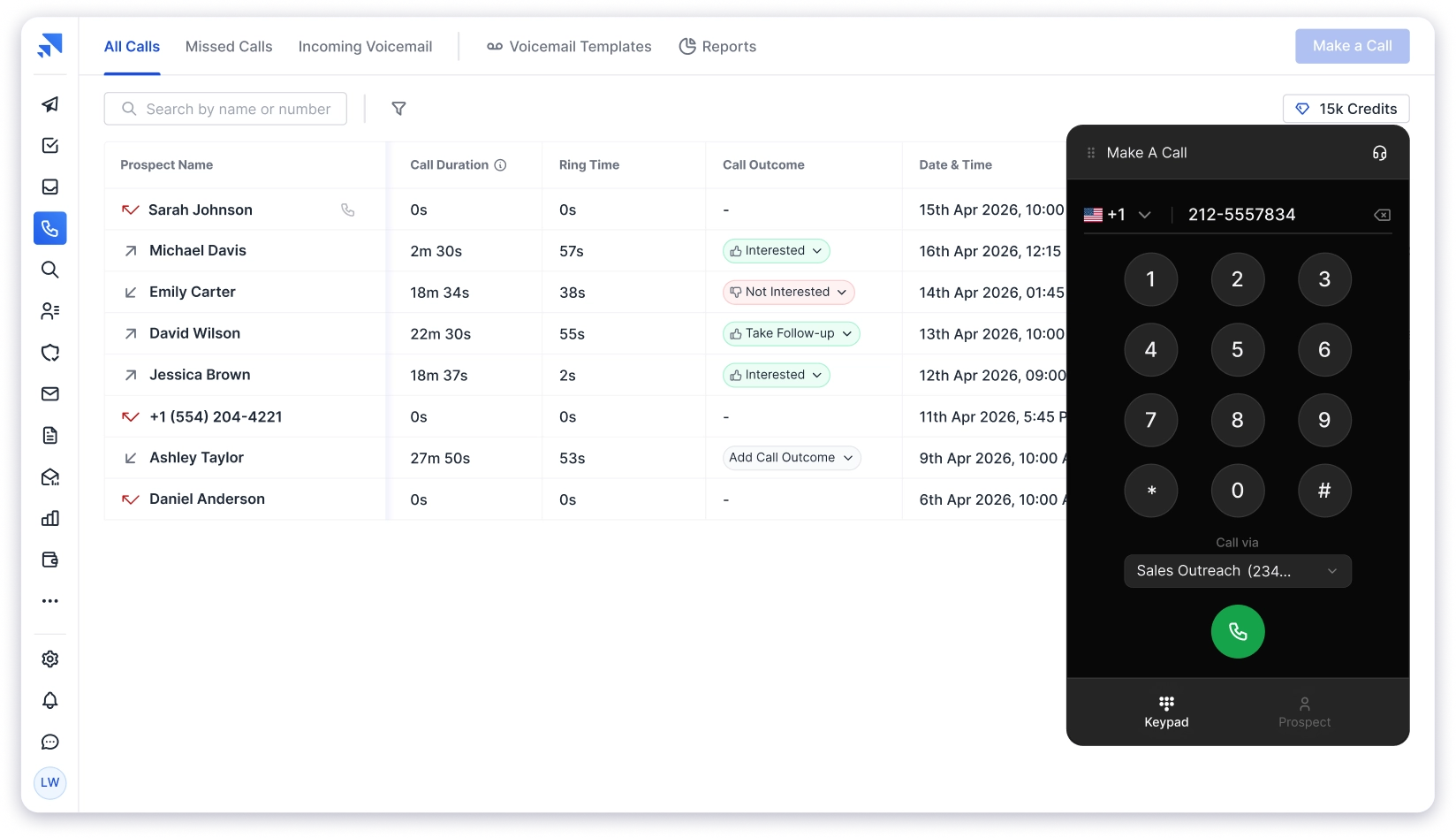
It auto-matches your outbound number to the prospect’s area code, so a prospect in Chicago sees a 312 number instead of a random toll-free.
That one change can increase pickup rates by up to 4x.
The best part? Like other The AI isn’t a separate feature you go looking for.
It runs on every single call, automatically. And the dialer isn’t a separate platform you switch into.
You can hit the call button from a sequence task, a prospect profile, or a Kanban card. Wherever you’re already working, your SDR can take the call from there.
Your rep makes the call, hangs up, and a completion screen shows the AI-generated summary with key discussion points and action items.
From the same screen, they tag the outcome like:
And also add notes, and schedule a follow-up task.
Everything logs to the prospect’s CRM timeline automatically.
The admin work that usually comes after a call is finished before the next one starts.
When a call goes to voicemail, one-click voicemail drop lets your rep leave a pre-recorded message and move on instantly.
Saleshandy tracks how many times each template was used and the callback rate for each one.
So you can see that your “Quick Value Prop” voicemail has an 8.2% callback rate while the “Case Study” follow-up pulls 11.4%, and adjust accordingly.
No other tool on this list gives you voicemail analytics at that level.
To keep your numbers from getting flagged over time, number rotation spreads call volume across multiple numbers automatically.
So you’re not burning through one number in two weeks of heavy dialing.
Moreover the DNC compliance is built in, inbound handling catches callbacks with forwarding rules, and your call data flows into the apps your team already uses.
At the end of the day or the end of the week, call reports show you total calls, connect rate, average talk time, and voicemail drops, broken down by team or individual rep.
You can then filter by date range and export the full report as CSV.
You’re not guessing how your team is performing, you’re looking at the numbers.
Now here’s where the gap between Saleshandy and every other dialer on this list gets real.
The dialer sits inside Saleshandy’s full outbound platform.
So you also get an 852M+ Lead Finder to find who to call, cold email sequences for follow-up, LinkedIn and WhatsApp steps in the same cadence, and a built-in CRM to track the deal.
Find the contact, call with a local number, drop a voicemail, trigger an email, and track the deal, all in one platform.
Pros
- AI transcription and call summaries run on every call, on every plan, not as a paid add-on
- Local presence and number rotation are included at the base price
- Buy and assign local US and Canada numbers by area code in minutes
- Call from sequence tasks, prospect profiles, or Kanban cards, no module switching
- Voicemail drop with per-template callback tracking, no other tool on this list offers that
- Pre-call diagnostics check your mic, speaker, and network before every dial
- Call reports with connect rate, talk time, and VM drops by rep, exportable as CSV
- No user minimums, start with a single seat at $23/mo
- DNC compliance built in, not a separate add-on
- 852M+ Lead Finder, email sequences, CRM, and Unified Inbox in the same platform
- Add-on credits never expire
Cons
- No free trial is included
Pricing Plans (Billed Annually)
2. CloudTalk
Best for: Sales teams wanting a cloud call center with international number coverage, AI call intelligence, and CRM-synced dialing.
Another cold calling tool worth considering is CloudTalk, especially if your outbound motion spans multiple countries.
It’s a cloud-based business phone system that sits between a pure outbound dialer and a full PBX. It earns its spot on two strengths most tools here can’t match at once: international number coverage and AI conversation intelligence on every call.
Coverage is the headline. CloudTalk offers local numbers in 160+ countries, broader than JustCall’s 70+ and well beyond the North-America focus of Kixie and PhoneBurner. Reps calling into Europe, LATAM, or APAC can carry a local presence in each market.
On the dialing side, the AI Sales Dialer covers power, parallel (up to 10 lines), and preview modes. Answering Machine Detection skips voicemails, one-click voicemail drop leaves a pre-recorded message, and click-to-call works from your browser or CRM.
Where CloudTalk pulls ahead is intelligence. AI call summaries, smart notes, call scoring, sentiment, topic extraction, and multilingual transcription turn every call into structured, searchable CRM data. For managers who coach reps, it’s close to a built-in Gong layer.
It also offers 24/7 AI Voice Agents that answer and qualify inbound calls autonomously in 60+ languages. And because it’s a true phone system, it runs inbound support and outbound sales together, with 35+ native CRM and helpdesk integrations like Salesforce, HubSpot, Pipedrive, and Zendesk.
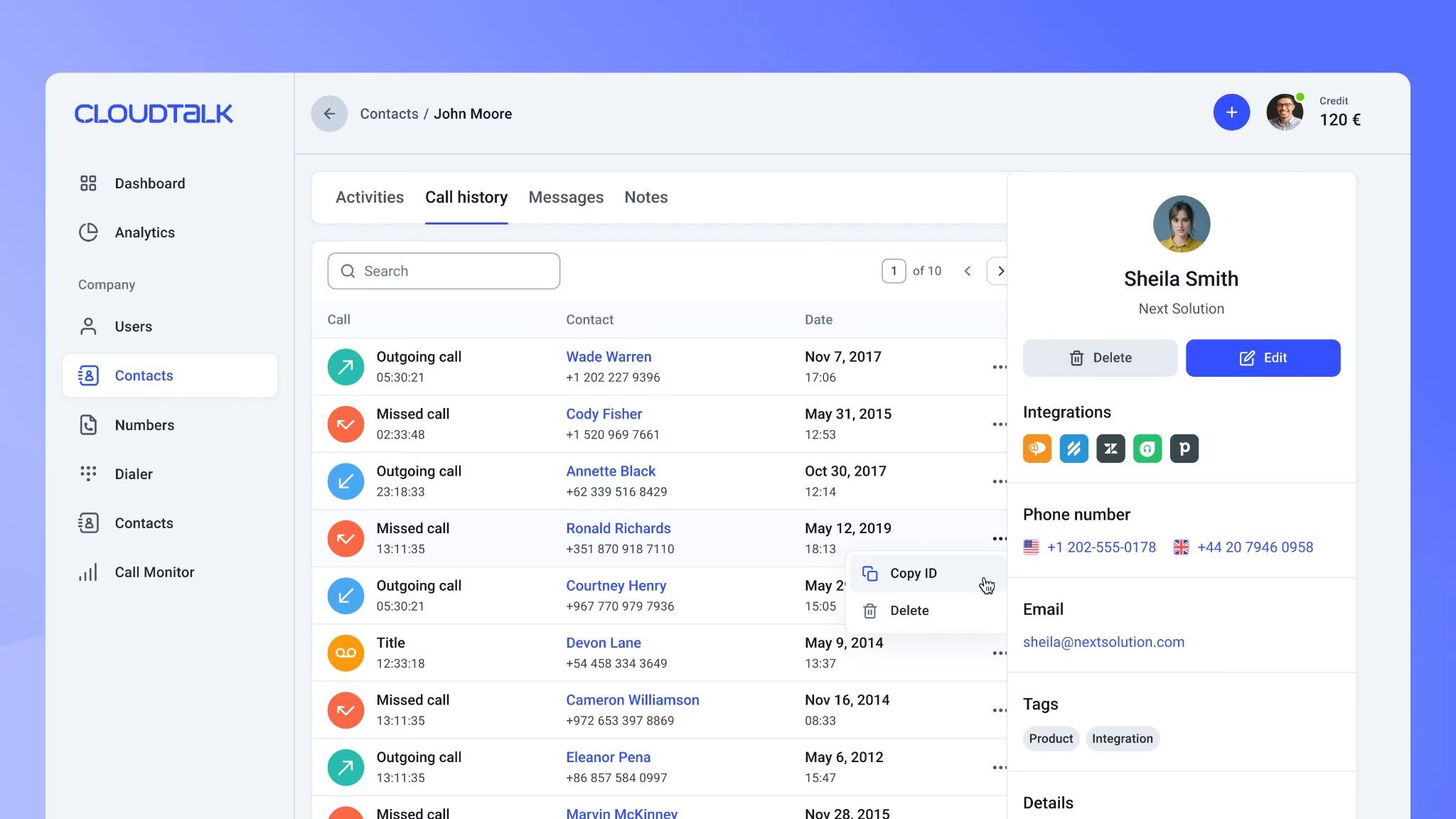
Where it gets complicated is the pricing. Lite starts at $19/user/month, but the cold-calling essentials – power and parallel dialers, real-time analytics, and Salesforce – sit in the Expert plan at $49/user/month with a 3-license minimum, so the real entry is closer to $147/month.
The AI Voice Agent is a separate add-on from $99/month, the deepest intelligence features are tiered, and there’s no free plan, only a 14-day trial.
If your team sells internationally and wants dialing, inbound handling, and AI intelligence in one system, CloudTalk is among the most complete options here.
If you’re a small North-America-only team chasing the cheapest entry, the seat minimum and add-ons may push you toward a flatter-priced tool.
Pros
- Local numbers in 160+ countries, the broadest international coverage on this list
- AI Sales Dialer with power, parallel (up to 10 lines), and preview modes
- Answering Machine Detection connects reps only to live humans
- Full AI conversation intelligence: summaries, notes, call scoring, sentiment, and multilingual transcription
- 24/7 AI Voice Agents handle inbound and outbound on one cloud phone system in 60+ languages
- 35+ CRM and helpdesk integrations with automatic call logging
Cons
- Power and parallel dialers require the Expert plan ($49/user/mo) with a 3-license minimum, real entry ~$147/month
- AI Voice Agents are a separate add-on from $99/month, not bundled into seats
- Deepest conversation-intelligence features are tiered, not included at the base price
- No free plan, only a 14-day trial
- Inbound minute inclusions vary by country; toll-free and high-cost destinations billed separately
- Add-on structure means effective cost climbs above the headline seat price
Pricing Plans (Billed Annually)
3. Apollo Dialer
Best for: Outbound teams already using Apollo for prospecting that want to add calling to their existing workflow without switching platforms.
The next best cold calling software on this list is Apollo Dialer, and it’s here for a very specific reason.
Apollo’s strength has never been the dialer.
It’s the 270M+ contact database sitting underneath it. And that data layer is what makes it worth considering as a cold calling platform.
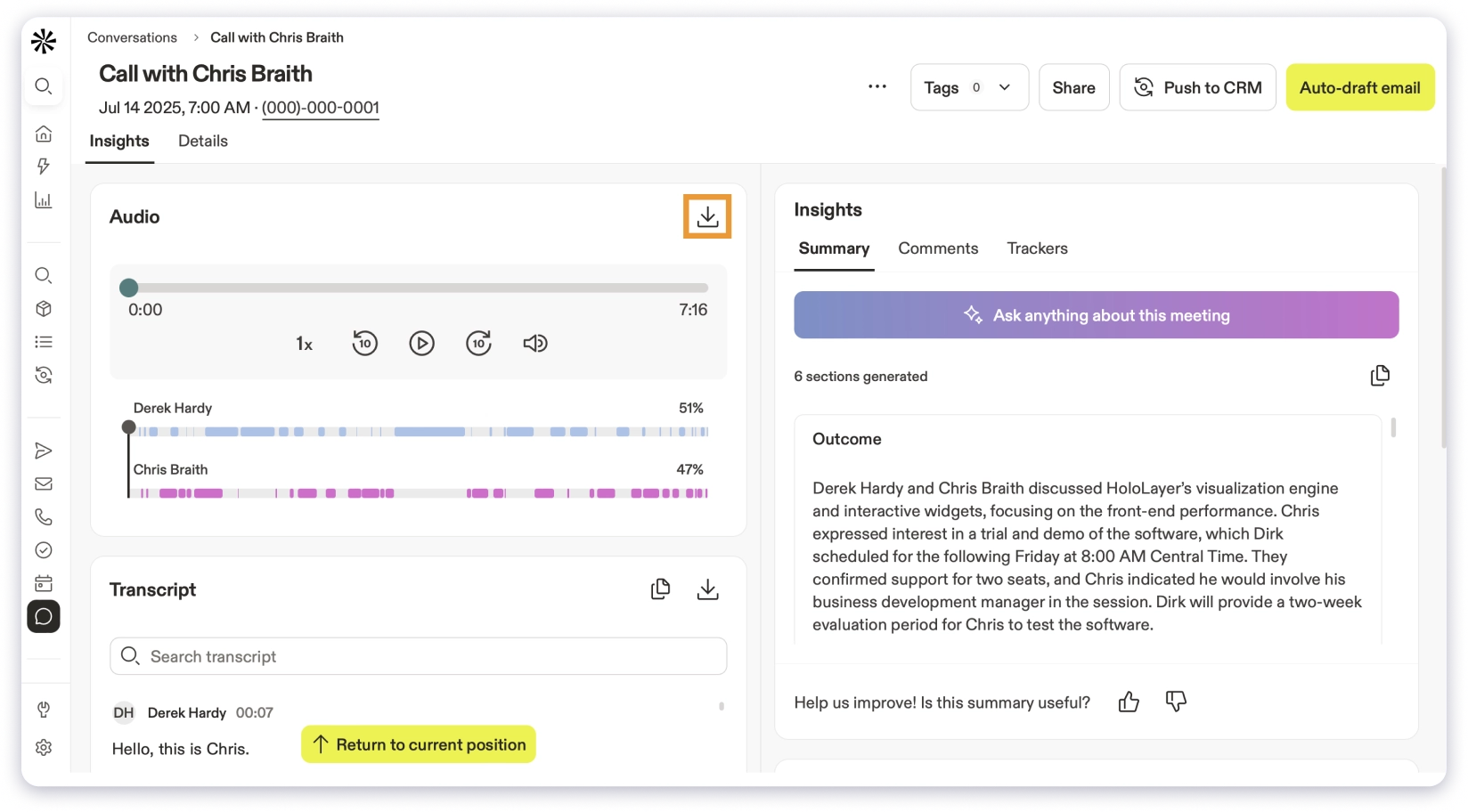
Before your rep dials a single number, they can pull up the prospect’s company details, recent triggers, and AI-generated research.
That pre-call context is something most standalone dialers simply don’t have, because they don’t own a data layer.
The dialer works inside Apollo’s automated sequences.
So you can build a cadence that starts with an email, follows up with a LinkedIn connection, and then triggers a call task, all in one flow.
Calls log to the prospect record with recording and AI insights on the Professional plan.
Where it gets complicated is the pricing. The US dialer is only available from the Professional plan at $79/seat/month.
If you need parallel dialing, local presence, power dialer, or international calling, those are all locked behind the Advanced Dialer add-on at $119/team/month on top of your seat cost.
Call recording is capped at 4,000 minutes per month on Professional and 8,000 on Organization.
And the dialer consumes 2 credits per minute of talk time, which adds up fast on heavy calling days.
There’s also no inbound call handling, no call forwarding, no voicemail callback tracking, and no pre-call diagnostics.
If your team is already inside Apollo and makes moderate call volume alongside email, the dialer is a convenient addition.
If cold calling is your primary channel and you’re dialing 50+ times a day, the capped recording, credit burn, and add-on costs start working against you.
Pros
- 270M+ contact database with prospecting and calling in one platform
- AI research on the prospect record gives reps pre-call context
- Sequences combine email, LinkedIn, and call tasks in one cadence
- Free plan available for testing the platform before committing
- Unified credit system covers data, AI, and dialer minutes in one pool
Cons
- No dialer access below the $79/mo Professional plan
- Parallel dialing, local presence, and international calling require a $119/team add-on
- Call recording capped at 4,000 min/mo on Pro, 8,000 on Organization
- Dialer consumes 2 credits per minute, credits expire monthly
- No inbound call handling or call forwarding
- Data accuracy issues flagged across 503 G2 mentions
- Significant learning curve noted in 474 G2 reviews
Pricing Plans (Billed Annually)
4. Klenty Dialer
Best for: Sales teams that want AI-powered call coaching with real-time objection handling and live battlecards during cold calls.
If you’re looking for an AI cold calling software that focuses less on dialing speed and more on making your reps better at the conversations they’re already having, Klenty Dialer is built around that idea.
The reason Klenty earned its spot on this list isn’t the dialer hardware. It’s what happens while the call is live.
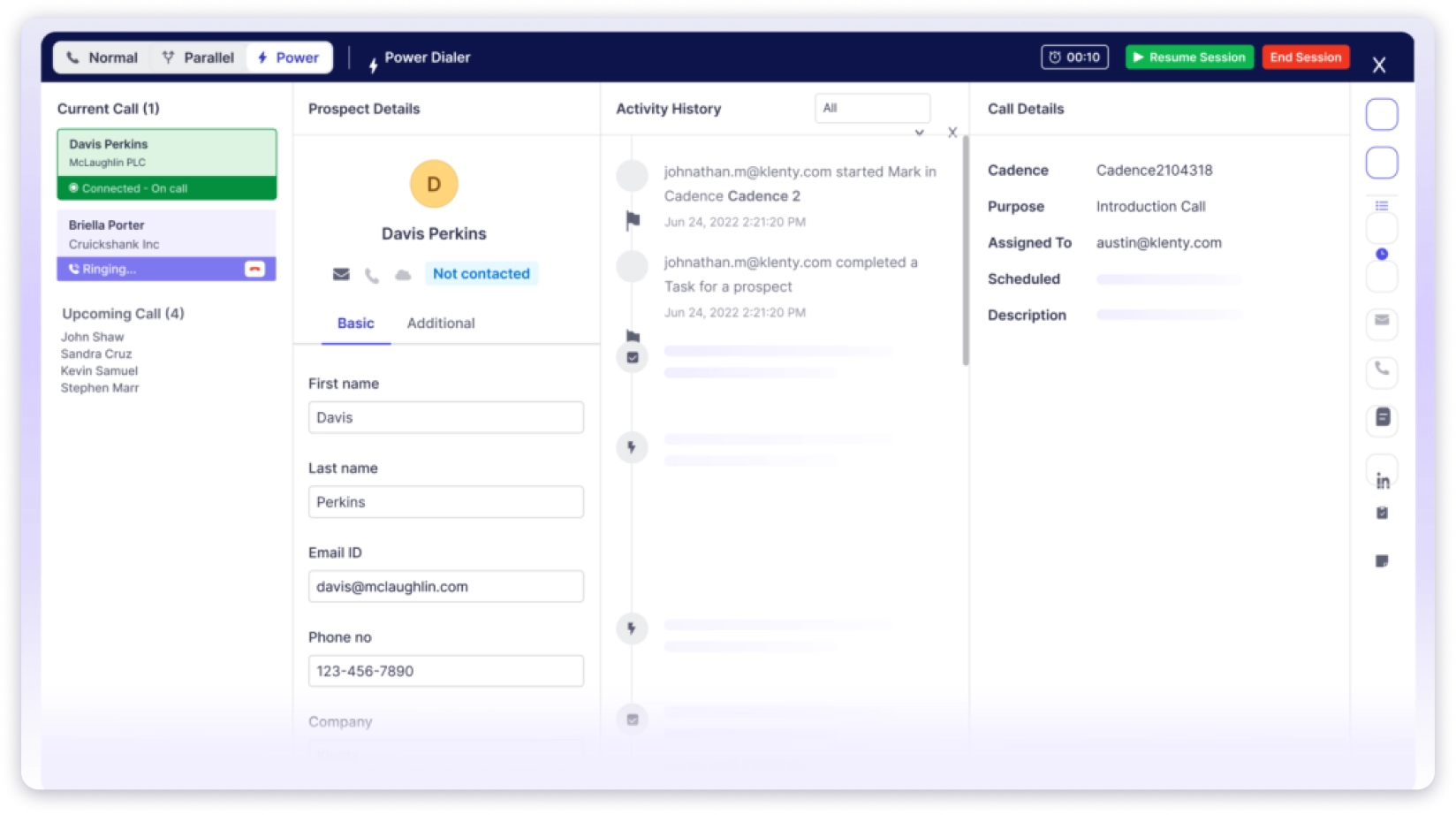
On the Pro plan, AI Objection Detection listens to the conversation in real-time and surfaces battlecards the moment a prospect raises a concern.
Live transcription runs alongside it, and AI Call Scorecards grade the call after it ends.
For sales managers who spend their time coaching reps, this is essentially a lightweight Gong built into the dialer.
Before the call even connects, AI VM and IVR Detection filters out voicemails and phone trees automatically.
Your rep only gets connected to a live human, which saves a surprising amount of time across a full calling session.
Number Reputation Management runs in the background, monitoring your outbound numbers for spam flags and rotating them out automatically when one gets flagged.
Most tools leave this to you. Klenty handles it without asking.
The dialer lives inside Klenty’s multi-channel cadences, so call tasks sit alongside email, LinkedIn, and SMS steps in the same sequence.
That makes it a natural fit for teams that treat cold calling as one touchpoint in a larger outreach flow, not the only channel.
Where Klenty falls short is on the calling infrastructure itself.
There’s no local presence dialing on any plan. No AI call summaries for post-call documentation. And the parallel dialer is a $45/user/month add-on, which pushes the total cost to $115/seat for full dialing capability.
If your priority is making your reps better on the phone through real-time coaching, Klenty does that better than most tools at its price point.
If your priority is call volume and local number coverage, other tools here are a stronger fit.
Pros
- AI objection detection and live battlecards during calls on Pro plan
- AI voicemail and IVR detection connects reps only to live humans
- Number reputation management auto-rotates flagged numbers
- Multi-channel cadences combine email, calls, LinkedIn, and SMS
- Customer support response under 2.5 minutes, a recurring G2 highlight
- Bi-directional CRM integrations with HubSpot, Salesforce, and Pipedrive
Cons
- No local presence dialing on any plan
- No AI call summaries or post-call documentation
- Parallel dialer is a $45/user add-on, total reaches $115/seat
- No dialer at all on the $50/mo Starter plan
- Reporting depth flagged repeatedly in G2 as needing improvement
- No inbound call handling or forwarding
Pricing Plans (Billed Annually)
5. Dialaxy
Best for: Startups, agencies, and lean sales teams that want a cloud phone system with flat per-plan pricing instead of per-seat fees.
Another cold calling tool worth considering is Dialaxy, especially if growing headcount keeps inflating your dialer bill.
Most tools on this list charge per user. Dialaxy charges per plan instead.
Each plan covers a set number of seats and numbers at one flat monthly price. The Pro plan, for example, is $30/month and covers up to five users with three numbers included. There’s no per-rep math to do.
Setup is quick. You pick a local or toll-free number by area code, and US and Canada numbers go live instantly with no porting wait or approval.
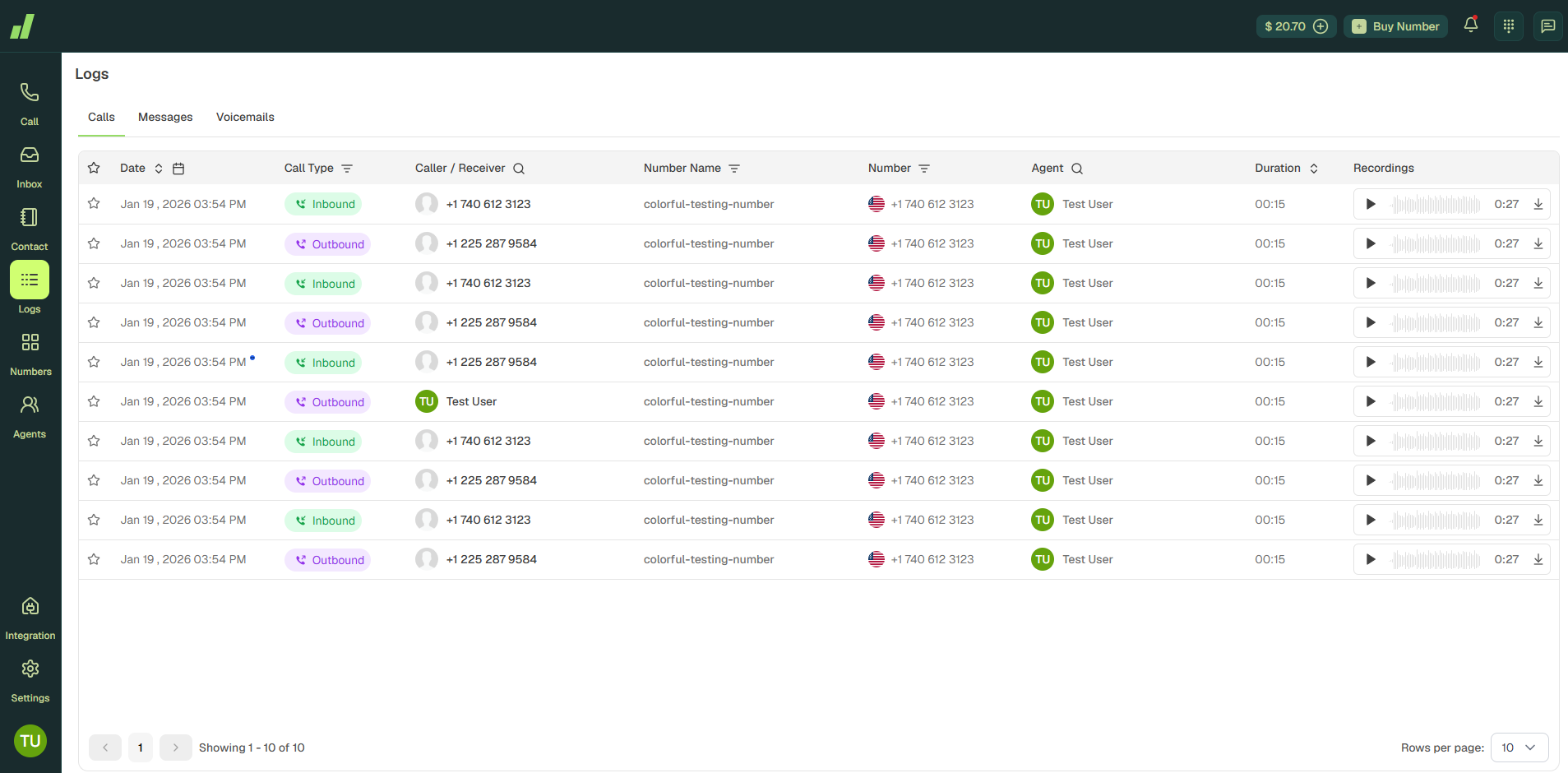
That local presence matters for cold calling. A prospect is far more likely to answer a number that shares their area code than a random toll-free line.
Every plan, including the entry tier, includes unlimited call recording, unlimited contacts, and voicemail. You can work from the web app, desktop (Windows, Mac, Linux), the Android app, or a Chrome extension for click-to-call in the browser.
Call, SMS, and MMS logs sync automatically. The Agent Groups feature lets managers organize larger teams by department without moving up to the Enterprise tier.
On integrations, Dialaxy connects natively with HubSpot and Pipedrive, with Slack, Zoho, and Microsoft Teams listed as coming next. That covers a simple stack. Teams running a heavier CRM setup may find the current list thin.
Reviews lean positive. On G2, users tend to highlight easy setup, call quality, and 24/7 support, while several flag limited international number availability and a thin feature set beyond core calling. Dialaxy also reports a 47% lift in answer rates and 3.2x faster response times, though those are the vendor’s own figures, not independently tested here.
Where I’d pause is the AI gap. There’s no built-in call transcription, AI scoring, or objection coaching yet. So if call intelligence is part of how you coach reps, you’ll feel the absence.
If your team wants an affordable, reliable phone system for calling and follow-up texting, Dialaxy is a sensible pick on price. If you’re dialing at high volume or lean on AI call analysis, a tool with a parallel dialer and built-in transcription will serve you better.
Pros
- Flat per-plan pricing, so cost doesn’t climb with every new rep under the cap
- Instant US and Canada number activation, no porting delay
- Unlimited call recording and contacts on every plan, including Basic
- Web, desktop, mobile, and Chrome extension access included
- 100+ countries supported for international numbers
- Free number porting when switching from another provider
- 24/7 customer support on all plans
Cons
- No built-in AI call scoring, transcription, or objection-detection coaching yet
- No parallel or multi-line dialer for high-volume SDR floors
- International numbers outside the US and Canada need regulatory document verification
- Integration list is still short, with several key CRMs marked “coming soon”
Pricing Plans (Billed Annually)
Add-ons: extra phone numbers at $4/month, extra users at $10/month.
6. Kixie
Best for: Sales teams that run their entire workflow inside HubSpot or Salesforce and want a power dialer that embeds directly into their CRM.
Another automated cold calling software worth considering is Kixie, especially if your team lives inside HubSpot or Salesforce and wants a dialer that feels native to the CRM.
And that CRM embedding is genuinely best-in-class. Kixie doesn’t just integrate with your CRM.
It lives inside it. Calls, recordings, dispositions, and notes write back to CRM records natively, without any manual logging.
For teams where CRM hygiene is a constant battle, that alone makes Kixie worth evaluating.
The Multi-Line Power Dialer lets reps dial up to 10 numbers simultaneously.
AI Human Voice Detection filters out voicemails so reps only connect to real people. And unlimited US/Canada minutes are included on all plans, so there’s no per-minute math to worry about.
ConnectionBoost is Kixie’s local presence and spam protection system.
It claims up to 400-500% improvement in connect rates by rotating numbers, matching area codes, and monitoring for spam flags.
The catch is that ConnectionBoost is a paid add-on. So is AI Conversation Intelligence. So is DNC compliance.
The base plan gets you a solid dialer with CRM embedding, but the features that actually protect your numbers and give you call intelligence are all extra.
Pricing isn’t public either. You need a demo to get a quote.
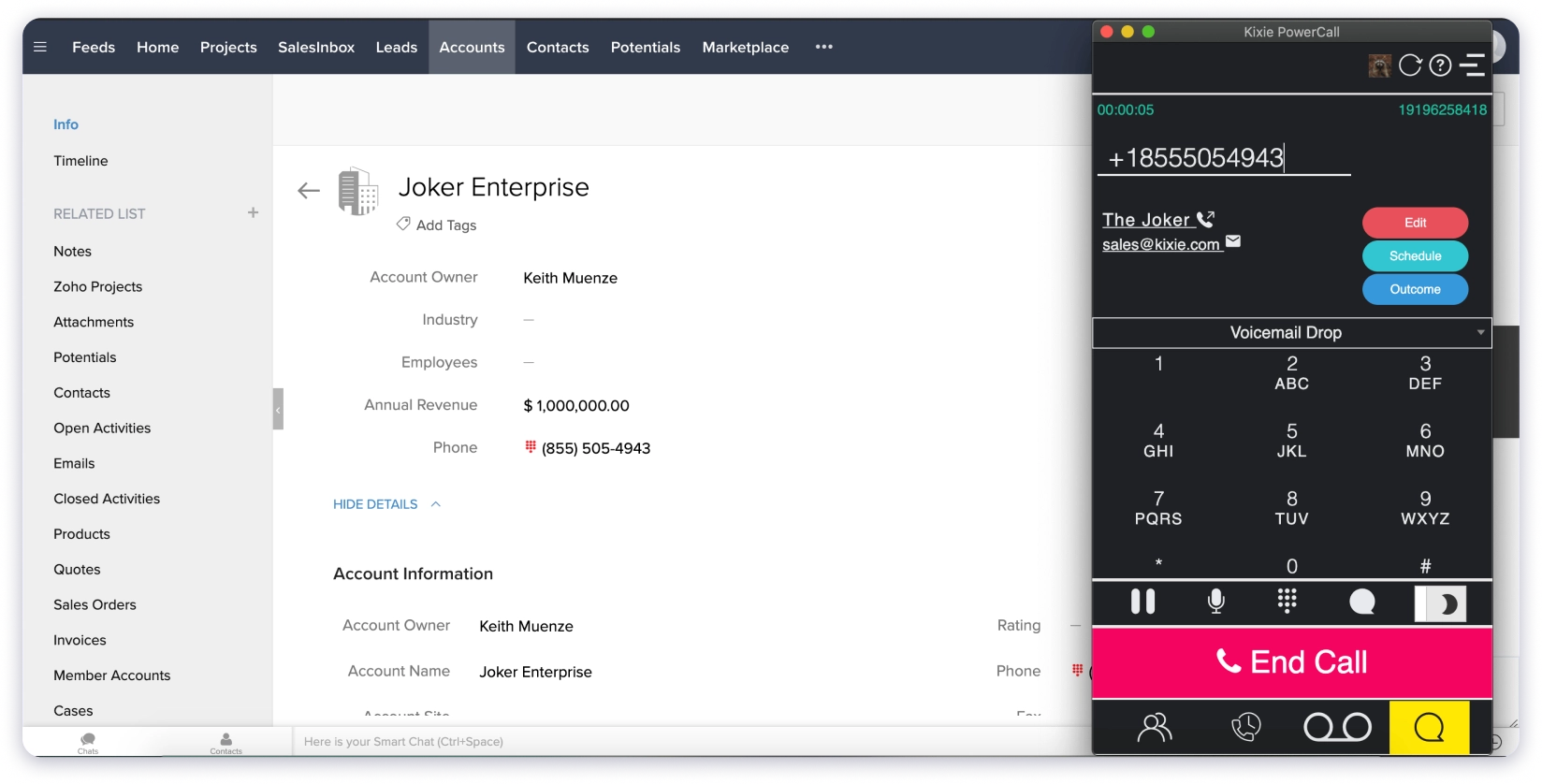
Third-party sources estimate $35-95/user/month for base plans, but once you add ConnectionBoost, AI, and Multi-Line, the real cost can push past $150/seat.
G2 reviewers praise the HubSpot and GoHighLevel integrations, the click-to-call Chrome extension, and the speed of the power dialer.
But there’s a pattern worth noting: 29 mentions of call issues, 15 of number issues, and 13 of connection issues.
Several reviewers report numbers getting flagged as spam even with ConnectionBoost running.
If your team’s entire workflow runs through HubSpot or Salesforce and you want a dialer that feels like a native part of that stack, Kixie delivers on that promise.
Just go in knowing what the base price includes versus what costs extra.
Pros
- Best-in-class CRM embedding for HubSpot, Salesforce, Pipedrive, and GoHighLevel
- Multi-line power dialer up to 10 simultaneous lines
- Unlimited US/Canada calling minutes on all plans
- Click-to-call Chrome extension works inside any web app
- Live call coaching with listen, whisper, and barge built in
- Onboarding and US-based support consistently praised in reviews
Cons
- Pricing not public, requires a demo
- ConnectionBoost, AI, and DNC compliance are all paid add-ons
- AI Human Voice Detection costs an additional $30/month
- G2 reviews show patterns of call quality issues and number spam flagging
- Annual contracts with strict downgrade and cancellation policies
- Real cost often reaches $75-185/user/month with add-ons
Pricing Plans (Billed Annually)
7. Orum
Best for: Enterprise SDR teams with 5+ reps that need to maximize live conversations per hour through parallel dialing at scale.
If your SDR floor needs the best cold calling software for raw conversation volume and budget isn’t the primary concern, Orum is the tool built for that exact scenario.
It’s the most powerful parallel dialer on this list. And the most expensive.
Orum dials up to 5 numbers simultaneously on the Launch plan and up to 10 on Ascend.
AI voicemail detection filters out machines in real-time so reps only get bridged to live humans.
When a prospect picks up, Conversation Acceleration handles the bridge so there’s minimal dead air between the connect and the rep speaking.
The Virtual Salesfloor is worth mentioning because it solves a problem most remote SDR teams struggle with.
Reps dial together in a shared virtual room, can listen to each other’s live calls, and managers can jump in for coaching.
It recreates the energy of an in-office BDR pit, which matters more than it sounds for team morale and rep development.
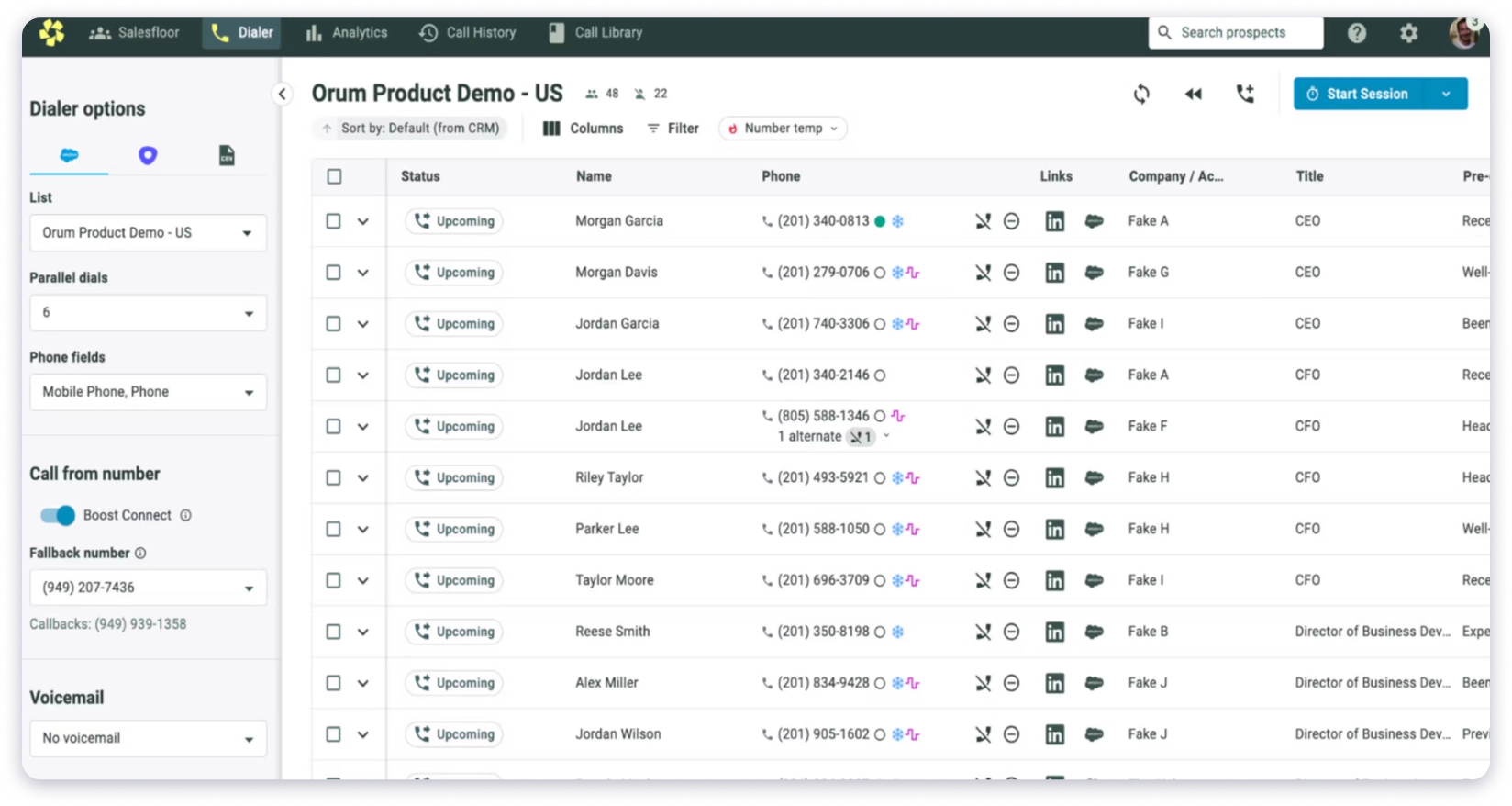
Boost Connect goes beyond standard local presence.
It uses proprietary technology to improve answer rates, and G2 reviewers like Grant M. report 4-5x more live conversations per hour compared to manual dialing.
Where the math gets hard is the pricing.
The Launch plan starts at $250/user/month with a 3-seat minimum, which means you’re committing $9,000/year minimum before you’ve made a single call.
Ascend runs $400-800+/user/month with custom pricing. Onboarding fees range from $1,000 to $5,000. And it’s annual contracts only.
G2 reviews show 105 mentions of call issues. Reviewers report occasional “dead connects” where Orum bridges the call but the prospect has already hung up.
AI voicemail detection sometimes misclassifies live humans as machines. And because you’re dialing 5-10 lines at once, you burn through lead lists significantly faster than single-line dialers.
If you have 5+ SDRs whose primary job is dialing 200+ times a day and you’ve done the math on cost-per-meeting, Orum can genuinely pay for itself in the first week.
If you’re a team of 3 making 30-40 calls a day, you’ll never justify the spend.
Pros
- Best-in-class parallel dialing up to 10 simultaneous lines
- AI voicemail detection filters machines in real-time
- Virtual Salesfloor recreates in-office SDR energy for remote teams
- Boost Connect improves answer rates beyond standard local presence
- Native integrations with Salesforce, HubSpot, Outreach, and SalesLoft
- KPI tracking and analytics praised as best-in-class in G2 reviews
Cons
- Starting at $250/user/month with a 3-seat minimum ($9,000/year entry)
- Annual contracts only, no month-to-month option
- Onboarding fees of $1,000-5,000
- AI Coaching Suite is a separate add-on
- 105 G2 mentions of call issues, including dead connects and misclassified voicemails
- Burns through lead lists 5-10x faster than single-line dialers
- Only 200 data enrichment credits per rep per month on Launch
Pricing Plans (Billed Annually)
8. Aircall
Best for: Teams that handle both inbound support calls and outbound cold calls and need one phone system for everything.
You should consider Aircall as your cold calling platform if your team isn’t purely outbound.
If you’re handling inbound support, customer success calls, and outbound sales from the same phone system, Aircall is built for exactly that blend.
It’s a cloud PBX first, sales dialer second. And that’s not a weakness, it’s the reason to choose it.
The integration library is the broadest on this list, with 100+ native connections including Salesforce, HubSpot, Pipedrive, Zendesk, Intercom, and Slack.
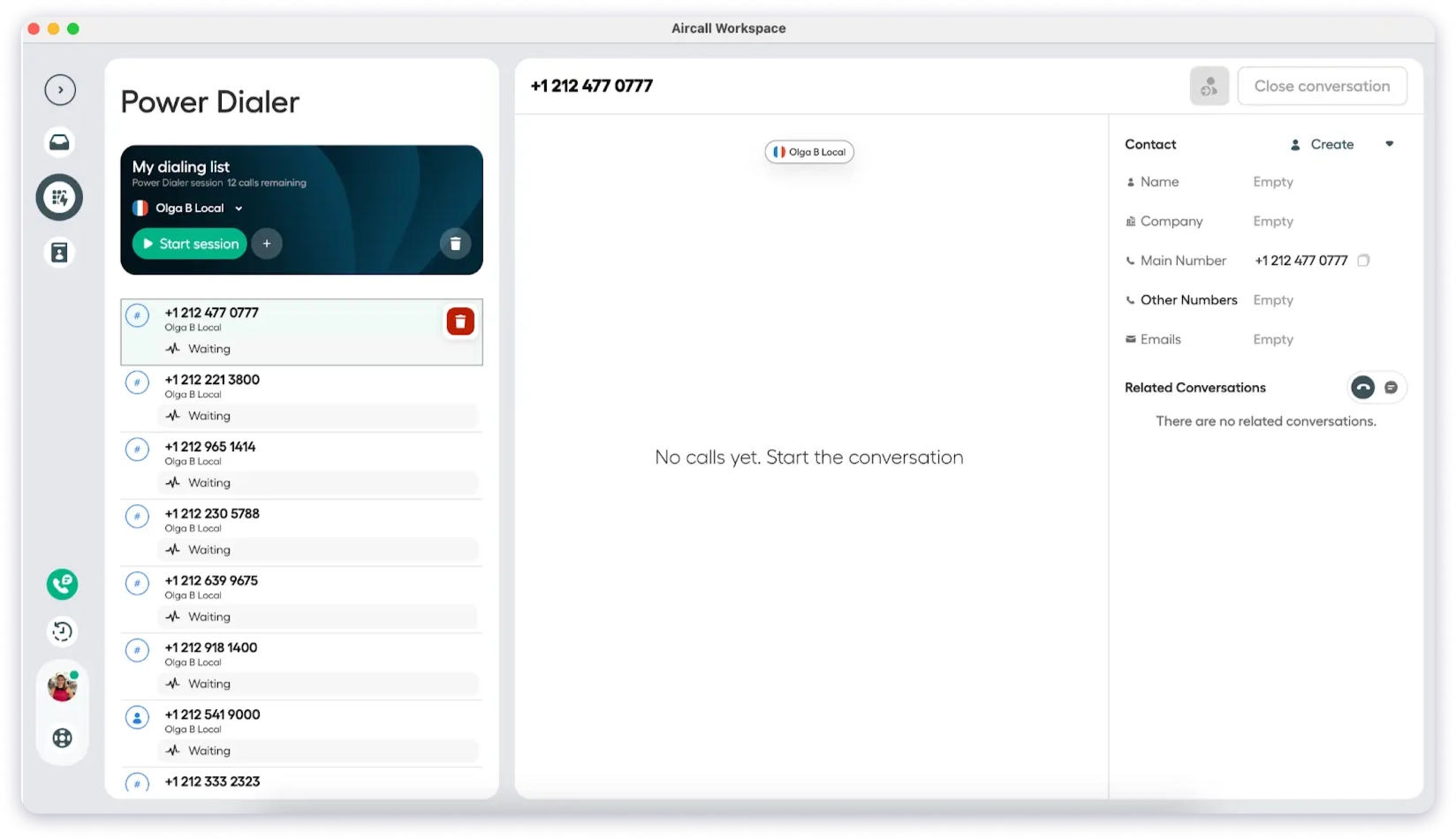
Calls log automatically with full context, and the IVR setup is intuitive enough that non-technical users can configure it without IT support.
Live call monitoring with listen, whisper, and barge is built into the Professional plan.
International number coverage spans 100+ countries.
And the AI Voice Agent can handle inbound calls autonomously and transfer with context, which is a capability most pure dialers don’t offer.
The Power Dialer and Voicemail Drop are bundled inside the Professional plan at $50/license/month, which is reasonable for what you get.
The friction starts with the seat minimums. Every plan requires a minimum of 3 licenses.
So your real entry cost is $90/month, not $30. AI Assist is a $9/license add-on.
AI Assist Pro with real-time coaching is $49/license. Analytics+ is $15/license.
By the time you add what most outbound teams actually need, the effective seat cost lands closer to $80-100.
G2 reviews show 70 mentions of connection issues and 57 of call issues, particularly on unstable internet connections.
The Power Dialer is functional but reviewers comparing it to Kixie or Orum say it’s not optimized for high-velocity outbound.
And international calling rates aren’t included in the unlimited plans, which can create surprise charges.
If you need one platform for both inbound and outbound with the deepest integration library in the category, Aircall is the right pick.
If you’re a pure cold calling team dialing 100+ times a day, you’ll likely outgrow it.
Pros
- 100+ native integrations, the broadest library on this list
- Handles both inbound support and outbound sales on one platform
- Live call monitoring with listen, whisper, and barge on Professional
- International numbers in 100+ countries
- AI Voice Agent for autonomous inbound handling
- Fast onboarding, G2 reviewers report 15-person teams up and running in days
Cons
- 3-license minimum on all plans, real entry is $90/month
- AI Assist ($9/license) and AI Assist Pro ($49/license) are paid add-ons
- Effective seat cost reaches $80-100+ with needed add-ons
- G2 reviews show 70 connection issues and 57 call issues
- Power Dialer is not optimized for high-volume outbound
- International calling rates not included in unlimited plans
- SMS limited to 1:1 messaging, no bulk SMS
Pricing Plans (Billed Annually)
9. JustCall
Best for: Teams cold calling internationally that also need SMS and WhatsApp follow-up in one platform.
If you’re looking for cold calling software with AI analytics and the flexibility to reach prospects across 70+ countries through calls, SMS, and WhatsApp, JustCall covers more channels and more geographies than most tools on this list.
That international coverage is JustCall’s real differentiator.
Local numbers in 70+ countries means your team can look local whether they’re calling into the US, UK, Germany, or India.
For globally distributed sales teams, that’s a genuine advantage over tools like Kixie and PhoneBurner that focus primarily on North America.
The dialer suite is broader than most competitors too.
You get Sales Dialer, Auto Dialer, and Predictive Dialer modes depending on your plan, which gives you flexibility to match the dialer style to your call volume and workflow.
Bulk SMS campaigns and SMS Co-pilot are built in, making JustCall one of the few dialers with serious SMS marketing capability.
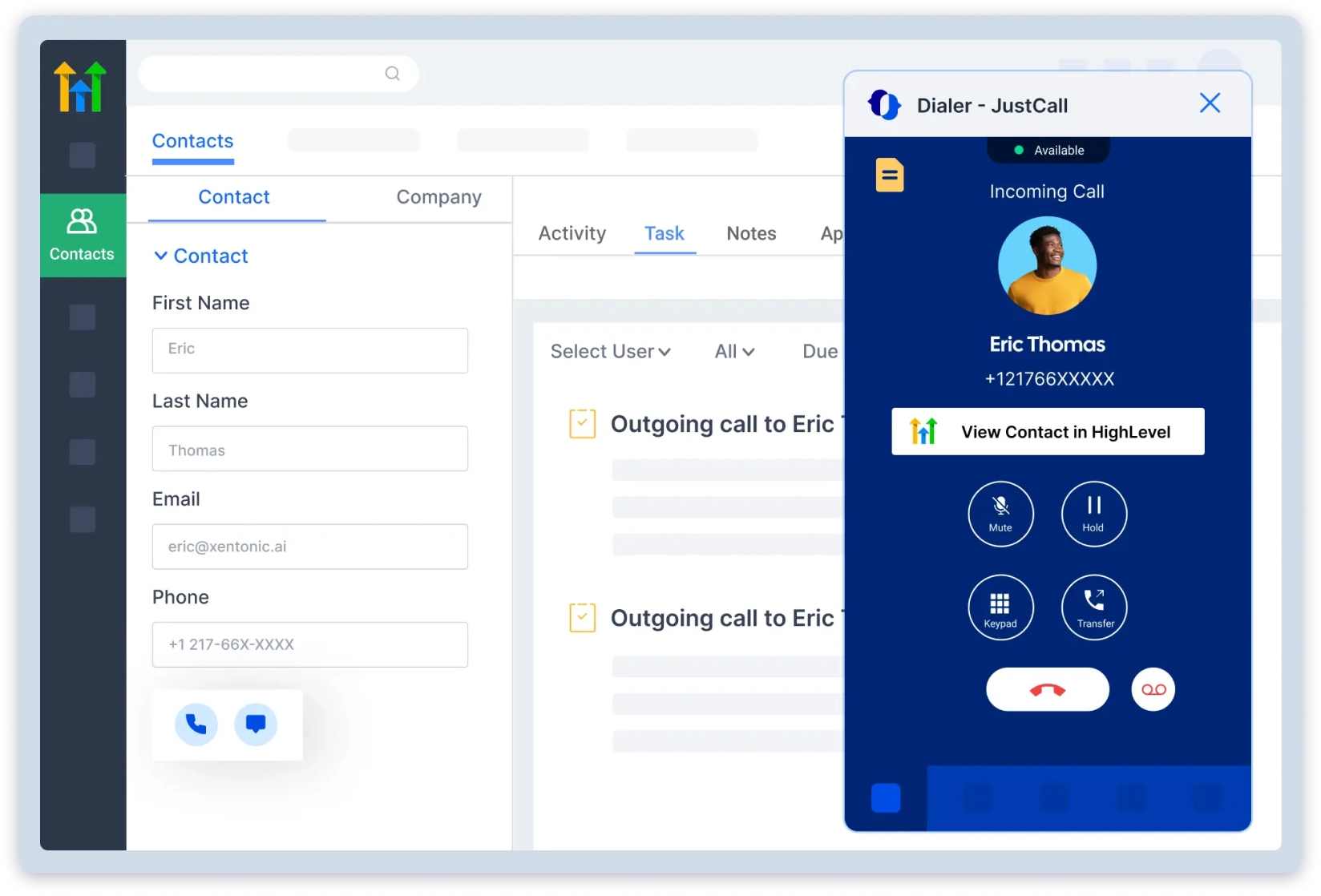
If your outbound motion includes text follow-ups after calls, most other tools on this list force you to bolt on a separate SMS platform.
AI Call Scoring, Script Compliance, and Real-time Agent Assist are available on the Pro Plus plan at $89/user/month.
These turn the dialer into a coaching layer without needing Gong or Chorus as a separate tool.
Now here’s where it gets tricky.
Every plan requires a minimum of 2 users, so the real entry cost is $58/month, not $29.
The “unlimited calling” excludes toll-free numbers, premium-rate numbers, international calls, call forwards, and Sales Dialer traffic, all of which are billed separately.
SMS segments are capped at 500 on Team and 1,000 on Pro, with overages on top.
And call quality is JustCall’s biggest vulnerability.
G2 reviews show 466 mentions of call issues, 271 connection issues, and 234 mentions of poor call quality.
These aren’t isolated complaints. Reviewer Ravleen S. specifically notes that calls drop, fail to connect, or arrive with delays.
The Power Dialer lags during high-volume sessions according to multiple reviewers.
If your team sells internationally and needs calls, SMS, and WhatsApp from one tool, JustCall’s coverage is hard to beat.
If call reliability is the priority, test it thoroughly before you commit.
Pros
- Local numbers in 70+ countries, broadest international coverage on this list
- Multiple dialer modes: Sales, Auto, and Predictive
- Bulk SMS campaigns and SMS Co-pilot built in
- AI Call Scoring and real-time Agent Assist on Pro Plus
- 100+ CRM integrations competitive with Aircall
- 14-day free trial available
Cons
- 2-user minimum on all plans, real entry is $58/month
- “Unlimited” calling excludes toll-free, international, Sales Dialer, and forwarded calls
- G2 reviews show 466 call issues, 271 connection issues, and 234 poor call quality mentions
- AI coaching locked behind $89/mo Pro Plus tier
- SMS segments capped per plan with overages
- Power Dialer lags during high-volume calling sessions
Pricing Plans (Billed Annually)
10. PhoneBurner
Best for: Reps in insurance, mortgage, solar, and real estate who need the highest call quality and best spam protection in the category.
The last best cold calling software on this list is PhoneBurner, and it’s here for one reason that none of the other 7 tools can match: call connection quality.
Every other dialer on this list uses VoIP, which means there’s always a slight possibility of delay, lag, or the dreaded “hello pause” when a prospect picks up.
PhoneBurner connects through Tier 1 carriers with zero delay. When someone answers, your rep is instantly there.
G2 reviewers call this out more than any other feature.
They all specifically praise the delay-free connection.
For reps who depend on those first two seconds of a cold call, this is the single biggest technical differentiator on this list.
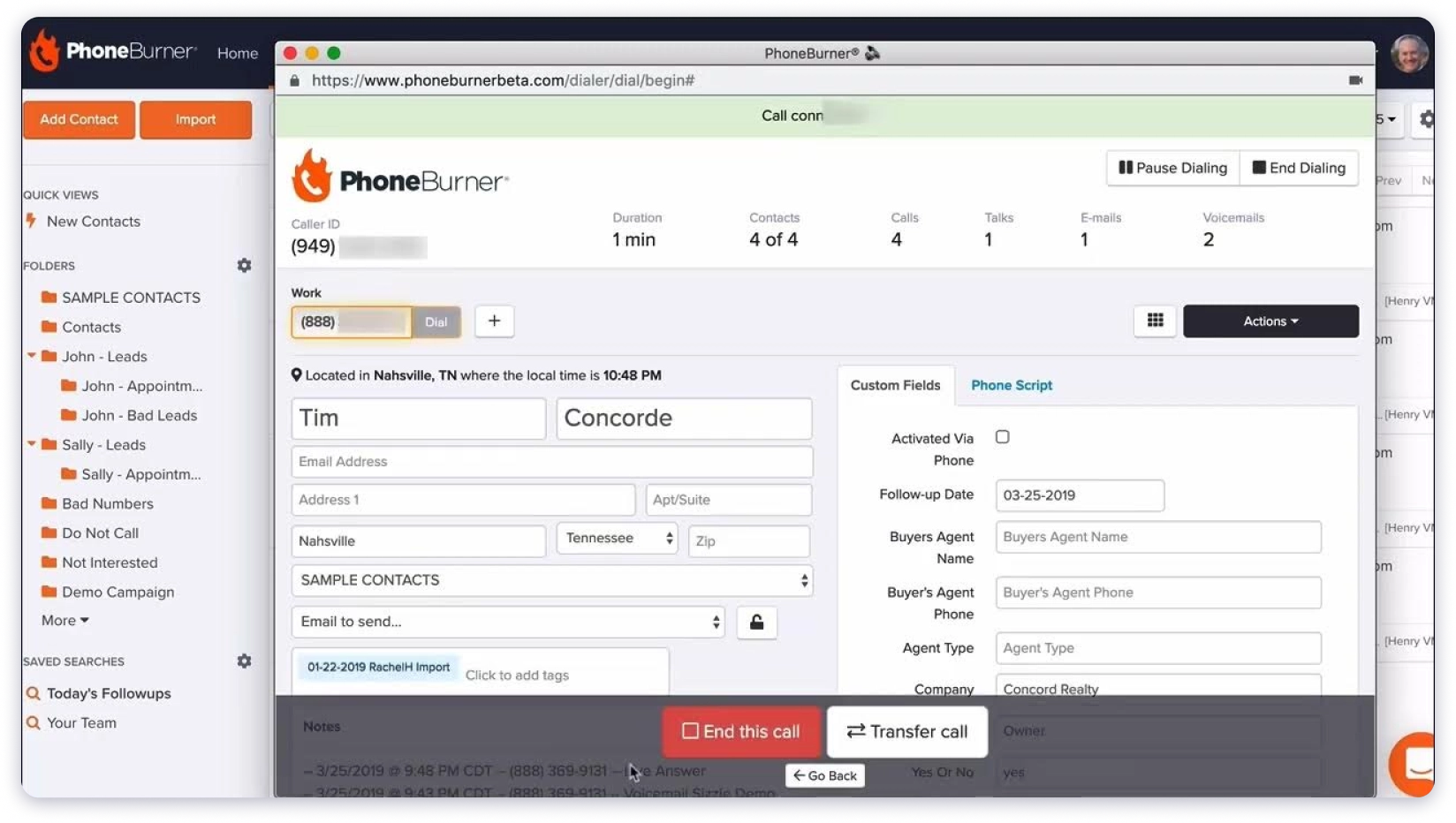
ARMOR is PhoneBurner’s spam protection system, and it’s the most aggressive on this list.
It actively monitors your numbers, detects when carriers are flagging them, and remediates the issue before your answer rates drop.
Reviewer Rick Cotton specifically credits ARMOR for maintaining connect rates while scaling outbound volume.
Most other tools monitor for spam flags. PhoneBurner actively fixes them.
Connect Scores filter out disconnected and unlikely-to-connect numbers in real-time, so your reps aren’t wasting dials on dead leads.
Krisp AI noise cancellation is built into Professional and Premium plans, which is a small detail that makes a real difference in call audio quality.
The trade-offs are significant. PhoneBurner is the most expensive tool on this list.
The Standard plan starts at $140/user/month and doesn’t include call recording or SMS.
You need Professional at $165/month for softphone dialing and recording.
AI transcription and notes only come on Premium at $183/month.
And there’s no parallel dialing at all.
PhoneBurner is intentionally single-line because their entire philosophy is that one clean, delay-free connection is worth more than 10 parallel dials with lag.
If you’re in a compliance-heavy industry like insurance, mortgage, or solar where TCPA compliance matters and one good conversation is worth more than volume, PhoneBurner is built for you.
If you need parallel dialing or AI features at a lower price point, it’s not the right fit.
Pros
- Zero-delay call connection through Tier 1 carriers, best call quality on this list
- ARMOR spam protection actively remediates flagged numbers
- Connect Scores filter dead numbers in real-time before you dial them
- Krisp AI noise cancellation on Professional and Premium
- Unlimited dialing minutes on all plans with no per-minute math
- US-based support consistently praised across G2 reviews
- Strong compliance posture for TCPA-regulated industries
Cons
- Most expensive tool on this list: $140/mo Standard, $165 Professional, $183 Premium
- No call recording on Standard plan
- No AI transcription or call summaries below Premium ($183/mo)
- No parallel dialing, intentionally single-line only
- SMS only on Premium, capped at 1,000/month outbound
- Inbound call handling only on Premium
- Folder and contact organization system feels dated per G2 reviews
Pricing Plans (Billed Annually)
How to Choose the Best Cold Calling Software
I’ve watched dozens of teams pick cold calling software and regret it within 90 days.
The mistake is almost always the same: they compare feature lists instead of asking the right questions about their own workflow.
Here’s what actually matters.
1. Start with Where Your Cold Call List Comes From
Most teams pick a dialer first and then realize they still don’t have anyone to call. They end up buying a separate lead database, exporting contacts, uploading CSVs, and cleaning bad numbers manually.
If you don’t already have a reliable, verified contact source, you need a platform that gives you the data and the dialer together.
That’s what Saleshandy and Apollo do. Every other tool on this list assumes you’re walking in with a clean call list ready to go.
2. Don’t Pay for Features You’ll Use Once a Quarter
Parallel dialing sounds impressive in a demo. But if your team has 3 reps making 40 calls a day, you’ll never use 10 simultaneous lines.
You’ll pay $250/seat/month for something that sits at 20% utilization.
Match the dialer to your actual daily call volume, not your aspirational call volume.
A power dialer at $23-70/mo handles 20-80 calls per rep per day without breaking a sweat.
Parallel dialers only make financial sense when you’re running a dedicated SDR floor with 5+ reps dialing 200+ times daily.
3. Add Up the Real Number, Not the Pricing Page Number
This is where most teams get burned. The advertised price almost never reflects what you’ll actually pay.
Aircall says $30/mo but requires 3 licenses. That’s $90 before you’ve made a call.
JustCall says $29/mo but requires 2 users. Apollo charges 2 credits per minute of talk time on top of your seat cost. Kixie won’t even show you a price without a demo.
Before you commit, list every feature your team actually needs, then calculate what that specific combination costs on each tool.
That number is what you’re comparing, not the bold number on the pricing page.
4. Test the Call Quality Yourself
No amount of feature comparison replaces actually making 20 calls on a tool and listening to how the connection sounds.
Some tools have noticeable delay between when the prospect picks up and when your rep can speak.
On parallel dialers, that gap is even wider.
G2 reviews for JustCall show 466 mentions of call issues. Kixie shows 29. Even Orum, the premium parallel dialer, has reviewers reporting dead connects.
PhoneBurner’s zero-delay connection exists specifically because this problem is real and widespread.
If your cold calling depends on those first two seconds of a conversation, trial the tool and dial real numbers before you sign an annual contract.
5. Check Where AI Actually Lives in the Pricing
Every cold calling tool in 2026 mentions AI on its homepage. Very few include it at the base price.
Saleshandy includes AI transcription and call summaries on every plan. JustCall locks AI coaching behind $89/mo.
Aircall charges $9 per license as an add-on. PhoneBurner only offers AI transcription on its $183/mo Premium tier.
Apollo’s AI insights require the $79/mo Professional plan minimum.
If AI call summaries matter to your reps’ daily workflow, and they should because nobody wants to write call notes manually, verify which plan actually includes them. Not which plan mentions them.
6. Know What Your Team Will Outgrow
The tool that works for your team at 3 reps might not work at 15. And switching cold calling platforms mid-pipeline is painful.
If you’re a small team today but plan to scale outbound, pick a tool that grows with you without a pricing cliff.
Saleshandy stays flat with no per-seat minimums. Kixie’s add-on costs compound as you grow.
Orum’s 3-seat minimum and annual contracts lock you in before you know if the ROI is there.
Think about what your team looks like in 12 months, not just today.
Final Verdict: Which Cold Calling Software Should You Pick?
If you’re here, you’re serious about making cold calling work for your team in 2026.
Tools like Saleshandy, Apollo, Kixie, Orum, and PhoneBurner are leading the cold calling software space right now, and each one takes a different approach to getting your reps into more live conversations.
If you want to go deeper on cold calling strategy alongside picking the right tool, these guides will help:
- What Is Cold Calling? A Complete Guide for 2026
- Does Cold Calling Still Work? Here’s the Truth
- 15 Cold Calling Tips to Get More Meetings
- How to Make Cold Calls for Sales: Step-by-Step
- Cold Email vs Cold Call: Which Wins in 2026?
My take is simple.
Choose a cold calling tool that doesn’t just dial numbers, but actually helps your reps have better conversations and close more deals.
And for that, Saleshandy Dialer is the best pick. Here’s why:
- Local Phone numbers for the USA and Canadian regions that auto-matches your number to the prospect’s area code
- AI call summaries and transcription on every call, every plan
- 852M+ Lead Finder to find who to call, with company data, technographics, and buying signals to personalize your scripts
- Voicemail drop with per-template callback tracking so you know which scripts actually work
- Built-in outbound CRM, email sequences, and multi-channel follow-up in one platform
- $23/mo with no seat minimums, no add-on math, no hidden costs
So I’d suggest you take a trial run and see how it fits your team’s workflow. Your first US number is free, and you don’t need a credit card to get started.
FAQs
1. What Is Cold Calling Software?
Cold calling software automates the manual parts of making outbound sales calls. It handles dialing, call logging, recording, and CRM sync so reps spend their time talking to prospects instead of managing admin work.
Most modern cold calling tools also include features like local presence dialing, AI transcription, voicemail drop, and call analytics.
2. What Are the Different Types of Dialers for Cold Calling?
Power dialers auto-dial the next number in your list as soon as the current call ends, keeping a steady pace without manual dialing.
Parallel dialers call multiple numbers simultaneously, typically 5-10 lines, and connect the rep to whichever prospect picks up first.
Predictive dialers use algorithms to estimate when a rep will be free and start dialing ahead of time. For most B2B cold calling teams, a power dialer with local presence is the best starting point.
3. How Does Local Presence Dialing Increase Answer Rates?
Local presence dialing automatically displays a local area code to the prospect instead of an unknown or toll-free number. Prospects are up to 4x more likely to answer a call that appears to come from their own area.
This works because local numbers don’t trigger the same spam suspicion or hesitation that unfamiliar numbers do.
4. Is Cold Calling Still Effective in 2026?
Yes. Cold calling remains one of the most direct ways to start a conversation with a B2B prospect.
The average success rate for booking a meeting is 2-3%, but top-performing reps consistently hit 6-10%+ by combining prospect research, smart timing, multi-channel follow-up, and the right cold calling software.
5. What Is the Best Free Cold Calling Software?
There is no fully free cold calling software that matches the capabilities of paid tools.
Saleshandy offers 50 free dialer credits with your first US number included at no cost.
Apollo has a free plan with limited credits but no dialer access.
Most other tools on this list offer 7-14 day free trials.
If budget is the main concern, starting with a free trial on Saleshandy is the most practical way to test before committing.
6. Can Cold Calling Software Integrate with My CRM?
Most cold calling tools integrate with major CRMs like HubSpot, Salesforce, Pipedrive, and Zoho.
The depth varies significantly. Kixie embeds directly inside HubSpot and Salesforce as a native widget.
Saleshandy, Apollo, and Klenty sync call data bi-directionally with CRM records. Aircall connects to 100+ apps.
Always check whether the integration auto-logs calls or requires manual setup before choosing.
7. How Much Does Cold Calling Software Cost?
Pricing ranges from $23/mo to $250+/mo per user.
- Saleshandy starts at $23/mo with AI and local presence included on every plan.
- JustCall starts at $29/mo but requires 2 users, making the real entry $58. Aircall requires 3 licenses, so the real entry is $90.
- PhoneBurner starts at $140/mo.
- Orum and Kixie require custom quotes.
Always calculate the total cost including add-ons, seat minimums, and per-minute credits for your actual team size.
8. What Is the Difference Between a Power Dialer and a Parallel Dialer?
A power dialer calls one number at a time and automatically moves to the next when the current call ends.
It gives the rep full attention on each conversation and works well for teams making 20-80 calls per day. A parallel dialer calls 5-10 numbers simultaneously and connects the rep to the first live answer.
It generates more conversations per hour but comes with trade-offs like occasional connection delays and faster burn through lead lists.
Most B2B teams under 25 reps do well with a power dialer. Parallel dialers make sense for large SDR floors dialing 200+ times per day.
 Anil Salvi