

You would think that with thousands of companies running Oracle NetSuite, finding verified contacts would be a piece of cake.
But in reality, it’s not.
Ask ANYONE who has tried. You request a quote, wait three days for a sample, pay for a “95% accurate” CSV, load it into your CRM, and watch 15-20% of those emails bounce on the first send.
Half the contacts have changed roles, or a quarter have left the company entirely. And now your sender reputation is damaged before your campaign even gets going.
Terrible, right? Unfortunately, that’s the reality of most NetSuite users’ email list providers in 2026. They sell you a file that was last verified weeks ago and call it “fresh data.”
I just skipped that guessing game. I wanted to find which providers actually deliver usable, verified NetSuite contacts, so I compared 10 of them across email accuracy, NetSuite technographic detection, segmentation depth, data freshness, and verification methodology.
Here is what held up and what did not.
TOC – Best NetSuite Users Email List Providers
TL;DR: Best NetSuite Users Email List Providers
- Saleshandy Lead Finder: Best Overall for Real-Time Verified NetSuite Emails in Under 30 Seconds
- TargetNXT: Best for NetSuite Module-Level Targeting
- BizzContacts: Best for Install-Base Intelligence
- DataCaptive: Best for One-Time Static List Purchase
- Cognism: Best for GDPR-Compliant EMEA Outreach
What Is a NetSuite Users Email List?
A NetSuite users email list is a database of verified business contacts at companies that use Oracle NetSuite for ERP, CRM, financial management, or ecommerce operations.
A good list includes decision-maker names, job titles, verified work emails, direct phone numbers, company firmographics (industry, revenue, employee count), and sometimes the specific NetSuite module the company runs.
10 Best NetSuite Users Email List Providers in 2026
I went through each provider’s official website, verified their claims against available public data, and tested how transparent they are about their data sourcing, verification process, and pricing.
Here is how each one performs.
1. Saleshandy: Best Overall for 92% Verified NetSuite Emails in Under 30 Seconds
I ranked Saleshandy #1 because it gave me ready-to-outreach NetSuite contacts in under 30 seconds, without buying a static list.
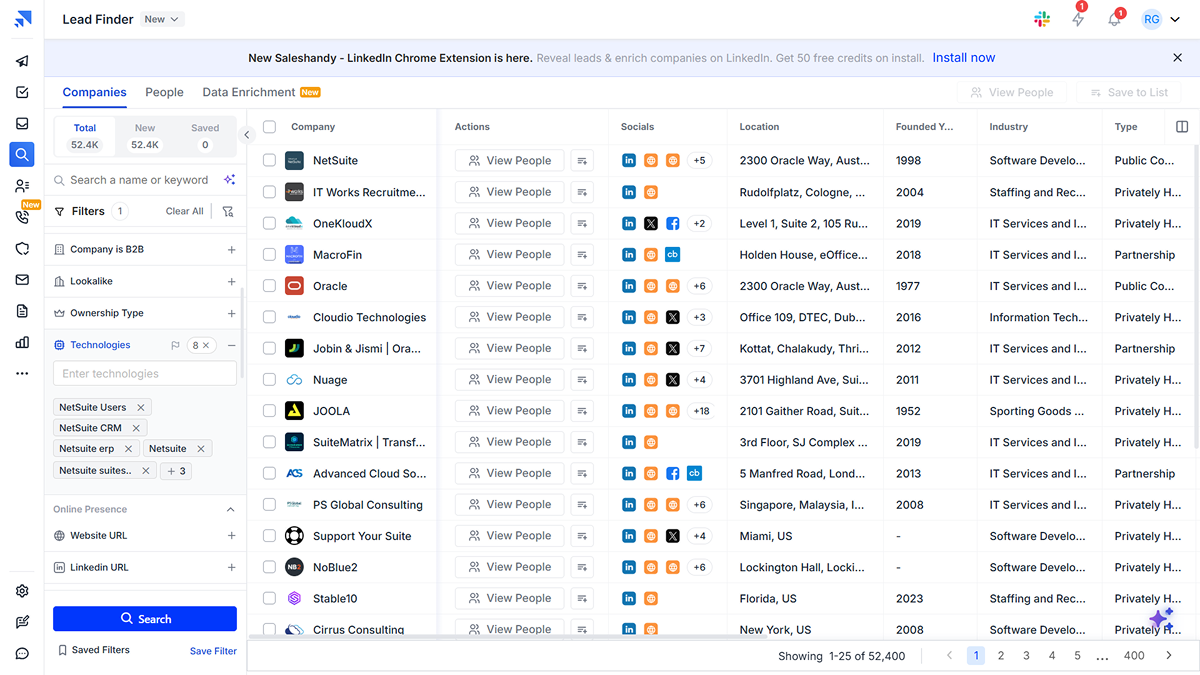
Its Lead Finder lets you filter companies using NetSuite or any of 18,000+ technologies, then narrow results by title, department, revenue, employee count, location, industry, SIC/NAICS codes, and 70+ other filters.
When I filtered for NetSuite, NetSuite ERP, NetSuite CRM, SuiteCommerce, and OneWorld, it returned 52,000+ matching companies.
It checked the contact in real-time in under 20-30 seconds and found and verified the email.
To me (and many users), the great part is that you only spend a credit if the email passes verification. If it cannot verify the contact, you pay nothing.
How Can You Build a NetSuite Users Email List Using Saleshandy
- Step 1: Open Lead Finder and go to the “Company” tab.
- Step 2: Under the “Tech Stack” filter, search for and select “NetSuite” (or specific products like NetSuite ERP, NetSuite CRM, or SuiteCommerce).
- Step 3: Layer additional filters like job title (CFO, IT Director, ERP Manager), department, company size, revenue range, industry, and location.
- Step 4: Review the matching prospects. Click “Reveal” on individual contacts or bulk-reveal a list.
- Step 5:Each reveal runs through the 9-sources waterfall enrichment in real time. You only pay for successfully verified emails.
- Step 6:Export verified contacts directly or add them to a cold email sequence within Saleshandy. No need for a separate outreach tool.
Pros:
- AI-powered prospecting: Describe your ideal prospect in plain English (e.g., “Finance leaders at mid-market NetSuite users in the US”) and let AI build the search.
- Largest database: 852M+ contacts across 42M+ companies gives broad coverage across industries and geographies.
- Pay only for verified data: Credits are consumed only when the email is successfully verified, keeping bounce rates under 3%.
- All-in-one outbound platform: Find 92% accurate leads and run email sequences in the same tool. No juggling between a data provider and an outreach platform.
- Unlimited email accounts: Connect as many sender accounts as you want on every plan, which is critical for scaling cold outreach safely using sender rotation.
Cons:
- Though its data accuracy is top-notch and 50 free credits are good, the free credits and trial period (7 days) could be increased to explore it further.
2. TargetNXT: Best for NetSuite Module-Level Targeting
TargetNXT earns the #2 spot because it goes deeper into NetSuite’s product ecosystem than most providers here.
You can filter by product edition, version, deployment model, license tier, modules like OneWorld, SuiteCommerce, WMS, Manufacturing, and Financial Management, plus adoption stage.
That matters if your offer depends on a specific NetSuite setup. For example, if you’re a SuiteCommerce integration provider, you can avoid companies using NetSuite only for financial management.
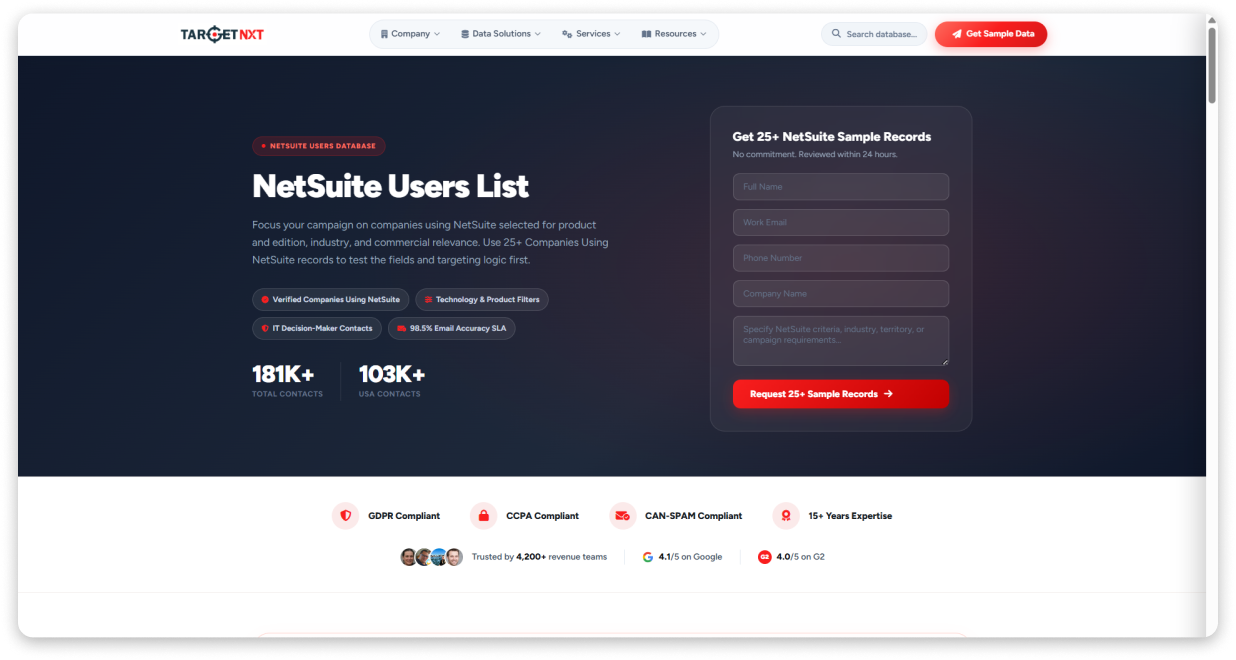
I like how its data spans 24 field categories across technology, company, decision-maker, and geographic criteria. Records can include verified work emails, direct business phone numbers, job titles, seniority, purchasing authority indicators, and location data.
How Can You Build a NetSuite Users Email List With TargetNXT
TargetNXT is not self-serve like Saleshandy. It uses a 4-step process. For that, you need to work with their team to define and deliver your list:
- Step 1: Brief & Campaign Alignment: Share what you sell, your target territory, and campaign objective.
- Step 2: Criteria & Account Selection: The team converts your brief into account, contact, and qualification criteria.
- Step 3: Sample Inspection & Refinement: Review 25+ sample records and refine the targeting if needed.
- Step 4: Approval & Final Delivery: Once approved, you receive the final static dataset.
The entire process is consulting-based. That is a strength if you want a hand-built, precisely targeted list. It’s a limitation if you need data on demand.
Pros:
- Module-level granularity: Target specific NetSuite products, editions, deployment models, and adoption stages.
- High stated accuracy: 98.5% email accuracy SLA with hybrid AI and human verification.
- Rich decision-maker data: Includes seniority, functional roles, purchasing authority, and direct phone numbers.
- Sample-first approach: Review 25+ records before purchasing.
Cons:
- No public pricing: You need to contact sales for a quote.
- Static lists: Data is delivered as a one-time file rather than a live database.
- No built-in outreach: You need another tool for email sequences, calls, or LinkedIn outreach.
- Slower access: The consultative process takes longer than a self-serve database.
3. BizzContacts: Best for Install-Base Intelligence
BizzContacts secures the bronze (#3 place) because I found it goes beyond contact data into NetSuite deployment intelligence.
It shows which modules are live, when they went live, the NetSuite Solution Provider involved, and which platform the company migrated from.
That makes it useful if you sell tools that compete with or extend specific NetSuite modules. It also tracks 27,000+ NetSuite OneWorld deployments separately, which can help when targeting multi-entity or multi-currency businesses.
I was amazed by the fact that each record is verified through 11 sources, including Oracle disclosures, SuiteWorld rosters, NetSuite App Center listings, job postings, and an in-house research team.
A record is included only when two sources confirm the deployment and the decision-maker contact was verified within the previous 30 days.
How Can You Build a NetSuite Users Email List With BizzContacts
BizzContacts is not self-serve. You work with its research team to build a list around your campaign requirements:
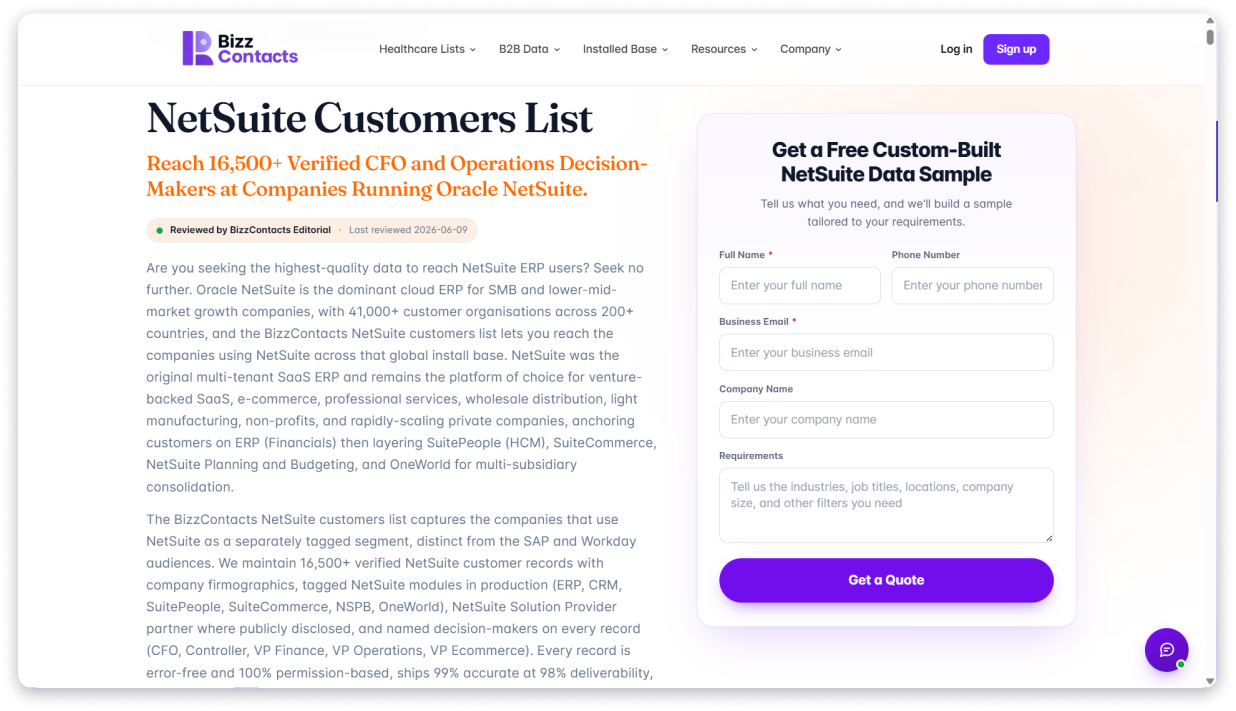
- Step 1: Submit your ICP brief: Share your target industries, job titles, locations, company size, and relevant NetSuite modules.
- Step 2: Receive a free 50-record sample: The team sends a custom sample within one business day, with no upfront payment.
- Step 3: Review and refine: Check the module tagging, decision-maker relevance, and contact quality. You can adjust the criteria before buying.
- Step 4: Purchase the full dataset: Once approved, the complete CRM-ready list is delivered within 24-48 hours. Inaccurate, mistagged, or bounced records are replaced within 30 days.
The process takes more effort than a self-serve database, but you get a list built around your ICP rather than a generic export.
Pros:
- Module-level install-base data: See which NetSuite modules a company has deployed, not just whether it uses NetSuite.
- Displacement intelligence: Identifies platforms companies used before moving to NetSuite, including QuickBooks migrations.
- Strong verification process: Uses 11 data sources, an in-house research team, and a 30-day replacement guarantee.
- No subscription lock-in: Buy individual lists and review a 50-record sample before purchasing.
Cons:
- Smaller NetSuite-specific dataset: Coverage may become limited when you apply very narrow industry or location filters.
- Higher entry price: Plans start at $999 for up to 1,200 contacts.
- No outreach tools: You need a separate platform for email, calling, or LinkedIn outreach.
- Not self-serve: You submit your requirements and wait for the list to be prepared.
4. DataCaptive: Best for One-Time Static Purchase
DataCaptive lands in fourth because it claims a large NetSuite contact pool and gives you permanent data ownership. Once you buy the list, you can keep using it without renewal fees or a recurring license.
That makes it a practical option for small teams or agencies running fixed-budget campaigns. You can buy the data once, export it, and use it in your existing outreach stack.
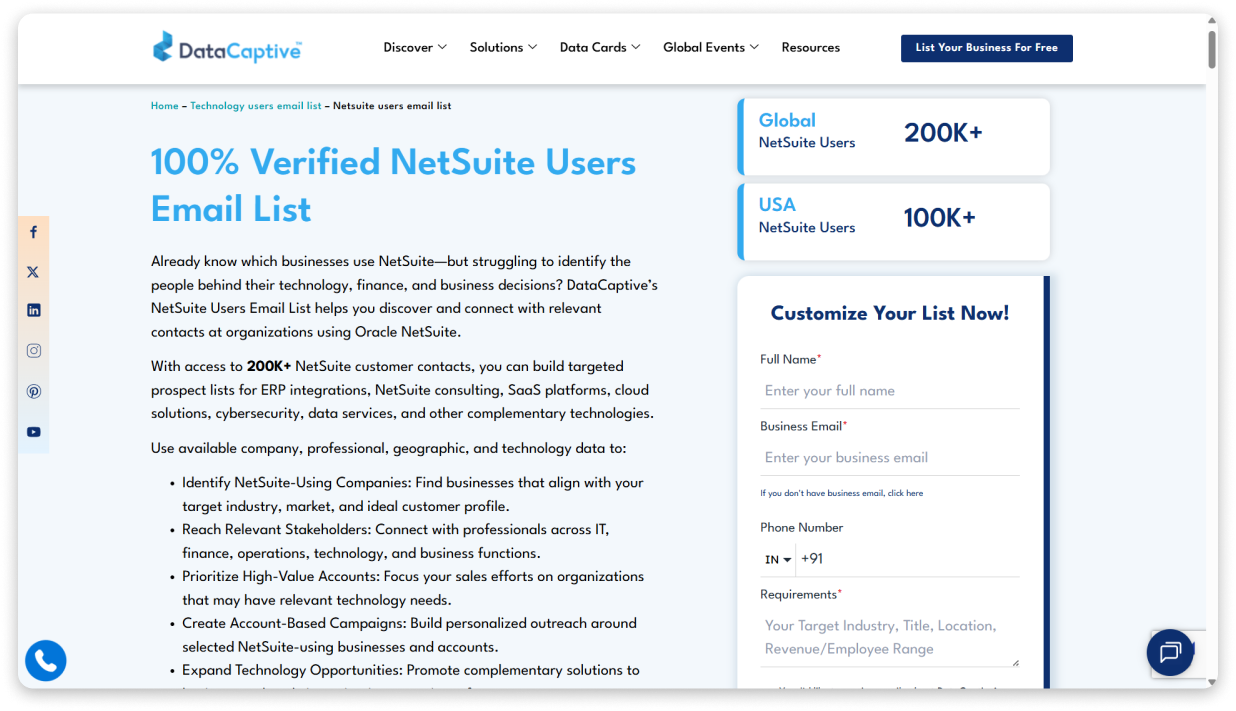
I liked how it also supports SIC, NAICS, and OCC code filtering alongside industry, revenue, employee size, geography, tech stack, and job title. Also, one more helpful feature I found is that Records can include 40+ fields covering company, contact, firmographic, geographic, and technographic data.
The main limitation to me was its email deliverability. DataCaptive states an 85% deliverability rate, which is lower than Salehandy and several providers on this list and makes additional verification important before large-scale outreach.
How Can You Build a NetSuite Users Email List With DataCaptive
DataCaptive uses a request-based process rather than a self-serve database:
- Step 1: Submit your targeting criteria: Share your preferred industry, job title, location, revenue, or employee range.
- Step 2: Review a free sample: Check sample records for company, title, industry, location, phone, and masked email data.
- Step 3: Choose a plan: Pick Essentials, Plus, or Professional based on the data fields and maintenance you need.
- Step 4: Receive the list: Data is delivered in CSV or Excel format for CRM import and future use.
The main advantage is that you keep the purchased data. The downside is that it becomes less reliable over time because it is not verified in real time.
Pros:
- Permanent data ownership: No subscription renewal required. Once purchased, the data is yours to use without recurring fees.
- Largest claimed NetSuite pool: 200K+ contacts globally gives broad coverage for high-volume outreach campaigns.
- SIC, NAICS, and OCC code filtering: More precise industry and job classification than providers using free-text fields only.
- Wide payment flexibility: Accepts Visa, Mastercard, PayPal, Stripe, bank transfer, and cryptocurrency (BTC, ETH, USDT).
Cons:
- Lowest deliverability on this list: 85% email deliverability means roughly 1 in 6 emails will bounce. That is a real risk to your sender reputation if you are running cold outreach at scale.
- No transparent pricing: Three plan tiers are listed, but no dollar amounts are published. You must contact sales or request a quote.
- No technographic detection methodology disclosed: The page does not explain how DataCaptive identifies companies using NetSuite.
- Static data with 45-day refresh: Data is only as fresh as the last update cycle. No real-time verification at the point of export.
5. Cognism: Best for GDPR-Compliant EMEA Outreach for NetSuite Users Emails
Cognism lands among the elite at #5.
Through my testing, I think it’s the strongest option on this list for teams targeting NetSuite users in Europe. If you sell into the UK, Germany, France, the Nordics, or other GDPR-regulated markets, its compliance-focused approach becomes especially relevant.
Its pricing page confirms technology usage as a Standard feature, meaning you can filter for companies using specific technologies, including NetSuite.
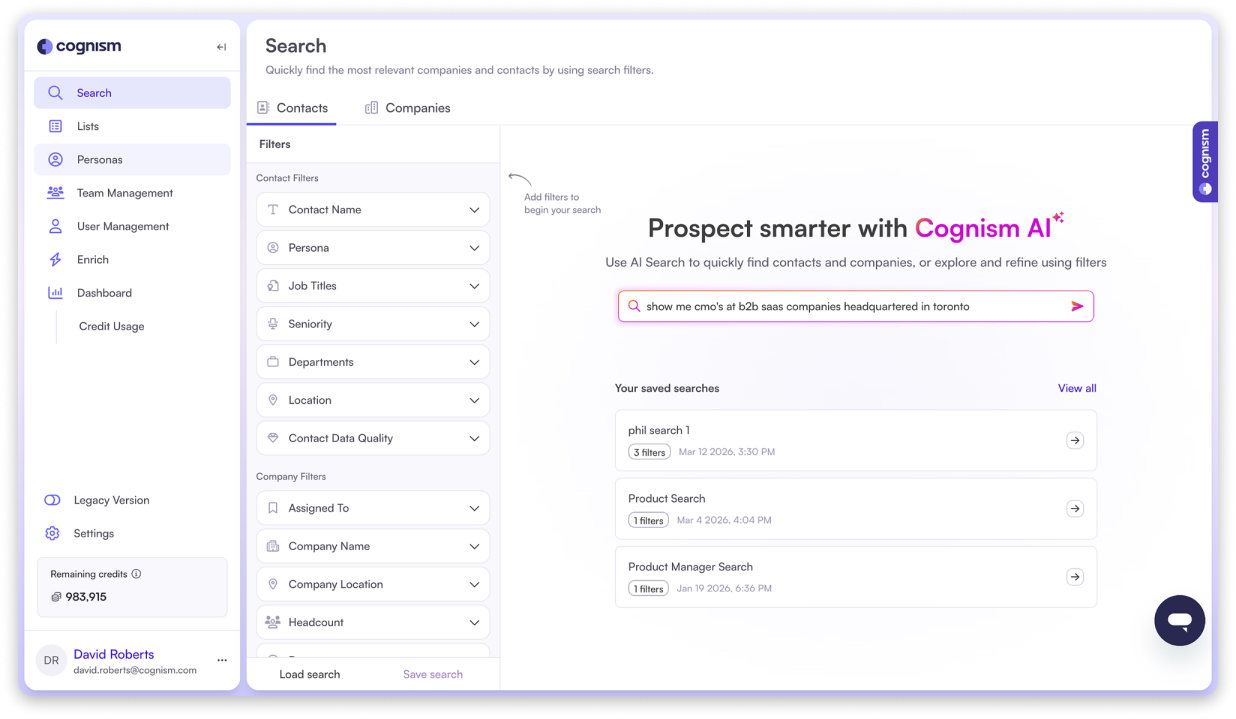
However, Cognism doesn’t offer module-level filtering like TargetNXT or BizzContacts. You can only use general technographic filters to identify NetSuite users within a broader B2B database.
To me, where Cognism stands out is phone data. Its verified mobile numbers go through a multi-step process involving AI scoring, machine learning validation, human verification, and DNC scrubbing.
The Pro plan also bundles Bombora intent data. You can select up to 12 intent topics from a library of over 11,000 options. This helps you prioritize NetSuite accounts researching ERP solutions, migration tools, or adjacent categories.
How Can You Build a NetSuite Users Email List Using Cognism
- Step 1: Use AI Search or filters: Type a natural language prompt (e.g., “Finance leaders at mid-market NetSuite users in the UK”) or use the technology usage filter to select NetSuite manually.
- Step 2: Layer firmographic and signal filters: Narrow by industry, company size, geography, seniority, and hiring or funding signals.
- Step 3: Reveal contacts: Each reveal costs 1 credit. Previously revealed contacts can be accessed again at no additional cost.
- Step 4: Export or sync: Export via CSV or push directly to your CRM through native integrations.
Cognism is self-serve, so you can search and reveal contacts on demand. There is no sample request process or sales team involvement to access data. You do need an active subscription (Standard or Pro) to start.
Pros:
- Built for GDPR compliance: Database is checked and cleaned against global DNC lists, which matters when reaching European prospects.
- Verified mobile numbers: Multi-step phone verification process improves connect rates for cold calling campaigns targeting NetSuite decision-makers.
- Intent data included on Pro: Bombora Company Surge data with 11,000+ topic options lets you prioritize accounts actively researching ERP, NetSuite, or adjacent solutions.
- AI-powered search: Describe your ideal prospect in plain English or voice prompts, such as “Finance directors at mid-market NetSuite users in Germany.”
Cons:
- No published pricing: Cognism does not publish any dollar amounts on its website. Third-party sources suggest pricing starts in the five-figure annual range, which can make it impractical for small teams or individual prospectors.
- No dedicated NetSuite targeting: There is no module-level filtering or NetSuite-specific segmentation beyond general technology usage filters.
- Weaker for US-only campaigns: Multiple independent reviews note that US and Canada coverage lags behind EMEA.
- No built-in email sequences: Cognism is a data and intelligence platform, so you need a separate platform for cold email sequences and follow-ups.
6. ELP Data
ELP Data Makes Its Mark at #6. It offers separate, product-specific NetSuite lists instead of one generic database. You can buy lists for NetSuite ERP users, NetSuite Accounting users, or NetSuite SuiteFlow users individually. That matters if your product fits only one part of the NetSuite ecosystem.
I also liked the transparency around its data sourcing. ELP Data says it uses technology job postings, LinkedIn signals, integration partner directories, software review platforms, firmographic databases, and live business registries. Records are then cross-checked using live email verification tools.
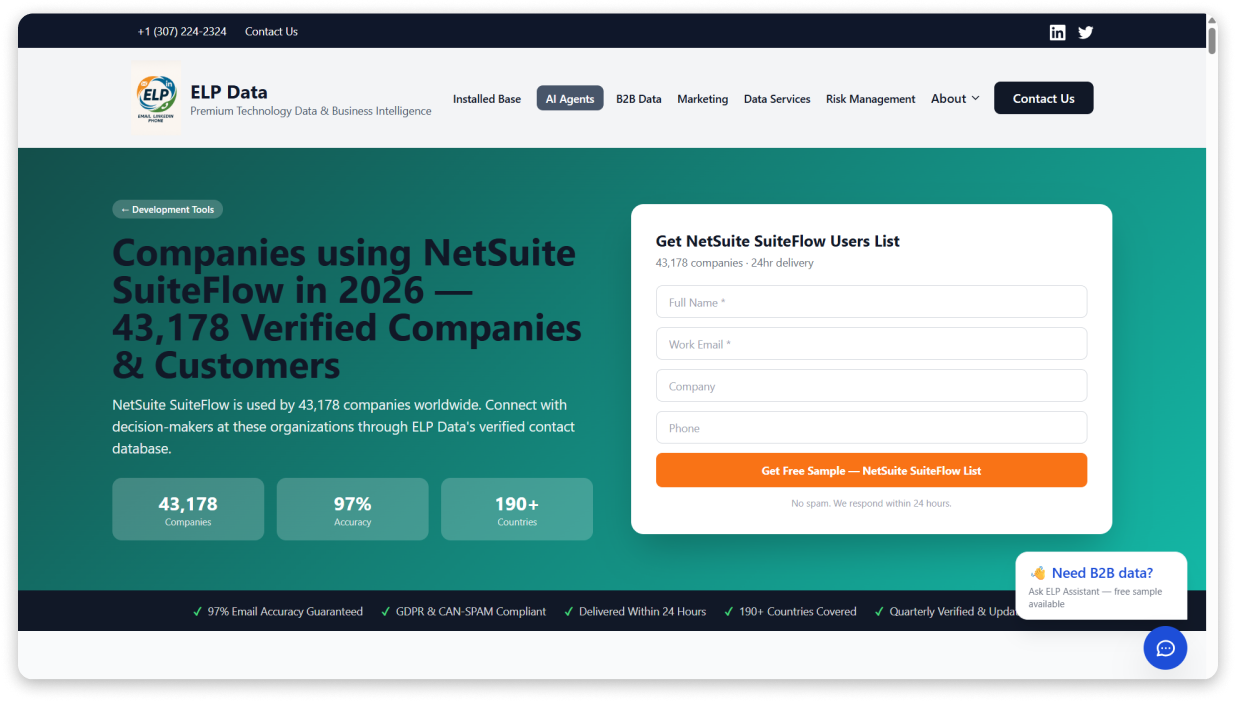
Each record includes 14 fields, such as company name, contact details, job title, LinkedIn profile, revenue, industry, technology stack, seniority, and years using the software. The “years using software” field is particularly useful because it helps you separate newer NetSuite users from long-term customers.
The main limitation is that these are static lists with quarterly updates. You may also need multiple datasets if your ICP spans several NetSuite products.
How Can You Build a NetSuite Users Email List With ELP Data
- Step 1: Request a free sample: Submit a form specifying which NetSuite product list you need (ERP, Accounting, SuiteFlow, or others) along with your target industry, geography, and job titles.
- Step 2: Review the sample: ELP Data delivers a custom sample within 24 hours. Records include masked emails, company, job title, industry, and location.
- Step 3: Purchase the full list: Once approved, the full dataset is delivered as a CSV or Excel file within 24 hours, ready for CRM or email platform import.
- Step 4: Replacement guarantee: Any record that bounces is replaced at no extra charge under the 97% accuracy guarantee.
The process is fast compared to other static providers. 24-hour delivery from request to file is the quickest turnaround on this list for a non-self-serve platform.
Pros:
- Product-specific NetSuite lists: Separate databases for NetSuite ERP, Accounting, and SuiteFlow help you target a more relevant user base.
- Transparent data sourcing: ELP Data publicly explains where its data comes from and how records are verified.
- “Years using software” field: Helps distinguish newer adopters from long-term NetSuite customers.
- Fast delivery with replacement guarantee: Samples and full lists are delivered within 24 hours, with bounced records replaced.
Cons:
- Smaller individual lists: Broad NetSuite campaigns may require purchasing multiple product-specific datasets.
- No public pricing: Every purchase requires a quote request.
- Static data with quarterly refresh: Records are not continuously updated.
- No outreach tools: You need a separate platform for email, calling, or LinkedIn outreach.
7. LakeB2B
LakeB2B takes seventh place on my list because it has one of the largest NetSuite-specific contact pools on this list at 211K+ total contacts. It also offers sub-lists for SuiteTalk, SuiteScript, and Custom Records, which is useful if you sell developer tools or integrations tied to specific parts of the NetSuite stack.
I liked that LakeB2B goes beyond data. It also offers managed marketing services. It includes campaign execution, content syndication, and demand gen programs. This makes it useful for teams that want both prospect data and campaign support.
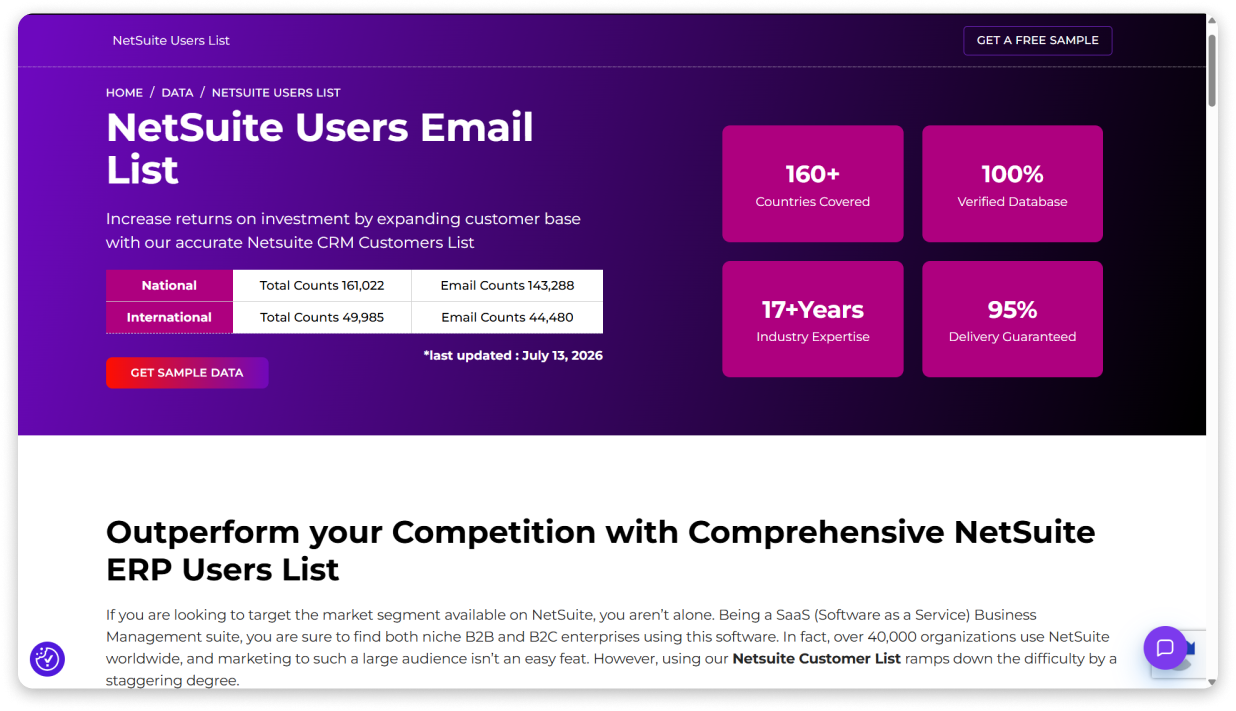
The main limitation is transparency. Independent reviews are also limited, with only a small presence on platforms like Clutch and G2.
How Can You Build a NetSuite Users Email List With LakeB2B
- Step 1: Contact sales: Submit a form or call to discuss your NetSuite targeting requirements (industry, geography, job title, company size).
- Step 2: Choose your model: Select between a data-only purchase (static list delivery) or a managed marketing plan where LakeB2B runs the campaign for you.
- Step 3: Receive the data: Lists are delivered in CSV, XLS, or TXT formats for CRM import.
LakeB2B is better suited for teams that want a done-for-you approach or need high-volume static data. It is not the right fit if you need real-time verified contacts or self-serve access.
Pros:
- Largest claimed NetSuite contact pool: 211K+ contacts with sub-lists for SuiteTalk, SuiteScript, and Custom Records.
- Managed services available: LakeB2B can handle email marketing, content syndication, and demand gen campaigns.
- Flexible pricing models: Offers flat-fee, pay-per-match, success-based, and project-based structures.
- Broad global coverage: Covers 160+ countries with separate US and international datasets.
Cons:
- Contradictory accuracy claims: The site states both “100% verified” and a “95% delivery guarantee.”
- Enterprise-level pricing: Managed marketing plans start at $3,500/month, while data-only pricing is not published.
- Complex product suite: Its mix of data, marketing, AI agents, intent, and managed services can make the offering harder to compare.
- Limited independent reviews: Clutch and G2 have relatively little review coverage.
8. InfoClutch
In my testing, InfoClutch plants its flag at #8. This static provider offers separate NetSuite product sub-lists for CRM, ERP, and HCM, with 70+ customizable filters across a 70M+ record database. That filter count is generous for a static list provider.
I liked how clearly they disclose their data sources: opt-in email campaigns, business cards, seminars, directories and public filings, feedback forms, and newsletter subscriptions. That transparency is useful when your compliance team wants to know where the data came from.
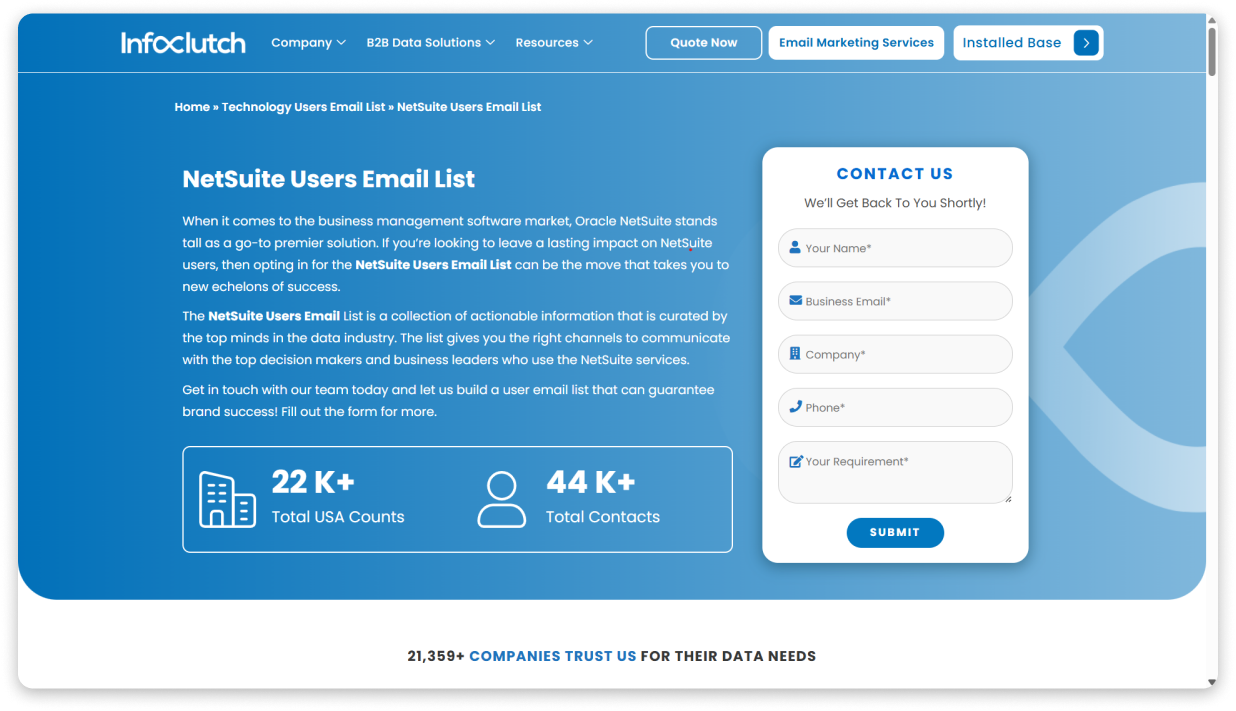
For NetSuite specifically, InfoClutch claims 44,000+ contacts, including 22,000+ in the USA. Its broader technology database includes more than 2 million contacts, with email, phone, and postal data available across different records.
The main limitation is their 45-day update cycle and no real-time verification; if I were you, I would verify the emails again before sending at scale.
How Can You Build a NetSuite Users Email List With InfoClutch
- Step 1: Submit your requirements: Share your target industry, job title, geography, company size, and NetSuite product.
- Step 2: Join an exploratory call: InfoClutch works with you to define campaign goals and list specifications.
- Step 3: Receive the curated list: Data is delivered in CSV, XLS, or TXT format based on your selected filters.
InfoClutch also offers data appending, cleansing, and enrichment if you already have a prospect list with missing or outdated fields.
Pros:
- Product-specific sub-lists: Separate NetSuite CRM, ERP, and HCM lists help you target the product line your solution fits.
- 70+ filters: Includes SIC, NAICS, asset size, entity type, and ownership type alongside standard fields.
- Transparent data sourcing: Six named sources give compliance teams more visibility into where the data comes from.
- Additional data services: Data appending, cleansing, and enrichment are available for existing databases.
Cons:
- Lower deliverability: The stated 95% deliverability rate is lower than several providers on this list.
- No public pricing: You need to contact the company for a quote.
- Static data with 45-day refresh: There is no real-time verification at the point of export.
- Limited independent reviews: Trustpilot presence is minimal, and much of the social proof comes from website testimonials.
9. TechDataPark
TechDataPark takes ninth place because it combines broad technology tracking with NetSuite-specific contact lists. It tracks 18,000+ technologies and offers 56K+ NetSuite contacts globally, including 45K+ in the US.
I liked that they maintain separate lists for NetSuite users, NetSuite CRM, and NetSuite ERP.
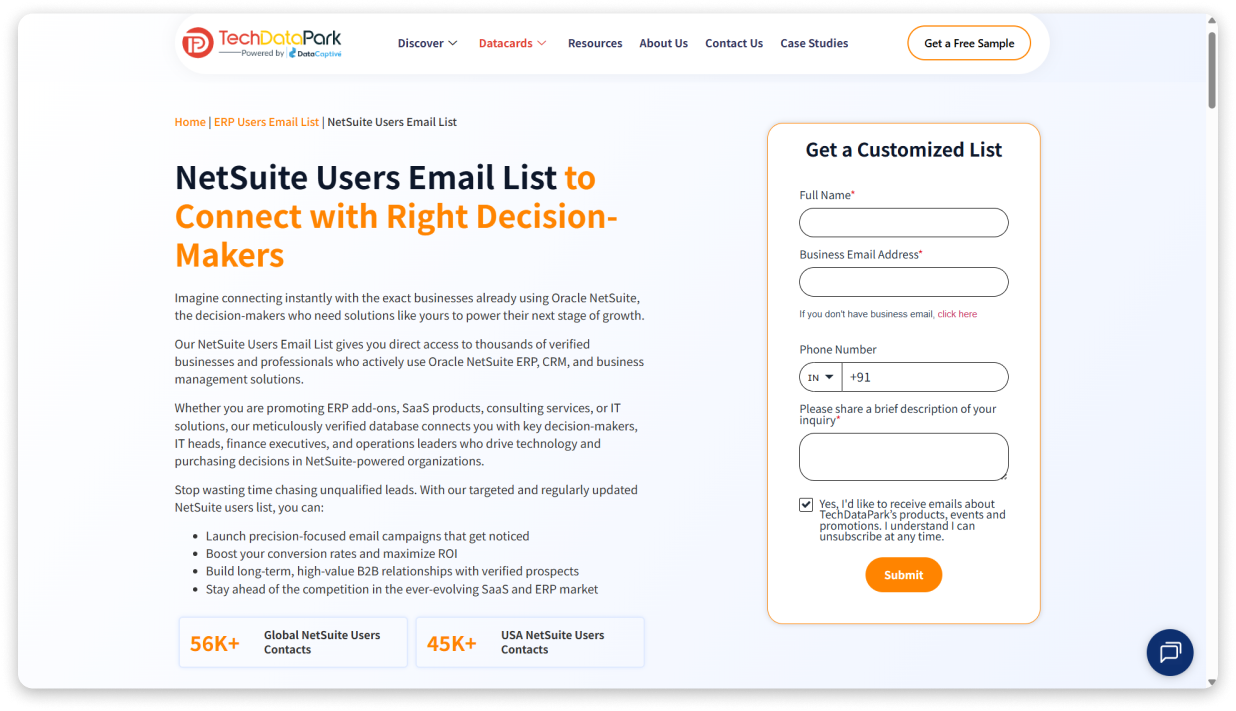
Each record includes 40+ attributes across technographic, firmographic, and demographic categories.
How Can You Build a NetSuite Users Email List With TechDataPark
- Step 1: Submit your criteria: Share your target industry, geography, company size, job titles, and required NetSuite list.
- Step 2: Receive a custom list: TechDataPark creates a filtered dataset based on your requirements and delivers it in a downloadable format.
- Step 3: Use across channels: The data can support email marketing, cold calling, direct mail, and social campaigns.
The process is request-based. There is no self-serve platform or sample preview mentioned, so you need to work with their team to get the list.
Pros:
- Broad technology tracking: 18,000+ technologies let you filter NetSuite users by adjacent tools and platforms.
- Multiple NetSuite sub-lists: Separate lists for NetSuite users, CRM, and ERP support product-specific targeting.
- Rich data attributes: 40+ fields cover technology usage, company details, and decision-maker information.
- 100% opt-in claimed: TechDataPark states that contacts have opted in to marketing communications.
Cons:
- Lowest deliverability on this list: 90% email deliverability means additional verification is recommended before sending campaigns.
- No public pricing: You need to contact sales for a quote.
- No self-serve access: Data is delivered as a custom list with no visible sample process.
- Limited independent reviews: There is limited third-party review coverage compared to larger data providers.
10. BookYourData
BookYourData lands in #10 because it offers transparent, self-serve pricing with no subscription requirement. You buy credits, use them whenever you need, and they never expire. This works well for teams that need a small batch of NetSuite user contacts without committing to a long-term plan.
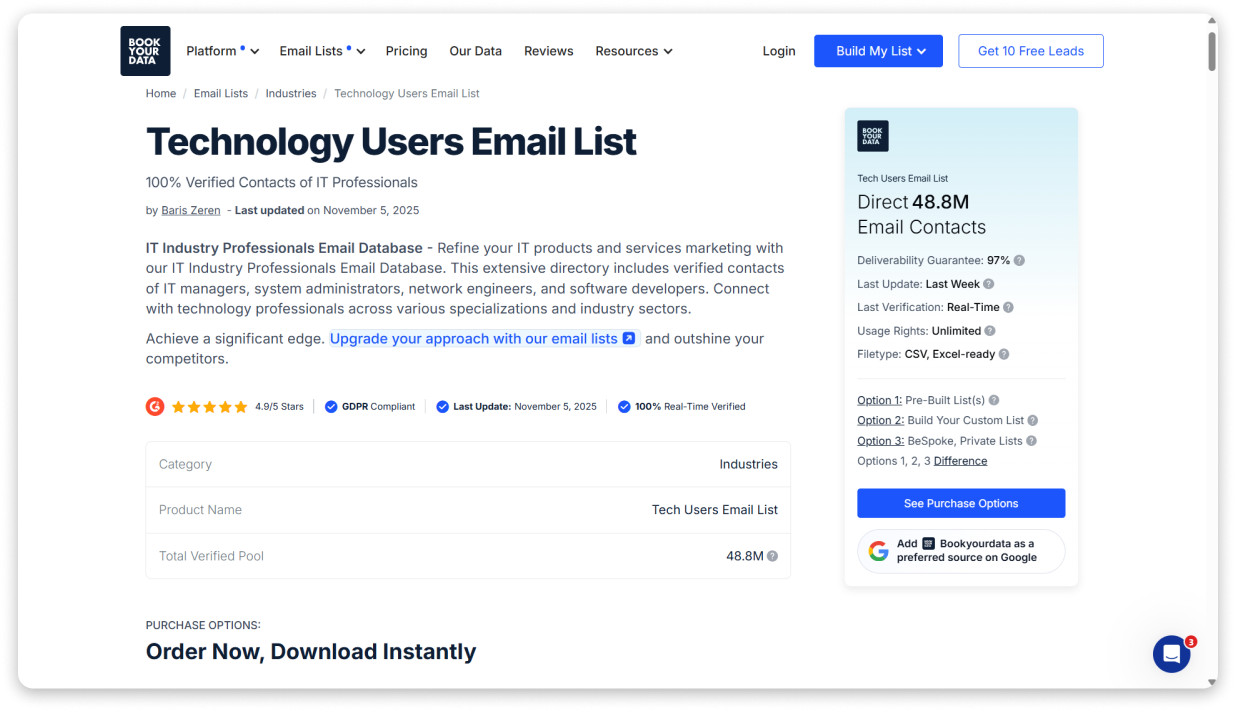
I liked that they offer 3 purchase options. You can choose pre-built list packages, build a custom list using filters, or use BeSpoke, where researchers create a list based on your requirements and provide a sample before delivery.
How Can You Build a NetSuite Users Email List With BookYourData
- Step 1: Sign up for free: Create an account and get 10 free credits without adding a credit card.
- Step 2: Choose your option: Pick pre-built lists, custom list builder, or BeSpoke based on your requirements.
- Step 3: Filter for NetSuite users: Use technology and ERP filters, then refine by job title, industry, company size, and location.
- Step 4: Export the data: Contacts are verified at export, and bounced emails are refunded under the guarantee.
BookYourData is the most accessible self-serve option on this list. You can create and download a list without sales calls or quote requests.
Pros:
- Transparent pricing: Exact pricing is available publicly with no contracts or subscriptions. Credits do not expire.
- 97% deliverability guarantee: Bounced records are refunded, reducing the risk when testing campaigns.
- Three purchase models: Choose between instant packages, custom lists, or researcher-built datasets.
- Free credits to test: You can evaluate the platform before purchasing.
Cons:
- No dedicated NetSuite list: You need to filter from a broader technology database instead of using a pre-built NetSuite dataset.
- Higher cost at low volumes: Entry pricing is higher per contact compared to some self-serve databases.
- No enrichment waterfall or intent data: Verification does not include multi-provider enrichment or buying signals.
- Broad pre-built lists: Technology packages include wider audiences, so additional filtering may be required.
Build Your NetSuite Users Email List in Minutes With Saleshandy
Most providers on this list give you a static file. 😐 You download a CSV, upload it to your CRM, and hope the data is still accurate when you start outreach.
With Saleshandy, you build your NetSuite users’ email list in real time when you need it.
Open Lead Finder, select NetSuite in the Tech Stack filter, layer your criteria (job title, industry, company size, geography), and get contacts in under 30 seconds. Each email runs through a 9-trusted-provider waterfall verification in real time. And the best part is that if it cannot be verified, you pay nothing.
When I ran this search with NetSuite, NetSuite ERP, NetSuite CRM, SuiteCommerce, and OneWorld selected, Lead Finder returned 52,000+ matching companies. 😍 That is more NetSuite company coverage than any static list provider reviewed here.
So, no quote requests or waiting for a 3-day wait or decaying CSV.
Sign up and get 50 FREE NetSuite contacts NOW!!
FAQs About NetSuite Users Email List
1. Is buying a NetSuite users email list legal in 2026?
Yes, buying B2B contact data is legal as long as the provider complies with applicable privacy laws like GDPR, CAN-SPAM, and CCPA. Make sure the provider documents their data sourcing methodology and that your outreach practices comply with the regulations in your target market. Always use verified, opt-in data and include an unsubscribe option in your emails.
2. How many companies use NetSuite in 2026?
Oracle reports 41,000+ customer organizations using NetSuite across 200+ countries and territories. The platform’s quarterly cloud ERP revenue reached $1.1 billion, growing at 14% year-over-year, indicating continued adoption and investment.
3. How to find a USA NetSuite users email list?
You can either purchase a pre-built list from providers like DataCaptive, TargetNXT, or InfoClutch, or build your own using a B2B database with technographic filters. Platforms like Saleshandy let you filter by “NetSuite” in the Tech Stack, then narrow results by USA geography, job title, company size, and industry to create a targeted list on demand.
4. What is the difference between a static email list and a real-time database?
A static email list is a one-time CSV file that starts decaying the moment you buy it. B2B data changes roughly 30% per year as people switch jobs and companies. A real-time database verifies contact information at the point of export, so the data is fresh when you actually use it. Real-time platforms also let you update and rebuild lists as needed.
5. What job titles should I target in a NetSuite users email list?
The most relevant titles depend on what you sell. For ERP consulting and integration services, target CFOs, Controllers, ERP Managers, and IT Directors. For SaaS products, target CIOs, VP of Operations, and Finance Directors. For cybersecurity or infrastructure, target IT Directors and NetSuite Administrators. The key is matching your solution to the decision-maker who has budget authority for that category.