

Buying Yesware in 2026 feels affordable until you start comparing what each plan actually lets you do.
The starting price is $15 per user per month. That’s reasonable for email tracking, templates, and managing outreach from Gmail or Outlook.
But here’s where the math changes.
Pro limits you to 20 campaign recipients per month. Team reporting requires Premium at $35 per user, and Salesforce integration pushes you to Enterprise at $65 per user.
And that is before you pay for prospecting data.
I went through Yesware’s pricing page, feature restrictions, help documentation, and customer reviews on G2 and Capterra.
Here’s what I found, including where Yesware makes sense and where I’d spend the same budget differently.
Yesware Pricing – TOC
- TL;DR: Which Yesware Plan Fits Your Needs in 2026?
- What Else to Know Before You Buy
- What Is Yesware?
- Yesware Pricing Plans: Full Breakdown
- Yesware Prospector Credits Explained
- What Can Increase Your Yesware Bill?
- What Real Users Say About Yesware Pricing
- The Best Yesware Alternative for Overall Value: Saleshandy
- Final Verdict: Should You Pay for Yesware?
- FAQs on Yesware Pricing
TL;DR: Which Yesware Plan Fits Your Needs in 2026?
Here’s a quick breakdown of Yesware pricing to help you choose the right plan.
| Plan | Monthly Billing | Annual Billing | Best For |
|---|---|---|---|
| Free Forever | $0 | $0 | Testing basic email tracking |
| Pro | $19/user/mo | $15/user/mo ($180/year) | Solo reps and small teams with up to 5 users |
| Premium (Most Popular) | $45/user/mo | $35/user/mo ($420/year) | Growing teams needing shared campaigns and reporting |
| Enterprise | $85/user/mo | $65/user/mo ($780/year) | Salesforce-focused sales organizations |
| Prospector Starter (Add-on) | $49.50/mo | $37.50/mo ($450/year) | Small teams needing 600 contact credits/year |
| Prospector Growth (Add-on) | Confirm with Yesware | $125/mo ($1,500/year) | Teams needing 3,000 contact credits/year |
What Else to Know Before You Buy
Here are the details I’d check before choosing a Yesware subscription.
| Buying Criteria | Details |
|---|---|
| What it is | Email tracking and sales engagement software for Gmail and Outlook |
| Database size | 100M+ B2B contacts through Prospector |
| Free plan | $0, with tracking restricted to emails sent within 24 hours |
| Starting paid price | $15/user/month, billed annually |
| Prospector add-on | Starts at $37.50/month, billed annually |
| Salesforce integration | Advanced synchronization requires Enterprise |
| Campaign limits | Free: 10 recipients/month; Pro: 20 recipients/month |
| Premium campaign limits | 900 recipients/upload; 5,000/campaign |
| Free trial | 14 days |
| Billing | Monthly and annual |
| Cancellation | Unused subscription time is generally non-refundable |
| G2 rating | Approximately 4.4/5 |
| Capterra rating | 4.3/5 from 175 reviews |
| Best for | Reps who prefer managing email engagement inside Gmail or Outlook |
| Not best for | High-volume outbound teams needing built-in warm-up, sender rotation, and prospecting |
💡 My Take
Yesware Pro is worth considering if you’re a solo rep who mainly needs email tracking. But I’d check Premium’s per-user pricing and Prospector costs before committing to a growing team. The starting price doesn’t tell you what your complete workflow costs.
What Is Yesware?
Yesware is an email tracking and sales engagement tool built for Gmail and Outlook.
You use it to track email opens, create templates, schedule meetings, automate follow-ups, and monitor prospect engagement.
Unlike standalone outreach platforms, Yesware works inside your existing email inbox. That makes it convenient for sales reps who don’t want to manage another dashboard.
However, Yesware relies on your email provider to deliver messages. Its campaign limits and sending capabilities reflect that inbox-first approach.
You can also purchase Prospector credits to find business email addresses and phone numbers.
Everything about Yesware pricing depends on whether you need basic tracking, team collaboration, Salesforce integration, or prospecting data.
Yesware Pricing Plans: Full Breakdown
Choosing a Yesware plan comes down to three questions.
How many prospects do you contact? How many users need access? And how much Salesforce functionality does your team require?
Here’s each plan explained with my take on whether it’s worth paying for.
1. Free Forever Plan ($0/Month)
Yesware offers a free plan for sales reps who want to test email tracking without paying for another tool.
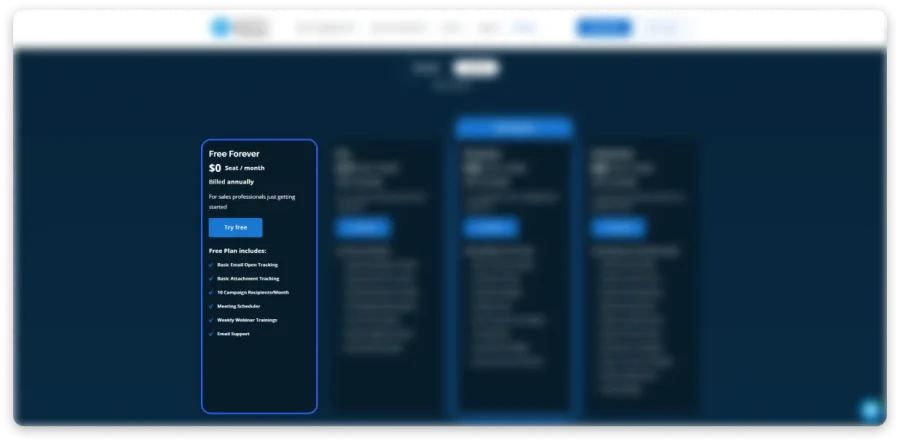
You get basic tracking, limited campaigns, and meeting scheduling inside Gmail or Outlook.
Who It’s For: Solo reps or anyone exploring Yesware before purchasing a subscription.
What You Get:
- Basic email open, link, and attachment tracking
- Inbox Activity Feed
- Response Insights
- 10 campaign recipients per month
- Meeting Scheduler with 2 event types
- Google and Microsoft calendar connections
- Email support and weekly training webinars
Where It Falls Short:
- Tracking limited to emails sent within the last 24 hours
- Only 10 campaign recipients per month
- No team reporting
- No shared campaigns or templates
- No advanced Salesforce integration
- No phone support
💡 My Honest Opinion
I’d use Free to check whether Yesware fits my daily email workflow. But 10 campaign recipients won’t tell you much about running real outreach. Test the tracking and interface first, then consider paying only if those features solve your problem.
2. Pro Plan: $15/User/Month (Billed Annually)
Pro is Yesware’s cheapest paid plan. You pay $180 upfront annually, averaging $15 per month, or $19 with monthly billing.
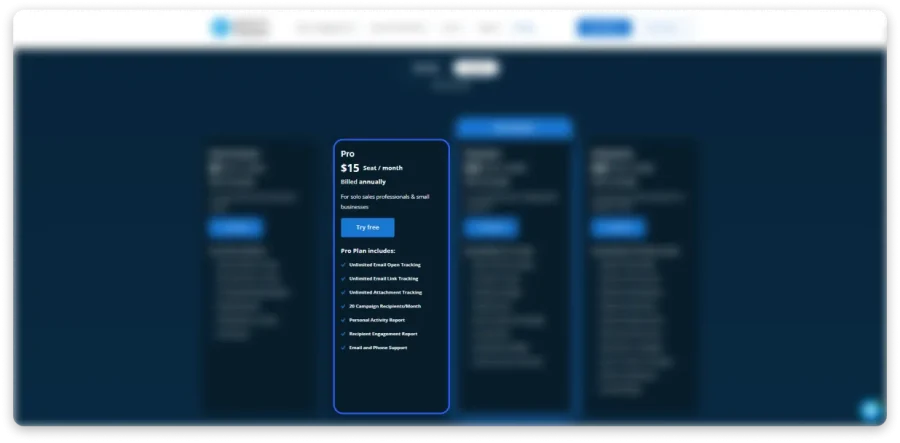
It’s built for individual reps who need detailed tracking and basic engagement reports.
Who It’s For: Solo sales reps and small teams with up to five users who mainly send one-to-one emails.
What You Get:
- Unlimited email open tracking
- Unlimited link and attachment tracking
- 20 campaign recipients per month
- Personal Activity Reports
- Recipient Engagement Reports
- Personal email templates
- Meeting Scheduler
- Gmail reminders and scheduled sending
- Email and phone support
Where It Falls Short:
- Maximum 5 users
- Only 20 campaign recipients per month
- No shared campaigns or team reporting
- No LinkedIn touches
- No advanced Salesforce integration
- Several productivity features are Gmail-only
Here’s where I think Pro becomes difficult to justify for growing teams.
Five users cost $900/year. Add a sixth user, and you’ll need Premium, increasing your annual team bill to $2,520.
That’s a $1,620 increase after adding one rep.
💡 My Honest Opinion
Pro is a reasonable buy if you’re tracking individual sales conversations. But I wouldn’t choose it for regular cold outreach. The 20-recipient limit is restrictive, and hiring a sixth rep requires moving your team to the more expensive Premium plan.
3. Premium Plan: $35/User/Month (Billed Annually)
Premium is Yesware’s most popular plan. It costs $35 per user/month annually or $45 with monthly billing.
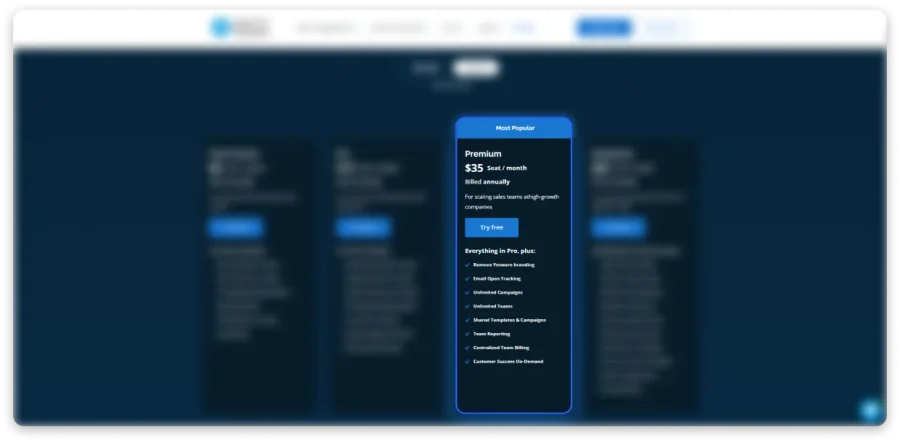
This is where Yesware becomes more useful for growing sales teams.
You finally get shared campaigns, team reporting, and unlimited monthly campaign recipients.
Who It’s For: SDR teams that want to manage campaigns together while continuing to work inside Gmail or Outlook.
What You Get:
- Everything in Pro
- Unlimited monthly campaign recipients
- Shared email templates and campaigns
- Team reporting and analytics
- Unlimited users and teams, billed individually
- LinkedIn and custom touches for Gmail
- Role-based permissions
- Centralized team billing
- Yesware branding removal
- Customer Success On-Demand
Where It Falls Short:
- Advanced Salesforce integration requires Enterprise
- LinkedIn and custom touches are Gmail-only
- Maximum 900 recipients per upload
- Maximum 5,000 recipients per campaign
- No built-in email warm-up
- No native sender rotation
- Prospector credits cost extra
The campaign limits deserve attention.
Yesware advertises unlimited campaigns on Premium, but individual campaigns are capped at 5,000 recipients.
If you’re targeting 15,000 prospects, you’ll need at least three campaigns.
Now consider the subscription cost.
Ten users on Premium cost $4,200/year, excluding prospecting data and other outreach tools.
💡 My Honest Opinion
Premium is the plan I’d consider for a team managing outreach inside Gmail. However, 10 users cost $4,200/year before adding prospecting credits or deliverability tools. I’d compare complete outreach costs rather than choosing it for unlimited campaigns alone.
4. Enterprise Plan: $65/User/Month (Billed Annually)
Enterprise costs $65 per user/month annually or $85 with monthly billing.
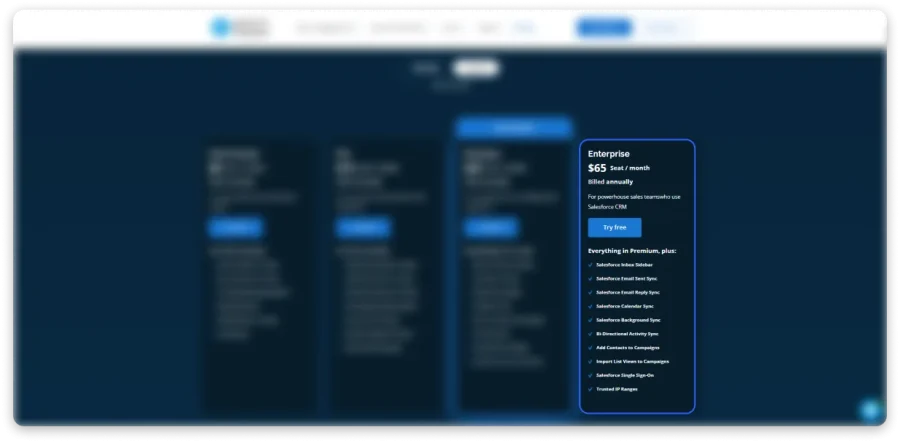
It’s designed for organizations that need advanced Salesforce integration, security controls, and dedicated support.
Who It’s For: Salesforce-focused sales organizations where CRM synchronization is a major part of daily operations.
What You Get:
- Everything in Premium
- Salesforce Inbox Sidebar
- Bi-Directional Activity Sync
- Salesforce email and reply synchronization
- Salesforce Calendar and Background Sync
- Salesforce list-view imports
- Salesforce Single Sign-On
- Trusted IP Ranges
- Dedicated Customer Success Manager
- Invoice billing and security review support
Where It Falls Short:
- Highest per-user subscription price
- Prospector credits still cost extra
- No built-in email warm-up
- No native sender rotation
- Maximum 5,000 recipients per campaign
- Several productivity features remain Gmail-only
- Limited additional value without Salesforce
A 10-person team costs $7,800/year on annual billing.
Choose monthly billing, and that increases to $10,200/year.
That’s $2,400 more annually, without purchasing additional Prospector credits.
💡 My Honest Opinion
I’d consider Enterprise if Salesforce synchronization was essential to my team’s workflow. Otherwise, $7,800/year for 10 users is difficult to justify for cold outreach alone. I’d pay for this tier because of its CRM capabilities, not its campaign volume.
Yesware Prospector Credits Explained: Reveals, Exports, and Limits
Yesware Prospector is where the cost of finding leads enters your subscription.
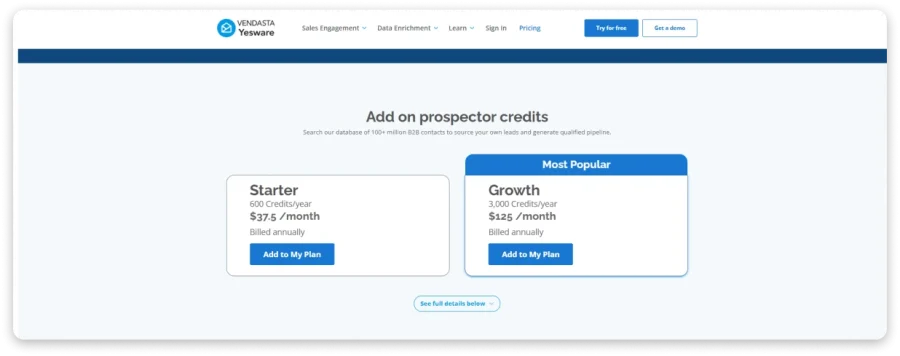
Your standard Yesware plan gives you tracking and outreach features. It doesn’t include a Prospector credit allowance.
You need to purchase credits separately to create enriched prospect records.
1. How Prospector Credits Work
Yesware gives you access to a database of 100M+ B2B contacts.
You can search for prospects using company details, job titles, and other filters.
Its documented credit system charges for creating enriched prospect profiles from search results.
Prospector also lets you add contacts to campaigns and export contact information.
2. Prospector Pricing
| Plan | Annual Price | Credits/Year | Average Credits/Month |
|---|---|---|---|
| Starter | $450 | 600 | 50 |
| Growth | $1,500 | 3,000 | 250 |
| Custom | Contact Sales | Custom | Depends on agreement |
Credits are shared across your team. For example, divide 3,000 annual credits equally across 10 reps, and each receives an average of 300 yearly.
That’s only 25 credits per rep per month. The allocation doesn’t automatically increase because you add more users to your Yesware subscription.
3. What About Credit Expiration and Failed Reveals?
Here’s where I’d want more information before paying.
I couldn’t independently verify clear public terms covering:
- Whether unused Prospector credits roll over
- Whether failed contact reveals are refunded
- Whether revealing both email and phone always has the same credit cost
These details matter because a contact database is only useful when your credits produce usable leads.
I’d ask Yesware to confirm these conditions in writing before committing to a larger Prospector package.
💡 My Honest Opinion
Prospector is convenient if you already use Yesware. But I’d check credit rules and contact coverage before buying. When several reps share a limited allowance, you need predictable costs and enough usable data to support everyone’s prospecting activity.
What Can Increase Your Yesware Bill?
The advertised subscription price isn’t necessarily what you’ll pay to run your complete sales workflow.
Here are the costs and limitations I’d look at before committing.
1. Per-Seat Pricing
Yesware charges for every user, including on Premium and Enterprise.
That means your subscription increases whenever you hire another rep.
Here’s what the annual billing math looks like.
| Team Size | Premium | Enterprise |
|---|---|---|
| 1 user | $420/year | $780/year |
| 5 users | $2,100/year | $3,900/year |
| 10 users | $4,200/year | $7,800/year |
| 25 users | $10,500/year | $19,500/year |
| 50 users | $21,000/year | $39,000/year |
All figures exclude Prospector credits.
Growing from 10 to 15 users on Premium adds another $2,100 to your annual subscription.
2. Monthly Billing Costs Up to 31% More
Yesware offers monthly billing, but you’ll pay more for that flexibility.
| Plan | Annual Billing | Monthly Billing | Price Increase |
|---|---|---|---|
| Pro | $15/user/mo | $19/user/mo | 26.7% |
| Premium | $35/user/mo | $45/user/mo | 28.6% |
| Enterprise | $65/user/mo | $85/user/mo | 30.8% |
A 10-person team on Premium costs $5,400/year at monthly rates, compared with $4,200 on annual billing.
That’s $1,200 extra each year.
The difference matters if you’re still testing whether Yesware fits your workflow.
3. Prospector Credits Cost Extra
Yesware’s 100M+ contact database isn’t bundled into its core plans.
Prospector Starter costs $450 annually, while Growth costs $1,500 annually.
Add Growth to a 10-person Premium subscription, and your bill reaches $5,700/year.
That covers your Yesware seats and prospecting allowance, but not additional deliverability tools.
4. Important Features Require Higher Plans
Several useful features become available only after upgrading.
- Shared campaigns: Premium, $35/user/month annually
- Team reporting: Premium
- LinkedIn touches: Premium
- Salesforce bi-directional sync: Enterprise, $65/user/month annually
- Salesforce SSO: Enterprise
- Dedicated Customer Success Manager: Enterprise
Moving from Pro to Premium increases your annual cost from $180 to $420 per user.
And Enterprise increases that to $780.
I’d check whether those additional features justify the difference before upgrading.
5. No Built-In Email Warm-Up or Sender Rotation
Yesware runs inside Gmail and Outlook rather than offering separate sending infrastructure.
It doesn’t include native sender rotation or built-in email warm-up.
If you’re managing multiple sending accounts, you’ll need other tools or a different outreach platform.
That adds expense and another workflow to manage.
I couldn’t establish a fixed additional cost because it depends on your chosen providers and mailbox count.
6. Campaign Recipient Limits
Yesware’s campaign limits can force an upgrade earlier than you expect.
- Free: 10 recipients/month
- Pro: 20 recipients/month
- Premium: Unlimited monthly recipients, with 5,000 per campaign
- Enterprise: Unlimited monthly recipients, with 5,000 per campaign
Premium and Enterprise also limit each upload to 900 recipients.
And because Yesware hands emails to Gmail or Outlook, your email provider’s sending limits still apply.
7. Branding Removal Requires Premium
Yesware lists branding removal under Premium and Enterprise.
So, if this matters to your team, you’ll need at least the $35/user/month annual Premium plan.
I wouldn’t upgrade solely for branding removal, but it’s another restriction worth checking.
8. Cancellation Doesn’t Mean a Refund
Yesware lets you cancel your subscription, but unused paid subscription time is generally non-refundable.
For example, cancelling an annual subscription after three months doesn’t automatically refund the remaining nine months.
If you’re considering annual billing to save money, read the cancellation terms before purchasing.
What Real Users Say About Yesware Pricing
I looked at Yesware reviews on G2, Capterra, and Trustpilot to understand whether customers think it’s worth the price.
Three things stood out. Users like the email tracking, some question the pricing, and others report integration problems.
1. Good Ratings, but Mixed Opinions on Value
G2 rates Yesware 4.4/5 across 821 reviews, while Capterra gives it 4.3/5 across 175 reviews.
Trustpilot shows 3.4/5, but that’s based on only one review, so I wouldn’t use it to judge overall customer satisfaction.
The ratings tell you Yesware is generally well received. But when you read individual reviews, pricing becomes a recurring concern.
2. Some Users Think They’re Paying Too Much for Tracking
Jainz J., a Business Development Specialist, rated Yesware 5/5 on Capterra in November 2022.
Despite liking the tracking and simple campaigns, the reviewer felt Yesware offered less value than competing tools.
“you’re just paying the premium price for the tracking feature”
Kim R., a Paralegal, shared a similar concern in July 2022, rating Yesware 4/5 overall but only 2/5 for value.
“Compared to its competitors this product is expensive.”
Kim also reported integration difficulties, despite appreciating Yesware’s reporting and customer support.
That’s worth considering when Premium costs $35/user/month and Enterprise costs $65/user/month, both billed annually.
3. Integration and Support Problems Also Come Up
Not every complaint is about the subscription price.
On G2, reviewers mention limitations when connecting Yesware with other platforms, alongside positive feedback about tracking and scheduling.
On Trustpilot, Fernando Alvarez PR gave Yesware 3/5 in May 2025. The reviewer found the application functional but complained about slow support responses and difficulty getting problems resolved.
These are individual experiences, not proof that every customer faces the same issues.
Still, if you’re paying for multiple seats, I’d test your integrations and support experience before committing annually.
4. What Reviewers Consistently Praise
To be fair, Yesware has genuine strengths.
Email tracking, templates, and inbox convenience receive positive feedback across G2 and Capterra.
Paul C., a Sales Administrator, praised Yesware’s engagement analytics for helping decide when to follow up.
Damien O., a Founder, also appreciated managing templates, campaigns, and prospect information inside Gmail.
That’s where Yesware makes sense. If your team mostly needs better visibility into email engagement, those features can be worth paying for.
The Best Yesware Alternative for Overall Value: Saleshandy
Most teams comparing Yesware eventually ask the same question.
Should you pay separately for email tracking, prospecting, and deliverability, or use one platform that covers the complete workflow?
If you need verified leads and a full outbound platform, I’d recommend Saleshandy.
Saleshandy vs. Yesware: Head-to-Head Comparison
| Criteria | Saleshandy | Yesware |
|---|---|---|
| Starting price, annual | $34/month | $15/user/month |
| Monthly billing | $41/month | $19/user/month |
| Free trial | 7 days + up to 50 credits | 14 days |
| Contact database | 852M+ contacts | 100M+ contacts |
| Prospecting credits | 1,500/month on Starter | Separate Prospector purchase |
| Credit model | Pay for verified results | Credits for enriched prospect profiles |
| Email accounts | Unlimited connected mailboxes | Inbox-native sending |
| Email warm-up | Built-in TrulyInbox | Not included |
| Sender rotation | Included | Not included |
| Multichannel outreach | Email, calls, LinkedIn, WhatsApp, tasks | Email, LinkedIn and custom touches |
| Reply management | Unified Inbox | Gmail/Outlook inbox |
| CRM integrations | Salesforce, HubSpot, Pipedrive, Zoho | Advanced Salesforce functionality on Enterprise |
| Team pricing | Pro includes 10 users; Scale supports unlimited | Per-user pricing |
| Annual commitment | Optional | Optional |
Final Verdict: Should You Pay for Yesware?
Here’s how I’d make the decision.
Yesware is good at what it was designed for: email tracking and sales engagement inside Gmail and Outlook.
If you’re a solo rep who needs tracking and templates, Pro at $15/user/month annually makes sense.
And if Salesforce synchronization is your main requirement, Enterprise could justify its higher price.
But for a growing outbound team, the math changes.
Ten Premium users cost $4,200/year. Add Prospector Growth, and you’re paying $5,700/year before buying other tools.
Saleshandy Pro costs $912/year for up to 10 users and includes 4,000 Lead Finder credits per month.
If you’re evaluating Yesware, ask yourself three questions:
- Do you mainly need email tracking? Yesware Pro is worth considering.
- Is Salesforce central to your sales process? Look at Yesware Enterprise.
- Do you need prospecting, outreach, and deliverability together? I’d choose Saleshandy.
My recommendation is to compare what your entire team needs, not just what the cheapest plan costs.
If I were building a growing outbound operation from scratch, I’d pick Saleshandy.
But if email tracking inside Gmail was my only requirement, Yesware would still be a reasonable choice.
Try Saleshandy Free for 7 Days →
FAQs on Yesware Pricing
1. How much does Yesware cost per user?
Yesware costs $15 to $85 per seat per month depending on plan and billing cycle. On annual billing, Pro is $15, Premium is $35, and Enterprise is $65. Monthly billing adds roughly 30% to each tier ($19, $45, $85). The Prospector contact-data add-on starts at $37.50/month on top of your seat spend.
2. Does Yesware have a free plan?
Yes. Yesware’s Free Forever plan costs $0 and includes basic email tracking, 10 campaign recipients per month, Meeting Scheduler with 2 event types, and email support. The catch: all tracking features are limited to emails sent less than 24 hours ago, which makes the Free plan unsuitable for real prospecting follow-ups.
3. What’s the difference between Pro and Premium?
Pro ($15/seat/month annual) is for solo reps and caps at 5 users with 20 campaign recipients per month. Premium ($35/seat/month annual) unlocks unlimited campaigns, unlimited teams, shared templates, team reporting, LinkedIn Touches (Gmail-only), and removes Yesware branding. Premium costs 2.33x more per seat than Pro and is the first plan that works for teams of 6+ users.
4. Is Yesware’s free trial 7 or 14 days?
Yesware offers a 14-day free trial. It mirrors Free-plan features, with the standard 24-hour tracking cap removed during the trial. You’ll be asked for a credit card before the trial ends to continue on a paid plan.
5. Does Yesware work with Outlook?
Yes, Yesware has an Outlook add-in. However, three important features (Reminders, Send Later, and Copy to Most CRMs) are Gmail-only across every paid tier. LinkedIn Touches and Custom Touches on Premium and Enterprise are also Gmail-only. Outlook users get fewer features at the same seat price as Gmail users.
6. Is Yesware safe?
Yesware is SOC (AICPA), Skyhigh Enterprise Ready, GDPR, and CCPA compliant per its pricing-page trust badges. The company states it does not sell data to third parties and accesses user data only with documented permission. Current certifications can be verified at trust.yesware.com.
7. Does Yesware have a mobile app?
No. Yesware’s own FAQ confirms there is no mobile app. Enterprise users do get Salesforce Background Sync on mobile and tablet, but that’s CRM sync, not a standalone Yesware app.
8. What changed when Vendasta acquired Yesware?
Yesware now operates as “Vendasta Yesware.” HQ moved to Vendasta Square, Saskatoon, SK, Canada. Branding on review platforms (G2, Capterra, PitchBook) has been updated to reflect the Vendasta ownership. Pricing structure has been maintained post-acquisition with the four-tier model still in place.
9. What’s the best Yesware alternative?
Saleshandy is the most commonly chosen alternative for teams moving off Yesware. It offers an 852M+ contact database (included, not an add-on), unlimited email warm-up and sender rotation, native multichannel outreach (email, calls, WhatsApp, tasks), a unified inbox, and a 7-day free trial with up to 50 free credits. Starting at $34/month (annual), it’s priced for teams that need the full outreach stack, not just an inbox utility.

 Dhruv Patel