
If you work in sales or GTM, you have probably seen Clay called “the future of outbound” on LinkedIn more than once.
GTM engineers swear by it. RevOps leaders say it has replaced three or four tools in their stack.
But look past the launch posts, and the real story is different.
Clay’s Launch plan starts at $185/month. The credit system is actually two separate currencies that run out at different speeds.
To find out if Clay is worth your budget in 2026, I spent some time inside the platform testing everything by myself.
Here is my honest take on where Clay delivers value, where it falls short, and what to pick instead.
Clay Review – TOC
TL;DR: Clay Review At a Glance
Need a quick answer? Here it is.
What Is Clay and Who Is It For?
Clay is an AI-powered data enrichment, lead generation, and workflow automation platform.
In simple terms, Clay is a data platform for GTM teams.
You open a Clay table that looks like a spreadsheet.
You add a list of companies or people.
Then you pull in data from 150+ providers using a “waterfall”.
Clay tries one provider, falls back to the next if nothing comes back, and only charges you when it finds something.
On top of that sit three big things:
- Claygents: AI agents that research companies or people for you on the web.
- Signals: Alerts for job changes, hiring, funding, and web intent.
- Workflows: A visual canvas to build logic with clicks, code, or chat.
Clay added more things recently. There is now a native Sequencer for cold email, an inbound SDR agent, ad audience sync to LinkedIn and Meta, and a global agent in early access that plans and runs plays end to end.
At its core, though, Clay is still built for assembling data, not sending outreach.
Clay’s homepage says 500,000+ GTM teams use the platform, with named customers like Anthropic, Intercom, Mistral AI, Vanta, and Canva.
The company recently closed a $115M Series D and crossed $100M ARR.
So who is Clay for?
- GTM Engineers and RevOps Leaders at Scaleups: This is Clay’s sweet spot. If someone’s full-time job is building workflows, Clay pays off.
- Agencies Running Complex, Multi-Source Enrichment For Clients: The waterfall and workflow logic saves hours per client.
- Enterprise Teams With a Data Warehouse: CRM auto-sync and warehouse sync (Growth and up) fit cleanly into existing stacks.
Who it is NOT for:
- Solo Founders Doing Light Outbound: Overkill for simple “find leads and send emails.”
- SDR Teams Who Want Data Plus Outreach in One Tool: The Sequencer has no warm-up or placement testing.
- Small Agencies On a Tight Budget: Launch starts at $167/mo annually for data only.
- High-Volume Prospectors Without a GTM Engineer: Reviewers consistently say one or two people end up maintaining tables for the rest of the team.
Clay Features in 2026 (Detailed Explanation)
Here is what I found, feature by feature, with real review quotes threaded in.
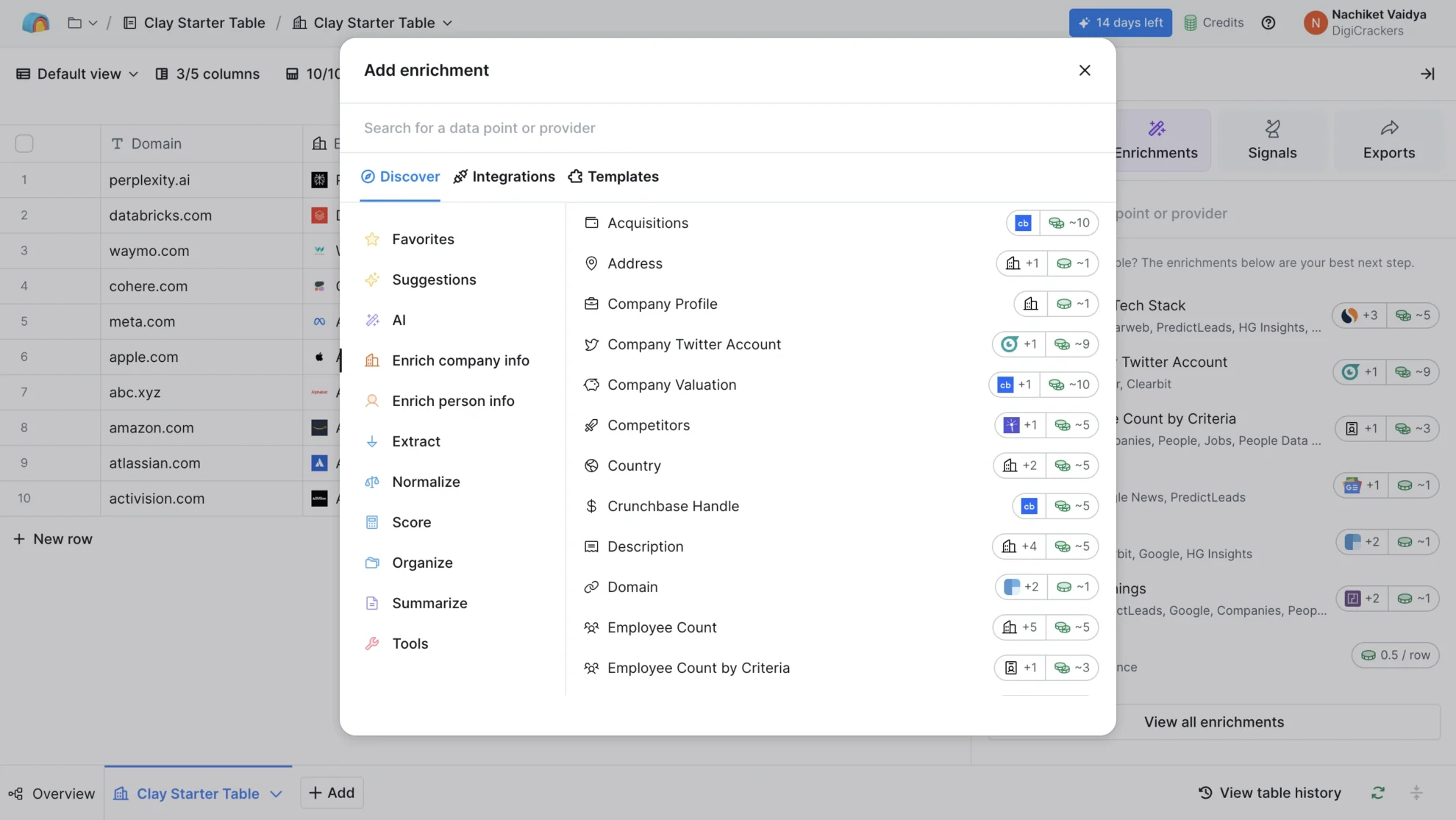
1. Waterfall Enrichment Across 150+ Data Providers
This is Clay’s strongest feature.
Instead of relying on one data provider, Clay chains them. If the first provider cannot find an email, Clay tries the next one. You only burn a Data Credit when a value comes back.
I ran a waterfall of five providers across 100 US-based prospects. Clay surfaced work emails on 87. A single-source tool returned 61 on the same list.
Brauny N., a Site Reliability Analyst, said the same thing in his August 2026 G2 review:
“The waterfall enrichment is easily the best part.” — Brauny N., Site Reliability Analyst, Small Business, 5/5 (G2)
In his full review, Brauny said Clay’s waterfall “chains many data providers and only spends credits when a prior provider has no result.”
2. Claygent (AI Research Agent)
Claygent is Clay’s AI research agent. You point it at a company or person, give it a prompt in plain English, and it browses the web for whatever you asked.
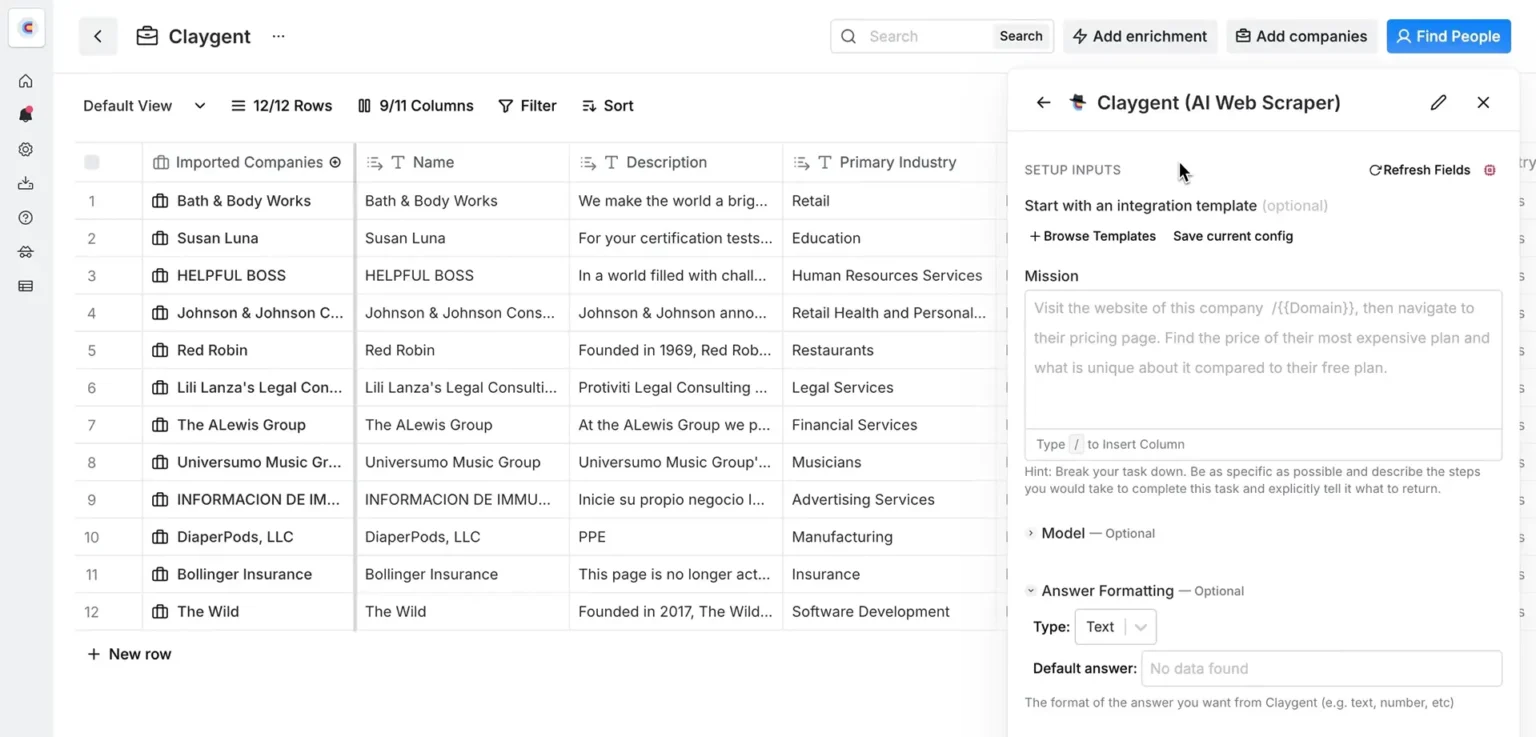
Open roles, funding news, tech stack, product launches.
I ran Claygent on 50 target accounts asking “find the current Head of Sales and their recent LinkedIn posts.”
It returned a usable answer on 36. On 9, it hallucinated roles or picked the wrong person. On 5, it timed out.
Manzar I., a Sales Manager at an enterprise company, saw a mixed picture too:
“Powerful automation that makes outbound sales much faster and easier.” — Manzar I., Sales Manager, Enterprise (G2)
In the body, Manzar said Clay cut his research time by 60–70%.
But a September 2026 Mid-Market reviewer titled their 1-star review “Great concept, but the UI is finicky, slow, and autorun/credits behaviour is painful”:
“I like the idea of having a centralized resource to connect data providers.” — Verified User in Computer Software, Mid-Market, 1/5 (G2)
The same reviewer also said, “the AI invented contacts.”
3. Signals and Intent Tracking
Clay tracks job changes, promotions, hiring, and web intent. Web intent signals are Growth-plan only.
I set up a job-change trigger on 300 companies and watched it fire four times in a week. The limit is cadence. In some setups, Clay signals refresh only once a day. That is slow for speed-to-lead plays where you need to reach out within minutes of a trigger.
4. Workflows (The Spreadsheet-Canvas)
Clay looks like a spreadsheet. Under the hood, it is closer to visual programming.
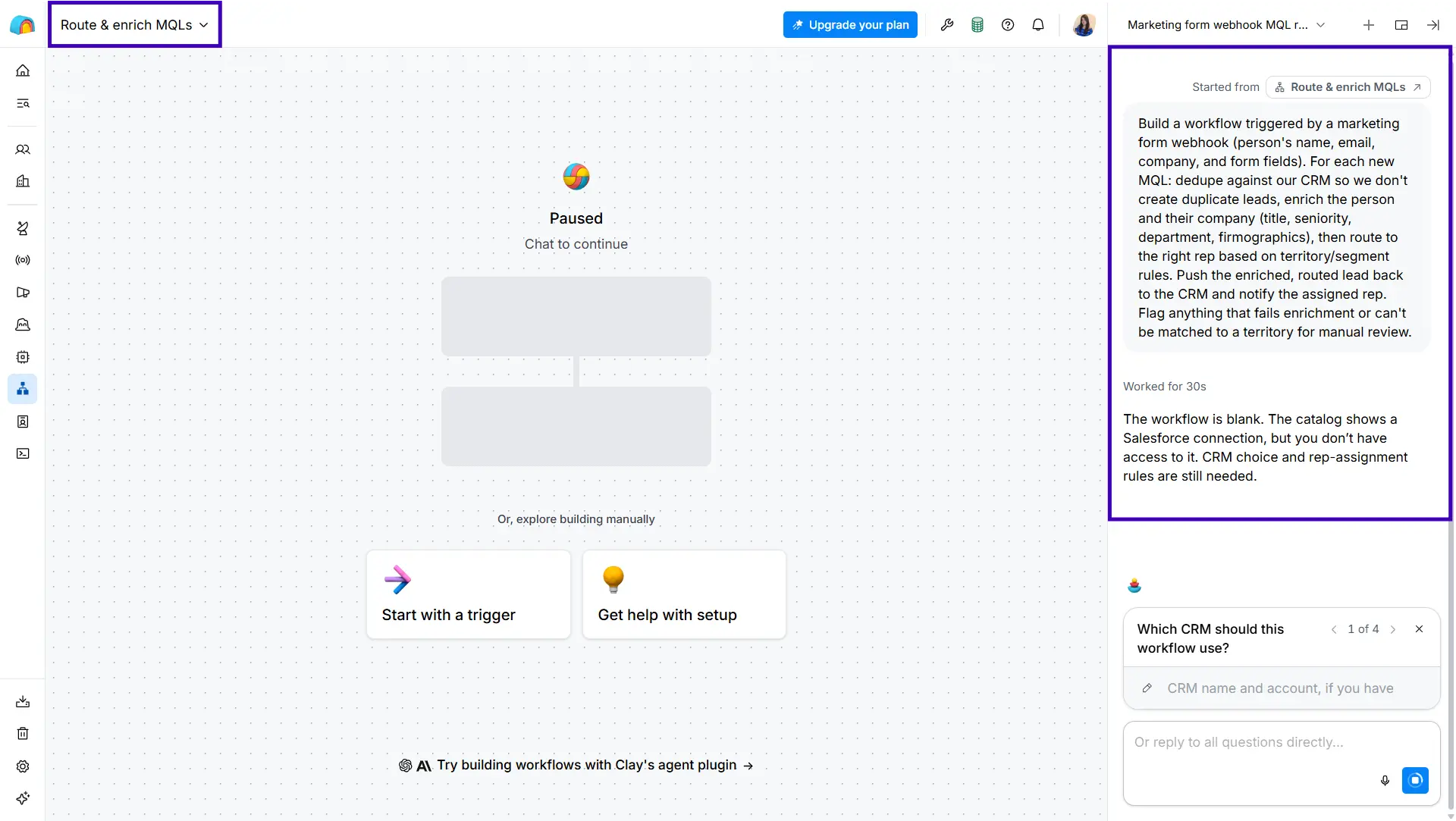
Columns can be formulas, enrichments, or AI calls.
Rows are records. You can filter, pivot, chain conditional logic, and schedule runs. There is a real learning curve.
Brauny N. said it in his 5-star G2 dislikes:
“The learning curve is steeper than the marketing suggests.” — Brauny N., Site Reliability Analyst, Small Business (G2)
He added that one or two people on the team end up building and maintaining the tables for everyone else.
Manzar I. agreed in his 4.5-star review:
“Credit-based pricing is hard to predict.” — Manzar I., Sales Manager, Enterprise (G2)
G2 shows 16 reviewers calling out “learning difficulty” and another 16 calling out “learning curve.” That is not noise.
5. Native Sequencer (and Where It Falls Short)
Clay ships a native Sequencer for cold email. You build a sequence, pull data from a table, and send from a connected inbox.
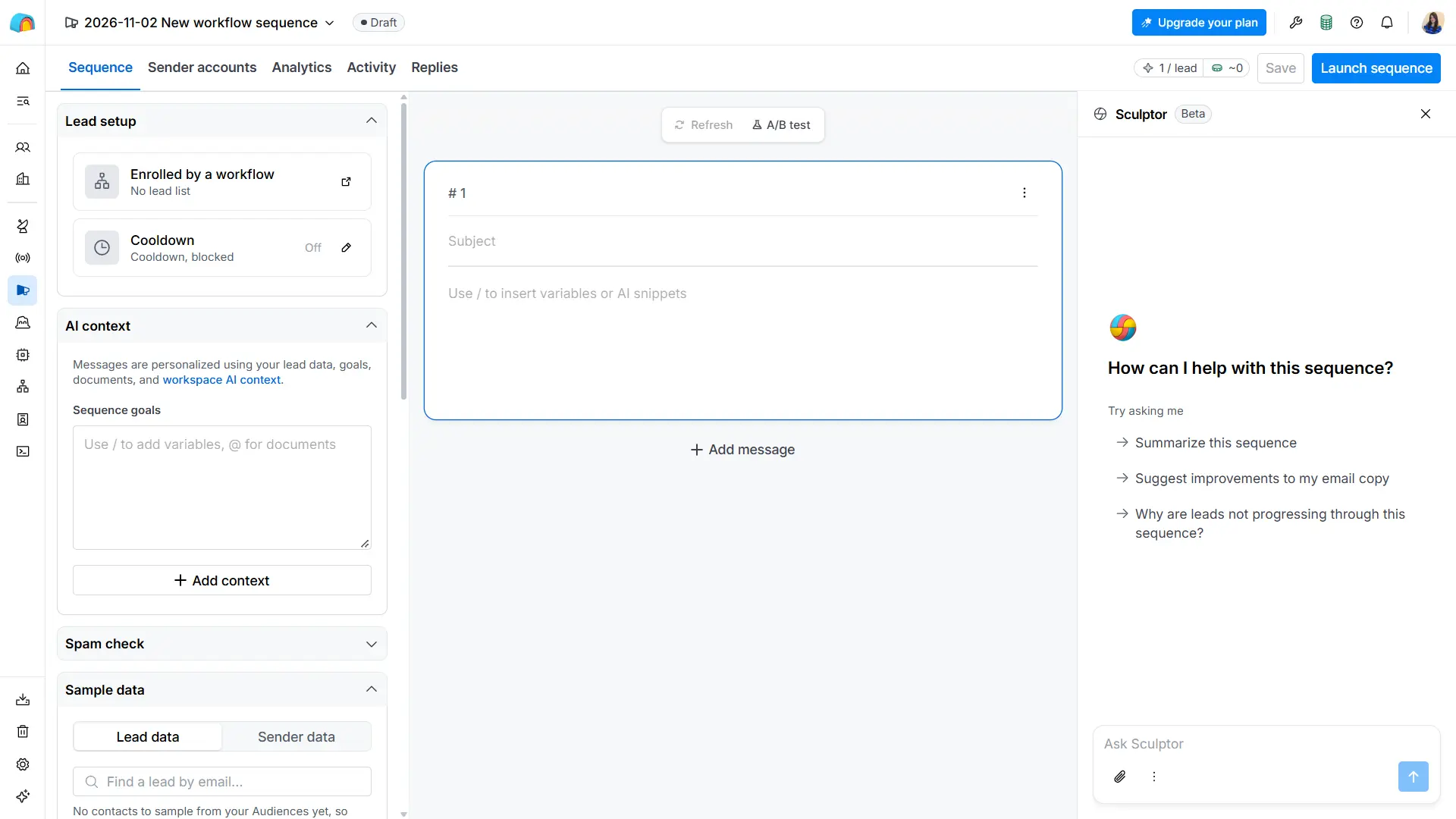
For light outbound, it works.
But the Sequencer is missing the real deliverability layer:
- No built-in email warm-up
- No sender rotation across multiple inboxes
- No inbox placement monitoring
- No A-Z (multivariant) testing
- No unified multi-account inbox for replies
Clay even has an open thread in its own community called “Seeking SOC 2 compliant cold outbound email tools.”
That tells you how Clay’s own power users think about the Sequencer. They treat Clay as the data layer and plug in a separate tool for sending.
6. The $1,000 Credit Incident You Should Know About
One G2 review deserves a section of its own.
The same Mid-Market Computer Software reviewer I quoted earlier reported losing around $1,000 in credits after changing a single dedupe setting with autorun turned off.
The change re-ran the entire workbook.
The stop button only cancels queued work, so once a run is in motion, it keeps spending.
“The worst part is testing: even with autorun turned off, changing a dedupe setting re-ran the entire workbook.” — Verified User in Computer Software, Mid-Market, 1/5 (G2)
Clay refunded only a small portion. The reviewer cancelled.
G2 shows 10 reviewers citing “expensive” as the top drawback. Clay’s billing rewards expertise and punishes experimentation.
7. CRM Sync, API, and Integrations
Clay integrates with HubSpot, Salesforce, Snowflake, and 50+ other tools. HTTP API integrations and webhooks are Growth-plan only.
CRM auto-sync (two-way) also unlocks on Growth.
If you want Clay to push enriched records back into HubSpot or Salesforce automatically, you need the $446/mo annual Growth plan or above.
On Launch, you can still export tables and import manually.
That works for low-volume prospecting but breaks at scale.
A Quick Note on Ratings
Before I go further, there is a thing worth pulling out.
Clay rates 4.6/5 on G2 across 234 reviews. (Source)
Clay rates 2.9/5 on Trustpilot across 23 reviews. (Source)
The gap is not noise.
G2 is paying GTM teams rating the product on fit. Trustpilot is a mix of paying customers and people whose contact data got surfaced through Clay-powered outreach without their knowledge.
Clay Pricing Plans Explained
Clay’s pricing has two currencies, four tiers, a 30% top-up premium, and a 10% surcharge if you choose monthly over annual billing.
Nobody flags all of this clearly on the way in.
Four things worth knowing.
What are Actions and Data Credits? (Simple explanation)
Clay has two “currencies.” Both run out independently.
- Actions: Pay for the work Clay does for you — running tables, calling AI, exporting to your CRM.
• “Less than a cent each,” per Clay docs. Each enriched record = 1 Action. - Data Credits: Pay for the actual third-party data (emails, phone numbers, firmographics).
• Start at $0.05 each. A fully enriched record (LinkedIn + email + phone) usually costs 6–20 Data Credits.
Clay’s own example: enriching 100 contacts with LinkedIn profiles and emails costs about 95 Data Credits (~$4.75). (Source: Clay University)
If you run out of Data Credits mid-month, you can buy more. But Clay charges 30% above the base rate.
- Minimum top-up: 250 Data Credits.
- Auto top-ups: capped at $1,000 per top-up, $5,000 per 7-day window.
- Combined cap: top-ups can add up to 4× your monthly allocation (10× on the Flex plan).
Rollover Rules
- Actions: No rollover. Expire at the end of each billing cycle.
- Data Credits on monthly plans: Roll over up to 2× your monthly limit.
- Data Credits on annual plans: 15% rollover if you renew on the same or higher tier.
Monthly Billing Costs 10% more
The headline prices on Clay’s pricing page are annual rates.
Pay monthly and Launch jumps to $185/mo (from $167/mo) and Growth jumps to $495/mo (from $446/mo).
What You Actually Pay Per Record
- Solo founder enriching 300 records/mo on Launch (annual): ~$0.56 per record
- Three-person SDR team enriching 1,500 records/mo on Launch (annual): ~$0.11 per record (if you stay inside credits)
- GTM team enriching 5,000 records/mo on Growth (annual): ~$0.09 per record
This does NOT include the cost of your separate cold email tool, which you need because Clay’s Sequencer is shallow.
Pros and Cons of Clay
Here are the real pros and cons from live user reviews and my hands-on testing.
Pros
- Best-in-Class Waterfall Enrichment: Chaining 150+ providers lifts match rates without raising per-record cost. Brauny N. called it “easily the best part” on G2.
- Claygent Saves Research Time: Manzar I. said it cut his research time by 60–70% (G2).
- Spreadsheet-Style Workflow Canvas: For GTM engineers, the flexibility is a feature, not a bug.
- Unlimited Seats on Every Plan: No per-user tax, even on Free.
- Strong Compliance Posture: SOC 2 Type II, ISO 27001, ISO 42001, GDPR, CCPA. Good for enterprise reviews.
- Mature Integration Layer: HubSpot, Salesforce, Snowflake, HTTP API, webhooks on Growth and up.
- Failed Searches Cost Nothing: Only successful waterfall steps burn credits.
Cons
- Steep Learning Curve: 16 G2 reviewers each flag “learning difficulty” and “learning curve.” Clay invented the “GTM engineer” role partly because of this.
- Dual-Credit System is Confusing: Actions and Data Credits run out independently. Hard to predict workflow cost without testing.
- Credit Top-Ups Cost 30% More: Miscalculate your month and the premium stings.
- Expensive for Small Teams: 10 G2 reviewers flag “expensive” as the top drawback. Launch starts at $167/mo annually for data assembly only.
- Native Sequencer is Shallow: No warm-up, no sender rotation, no inbox placement monitoring, no A-Z testing.
- Autorun Can Burn Credits Fast: One Mid-Market reviewer lost ~$1,000 after a single setting change (G2).
- AI Can Hallucinate Contacts: Same 1-star reviewer flagged this. Verify Claygent output before sending.
- Signals Refresh Once a Day in Some Setups: Weak for speed-to-lead plays.
- Phone Enrichment Not Included in Trial: The 14-day trial excludes phone number enrichment.
Clay vs Saleshandy: Which Is Better & Why
Most readers researching Clay land here for one reason. They want a tool that assembles data AND runs outreach without stitching two stacks together.
Saleshandy covers both ends in one platform. Clay covers only the data assembly end.
Here is how the two compare in 2026:
If you want to see more options, check out our best Clay alternatives in 2026.
Final Verdict: Is Clay Worth It in 2026?
After two weeks inside the product, here is where I would land.
Clay is worth it if you have a dedicated GTM engineer on staff, a complex multi-provider data stack, and workflows that go beyond “enrich this list and send a sequence.”
For that profile, the waterfall is best-in-class, Claygent saves hours, and the compliance posture holds up for enterprise reviews.
I would think twice if your workflow needs more than data assembly.
Once you want data plus outreach plus warm-up plus reply management in one place, or you are a small team without someone to build workflows, or you are watching unit economics closely, Clay starts feeling expensive and complex.
Credits run out faster than you expect. The Sequencer stays shallow. The learning curve stays steep. One wrong setting can burn $1,000.
Clay does what it was built for. It is just not designed to be your complete outbound platform.
If you want cold email, LinkedIn, calls, and an 852M+ lead database in one place at a lower starting price, Saleshandy is the one I would recommend.
You can test it with 50 free credits.
FAQs on Clay Review
1. Is Clay legit?
Yes. Clay is a GTM data platform founded in 2017, HQ in New York, NY. The company crossed $100M ARR and a $5B valuation in 2026. Clay holds SOC 2 Type II, ISO 27001, ISO 42001, GDPR, and CCPA compliance. It rates 4.6/5 on G2 across 234 reviews and 2.9/5 on Trustpilot across 23 reviews.
2. How much does Clay cost in 2026?
Clay has a Free plan ($0/mo) with 500 Actions and 100 Data Credits per month, up to 200 rows per table. Launch starts at $167/mo on annual billing or $185/mo on monthly billing at the base tier (15K Actions + 2.5K Data Credits). Growth starts at $446/mo annual or $495/mo monthly at the base tier (40K Actions + 6K Data Credits). Enterprise is custom quoted on an annual commitment.
3. What is the difference between Actions and Data Credits in Clay?
Actions pay for the work Clay does for you: running tables, calling AI, enriching data, exporting to your CRM. They cost “less than a cent each” per Clay docs. Data Credits pay for third-party data from Clay’s marketplace of 150+ providers. They “start at $0.05 each” and often cost 6–20 per fully enriched record. The two run out independently. Credit top-ups cost 30% above the base rate.
4. Does Clay charge for failed enrichments?
No. Clay says, “You’ll only be charged Data Credits when Clay successfully returns data.” Failed waterfall steps cost nothing — neither Actions nor Data Credits.
5. Can Clay hallucinate contacts?
Yes. Claygent is an AI research agent, not a lookup. One G2 reviewer flagged “the AI invented contacts” in a 1-star review (G2). In my testing, Claygent returned a usable answer on 72% of 50 prompts. Verify before you send.
6. Does Clay have a cold email tool?
Clay ships a native Sequencer for light outbound. It is missing the real deliverability layer: no warm-up, no sender rotation, no inbox placement monitoring, no A-Z testing. For serious cold email, Clay’s own power users plug in a separate outreach tool.
7. Does Clay have a free trial?
Yes. The Free plan is permanent with 500 Actions, 100 Data Credits, unlimited seats, and up to 200 rows per table. Paid plans offer a 14-day trial with 1,000 Data Credits. Phone number enrichment is not available during the trial.
8. What is the best Clay alternative?
For teams wanting data plus outreach in one tool at a lower starting price, Saleshandy is the strongest alternative. You get 852M+ verified contacts, 1,500 free credits a month on the $34/mo Starter plan, and a full outbound workflow with warm-up, Inbox Radar, and unified inbox included.

 Hemanshu Mistry

 Pritesh