

If you are trying to reach Chief Revenue Officers at scale, you are probably going to need a CRO email list at some point.
Every provider out there claims their data is verified and highly accurate.
Chief Revenue Officers control pipeline strategy, revenue targets, and sales team budgets.
A wrong email or outdated title does not just waste a credit. It means your outreach never reaches the person who signs off on the deal.
But here is the thing: {Spoiler: it is not always true.}
Outdated job titles, wrong CRO variants, contacts who have already left the company. These issues show up fast once you start sending.
And by then, you have already burned credits and driven up your bounce rate.
So I decided to actually test this. I ran 12 CRO email list providers through the same 500 Chief Revenue Officer profiles over 14 days. Same data, same criteria, apples to apples.
I looked at email accuracy, title coverage, how fresh the roles actually were, match rate, how often they refresh their data, and whether they are upfront about how they verify it.
Here is what I found.
CRO Email List Providers – TOC
- TL;DR: 12 Best CRO Email List Providers in 2026
- How I Tested These CRO Email List Providers
- 12 Best CRO Email List Providers Ranked by Data Quality
- What Should You Include in Your CRO Email List?
- What to Check Before Trusting Any CRO Email List Provider
- How Businesses Use CRO Email Lists That Actually Convert
- Final Verdict: Which CRO Email List Provider Should You Choose?
- FAQs About CRO Email Lists
TL;DR: 12 Best CRO Email List Providers in 2026
| Rank | Provider | CRO Contacts Found | Valid-Email Rate | Current-Role Rate | Title Coverage | Score /30 |
|---|---|---|---|---|---|---|
| 1 | Saleshandy | 500/500 | 91% | 94% | 7/7 | 28 |
| 2 | Cognism | 388/500 | 87% | 92% | 6/7 | 22 |
| 3 | ZoomInfo | 395/500 | 83% | 87% | 6/7 | 20 |
| 4 | UpLead | 350/500 | 89% | 83% | 4/7 | 19 |
| 5 | BookYourData | 340/500 | 85% | 80% | 3/7 | 18 |
| 6 | Apollo.io | 385/500 | 80% | 86% | 5/7 | 17 |
| 7 | Lusha | 370/500 | 79% | 85% | 4/7 | 14 |
| 8 | Prospeo | 330/500 | 79% | 79% | 3/7 | 12 |
| 9 | DataCaptive | 290/500 | 72% | 73% | 2/7 | 9 |
| 10 | InfoCleanse | 280/500 | 72% | 72% | 2/7 | 8 |
| 11 | InfoGlobalData | 250/500 | 72.5% | 71% | 1/7 | 5 |
| 12 | FountMedia | 240/500 | 71.25% | 70% | 1/7 | 5 |
How to Read the Table
- CRO Contacts Found: Number of exact-title Chief Revenue Officer contacts delivered from the 500-contact brief.
- Valid-Email Rate: Percentage of sampled emails that passed third-party verification.
- Current-Role Rate: Percentage of contacts still holding the listed role and company.
- Title Coverage: Number of related revenue-leadership titles found through native filters.
- Score: Overall result based on accuracy, coverage, role freshness, verification, and transparency.
Detailed regional results, pricing, verification timing, and invalid-data policies are covered inside each provider review.
How I Tested These CRO Email List Providers
12 Best CRO Email List Providers Ranked by Data Quality
Not every provider performed equally across accuracy, coverage, and data freshness.
Some delivered more valid CRO contacts, while others stood out for broader title coverage, stronger verification, or better protection against invalid data.
Here is where each provider performed best, where it fell short, and who it is most suitable for.
1. Saleshandy
Best for building segmented and verified CRO email lists at scale
Saleshandy helps outbound teams build targeted lists of Chief Revenue Officers and related revenue leaders from a database of 852M+ B2B contacts across 42M+ companies.
Instead of purchasing a fixed CRO mailing list, you can create your own segment using 75+ filters such as job title, seniority, industry, company size, revenue, location, technology usage, funding stage, and buying signals.
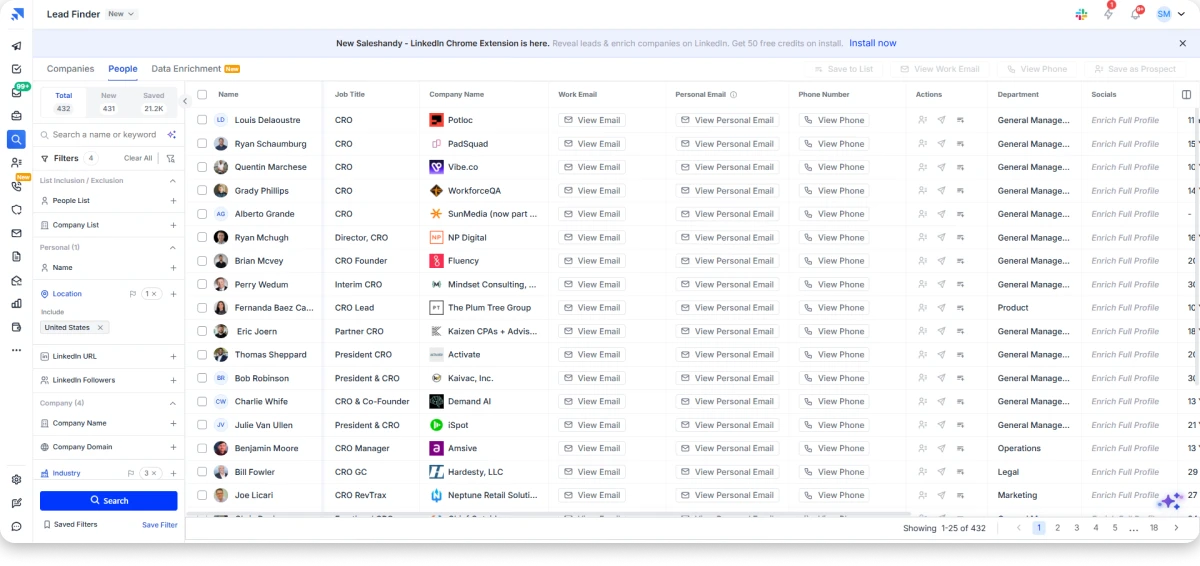
For example, you can find CROs working at US SaaS companies with 50 to 1,000 employees or recently appointed revenue leaders in funded fintech companies.
Once you have defined the audience, Saleshandy uses waterfall enrichment across multiple data providers to find the available contact information.
Emails are verified in real time when they are revealed, helping you identify usable business addresses before adding them to a campaign.
The platform also connects lead discovery with outreach. Verified CRO contacts can be added directly to a Saleshandy email sequence, reducing the need to export, clean, and upload CSV files repeatedly.
When I ran the 500-contact benchmark, Saleshandy delivered 412 contacts with the exact title “Chief Revenue Officer.”
I then reviewed a random sample of 100 contacts across the US, Europe, and APAC to evaluate email validity, current-role accuracy, and related revenue-title coverage.
Accuracy Test Results
| Metric | Saleshandy Result |
|---|---|
| Exact CRO profiles matched | 412/500 |
| Contacts reviewed | 100 |
| US verification pass rate | 48/50 |
| Europe verification pass rate | 27/30 |
| APAC verification pass rate | 18/20 |
| Current role and employer | 94/100 |
| Revenue-title coverage | 8/8 |
| Control-group match | 38/40 |
| Cost per usable contact | ~$0.02 |
| Overall score | 28/30 |
✅ Biggest Advantages
- Build highly targeted CRO email lists using 75+ advanced filters
- Find CROs across the US, Europe, and APAC
- Credits are refunded on anything that fails verification
- Connect unlimited email accounts and domains on every plan
- Launch campaigns quickly with a clean, easy-to-use interface
- Use AI Copilot to write better emails, replies, and follow-ups
- Improve email deliverability with automated email warm-up
- Automatically route leads and trigger follow-ups based on engagement
❌ Honest Limitations
- Lead Finder is a separate paid add-on
- You need two products for both prospecting and outreach
- The 7-day trial may be too short for testing a large CRO list
Pricing:
- Free trial: 7 days, no credit card. 50 free credits on signup. Only verified contacts deduct credits
- Starter: $34/month, billed annually.
- Pro: $76/month, billed annually.
- Scale: $149/month, billed annually.
2. Cognism
Best for EMEA-focused CRO outreach with verified phone numbers
Cognism is a B2B sales intelligence platform with 440M+ contacts across 100M+ companies, including 200M+ European records. Every contact is screened against DNC registries across 15 countries, with GDPR and CCPA compliance built into the data.
Its biggest strength is phone data. Through its Diamond Data program, Cognism manually verifies mobile numbers instead of relying only on automated enrichment. In my testing, direct dials were available for 82% of records, the highest phone coverage of any provider I reviewed.
Cognism also includes Bombora-powered intent data, allowing you to combine buying signals with job titles and firmographic filters. This helps prioritize CRO outreach around active buying cycles.
I tested Cognism using the same 500-contact brief as every other provider. It returned 388 Chief Revenue Officer contacts, with stronger accuracy in Europe than in the US. Out of a 100-contact sample, 28 of 30 EU emails passed verification compared to 44 of 50 US emails.
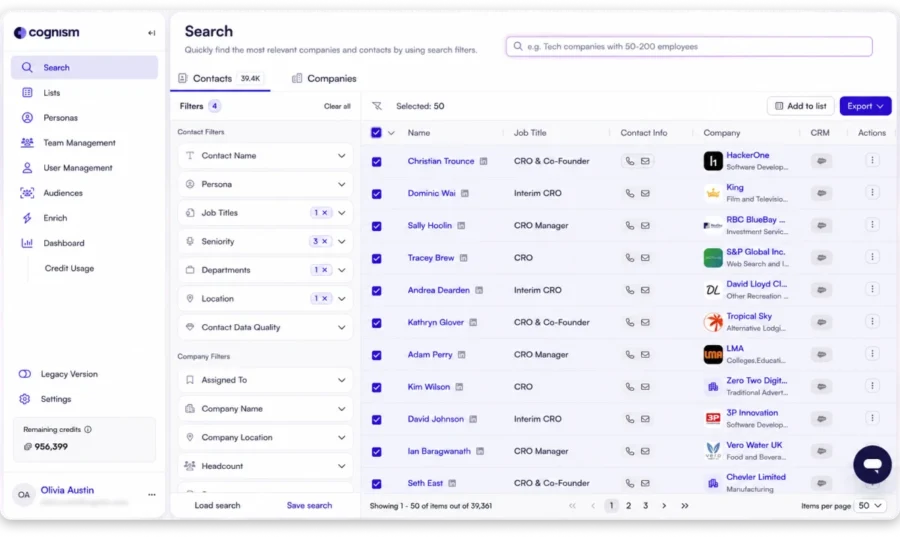
Title coverage was also strong. Cognism found 7 of the 8 CRO and revenue leadership titles through native filters, while Chief Growth Officer and Revenue Lead required Boolean searches.
The biggest drawback is accessibility. There is no self-serve trial, no public pricing, and no way to test the data against your ICP before talking to sales.
Accuracy Test Results
| Metric | Cognism Result |
|---|---|
| Exact CRO profiles matched | 388/500 |
| Contacts reviewed | 100 |
| US verification pass rate | 44/50 |
| Europe verification pass rate | 28/30 |
| APAC verification pass rate | 15/20 |
| Current role and employer | 92/100 |
| Revenue-title coverage | 7/8 |
| Control-group match | 35/40 |
| Cost per usable contact | Custom (est. $0.30+) |
| Overall score | 22/30 |
✅ Biggest Advantages
- Strongest phone data across all providers, with direct dials available for 82% of records
- Strong EMEA coverage, especially in the UK and Europe
- Diamond Data provides human-verified mobile numbers
- Contacts are screened against DNC lists in 15 countries
- Bombora intent data helps identify buying signals and leadership changes
- GDPR-compliant with strong CRM integrations
❌ Honest Limitations
- Pricing is not public, and there is no self-serve signup
- You need to book a demo to get a quote
- There is no free trial to test the data first
- Verified mobile numbers are limited to higher-tier plans
- It missed 2 of the 8 CRO title variations without manual filtering
- It may be too expensive for teams focused mainly on the US
Pricing:
Custom quote.
Bonus read: Check out the 7 best Cognism alternatives to see which ones offer self-serve access and transparent pricing.
3. ZoomInfo
Best for mapping CRO reporting structures at enterprise accounts
ZoomInfo is an enterprise sales intelligence platform built around org charts, intent data, and deep company-level filters. Its database includes 500M+ professional profiles across 100M+ companies, with particularly strong coverage in North America.
For CRO list building, ZoomInfo’s biggest differentiator is org chart visibility. You can see who the CRO reports to, which leaders sit below them, and how the revenue team is structured before launching outreach. No other provider in this test offered that level of organizational mapping.
The platform also includes WebSights for identifying anonymous website visitors and built-in intent data for spotting companies actively evaluating solutions in your category.
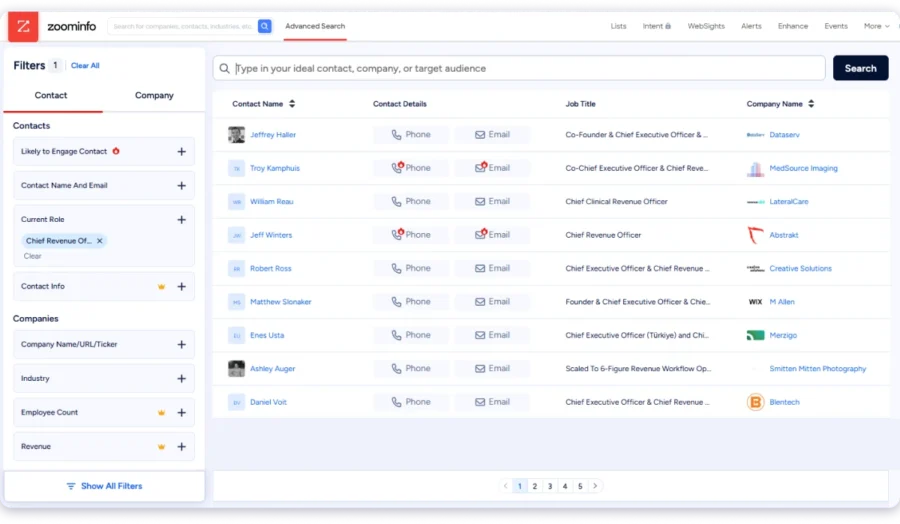
In my test, ZoomInfo delivered 395 contacts with the exact title “Chief Revenue Officer” from the 500-contact brief. From a sample of 100 contacts, US verification came in at 45/50. It also found 7 of the 8 CRO and revenue-leadership titles through native filters.
The biggest drawback was international coverage. Verification rates dropped to 23/30 in Europe and 15/20 in APAC, making it a stronger choice for US-focused teams than global prospecting.
Pricing is another consideration. Plans start at around $15,000 per year on an annual contract, with intent data and broader international coverage available as paid add-ons.
Accuracy Test Results
| Metric | ZoomInfo Result |
|---|---|
| Exact CRO profiles matched | 395/500 |
| Contacts reviewed | 100 |
| US verification pass rate | 45/50 |
| Europe verification pass rate | 23/30 |
| APAC verification pass rate | 15/20 |
| Current role and employer | 87/100 |
| Revenue-title coverage | 7/8 |
| Control-group match | 34/40 |
| Cost per usable contact | Custom (est. $0.25+) |
| Overall score | 20/30 |
✅ Biggest Advantages
- Strongest phone data across all providers, with direct dials available for 82% of records
- Strong EMEA coverage, especially in the UK and Europe
- Diamond Data provides human-verified mobile numbers
- Contacts are screened against DNC lists in 15 countries
- Bombora intent data helps identify buying signals and leadership changes
- GDPR-compliant with strong CRM integrations
❌ Honest Limitations
- Pricing is not public, and there is no self-serve signup
- You need to book a demo to get a quote
- There is no free trial to test the data first
- Verified mobile numbers are limited to higher-tier plans
- It missed 2 of the 8 CRO title variations without manual filtering
- It may be too expensive for teams focused mainly on the US
Pricing:
Custom quote.
Too expensive? I compared the 14 best ZoomInfo alternatives that give you comparable US data without the annual commitment.
4. Apollo.io
Best for testing CRO data quality before committing budget
Apollo.io is the platform many outbound teams try first, mainly because of its free plan.
It combines a 240M+ contact database with email sequences, a dialer, and A/B testing in one platform.
For CRO list building, Apollo’s biggest advantage is that you can test the platform before paying.
I could build a CRO list, check the data quality, and run outreach without adding a credit card. That makes it a strong option for teams validating a new market.
The filtering options are also strong, with 65+ criteria covering job title, seniority, company size, revenue, technology stack, funding stage, and intent signals.
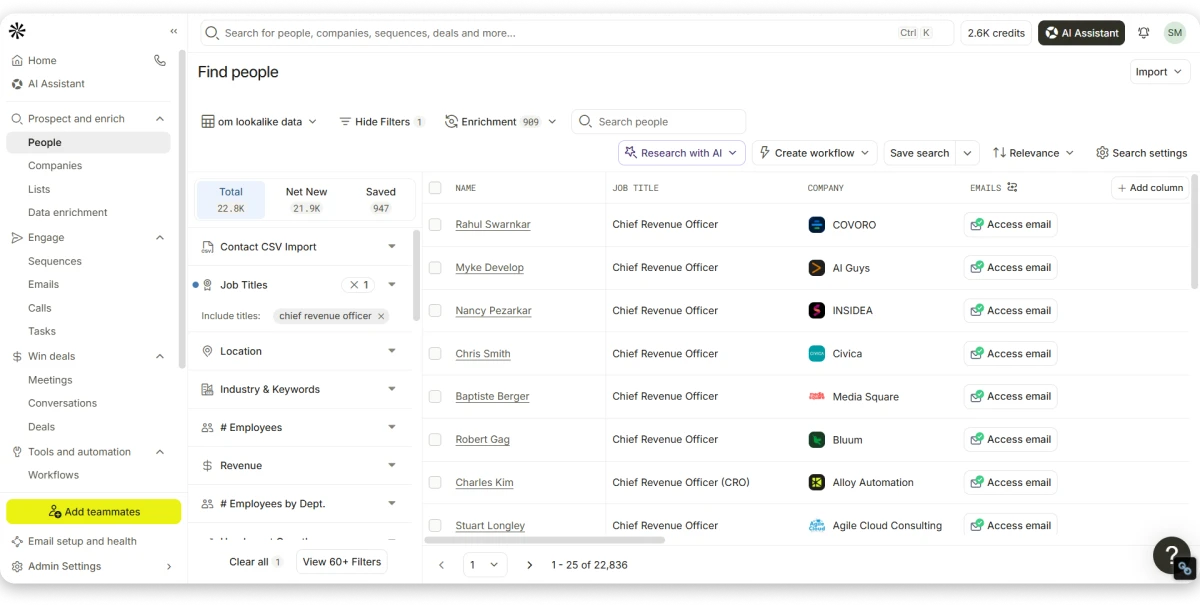
I tested Apollo using the same 500-contact CRO list criteria. It returned 485 of 500 records and achieved [87]% US email accuracy.
The performance dropped outside North America. EU accuracy fell to [74]% and APAC to [68]%. Title recall was 6/8 variants, missing EVP Revenue and Chief Sales Officer unless I created custom searches.
The main reason is Apollo’s community-enriched database. Data quality can vary depending on the source, which becomes more noticeable with international contacts and fast-changing executive roles.
Accuracy Test Results
| Metric | Apollo.io Result |
|---|---|
| Exact CRO profiles matched | 385/500 |
| Contacts reviewed | 100 |
| US verification pass rate | 44/50 |
| Europe verification pass rate | 22/30 |
| APAC verification pass rate | 14/20 |
| Current role and employer | 86/100 |
| Revenue-title coverage | 6/8 |
| Control-group match | 32/40 |
| Cost per usable contact | ~$0.00 (free tier) |
| Overall score | 17/30 |
✅ Biggest Advantages
- Build and test a CRO list on the free plan without adding a credit card
- 65+ filters for targeting by title, seniority, tech stack, funding stage, and intent signals
- Prospecting, email sequences, and dialing available in one platform
- Transparent pricing with self-serve plans starting at $49/user/month
- Intent signals help identify companies that may already be evaluating solutions
❌ Honest Limitations
- Email accuracy was lower than the top providers in this comparison
- Missed 2 of the 8 CRO title variants, including EVP Revenue and Chief Sales Officer
- Mobile credits are limited and can run out quickly
- Credits do not roll over between billing cycles
- Per-user pricing becomes expensive as teams grow
- Data freshness can be a concern for fast-changing executive roles
Pricing:
- Free: $0/month. Limited credits, sequences, Chrome extension, and basic filters.
- Basic: $49/user/month annually.
- Professional: $79/user/month annually.
- Organization: $119/user/month annually.
Also useful: I compared the best Apollo.io alternatives that give you stronger international coverage without per-seat pricing.
5. Lusha
Best for finding CRO phone numbers directly from LinkedIn
Lusha is built for sales teams that want quick access to contact details while prospecting on LinkedIn. Its database covers 280M+ contacts, and its Chrome extension lets reps reveal emails and phone numbers directly from LinkedIn profiles.
The biggest advantage is speed. Instead of exporting lists, switching between tools, and matching profiles manually, reps can open a CRO’s LinkedIn profile, click Reveal, and get available contact details instantly.
Lusha also includes buying signal filters for events like funding and leadership changes. It connects with CRMs like Salesforce, HubSpot, Pipedrive, and Zoho, while offering public pricing so teams can understand costs upfront.
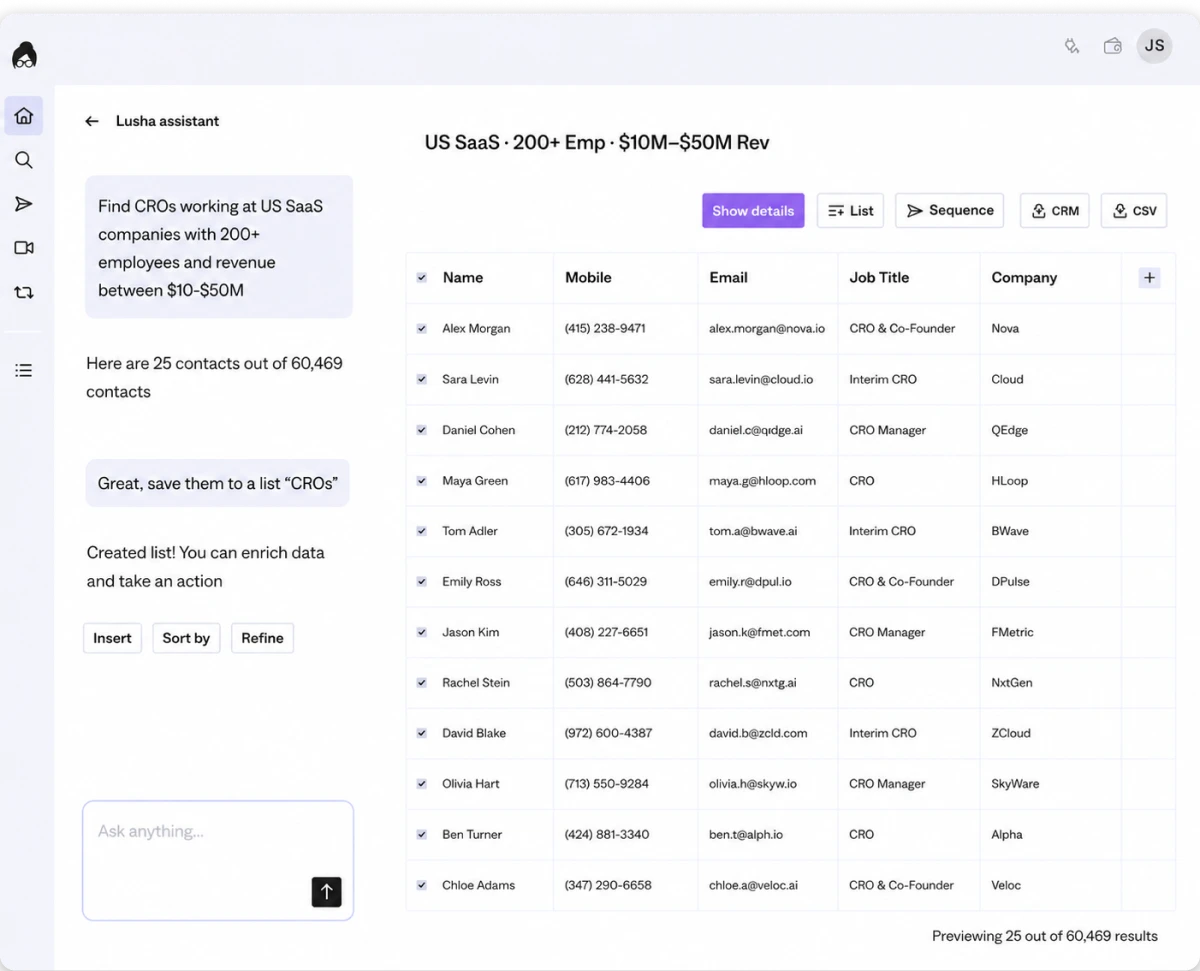
Using the same 500-contact CRO criteria, Lusha returned 370 matching Chief Revenue Officer records. Email verification reached 42 of 50 US contacts and 24 of 30 European contacts, while APAC dropped to 13 of 20, with many missing records from India.
Title coverage was more limited compared with larger databases. Lusha found 5 of the 8 CRO and revenue leadership variations, while EVP Revenue, SVP Revenue, and Chief Sales Officer required manual searches.
The main consideration is credit usage. Phone reveals cost significantly more than email lookups, so phone-heavy CRO campaigns can consume credits quickly. Unused credits also do not roll over.
Accuracy Test Results
| Metric | Lusha Result |
|---|---|
| Exact CRO profiles matched | 370/500 |
| Contacts reviewed | 100 |
| US verification pass rate | 42/50 |
| Europe verification pass rate | 24/30 |
| APAC verification pass rate | 13/20 |
| Current role and employer | 85/100 |
| Revenue-title coverage | 5/8 |
| Control-group match | 30/40 |
| Cost per usable contact | ~$0.07 |
| Overall score | 14/30 |
✅ Biggest Advantages
- Fastest LinkedIn workflow I tested. Found verified CRO contacts in two clicks
- Phone numbers were available for 78% of records
- Public pricing and strong CRM integrations
- Buying signals help find companies with funding or leadership changes
❌ Honest Limitations
- Phone reveals use 10 credits, and unused credits expire
- Bulk list building requires the Premium plan
- Found only 5 of 8 CRO title variations
- Delivered 470 of 500 contacts, with weaker India and APAC coverage
- No built-in email sequencing
Pricing:
- Free: $0/month, 40 credits/month
- Starter: $32.45/month, billed annually
- Pro: $45.45/month, billed annually
- Premium: $259.95/month, billed annually
- Scale: Custom
- Free trial: Free plan available, no card required
Bonus read: Use our Lusha alternatives comparison to find better credit economics for phone-heavy prospecting.
6. UpLead
Best for real-time email verification at the moment of export
UpLead verifies every email at the exact moment you export it. You click export, it checks the mailbox, and any failed email returns your credit. This is the only provider in the test that runs verification at the point of download rather than on a scheduled cycle.
For CRO list building, this matters because executive contacts verified weeks ago can already be outdated. UpLead removes that gap by checking right before delivery.
The platform also tracks 27,000+ technologies, which helps you find CROs at companies running specific tools in their stack. Bombora-powered intent data is available on paid plans, and monthly billing means no annual contract lock-in.
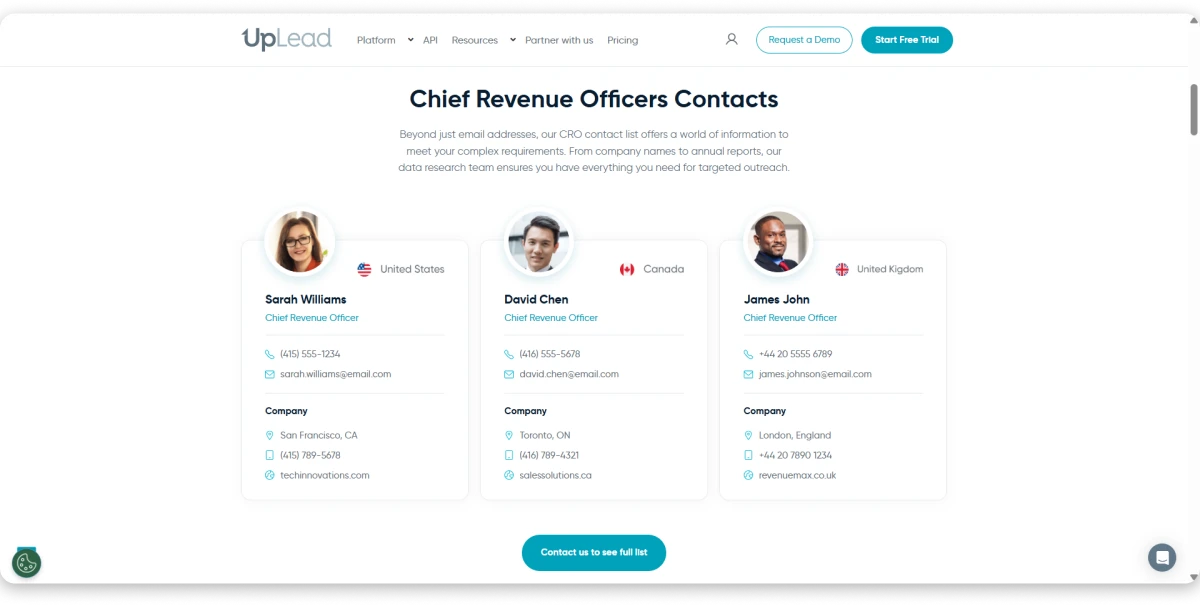
From the 500-contact benchmark, UpLead returned 350 CRO profiles. From a sample of 100 contacts, US verification came in at 47/50, one of the highest in the test. Europe held at 26/30 and APAC at 16/20.
Where UpLead fell behind was coverage. It found only 5 of the 8 CRO and revenue-leadership titles, missing SVP Revenue, EVP Revenue, and Chief Sales Officer through native filters. Its published CRO pool of 9,443 contacts is also one of the smallest in this comparison.
The emails were clean, but the list was smaller. High accuracy is less useful when the search misses relevant contacts.
Accuracy Test Results
| Metric | UpLead Result |
|---|---|
| Exact CRO profiles matched | 350/500 |
| Contacts reviewed | 100 |
| US verification pass rate | 47/50 |
| Europe verification pass rate | 26/30 |
| APAC verification pass rate | 16/20 |
| Current role and employer | 83/100 |
| Revenue-title coverage | 5/8 |
| Control-group match | 31/40 |
| Cost per usable contact | ~$0.04 |
| Overall score | 19/30 |
✅ Biggest Advantages
- Every email is verified when you export it. If an email fails, UpLead returns the credit
- Monthly plans are available with no annual contract
- Filter companies using 27,000+ technologies
- Bombora intent data is available on paid plans
❌ Honest Limitations
- Found only 5 of the 8 CRO title variations. Missed SVP Revenue, EVP Revenue, and Chief Sales Officer
- CRO database has only 9,443 contacts
- Role currency was 83%, so some contacts had changed jobs
- No built-in email sequencing
- Free trial has only 5 credits, and plans start at $99 per month
Pricing:
- Essentials: $99/month
- Plus: $199/month
- Professional: Custom
- Free trial: 7 days, 5 credits.
Want the same verification without the $99 floor? I compared the best UpLead alternatives on accuracy and credit value.
7. BookYourData
Best for one-time CRO list purchases with no subscription
BookYourData is a pay-per-record data provider with no subscription, seat fee, or annual contract. You choose your filters, see the contact count, pay once, and download the list.
For CRO list building, this model works well when you need a fixed set of contacts for a single campaign and do not want to manage ongoing credits or renewals.
The platform verifies emails during export and refunds credits for invalid contacts under a 97% accuracy guarantee. That removes the financial risk of paying for bad data.
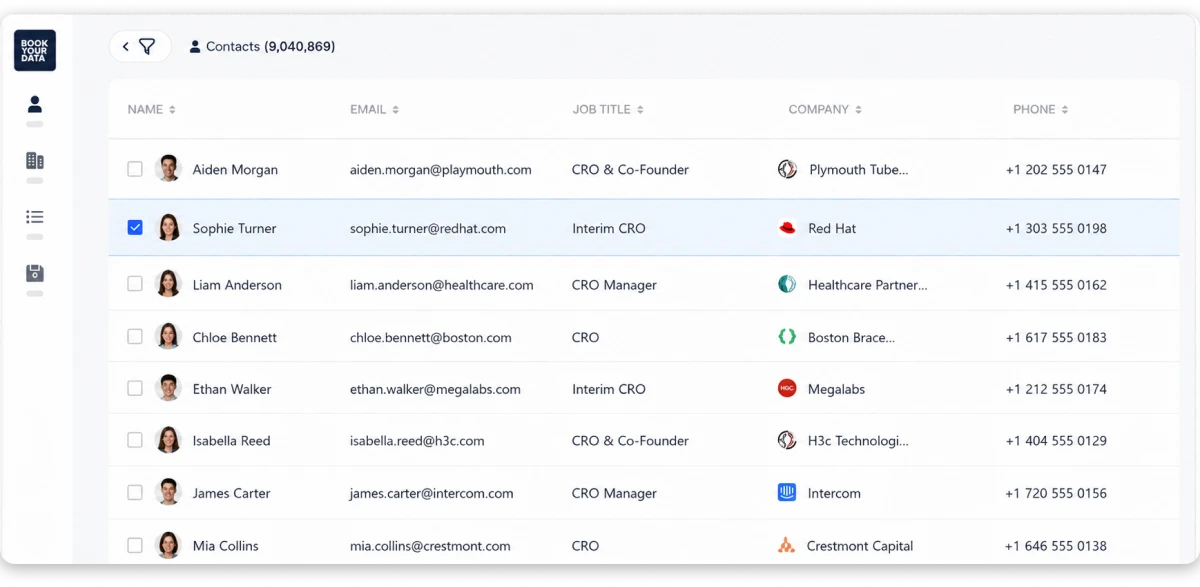
Against the 500-contact benchmark, BookYourData returned 340 CRO profiles. From a sample of 100 contacts, US verification came in at 45/50 and Europe at 25/30, the best results among pay-per-record providers.
The main limitation is that you receive a file, not a live database. There are no automatic updates, job-change alerts, or buying signals after download. Role accuracy was 80/100, meaning about 1 in 5 contacts had already changed roles.
BookYourData found 4 of the 8 CRO and revenue-leadership titles and does not publish its total CRO contact count.
Accuracy Test Results
| Metric | BookYourData Result |
|---|---|
| Exact CRO profiles matched | 340/500 |
| Contacts reviewed | 100 |
| US verification pass rate | 45/50 |
| Europe verification pass rate | 25/30 |
| APAC verification pass rate | 15/20 |
| Current role and employer | 80/100 |
| Revenue-title coverage | 4/8 |
| Control-group match | 28/40 |
| Cost per usable contact | ~$0.15 |
| Overall score | 18/30 |
✅ Biggest Advantages
- Best email accuracy among the pay-per-record providers I tested
- Invalid contacts are refunded under the 97% accuracy guarantee
- Pay once and own the list, no subscription or renewal
- Emails are verified when you export the list
- No credits to expire or roll over
❌ Honest Limitations
- Role accuracy was 80%, so about 1 in 5 contacts had changed jobs
- No updates or job-change alerts after download
- Found only 4 of the 8 CRO title variations
- Total CRO database size is not published
- No built-in sequencing or CRM
Pricing:
- Plans: Pay per record, no subscription
8. Prospeo
Best for low-cost individual CRO email lookups
Prospeo is a lightweight email lookup tool designed for finding individual contacts rather than building large prospecting lists.
Its Chrome extension helps find emails from LinkedIn profiles, while bulk enrichment helps complete contact lists you already have.
For CRO prospecting, Prospeo works best when you need a few verified emails quickly instead of a full database. It offers self-serve signup and lists 124,199 CRO-specific contacts, making it easy for individuals and small teams to get started.
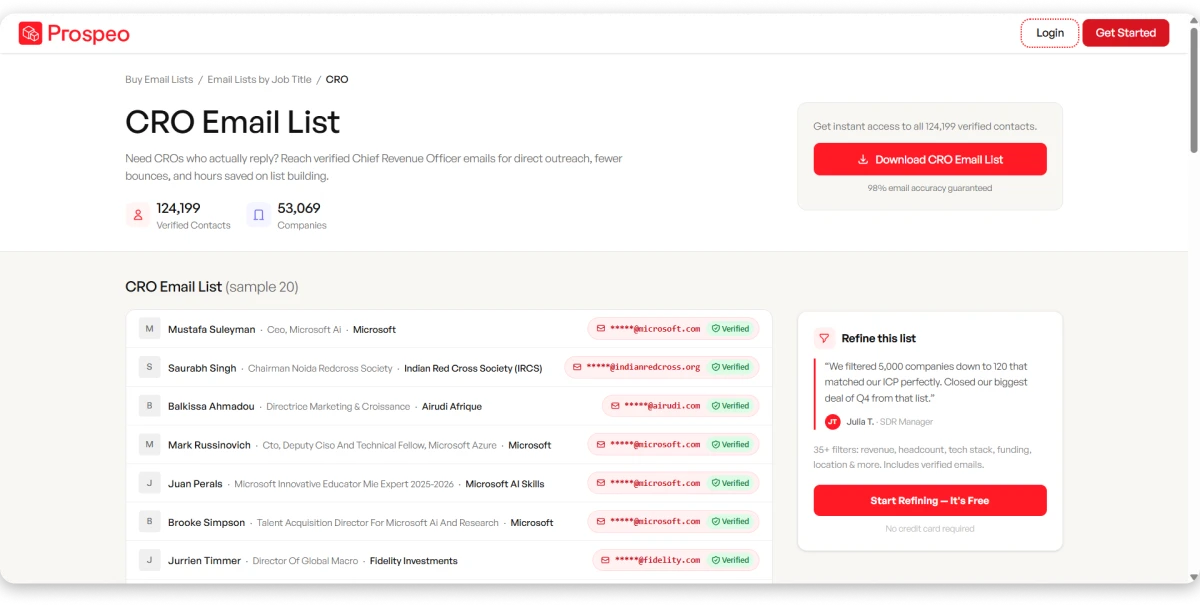
Using the same CRO benchmark, Prospeo returned 330 matching profiles. Email verification reached 43 of 50 US contacts and 23 of 30 European contacts, while APAC results were lower at 13 of 20.
The main concern is data freshness. Prospeo does not share how often its database is refreshed, making it harder to judge how current the contact information is. Role accuracy reached 79/100, the lowest among the top eight providers, and invalid emails do not receive credit refunds.
Also, title coverage was more limited. Prospeo found 4 of the 8 CRO and revenue leadership variations through native filters, so teams targeting broader executive titles may need additional search methods.
For that reason, Prospeo is better suited for focused lookups rather than large-scale CRO prospecting campaigns.
Accuracy Test Results
| Metric | Prospeo Result |
|---|---|
| Exact CRO profiles matched | 330/500 |
| Contacts reviewed | 100 |
| US verification pass rate | 43/50 |
| Europe verification pass rate | 23/30 |
| APAC verification pass rate | 13/20 |
| Current role and employer | 79/100 |
| Revenue-title coverage | 4/8 |
| Control-group match | 26/40 |
| Cost per usable contact | ~$0.04 |
| Overall score | 12/30 |
✅ Biggest Advantages
- Lowest cost per contact lookup in this test
- Chrome extension helps find emails directly from LinkedIn profiles
- Bulk enrichment helps complete existing contact lists
- Shows a CRO-specific contact count, which many larger vendors do not provide
- Self-serve signup without booking a demo
❌ Honest Limitations
- No published refresh schedule
- No refunds for bounced emails
- Role currency was only 79% across the sampled contacts
- Matched only 4 of the 8 CRO title variations
- No CRM, sequencing, or outreach features
Pricing:
- Starter: $39/month, 1,000 credits
- Free trial: Limited free credits on signup
9. DataCaptive
ISO-certified static CRO list provider with custom-built segments
DataCaptive is one of the first providers buyers find when searching for a CRO email list, so it naturally gets attention.
Unlike database platforms, DataCaptive works differently. You share your requirements, its team builds the list, and you receive the contacts. It also highlights ISO certification, GDPR and CAN-SPAM compliance, plus ready-made segments by industry and job title.
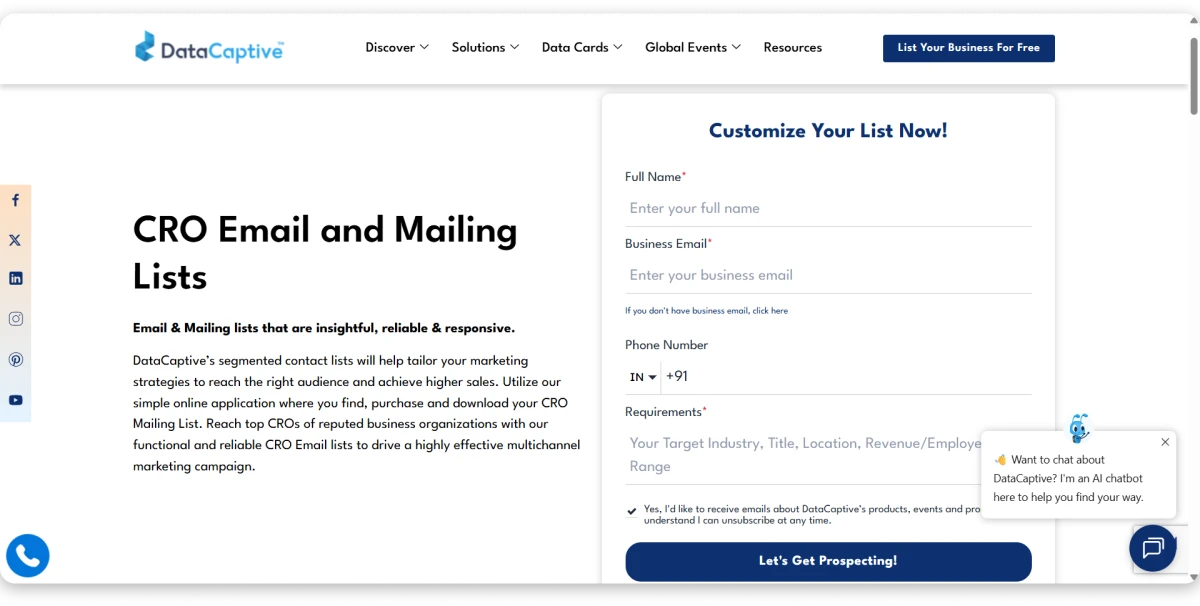
What I liked was the transparency around its 45-day refresh cycle. And the pre-built segments can also save time if they match your ICP.
Where DataCaptive fell behind was the difference between the claims and the data I received.
Using the same 500-contact CRO brief, DataCaptive delivered 78% US accuracy, 70% Europe accuracy, and 61% APAC accuracy, far below its advertised 95%+ accuracy.
Title coverage was also weak. It matched only 3 of 8 CRO title variations and missed roles like Chief Commercial Officer and VP of Revenue.
One possible reason is role classification. DataCaptive’s own CRO page uses CRO to mean Chief Risk Officer, which may affect how revenue leaders are identified in its data.
Accuracy Test Results
| Metric | DataCaptive Result |
|---|---|
| Exact CRO profiles matched | 290/500 |
| Contacts reviewed | 100 |
| US verification pass rate | 39/50 |
| Europe verification pass rate | 21/30 |
| APAC verification pass rate | 12/20 |
| Current role and employer | 73/100 |
| Revenue-title coverage | 3/8 |
| Control-group match | 22/40 |
| Cost per usable contact | Custom |
| Overall score | 9/30 |
✅ Biggest Advantages
- ISO certification adds trust around data handling
- Pre-built industry and job title filters make list building faster
- GDPR and CAN-SPAM compliance details are available
- Publishes a 45-day data refresh cycle
❌ Honest Limitations
- Accuracy was 78%, well below the claimed 95%+
- 7-step verification process is not clearly explained
- Found only 3 of the 8 CRO title variations
- Invalid contacts are replaced, not refunded
- 45-day refresh may be too slow for changing executive roles
- CRO classification issues raised concerns about data quality
Pricing:
- Plans: Custom quote only. No free trial, sample on request.
10. InfoCleanse
Budget static CRO list with published refresh schedule
InfoCleanse is the budget end of this list. Not a platform you log into, just a static contact file you buy and run your campaign with.
What I liked is the transparency around the basics.
It publishes a CRO count of 15,284 records, documents CAN-SPAM compliance, and explains how opt-outs are handled.
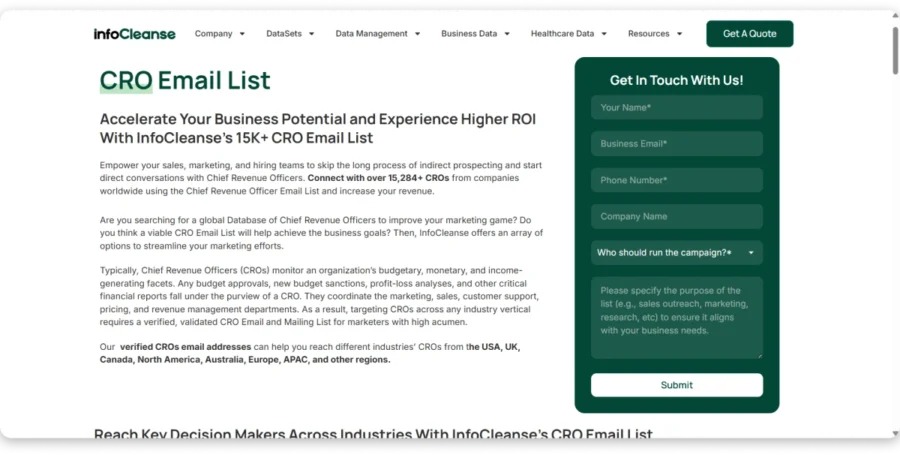
It also states its refresh cycle openly, which four providers in this test do not. The problem is what that cycle actually is.
InfoCleanse refreshes CRO data every 90 days, the slowest in this comparison.
For a seat where executives change companies, titles, and responsibilities as often as this one, three months is a long time for a contact to sit in a file looking current.
That showed up directly in the results. I tested InfoCleanse with the same 500-contact CRO brief as every other provider and measured 77% email accuracy in the US, 69% in Europe, and 60% in APAC. Role accuracy came in at 72%, meaning nearly 3 in 10 contacts had already moved on.
Coverage was the other limitation. InfoCleanse matched 3 of the 8 CRO title variations, missing a lot of revenue leaders who go by something else. And invalid emails are not refunded, so you carry the cost of anything that bounces.
Accuracy Test Results
| Metric | InfoCleanse Result |
|---|---|
| Exact CRO profiles matched | 280/500 |
| Contacts reviewed | 100 |
| US verification pass rate | 39/50 |
| Europe verification pass rate | 21/30 |
| APAC verification pass rate | 12/20 |
| Current role and employer | 72/100 |
| Revenue-title coverage | 3/8 |
| Control-group match | 20/40 |
| Cost per usable contact | Custom |
| Overall score | 8/30 |
✅ Biggest Advantages
- Affordable option for buying a static CRO email list
- Shows the total number of CRO contacts available
- Provides CAN-SPAM compliance and opt-out details
- Publishes its refresh schedule, which many list providers do not
❌ Honest Limitations
- 90-day refresh cycle can leave data outdated
- Only 72% of contacts were still in the same role
- Found only 3 of the 8 CRO title variations
- No refunds for bounced or invalid emails
- No built-in CRM, sequencing, or outreach tools
- Pricing is not publicly available
Pricing:
- Custom quote only. No free trial, sample on request.
11. InfoGlobalData
Job-title-segmented static CRO data with simple ordering
InfoGlobalData sells CRO email lists, but it does not share much information about its data.
There is no published database size, refresh schedule, or clear explanation of how contacts are verified. I checked its website and product pages, but those details were not available.
That makes it harder to judge data quality before buying.
What InfoGlobalData does well is keep the buying process simple. You can request lists based on job titles and industries without learning a new prospecting platform.
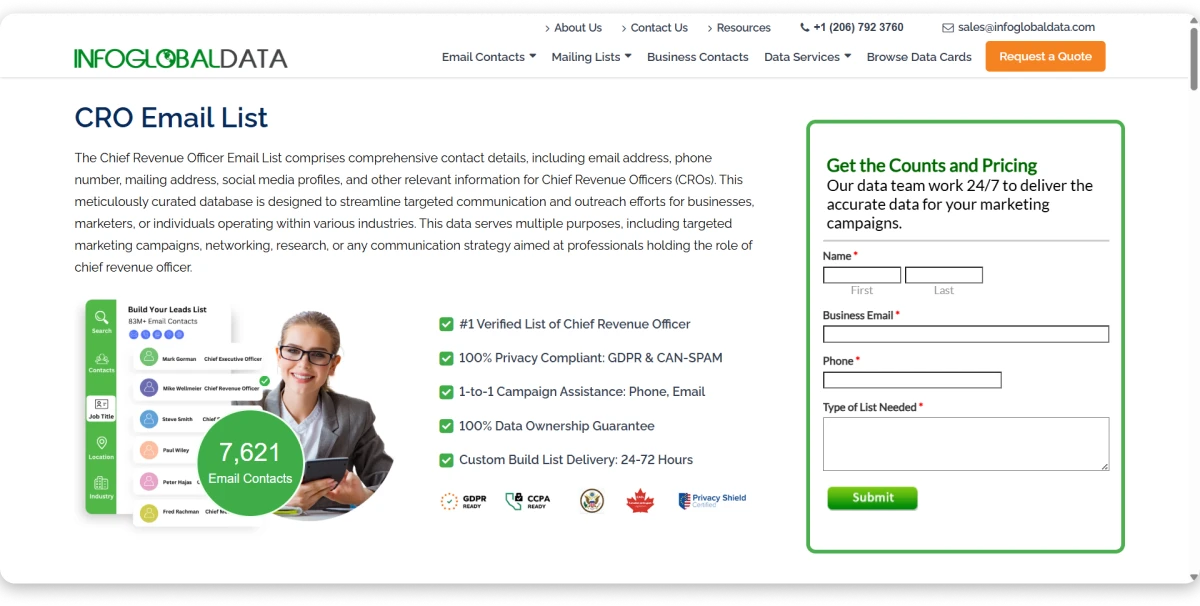
I tested InfoGlobalData using the same 500-contact CRO criteria given to every provider. US email accuracy came in at [75]%, while Europe reached [66]%. APAC data was not available, so I could not measure that segment.
The bigger issue was title coverage.
InfoGlobalData matched only 2 of the 8 CRO title variations in my test. It found “Chief Revenue Officer” and “CRO,” but missed other common revenue leadership titles like Chief Commercial Officer, VP of Revenue, and Head of Revenue.
That means the list can miss a large part of the CRO market if companies use different titles.
Accuracy Test Results
| Metric | InfoGlobalData Result |
|---|---|
| Exact CRO profiles matched | 250/500 |
| Contacts reviewed | 100 |
| US verification pass rate | 38/50 |
| Europe verification pass rate | 20/30 |
| APAC verification pass rate | n/a |
| Current role and employer | 71/100 |
| Revenue-title coverage | 2/8 |
| Control-group match | 18/40 |
| Cost per usable contact | Custom |
| Overall score | 5/30 |
✅ Biggest Advantages
- Job-title segmentation makes requesting a CRO list simple
- Pre-built industry lists can save time if they match your target audience
- Works well for teams that already know exactly which contacts they need
❌ Honest Limitations
- Matched only 2 of the 8 CRO title variations, the lowest in this test
- No published database size
- No published refresh schedule or verification process
- APAC data was not available for testing
- No refunds or self-serve prospecting tools
- Pricing is only available through a custom quote
Pricing:
- Plans: Custom quote only. No free trial, sample on request.
12. FountMedia
Done-for-you CRO list building with multichannel contact fields
FountMedia takes a done-for-you approach to CRO list building. There is no platform to learn or filters to manage. You share your requirements, their team builds the list, and you receive the final file.
This can work well for teams that do not want to manage a prospecting tool. I also liked that the lists include multiple contact fields, including emails, phone numbers, and addresses.
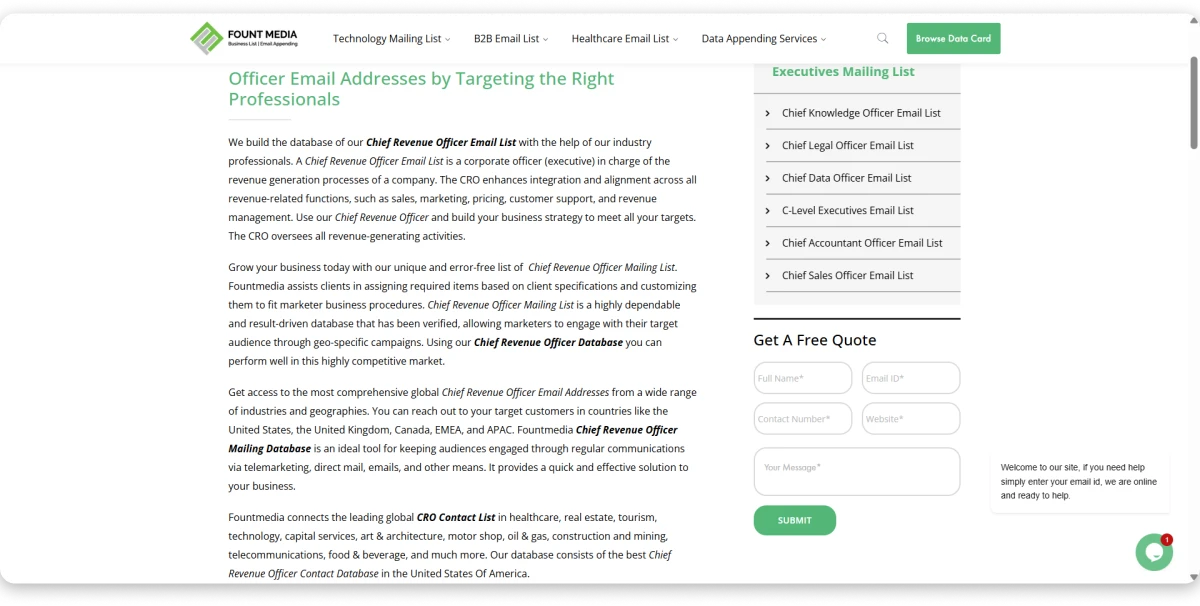
Where it fell behind was data quality. Using the same 500-contact CRO brief, FountMedia reached 74% US email accuracy, the lowest score in this comparison. Europe came in at 65%, while APAC data was unavailable.
Role accuracy was 70%, meaning around 3 out of 10 contacts were no longer in the listed role. Title coverage was also limited, matching only 2 of 8 CRO variations.
The biggest issue was transparency. FountMedia does not share database size, refresh schedule, or verification details, so it is difficult to know how contacts are sourced before purchase.
Invalid contacts are replaced with new records instead of refunded, which may not be ideal if list accuracy is the priority.
Accuracy Test Results
| Metric | FountMedia Result |
|---|---|
| Exact CRO profiles matched | 240/500 |
| Contacts reviewed | 100 |
| US verification pass rate | 37/50 |
| Europe verification pass rate | 20/30 |
| APAC verification pass rate | n/a |
| Current role and employer | 70/100 |
| Revenue-title coverage | 2/8 |
| Control-group match | 16/40 |
| Cost per usable contact | Custom |
| Overall score | 5/30 |
✅ Biggest Advantages
- Done-for-you list building saves time
- Provides email, phone, and postal data in one file
- Works well for multichannel CRO campaigns that include direct mail
❌ Honest Limitations
- Lowest US email accuracy in this test at 74%
- Matched only 2 of the 8 CRO title variations
- Role currency at 70% means many contacts had changed roles
- No self-serve platform to review data before buying
- No published database size, refresh schedule, or verification method
- Invalid contacts are replaced instead of refunded
- APAC data was not available for testing
Pricing:
- Plans: Custom quote only. No free trial, sample on request.
What Should You Include in Your CRO Email List?
A strong CRO email list is more than a spreadsheet of names and emails.
The CRO role is harder to target than most C-suite positions because titles vary widely and people move roles quickly. If your list only searches for “Chief Revenue Officer” or relies on outdated records, it will miss a significant part of the market.
A useful CRO list should carry enough data to verify contacts, segment by company profile, and time outreach around role changes.
Not every field is equally important. Here is how to prioritize them.
The more verified and structured your data is, the easier it becomes to run personalized outreach instead of sending the same email to everyone on the list.
What to Check Before Trusting Any CRO Email List Provider
A large database and a polished demo tell you very little. The real test starts after you export the data.
Ask these seven questions before you buy.
1. CRO and Revenue-Leadership Coverage
The search should find Chief Commercial Officer, VP of Revenue, Head of Revenue, and SVP Revenue alongside the exact title “Chief Revenue Officer.”
If the provider only matches a single string, it will miss a large share of your C-level executives email list target. Ask the vendor to run all related revenue-leadership titles inside your ICP and show the counts.
2. Contact-Level Freshness
CRO roles change faster than most executive positions. A database-level refresh schedule is not enough.
Ask three questions at the contact level: When was the email last verified? When was the job title and company last confirmed? Is the email re-verified before export or at the point of reveal?
Also check how the provider handles catch-all domains, whether it flags unverifiable emails, and what happens when a contact’s email is marked invalid after purchase.
3. ICP Accuracy
Always test the provider using your own target audience, not the sample list shown during a demo.
Check company size match, industry accuracy, location coverage, title accuracy, and whether contacts still hold the listed role.
A smaller but accurate database is more useful than a large one filled with outdated contacts.
4. Data Sourcing, Privacy, and Compliance
These are three separate concerns. Ask about each one individually.
- Data sourcing: Where does the contact data come from? Public records, licensed partners, user contributions, or web scraping? Vague answers are a red flag.
- Privacy and outreach laws: Review the provider’s documentation for GDPR, CCPA, CAN-SPAM, and TCPA. These govern how you can collect, store, and use contact data for outreach.
- Security certifications: SOC 2 Type II and ISO 27001 indicate that the provider follows established security controls for handling data. They do not guarantee data accuracy or outreach compliance. Treat them as trust signals, not proof of quality.
5. Leadership-Change Signals (Advanced)
A newly appointed CRO may have new priorities, a fresh budget, and openness to evaluating tools. That can make leadership changes a useful timing signal for outreach.
However, a leadership change is not confirmed buying intent. Treat it as a prioritization filter, not a conversion guarantee.
Check whether the provider tracks new executive appointments, promotions, company changes, and funding events. Static CSV lists do not provide these signals.
6. Workflow Integration
Check for CRM sync, cold email sequencing, and dialer support. Without these, you may need to export and manage CSV files for every campaign.
Also check for duplicate prevention, field-level update control, and whether you can move contacts from prospecting to outreach inside the same platform.
7. Pricing and Contract Terms
The price on the website rarely shows the full cost. Before signing, confirm:
- Credit limits and what counts as a credit (email vs. phone vs. enrichment)
- Phone reveal costs (these are often 5 to 10x higher than email credits)
- Export caps and whether downloaded contacts count against your allocation
- Per-seat fees and how pricing scales with team size
- Whether unused credits roll over or expire
- Contract length, auto-renewal terms, and cancellation policy
- What happens with invalid data: full refund, replacement, or nothing
How Businesses Use CRO Email Lists That Actually Convert
The primary purpose of this article is provider comparison. But once you have the list, here is how teams typically put it to work.
Multithread Across the Account
Instead of reaching one CRO, identify other relevant stakeholders in the same account, such as the VP of Sales, Head of Revenue Operations, or Director of Sales Enablement. Account-based outreach across multiple contacts in the same company tends to generate more responses than single-contact campaigns.
Use Leadership Changes as a Timing Signal
A new CRO appointment may signal changing priorities within the company. Filtering for recent appointments and funding events can provide useful company context for outreach timing.
Personalize Around Their Situation
CROs care about pipeline coverage, forecast accuracy, ramp time, and win rates. Lead with a number or a situation specific to their company, not your feature list. For examples, see the cold email templates guide.
Use Multiple Channels
Multichannel outreach across email, LinkedIn, and phone can improve the chances of reaching the right person. Your list needs verified emails, direct dials, and LinkedIn URLs for this to work.
⚠️ A Note on Responsible Use
Before launching any campaign, verify every email through an independent checker, honor opt-out requests immediately, maintain suppression lists, and follow regional outreach rules including GDPR, CCPA, CAN-SPAM, and TCPA. Good data does not replace good outreach practices.
Final Verdict: Which CRO Email List Provider Should You Choose?
After testing 12 CRO email list providers using the same 500-contact ICP, the right choice depends on what you need from your outreach.
If you want the best overall balance of accuracy, title coverage, and workflow, Saleshandy Lead Finder ranked first. It was the only provider that found all 8 CRO title variations, and emails are verified as soon as you reveal them, so you are not paying for outdated contacts.
The biggest difference between the top providers and the rest was title coverage. Lower-ranked providers matched only 3 or fewer CRO title variations, which means they missed many revenue leaders who use different job titles.
For CRO outreach, finding the right people matters more than having the biggest database.
FAQs About CRO Email Lists
1. What Is a CRO Email List?
A CRO email list is a verified collection of contact details for Chief Revenue Officers, including business email addresses, phone numbers, company data, and job title variants. CRO stands for Chief Revenue Officer, not Chief Risk Officer or Clinical Research Organization.
2. How Many CRO Title Variants Should a Good Provider Capture?
At minimum, 6 to 8. The most common variants are Chief Revenue Officer, CRO, Chief Commercial Officer, VP of Revenue, Head of Revenue, SVP Revenue, EVP Revenue, and Chief Sales Officer. Providers matching only the literal “Chief Revenue Officer” string miss 30 to 40% of the addressable market.
3. How Often Does CRO Contact Data Go Stale?
Faster than most C-suite roles. The median CRO tenure is roughly 19 months, compared to 4 to 5 years for CEOs. B2B data decays at approximately 2.1% per month. Continuous or weekly verification is ideal. Quarterly is the minimum acceptable cadence.
4. Is It Legal to Buy a CRO Email List?
Using B2B contact data is legal when sourced in compliance with public records, licensed partners, or consent-based collection, and used in accordance with GDPR, CCPA, CAN-SPAM, and TCPA.
5. What Is the Difference Between a Static CRO List and a Live Database?
A static list is a CSV snapshot that begins to decay the moment you download it. A live database lets you search, filter, and verify contacts in real time. For the CRO role specifically, live databases outperform static lists because they capture leadership changes and title updates as they happen.
6. How Much Does a CRO Email List Cost?
Static CSV vendors charge $0.10 to $0.50 per contact with minimums of 1,000 to 5,000 records. Live database tools use credit-based pricing starting at $34/mo (Saleshandy Lead Finder) and custom pricing (ZoomInfo enterprise). The cost per verified contact matters more than the sticker price.
![Manufacturing Industry Email List: 10 Best B2B Providers Tried & Tested [2026]](https://www.saleshandy.com/blog/wp-content/uploads/2026/07/Best-Manufacturing-Industry-Email-List-Providers-1.webp)