


Google Workspace has become a default choice for businesses that need professional emails, cold email sending, cloud storage, and collaboration tools.
But as teams grow, many start looking for alternatives because of rising costs, changing workflows, security requirements, or the need for more flexibility.
That’s why this blog exists!
I have compared 9 Google Workspace alternatives based on pricing, features, setup experience, and ideal use cases.
You’ll see what each platform does best, who it is built for, and which option fits your workflow.
Best Google Workspace Alternatives – TOC
TL;DR: Best Google Workspace Alternatives at a Glance
Let’s look at the best Google Workspace alternatives for cold email and compare their pricing, features, and ideal use cases at a glance.
| Category | Tool | Best For | Main Advantage | Starting Price |
|---|---|---|---|---|
| Cold Email Infrastructure | Saleshandy | Teams scaling cold outreach | • Google, Microsoft and Azure mailboxes, DNS pre-configured • Warmup and sequences in the same platform |
$2.99/mailbox/mo (annual) |
| Maildoso | High volume at lowest cost | • Cheapest per mailbox at scale • SMTP mailboxes ready in minutes |
$75/mo for 30 mailboxes | |
| Zapmail | Fast mailbox provisioning | • Real Google and Microsoft mailboxes • Setup in about 5 minutes |
$39/mo for 10 mailboxes | |
| Mailforge | Large, low-cost outbound setups | • Automated DNS and bulk domain management • Shared mailbox infrastructure |
$3/mailbox/mo (min 10) | |
| Productivity Suite | Microsoft 365 | Direct Workspace replacement | • Outlook, Word, Excel, Teams • 1 TB storage per user |
$7/user/mo |
| ONLYOFFICE | Self-hosting your suite | • Free and open-source • Docs, mail, CRM and projects |
Free (self-hosted) | |
| Fastmail | Professional email only | • Ad-free email on your domain • No suite you won’t use |
$5/user/mo | |
| Proton Workspace | Privacy-first teams | • End-to-end encrypted • Swiss data protection |
$12.99/user/mo | |
| Zoho Workplace | Affordable full suite | • Under half of Google’s price • Email-only from $1/user |
$3/user/mo |
Note: the five productivity suites above prohibit cold outreach in their terms of service. They’re Workspace replacements, not sending infrastructure.
Why Teams Look for Google Workspace Alternatives
After going through 45,000+ G2 reviews and threads across r/Coldemailing, r/b2bemailin,g and r/googleworkspace, here are the most common reasons people switch.
Some are specific to outbound teams, while others come from small businesses looking for Google Workspace alternatives on cost alone.
1. Google Workspace Gets Expensive at Scale
The per-user cost adds up as the team grows, and every sending mailbox counts as a full user. Your bill grows in step with your sending volume.
Google Workspace pricing for cold email breaks down fastest because bulk email accounts for outbound get billed as office seats rather than cold email sending accounts.
Real user feedback:
A consulting reviewer says it gets pricey per user and adds up quickly once you have a few, calling it overpriced for what is basically hosted email and Drive.
A small business owner says the per-user cost is becoming unreasonable at nearly $15 per user for the storage included.
Common issues include:
- Every mailbox costs a full seat, even one sending 20 emails a day
- At $7 a seat, 30–50 inboxes cost $210–350/month before you add a sending tool
- One small team’s bill reached €75.90/month after adding just 8 addresses
- The January 2025 Gemini bundling raised prices by another 17–22%
2. It Works for Cold Email, Until You Try to Scale
Google Workspace can handle cold email at low volumes. A few mailboxes sending 20 to 30 emails a day will work fine for most teams starting.
The problems show up when you try to grow. Gmail caps you at 2,000 messages and 2,000 unique external recipients a day, with trial accounts held to 500. Google’s Acceptable Use Policy also bans unsolicited mass email outright, which is why a Google Workspace suspension is a real risk once sending volume picks up.
Real user feedback:
A mid-market design reviewer says setting up new email accounts can be a hassle, especially when they get blocked, and that buying domains makes costs add up.
A web designer reports being suspended twice in two weeks for suspected phishing despite a verified domain signature, with Google suspending the account before anyone reviewed the flag.
Common issues include:
- Go over a limit, and you can’t send for up to 24 hours
- Cold outreach goes against Google’s own acceptable use terms
- Users report suspensions arriving without warning
- No built-in email warm-up to ramp up new mailboxes safely
For a deeper look at what affects inbox placement, this guide on cold email deliverability covers the full picture.
3. Paying for Features You Do Not Use
Plenty of teams only need email on their domain, not Docs, Drive, and Meet. Workspace bundles everything at one price whether you use it or not.
Real user feedback:
The same consulting reviewer says Google won’t let different users sit on different plans, so upgrading a few people means upgrading everyone.
A real estate professional thinking of cancelling says they only need a domain email for Google Business Profile and feel they’re paying for features they don’t use.
Common issues include:
- You pay for the full suite even when you only need email
- Users report that upgrading a few people means upgrading everyone
- Zoho Mail at $1/user keeps coming up as the replacement
- Sending mailboxes never use Docs, Drive, or Meet
4. Features Are Limited on Lower Plans
G2’s most-mentioned complaint tags are all about features: Missing Features (591), Limited Features (545), and Lacking Features (374). Many of the advanced features teams want sit behind a higher-priced plan.
Real user feedback:
A mid-market security analyst says advanced features sit behind higher-priced plans, which gets expensive.
A marketing manager finds the Gemini features don’t add consistent value to their workflow.
Common issues include:
- Advanced features locked to higher-priced plans
- Admin controls, AI, and storage all add cost as you scale
- Business accounts report getting older AI models and later releases
9 Best Google Workspace Alternatives for Cold Email
These are the Google Workspace alternatives I’d actually recommend in 2026.
The list covers email infrastructure built for cold outreach and full productivity suites.
Here’s what each tool does, why it earned its spot, and who it fits best.
1. Saleshandy
⭐ Best For: Sales teams, agencies, and founders who need scalable cold email infrastructure with managed mailboxes, warm-up, and outreach tools.
Saleshandy is a Google Workspace alternative for teams that use business email accounts primarily for cold outreach.
It does not replace Google Workspace for everyday work like Gmail, Docs, and Drive. Instead, it changes how teams buy and manage sending mailboxes by combining mailbox provisioning, DNS setup, warm-up, and outreach management in one platform.
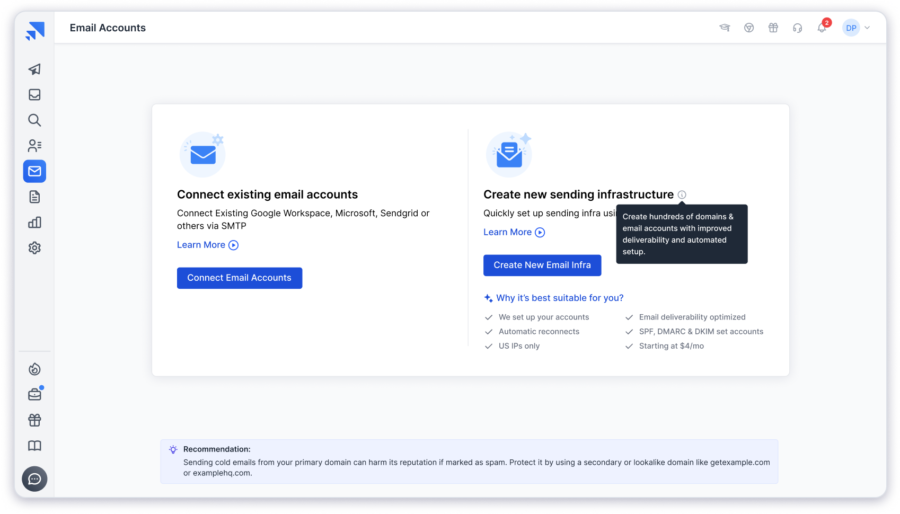
If your team uses Google Workspace only for cold email, paying for full productivity seats and manually configuring every mailbox can become expensive and time-consuming. Saleshandy helps simplify that process with managed Google Workspace, Microsoft 365, and Azure mailboxes built for outbound campaigns.
Why teams choose Saleshandy for cold email:
1. Pay for Sending Mailboxes, Not Unused Workspace Features
Cold email teams usually need multiple sending inboxes, but they don’t always need a full suite of productivity tools on every account.
With Saleshandy, teams can set up dedicated sending mailboxes starting at $2.99/mailbox/month on annual billing, with domains starting at $14/year, helping teams build outreach infrastructure without paying for unused productivity features.
This makes it easier to build a scalable outreach setup without spending on unnecessary workspace features.
2. Automated Email Infrastructure Setup
Setting up outreach mailboxes manually requires configuring SPF, DKIM, DMARC, MX records, tracking domains, and warm-up tools separately.
Saleshandy automates this setup, so mailboxes are authenticated and connected with warm-up from the beginning.
For a closer look at what affects inbox placement, this guide on cold email deliverability covers the full picture.
3. Protect Your Primary Domain
Your main company domain is one of your most valuable assets, so it shouldn’t be exposed to the risks of high-volume cold outreach.
Saleshandy supports secondary domains with Domain Forwarding, helping teams separate outbound campaigns from their primary domain reputation.
4. Use Google, Microsoft 365, and Azure Mailboxes
Prospects may use different email providers, so your outreach setup needs flexibility.
Saleshandy lets teams connect and manage Google Workspace, Microsoft 365, and Azure mailboxes from a single platform, making multi-provider outreach easier to manage.
5. Built for Scaling Outreach
As outreach volume grows, teams need more than just mailboxes.
Saleshandy provides tools like sender rotation, unified inbox, warm-up, and dedicated IP options to help teams manage larger campaigns while maintaining a structured sending process.
✅ What I Liked
- Managed Google Workspace, Microsoft 365, and Azure mailboxes
- Automatic SPF, DKIM, DMARC, MX, and tracking domain setup
- Built-in warm-up without separate tools
- Secondary domain support with Domain Forwarding
- Sender rotation and unified reply management
- Dedicated IP options for high-volume senders
- SOC 2 certified and GDPR compliant
❌ What I Didn’t Like
- Mailboxes purchased through Saleshandy cannot be exported and used with other sending platforms
Saleshandy Pricing
- Annual Fixed: $2.99/mailbox/month
- Annual Flexi: $3.49/mailbox/month (25 mailbox minimum, free mailbox replacement)
- Quarterly: $3.99/mailbox/month
- Domains: $14/domain/year
- Email Outreach plans start at $34/month billed annually
- 7-day free trial available
2. Maildoso
⭐ Best For: Agencies and outbound teams who need affordable cold email inboxes and already run their own sending platform.
Maildoso is the tool I’d pick as a second strong Google Workspace alternative if you want cheap email accounts for cold email without paying for a full business suite.
I tested it from the perspective of someone building cold email infrastructure at scale, starting with how much time it saves against setting up Workspace inboxes by hand.
Setup was straightforward. Maildoso handles mailbox creation, domain registration, and SPF, DKIM, and DMARC records in under 10 minutes, then connects to Instantly, Smartlead, and EmailBison so it slots into an existing workflow.
The real advantage is paying only for sending infrastructure, instead of Workspace extras like Drive and Meet.
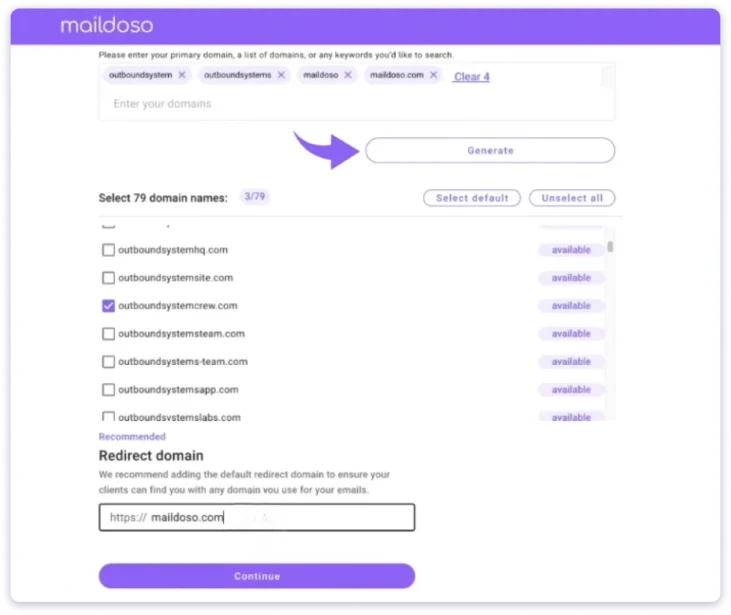
But one number changes the math. Maildoso recommends just 15 cold emails per mailbox daily, so hitting 1,000 sends takes around 67 cold email mailboxes rather than 35.
These are also Maildoso’s own SMTP mailboxes, not real Google or Microsoft accounts, so your sender reputation partly depends on others in that pool.
Where it becomes limited is after setup, since it doesn’t replace your outreach platform. You still need another tool for sequences, warm-up, and campaign management. There’s no unified inbox pulling replies together either.
Maildoso works well if you already own that stack. If you want infrastructure and outreach together, you’ll need an all-in-one solution.
✅ What I Liked
- Lowest cost per mailbox at volume, from $2.50 down to $0.49 at 1,000
- Setup in under 10 minutes with DNS configured automatically
- Domains bought in the dashboard, or connect your own
- One-click connections to Instantly, Smartlead, and EmailBison
- IP rotation, mailbox health scores, and inbox placement tests every 3 days
❌ What I Didn’t Like
- Maildoso’s own SMTP servers, not Google or Microsoft mailboxes
- Google Workspace mailboxes aren’t currently available
- Only 15 cold emails per mailbox daily, so you need many more
- Sequences and warm-up both live in whatever tool you pair it with
- G2 reviewers report domains arriving already blacklisted
Pricing:
- 30 mailboxes: 75/month(2.50 each)
- 300 mailboxes: 225/month(0.75 each)
- 1,000 mailboxes: 499/month(0.49 each)
- Domains: $12/year
- 30-day money-back guarantee
3. Zapmail
⭐ Best For: Teams that want real Google Workspace or Microsoft mailboxes provisioned fast, without touching an admin console.
Zapmail is a strong Google Workspace alternative if you want genuine provider mailboxes rather than shared SMTP, particularly when inbox placement matters more than the last dollar.
It resells real Google Workspace and Microsoft 365 mailboxes, buys your secondary domains, and configures SPF, DKIM, and DMARC automatically. Setup runs about five minutes, and finished mailboxes export to 50+ sending tools in one click.
I tested it on fresh outreach domains to see how those mailboxes get treated. Because they’re ordinary Google and Microsoft accounts, inbox providers read them as normal business email instead of pooled bulk traffic, which usually means better early placement on cold sends.
That’s a real edge over Maildoso and Mailforge, and it’s the honest reason to pay more per mailbox.
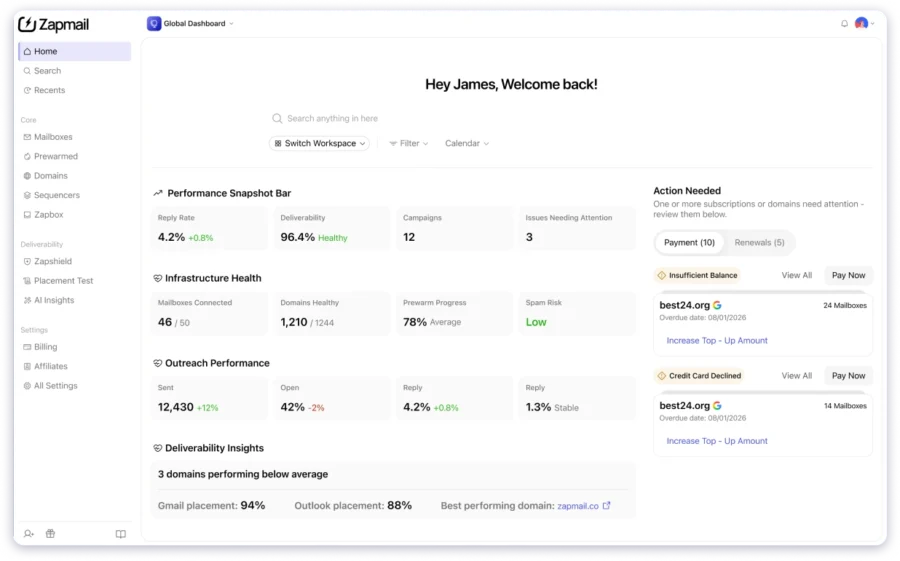
But the renewal is where I hit a wall. Zapmail starts at $39 a month for 10 mailboxes, then moves to $59 plus $6 per extra mailbox after twelve months. A setup that looks cheap in year one roughly doubles in year two.
Warmup isn’t included either, since standard mailboxes ship cold and pre-warmed ones are a separate product.
So I dug through reviews, and domain disconnection comes up repeatedly as the recurring frustration. If that renewal jump bothers you, these Zapmail alternatives cover the same ground at flatter rates.
✅ What I Liked
- Real Google Workspace and Microsoft 365 mailboxes, not shared SMTP
- Setup in around five minutes with DNS handled for you
- One-click export to 50+ sending platforms
- Strong support responsiveness in reviews
❌ What I Didn’t Like
- Pricing roughly doubles after the first 12 months
- No warm-up on standard mailboxes
- Mailboxes export to 50+ platforms, but you have to own one
- Reviewers report domains disconnecting
Pricing:
- From $39/month for 10 mailboxes
- Renews at $59/month plus $6 per additional mailbox after 12 months
- Pre-warmed mailboxes sold separately
4. Mailforge
⭐ Best For: Agencies standing up large numbers of domains and mailboxes at once for bulk email accounts for outbound.
If you’re standing up 40 domains in a week, Mailforge is built for exactly that job.
It sells shared SMTP mailboxes at $3 a month, or roughly $2.40 on annual billing, with a 10-mailbox minimum. What sets it apart is the bulk tooling: mass DNS updates, domain transfers, and SSL domain masking that its direct competitors mostly don’t offer.
The bulk domain management is the reason to use it, so that’s where I started.
Spinning up dozens of domains at once, Mailforge’s DNS automation writes SPF, DKIM, and DMARC across all of them without touching each one individually.
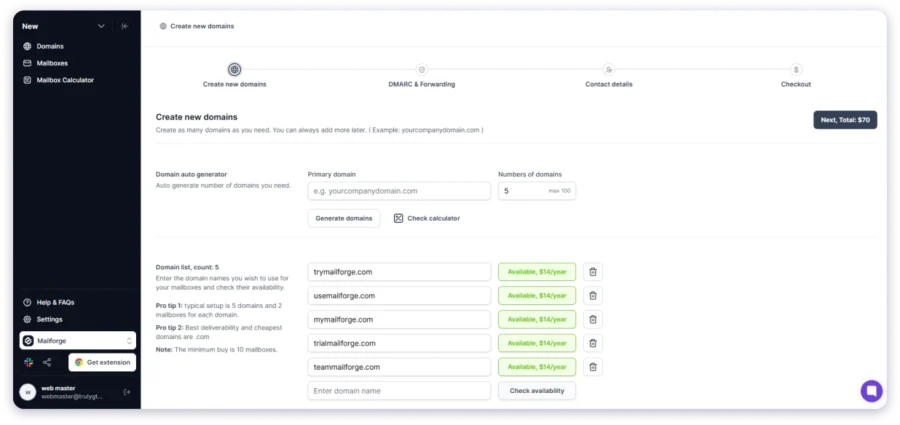
If you’re an agency onboarding several clients in a week, that tooling saves real hours.
It also sits inside the Salesforge ecosystem alongside Infraforge, which is where you’d go for a dedicated IP for cold email if shared infrastructure worries you.
But two things pulled me back. Warmup isn’t included, despite how it’s often described. It costs $10 per slot monthly and is only free with a Salesforge subscription, so a $3 mailbox is realistically $13 unless you’re buying the whole suite.
And the review base is thin at 18 Trustpilot reviews, with the common complaints being emails landing in spam and platform instability.
That’s not much evidence either way, but it’s less reassurance than Maildoso’s larger review volume offers.
On Mailforge vs. Maildoso, the pricing is nearly identical, and both run shared SMTP, so it comes down to whether you want Mailforge’s bulk DNS tooling or Maildoso’s longer track record.
✅ What I Liked
- Bulk domain management with mass DNS updates
- SSL domain masking and domain transferring
- Competitive at roughly $2.40 per mailbox annually
- Fits the Salesforge ecosystem for dedicated IPs
❌ What I Didn’t Like
- Only free warm-up route is buying into Salesforge
- Shared SMTP, so reputation depends on other senders
- Campaign management happens entirely outside the product
- Thin review base, with spam placement complaints
Pricing:
- $3/mailbox/month, or around $2.40 annually
- 10-mailbox minimum
- Warmforge warm-up at $10 per slot/month
5. Microsoft 365
⭐ Best For: Teams that want the closest match to Google Workspace, with desktop apps and deep third-party integrations.
Microsoft 365 is the alternative most people name first, and the one I’d steer outbound teams away from.
You get Word, Excel, PowerPoint, and Outlook as full desktop apps rather than browser versions, Teams for chat and video, and 1 TB of OneDrive storage per user.
So I went looking for what Workspace teams actually miss when they leave.
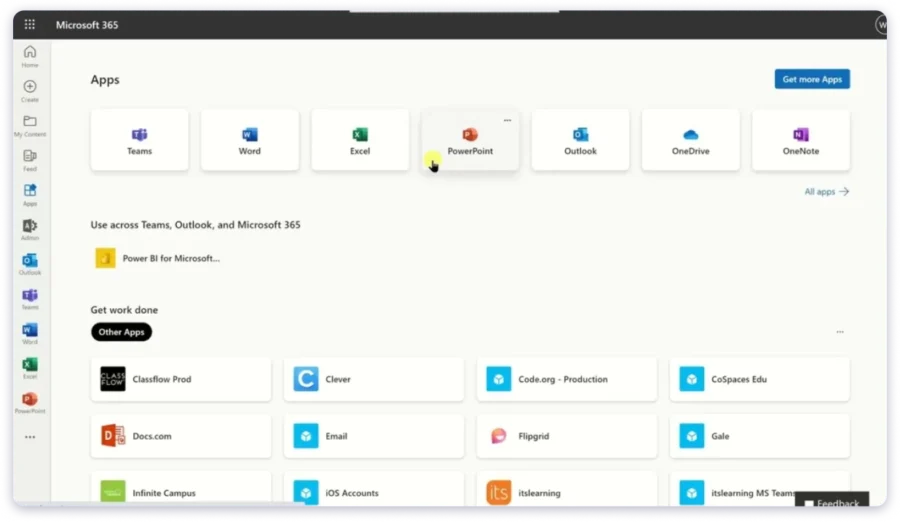
Heavy spreadsheets and formatted Word files behave exactly as they always have, offline access is real rather than partial, and the third-party integration list is the widest of any suite here. If the rest of your business already runs on Microsoft, collaboration gets easier the day you switch.
The problem is that nothing about the pricing solves what sent you looking.
Business Basic costs $7 per user monthly after the July 2026 rise from $6, so you’re paying the same per-seat pricing you were trying to escape. Every sending mailbox is another full licence bundled with apps it will never open.
Microsoft also prohibits unsolicited bulk email, throttles outbound sending, and gives you no bulk provisioning or automated DNS for secondary domains.
Keep it for documents and internal mail. It’s the wrong home for a sending mailbox.
✅ What I Liked
- The closest feature-for-feature replacement for Google Workspace
- Full desktop apps for Word, Excel, PowerPoint, and Outlook
- 1 TB of cloud storage per user on every business plan
- Teams handles chat, calls, and video in one place
- Widest third-party integrations of any suite here
- 30-day free trial, no credit card required
❌ What I Didn’t Like
- Per-seat pricing gets expensive across larger teams
- Prices rose in July 2026, applying at your next renewal
- Business plans cap at 300 users
- Admin centre is heavy for small teams
- Mailboxes get created one at a time, with DNS wired by hand
Pricing:
- Business Basic: $7/user/month (annual)
- Exchange Online Plan 1 (email only): $4/user/month
- 30-day free trial
6. ONLYOFFICE
⭐ Best For: Teams that want to run their own office suite on their own server, and technical teams looking for free Google Workspace alternatives.
ONLYOFFICE is the only tool here you can run on your own hardware for free.
It covers document editing, spreadsheets, presentations, project management, and CRM, with a free Community edition and cloud plans from around $4 per user. Self-host it, and there’s no per-seat subscription at all, with storage limited only by the disk you attach.
Ownership is the whole pitch, and file compatibility is where that pitch usually collapses.
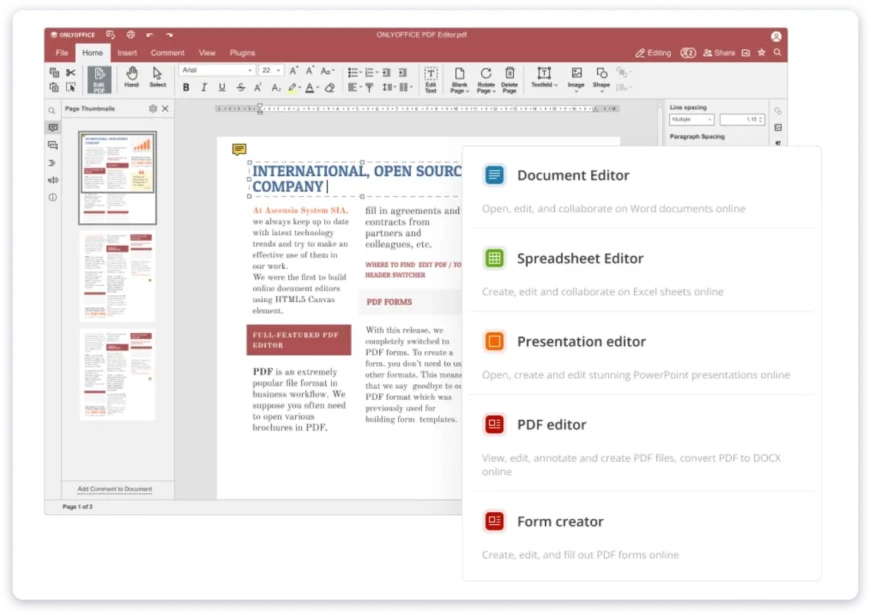
Not here, though. Word and Excel files open and save without breaking formatting, and complex spreadsheets survive the round trip, which separates ONLYOFFICE from most free alternatives.
The Community edition also includes an installable Mail Server, so unlike what most comparison posts claim, ONLYOFFICE does handle email if you’re willing to run it.
That’s exactly where it gets dangerous for outreach.
You’d be managing SPF, DKIM, DMARC, IP reputation, and blacklist removals yourself, on infrastructure with no sending history. Fresh self-hosted IPs get treated with suspicion by every inbox provider.
Great for owning your documents. Terrible for owning your deliverability.
✅ What I Liked
- Free Community edition, with no per-user subscription when self-hosted
- Strongest Microsoft Office file compatibility of any open-source suite here
- Storage limited only by your own disk
- Project management and CRM included
- Includes an installable mail server
- Pay once instead of paying monthly
❌ What I Didn’t Like
- Self-hosting needs someone who can run and maintain a server
- Setup takes real time, per reviewers
- Self-hosted mail means managing deliverability yourself
- Cloud pricing quoted per admin, which muddies comparisons
- Smaller ecosystem and fewer integrations
- Server licences run into the thousands at scale
Pricing:
- Community edition: free, self-hosted
- Cloud: from around $4/user/month
- Self-hosted Workspace Enterprise: from $2,200 per server (lifetime, 50 users)
7. Fastmail
⭐ Best For: Small teams that only need a professional email address, shared calendars, and nothing else.
Fastmail replaces Gmail, not Google Workspace, and it’s honest about that.
Plans start at $3 per user, with custom domains from $5 on Standard. What it does instead of competing on features is strip everything back to the inbox, which Google stopped doing a long time ago.
I wanted to know whether stripping everything back actually works day to day.
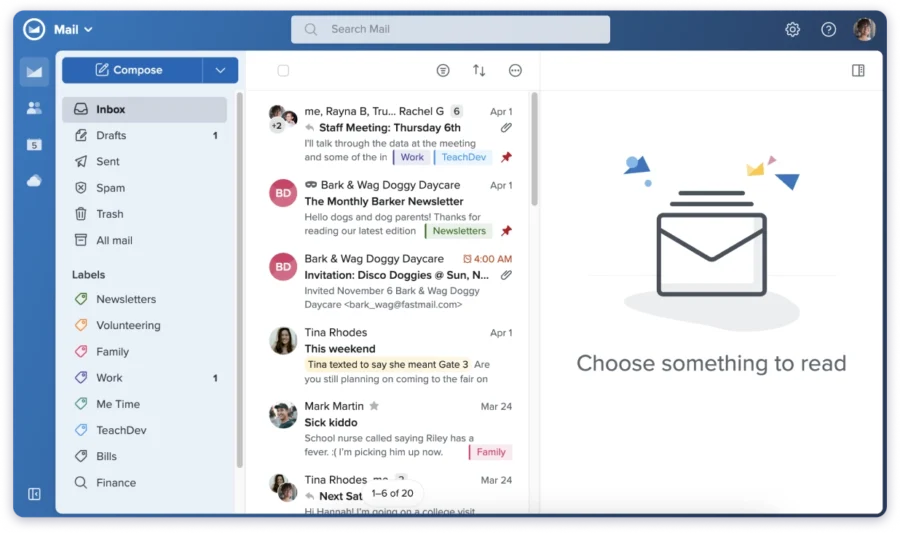
It does. Connected through IMAP and CalDAV, it works with any mail client you already use; the webmail interface is the fastest in this group, and no ad tracking or mail is scanned anywhere in the product. Fastmail also shipped an official MCP server in 2026, so AI assistants can reach your mail directly.
The constraint that caught me out is how little it covers.
There’s no document editing, no file storage beyond mail, and no video conferencing. Custom domains also need Standard or above, which makes that $3 entry tier useless for business.
And Fastmail is stricter than anyone here on outreach. Their terms ban bulk unsolicited email, warm-up tools, and seed testing.
So use it if the suite is dead weight to you. Just don’t point a campaign at it.
✅ What I Liked
- Clean, fast webmail with no ads, tracking, or mail scanning
- Works with any client through IMAP, SMTP, CalDAV, and JMAP
- Shared calendars and company address book on business plans
- Mix plan tiers across your team
- Masked Email for signups without exposing your address
- 30-day free trial, no credit card
❌ What I Didn’t Like
- Email and calendar only, with no documents or file storage
- Custom domains need Standard or above, not the entry tier
- Terms ban cold email, warm-up tools, and seed testing
- No free version and no desktop apps
- Migrating a large Gmail mailbox takes effort, per reviewers
Pricing:
- Basic: $3/user/month (no custom domain)
- Standard: $5/user/month
- Professional: $9/user/month
- 30-day free trial
8. Proton Workspace
⭐ Best For: Teams handling sensitive client data who need encryption as a requirement, not a nice-to-have.
Proton is the pick when an auditor cares where your data sits.
It covers mail, calendar, Drive, Docs, and Meet, with a VPN and password manager bundled on the Workspace tier. Proton is based in Switzerland, outside US data law, and runs zero-access encryption so their own servers can’t read your mail.
Encryption sounds good until you use it, so I checked what it costs in practice.
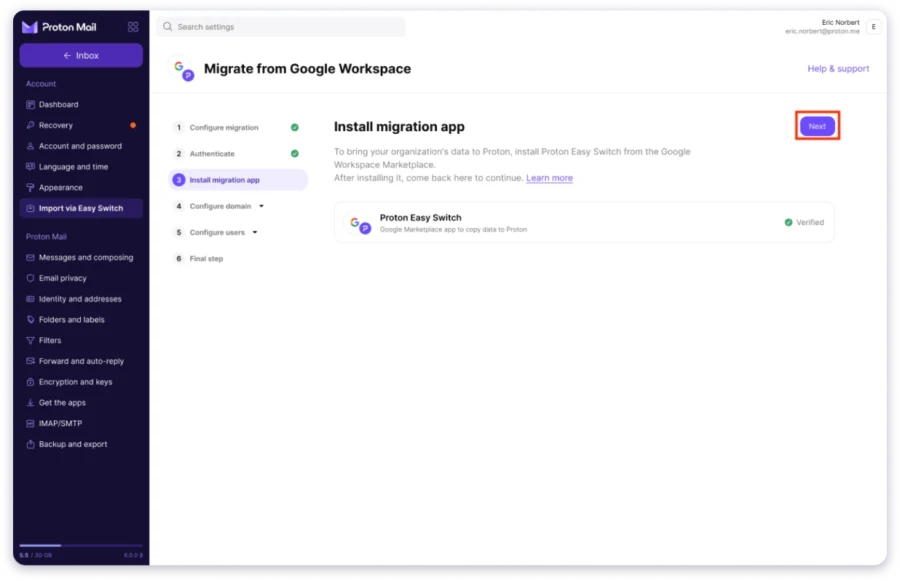
I sent mail in and out of the org to see where it actually bites. Everything stays encrypted end to end with no configuration, and Proton will sign a business associate agreement, which healthcare teams need for HIPAA. Easy Switch pulled Gmail data across for free, so migration wasn’t the headache I expected.
Then the trade-offs showed up.
Search inside a fully encrypted mailbox has real limits, third-party integrations are thin, and shared document editing is still catching up. You also pay more than Google Workspace Business Starter for it.
For outreach, it fails twice over, since the terms prohibit bulk unsolicited email and the encryption breaks open tracking, link tracking, and reply attribution.
Worth every dollar for client communication. Useless for outreach, by design.
✅ What I Liked
- End-to-end encryption on mail, files, and calendar by default
- Based in Switzerland, outside US data law
- VPN and password manager bundled on Workspace Standard
- Full suite with mail, calendar, Drive, Docs, Sheets, and Meet
- Signs a business associate agreement for HIPAA
- Easy Switch imports Gmail data for free
- 14-day trial plus a 30-day money-back guarantee
❌ What I Didn’t Like
- Costs more than Google Workspace Business Starter
- Document editing still behind on features
- Very few third-party integrations
- Search is limited by the encryption itself
- Tracking and reply attribution break under encryption
- Custom domain count, not storage, pushes you to a higher plan
Pricing:
- Mail Essentials: $6.99/user/month
- Proton Workspace Standard: $12.99/user/month (annual)
- 14-day free trial
9. Zoho Workplace
⭐ Best For: Small businesses that want a full suite at a much lower cost, or a genuinely free version.
Zoho Workplace undercuts every full suite here, and it’s the strongest of the Google Workspace alternatives for small business teams watching the bill.
It covers Zoho Mail, Writer, Sheet, Show, Cliq, and Meeting, with Standard at $3 per user monthly on annual billing. There’s also a mail-only tier at $1, and a free version for up to five users that neither Google nor Microsoft offers.
Cheap suites usually hide the cost somewhere, so I went looking for it.
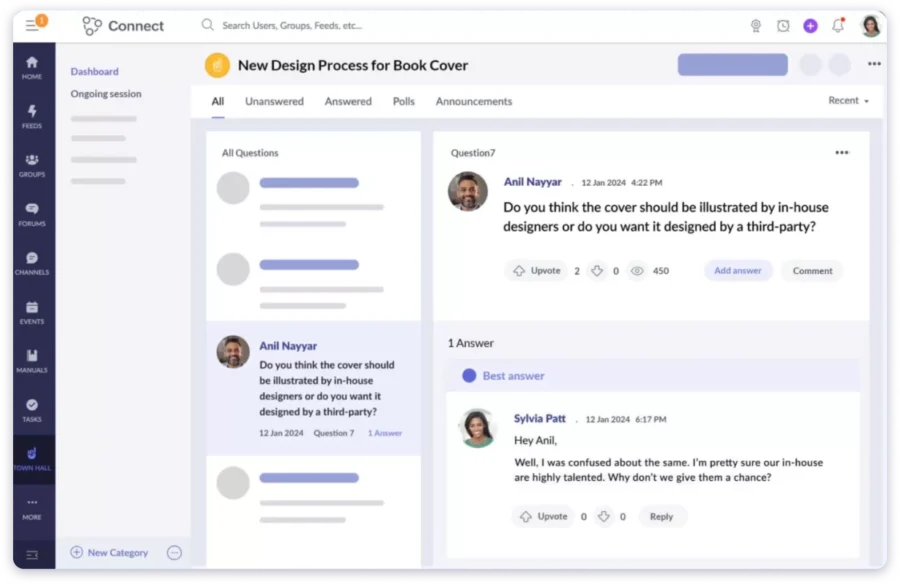
What I found first was the opposite. Plan mixing lets field staff sit on the $1 mail-only tier while managers use Professional, all from one admin panel, which is exactly what Google refuses to allow. On a 20-person team, mixing tiers can halve your bill.
The actual catch is depth. Writer and Sheet handle everyday work fine, but complex Word and Excel files come back looking different, and integrations are thinner since Zoho’s answer is usually another Zoho app.
For outreach, the price stops mattering entirely. Zoho’s hourly sending limits cap external email at 50 to 500 per hour, polices unsolicited outreach, and offers no bulk provisioning for secondary domains.
Best value on this list for a working team. Wrong tool entirely for outbound.
✅ What I Liked
- Standard at $3 per user monthly, roughly half of Google
- Free version for up to 5 users, rare in this category
- Mail-only tier at $1 per user
- Mix different plans across users in one account
- Full suite covering mail, docs, chat, and meetings
- Custom domain email on every paid plan
- 15-day free trial, no credit card
❌ What I Didn’t Like
- Document editing is weaker on complex Microsoft Office files
- Fewer third-party integrations than Google or Microsoft
- Web and mobile only, with no desktop apps
- Free version drops custom domain email
- Hourly sending caps rule out any real campaign volume
- Support quality varies by plan
Pricing:
- Free: up to 5 users, no custom domain
- Mail Lite: $1/user/month
- Standard: $3/user/month (annual)
- Professional: $6/user/month
- 15-day free trial
Final Verdict: Which Google Workspace Alternative Should You Choose?
The right Google Workspace alternative depends on your goal.
For cold email campaigns, Saleshandy is built for teams that need scalable email infrastructure. It combines mailbox setup, DNS configuration, warm-up, sender rotation, and outreach management in one platform.
For businesses looking for a complete productivity suite replacement, Microsoft 365 and Zoho Workplace are better options. Microsoft 365 fits teams that need Office apps and enterprise collaboration, while Zoho Workplace offers an affordable alternative for email, storage, and teamwork.
Choose based on whether you need workplace tools or cold email infrastructure.
FAQs
1. Can I use Google Workspace for cold email?
Technically yes, but it isn’t built for it. Gmail caps sending at 2,000 messages a day, Google’s Acceptable Use Policy prohibits unsolicited mass email, and a suspension can take down every domain in your account. For anything past light outreach, dedicated infrastructure like Saleshandy’s Email Infrastructure is safer and cheaper.
2. Will Google suspend my account for cold emailing?
It can, and a Google Workspace suspension for cold email often arrives with no warning or stated reason. Proper SPF, DKIM, and DMARC setup, plus warm-up and a slow ramp, lower the risk considerably. Saleshandy handles all of that automatically on secondary domains, which keeps your main Workspace account out of the line of fire entirely. Learn more about how email deliverability works inside Saleshandy.
3. What’s the cheapest Google Workspace alternative for cold email?
Maildoso starts at $2.50 per mailbox and drops to $0.49 at 1,000. Mailforge runs around $2.40 annually. But both are infrastructure-only, so once you add warm-up and a sending platform, Saleshandy at $2.99 with both already included usually works out cheaper overall.
4. Do I need a separate sending tool with these alternatives?
For every infrastructure tool here except Saleshandy, yes. Maildoso, Zapmail, and Mailforge sell you mailboxes and stop there, so you’ll need Instantly, Smartlead, or similar on top. Saleshandy is the only option where mailboxes, warm-up, and sequences run in one platform. This cold email guide walks through the full setup.
5. How many cold email mailboxes do I actually need?
Most teams send 20 to 30 emails per mailbox daily, so 1,000 sends a day needs roughly 35 to 50 cold email mailboxes across separate domains. At $7 a seat, that’s $245 to $350 monthly on Google Workspace, against roughly $150 on Saleshandy for the same capacity. Use Sequence Score to check your setup before launching.
Shared SMTP mailboxes from Maildoso and Mailforge run on pooled infrastructure, so your sender reputation partly depends on how other senders behave. Saleshandy and Zapmail give you real Google and Microsoft accounts, which inbox providers treat as ordinary business email and usually place better on cold sends. Learn more about what drives cold email deliverability.
7. Can I keep Google Workspace for business email and use a separate tool for cold email?
Yes, and you should. If you need a Google Workspace alternative for email outreach specifically, you don’t have to replace the whole suite. Keep Workspace for your primary business communication, then run outreach on secondary domains through Saleshandy. Domain Forwarding routes those domains back to your real website, so your main domain’s reputation stays protected while outreach scales.
8. Is there a free Google Workspace alternative?
Saleshandy gives you a 7-day free trial with no credit card, which is enough to set up domains and mailboxes and see the infrastructure working before you pay anything. For permanently free Google Workspace alternatives, ONLYOFFICE has a self-hosted Community edition, and Zoho Workplace covers up to five users, though neither works for cold email.

 Piyush Patel

 Anil Salvi