


If you are looking for Zapmail alternatives, there are usually two reasons behind it.
You are either already using Zapmail and not getting the results you expected.
Or, you are exploring different cold email infrastructure providers before investing in a setup that can support your outreach goals.
Well, whatever your reason, choosing the right infrastructure matters. Your email infrastructure impacts everything from mailbox health and deliverability to how easily you can scale your sending volume.
In this guide, we compared the best Zapmail alternatives based on mailbox quality, warm-up capabilities, deliverability monitoring, pricing, scalability, and overall infrastructure reliability.
One thing is clear by the end of this article, you will have a clear idea of which cold email infrastructure provider fits your sending requirements and growth plans.
9 Best Zapmail Alternatives- TOC
TL;DR: 9 Best Zapmail Alternatives and Competitors at a Glance
- Saleshandy: Best Zapmail alternative for scalable cold email infrastructure with Google Workspace, Microsoft 365, and Azure mailboxes, warm-up, deliverability tools, and outreach built in.
- InboxKit: Best for agencies needing mailbox monitoring, deliverability visibility, and multi-client infrastructure management.
- Primeforge: Best for compliance-focused teams needing managed mailboxes, ESP matching, and advanced infrastructure control.
All 9 Zapmail Alternatives Compared
| Zapmail Alternative | Best For | Main Advantage | Starting Price |
|---|---|---|---|
| Saleshandy | Teams scaling cold email | Google Workspace, Microsoft 365, and Azure mailboxes with warm-up, deliverability tools, and outreach built into one platform | $2.99/mailbox/month |
| InboxKit | Agencies and scaling teams | Google Workspace, Microsoft 365, and Azure accounts with deliverability monitoring and 24+ integrations | $2.50/mailbox/month |
| Primeforge | Teams needing compliance-focused infrastructure | Pre-warmed Google Workspace and Microsoft 365 inboxes with SOC 2 compliance and ESP-matching | $4.50/mailbox slot/month |
| Maildoso | High-volume mailbox scaling | Cost-effective mailbox infrastructure with self-healing recovery and 30-day money-back guarantee | $2.50/mailbox/month |
| Aerosend | Teams wanting private infrastructure | Private SMTP infrastructure with dedicated aged IPs and burn detection | $4/inbox, $2 at 150+ |
| Hypertide | Microsoft-heavy setups | Microsoft-focused infrastructure with dedicated Azure environments and unique IP per tenant | $3.30/inbox (GWS), $25/domain (Azure) |
| Inframail | Microsoft mailbox scaling | Flat-rate unlimited Microsoft 365 inboxes with automated setup and dedicated US IPs | $147/month unlimited |
| Icemail.ai | Teams needing provider flexibility | Google Workspace, Microsoft 365, Azure, and IMAP mailbox options with US/EU IP guarantee | $2.50/mailbox/month |
| Airmail | Instantly users | Proprietary sending infrastructure with pod-based isolation inside the Instantly platform | $4/account |
Why Do People Look for Zapmail Alternatives?
After going through 87 Zapmail reviews on Trustpilot, 7 on G2, and several Reddit threads, I noticed clear patterns. These are the reasons teams start searching for Zapmail competitors.
1. Indian IPs Marketed as US-Based
This is the most reported Zapmail complaint. Zapmail markets all mailboxes as US/EU, but multiple users found their accounts routing through Indian data centers instead.
“Deceptive marketing offering US-based mailboxes. They are Indian IPs with terrible deliverability.”
Read the full review on Trustpilot →“They buy inboxes from Google India for $1.70/inbox and resell. I had 0.6% reply rate because of INDIAN IPs.”
Read the full review on Trustpilot →2. No Continuous Deliverability Monitoring
Zapmail offers a Placement Test and AI Insights, but both are paid one-shot tools with no ongoing monitoring. You test once and then fly blind.
“It should provide an email deliverability tool. Sometimes I feel like I sent 100 emails but few of them are not reaching the destination.”
Read the full review on G2 →3. Zero Refund Policy and No Free Trial
Zapmail says all purchases are final and non-refundable, with no free trial to test before paying. If deliverability is bad, you lose your money.
“Sketchy no-refund policy. I had 0.6% reply rate because of Indian IPs, and there was zero recourse.”
Read the full review on Trustpilot →4. DNS Mismanagement, Migration Lock-In, and Instant Suspensions
Zapmail’s DNS changes have taken down production websites without warning. Migrating away breaks custom domain setups. And one failed payment leads to full mailbox suspension within 24 hours.
“They regularly disconnect domains from our webhost where our website lives. We send emails with broken links because the website is down.”
Read the full review on Trustpilot →“When I tried to move my Google Workspace to manage it directly with Google, Zapmail did not allow an easy release. Our company email stopped working.”
Read the full review on Trustpilot →In-Depth Review of 9 Best Alternatives to Zapmail
Here is a closer look at each Zapmail alternative, what it does well, where it falls short, and who it fits best.
1. Saleshandy
Saleshandy is a strong Zapmail alternative for you if you need reliable cold email infrastructure to scale outbound campaigns without compromising deliverability.
It provides managed Google Workspace, Microsoft 365, and Azure mailboxes with the essential infrastructure layer needed for cold email success, including DNS setup, warm-up, sender rotation, and deliverability monitoring.
Instead of only providing mailboxes, Saleshandy helps teams manage the complete sending environment from setup to campaign execution.
Key infrastructure capabilities include:
- Google Workspace, Microsoft 365, and Azure mailboxes with automated SPF, DKIM, DMARC, MX, and tracking domain setup
- Domain Forwarding to connect outreach domains with your main website and maintain brand credibility
- Unlimited warm-up through TrulyInbox to maintain sender activity
- Sender Rotation to distribute sending volume across multiple inboxes
- Inbox Radar to monitor inbox placement and sending performance
- Bounce Guard to identify bounce spikes before they impact sender reputation
- Sequence Score to detect deliverability risks before launching campaigns
- Dedicated IP options for teams that need more control over their sending environment
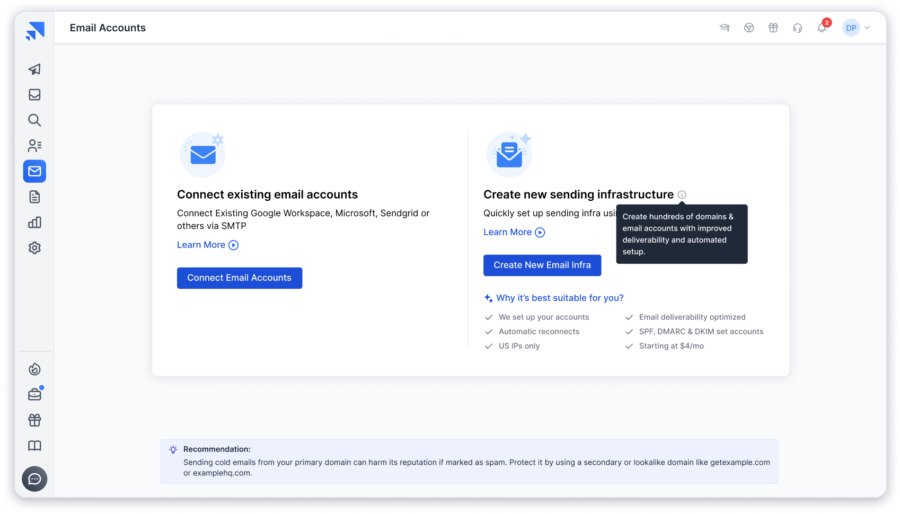
The biggest difference between Saleshandy and mailbox-only providers is the infrastructure layer around the inbox. Teams get not only sending accounts but also the tools needed to monitor, protect, and scale their email reputation.
Compared to Zapmail, Saleshandy gives teams more control over their complete cold email operation:
Zapmail helps you create cold email mailboxes. Saleshandy helps you build and manage cold email infrastructure.
Pros and Cons:
| ✅ Pros | ❌ Cons |
|---|---|
| Infrastructure layer goes beyond mailbox creation with monitoring, rotation, and reputation protection built in | You cannot add additional email accounts to an existing domain after purchase |
| Domain Forwarding maintains brand credibility when prospects search your sending domains | |
| Dedicated IP option gives teams control over their own sending reputation | |
| Bounce Guard and Sequence Score catch deliverability problems before campaigns go live | |
| Warm-up, sequencing, and lead database included without needing separate tools | |
| SOC 2 Type II, ISO 27001, and GDPR certified | |
| 7-day free trial with no credit card required |
Saleshandy Pricing:
- Annual Fixed: $2.99/mailbox/month
- Annual Flexi: $3.49/mailbox/month
- Quarterly: $3.99/mailbox/month
- Domains: $9/domain/year
- 7-day free trial with no credit card required
Who should use Saleshandy:
Teams, agencies, and founders looking for reliable cold email infrastructure with mailbox management, deliverability controls, and outreach capabilities in one platform.
2. InboxKit
InboxKit is a great Zapmail alternative for teams that need to see what is happening inside their mailbox infrastructure. It fits best when you run multiple sending domains and reply rates drop without a clear reason.
It provides Google Workspace, Microsoft 365, and Azure mailboxes. Where Zapmail gives you a mailbox and stops, InboxKit keeps watching after setup.
InboxKit’s notable features include:
- InfraGuard monitoring that checks 50+ blacklist providers every six hours, tracks DNS changes, bounce signals, and mailbox health from one dashboard
- Inbox placement testing that runs on a schedule so you see what is landing in spam before you scale
- Google Workspace, Microsoft 365, and Azure support with SPF, DKIM, and DMARC set up automatically in under 10 minutes
- 24+ sequencer integrations including Saleshandy, Instantly, Smartlead, Lemlist, and Apollo
- API and webhook access on all plans for custom workflows
- Independent mailbox warm-up that ramps each account on its own instead of a shared pool
- Domain-level monitoring that catches blacklist hits and DNS drift before reply rates drop
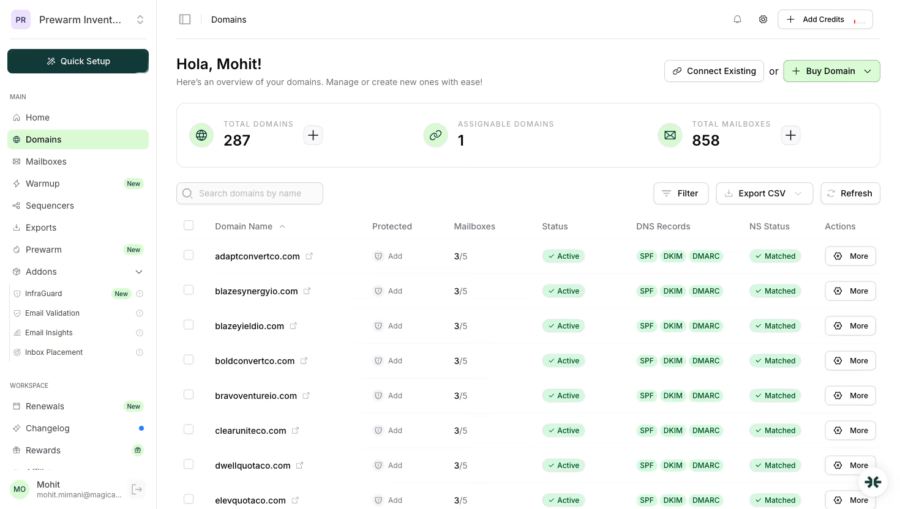
In my experience, InfraGuard is what makes InboxKit worth looking at. It scans 50+ blacklist providers every six hours. It fires alerts the moment a DNS record moves.
That is the visibility Zapmail does not give you. It is why teams with unexplained deliverability drops keep ending up here.
However, InboxKit does not help you send. There is no prospect database, no sequencer, and no campaign tools inside the platform.
You still need Saleshandy, Instantly, or Smartlead to run outreach. If monitoring is the gap, InboxKit fills it. If you want everything in one place, this adds another tool.
Pros and Cons:
| ✅ Pros | ❌ Cons |
|---|---|
| Catches deliverability issues before campaigns feel the impact | Warm-up is a paid add-on, not included |
| 95% inbox placement guarantee that Zapmail does not publish | Azure tenants reportedly burn out quickly |
| API on every plan vs Zapmail locking it behind its highest tier | No sequencing, lead generation, or reply management |
| Widest sequencer list at 24+ vs Zapmail’s ~5 | Mailboxes are resold, you do not own the infrastructure |
InboxKit Pricing:
- Starts at $2.50/mailbox/month
- Professional plan at $39/month for 10 mailboxes
- Enterprise plans for larger teams
- Azure tenants available separately
Who should use InboxKit:
Teams that already run outreach elsewhere and need better monitoring and visibility across their sending domains.
3. Primeforge
Primeforge is a strong Zapmail competitor for teams that care about how emails are sent. It works best when your campaigns target Gmail and Outlook recipients and you want the sending to match.
Most providers send every email through Google Workspace no matter who gets it. Primeforge matches the sender to the recipient. Gmail prospects get emails from a GWS account. Outlook prospects get them from Microsoft 365.
Primeforge’s notable features include:
- ESP-Matching that sends from the same provider the prospect uses
- SOC2 compliance with real licensed GWS and M365 accounts and a “no EDU tricks, no loopholes” policy
- Heat Score that watches domain health and flags problems before they grow
- API, MCP, and CLI access on all plans for managing infrastructure with code
- Pre-warmed mailboxes ready to send in about 30 minutes
- Dedicated US-based IPs on every order
- Salesforge integration for email and LinkedIn outreach from one workflow
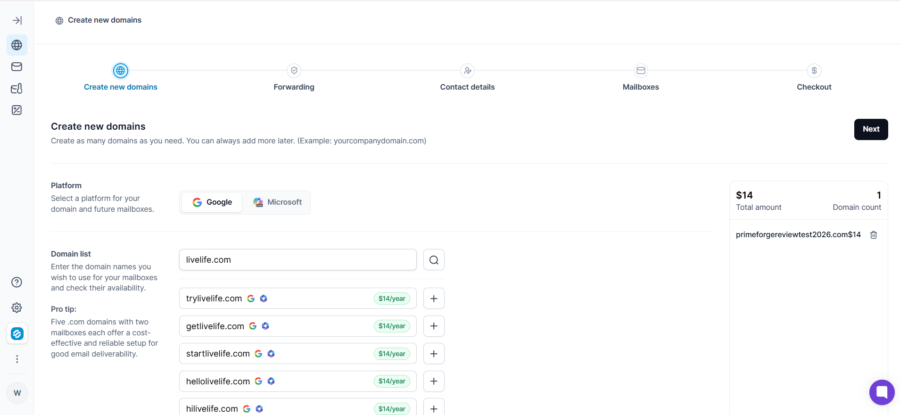
What I appreciate about Primeforge is the ESP-Matching idea. The logic is simple. Emails that stay inside the same provider as the recipient get treated better by spam filters.
Zapmail sends through whatever was set up at the start. Heat Score also gives you ongoing domain visibility, which Zapmail does not offer at all.
My concern is the number of tools you end up managing. Warm-up lives in Warmforge. Monitoring in Infraforge. Sequencing in Salesforge. Each is billed separately. For teams that want one dashboard, this setup can feel heavy.
Pros and Cons:
| ✅ Pros | ❌ Cons |
|---|---|
| ESP-Matching keeps emails inside the recipient’s provider | Most expensive per mailbox on this list |
| SOC 2 and real licenses mean you can verify what you are getting | Warm-up, monitoring, and sequencing are separate products |
| Heat Score gives ongoing domain visibility | Managing multiple Forge products adds work |
| API, MCP, and CLI on every plan | No free trial, no published money-back guarantee |
Primeforge Pricing:
- SMTP: $3.50/mailbox/month
- Google Workspace: $4.50/mailbox/month
- Microsoft 365: $4.50/mailbox/month
- Domains: $14/year
Who should use Primeforge:
Teams that need ESP-matching, SOC 2 compliance, and the ability to manage infrastructure with code.
4. Maildoso
Maildoso is a Zapmail alternative built for high-volume teams that want financial protection before committing. It is the only provider on this list with a full 30-day money-back guarantee, which directly answers Zapmail’s zero-refund policy.
It provides mailboxes with self-healing and automatic IP rotation. When a mailbox starts dropping, the system resets it, rotates IPs, and re-warms the account without you lifting a finger.
Maildoso’s notable features include:
- Self-healing mailboxes that auto-reset, rotate IPs, and re-warm when deliverability drops
- CAPTCHA domain protection that blocks ESP crawlers from scanning and flagging outreach domains
- Automatic IP rotation with blacklisted IPs swapped without manual work
- API and MCP access on paid plans
- Free deliverability audits on all plans
- 1,400+ Slack community for peer support
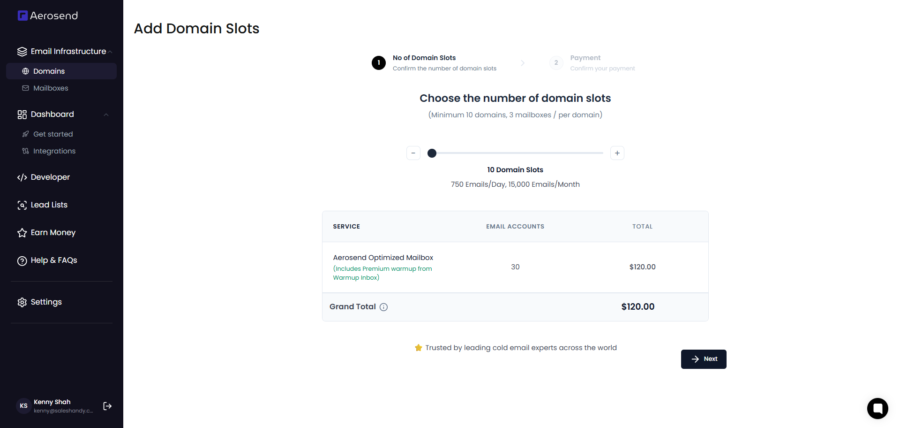
The first thing that caught my attention is how self-healing actually works. Most providers leave reputation management to you. Maildoso handles it quietly in the background. You only find out it happened if you check the logs.
My gripe with the platform is what they do not tell you. Mailbox type is called “reputable” without naming Google or Microsoft. IP location is never shared. And the 2025 blacklist incident that hit hundreds of customers is worth knowing about before you commit.
Pros and Cons:
| ✅ Pros | ❌ Cons |
|---|---|
| Self-healing cuts down manual work when inboxes start dropping | Shared infrastructure means performance depends on the overall sending pool |
| 30-day money-back lowers the risk of trying the platform | Limited info about mailbox providers and IP setup |
| IP rotation helps manage reputation across mailbox pools | No lead database, sequencing, or campaign tools |
| Placement tests and health scores give better visibility | 2025 blacklist incident affected hundreds of customers |
Maildoso Pricing:
- 30 mailboxes: $2.50/mailbox/month
- 300 mailboxes: $0.75/mailbox/month
- 1,000+ mailboxes: $0.49/mailbox/month
- 30-day money-back on monthly plans
Who should use Maildoso:
Budget teams that need high-volume mailboxes with refund protection and automated recovery.
5. Aerosend
Aerosend is a Zapmail alternative built for agencies that need complete client isolation. Each client’s sending reputation stays separate on private infrastructure with dedicated aged IPs.
It uses private SMTP infrastructure instead of standard Google Workspace or Microsoft 365 mailboxes. Each batch of domains gets its own isolated server.
Aerosend’s standout features include:
- Dedicated isolated infrastructure where each 10-domain batch gets its own server
- Domain Burn Alerts that monitor five reputation signals: warm-up rep, inbox placement, reply rate, bounce rate, and bounce type
- Aged IP addresses with established sending history instead of fresh IPs
- Sequencer-specific warm-up profiles for SmartLead, Instantly, and Lemlist
- Biweekly inbox placement testing across Gmail, Outlook, and Yahoo
- Month-to-month billing without long-term contracts
- Free Burn Alerts for SmartLead and Instantly users, even non-customers
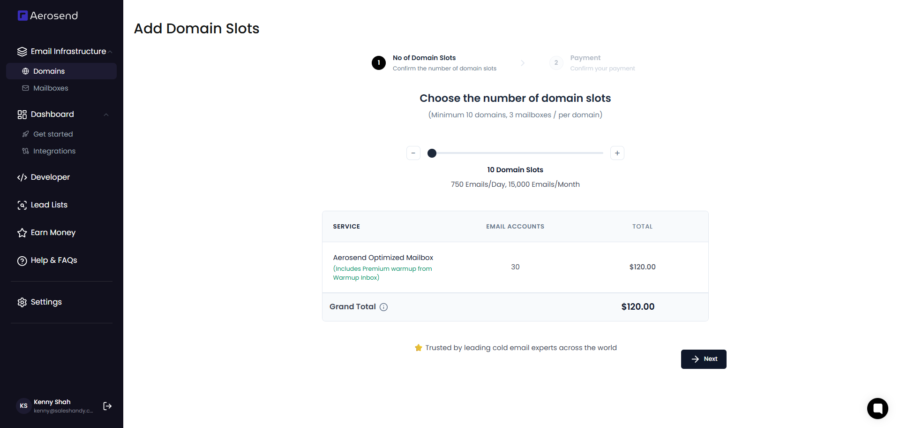
The reason I kept coming back to Aerosend is the isolation model. When managing multiple clients, the biggest risk is one poor campaign affecting everything else on the same infrastructure. Aerosend prevents that by keeping each client’s sending environment separate.
The Burn Alerts monitoring impressed me too. Instead of waiting until reply rates drop, it watches five metrics at once and rotates IPs before campaigns take damage.
The catch I ran into is that these are not real Google Workspace or Microsoft 365 accounts but private SMTP. The minimum order is 30 inboxes. The company is registered in India, so I would verify infrastructure location independently before committing.
Pros and Cons:
| ✅ Pros | ❌ Cons |
|---|---|
| Burn detection catches issues before campaigns take damage | Not real GWS or M365 accounts, private SMTP only |
| Isolated servers mean one client cannot hurt another | Minimum 30 inboxes to start |
| ESP-specific warm-up treats each sequencer differently | No G2 profile for independent reviews |
| Free Burn Alerts for SmartLead and Instantly users | Company registered in India, verify infra location |
| No contracts, month-to-month billing | You need your own sequencer to run campaigns |
Aerosend Pricing:
- First 150 inboxes: $4/inbox/month
- 150+ inboxes: $2/inbox/month
- No contracts, cancel anytime
Who should use Aerosend:
Agencies that manage several client campaigns and need isolated infrastructure with proactive burn detection.
6. Hypertide
Hypertide is the Zapmail alternative for buyers who need something Zapmail cannot offer. That means a unique Azure IP per tenant with native Outlook access and agency workspace separation.
Each Azure Entra tenant gets its own unique IP address. No other customer’s sending behavior can affect your reputation.
Hypertide’s standout features include:
- Unique Azure IP per tenant that fully isolates your sending reputation from every other customer.
- Native Outlook UI on Entra accounts that looks and behaves like a real business inbox instead of SMTP-only access.
- Relay and Layover warm-up tools that handle automated volume ramp and account recovery separately.
- Agency workspaces with unlimited team seats and per-client separation built into every plan.
- Google Workspace and Azure/Entra support covering both major providers in one platform.
- Full API access on all plans with month-to-month billing and no lock-in contracts.
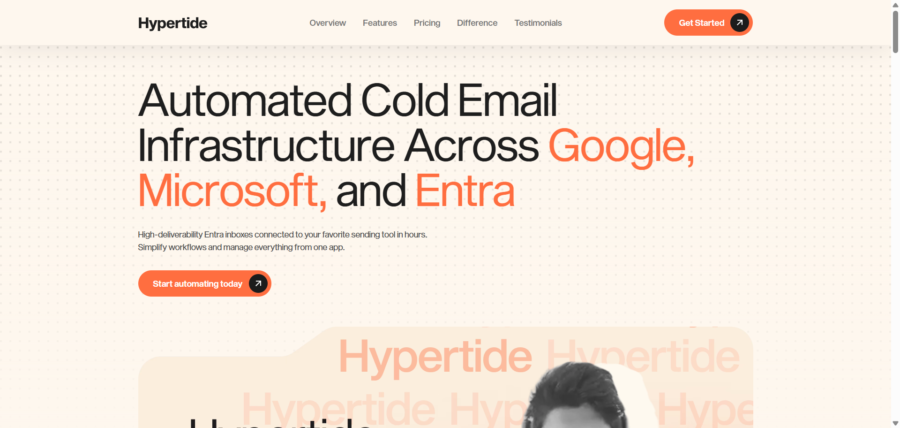
When I tested Hypertide, the native Outlook setup stood out immediately. VAs can log in normally and send manual follow-ups. The account looks completely organic to any ESP scanning for automation signals.
Hypertide claims 8% better inbox performance with native Outlook compared to standard Google Workspace sending.
Another thing worth flagging is the agency workspace separation. Each client gets its own environment, which keeps reputation isolated without manual workarounds.
Where it gets complicated is team size. Hypertide has 4 employees, which raises questions about vendor continuity. Setup takes 4 to 6 hours, the longest on this list. There is also no continuous monitoring built in.
Pros and Cons:
| ✅ Pros | ❌ Cons |
|---|---|
| Each tenant gets its own IP so no other customer affects your sending | 4 employees means vendor continuity is a question |
| Native Outlook UI makes Entra accounts look like organic business inboxes | Setup takes 4 to 6 hours, longest on this list |
| Entra pricing works out cheaper per inbox than most providers | No continuous monitoring included |
| Month-to-month with no lock-in | No G2 profile for independent reviews |
Hypertide Pricing:
- Google inboxes: $3.30/inbox/month
- Azure/Entra: $25/domain/month (25 inboxes, about $1/inbox)
Who should use Hypertide:
Agencies that need per-client IP isolation on Azure with native Outlook access.
7. Inframail
Inframail is interesting because it changes the pricing conversation. Instead of charging per mailbox, it uses a flat monthly fee for unlimited Microsoft inboxes on dedicated US IPs.
Inframail’s standout features include:
- Flat-rate unlimited Microsoft inboxes on a dedicated US IP, so 50 accounts cost exactly what 5 do.
- Phantom Redirect that hides domain forwarding from ESP crawlers while keeping it visible to real visitors.
- Automated DNS setup including SPF, DKIM, DMARC, forwarding, and redirects provisioned in seconds.
- CSV credential export straight to Instantly, SmartLead, or whatever sequencer you send from.
- 1-on-1 deliverability consultant included on every plan, not gated behind a premium tier.
- Money-back guarantee on all plans.
- Domain health monitoring with auto-submitted blacklist delisting requests.
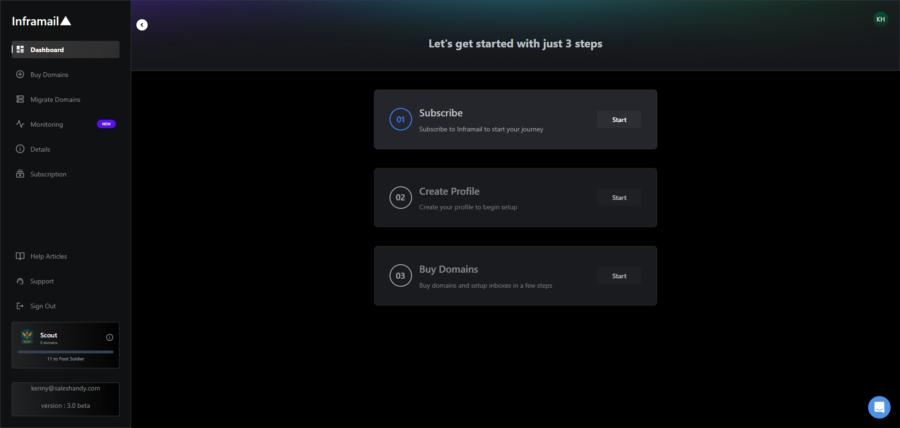
The Phantom Redirect feature is what I found most interesting beyond the pricing model. When you redirect an outreach domain to your website, ESPs can detect it and flag it as suspicious.
Phantom Redirect hides that connection from crawlers while keeping it functional for real visitors. Most infrastructure providers I tested do not address this at all.
What I liked beyond pricing is the included deliverability consultant. Having a real person review your setup is something most providers charge extra for or skip entirely.
The reality check is that unlimited inboxes do not mean unlimited sending or unlimited reputation. Monthly email caps still apply depending on plan, and there is no Google Workspace option.
The founder has acknowledged deliverability running roughly 10 to 15% below Google or Outlook natively. The platform also launched in late 2023, so the track record is still building.
Pros and Cons:
| ✅ Pros | ❌ Cons |
|---|---|
| Flat rate removes per-mailbox cost scaling past 50 inboxes | Microsoft only, no Google Workspace option |
| Phantom Redirect stops ESPs from detecting domain redirects | Deliverability runs 10-15% below Google/Outlook natively |
| Dedicated consultant included instead of self-serve support | No IP rotation, so one flagged mailbox can affect the shared server |
| Money-back guarantee on all plans | Founded late 2023 with limited track record |
| Dedicated US IPs on every plan | Monthly email volume is capped |
Inframail Pricing:
- Flat-rate plans start around $99 to $129/month
- Higher plans increase monthly sending capacity and dedicated IP allocation
Who should use Inframail:
High-volume teams running 50+ Microsoft mailboxes where per-inbox pricing is no longer sustainable.
8. Icemail.ai
Icemail.ai is a Zapmail alternative for buyers whose main concern is IP geography. It is the only provider here that puts US/EU-only IPs in writing as a product guarantee. It also offers a free plan to test before paying.
It also supports the widest range of mailbox types here: Google Workspace, Microsoft 365, Azure, and IMAP.
Icemail.ai’s standout features include:
- US/EU-only IP guarantee stated as product policy, not an assumption.
- Free Water Plan with no credit card and no minimum spend.
- Four mailbox types: Google Workspace, Microsoft 365, Azure, and IMAP private mailboxes.
- Real-time monitoring with continuous alerts instead of one-shot tests.
- 30+ integrations with one-click connections to Instantly, SmartLead, and Reachinbox.
- Live chat support on every plan including free.
- Automated SPF, DKIM, and DMARC configuration.
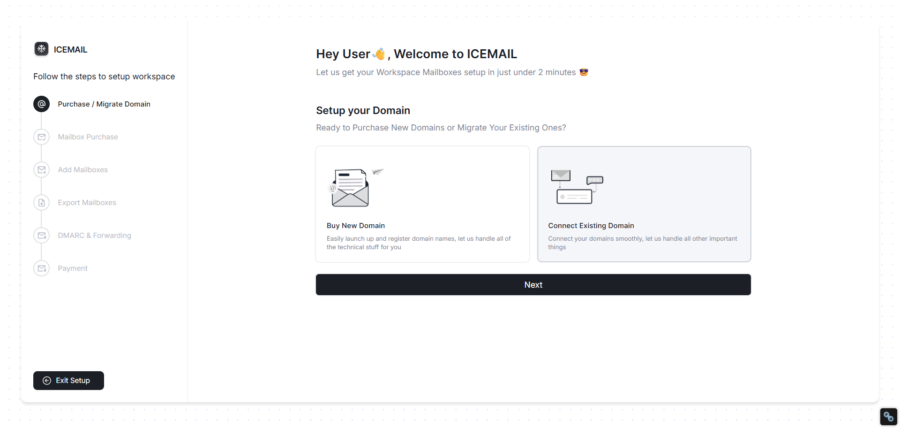
What sold me on Icemail is the IP guarantee. After reading about Indian IPs on accounts marketed as US-based, I wanted a provider that puts IP location in writing. Icemail does exactly that.
The other thing that caught my eye is the free Water Plan. Most providers require payment upfront with no refunds. Icemail lets you start with no credit card, test deliverability, and decide before you spend anything.
The trade-off is maturity. It is a newer provider with no G2 profile yet. Monitoring depth is also lighter than InboxKit’s InfraGuard or Aerosend’s Burn Alerts. There is no sequencing or lead database built in.
Pros and Cons:
| ✅ Pros | ❌ Cons |
|---|---|
| IP location is a written product guarantee, not an assumption | Newer provider with limited long-term data |
| Free plan lets you test before spending anything | No G2 profile for independent reviews |
| Four mailbox types give more options than any other tool here | No sequencing, lead database, or reply management |
| Live chat on every plan including free | Monitoring depth is lighter than InboxKit or Aerosend |
| 30+ integrations keep your sequencer options open | IMAP deliverability can vary |
Icemail.ai Pricing:
- Water Plan: Free
- Google Workspace: $2.50/mailbox
- Microsoft 365: $2.50/mailbox
- Azure: $29/domain
- IMAP: $49/domain
Who should use Icemail.ai:
Teams that need verified US/EU IPs and want to test risk-free before committing.
9. Airmail by Instantly
Airmail stands apart from most Zapmail alternatives because it does not sell mailbox accounts. It provides its own sending infrastructure built around Instantly’s platform.
The reason to consider it is simple. It removes the need to manage external mailbox providers, credentials, and integrations. Everything runs inside one platform.
Airmail’s standout features include:
- Instantly’s own sending infrastructure instead of third-party Google or Microsoft accounts.
- Pod isolation that groups accounts based on sending behavior instead of random allocation.
- Auto-enrolled warm-up through Instantly’s premium warm-up network.
- 30-second setup directly inside the Instantly dashboard.
- Automated SPF, DKIM, and DMARC setup.
- B2B-focused sending that avoids targeting personal email providers.
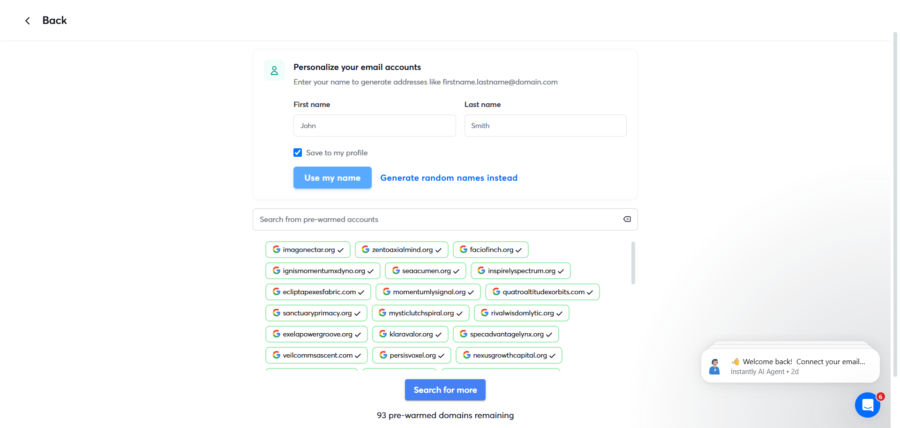
From what I tested, pod isolation is what makes Airmail different. Accounts are grouped by sending behavior, so stronger senders stay together while risky patterns can be contained. This is different from the shared pool model used by many mailbox providers.
I came at this from the angle of connection reliability. Instantly users do not need to sync credentials with another infrastructure provider because everything runs inside the same platform.
The constraint I kept coming back to is flexibility. Airmail only works with Instantly, so you cannot move these mailboxes to Smartlead, Lemlist, Saleshandy, or other sequencers. They are not real Google Workspace or Microsoft 365 accounts. Usage is limited to 5 accounts per domain with .com and .org domains only.
Airmail fits teams already committed to Instantly that want simpler infrastructure management. If you need provider flexibility or traditional business mailboxes, other alternatives make more sense.
Pros and Cons:
| ✅ Pros | ❌ Cons |
|---|---|
| No Google or Microsoft dependency means no third-party suspensions | Only works inside Instantly |
| Pod isolation keeps your reputation away from bad senders | Not real GWS or M365 accounts |
| 30-second setup with no DNS management needed | Max 5 accounts per domain, .com and .org only |
| Auto-enrolled warm-up at no extra cost | Separate Instantly subscription adds to cost |
Airmail Pricing:
- Accounts: $4/account/month
- Domains: $15/domain/year
- .com and .org TLDs only
- Instantly subscription required separately
Who should use Airmail:
Instantly users who want native infrastructure without third-party credential syncing.
Final Verdict: Which One Is the Best Alternative to Zapmail?
After reviewing all 9 Zapmail alternatives, Saleshandy stands out as the strongest option for teams that want reliable cold email infrastructure with more control over sending performance.
Most providers focus only on mailbox provisioning. You get inboxes, but still need separate tools for warm-up, monitoring, and managing deliverability.
Saleshandy combines the infrastructure layer with built-in controls like Google Workspace, Microsoft 365, and Azure mailboxes, automated DNS setup, Domain Forwarding, Dedicated IP options, unlimited warm-up, Sender Rotation, Inbox Radar, and Bounce Guard.
The outreach features are an added advantage, giving teams access to lead generation, multichannel outreach, and Unified Inbox without managing multiple platforms.
If you are moving away from Zapmail because you need more than just mailboxes, Saleshandy gives you the infrastructure, visibility, and control needed to scale cold email.
So, what are you waiting for?
To start, sign up for Saleshandy and get cold email infrastructure ready fast. No separate tools for warm-up, monitoring, or outreach needed.
Zapmail Alternative FAQs
1. What is Zapmail and what does it do?
Zapmail is a cold email infrastructure platform that provisions pre-warmed Google Workspace and Microsoft 365 mailboxes. It handles automated DNS setup including SPF, DKIM, and DMARC. It offers AI tools for domain naming and mailbox naming. It integrates with 50+ outreach tools but does not include sequencing, lead generation, or reply management. Learn the full cold email masterclass to understand what a complete setup looks like.
2. Is Zapmail legit?
Zapmail is a legitimate infrastructure provider with 1M+ mailboxes provisioned. However, multiple Trustpilot reviewers report Indian IPs on accounts marketed as US-based. The platform has no published SOC 2, ISO 27001, or GDPR certifications. The refund policy states all purchases are final and non-refundable.
3. Why are people switching from Zapmail?
The most common reasons from verified reviews include Indian IP routing despite US/EU marketing claims and no continuous deliverability monitoring. Users also report a zero refund policy, DNS changes breaking live websites, and migration lock-in. Instant mailbox suspension on failed payments and API access locked behind the $299/month Pro plan are also cited. You can check your own SPF records to verify your current setup.
4. What is the best Zapmail alternative in 2026?
Saleshandy is the best overall alternative. It combines mailbox infrastructure (GWS, M365, Azure), Domain Forwarding, Dedicated IP, and unlimited warm-up. It also includes an 852M+ lead database with real-time email verification, multichannel outreach, and reply management. SOC 2 Type II, ISO 27001, and GDPR certified with a 7-day free trial.
5. Does Zapmail use Indian IPs?
Multiple Trustpilot reviewers including Juan Alou, Cem, and Hafiz reported Indian data center routing. Their accounts were marketed as US/EU but routed through India instead. Aerosend’s investigation reported seeing “Reseller Club India” in Zapmail’s Google Admin Console billing. Zapmail’s website claims US/EU IPs only.
6. Which Zapmail alternative has free warm-up?
Saleshandy includes unlimited free warm-up via TrulyInbox on every plan. Inframail includes free warm-up on all plans. Airmail auto-enrolls in Instantly’s premium warm-up pool. Maildoso uses self-healing and IP rotation instead of traditional warm-up. InboxKit offers isolated warm-up as a paid add-on. Primeforge delivers pre-warmed mailboxes.
7. What is the cheapest Zapmail alternative?
Maildoso offers the lowest per-mailbox cost at $0.49/mailbox at 1,000+ volume. Icemail.ai has a free Water Plan. Inframail offers unlimited mailboxes at a flat $147/month. Saleshandy starts at $2.99/mailbox on annual plans. InboxKit starts at $2.50/mailbox.



 Piyush Patel