

People usually search for Mailforge alternatives for one of two reasons.
Some teams have simply outgrown it. They need more control over their infrastructure, real Google Workspace or Microsoft 365 mailboxes, better scaling options, or pricing that makes sense as their outbound volume grows.
Others are looking for a fix because their emails are landing in spam. But changing providers alone rarely solves deliverability issues. Poor list quality, rushed warm-up, weak domain setup, or unhealthy sending practices often create the same problem on a different platform.
Before switching, check your bounce rates, domain health, and sending setup. If those foundations are broken, no infrastructure provider can magically fix your inbox placement.
If you still need a better solution, this guide compares 9 Mailforge alternatives across infrastructure, pricing, setup process, scalability, and deliverability.
We also looked beyond mailbox creation to see which platforms help you run complete cold email campaigns, from preparing your sending infrastructure to reaching prospects and managing replies.
Here’s the shortlist.
Best Mailforge Alternatives- TOC
TL;DR: 9 Best Mailforge Alternatives Compared
Here’s the side-by-side view before I get into each tool.
| Alternative | Starting Price (per mailbox/mo) | Key Advantage Over Mailforge | Best For |
|---|---|---|---|
| Saleshandy | $2.99 | Real Google, Microsoft & Azure mailboxes with warm-up and sending built in | Teams wanting ready-to-send infrastructure in one place |
| Infraforge | $3–$4 + $99/mo per IP | Dedicated IPs instead of a shared pool | Scaling teams that need IP control |
| Maildoso | ~0.49–2.50 (monthly only) | Much lower cost at high volume | High-volume, budget-conscious scaling |
| Mailpool | $2.60 | Choice of Google, Microsoft, or SMTP mailboxes | Teams mixing mailbox providers |
| Inframail | Flat ~$118/mo, unlimited inboxes (annual) | One flat fee instead of per-mailbox pricing | Agencies running hundreds of inboxes |
| Zapmail | ~$2.50 (annual) | Pre-warmed Google Workspace mailboxes | Google-focused outreach teams |
| Mailreef | $240/mo per server + $0.001/email | Your own dedicated server and IP | Experienced senders needing private infrastructure |
| Primeforge | $3.50 | Real Google & Microsoft mailboxes from the same team | Forge users wanting ready-to-send inboxes |
| Icemail.ai | $2.50 | More mailbox types, including Azure | Budget-friendly agencies |
Quick Takeaway
Most alternatives fix one Mailforge problem, such as shared IPs, mailbox type, or pricing. Saleshandy gives you pre-configured Google, Microsoft, and Azure accounts with built-in outreach, so you don’t need a separate sequencer.
Why People Look for a Mailforge Alternative?
Mailforge gets you set up fast, but most teams start looking elsewhere once their sending volume goes up. Here are the complaints I see most often.
Mailforge sends your emails through a shared IP pool, so other customers’ behavior affects your reputation.
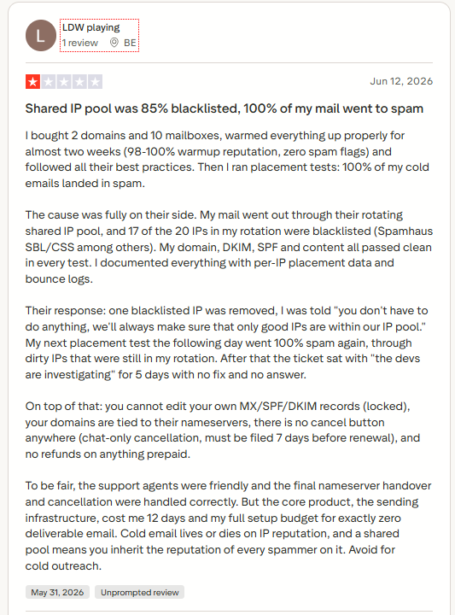
One reviewer documented 17 of their 20 rotating IPs blacklisted on Spamhaus SBL and CSS. After nearly two weeks of warm-up hitting 98 to 100% reputation scores, every cold email still landed in spam. Their support ticket sat with “the devs are investigating” for five days.
Mailforge’s own pricing page points scaling users to Primeforge, its sister product, and calls Google or Microsoft mailboxes on US IPs the gold standard for cold email infrastructure.
For cold email teams, one spammer in the pool can undo weeks of careful warm-up.
2. Mailboxes Can Get Blocked In Bulk
Users report many mailboxes getting blocked at once, often without warning.
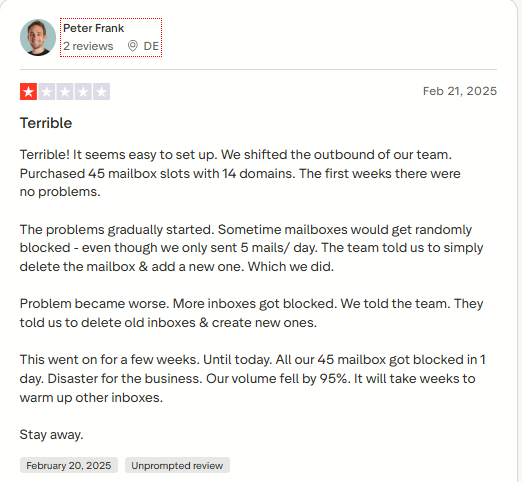
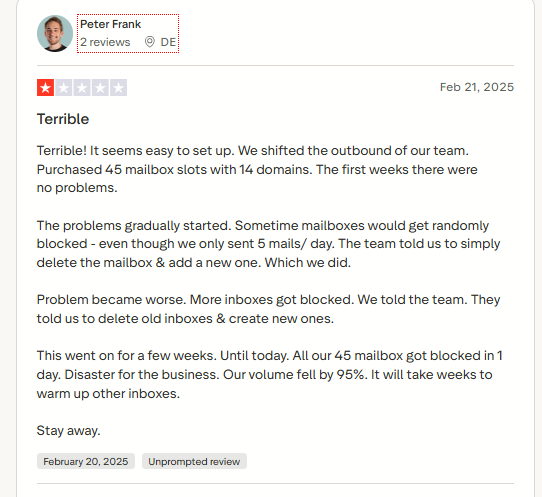
One Managing Director said every one of their 45 mailboxes was blocked in a single day, despite sending only a handful of emails per box. Support told them to delete and recreate accounts rather than fix the cause.
Another reviewer reported the same instability on a smaller scale, with mailboxes dropping offline every day.
When this happens mid-campaign, you lose pipeline and spend days rebuilding instead of booking meetings.
3. You Don’t Fully Control Your DNS or Nameservers
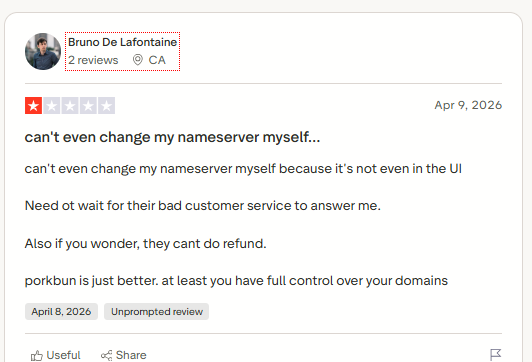
Mailforge keeps your domains on its own nameservers. You cannot freely edit MX, SPF, DKIM, or DMARC records, or change NS records without support.
The dashboard does not expose nameserver settings at all, so every change becomes a support ticket.
Mailforge’s founder has publicly confirmed that DNS is managed for stability, and suggested keeping domains at your own registrar if you want control.
In practice, troubleshooting takes longer, and leaving requires a manual nameserver handover through a support queue.
4. Mailboxes Can Disconnect From Your Sending Tool
Mailforge mailboxes don’t always stay connected to the sequencer they’re meant to power.
One verified reviewer said the disconnects stopped them from deploying campaigns at all.
If your team lives inside a sequencer, every disconnect is a stalled campaign and a missed reply.
5. Warm-Up Is Locked To Their Own Infrastructure
If you already run warm-up on your own stack, Mailforge doesn’t play well with it.
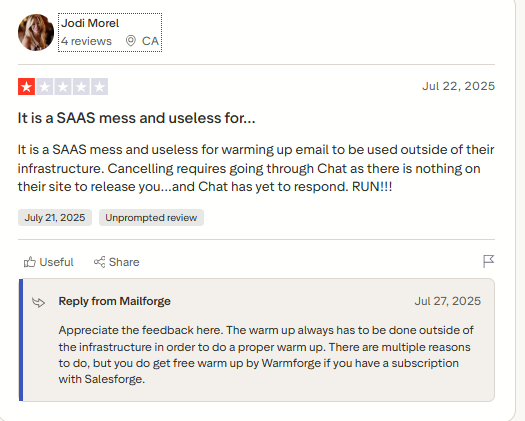
That pushes you into buying their separate warm-up product instead of using the setup you already trust.
6. Cancelling Isn’t Self-Serve
There’s no cancel button in the dashboard. You cancel through chat, at least seven days before renewal, with no refunds on prepaid plans.
One reviewer kept getting charged after trying to cancel, and ended up disputing it with their credit card company.
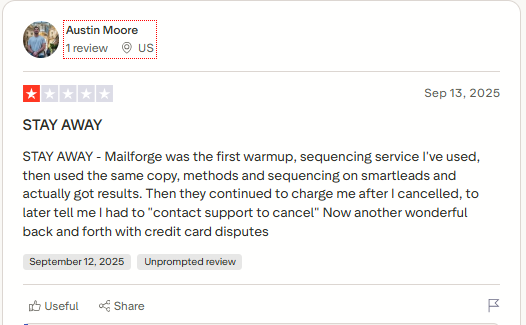
The same reviewer who flagged the warm-up issue also said her cancellation request through chat went unanswered.
That kind of friction is a red flag for a tool that controls your whole sending setup.
If a few of these sound familiar, the alternatives below are worth a closer look.
9 Best Mailforge Alternatives in 2026 (In-Depth Review)
Here’s my detailed breakdown of each tool.
Each section covers what the tool does well, where it falls short, and current pricing. That way, you can match it to how you send it.
1. Saleshandy
Saleshandy is the best Mailforge alternative for teams that want real Google, Microsoft, or Azure mailboxes without shared IPs.
Here are the 3 simple reasons why it’s #1 on my list 👇🏼
- It replaces shared SMTP with real business mailboxes: Mailbox quality plays a major role in inbox placement. Saleshandy provides pre-configured Google Workspace, Microsoft 365, and Azure mailboxes with authentication and warm-up already handled, starting at $2.99/mailbox/month.
- Everything needed for sending is included. With Mailforge, some features like domain masking and warm-up may require additional subscriptions depending on your setup. Saleshandy includes domain forwarding, unlimited warm-up, and infrastructure management in one place.
- One bad domain won’t hurt the others: Mailforge sends everyone’s emails from the same shared servers, so other senders’ spam can affect you. With Saleshandy’s Azure option, each domain is kept fully separate for $20 a month, with mailboxes included.
What I like most is how little setup work there is. You pick Google, Microsoft, or Azure, search for domains, and Saleshandy creates three mailboxes per domain that you can rename before paying.
SPF, DKIM, DMARC, and MX records are set up the moment you buy, so there’s no DNS work before sending. Once your mailboxes are live, warm-up runs in the background, and you can run inbox placement tests before scaling a campaign.
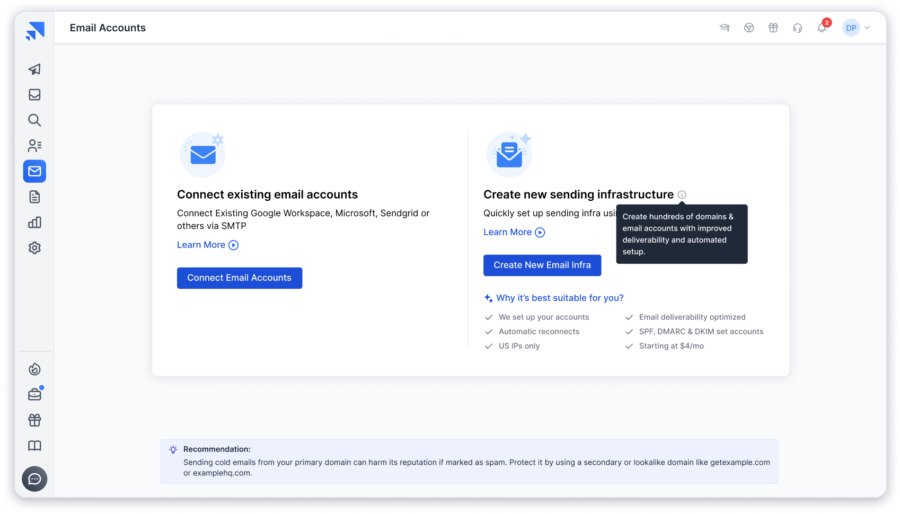
On top of that, your mailboxes sit inside Saleshandy’s outbound platform, so they plug straight into sequences, sender rotation, and a unified inbox. For an infrastructure buyer, that’s a bonus, but it does mean you’re not paying for a separate sender on top.
Who It’s Best For: Saleshandy is best for teams and agencies that want real Google, Microsoft, or Azure mailboxes with warm-up and sending in one place.
✓ Saleshandy Pros
- Pre-configured Google Workspace and Microsoft 365 mailboxes instead of shared SMTP
- A dedicated Azure tenant for every domain, so one domain's reputation never affects another
- SPF, DKIM, DMARC, MX, and domain forwarding set up automatically at purchase
- Unlimited warm-up on every mailbox, with no separate subscription
- Inbox placement tests and email verification to catch problems before a domain burns
- Free mailbox replacement on Annual Flexi plans
- Mailboxes connect straight to sequences and sender rotation, with no CSV exports
✕ Saleshandy Cons
- Infrastructure and outreach plans are billed as separate charges
Pricing Plans (Billed Annually)
- Google Workspace or Microsoft 365: $2.99/mailbox/mo
- Azure: $20/mo per domain, mailboxes included (available on quarterly billing only)
- Domains: $14/year (.com), $17/year (.net)
2. Infraforge
Infraforge is the Mailforge alternative I’d pick if you like Mailforge’s setup but want your sending kept private.
It’s built by the same team, but your emails go out from IPs reserved only for you. So your reputation depends on how you send, not on what other customers do.
In fact, Salesforge’s own video recommends Infraforge to teams that are outgrowing Mailforge.
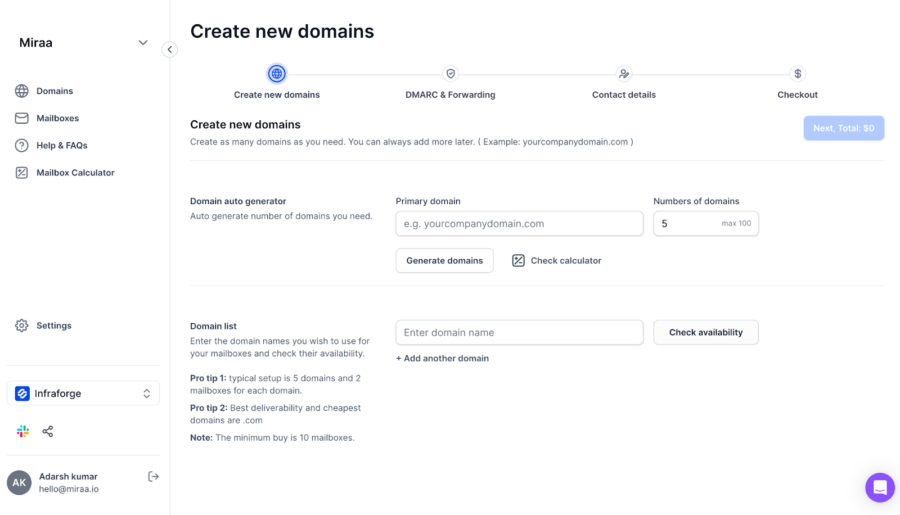
I like that you can split sending across several IPs. For agencies, that means one client’s campaign can’t drag down another client’s results.
Moreover, migration is easy because you stay in the same Forge dashboard, with bulk DNS updates and API access still there.
However, the costs stack up quickly. Dedicated IPs add $99 a month, and SSL with domain masking adds $2 per domain.
You’re also still on SMTP rather than Google or Microsoft mailboxes, and sending needs another tool. So I’d only pick it if IP isolation matters more to you than mailbox type.
Who It’s Best For: Infraforge is ideal for existing Mailforge users sending at scale who want dedicated IPs without leaving the Forge ecosystem.
✓ Infraforge Pros
- Dedicated IPs, so your reputation depends only on your own sending
- Multi-IP provisioning to separate clients or campaigns
- Same Forge dashboard and workflow as Mailforge, so migration is easy
- Bulk DNS updates across many domains at once
- Pre-warmed domains and mailboxes available when you need speed
- API, MCP, and CLI access for provisioning at scale
✕ Infraforge Cons
- Still SMTP, not Google Workspace or Microsoft 365
- Dedicated IPs cost $99/month extra
- SSL and domain masking cost $2 per domain each month
- Same 10-mailbox minimum as Mailforge
- Warm-up runs through Warmforge, and campaigns need a separate sequencer
- Nameservers stay with the platform
Pricing Plans (Billed Annually)
- Mailboxes: $3 to $4/mo, volume-based
- Dedicated IP: $99/mo add-on
- SSL and domain masking: $2/domain/mo
- Minimum: 10 mailbox slots
3. Maildoso
Next on my list of Mailforge alternatives is Maildoso, the most budget-friendly option if keeping mailbox costs low is your main priority.
The savings become more noticeable as you scale.
On its 400-mailbox quarterly plan, each mailbox comes down to around $1.80, with domains included at no extra cost.
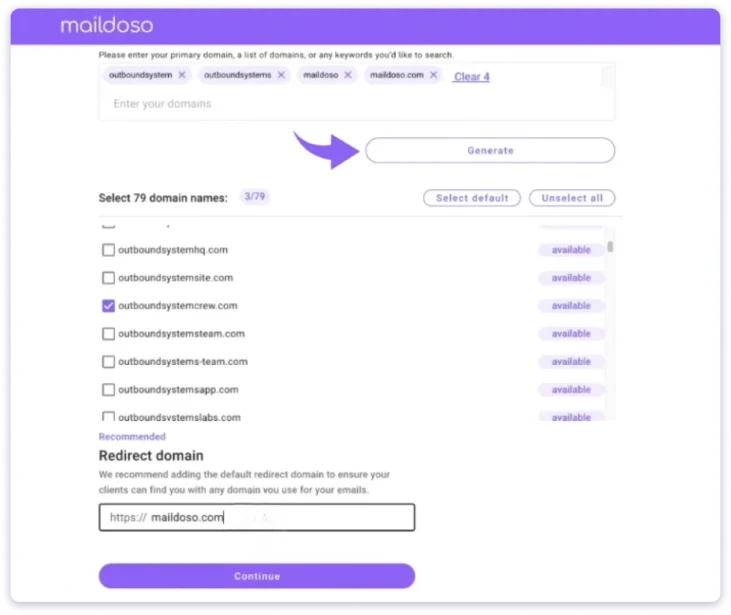
It also covers the basics high-volume senders care about, including IP rotation, self-healing mailboxes, and link-safe tracking.
That said, the headline price is misleading for smaller teams. The entry plan starts at 30 mailboxes for $75 a month, and monthly plans add per-domain fees.
My bigger concern is the mailbox type. The cheapest tier is proprietary SMTP, so you inherit some of the same trust issues you’re leaving Mailforge to escape.
A few users have also reported newly bought domains landing on blacklists, which is worth checking before you commit.
Who It’s Best For: Maildoso works best for high-volume senders running 300+ mailboxes who care most about cost and are comfortable with SMTP.
✓ Maildoso Pros
- Drops to $1.80 per mailbox on the 400-mailbox quarterly plan
- Quarterly plans bundle domains at no extra cost
- Choice of SMTP, Google Workspace, or a combo of both
- Self-healing mailboxes mean fewer manual fixes when accounts break
- IP rotation spreads sending volume across multiple addresses
- Connects with most major cold email tools
✕ Maildoso Cons
- The $1.80 rate only applies to the biggest plan
- The smallest plan starts at 30 mailboxes
- Monthly plans add per-domain fees
- SMTP mailboxes carry trust issues similar to Mailforge
- Some users report new domains getting blacklisted
- The interface is described as slow and outdated
Extra reading: Compare the top cold email infrastructure providers
Pricing Plans (Billed Monthly, No Annual Plan)
- 30 mailboxes: $75/mo
- 300 mailboxes: $225/mo
- 1,000 mailboxes: $499/mo
4. Mailpool
If Mailforge’s SMTP-only mailboxes are holding you back, Mailpool is the Mailforge alternative that lets you choose the mailbox type yourself.
Google Workspace, Microsoft 365, and private SMTP all sit in one account, with DNS set up automatically for each.
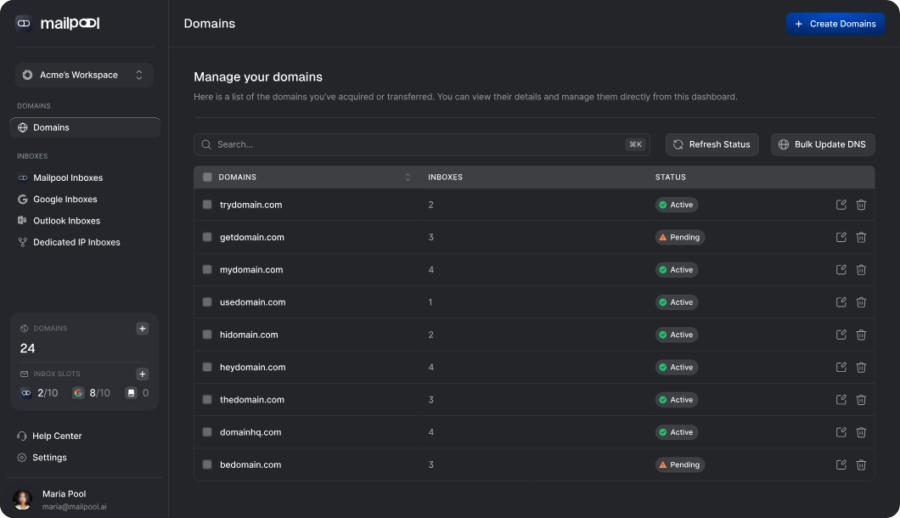
This matters more than it sounds. Matching your mailbox provider to your prospect’s provider can help inbox placement, and it spreads risk.
Moreover, larger teams get SSO/SAML, automated backups, and end-to-end encryption, which you rarely see from infrastructure providers.
However, I’d want more proof before moving a big operation over. Mailpool has only four Trustpilot reviews, so its long-term reliability is still unclear.
Woodpecker’s review also notes it lacks full real-time deliverability monitoring, and you’ll still need a separate sequencer to send.
Who It’s Best For: Mailpool is a good fit for growing teams that want to mix Google, Microsoft, and SMTP mailboxes with enterprise-grade security.
✓ Mailpool Pros
- Google Workspace, Microsoft 365, and private SMTP in one dashboard
- No minimum order, so you can start small and scale later
- SPF, DKIM, and DMARC set up automatically on every domain
- AI domain suggestions help you find brand-relevant names faster
- SSO/SAML, automated backups, and end-to-end encryption
- Native integrations with Instantly, Lemlist, Reply, and HubSpot
✕ Mailpool Cons
- Only four public Trustpilot reviews so far
- No full real-time deliverability monitoring
- Starting price varies across listings, from $2.50 to $3
- Warm-up scope isn't clearly published
- Campaigns still need a separate sending tool
Pricing Plans (Billed Annually)
- Mailboxes: $2.60/inbox/mo
- No minimum order
5. Inframail
Inframail takes the opposite approach to Mailforge’s per-mailbox pricing. You pay one flat monthly fee and create as many inboxes as you need.
For agencies running hundreds of inboxes, that can cut costs sharply. Your only real limit is how many inboxes each dedicated IP can safely handle.
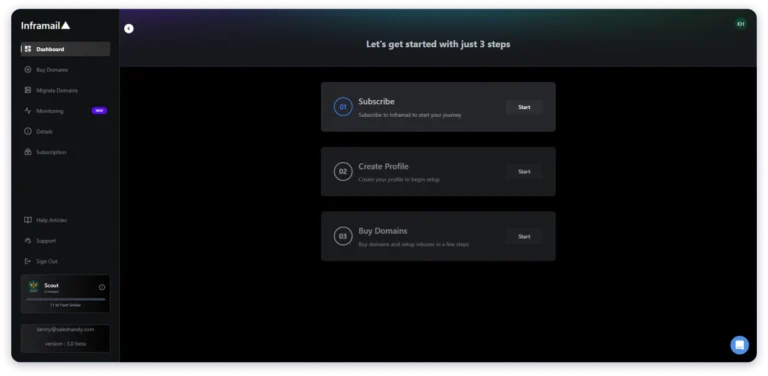
The Unlimited plan includes one dedicated US IP, while the Agency Pack includes three. Inframail recommends roughly 300 to 400 inboxes per IP.
Moreover, setup is quick. SPF, DKIM, DMARC, and domain redirects are handled automatically, and both main plans include a one-on-one deliverability consultant.
That said, the mailbox type needs clarifying. Inframail markets “Microsoft” inboxes, but its help centre describes self-hosted mailboxes run through its own control panel, not Microsoft 365 accounts.
However, warm-up isn’t included, so it has to run through your sending tool. According to the help centre, IP and domain monitoring is also a paid add-on, which matters if you’re leaving Mailforge for better visibility.
Who It’s Best For: Inframail makes the most sense for agencies running hundreds of inboxes who want one flat monthly price and already use a separate sequencer.
✓ Inframail Pros
- Create as many inboxes as you need for one flat price
- One dedicated US IP on the Unlimited plan and three on the Agency Pack
- SPF, DKIM, and DMARC configured automatically
- Outreach domains can redirect to your main website
- Both main plans include one-on-one deliverability support
- CSV export to Instantly, Smartlead, Saleshandy, and more
✕ Inframail Cons
- Mailboxes appear to be self-hosted, not Microsoft 365 accounts
- No built-in warm-up or inbox placement testing
- IP and domain monitoring costs $12.41/month extra (billed annually)
- You can buy only 5 new domains every 24 hours
- Monthly plans bill every 28 days (13 invoices a year), and cancellation goes through support
Pricing Plans (Billed Annually)
- Unlimited Plan: about $118/mo (1 dedicated IP)
- Agency Pack: about $310/mo (3 dedicated IPs)
6. Zapmail
Zapmail is the Mailforge alternative I’d point Gmail-heavy teams to, because it swaps shared SMTP for real Google Workspace mailboxes.
Setup is fast too, since its AI tools suggest safe domain names and create realistic sender profiles for you.
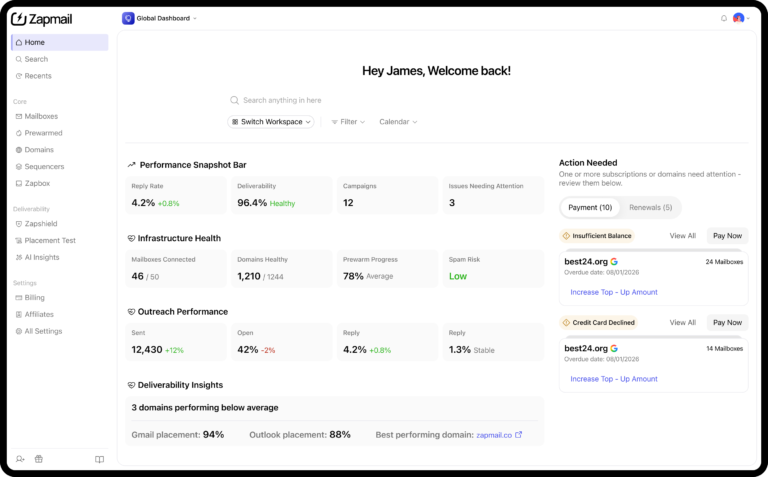
Moreover, pre-warmed accounts shorten your ramp-up, and each workspace stays isolated, which helps agencies keep clients apart.
The catch shows up in year two. First-year rates of about $3 to $3.50 per inbox rise to roughly $6 after that.
On top of that, every plan carries a base fee, so small teams pay close to $3.90 per mailbox on Starter.
I’d also confirm Microsoft support before buying, since some sources describe Zapmail as Google-only. There’s no placement testing or blacklist checker either.
If Zapmail’s year-two price jump puts you off, here are the best Zapmail alternatives worth comparing before you commit.
Who It’s Best For: Zapmail suits teams emailing mostly Gmail users who want fast Google Workspace setup with AI naming help.
✓ Zapmail Pros
- Real Google accounts set up for cold outreach
- AI domain generator suggests names that avoid spam-trigger patterns
- AI mailbox namer creates realistic sender profiles automatically
- Pre-warmed accounts let you start sending sooner
- Workspace isolation keeps each client's mailboxes separate
- Zapmail says it has set up over 1 million mailboxes
✕ Zapmail Cons
- Per-inbox pricing rises to about $6 after year one
- Base fees on every plan, from $39 to $299 a month
- Microsoft 365 support is unclear
- No inbox placement testing or blacklist checker
- Mailboxes must be exported to a separate sending tool
Pricing Plans (Billed Annually)
- Starter: about $32.50/mo (10 mailboxes)
- Growth: about $82.50/mo (30 mailboxes)
- Pro: about $249/mo (100 mailboxes)
7. Mailreef
Mailreef goes further than any other Mailforge alternative here on privacy, you get an entire mail server to yourself.
Every customer gets a dedicated server and IP, and Mailreef screens new customers before letting them on the network.
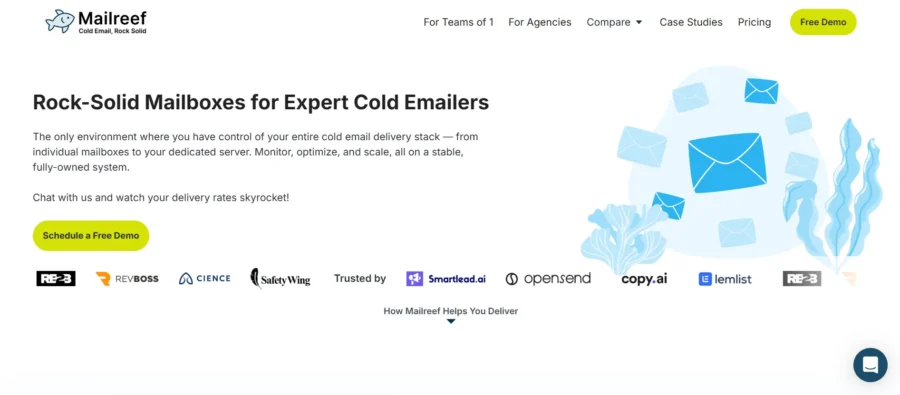
I also like that it’s built by the team behind Warmup Inbox, so deliverability is clearly the core focus.
Moreover, the developer API lets agencies set up a client’s domains, mailboxes, and DNS without touching the dashboard.
However, that level of ownership isn’t cheap. Plans start at $240 a month, and every email you send adds $0.001.
Each server also caps out at 50 domains, 200 mailboxes, and 100,000 sends a month. Honestly, I’d only pick it if you already manage sender reputation well, since warm-up and monitoring aren’t included.
Who It’s Best For: Mailreef is built for experienced agencies that already manage their own sender reputation and want a dedicated server.
✓ Mailreef Pros
- Dedicated server and IP, with no shared-pool reputation risk
- Customer screening keeps spammers off the network
- Built by the Warmup Inbox team, with deliverability as the core focus
- Developer API to provision full client environments
- Pre-warmed infrastructure, so campaigns can start on day one
- Pushes credentials straight into Smartlead and Instantly
✕ Mailreef Cons
- Starts at $240/month, which is high for solo senders
- $0.001 per email on top of the plan
- Each server is capped at 50 domains, 200 mailboxes, and 100,000 sends
- No built-in warm-up or deliverability monitoring
- No free trial or entry-level plan
Pricing Plans (Billed Annually)
- Agency: $240/mo (12-month commitment)
- Enterprise: custom
- All plans: $0.001 per email sent
8. Primeforge
Primeforge comes from the same team as Mailforge, but it swaps shared SMTP for real Google Workspace and Microsoft 365 mailboxes.
So if you like the Forge dashboard but want mailboxes that inbox providers trust, it’s the easiest step up.
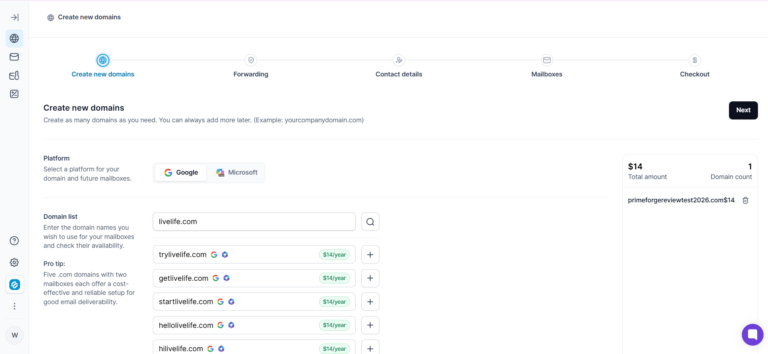
Moreover, pre-warmed options skip the usual two- to four-week ramp-up, and setup takes around 30 minutes. One Trustpilot reviewer said they no longer need a team to handle the technical side.
That said, I don’t love the lock-in. You have to contact support to remove domains, which feels like Mailforge’s DNS problem in a different form.
It also costs more per mailbox than SMTP, and warm-up and sending still sit in separate Salesforge products.
Who It’s Best For: Primeforge is the right pick for Forge ecosystem users who want pre-warmed Google and Microsoft mailboxes ready to send quickly.
✓ Primeforge Pros
- Google Workspace and Microsoft 365 accounts that match what prospects use
- Pre-warmed option skips the two to four week warm-up wait
- Stable US-based IPs managed by Primeforge
- Mailboxes are ready in about 30 minutes
- Profile pictures and GIFs added at scale for human-looking inboxes
- Mailboxes can be spun up through the Forge MCP server
✕ Primeforge Cons
- $3.50 to $4.50 per mailbox, higher than SMTP providers
- Support needed to remove domains
- No free trial
- Warm-up needs Warmforge, and sending needs Salesforge
- Just 8 Trustpilot reviews so far
Pricing Plans (Billed Annually)
- Mailboxes: $3.50/mailbox/mo
- Domains: about $14/year (.com)
9. Icemail.ai
Rounding out my list is Icemail.ai, a newer provider that gives budget-conscious agencies far more mailbox choices than Mailforge.
You can buy Google Workspace, Microsoft 365, Azure, or SMTP mailboxes, with no minimum order and a $2.50 promotional rate.
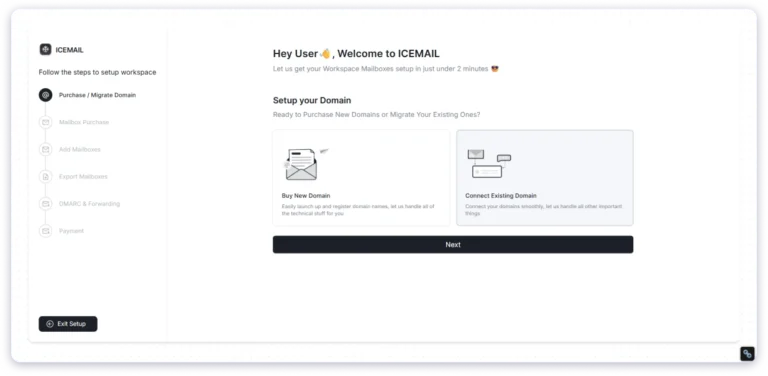
Moreover, separate client workspaces keep every account’s domains and mailboxes apart, which makes client management much cleaner.
Reviewers also praise the support team, and one said they migrated 75 accounts in about an hour without downtime.
However, being new cuts both ways. There are only about 14 Trustpilot reviews, and the $2.50 price is a limited-time deal.
Pre-warmed mailboxes also cost $6 a month extra, so I’d start with a small batch before moving anything important.
For something more proven before you move client accounts, check the best Icemail alternatives.
Who It’s Best For: Icemail.ai is a smart choice for budget-conscious agencies that need several mailbox types and separate workspaces for each client.
✓ Icemail.ai Pros
- Google Workspace, Microsoft 365, Azure, and IMAP/SMTP mailboxes
- Separate workspaces for each client's domains and mailboxes
- No minimum order, so you buy only what you need
- $2.50 per mailbox on the current deal
- AI autofill speeds up bulk mailbox creation
- One reviewer moved 75 accounts in about an hour
✕ Icemail.ai Cons
- Only around 14 Trustpilot reviews so far
- $2.50 is promotional, with $3.50 as the standard price
- Pre-warmed mailboxes cost $6/month extra
- API access isn't clearly published
- You'll still need a separate sending platform
Pricing Plans (Annual Pricing Not Published)
- Mailboxes: $2.50/mo (limited deal), $3.50/mo standard
- Pre-warmed mailboxes: $6/mo add-on
- No minimum order
My Final Take: Which Mailforge Alternative Should You Pick for Scalable Cold Email Infrastructure?
After comparing 9 Mailforge alternatives, Saleshandy is the one I’d choose for most teams right now. Here’s why.
It’s the only tool on this list that combines real Google, Microsoft, and Azure mailboxes with built-in warm-up and sending. That’s what most teams leaving Mailforge are really after, even if they start by shopping for mailboxes.
Pricing stays simple, with mailboxes at $2.99 a month on the annual plan and .com domains at $14 a year. Better yet, you skip the 10-mailbox minimum, the separate warm-up bill, and Mailforge-style shared IPs.
And since everything lives in one account, there’s no export step between your mailboxes and your campaigns. You buy mailboxes, warm-up runs in the background, and they’re ready to add to a sequence when you are.
You can try Saleshandy free for 7 days and see how your mailboxes perform before you commit to anything.
FAQs
1. Is Mailforge Still Worth Using in 2026?
Mailforge is still useful for quick, low-cost cold email tests because setup is fast and mailboxes cost $2 to $3 each. For larger campaigns, its shared IP pool, locked DNS, and chat-only cancellation can cause problems. Salesforge itself recommends moving to Infraforge once you start scaling.
2. What Is the Cheapest Mailforge Alternative?
Maildoso is the cheapest Mailforge alternative per mailbox, starting at $1.80 per mailbox on its 400-mailbox quarterly plan. For teams running hundreds of inboxes, Inframail’s flat $147 monthly plan can cost less overall. Neither tool includes warm-up or a sequencer, so those costs need to be added.
3. Which Mailforge Alternative Has the Best Deliverability?
Mailforge alternatives that offer real Google Workspace or Microsoft 365 mailboxes usually get better deliverability than shared SMTP. In InboxKit’s test, real Google Workspace mailboxes reached 82% inbox placement, compared with 63% for Mailforge. Saleshandy, Primeforge, and Zapmail all offer real Google or Microsoft mailboxes.
4. Can I Transfer My Domains From Mailforge to Another Tool?
Yes, you can transfer your domains from Mailforge, but the process isn’t self-serve. Mailforge keeps domains on its own nameservers, so you need to ask support for a manual handover. It’s best to start at least 7 days before renewal and warm up the domains again before sending.
5. Do I Need a Separate Sequencer With These Alternatives?
Yes, most Mailforge alternatives only provide email infrastructure, so you need a separate sequencer like Instantly or Smartlead to send campaigns. Saleshandy is the exception, since its mailboxes connect directly to built-in sequences and a unified inbox.
6. What Is the Best Mailforge Alternative for Agencies?
The best Mailforge alternative for agencies depends on inbox volume and how separate each client needs to be. Inframail suits agencies that want flat pricing for hundreds of inboxes, while Infraforge and Mailreef offer dedicated IPs. Saleshandy suits agencies that want client isolation, since each domain can get its own Azure tenant.

 Anil Salvi