

You’re probably looking for Mixmax alternatives because your sales outreach has outgrown a simple Gmail-based workflow.
Mixmax is a solid option for sales teams that want email tracking, sequences, scheduling, and follow-ups directly inside their inbox.
But as outreach becomes more complex, many teams start running into limitations:
❌ Scaling outreach volume can get expensive as limits increase
❌ Advanced automation and sequencing features are locked behind higher-tier plans
❌ Per-user pricing becomes costly as sales teams grow
❌ Workflows are heavily tied to Gmail and Chrome
❌ Prospect data, email warm-up, and deliverability tools require separate platforms
These limitations push teams to look for tools that offer more flexibility, better scalability, and a complete outbound workflow.
That’s why I researched the best Mixmax alternatives. I analyzed nine competitors and reviewed 2,310+ verified user reviews from G2, Reddit, Trustpilot and Capterra.
This guide covers what each tool does better than Mixmax, where it falls short, and which one fits your team size and budget.
Let’s walk through it.
TL;DR: Best Mixmax Alternatives at a Glance
If you don’t have time to read the full guide, here’s where each alternative wins:
Why People Look for Mixmax Alternatives
Mixmax has a 4.6/5 rating on G2 from 1,461 reviews, so most teams genuinely like the product.
But after analyzing verified user reviews across G2, Trustpilot, Capterra, and Reddit alongside Mixmax’s own pricing page, the same six issues appear repeatedly when teams start looking for alternatives.
1. Scaling Sequences Gets Expensive
Mixmax caps sequence recipients at 1,500 per month on its Engagement Copilot (49/seat)andSuite(89/seat) plans. That limit is shared across the entire workspace, not per user. A five-person team gets roughly 300 prospects each before hitting the ceiling. Raising the cap requires purchasing add-on packs ($19 to $59/month) on top of your per-seat cost.
Real Mixmax user feedback:
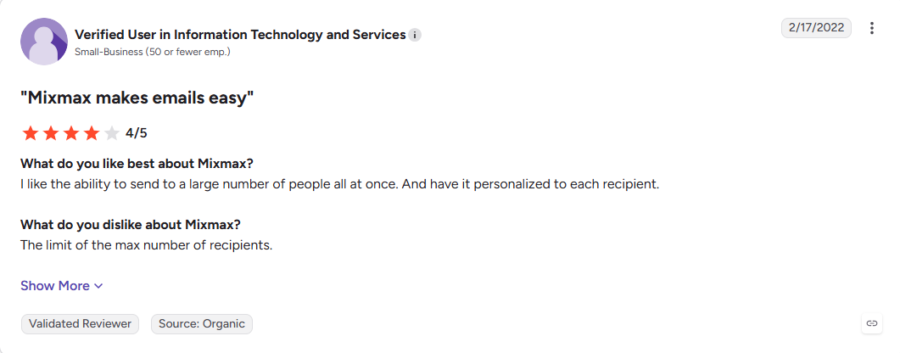
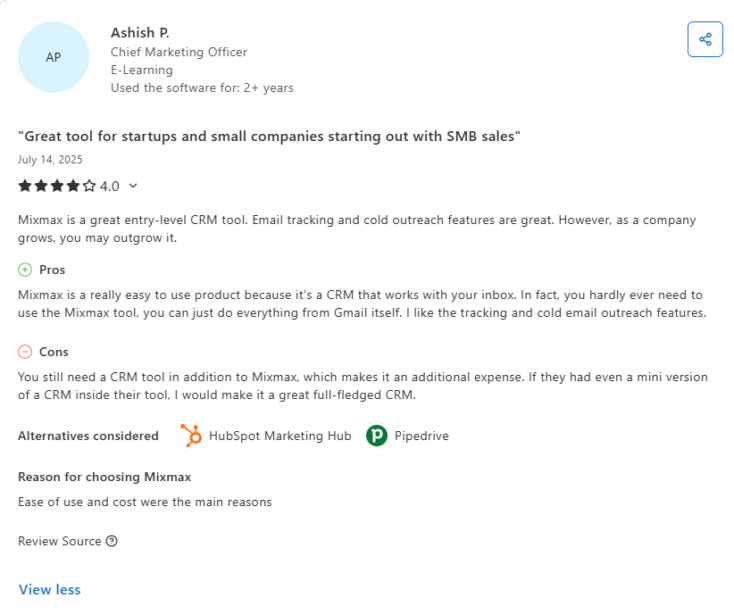
Common issues include:
- ❌ 1,500 recipients/month shared across the workspace, not per user
- ❌ Raising the cap requires paid add-ons ($19 to $59/month extra)
- ❌ Unused recipients don’t roll over
- ❌ Adding reps shrinks each person’s share of the cap
2. Usable Sequence Features Require Higher Plans
Mixmax lists sequences as a feature on its $29 plans, but those plans cap recipients at just 100 per month. That’s roughly one week of prospecting for a single SDR. Real sequence functionality only starts at the Engagement Copilot tier ($49/seat annually, $65/seat on monthly billing), which is a 69% price increase from the entry plan.
Real Mixmax user feedback:
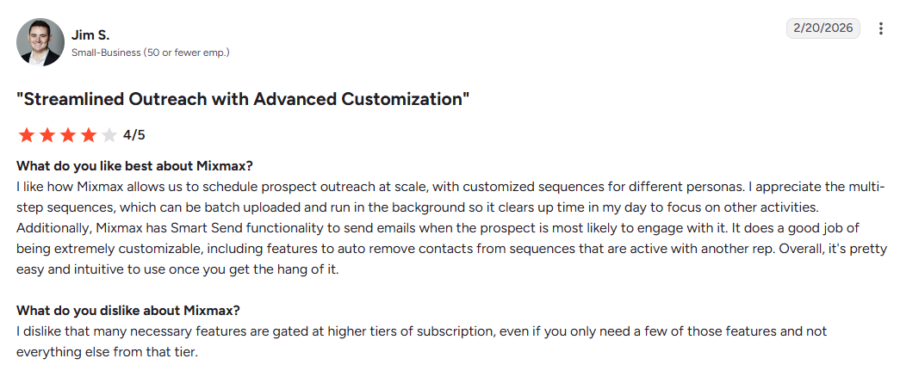
Common issues include:
- ❌ $29 plans cap sequences at 100 recipients/month
- ❌ Usable sequences start at 49/seat(65 on monthly billing)
- ❌ CRM integrations require the $89 Suite
- ❌ Real cost becomes clear after onboarding, not before
3. Per-Seat Pricing Gets Harder to Justify at Scale
Every Mixmax plan charges per user per month with no volume discounts until custom enterprise pricing. A 10-person team on Suite pays 890/monthbeforeanyadd-ons.Addrecipientpacks,thedialer(unpublishedpricing),andcustombranding(9/seat), and total costs cross $1,000/month quickly.
Real Mixmax user feedback:
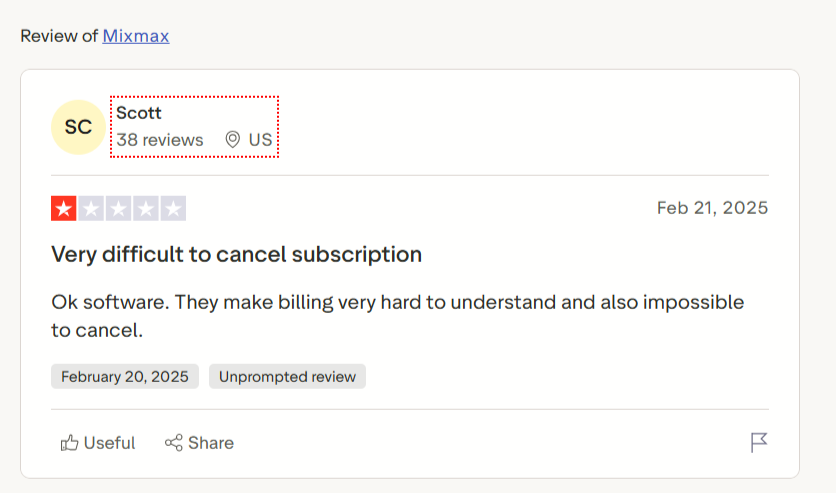
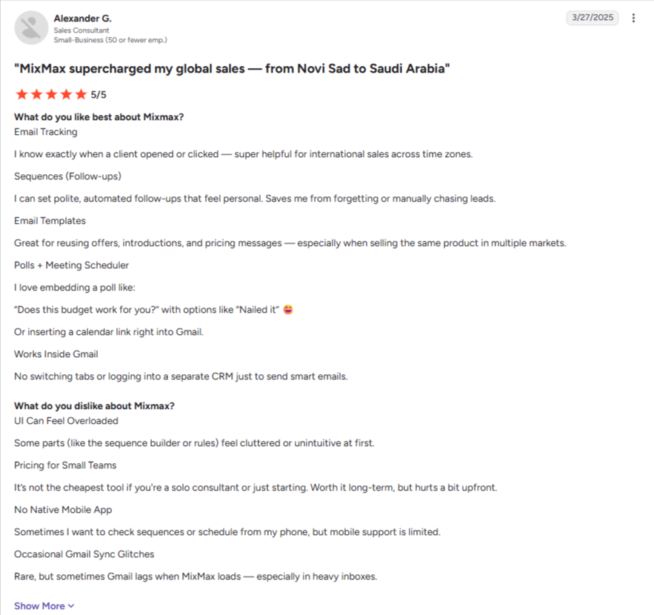
Common issues include:
- ❌ Every new rep adds $49 to $89/month
- ❌ 10 reps on Suite = $890/month before add-ons
- ❌ Dialer pricing isn’t published
- ❌ Initial rates not always honored on additional seats
4. Gmail and Chrome Only
Mixmax only works inside Gmail through a Chrome extension. No Outlook support. No Firefox or Safari. No mobile app. No standalone web platform. This is a product-level constraint, not a plan limitation. No upgrade removes it.
Real Mixmax user feedback:
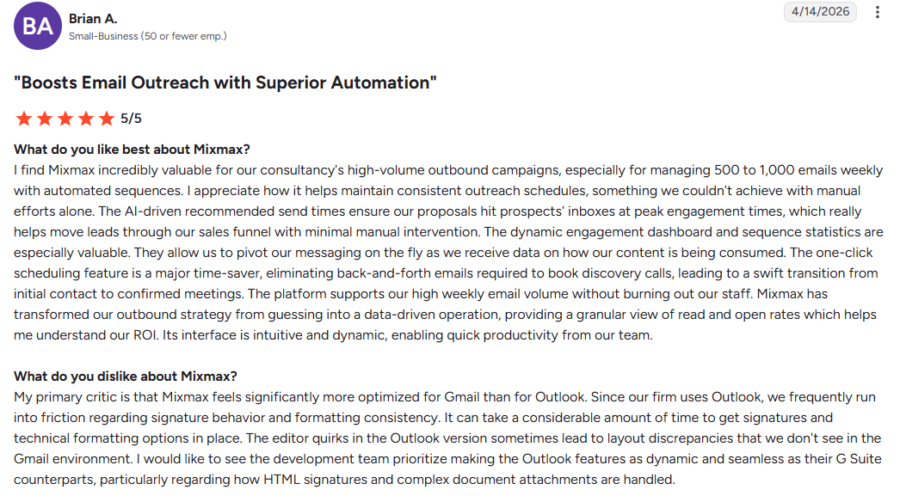
Common issues include:
- ❌ No Outlook support on any plan
- ❌ No mobile app
- ❌ Chrome extension conflicts can slow down Gmail
- ❌ No Firefox, Safari, or Edge support
5. No Built-In Prospect Data
Mixmax is a sending tool, not a prospecting tool. There is no contact database, no company search, no enrichment, and no email verification on any plan. Mixmax confirms this on their own blog, stating the product does not include a contact database. That means every team needs a separate data tool before they can start prospecting.
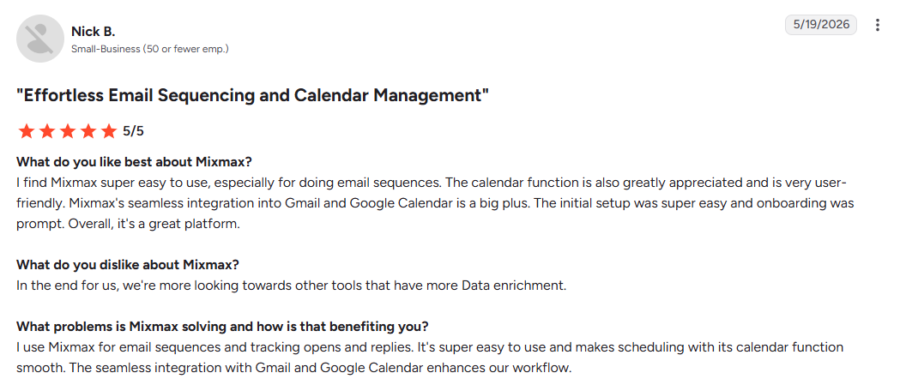
Common issues include:
- ❌ No contact database on any plan
- ❌ Requires a separate data tool before you can prospect
- ❌ No built-in email verification
- ❌ Manual importing adds extra steps to every campaign
6. Deliverability Tools Are Missing
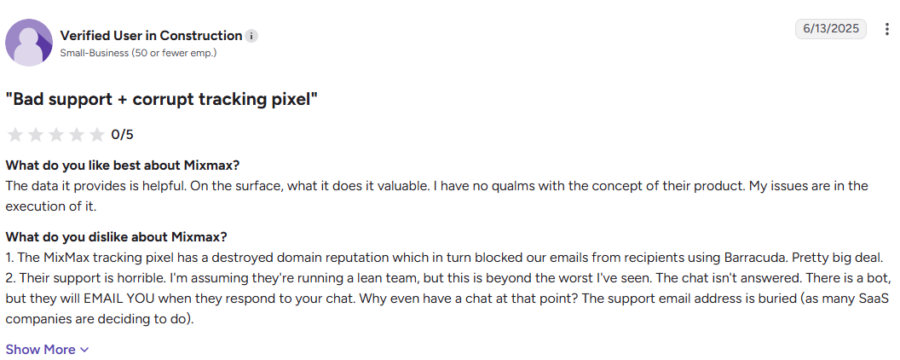
Mixmax sends emails through your Gmail account but does not include any deliverability tools: no warm-up, no sender rotation, no inbox rotation, and no deliverability monitoring. The tracking pixel is the specific concern. Multiple reviewers report it damaged their domain reputation and caused emails to be blocked by enterprise spam filters.
Real Mixmax user feedback:
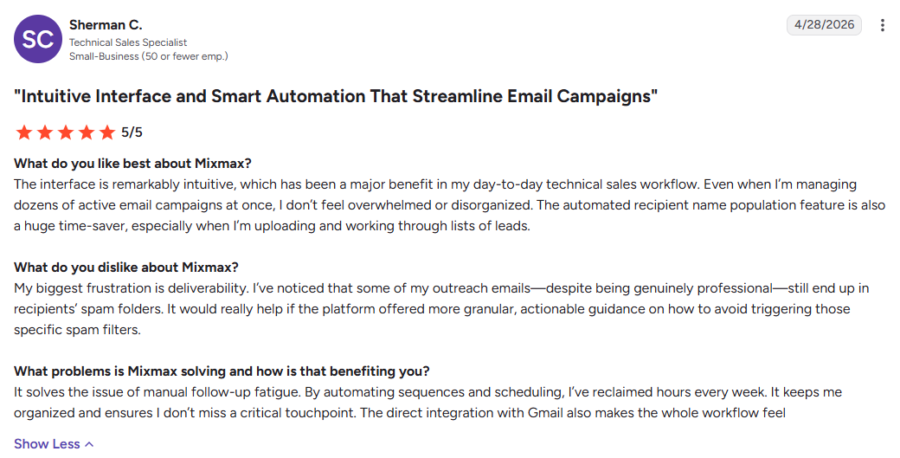
Common issues include:
- ❌ No email warm-up on any plan
- ❌ No sender rotation
- ❌ Tracking pixel has triggered spam filters for users
- ❌ No deliverability monitoring or inbox placement testing
9 Best Mixmax Alternatives Compared
Below is a detailed breakdown of the 9 tools that stand out as the best Mixmax alternatives today.
For each one, you will see what it does well and where it falls short. You will also see which tool fits your specific reason for switching.
Let’s get into the details.
1. Saleshandy
Saleshandy is the strongest Mixmax alternative on this list. It combines prospecting, verification, and outbound outreach in one platform.
Maybe you use Mixmax for sequences but still need separate tools for prospect data, warm-up, or lead management. Saleshandy brings those pieces into one workflow.
You get an 852M+ verified contact database across 42M+ companies. Waterfall Enrichment checks multiple sources and verifies each contact before reveal.
If an email cannot be verified, you do not lose a credit. That detail matters more than it sounds once you are prospecting at volume.
I also liked AI Search. You can type something like “Find VP-level decision-makers at US-based B2B companies” and get a relevant list back.
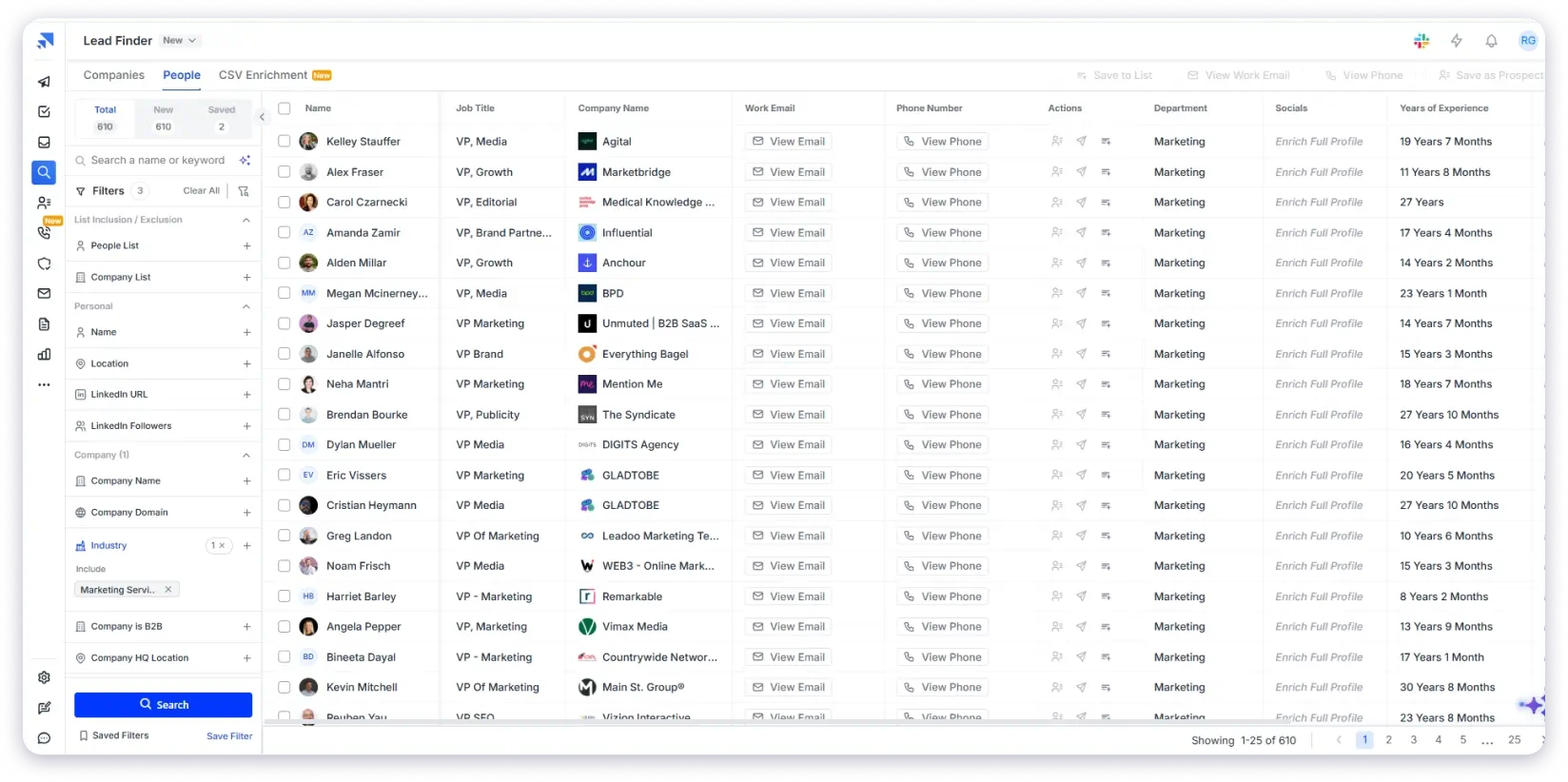
If you prefer manual control, 75+ filters cover buyer intent, hiring activity, and funding. You can also filter by technographics, job title, industry, location, and company size.
What stood out most to me is how little work sits between finding the right prospect and starting outreach.
That becomes especially useful once your outbound process grows past what you can comfortably manage inside Mixmax.
That is why I would rank Saleshandy first for teams that want prospecting and outbound in one place.
Here are the main reasons users look for a Mixmax alternative, and how Saleshandy compares:
For a detailed feature comparison, read Saleshandy vs Mixmax.
Key Features of Saleshandy
- AI-powered sequences: Build campaign steps and follow-ups using AI suggestions that adapt to prospect engagement patterns.
- AI personalization: Automatically customize subject lines, opening lines, and body content using each prospect’s company and role data.
- Multichannel outreach: Add LinkedIn connection requests, calls, and WhatsApp messages as steps inside your email sequences.
- Sender rotation: Spread sending volume across multiple email accounts automatically to avoid overloading any single inbox.
- Email warm-up (TrulyInbox): Gradually build sender reputation by simulating real engagement before you start scaling campaigns.
- Unified inbox: See and reply to every prospect response from all campaigns and accounts in one place.
- Built-in CRM: Track deal stages, manage follow-ups, and monitor pipeline without switching to a separate CRM tool.
Mixmax vs Saleshandy: Which One Is Better?
Pricing
- Outreach Starter: $25/mo
- Outreach Pro: $69/mo
- Outreach Scale: $139/mo
- Outreach Scale Plus: $209/mo
All plans include unlimited email accounts, team members, warm-up, CRM, and AI features. Lead Finder credits are billed separately.
Every plan comes with a 7-day free trial and 50 free credits, with no credit card required.
What Users Have to Say?
All-in-One Tool with AI-Driven Sequences
★★★★☆ 4/5Rohit A., Head of Inside Sales, E-Learning, Small Business, July 2026
Rohit called the all-in-one nature of the platform “fantastic,” pointing to email verification, AI-driven sequence creation, and CRM in one place. He also valued the WhatsApp and LinkedIn automation, and said he no longer jumps between tools. On deliverability, he found Saleshandy better than what he used before.
Read the full review on G2 →Straightforward Setup for Cold Email Outreach
★★★★★ 5/5CEO, Small Business, June 2026
Setting up cold outreach for the first time, this reviewer found the process “fairly straightforward and easy to follow.” Connecting sending accounts and warm-up, then moving through sequence setup, was clearer than expected for a tool of this kind.
Read the full review on G2 →2. Reply.io
Reply.io was built for teams that need more than simple email sequences. Mixmax works well for Gmail-based tracking and follow-ups, but Reply.io takes outbound further.
You get multichannel sequences, AI personalization, LinkedIn automation, and sales engagement workflows in one platform.
Instead of managing email in one tool and calls in another, Reply.io combines channels into a single sequence.
You can create automated follow-ups and use Jason AI SDR to draft messages. It also handles simple replies and manages multiple sender accounts.
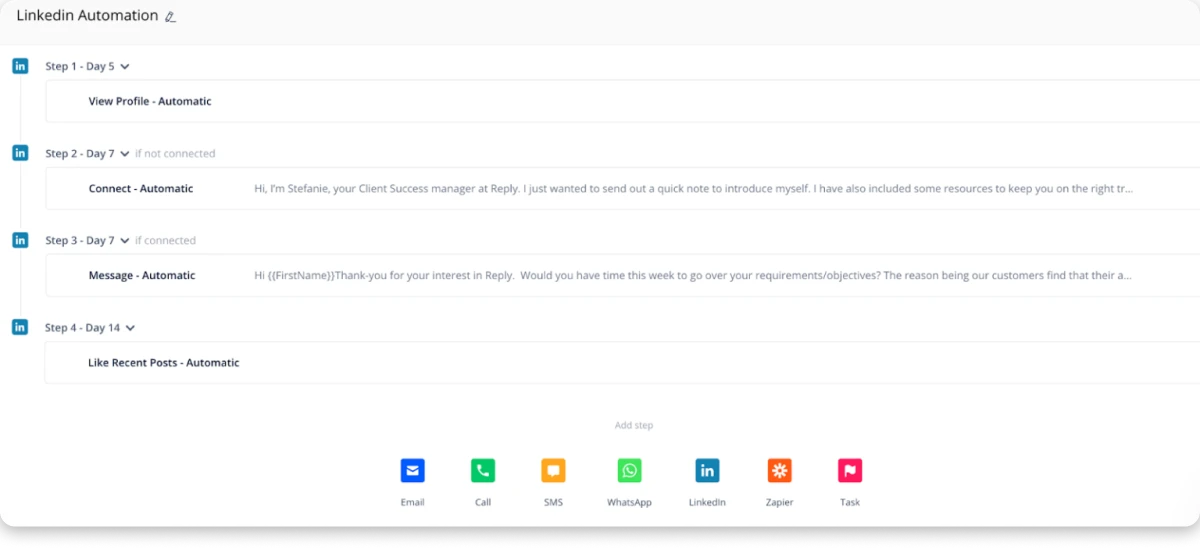
The biggest thing I liked about Reply.io is how much manual work it removes. Building a sequence that includes email, LinkedIn, and calls beats switching between separate tools.
Its MailToaster warm-up and deliverability tools also help teams sending at scale protect sender reputation.
That said, Reply.io is not as simple as Mixmax. The Gmail-first experience is easier to pick up. Reply.io takes longer to learn because it offers more automation options.
Pricing can also get expensive as your team grows. The Multichannel plan starts at $99 per user each month. Jason AI SDR is a separate product from $500 a month.
Choose Reply.io if you want a complete multichannel platform and plan to automate more of your outbound process.
If you want prospect data, simpler onboarding, and flat pricing, Saleshandy is the better fit.
Key Features of Reply.io
- Jason AI SDR: Works in autopilot or copilot mode to draft messages, respond to simple replies, and suggest meeting times.
- Conditional sequences: Automatically changes the next step based on whether a prospect opened, clicked, replied, or went silent.
- LinkedIn automation: Sends connection requests, profile views, and messages as automated steps inside your sequence.
- MailToaster warm-up: Runs in the background to build sender reputation before you launch high-volume campaigns.
- Mailbox management: Connect and rotate between multiple sender accounts to distribute volume and protect deliverability.
- Intent signals: Surface accounts showing buying behavior so you can prioritize prospects who are actively in-market.
- Sequence analytics: Track open rates, reply rates, and channel performance across each step to see what is working.
Mixmax vs Reply.io: Which One Is Better?
Pricing
- Email Volume: from $59/mo
- Multichannel: from $99/user/mo
- Jason AI SDR: from $500/mo
What Users Have to Say?
One reviewer valued “automatic LinkedIn steps as part of a full multichannel sequence” without disrupting the rest of their workflow.
Read the full review on G2 →Bonus read: our in-depth Reply.io alternatives comparison shows how other multichannel tools stack up.
3. Outreach
The next Mixmax alternative on my list is Outreach.
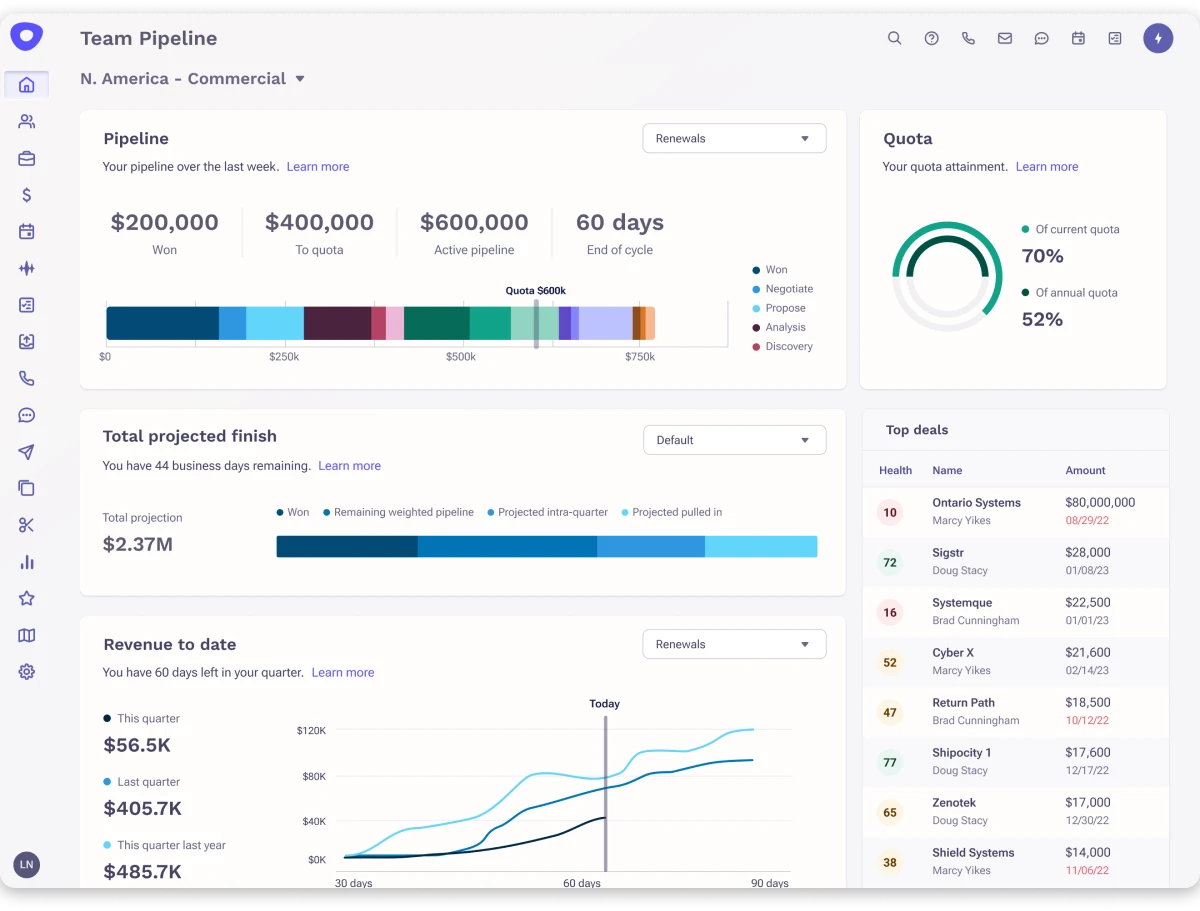
It is built for larger sales teams that need more than sequences and inbox productivity. Outreach combines sales engagement, conversation intelligence, deal management, forecasting, and CRM workflows in one platform.
You can run advanced sequences, track buyer activity, manage opportunities, and see which deals need attention. For a larger team, that gives you far more visibility than email opens and replies alone.
While exploring the platform, I was most impressed by Kaia, the conversation intelligence tool. It records and analyzes sales calls, and managers use those insights for rep coaching and deal reviews.
Outreach also goes deeper on pipeline management. You can track deal health, forecast revenue, and keep sales activity synced with Salesforce.
The main limitation is the setup. Outreach does not publish pricing, and you need to speak with sales before getting started.
It also requires more onboarding and administration than Mixmax, so smaller teams may find it excessive.
Outreach makes the most sense once your team has outgrown simple sequencing. It gives you deeper visibility into calls, deals, and pipeline.
For smaller teams focused mainly on outbound, it is likely more platform than you need. Saleshandy delivers the outreach and data side at a fraction of the cost, with no demo required.
Key Features of Outreach
- Advanced sequencing: Create multi-step workflows with branching logic that adjusts based on prospect engagement.
- Conversation intelligence: Record and transcribe calls, then use AI insights to coach reps and improve messaging.
- Salesforce integration: Two-way sync keeps CRM data accurate without manual updates across your entire team.
- Deal insights: AI-powered pipeline analysis shows which deals are progressing, stalling, or at risk.
- Team analytics: Manager dashboards track rep activity, sequence performance, and coaching opportunities.
- Sales forecasting: Predict revenue outcomes based on real pipeline data and engagement signals.
Mixmax vs Outreach: Which One Is Better?
Pricing
Custom only. Demo required.
What Users Have to Say?
One reviewer highlighted how it automates email follow-ups, organizes daily call tasks, and brings LinkedIn touchpoints into a single workflow.
Read the full review on G2 →Bonus read: our Outreach alternatives comparison covers how other enterprise tools measure up.
4. Lemlist
Lemlist is a solid option for teams that want outbound campaigns to feel more personal.
You can create multichannel sequences across email, LinkedIn, SMS, WhatsApp, and calls. Lemlist also adds personalized images, videos, landing pages, and AI-generated icebreakers.
Its main draw is visual personalization. You can automatically customize images and videos for each prospect, while AI Icebreaker generates personalized opening lines.
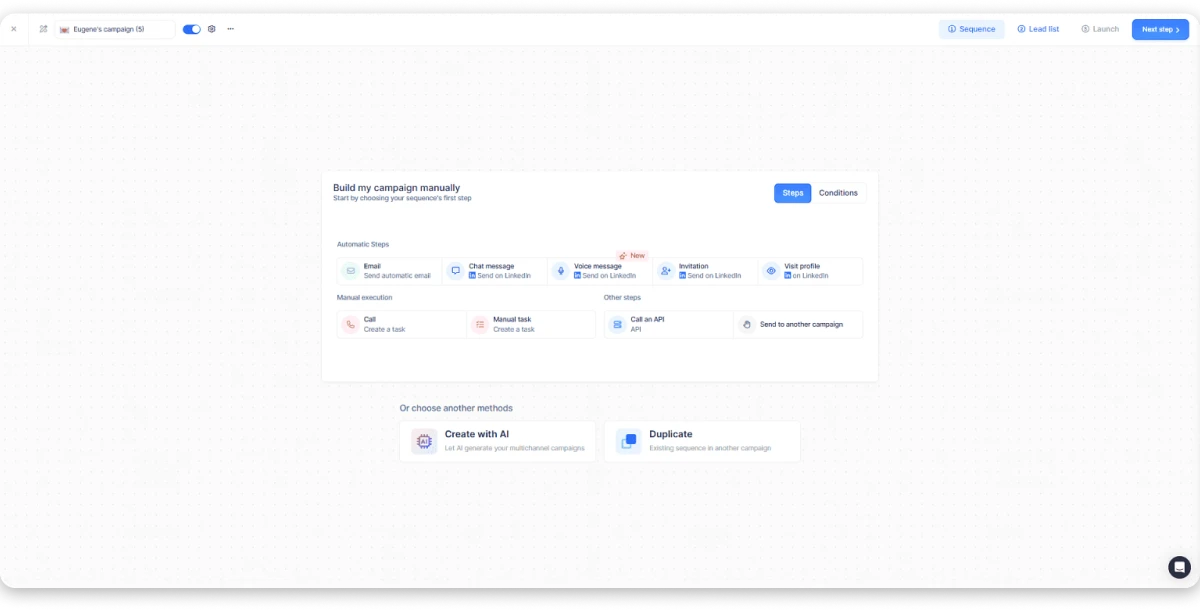
I found this useful for adding a personal touch without writing every message by hand.
Lemlist also gives you access to a 650M+ contact database. Lemwarm is included for warming up sending accounts before you launch campaigns.
The Email plan starts at $55 per user each month. The Multichannel plan starts at $87 and adds LinkedIn, calling, and other channels.
The main limitation is per-user pricing. A 10-person team on Multichannel would pay $870 a month, and enrichment uses credits that add cost as volume grows.
For agencies, client management and advanced workspace features sit inside the custom-priced Enterprise plan. Saleshandy includes unlimited clients and unlimited team members on every plan instead.
Key Features of Lemlist
- Dynamic personalization: Automatically insert custom images, screenshots, and video thumbnails personalized for each prospect.
- AI icebreaker: Scans prospect profiles and company data to generate opening lines that read as handwritten.
- Multichannel sequences: Build workflows that move between email, LinkedIn, calls, SMS, and WhatsApp with automated timing.
- Lemwarm: Runs warm-up conversations in the background to build sender reputation before you scale campaigns.
- Deliverability hub: Monitor inbox placement rates, sender health scores, and warm-up progress from one dashboard.
Mixmax vs Lemlist: Which One Is Better?
Pricing
- Email: $55/user/mo
- Multichannel: $87/user/mo
- Enterprise: Custom
What Users Have to Say?
One reviewer noted that AI, WhatsApp, and phone options together cover everything needed for a structured outreach process.
Read the full review on G2 →Bonus read: our Lemlist alternatives comparison shows how it comes out against other personalization tools.
5. Apollo.io
Apollo.io is a sales intelligence platform combining a 275M+ contact database with email sequences, a dialer, and CRM features.
If you are paying for Mixmax plus a separate data tool, Apollo can replace both in one subscription.
The free tier is useful, with 1,200 credits per seat each year and two active sequences. That makes it easy to test before committing anything.
Intent filters help you prioritize accounts actively showing buying signals. Waterfall Enrichment pulls data from multiple providers for higher match rates.
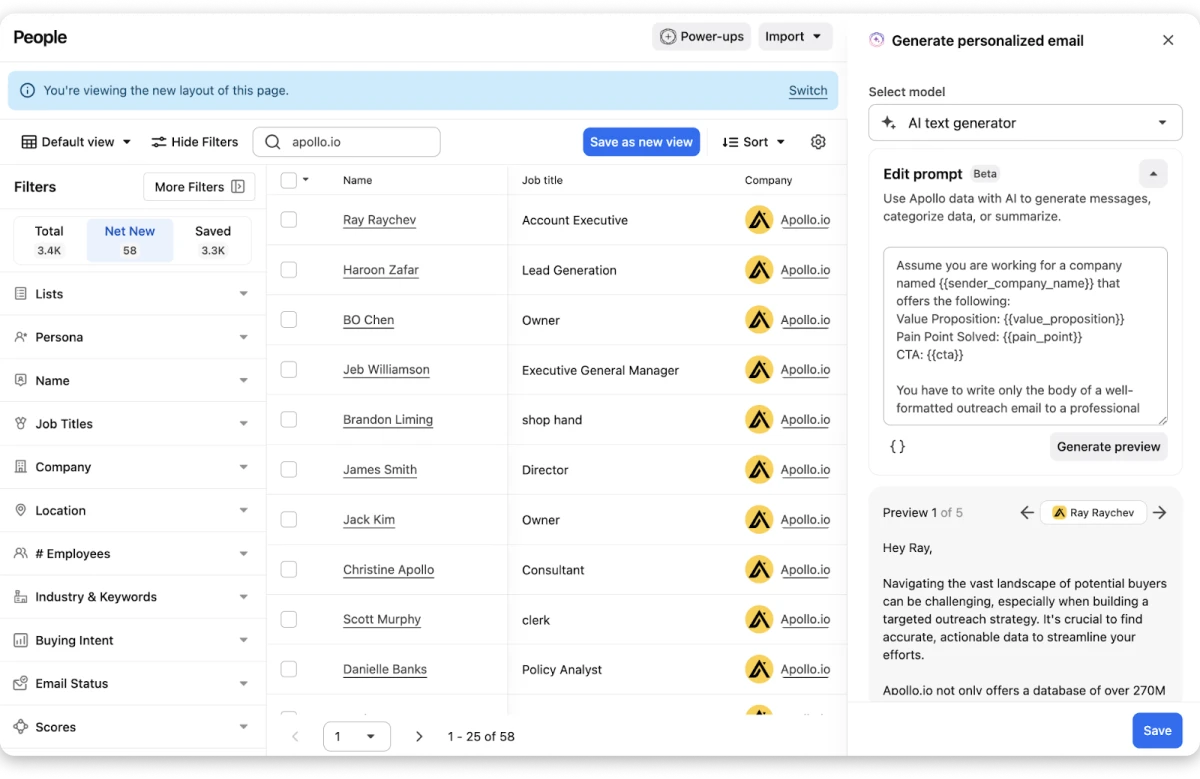
What I found most useful is how much time it saves having prospecting and outreach in the same tool.
Rather than exporting from one platform and importing into another, you build a list and enrich it. You then launch a sequence without leaving the dashboard.
The main drawback is that the outreach interface feels cluttered next to dedicated cold email platforms.
Deliverability is also weaker at high volume, since the warm-up is not as strong as TrulyInbox. There are no agency features or white-labeling either.
Saleshandy covers the same data-plus-outreach workflow with built-in warm-up, sender rotation, and flat pricing.
Key Features of Apollo.io
- Contact database: Filter 275M+ contacts by job title, industry, company size, revenue, tech stack, and hiring activity.
- Intent filters: Surface accounts researching solutions in your category so you reach them while interest is high.
- Waterfall Enrichment: Checks multiple data providers in sequence to find the most accurate email and phone number.
- Email sequences: Set up automated follow-ups that pause when a prospect replies or books a meeting.
- Built-in dialer: Call prospects directly from Apollo and log the outcome to the contact record automatically.
- CRM pipeline: Track deal stages, set follow-up reminders, and manage opportunities without a separate CRM.
Mixmax vs Apollo.io: Which One Is Better?
Pricing
- Free: $0 (1,200 credits/seat/year)
- Basic: $49/seat/mo
- Professional: $79/seat/mo
- Organization: $119/seat/mo (3-seat minimum)
What Users Have to Say?
One reviewer said it helps them build campaign lists, schedule calls, and manage deals more efficiently than traditional methods.
Read the full review on G2 →Bonus read: our in-depth Apollo.io alternatives comparison covers how other data-first platforms compare.
6. Yesware
Yesware, now Vendasta Yesware, handles the same email tracking and template workflow Mixmax users rely on. It does so with simpler pricing and fewer technical issues.
Both tools help you manage outreach from your inbox. Yesware stays focused on doing the essentials well: tracking, templates, campaign automation, and meeting scheduling.
Maybe Mixmax’s tracking pixel triggered spam filters, or the Chrome extension disconnected mid-outreach. Yesware offers a more stable experience.
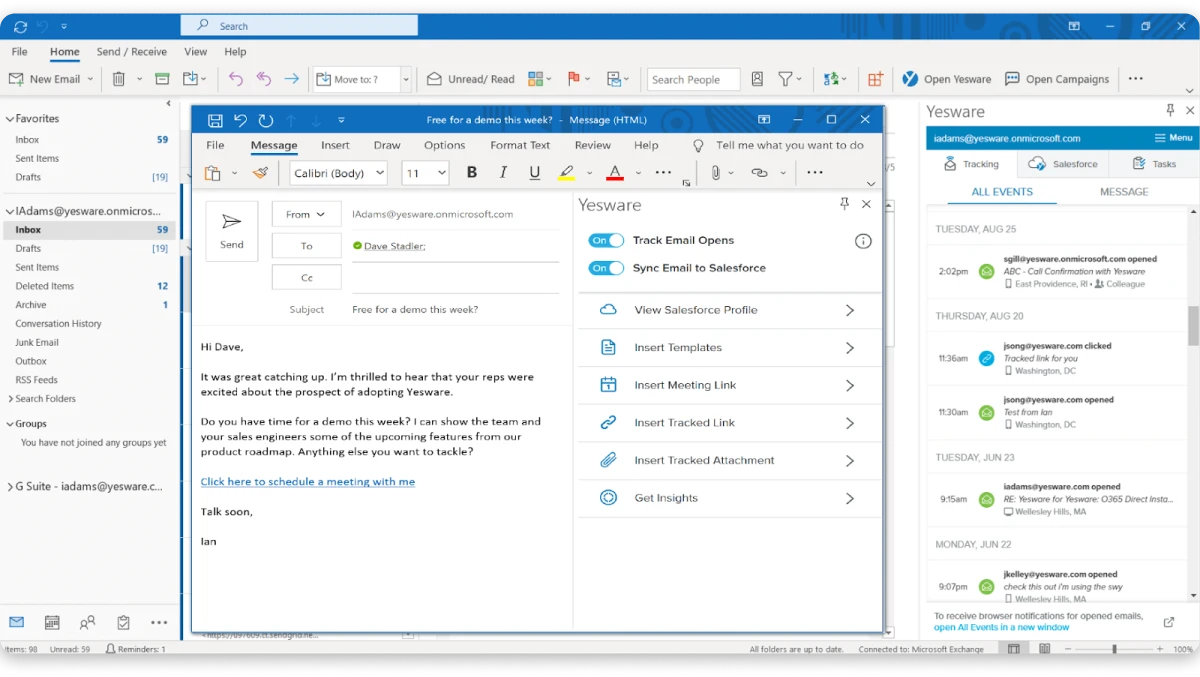
It supports both Gmail and Outlook natively, which helps teams that are not fully on Google Workspace.
The free tier lets you start without commitment, and the Pro plan begins at $19/seat/mo. G2 users also report fewer deliverability concerns than with Mixmax.
What I liked about Yesware is the consistency. Tracking works reliably, the interface is clean, and the learning curve is almost nonexistent.
Yesware does not include multichannel automation, a contact database, warm-up, or advanced deliverability monitoring.
The Pro plan caps campaigns at 20 recipients a month, and Salesforce integration requires the $85 Enterprise plan. It is focused on email productivity rather than full sales engagement.
Yesware works well if you want dependable tracking and templates at a lower cost than Mixmax. Once you need data, warm-up, or multichannel, you will be adding another tool alongside it.
If you are already at that point, Saleshandy covers all three in one platform for less than two Yesware seats.
Key Features of Yesware
- Email tracking: See when prospects open emails and click links, with notifications inside Gmail or Outlook.
- Templates: Create and share reusable templates across your team to save time on repetitive messaging.
- Campaigns: Run light email campaigns with automated follow-ups, though recipient caps apply on lower plans.
- Meeting scheduler: Share scheduling links so prospects can book time directly on your calendar.
- Reporting: Track email engagement, template performance, and team activity from one dashboard.
Mixmax vs Yesware: Which One Is Better?
Pricing
- Free: $0 (10 recipients/mo)
- Pro: $19/seat/mo
- Premium: $45/seat/mo
- Enterprise: $85/seat/mo
What Users Have to Say?
One reviewer valued having email analytics, templates, and meeting links in a single place for team collaboration.
Read the full review on G2 →
7. Mailshake
Mailshake was built to solve the deliverability problems Mixmax users hit. Tracking pixels get flagged, and emails never reach the inbox.
Mixmax works well for Gmail productivity, while Mailshake focuses purely on cold email.
It comes with built-in warm-up, email verification, inbox rotation, and A/B testing for subject lines, body copy, and send times.
The Sales Engagement plan at $85/mo adds a power dialer and LinkedIn automation if you want to go beyond email.
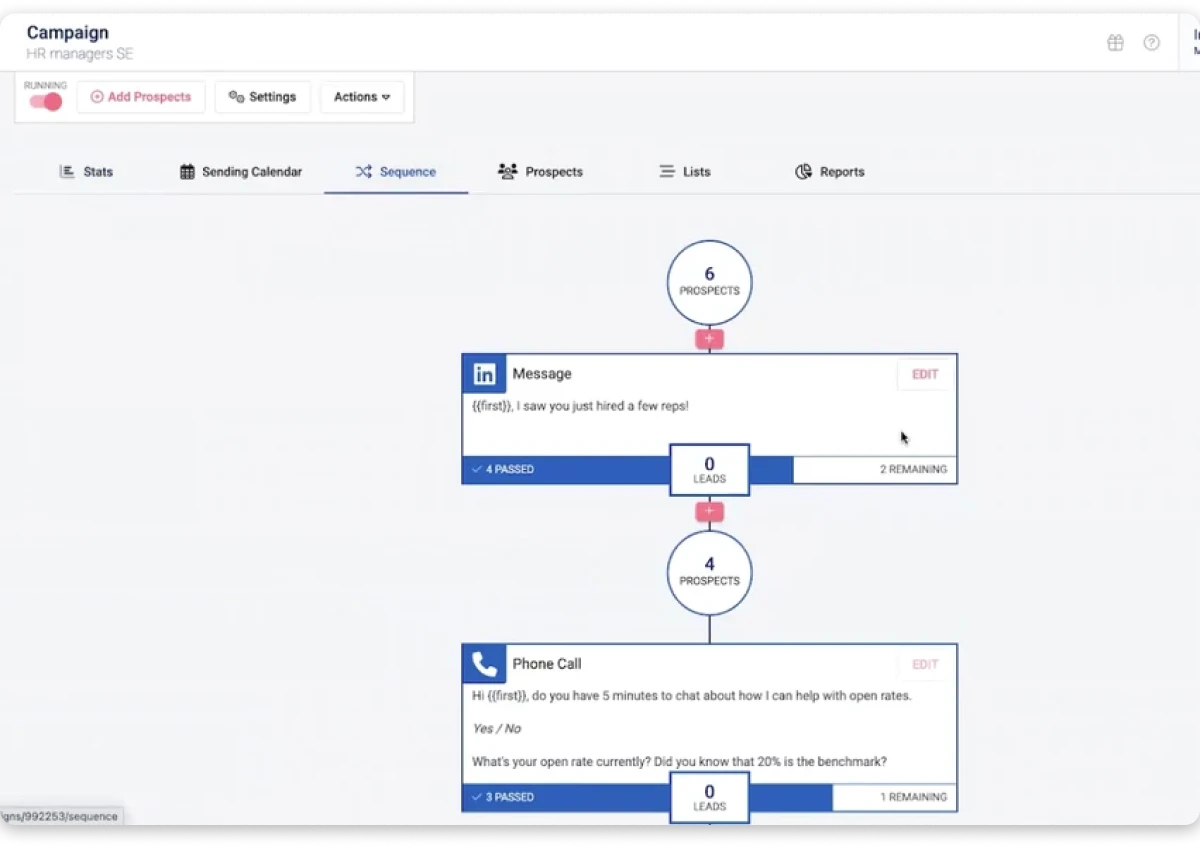
When I tested Mailshake, what stood out was how quickly you can launch a campaign and start seeing deliverability data.
The warm-up runs in the background, and A/B testing gives clear results on which subject lines and copy actually perform.
If Mixmax emails have been landing in spam, this tool helps you diagnose and fix it.
One thing to know is that Mailshake does not offer the Gmail integration that Mixmax does. It is also a poor fit if you mainly email warm leads or existing customers.
There is no built-in contact database, so you still need a separate prospecting tool. There is also no free trial, which means paying before you can test it.
If your main goal is landing cold emails in the primary inbox, Mailshake’s focused approach helps you get there.
Saleshandy matches that deliverability stack and adds 852M+ contacts, so list building stays in the same platform.
Key Features of Mailshake
- Unlimited warm-up: Prepare your sending accounts before launching campaigns to protect inbox placement.
- Email verification: Verify contacts before sending to reduce bounces and protect sender reputation.
- Inbox rotation: Distribute sending volume across multiple accounts automatically.
- A/B testing: Split test subject lines, body copy, and send times to improve campaign performance.
- Power dialer: Make outbound calls directly from the platform on the Sales Engagement plan.
- LinkedIn automation: Add LinkedIn outreach steps to your campaigns alongside email.
Mixmax vs Mailshake: Which One Is Better?
Pricing
- Starter: $25/mo (annual)
- Email Outreach: $45/mo (annual)
- Sales Engagement: $85/mo (annual)
What Users Have to Say?
One reviewer liked creating split tests easily, and valued having no limit on the number of warm-up accounts.
Read the full review on G2 →8. Outplay
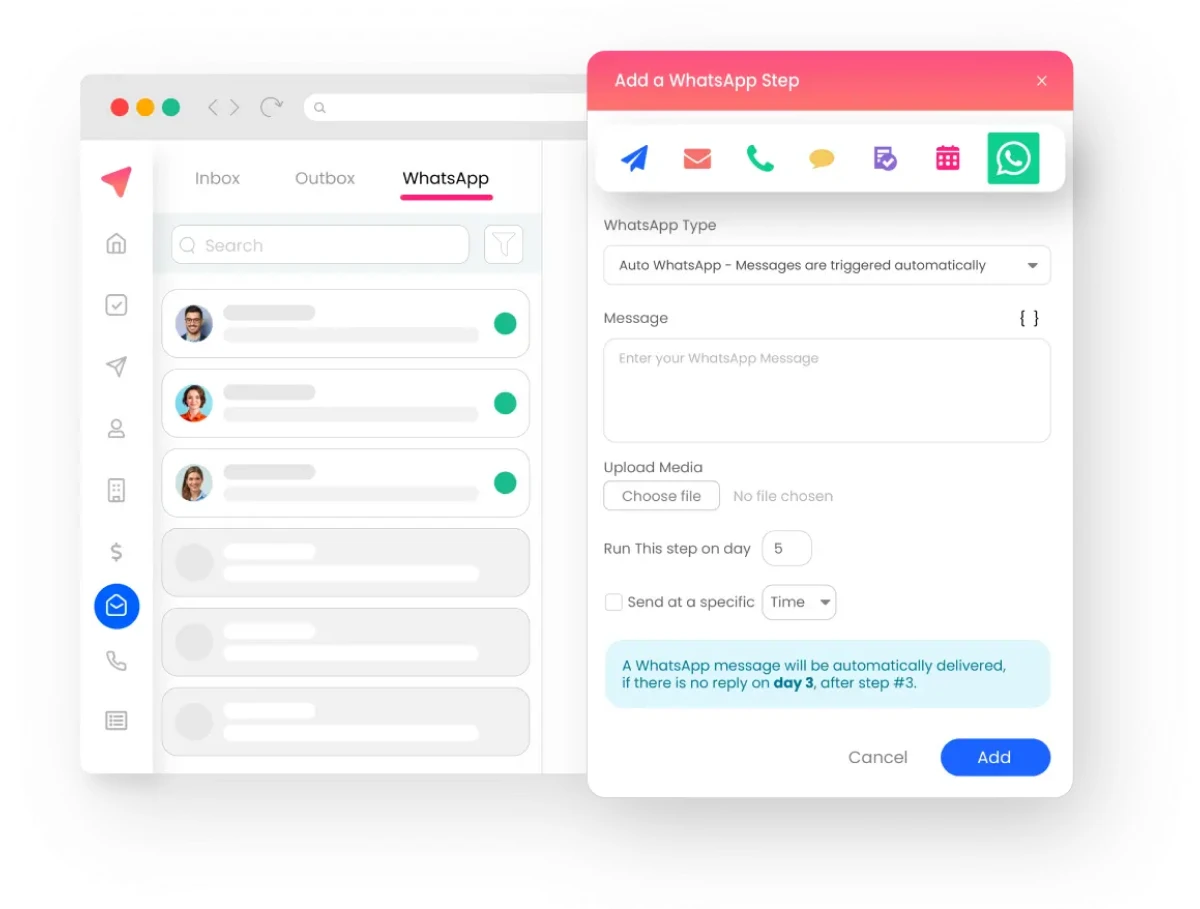
Outplay is built for teams that have outgrown email-only tools but are not ready for enterprise costs. It runs sequences across email, phone, LinkedIn, SMS, WhatsApp, and live chat.
The price sits meaningfully below Outreach and Salesloft for a comparable channel spread. For a growing team, that combination is hard to find elsewhere.
What stood out was the onboarding experience, which reviewers mention repeatedly. Most reps build their first sequence within hours, and the interface feels modern next to older platforms.
The limitation is depth rather than breadth. Reporting lacks what sales leaders managing 20 or more reps typically need.
LinkedIn automation also does not match email for tracking sophistication, and some users report occasional bugs. The platform is still maturing compared with established players.
Outplay makes sense when you need multichannel below enterprise pricing. If you also need prospect data, Saleshandy bundles everything Outplay offers alongside 852M+ contacts and warm-up.
Key Features of Outplay
- Multichannel sequences: Combine email, calls, LinkedIn, SMS, WhatsApp, and chat steps in one outreach workflow.
- Built-in dialer: Make calls directly from the platform on all paid plans without needing a separate tool.
- LinkedIn automation: Add LinkedIn outreach steps to your sequences alongside email and calls.
- Onboarding support: Get hands-on help from the Outplay team during setup to get your team running quickly.
- Outlook support: Works with both Gmail and Outlook, unlike Mixmax, which is Gmail-only.
Mixmax vs Outplay: Which One Is Better?
Pricing
Custom
What Users Have to Say?
One reviewer described it as an all-in-one tool for managing emails, calls, texts, and sequences together.
Read the full review on G2 →9. Salesloft
Salesloft is the last tool on this list. It addresses what Mixmax users run into once they outgrow simple email sequences and tracking.
Mixmax does a solid job with Gmail productivity. Salesloft goes further by combining revenue workflows, conversation intelligence, multichannel automation, and deep analytics.
Maybe Mixmax’s reporting felt limited, or you missed call recording and structured multi-touch workflows. Salesloft was designed to fill those gaps.
Rather than coordinating outreach between SDRs, AEs, and customer success across disconnected tools, everything runs from one platform.
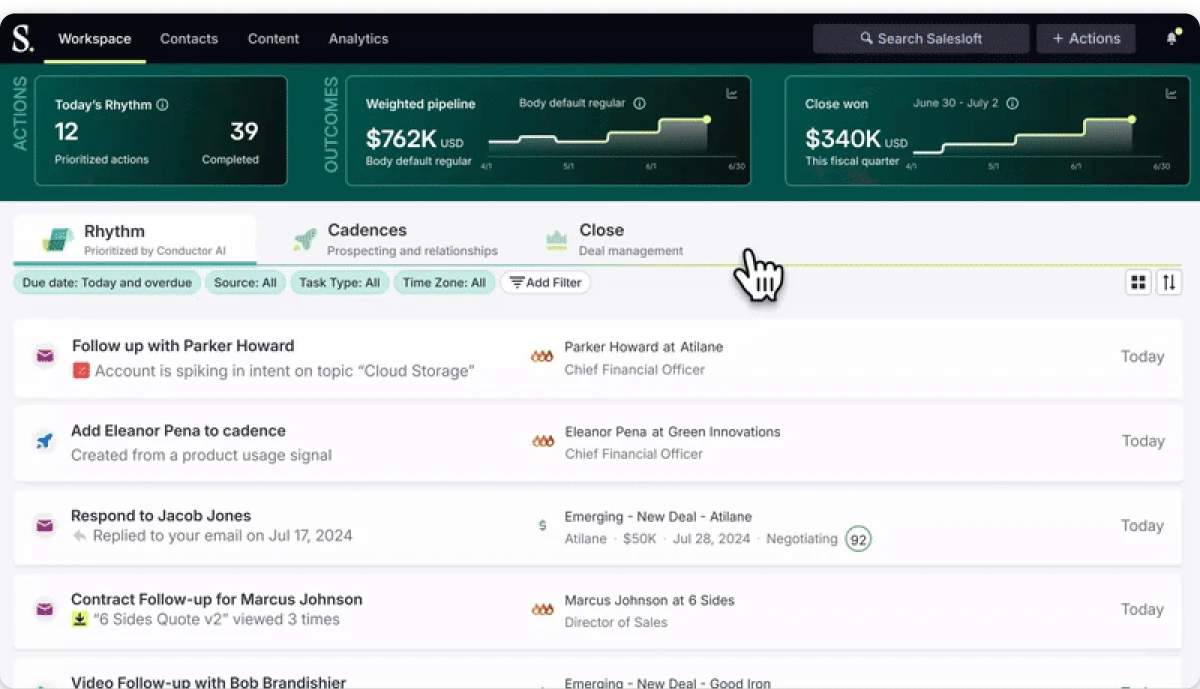
Its most notable feature is Rhythm. It uses AI to prioritize each rep’s daily tasks based on engagement signals across emails, meetings, and CRM data.
Salesloft also includes conversation intelligence with call recording, transcription, and coaching insights for managers. CRM integration with Salesforce and HubSpot syncs both ways automatically.
There is also no built-in contact database and no email warm-up.
For teams focused mainly on getting outbound started quickly, simpler options on this list will get you running faster. Saleshandy is where I would start, since you can sign up and launch the same day.
Key Features of Salesloft
- Rhythm AI: Analyzes engagement signals and tells reps who to contact next based on likely impact.
- Conversation intelligence: Records and transcribes calls, then provides AI-powered coaching insights for managers.
- CRM integration: Two-way sync with Salesforce and HubSpot keeps pipeline data accurate without manual updates.
- Sequence automation: Build automated outreach workflows across email, calls, LinkedIn, and other channels.
- Sales analytics: Manager dashboards track rep activity, sequence performance, and pipeline health.
- Deal management: Monitor deal progression and identify which opportunities need attention.
Mixmax vs Salesloft: Which One Is Better?
Pricing
Custom only.
What Users Have to Say?
One reviewer found it motivating to follow the Rhythm tab and track their outreach progress through the day.
Read the full review on G2 →Bonus read: our in-depth Salesloft alternatives comparison covers how other revenue platforms compare.
Which Mixmax Alternative Should You Actually Pick?
After comparing all 9 tools, the best choice comes down to what is pushing you away from Mixmax.
If you are not sure, start with these three questions.
1. Are you paying for too many separate tools?
Maybe you use one tool for prospect data, another for outreach, another for warm-up, and another for CRM.
In that case, look for a platform that brings those steps together. Saleshandy is a better fit if you want prospecting, outreach, deliverability, and lead management in one workflow.
2. Will your team or sending volume grow soon?
This is where pricing matters far more than the starting price.
A tool may look affordable for one or two reps. Per-user pricing, contact limits, and add-ons get expensive as you scale.
If growth is your priority, compare what each tool costs at 5 or 10 users rather than today.
3. How do you actually reach prospects?
If email is enough, a simpler tool like Mixmax or Yesware may still work well for you.
If you also rely on LinkedIn, calls, SMS, or WhatsApp, look at tools built around multichannel outreach. Reply.io, Lemlist, Outplay, Outreach, and Salesloft all fit that description.
Work out what you need to replace, how fast you plan to scale, and which channels you use. The shortlist gets much easier from there.
So, Which Is the Best Mixmax Alternative?
That wraps up my comparison of the 9 best Mixmax alternatives.
The right choice depends on what you need Mixmax to do better.
Do you want to scale outreach without per-seat costs eating your budget? Do you need prospect data, warm-up, and sequences in one platform instead of paying for three separate tools?
If you are still deciding, Saleshandy is the option I would start with.
You can test its prospecting, outreach, and deliverability workflow with a 7-day free trial before committing to a paid plan.
Mixmax Alternatives: FAQs
1. What Is Mixmax Used For?
Mixmax is a Gmail productivity tool that runs as a Chrome extension. Reps use it for email tracking, templates, meeting scheduling, and light sequences. It works well inside the inbox. It has no prospect data, no warm-up, and no sender rotation, which is where teams start looking elsewhere.
2. Is Mixmax Still Free?
Yes, but the free plan is thin. Mixmax cut free tracking from 100 emails a month to 20 in May 2025. Free sequences cap at 50 recipients. Saleshandy offers a 7-day free trial with 50 free credits, and no plan charges per seat.
3. Why Do Sales Teams Look for Mixmax Alternatives?
Teams usually look beyond Mixmax when they need more prospect data or stronger deliverability tools. Higher sending capacity, deeper automation, and pricing that scales with the team are the other common triggers.
4. Which Mixmax Alternative Is Best for Multichannel Outreach?
Saleshandy is a strong choice here. It supports email, LinkedIn, calls, and WhatsApp inside connected sequences. Reply.io and Lemlist are also worth considering if multichannel engagement is your priority.
5. Mixmax vs Yesware: Which Is Better?
Yesware costs less and supports Outlook, starting at $19 per seat compared with Mixmax at $29. Mixmax is stronger for meeting scheduling and gives you a more polished inbox experience. Neither is built for high-volume outbound. The choice mostly comes down to budget and how your team prefers to work.
6. When Should You Choose Outreach Over Mixmax?
Choose Outreach when your team needs advanced sequences, branching logic, call steps, shared templates, and deeper CRM workflows. Mixmax is faster to set up and better for smaller teams. Outreach makes more sense once you need control, reporting, and sales management across a larger team.
7. How Do I Cancel or Remove Mixmax From Gmail?
Cancel the subscription in your Mixmax account settings under billing. Then remove the extension from Chrome and revoke its access in your Google account permissions. Export your templates and sequence data first, since most alternatives import them during setup.
8. Which Mixmax Alternative Is Best for High-Volume Cold Email?
Saleshandy handles this best on this list. Outreach Pro covers 150,000 emails a month across unlimited sending accounts, with sender rotation and built-in warm-up. Volume without rotation and warm-up damages sender reputation. That gap catches most teams scaling out of Mixmax. My guide to cold email software covers the setup in detail.

 Dhruv Patel