


If you’re searching for Outreach pricing, you’ll probably notice the same thing I did: Outreach doesn’t publish its actual prices.
Its four plans all lead to a “Request pricing” button, which means you need to speak with sales before you know what your team might pay.
But the quote itself is only part of the cost.
Outreach uses per-user pricing alongside usage-based AI credits.
Depending on the package, you get between 10,000 and 100,000 credits, with more available to purchase if you run out.
There are no separate platform fees, and support is included. Still, extra AI credits, add-ons, and professional services can push the final cost higher.
Contracts are annual, even if you choose monthly billing.
I went through Outreach’s current plans, pricing structure, AI credit system, add-ons, and available public pricing information to make sense of it.
Below, you’ll see what each Outreach plan includes, what affects your final bill, and what you should budget for in 2026.
Outreach Pricing – TOC
- TL;DR: Outreach Pricing at a Glance
- How Much Does Outreach Cost? Full Breakdown Explained
- Outreach AI Credits and Extra Charges Explained
- What Do Customers Say About Outreach’s Pricing and Value?
- How to Negotiate Outreach Pricing and Contract Terms
- What’s the Best Alternative if Outreach Is Too Expensive?
- Outreach Pricing FAQs
TL;DR: Outreach Pricing at a Glance
Outreach offers four main quote-based subscription packages. Each comes with different AI credit limits, API allowances, and features.
Here’s how they compare:
| Plan | Pricing | AI Credits | API Calls | Custom Objects | Knowledge Storage | Best For |
|---|---|---|---|---|---|---|
| Amplify Essentials | Custom quote | 10,000 | 250,000 | 5 | 500 MB | Small teams needing conversation intelligence and coaching |
| Amplify Core | Custom quote | 25,000 | 250,000 | 5 | 500 MB | Pipeline creation and account management |
| Amplify Plus Most Popular | Custom quote | 50,000 | 500,000 | 10 | 750 MB | Mid-market teams needing deal management and AI coaching |
| Amplify Pro | Custom quote | 100,000 | 1,000,000 | 20 | 1,500 MB | Enterprises needing forecasting and territory management |
⚠️ Keep in Mind
Outreach has no publicly advertised free trial, free plan, or self-serve signup. Pricing depends on team size, AI usage, and required features. Minimum seats, billing terms, AI credit overage rates, and add-on costs remain undisclosed. You’ll need to speak with sales to understand your total cost before committing.
How Much Does Outreach Cost? Full Breakdown Explained
Outreach doesn’t publish fixed prices for any of its four Amplify plans. Instead, it offers custom pricing based on three factors:
- Team size and usage volume: Number of users and how much your team uses the platform.
- AI workflows: Number of AI-powered workflows your team activates.
- Platform capabilities: Features and tools your team needs for sales execution.
Outreach combines per-user licensing with consumption-based AI credits. It also states that there are no platform fees and support is included.
Let’s break down all four plans to see what you get at each level.
1. Amplify Essentials (Custom Pricing)
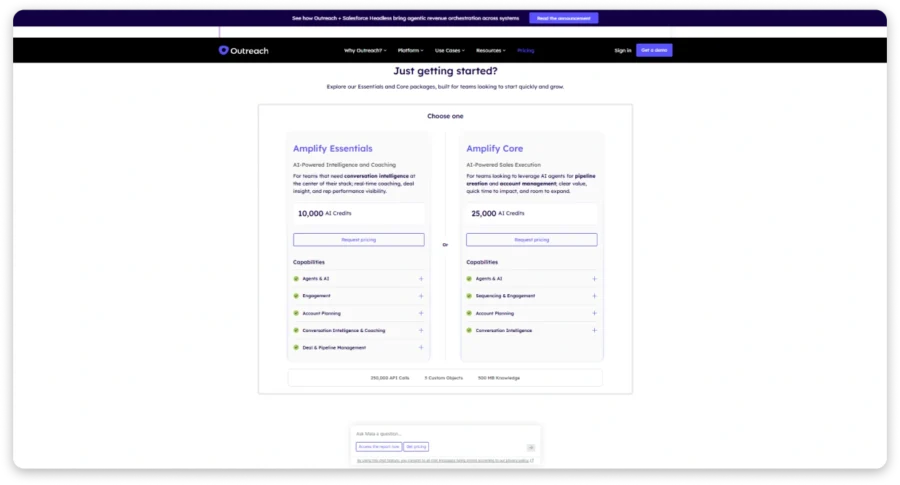
Amplify Essentials is Outreach’s entry-level package, designed for teams focused on conversation intelligence, coaching, and deal visibility.
Unlike Core, Essentials doesn’t include dedicated multichannel sequencing, making it less suitable for teams focused on automated prospecting.
What You Should Pay Attention To
Essentials has the lowest AI credit allowance at 10,000. Teams frequently using research, personalization, and coaching should carefully estimate their consumption.
It also lacks dedicated multichannel sequencing. If automated prospect follow-ups are your priority, you’ll need Core or higher.
Here’s What Essentials Gets You
| Spec | Allotment |
|---|---|
| AI Credits | 10,000 |
| API Calls | 250,000 |
| Custom Objects | 5 |
| Knowledge Storage | 500 MB |
| Key Capabilities | Agents & AI, Basic Engagement, Account Planning, Conversation Intelligence & Coaching, Deal Visibility |
At 50 one-credit actions per rep daily, five representatives would consume 10,000 credits in 40 working days.
This calculation is illustrative. Actual consumption depends on AI action costs and your contracted credit allocation period.
💡 My Take
I’d consider Essentials if coaching, call analysis, and deal visibility matter more than outbound prospecting. But if your team needs automated email sequences and multichannel engagement, Core is a better starting point.
2. Amplify Core (Custom Pricing)
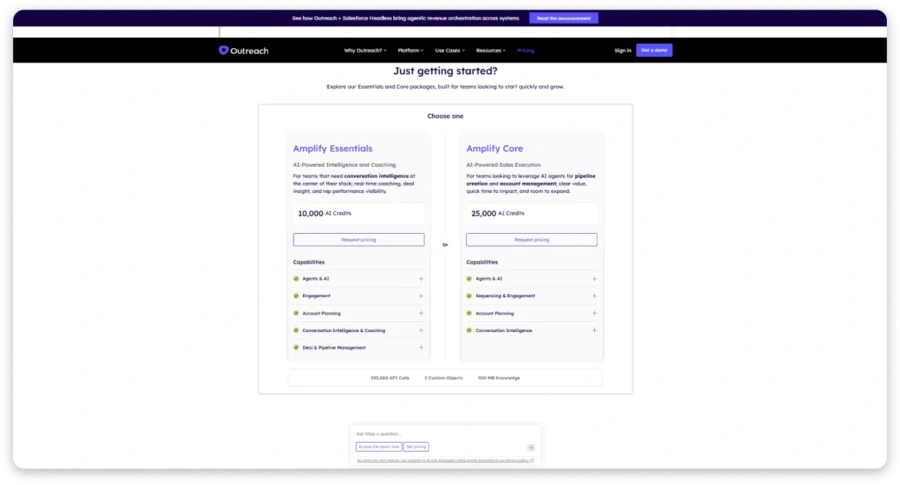
Amplify Core introduces dedicated multichannel sequencing, making it more suitable for SDR teams focused on pipeline generation.
It combines sales engagement, AI-assisted research, account planning, and conversation intelligence without Plus’s advanced coaching capabilities.
What You Should Pay Attention To
Core increases AI credits to 25,000 but retains Essentials’ API call limits, custom objects, and knowledge storage.
You also won’t get Plus’s advanced conversation coaching and deal management capabilities.
Another consideration is prospect data. Outreach offers enrichment but doesn’t advertise a searchable B2B contact database comparable to dedicated lead-finding platforms.
Here’s What Core Gets You
| Spec | Allotment |
|---|---|
| AI Credits | 25,000 |
| API Calls | 250,000 |
| Custom Objects | 5 |
| Knowledge Storage | 500 MB |
| Key Capabilities | Agents & AI, Multichannel Sequencing, Engagement, Account Planning, Conversation Intelligence |
At 50 one-credit actions per rep daily, 10 representatives would consume 25,000 credits in 50 working days.
Actual credit usage depends on the actions performed and your agreed allocation period.
💡 My Take
Core makes sense for SDR teams focused on prospecting and pipeline generation. You get sequencing, AI-assisted research, and account planning, but advanced coaching and deal management remain limited. If you’re managing the full sales cycle, I’d evaluate Plus.
3. Amplify Plus (Most Popular, Custom Pricing)
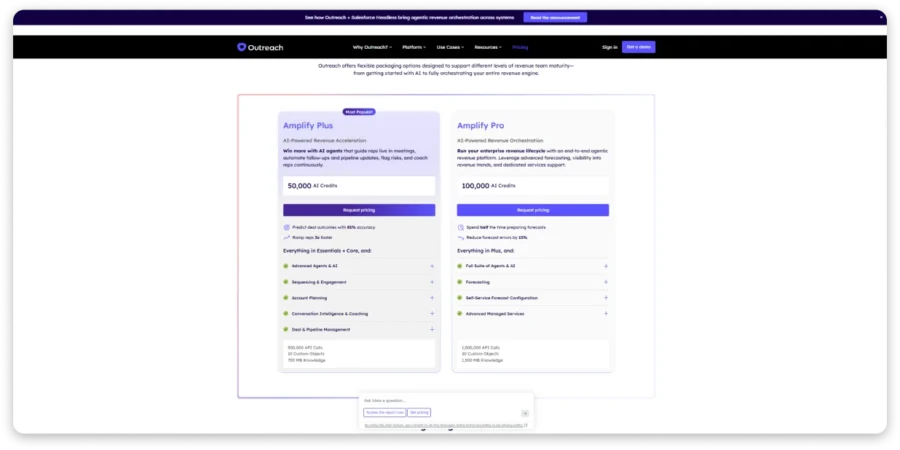
Amplify Plus is labeled “Most Popular” on Outreach’s pricing page. It combines sequencing, advanced coaching, and deal management.
It’s designed for full-cycle sales teams managing everything from prospect engagement to opportunity progression.
Outreach claims Plus can predict deal outcomes with 81% accuracy and help representatives ramp 3x faster.
What You Should Pay Attention To
Plus doubles Core’s AI allowance to 50,000 credits and increases API calls to 500,000.
You also get advanced conversation intelligence and pipeline management, helping managers coach representatives and track deal progress.
However, advanced forecasting, territory management, and multi-currency capabilities remain reserved for Pro.
Here’s What Plus Gets You
| Spec | Allotment |
|---|---|
| AI Credits | 50,000 |
| API Calls | 500,000 |
| Custom Objects | 10 |
| Knowledge Storage | 750 MB |
| Key Capabilities | Advanced Agents & AI, Sequencing, Account Planning, Conversation Coaching, Deal & Pipeline Management |
At 50 one-credit actions per rep daily, 25 representatives would consume 50,000 credits in 40 working days.
You should confirm the credit renewal period and additional pack pricing before committing.
💡 My Take
Plus offers the best balance for full-cycle sales teams. You get sequencing, conversation coaching, and deal management without paying for Pro’s advanced forecasting capabilities. I’d choose Plus if those features cover your team’s daily workflow.
4. Amplify Pro (Custom Pricing)
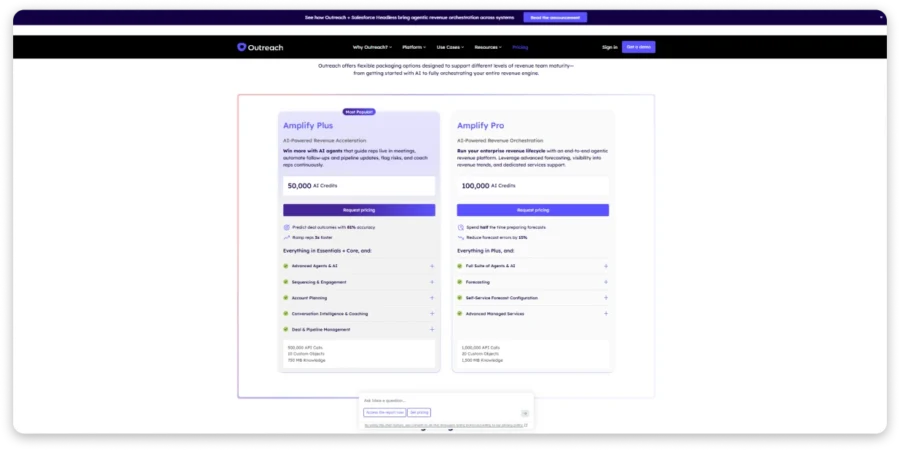
Amplify Pro is Outreach’s highest-tier package, designed for enterprise teams managing complex revenue operations and forecasting.
It includes Plus’s sales engagement and coaching capabilities alongside advanced forecasting and managed services.
Outreach claims Pro can reduce forecast preparation time by half and forecast errors by 15%.
What You Should Pay Attention To
Pro increases AI credits to 100,000 and API calls to 1,000,000, providing greater capacity for larger teams.
Its main additions include forecasting, territory management, multi-currency support, and advanced managed services.
However, Outreach doesn’t clearly explain what its “Full Suite of Agents & AI” includes beyond Plus.
Here’s What Pro Gets You
| Spec | Allotment |
|---|---|
| AI Credits | 100,000 |
| API Calls | 1,000,000 |
| Custom Objects | 20 |
| Knowledge Storage | 1,500 MB |
| Key Capabilities | Everything in Plus, Full AI Agent Suite, Forecasting, Self-Service Forecast Configuration, Advanced Managed Services |
At 50 one-credit actions per rep daily, 50 representatives would consume 100,000 credits in 40 working days.
Actual usage depends on AI workflows and their respective credit costs.
💡 My Take
Pro is worth considering if your enterprise team needs forecasting, territory management, and advanced revenue operations. However, if your priority is outbound engagement, coaching, and deal management, Plus may be enough. I’d compare both quotes before committing.
Outreach AI Credits and Extra Charges Explained
Outreach uses consumption-based AI credits, meaning your costs can increase as your team uses more AI features.
Here’s how its credit system works:
- Research Agent: 1 credit per research action.
- Personalization Agent: 1 credit per personalized content action.
- Meeting Prep Agent: 2 credits per meeting brief.
- Deal Agent: 1 credit per completed meeting associated with an opportunity.
- AI Coaching: 2 credits per automatically scored coach card.
- MCP Server: 0.10 credits per tool call.
For example: If 10 reps each perform 50 one-credit actions daily, they’ll consume 10,000 credits across 20 working days.
Additional Costs to Consider:
- AI overages: Published pay-as-you-go terms specify $1.40 per credit, subject to contract terms.
- Add-ons: Connectors, Data Sharing, Additional Instances, and Listener Licenses require separate pricing.
- Implementation: Professional services and onboarding costs aren’t publicly listed.
- Unused credits: Expiry and rollover policies aren’t clearly disclosed on the pricing page.
💡 My Take
Confirm credit renewal periods, overage rates, and additional fees before signing. These costs can affect your final Outreach bill.
What Do Customers Say About Outreach’s Pricing and Value?
Outreach holds a 4.3/5 rating on G2, with 3,653 reviews in the October 6, 2026 snapshot. G2 also places it in the highest perceived-cost category ($$$$$), with an average ROI payback of 11 months.
I looked at customer reviews to understand whether Outreach’s features justify its pricing.
What Users Like
1. Automation makes the cost worthwhile for some teams. Ichrak M., a small-business user, rated Outreach 5/5 for helping organize sales activities through automated sequences. Despite acknowledging its high pricing, they considered the platform worthwhile. Read full review on G2
2. Easy prospecting and task management. Chris F., another small-business reviewer, praised its interface and task tracking. However, their team eventually moved away because of pricing and timing. Read full review on G2
Common Complaints
1. High costs extend beyond subscription fees. Jishan P., a mid-market reviewer, raised concerns about pricing and implementation complexity. Configuring CRM workflows, permissions, and templates took several weeks. Read full review on G2
2. Smaller teams struggle to justify the investment. IRANNA S., a small-business reviewer, described Outreach as excessive for teams under 25 people, citing opaque pricing and configuration requirements. Read full review on G2
3. Pricing and learning curves affect perceived value. A verified mid-market software reviewer appreciated automation and usability but found pricing relatively high. Learning the platform and dealing with occasional technical issues added friction. Read full review on G2
How to Negotiate Outreach Pricing and Contract Terms
If you decide Outreach is the right fit, don’t assume the first quote is the best deal you can get.
Pricing varies based on team size, included features, and contract terms. Here are the levers worth focusing on:
- Ask for an itemized quote: Request a breakdown of per-user pricing, platform fees, add-on products, implementation costs, and any other charges. This helps you identify which components are negotiable and avoid paying for features your team doesn’t need.
- Negotiate per-user pricing: If you’re purchasing licenses for a larger team, ask for volume discounts. You can also negotiate based on your expected seat count and request better pricing if you plan to expand usage over the next 12 months.
- Use competing quotes: If you’re also evaluating sales engagement platforms such as Salesloft or Apollo, compare their pricing and included features with Outreach’s proposal. Use those comparisons to negotiate a lower price or secure additional functionality without increasing your budget.
- Be selective with add-ons: Review which Outreach products and integrations your team actually needs. Ask whether features can be bundled into your subscription at a lower cost rather than purchased separately, and clarify whether any functionality you expect to use is excluded from the quoted plan.
- Negotiate contract length carefully: A multi-year agreement may offer a lower annual rate, but it also limits your flexibility if your team’s needs change. If you agree to a longer term, negotiate predictable pricing, reasonable seat adjustments, and protection against significant increases at renewal.
- Clarify seat minimums and flexibility: Ask whether you can reduce the number of paid seats if your team shrinks, reassign licenses between users, or add seats at the same negotiated rate during the contract.
- Review renewal and cancellation terms: Check the auto-renewal clause, the deadline for giving notice, and any contractual price increases. Ask for a cap on renewal increases and make sure the notice period is clearly documented before signing.
- Negotiate implementation and support costs: If onboarding, training, or premium support is charged separately, ask whether these services can be included in the initial agreement or discounted.
The goal isn’t simply to secure the largest upfront discount. A lower per-user rate can still lead to a more expensive agreement if you’re locked into unused licenses, essential features cost extra, or renewal pricing increases substantially. Compare the total contract value, the functionality included, and the flexibility of the terms before making your decision.
📝 EDITOR’S NOTE
Outreach pricing and packaging can change over time, and negotiated quotes may differ by customer, plan, and contract size. Before publishing or relying on a specific discount benchmark, verify current pricing and contract details with Outreach or a credible procurement source. If you’re negotiating a new agreement or renewal, request written confirmation of all discounts, included features, seat commitments, and renewal terms.
What’s the Best Alternative if Outreach Is Too Expensive for Your Team?
That depends on what your sales team actually needs.
If you’re managing enterprise deals, AI coaching, and revenue forecasting, Outreach’s broader capabilities can justify the investment.
But if your priority is finding verified prospects, running multichannel outreach, and generating pipeline, you may not need everything Outreach offers.
That’s where I’d consider Saleshandy.
It combines B2B prospecting, email verification, multichannel outreach, and reply management, with transparent pricing starting at $34/month.
Outreach vs. Saleshandy Pricing Compared
| Factor | Outreach | Saleshandy |
|---|---|---|
| Published pricing | Custom quote for all four Amplify plans | Starter: $34/mo; Pro: $76/mo; Scale: $149/mo, billed annually |
| Annual cost | Not publicly disclosed | $408, $912, or $1,788/year |
| Users included | Per-user pricing; minimum seats undisclosed | 1 (Starter), 10 (Pro), unlimited (Scale) |
| B2B contact database | Data enrichment, but no comparable searchable contact database advertised | 852M+ contacts across 42M+ companies |
| Prospecting filters | AI-assisted research and account planning | 75+ filters for targeted prospect discovery |
| Credits included | 10,000 to 100,000 AI credits, depending on plan | 1,500 to 8,000 Lead Finder credits/month |
| Email verification | Data enrichment available | Real-time verification and waterfall enrichment |
| Multichannel outreach | Sequencing from Core; email, calling, and LinkedIn-related workflows | Email, calls, WhatsApp, and tasks; LinkedIn workflows subject to availability |
| Email warm-up | Not listed as included | Built-in TrulyInbox warm-up |
| Email accounts | Allowances not publicly disclosed | Unlimited connected email accounts |
| Monthly email sending | Limits not publicly disclosed | 6,000 to 200,000 emails, depending on plan |
| AI capabilities | Research, personalization, coaching, deal analysis, forecasting | AI Prompt-to-List, research, and outreach assistance |
| Deal management | Deal management, coaching, and advanced forecasting | Prospect management and outreach tracking; no equivalent enterprise forecasting |
| CRM integrations | CRM integration capabilities | HubSpot, Salesforce, Zoho, and Pipedrive on Pro and above |
| Billing | Custom contract terms | Published monthly and annual pricing |
| Free trial | No publicly advertised self-serve trial | 7-day free trial |
The biggest difference isn’t simply price. It’s what you’re paying to accomplish.
Outreach makes sense when your organization needs sales engagement, advanced coaching, deal management, and enterprise revenue forecasting.
Saleshandy makes more sense when your team needs to find decision-makers, verify contact details, and reach prospects without managing separate tools.
You also get published subscription prices, included Lead Finder credits, and unlimited connected email accounts.
For SMB sales teams and outbound agencies, I’d evaluate Saleshandy before committing to an enterprise platform.
Outreach Pricing FAQs
1. Does Outreach.io Offer a Free Trial or Demo-Only?
Outreach’s pricing page does not mention a free trial or free plan. The only calls-to-action are “Request Pricing” and “Request a demo.” G2 and Capterra both list Outreach as having no free trial as of 2026. The only path to evaluating the platform is through a sales conversation and a commitment.
2. Is There a Minimum Number of Seats?
Outreach doesn’t publish a minimum seat requirement on its pricing page. The FAQ says packages can be customized for different roles (AEs, SDRs, sales leaders, RevOps), but it doesn’t mention minimums. Ask during the sales conversation.
3. Can You Pay Monthly?
Outreach’s pricing page doesn’t specify billing frequency. It doesn’t mention monthly, annual, or multi-year terms anywhere. Ask for all available billing options and any discounts tied to commitment length during your pricing conversation.
4. Do Unused AI Credits Expire or Roll Over?
Outreach doesn’t publish a credit expiry or rollover policy. The FAQ says “you can purchase additional credit packs at any time,” but doesn’t address what happens to unused credits at the end of a billing period. Get this term in writing before you sign. Credits that expire silently can add up fast.
5. Can Different Users Have Different Packages?
Outreach’s FAQ says “packages can be customized to support different roles across revenue teams, including sales leaders, AEs, SDRs, and RevOps.” This suggests mixed-tier deployments are possible. How that affects pricing isn’t disclosed. If you need SDRs on Core and AEs on Plus, ask how the pricing works during the sales call.

 Anil Salvi
 Pritesh