
You know what, in 2026, the real challenge isn’t finding thousands of CSO contacts.
The real pain most sales and outbound teams face is that CSO email data is already outdated by the time they download it.
And no, that’s not just a data-quality problem. It’s actually a deliverability and sender reputation problem, a compliance concern, and a pipeline crisis, all rolled into one stale CSV.
Here’s what actually happens when you buy a typical Chief Security Officer email list:
- 15–30% of contacts have already changed roles by the time you send your first email
- CSOs are trained to spot and block cold outreach (they literally fight phishing for a living)
- Static lists lack intent data and real-time verification
- The list sits in a CSV with no way to re-verify, re-segment, or push contacts into a sequence
I noticed these issues so often. Therefore, I personally logged into each platform and evaluated it across six parameters: contact discovery for CSO and CISO titles, email verification accuracy, segmentation filter depth, intent data availability, compliance certifications, and pricing transparency.
Where I could not access a full account, I used free trials, published demos, and verified data samples. All claims marked as “company-published” are sourced directly from each provider’s website.
This guide breaks down what I found, with real data, honest limitations, and clear recommendations based on how you actually plan to use the list.
Let’s get into it.
TOC – Best CSO Email List Providers
TL;DR: Which CSO Email List Providers Should You Trust in 2026? (Quick Glance)
- Saleshandy: Best overall for real-time verified CSO emails, and 852M+ contacts, 150K+ CISO records, real-time verification across nine providers, and pricing from $34/month.
- Cognism: Best for GDPR-compliant global prospecting.
- Saleshandy & Apollo.io: Best budget-friendly option, includes a free plan, and built-in sequences
- DataCaptive: Best for one-time CSO lists. All offer custom, quote-based databases without self-serve search.
Quick CISO/CSO Comparison Table:
10 Best CSO Email List Providers in 2026
Here are the 10 CSO email list providers I tested, ranked by verification accuracy, segmentation depth, and how well they actually work for security-leader outreach.
Each review covers what I liked, what fell short, and whether the pricing makes sense for your team size.
1. Saleshandy: Best Overall for Real-Time Verified CSO Email Lists
I picked Saleshandy as #1 because it finds verified security leaders’ contact information faster than any other tool I tested.
All I did was open its Lead Finder and enter a simple prompt based on my target audience. Within 30 seconds, I found relevant CSO and CISO contacts.
Its database includes more than 150,000 verified CISO/CSO contacts, with access to Saleshandy’s wider database of over 852 million+ professionals.
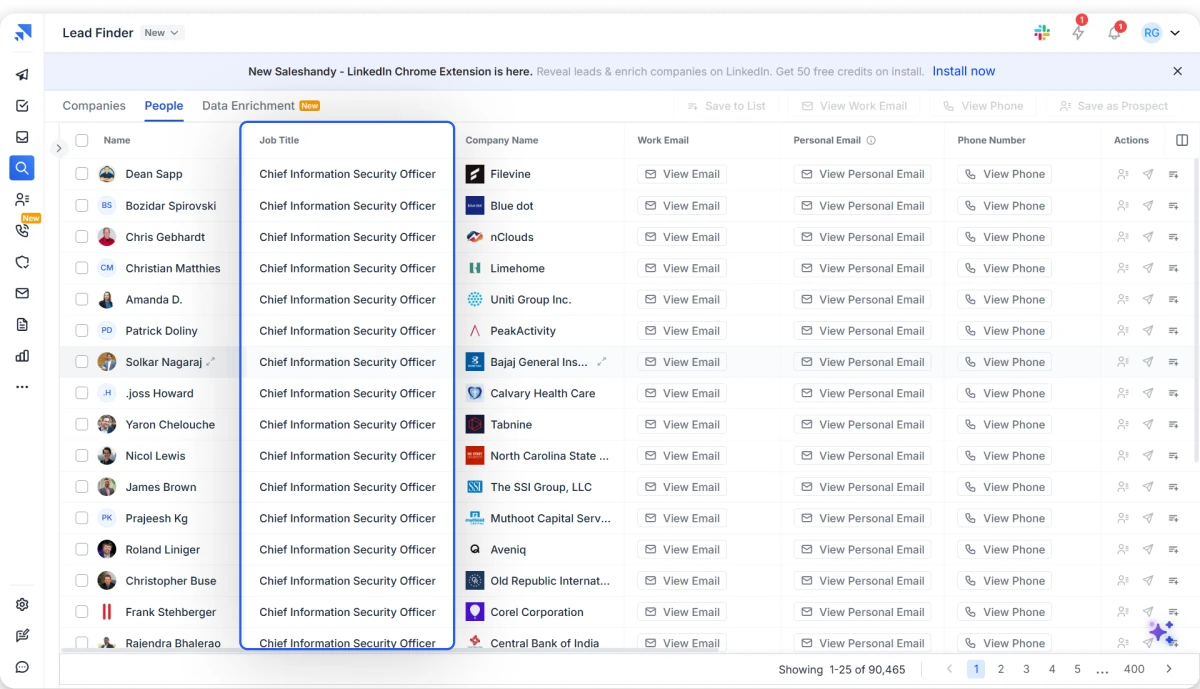
It even lets me search for roles such as:
- Chief Security Officers
- Chief Information Security Officers
- VPs of Security
- Heads of Information Security
Unlike static providers I tried, who sell a fixed CSV file, Saleshandy checks and verifies contact details at the point of reveal. It helped me avoid paying for email addresses that may already be outdated, which was honestly great.
Here’s How I Built a CSO/CISO Email List Using Saleshandy
-
1
I opened Saleshandy’s Lead Finder and typed my target audience description directly into Sage AI: “CISOs at US healthcare companies with over 1,000 employees.” It returned a filtered list in under 30 seconds.
-
2
I then refined the results using manual filters: job title (CSO, CISO, VP Security, Head of InfoSec), industry, company size, revenue, funding stage, and security technology stack.
-
3
For each contact I wanted, I clicked Reveal. Saleshandy verified the email across nine data providers in real time before charging a credit. If it couldn’t be verified, no credit was deducted.
-
4
I reviewed the verified contact details: work email, direct dial, company firmographics, and buying signals like recent funding or hiring activity in security roles.
-
5
I selected the contacts and pushed them directly into a cold email sequence inside Saleshandy — no CSV export, no import, no field mapping.
You can also move verified prospects directly into an email sequence. This removes the usual process of exporting, cleaning, importing, and mapping several CSV files.
Why Saleshandy Stands Out for CSO/CISO Prospecting:
Email Verification Rate: Saleshandy gives you 92% verified CSO/CISO contacts in minutes. It also verifies every revealed contact across nine data providers in real time.
Email Deliverability: I particularly like Saleshandy’s real-time verification capabilities because they reduced the number of outdated or invalid addresses entering my campaigns.
G2 Review: I like that it has a built-in leads database that I can search via location, job title, industry, etc. I don’t have to search for a stand-alone email database and worry about integrating it into Saleshandy.
Data Segmentation Filters: You get more than 75 search filters covering job title, seniority, location, industry, company size, revenue, funding, hiring activity, and technologies used.
Firmographic and Technographic Data: You can filter companies by headcount, industry, revenue, funding stage, location, and security technology stack. This filter helped me tailor my pitch to each CSO or CISO based on their company size, compliance needs, and existing security tools.
Verification Method: Saleshandy uses waterfall enrichment to check data across nine highly credible and trusted sources. It verifies the contact when you reveal it, rather than relying only on a stored result from an older database.
Intent Data & Buying Signals: Saleshandy offers practical buying signals such as funding, hiring activity, job changes, and technology usage. You can use these signals to find CSOs or CISOs at companies that may have an active security need.
CRM Integrations: Saleshandy connects with HubSpot, Salesforce, Zoho, and Pipedrive. It also supports Zapier, APIs, webhooks, MCP, and CLI access for more advanced workflows.
Compliance & Data Freshness: Saleshandy is GDPR compliant and SOC 2 Type II certified. Contact information is checked when revealed and refreshed continuously.
What I Really Like About Saleshandy’s CSO Email List:
It’s not just Saleshandy’s database size that stood out to me. It was the level of accuracy in the CSO/CISO contacts I was getting in seconds.
The search filters helped me narrow down the security audience, and they are also relevant for cybersecurity outreach.
For example, I even tried to get very specific data like this:
- CISOs at HIPAA-regulated healthcare companies
- Security leaders at SOC 2-certified SaaS companies
- CISOs at businesses using a specific SIEM platform
- Newly appointed CISOs
- Companies actively hiring security professionals
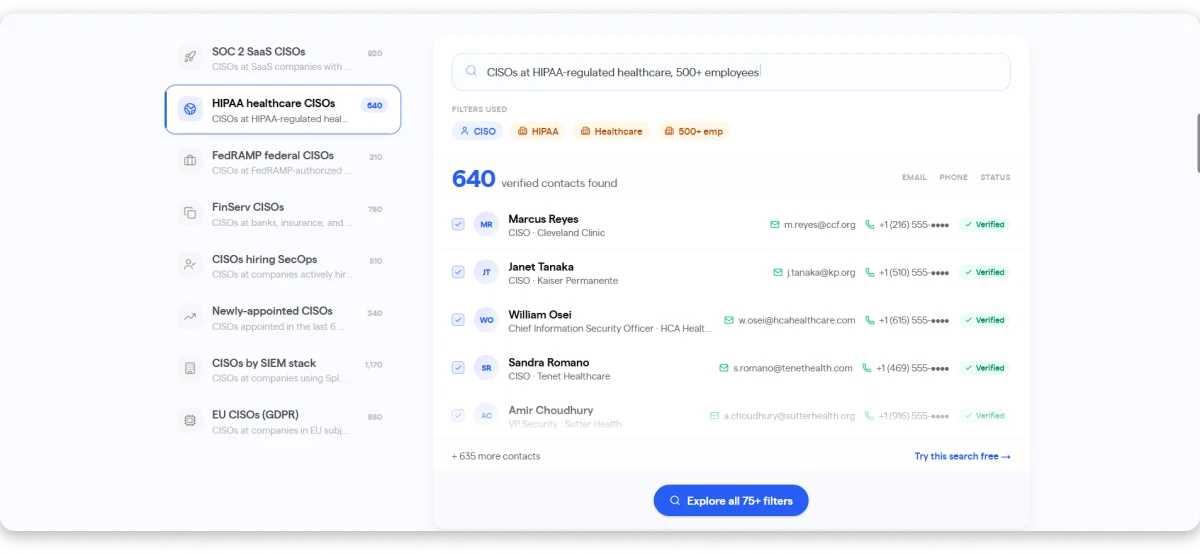
I also liked how Sage AI lets me find the right CSO contact just by describing the audience. For example, I asked for CISOs at US healthcare companies with over 1,000 employees.
Another useful point is that you only pay when you reveal contact data. If a contact cannot be verified, the credit stays in your account, so you are never charged for a dead address.
What Needs to Be Better
-
The 7-day free trial and 50 free lead credits are useful for testing data quality and outreach features. However, a few more free credits would make the trial more valuable.
Saleshandy Lead Finder Pricing:
Saleshandy does not sell its B2B data as a separate subscription. Lead Finder credits are bundled into every plan, so a single price covers the database, real-time verification, and the sending platform.
- Starter: $34 per month billed annually, or $41 if paid monthly. Includes 1,500 lead finder credits per month, 2,000 active prospects, and 6,000 emails per month.
- Pro: $76 per month billed annually, or $99 if paid monthly. Includes 4,000 lead finder credits per month, 30,000 active prospects, and 100,000 emails per month.
- Scale: $149 per month billed annually, or $189 if paid monthly. Includes 8,000 lead finder credits per month, unlimited active prospects, and 200,000 emails per month.
- Enterprise: Custom pricing
New users can start with up to 50 free credits and a seven-day trial. A credit card is not required to test the available data.
Saleshandy is Best For:
- Cybersecurity and compliance vendors building targeted CSO or CISO lists
- SDR teams that want prospect data and email outreach in one platform
- Agencies running campaigns for security-focused clients
- Teams that want to verify data before paying for it
2. ListKit: Accurate CSO/CISO Email Lists Without Annual Contracts
ListKit is #2 on my list because of its focus on verified contact data and intent-based prospecting.
It offers a B2B database of more than 731 million+ business contacts and claims under 2% bounce rates through its triple-verification engine.
Here’s How I Built a CSO/CISO Email List Using ListKit
-
1
I opened ListKit and selected intent topics such as cybersecurity, threat intelligence, data protection, and compliance management.
-
2
Then I filtered the results using CSO, CISO, and Head of Security job titles, and also added industry, company size, and location filters to narrow the list.
-
3
Once the results looked relevant, I exported the verified email addresses and phone numbers for outreach.
Here’s What You Need to Know About ListKit’s CSO Email List:
ListKit uses a triple-verification process before contacts are exported, which helps reduce the chances of adding invalid emails to your campaign.
Its intent filters let you find companies researching cybersecurity-related topics. However, I would still test a small batch because user feedback on intent accuracy is mixed.
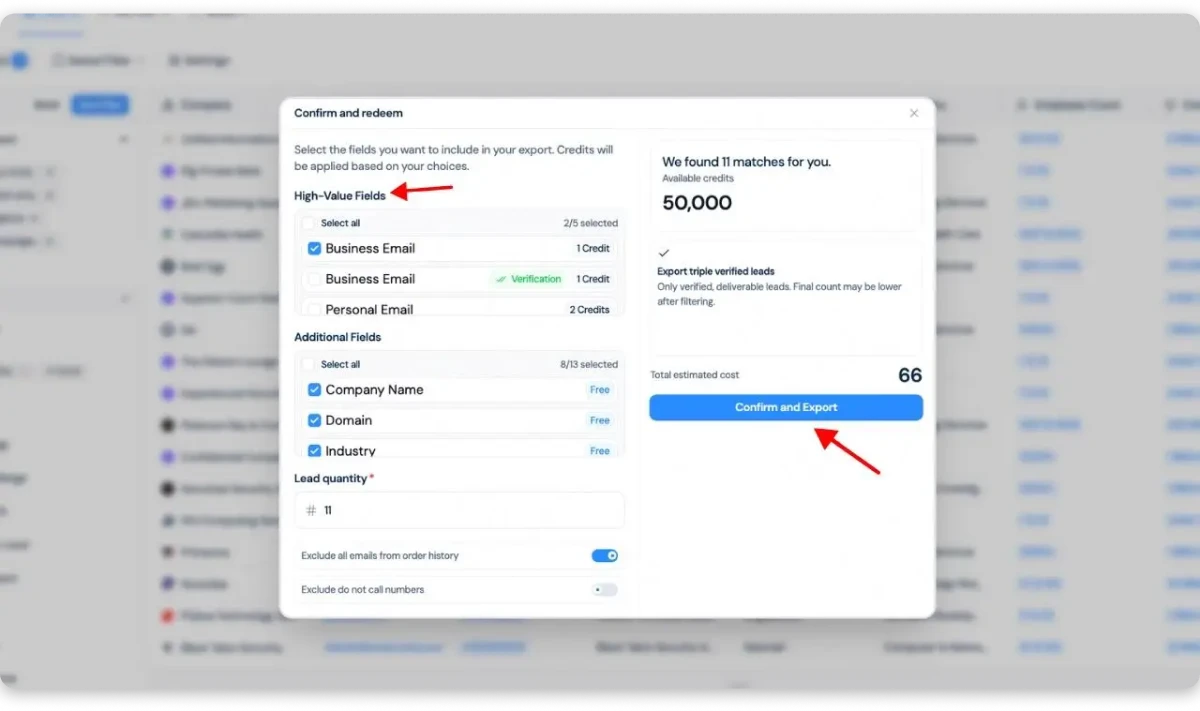
ListKit also includes direct phone numbers for multichannel outreach. However, I noticed that its phone enrichment uses significantly more credits than email data. Hence, adding mobile numbers costs 5 extra credits per contact, which can reduce your effective export count dramatically.
It connects with HubSpot, Salesforce, and several cold email platforms. This makes it easier to move verified CSO contacts into your existing workflow.
ListKit does not include a built-in email sequencer. You will need a separate sending platform like Instantly, Smartlead, or Saleshandy to actually contact the list.
What Needs to Be Better in ListKit
-
It needs to publish the exact number of CSO or CISO contacts in its database. Its intent data also receives mixed feedback (inconsistent or unreliable signals), so I would not treat every signal as confirmed buying interest.
-
ListKit queries a single proprietary database. If a contact is not indexed there, it returns nothing — no fallback, no secondary source.
-
For niche industries, smaller companies, and non-US markets, coverage gaps are more noticeable compared to waterfall enrichment tools.
-
The starting price may feel high for small teams. Phone numbers also consume significantly more credits than standard email contacts.
Bonus Read: If ListKit’s single-database coverage doesn’t work for your niche, here are 10 ListKit alternatives with waterfall enrichment and broader international data.
Pricing:
- ListKit starts at $97 per month.
- It also offers a limited number of free leads to test the data. However, users should check the current credit and phone-enrichment rules before choosing a plan.
Best For: solo founders and small-to-medium businesses that need verified contacts, direct dials, and intent-level targeting.
3. SMARTe: Global Enterprise CSO Prospecting
SMARTe made my list because its international mobile coverage stood out more than its database size.
It claims to have 289M+ B2B contacts and 66M+ company profiles. It also reports 75% mobile coverage in North America and around 50% internationally.
Here’s How I Built a CSO/CISO Email List Using SMARTe
-
1
I searched for CSO, CISO, and Head of Information Security job titles.
-
2
Then, I narrowed the results using company size, revenue, industry, location, seniority, and security technology filters.
-
3
You can also use its Chrome extension to find emails and mobile numbers while viewing LinkedIn profiles or company websites.
Here’s What You Need to Know About SMARTe’s CSO Email List:
SMARTe claims 95% email accuracy and captures job changes in real time. However, it does not publish the exact number of CSO or CISO contacts available.
Its global phone coverage was the strongest part for me. Verified mobile numbers give you another way to reach security leaders who may ignore cold emails.
The filters cover firmographic data such as industry, headcount, revenue, and location. You can also filter companies using technographic data across more than 64,000 technologies.
SMARTe also includes Bombora intent signals across more than 18,000 topics. It integrates with Salesforce, HubSpot, Outreach, Salesloft, Clay, and Zapier. However, you still need a separate outreach platform to send and manage email sequences.
SMARTe claims its data is updated daily, with real-time job-change updates. It is also SOC 2 Type II certified, GDPR aligned, and CCPA compliant.
Specifically, I liked its mobile-number coverage, especially for CSO prospecting outside North America.
What Needs to Be Better in SMARTe
-
SMARTe should publish its total number of CSO and CISO records by region. Some users also report inconsistent data for niche accounts and duplicate records during CRM syncing. I would test a smaller list before enriching the entire CRM.
-
Its intent data comes from Bombora rather than SMARTe’s own signal network, which means intent quality depends on Bombora’s coverage of your target accounts. SMARTe also does not provide native email sequencing, so another outreach tool is required.
-
The free plan offers only 10 credits, which is not enough to properly test a CSO list.
Pricing:
- The Free plan includes 10 credits each month without requiring a credit card.
- The Pro plan starts at $25 per month. Credits cost $0.50 each, which gives you 50 credits at the starting price.
- Enterprise pricing follows a pay-per-credit model without a separate licence fee. SMARTe states that credits cost up to $0.30 on a two-year agreement, with lower rates at higher volumes.
Best For: Sales teams that need CSO emails, mobile numbers, technographic filters, and account-level intent data.
4. Apollo: Best Budget-Friendly CSO Email Database
Apollo is #4 on my list because it combines contact discovery, enrichment, email sequences, and calling in one platform at a price point that smaller teams can afford.
It claims to offer over 230 million verified B2B contacts. Apollo also reports 98% email accuracy through its seven-step verification process.
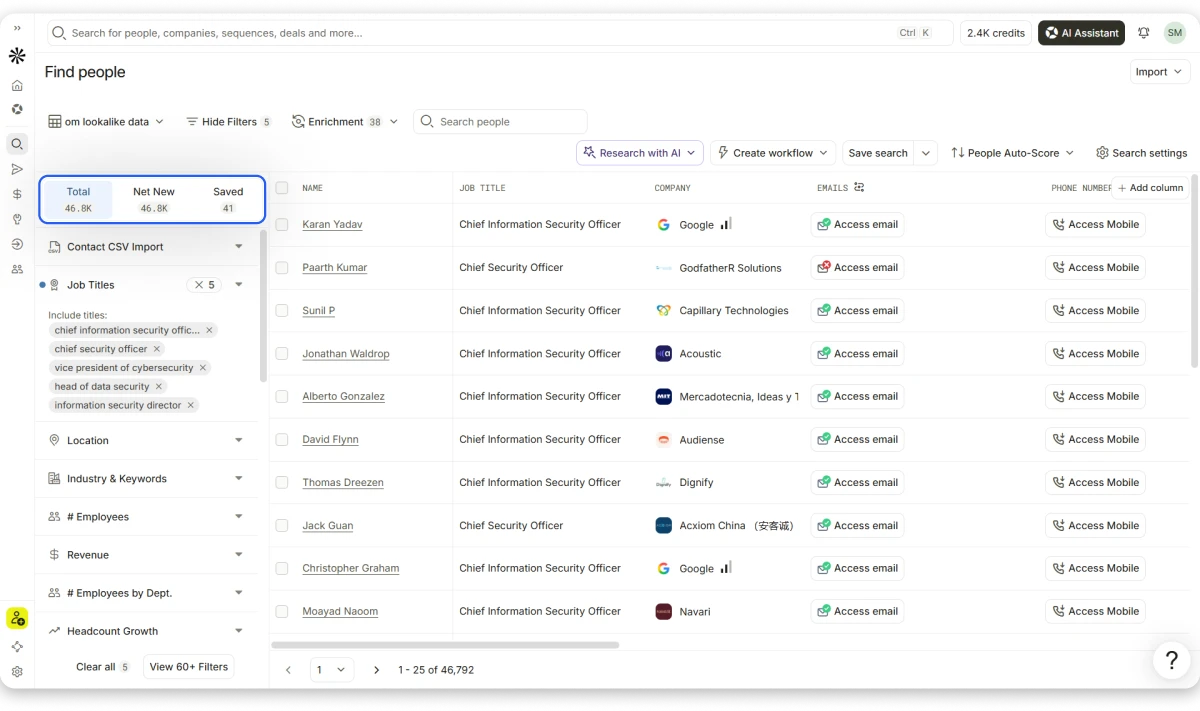
I found 46,792 security leadership contacts after applying five related job-title filters. These included CISO, CSO, VP of Cybersecurity, Head of Data Security, and Information Security Director.
Here’s How I Built a CSO/CISO Email List Using Apollo
-
1
I opened the People Search and added titles like Chief Security Officer and Chief Information Security Officer.
-
2
I then narrowed the results using location, industry, employee count, revenue, seniority, and headcount growth.
-
3
After that, I selected verified email statuses and reviewed each prospect’s company details. I could access emails and mobile numbers directly from the results.
-
4
I could then save the contacts, export them, or add them directly to an Apollo sequence.
Here’s What You Need to Know About Apollo’s CSO Email List:
Apollo offers more than 65 search filters, including firmographic, technographic, funding, job-change, and intent filters.
It verifies emails through seven checks and handles catch-all domains before showing the final status. It also verifies phone numbers when you request them.
Its paid plans include email sequences, CRM integrations, waterfall enrichment, warm-up tools, and buying-intent filters. However, the number of intent topics depends on your plan (Basic includes 6, Organization includes 12).
Apollo also updates profiles when it detects changes to jobs, emails, or phone numbers. It claims that its data practices follow GDPR, CCPA, and SOC 2 standards.
I liked the depth of its filters and the number of security contacts available.
Its Chrome extension is also useful when researching CISOs on LinkedIn or company websites.
What Needs to Be Better in Apollo
-
Apollo claims 98% email accuracy, but several users and independent tests report finding outdated job titles, incorrect contact details, and bounce rates between 32–38% on verified exports. I would re-verify a smaller batch through a separate tool before starting a large campaign.
-
The platform also has many features, which can make simple list building feel complicated for new users.
-
Phone numbers consume more credits than emails. Some advanced filters, intent topics, reporting, and calling features also require higher-priced plans.
Worth Reading: If Apollo’s bounce rates concern you, I compared the best Apollo.io alternatives with stronger verification on executive-level contacts.
Pricing:
- The Free plan includes 900 annual credits, basic filters, two sequences, and browser extensions.
- The Basic plan starts at $49 per user per month, billed annually. It includes 30,000 annual credits, advanced filters, unlimited sequences, CRM integrations, and six intent topics.
- The Professional plan costs $79 per user per month, billed annually. It adds workflows, call recording, reporting, and more outreach features.
- The Organization plan costs $119 per user per month, with a three-user minimum. It includes 12 intent topics, advanced security controls, and customizable reports.
Best For: Startups and small sales teams that want CSO data, email sequences, and calling tools in one platform without a large upfront commitment.
5. Smartlead: Build CSO Lists and Launch Email Campaigns
It claims to have 300M+ business profiles with “zero-bounce flow” using a real-time, triple-verification waterfall engine.
What stood out to me about Smartlead was how quickly I could move from finding CSO contacts to adding them directly to an email campaign.
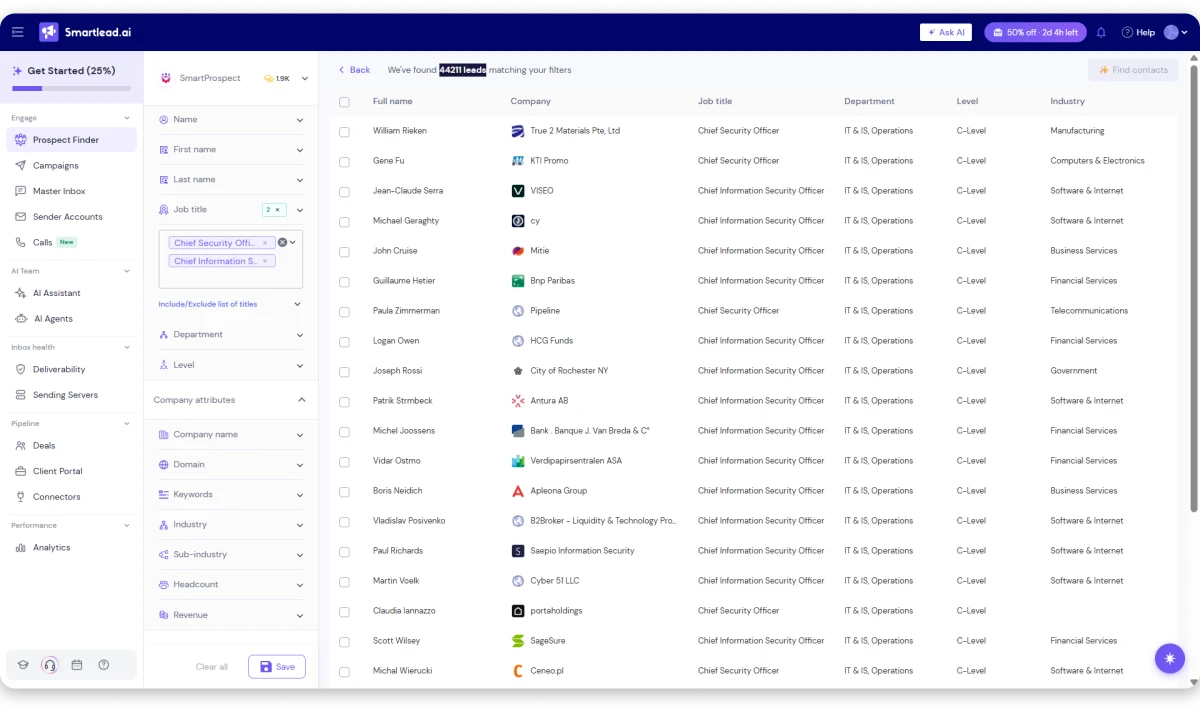
I found 44,211 leads by applying “Chief Security Officer” and “Chief Information Security Officer” job title filters.
Here’s How I Built a CSO/CISO Email List Using Smartlead
-
1
I opened Smart Prospect and searched for titles like CISO, CSO, and Chief Information Security Officer. I then narrowed the list using seniority, industry, location, company size, revenue, and department filters.
-
2
Once the results looked relevant, I clicked Find Emails to unlock the contact details. Each verified email used one credit.
-
3
Then, I pushed the selected contacts directly into a Smartlead campaign without exporting or cleaning a CSV.
Here’s what you need to know about building a CSO email list with Smartlead:
Smartlead verifies email addresses when you unlock them, and it has a strong email infrastructure. I noticed features like mailbox rotation, automated warm-up, sender management, and bounce tracking are built for teams sending at scale.
Its filters were simple and useful for CSO prospecting. It supports firmographic filters, but I did not see strong technographic filters for searching companies by their security tools.
It integrates with tools such as HubSpot, Salesforce, Pipedrive, Zapier, Slack, Clay, and Apollo.
Smartlead verifies emails when they are unlocked, which helps reduce the risk of using stale addresses.
I liked how I could find CSOs, unlock their emails, add them to a campaign, and manage replies from the Master Inbox. Its email infrastructure also stood out to me.
What Needs to Be Better
-
Smartlead still lacks native intent data, visitor tracking, and clear phone-number coverage.
-
It is mainly email-focused, with LinkedIn and SMS requiring external tools. I also found its analytics fairly basic, while DNS setup and support can feel slow during urgent issues.
-
I would also like more clarity on each contact’s data source and freshness.
Read next: Need deeper data filters and intent signals alongside cold email? Here are the top Smartlead alternatives that combine prospecting and outreach in one tool.
Pricing:
- The Base plan starts at $32 per month. It includes 2,000 contacts, 6,000 monthly email sends, and 2,000 verified emails.
- The Pro plan costs $78 per month. It includes 30,000 contacts, 90,000 monthly sends, and 30,000 verified emails.
- The Unlimited Smart plan costs $144 per month. It includes unlimited contact storage, 150,000 sends, and 50,000 verified emails.
- The Unlimited Prime plan costs $315 per month. It includes unlimited contacts, 500,000 sends, and 170,000 verified emails.
Best For: Teams that want CSO prospecting and cold email in one platform
6. Blue Mail Media: Pre-Built Global CSO Mailing Lists
Blue Mail Media works differently from self-serve databases like Saleshandy or Apollo.
It directs you to request a pre-built or custom list based on your targeting needs. It claims to offer 20,000+ CSO emails within a wider database of 500M+ B2B contacts.
Here’s How You Can Build a CSO Email List With Blue Mail Media
-
1
You start by sharing your target industry, location, company size, revenue, and required data fields.
-
2
Blue Mail Media team then prepares the list and provides counts, samples, and custom pricing based on your requirements.
-
3
You can request emails, phone numbers, postal addresses, social profiles, and company details in the final list.
Here’s What You Need to Know About Blue Mail Media’s CSO Email List:
Blue Mail Media provides more than 70 customization filters, including industry, country, revenue, headcount, SIC codes, and technologies used. This gives you enough control to build a focused list instead of buying every available CSO record.
It says its team collects data from directories, company records, events, surveys, public sources, and opt-in responses. The records then go through manual and AI-based verification before delivery.
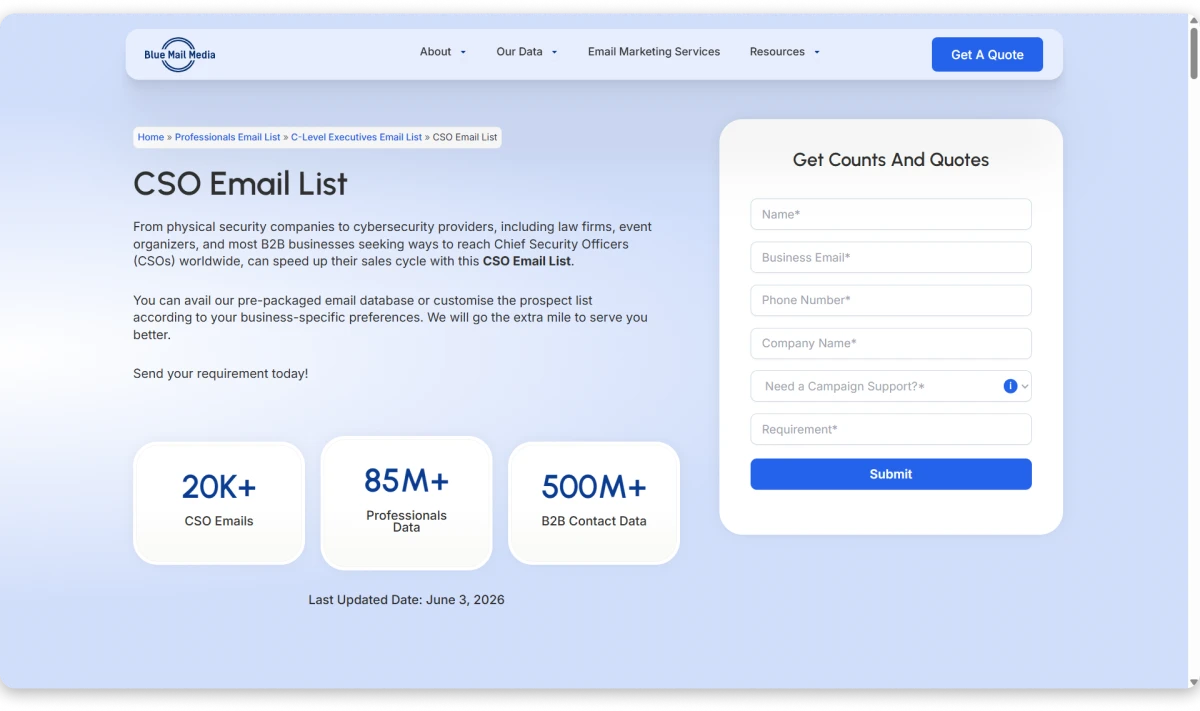
Blue Mail Media claims 90% data accuracy and a 95% deliverability rate. However, these are company-published claims rather than independent test results.
Its database is updated every 90 days. But it is not the same as verifying each email before export.
The company also states that its data follows GDPR, CCPA, and CAN-SPAM requirements.
I liked the level of customization available for a managed list. One can request CSOs from specific industries, regions, company sizes, and technology categories without building every filter yourself.
What Needs to Be Better in Blue Mail Media
-
The biggest issue I noticed was title accuracy. The published CSO sample includes Chief Strategy Officers, Chief Scientific Officers, and sales-related CSOs alongside security leaders. You should clearly request the Chief Security Officer’s records and audit the sample before buying.
-
The list is also refreshed every 90 days instead of being verified when you download it. Some contacts may change roles between update cycles.
-
Customer feedback on accuracy is mixed. One BBB reviewer disputed the advertised accuracy, while Blue Mail Media said it could not validate the complaint without campaign bounce reports.
-
It also lacks native intent data, live search, and built-in email sequences. You will need another platform to verify, segment, and contact the purchased records.
Pricing:
- Blue Mail Media does not publish fixed CSO list pricing.
- The final cost depends on the number of contacts, selected fields, and customization requirements. You must request a quote from its sales team.
Best For: Teams that want a custom, one-time CSO list prepared for them.
7. Thomson Data: Industry-Specific CSO Targeting
What stood out to me about Thomson Data was its focus on custom-built CSO lists segmented by SIC and NAICS codes rather than self-serve prospecting.
It claims to have over 650 million B2B records and promises 90% to 95% data accuracy and deliverability. However, it does not publish the exact number of CSO or CISO contacts.
Here’s How You Can Build a CSO Email List With Thomson Data
-
1
You start by sharing your target industry, company size, location, job title, and required contact fields.
-
2
Its team then builds a custom list and shares it after confirming the record count and pricing. You cannot search and reveal contacts directly inside the platform.
-
3
The final list can include emails, phone numbers, postal addresses, company details, revenue, SIC codes, and NAICS codes.
Here’s What You Need to Know About Thomson Data’s CSO List:
Thomson Data offers more than 75 customization options, including geography, company size, industry, job function, and technologies used.
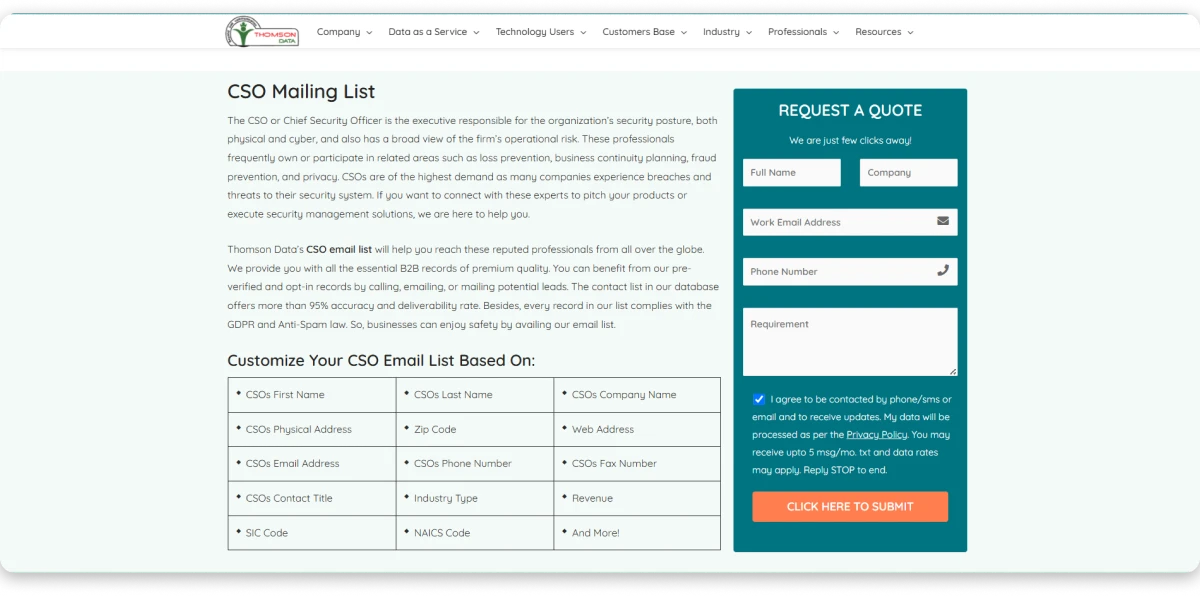
It covers regions such as the US, UK, Canada, Europe, Asia, Australia, the Middle East, and Africa.
The company says its records are updated regularly and verified by its internal research team. It also claims GDPR and anti-spam compliance. However, these are pre-built records, not contacts verified in real time when you purchase them.
What Needs to Be Better in Thomson Data
-
Thomson Data should publish its CSO database size, update frequency, and verification process more clearly.
-
Some buyers report high bounce rates, outdated contacts, irrelevant records, and difficulty getting refunds. I would request a small test sample and run it through a separate verification tool before committing to a larger purchase.
-
It also lacks self-serve search, native intent data, and built-in email outreach. You will need another tool to verify and contact the list.
Pricing:
- Thomson Data does not publish fixed prices.
- The cost depends on the number of records, selected filters, and contact fields. You need to contact its sales team for a custom quote.
Best For: Teams that want a one-time, custom CSO mailing list for a specific industry or region.
8. DataCaptive: Best for ABM-Focused CSO Campaigns
DataCaptive appeared notable to me because it offers a ready-made CSO database that you can customize before purchasing.
It claims to have 12,000+ CSO contacts globally, including 8,000+ contacts in the US. The company also claims 95% data accuracy.
Here’s How DataCaptive Builds Your CSO Email List
-
1
When I checked its buying process, the first step was to request a free sample and review the data quality.
-
2
You can then share your target job titles, industries, company sizes, revenue ranges, locations, and technologies used.
-
3
Once the list is finalized and paid for, DataCaptive delivers it in Excel or CSV format.
Here’s What You Need to Know About DataCaptive’s CSO List:
DataCaptive offers more than 10 segmentation options and over 40 contact and company data fields.
The list can include business emails, phone numbers, company details, mailing addresses, websites, and social media profiles.
It says each list passes seven automated and manual verification stages. The database is also updated every 45 days.
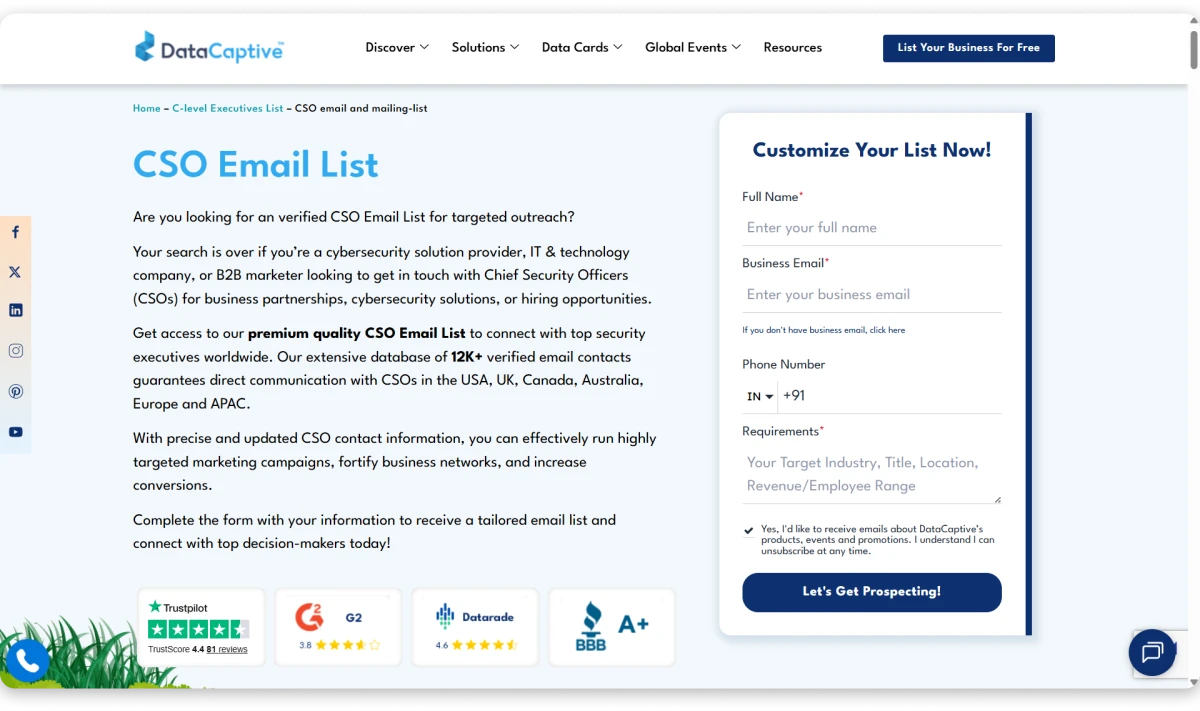
Its coverage includes the US, UK, Canada, Australia, Europe, the Middle East, and other international markets.
DataCaptive also markets its data as compliant with GDPR, CCPA, CAN-SPAM, and other privacy regulations.
I liked that you can request a free sample before buying the complete database.
What Needs to Be Better in DataCaptive
-
DataCaptive provides a static list rather than a searchable database. You cannot re-segment or verify contacts in real time after receiving the file.
-
The 45-day update cycle also means some contacts may change roles before your campaign begins. For CSO-level contacts, where the average tenure is shorter than many executive roles, a 45-day gap is significant.
-
It does not offer native intent data, built-in outreach, or transparent pricing. I would verify a sample carefully before purchasing a larger list.
Pricing:
- DataCaptive does not publish fixed prices.
- The final cost depends on your contact volume, target region, selected filters, and required data fields.
Best For: Teams that want a customized CSO list delivered in CSV or Excel format with a free sample to test before buying.
9. InfoCleanse: Best for CSO Data Enrichment & List Maintenance
InfoCleanse does more than sell new CSO contacts. It can also clean, append, and refresh the data you already have, which is something unique that no provider on this list offers.
It claims to offer 12,836+ CSO contacts across the US, UK, Canada, Europe, Australia, and APAC. Its wider database includes more than 53 million professionals.
Here’s How You Can Build a CSO Email List With InfoCleanse
-
1
I started by sharing my target industry, location, company size, and required contact fields.
-
2
InfoCleanse then builds a custom list based on those requirements. The final data can include business emails, phone numbers, mailing addresses, job titles, and company details.
-
3
You receive the list in .csv, .xls, or .txt format, ready to upload into your CRM or outreach tool.
Here’s What You Need to Know About InfoCleanse’s CSO List:
InfoCleanse claims a 95% email deliverability rate and uses multi-step verification before delivering the data.
Its records come from sources such as business directories, job sites, surveys, corporate registers, public records, and industry events.
You can segment the list using more than 75 criteria, including industry, company size, location, revenue, and other firmographic details.
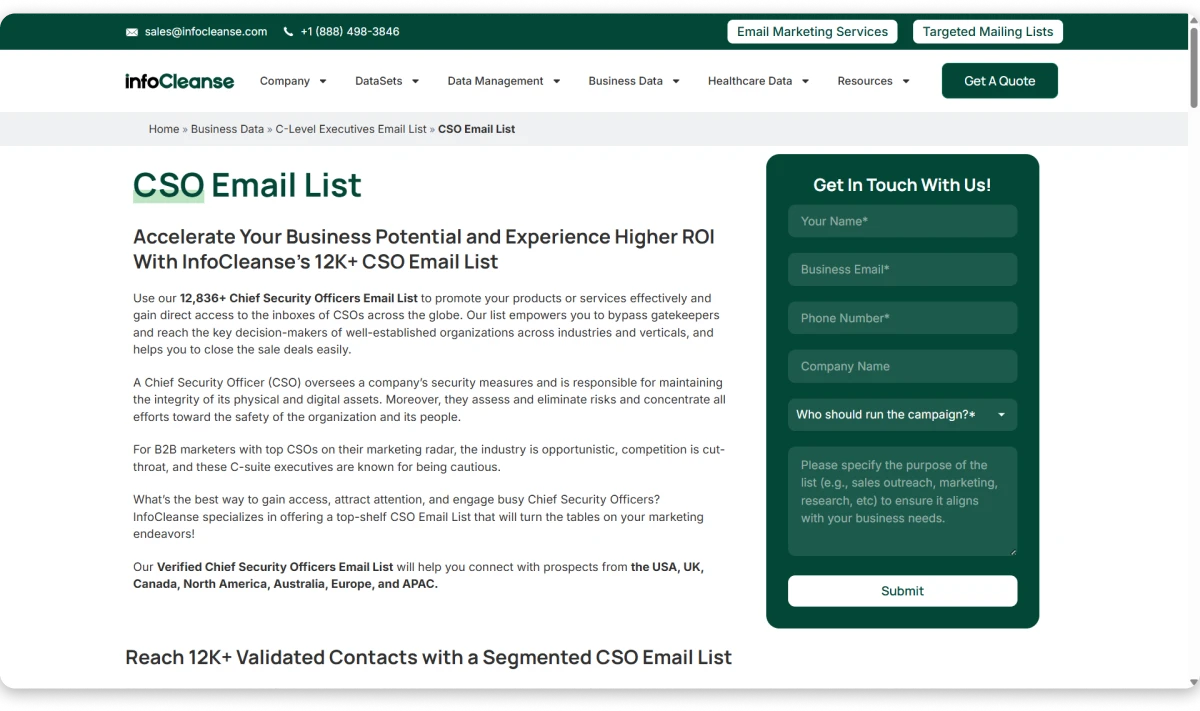
The company also offers data cleansing and appending services. This can help when your existing CSO database contains missing fields, duplicates, or outdated records.
InfoCleanse markets its data as compliant with GDPR, CCPA, CAN-SPAM, and other privacy requirements.
I liked that InfoCleanse can work with both new and existing data. You can buy a custom CSO list or ask its team to clean and complete the database you already use.
Its support for email, phone, and postal data also makes it useful for multichannel campaigns.
What Needs to Be Better in InfoCleanse
-
InfoCleanse delivers a static file rather than giving you a searchable, self-serve database.
-
Its broader executive data is refreshed periodically, not verified when you reveal each contact. I would test a sample before using the full list.
-
It also lacks native intent data, built-in email sequences, and transparent pricing. The ecosystem is considerably smaller than the self-serve platforms on this list.
Pricing:
InfoCleanse does not publish fixed prices for its CSO email list.
The final quote depends on your list size, target market, selected fields, and any cleansing or appending services required.
Best For: Teams that need a custom CSO list or want to clean and enrich an existing contact database.
10. Lusha
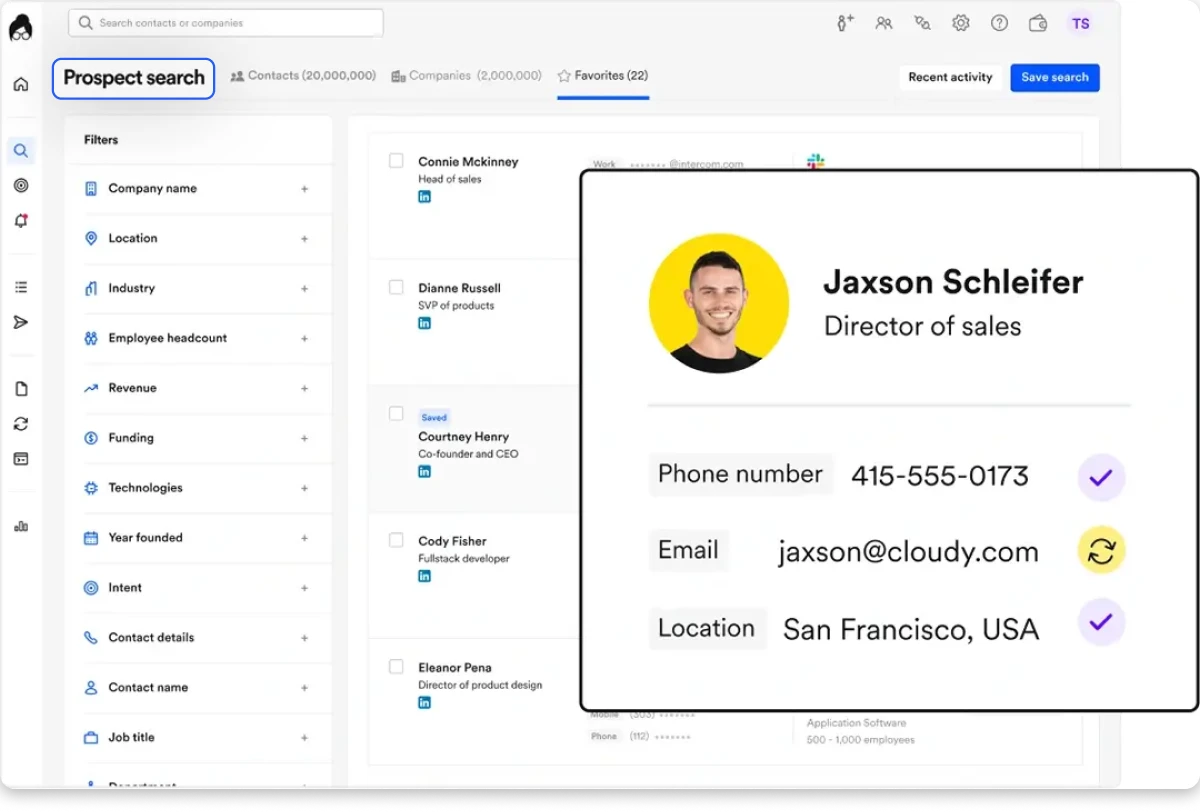
Lusha is a self-serve B2B contact platform with a Chrome extension that lets you pull verified emails and direct dials straight from LinkedIn profiles.
For CSO prospecting, it works best as a lookup tool, finding a specific security leader on LinkedIn, revealing their contact data, and exporting.
Lusha claims access to over 150M+ business profiles with a published accuracy of ~98% for emails and ~86% for phone numbers. Independent user tests put real-world email deliverability closer to 70–80%, and mobile accuracy around 70%, something worth validating with a sample before running a full campaign.
Here’s How You Can Build a CSO Email List With Lusha
-
1
I started on the Lusha dashboard by setting the job title filter to “Chief Security Officer,” “CSO,” and “CISO.”
-
2
From there, I applied firmographic filters (industry (IT, Finance, Healthcare), company size, and revenue range) to narrow down the list to relevant accounts.
-
3
I then selected the target geography (North America, Europe, APAC) to align with regional compliance requirements.
-
4
Lusha reveals verified work emails and direct dials per contact. You can save them to a list inside Lusha, export to CSV, or push directly to your CRM (HubSpot, Salesforce, Pipedrive, Outreach).
-
5
You can also skip the dashboard entirely and use Lusha’s Chrome extension on LinkedIn. Visit a CSO’s profile, click the extension, and get their verified email and phone number in seconds.
Here’s What You Need to Know About Lusha’s CSO List:
Lusha has a free plan with 40 monthly credits, which is enough to test a few CSO contacts.
Its data is strongest in the US, UK, and Canada. Coverage can be weaker for niche roles, smaller companies, and other regions.
Intent data starts on the Starter plan, while higher plans offer broader access. It is useful, but less detailed than Cognism or ZoomInfo.
Credits are charged per reveal, even when contact data is inaccurate. This can increase the actual cost per usable lead.
Lusha also offers email sequences, bulk enrichment on paid plans, and API access on Pro and above.
I liked that Lusha’s Chrome extension makes one-off CSO lookups almost instant. See a CISO on LinkedIn, click, and get their email in seconds. No other tool on this list is as fast for individual contact reveals.
What Needs to Be Better in Lusha
-
The gap between published accuracy (~98% email) and real-world deliverability (~70–80% per independent tests) is significant. For CSO-level contacts where data decays fast, I’d verify a sample batch through a separate tool before running a full campaign.
-
Bulk enrichment and API access are locked behind Starter and Pro tiers, respectively. The free plan is great for testing, but limited for team-scale CSO list building.
One more thing: If credits consumed on bad data feel expensive, I’ve tested 12 Lusha alternatives with better credit economics for phone-heavy prospecting.
Pricing:
- Lusha’s Free plan includes 40 monthly credits, one seat, verified emails and phone numbers, advanced filters, and automated email sequences.
- The Starter plan costs $37.45 per month, billed annually. It includes 4,800 yearly credits, bulk enrichment, AI assistance, lookalike searches, and five buying intent topics.
- The Pro plan costs $66.45 per month, billed annually. It includes 9,600 yearly credits, two seats, API access, CSV enrichment, signals, and webhooks.
- The Premium plan costs $259.95 per month, billed annually. It includes 40,800 yearly credits, five seats, team management, advanced API access, and unlimited results across five intent topics.
Best For: SDRs and small teams who prospect CSOs one at a time via LinkedIn and want instant reveals with transparent pricing.
So, Which CSO Email List Provider Should You Pick?
After testing all 10 providers, here’s what I’d tell a friend:
Here’s my quick recommendation:
- Choose Apollo for a low-cost starting point.
- Choose SMARTe if global mobile coverage matters most.
- Choose ListKit for verified contacts with intent filters.
- Choose a static vendor when you only need a one-time custom list.
But for the best overall CSO emails and automation sequence workflow, I would 100% pick Saleshandy.
Because with Saleshandy, you get access to 150K+ CISO contacts within a database of 852M+ professionals. Plus, every contact is checked across nine data sources when you reveal it, so you are not paying for a frozen CSV.
Its 75+ filters also work well for security prospecting. You can find CISOs by industry, company size, compliance needs, hiring activity, funding, and security technology stack.
Once your list is ready, you can move those contacts directly into an email sequence. There is no exporting, cleaning, or importing between tools.
So, for real-time CSO/CISO email verification, security-specific filters, built-in outreach, and pricing that doesn’t feel too much, nothing else in this list matches it. So, why wait?
Get 50 Free Verified CSO Leads →
FAQs About CSO Email List Providers
1. What is the cheapest way to get verified CSO emails?
Apollo and Lusha offer free plans for testing small CSO lists. Saleshandy also gives you 50 free Lead Finder credits without requiring a credit card.
2. What is a good response rate for CSO email campaigns?
A 2% to 5% positive reply rate is strong for CSO outreach. Clean data, a warmed sending domain, and company-specific messaging usually matter more than list size.
3. How should I write an outreach email to a CSO?
Keep it under 120 words, avoid attachments, and skip urgency-based subject lines. Mention a relevant security tool, compliance framework, or company event, then end with a low-friction CTA.
4. What is a CSO email list?
A CSO email list contains work emails, phone numbers, and company data for Chief Security Officers and CISOs. Cybersecurity vendors, MSSPs, GRC companies, consultants, and IT staffing firms commonly use these lists.
Always confirm that “CSO” means Chief Security Officer, not Chief Sales Officer or Chief Strategy Officer.
5. Is buying a CSO email list legal?
Generally, yes, provided the data is sourced lawfully, and your outreach follows GDPR, CCPA, and CAN-SPAM rules. Your emails should also include a valid business address and an easy unsubscribe option.
 Dhruv Patel