
If you’re trying to reach CIOs, CTOs, or IT managers, and you’ve run into bad data, low response rates, and lists that don’t live up to the promise — you’re not alone.
I’ve got you covered. But make sure you read till the end!
Here’s the thing. Most IT decision makers email lists floating around online are scraped, resold, or outdated.
You pay for a “verified” list, send the campaign, watch 30% bounce, and now your sending domain is paying for a problem you didn’t create. Yeah, that’s usually how it goes.
So really, the question isn’t should I buy an IT decision makers email list.
It’s which provider actually gives you clean, verified data you can trust — and that depends on your budget, your region, your ICP, and whether you care more about email accuracy or phone coverage.
That’s what this guide is for.
In this blog you will find 8 best IT decision maker email list providers and broken them down in simpler language.
Where each one wins, where each one falls flat, and which one fits what you’re actually trying to do.
Let’s get into it!
IT Decision Makers Email List Providers – TOC
- TL;DR: Top 3 IT Decision Makers Email List Providers at a Glance
- 8 Best IT Decision Makers Email List Providers in 2026
- What’s the Best Way to Get an IT Decision Makers Mailing List?
- Should You Buy an IT Decision Makers Email Database Online?
- Final Take: What to Keep in Mind While Running IT Outbound in 2026
- Frequently Asked Questions
TL;DR: Top 3 IT Decision Makers Email List Providers at a Glance
If you just want the short version before scrolling through the full comparison, here are the three tools most teams end up shortlisting, and where each one fits best.
| Feature | Saleshandy Lead Finder | ZoomInfo | Cognism |
|---|---|---|---|
| Database size | 852M+ contacts, 42M+ companies | 300M+ contacts | Not publicly disclosed |
| IT-specific filters | 70+ filters (tech stack, hiring signals, funding) | Technographics + intent | Technographics + intent |
| Verification accuracy | 92% (waterfall across 9 sources) | Not publicly stated | 30-day refresh on director+ |
| Phone data | Verified mobile + direct dial | Direct dial | Phone-verified mobile (Diamond) |
| Free trial | 7-day free, 50 credits | None (demo-led) | None (demo-led) |
| Starting price | $34/month | Custom (mid-5 figures/year) | Custom (seat-based) |
| G2 rating | 4.6/5 (773 reviews) | 4.5/5 (9,054 reviews) | 4.5/5 (1,319 reviews) |
| Best for | Teams wanting verified IT data with transparent pricing | Enterprise IT targeting with big budgets | Compliant EU IT outbound |
💡Quick take: For most teams, Saleshandy gives you the best mix of accuracy, coverage, and transparent pricing without having to sit through a sales call first.
8 Best IT Decision Makers Email List Providers in 2026
Here are the 8 IT decision maker email list providers worth knowing about in 2026, what each one does well, where each one falls short, and which one fits the kind of outbound you’re running.
1. Saleshandy Lead Finder
Best for ⭐
B2B teams that want a single platform to find verified IT decision-makers, run cold email sequences, and call them back, without stitching tools together.
Saleshandy Lead Finder is B2B and B2C database provider built for teams that need verified IT decision-maker contacts at scale.
Its 852M+ contact database is paired with 70+ advanced filters, so you can build an email list of CIOs, CTOs, or IT directors matching your exact ICP in minutes.
Every contact is verified in real time through waterfall enrichment across 9 data sources before a credit is charged.
That’s how Saleshandy Lead Finder holds 92 percent email accuracy on verified contacts.
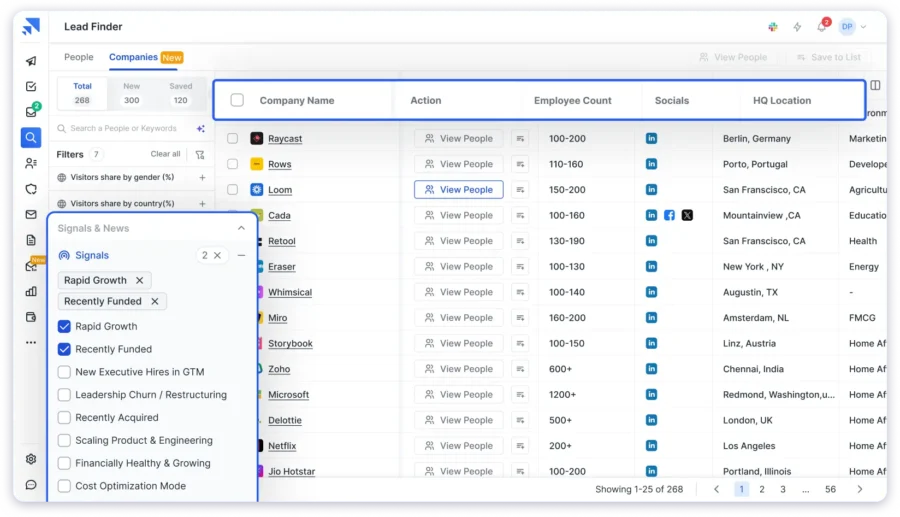
Saleshandy Lead Finder also layers in intent data, hiring signals, funding triggers, and technographic filters, so your team reaches the right IT buyers at the right moment, not just anyone matching a job title.
And once your list is built, you don’t need a separate sending tool. Saleshandy runs the full outreach motion in one dashboard: cold email sequences, auto follow-ups, unified inbox, a built-in dialer, and deliverability tools, all included.
You go from “I need 500 CTO emails” to “sequences are live and calls are logged” without switching platforms.
Key features for IT decision-maker sourcing:
- Technographics to target companies by the exact tools in their stack
- Hiring signals to find companies actively recruiting IT and engineering talent
- Funding triggers to prioritize accounts scaling their tech teams
- Buying signals and intent data to catch in-market accounts early
- Verified mobile and direct dial numbers on every qualified contact
- Built-in cold email + dialer to run outreach without leaving the tool
Pros
- 800M+ contact database with real-time verification on every search
- 92 percent email accuracy with credits charged only on verified results
- Built-in cold email sequences, dialer, and unified inbox
- Transparent, published pricing without a sales call
Cons
- Gives only 50 free credits
- Starter is a single seat — team plans begin at Pro
- Dialer covers US and Canada only
Pricing:
- Starter: $34/month (billed annually) for 1,500 credits/month, 1 user
- Pro: $76/month (billed annually) for 4,000 credits/month, 10 users, full 70+ filters
- Scale: $149/month (billed annually) for 8,000 credits/month, unlimited users
- Enterprise: Custom
What Users Want to Say?
“Vast prospect database makes Lead Finder genuinely useful for building outbound lists.”
2. ZoomInfo
Enterprise teams with dedicated data budgets who need deep IT technographic data and can handle custom pricing and contracts.
ZoomInfo is the enterprise default if you need an IT executives email database with serious depth.
It holds one of the largest B2B databases on the market, paired with technographic data, intent signals, org charts, and job change tracking that most teams can’t build internally.
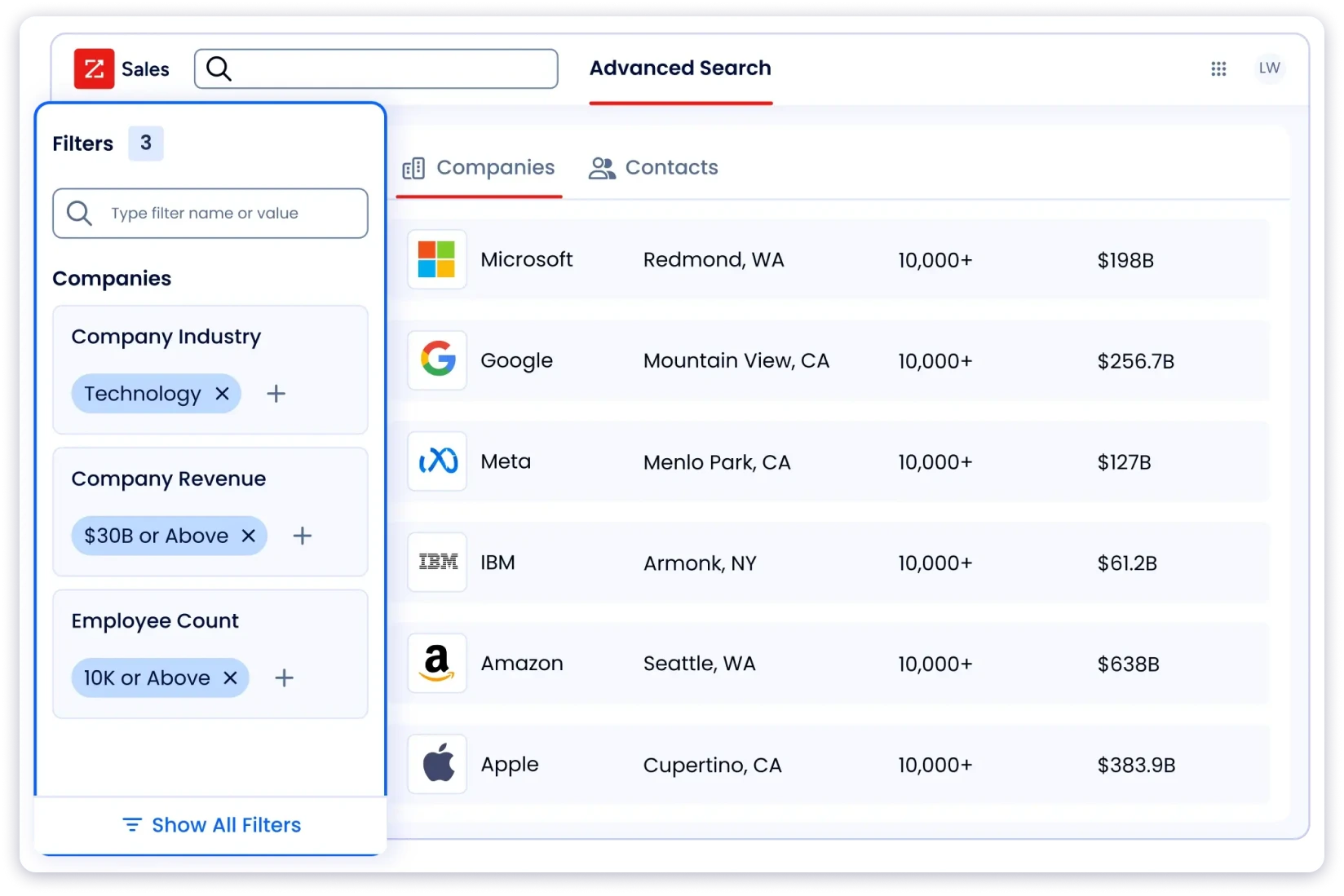
For enterprise sales teams targeting Fortune 5000 IT leadership, ZoomInfo is still the gold standard.
The filter precision for specific IT roles at scale — something like “CIOs at US hospitals with 500+ beds using Epic EHR” — is hard to beat.
The catch?
Pricing is custom, typically starts in the mid-five figures annually, and usually comes with a multi-year commitment.
The website itself is also bot-gated, which means you can’t even poke around and self-educate without booking a sales call first.
Key features:
- Large contact database with deep firmographic and technographic data
- Intent data layer (Bidstream) for spotting in-market accounts
- Advanced org chart visibility into IT hierarchy
- Native integrations with Salesforce, HubSpot, Outreach
Pros
- Deepest IT technographic and tech-install data in the category
- Enterprise-grade intent signals and org chart depth
- Strong US coverage and expanding Europe (Data Passport add-on)
Cons
- No public pricing, sales-gated with custom annual quotes
- Frequent complaints about outdated contacts
- Annual commitment not viable for SMBs or individual SDRs
Pricing:
- Custom quotes starting in the mid-five figures annually
- Requires a sales call; multi-year contracts standard
What Users Have to Say?
“Sometimes a contact will be outdated and it is a little awkward to call into a business and ask for someone who has been gone for 6+ years.”
Read the full review on G2 →3. Cognism
Mid-market and enterprise teams doing compliant outbound in Europe with high phone accuracy needs.
Cognism is the one I’d look at if you want an IT decision makers mailing list focused on Europe.
The standout is its Diamond Data layer: phone-verified mobile numbers where an actual person has confirmed the number connects to the target contact.
For cold calling CIOs and IT leaders, that phone accuracy gap is real.
Cognism also checks its database against 15 Do Not Call lists (more than any other tool here) and refreshes director-level and above contacts every 30 days.
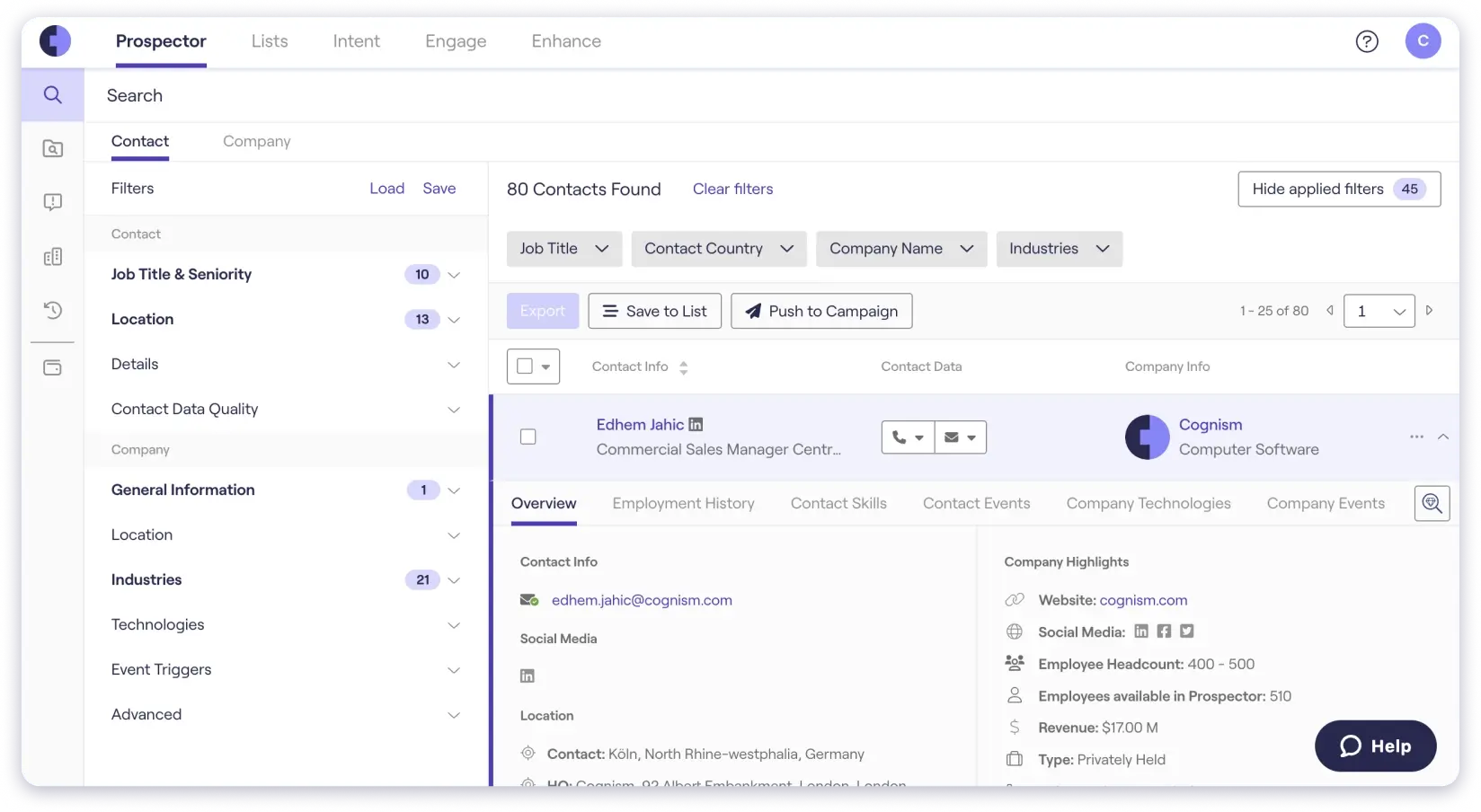
If GDPR and CCPA compliance are deal-breakers for your outbound, this is where Cognism earns its price.
The tradeoff is the same as ZoomInfo: no public pricing, demo-led sales cycle, and contract sizes built for mid-market and up.
A 5-person SDR team probably won’t make it past the qualification call. If you’re a smaller team shopping around, look at Cognism alternatives that publish pricing upfront.
Key features:
- Phone-verified mobile numbers (Diamond Data)
- GDPR and CCPA compliance built into data collection
- Intent signals, funding triggers, and hiring signals
- Director-level+ data refreshed every 30 days
Pros
- Best phone number accuracy for EU IT contacts
- Checked against 15 Do Not Call lists
- Strong intent and sales trigger data
Cons
- No public pricing (custom contracts)
- US coverage weaker than Europe
- Not SMB-friendly pricing
Pricing:
- Custom, seat-based pricing disclosed only after a demo
“It’s not uncommon to find prospects listed who have left their companies.”
Read the full review on G2 →4. Apollo.io
Small teams and SDRs testing IT outbound on a free tier before scaling.
Apollo.io is probably the most accessible IT executives mailing list tool in this comparison.
The free tier alone (900 credits per user per year) makes it a low-risk way to test IT decision-maker prospecting before you spend a dollar.
Apollo’s database sits at 210M+ verified contacts with 65+ filters, including tech stack, hiring signals, VC funding triggers, and 6 intent topics on the Professional plan.
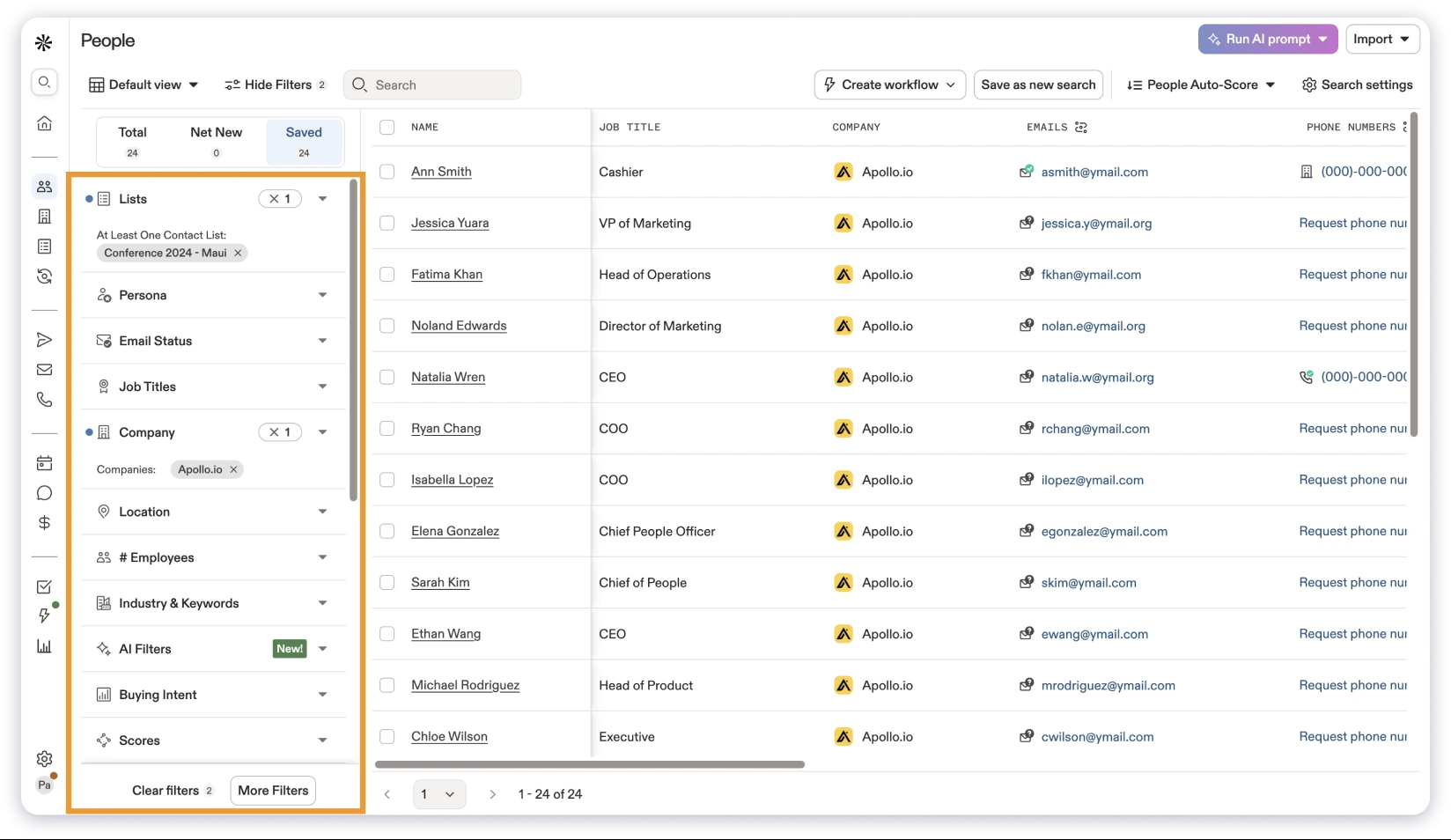
Waterfall enrichment is a named feature on the Professional tier ($79/user/month), and the Chrome extension pulls data directly off LinkedIn profiles.
Where Apollo falls short for IT-specific work is accuracy consistency. VP-level IT contacts are usually solid, but IT director and manager-level data shows more stale records.
If accuracy tops your list, it’s worth browsing Apollo.io alternatives before committing.
Key features:
- 210M+ contact database with 65+ precision filters
- Tech stack, hiring signals, and VC funding triggers
- Waterfall Enrichment on the Professional plan
- Built-in email sequencing, deliverability suite, and dialer
- Chrome extension for LinkedIn prospecting
Pros
- Generous free tier
- Transparent pricing
- All-in-one outreach + prospecting
Cons
- Accuracy varies by role seniority
- Pricing scales fast for teams
- Advanced features gated
Pricing:
- Free: $0 with 900 credits/user/year
- Basic: $49/user/month (30,000 credits/year)
- Professional: $79/user/month (48,000 credits/year, includes Waterfall Enrichment)
- Organization: $119/user/month (72,000 credits/year, minimum 3 users)
“I use it to find operations managers, IT managers, and other decision-makers.”
Read the full review on G2 →5. UpLead
Teams prioritizing accuracy guarantees and tech stack targeting over raw database size.
UpLead built its brand around one specific promise: a 95% email accuracy guarantee on every IT directors email list you pull, with a “Friendly Credits” refund if a contact bounces.
The founder was behind one of the first email-verification-as-a-service companies, so verification is baked into how the tool works.
UpLead’s database holds 180M+ leads with 50+ filters, including technographic data tracking 16,000+ technology data points.

For IT decision-maker sourcing, that tech stack depth is genuinely useful. You can find companies running specific infrastructure (AWS, Azure, Snowflake, specific ERP systems) and pull IT leadership from those accounts.
The limitation is niche coverage. For mainstream US mid-market tech targeting, UpLead delivers.
For smaller regions or hyper-niche industries, the contact pool thins out faster than competitors. If you need deeper global coverage, UpLead alternatives are worth a look.
Key features:
- 95% accuracy guarantee with credit refund on bounces
- 16,000+ technographic data points
- Real-time verification before export
- Intent Data on Professional tier
Pros
- 95% accuracy guarantee
- Deep technographic filtering
- Transparent pricing
Cons
- Smaller database
- Niche coverage gaps
- No waterfall enrichment
Pricing:
- Free Trial: $0 / 7 days / 5 credits
- Essentials: $99/month (170 credits)
- Plus: $199/month (400 credits, adds technographics + advanced filters)
- Professional: Custom pricing, annual only (includes Intent Data + full API)
What Users Have to Say?
“For niche industries, it’s harder to find enough relevant contacts.”
Read the full review on G2 →6. Lusha
Teams sourcing IT contacts directly from LinkedIn with strong phone data needs.
Lusha is the go-to IT decision makers list builder if your prospecting workflow starts on LinkedIn.
The Chrome extension is what made the brand, and it still holds up: you search for specific CTOs on Sales Navigator, click the extension, and pull their contact data straight into your CRM.
The platform publishes 290M+ contacts across 26M+ companies, with case studies referencing 80 to 90 percent accuracy on phone numbers, with SOC 2, GDPR, CCPA, and ISO 31700 compliance.
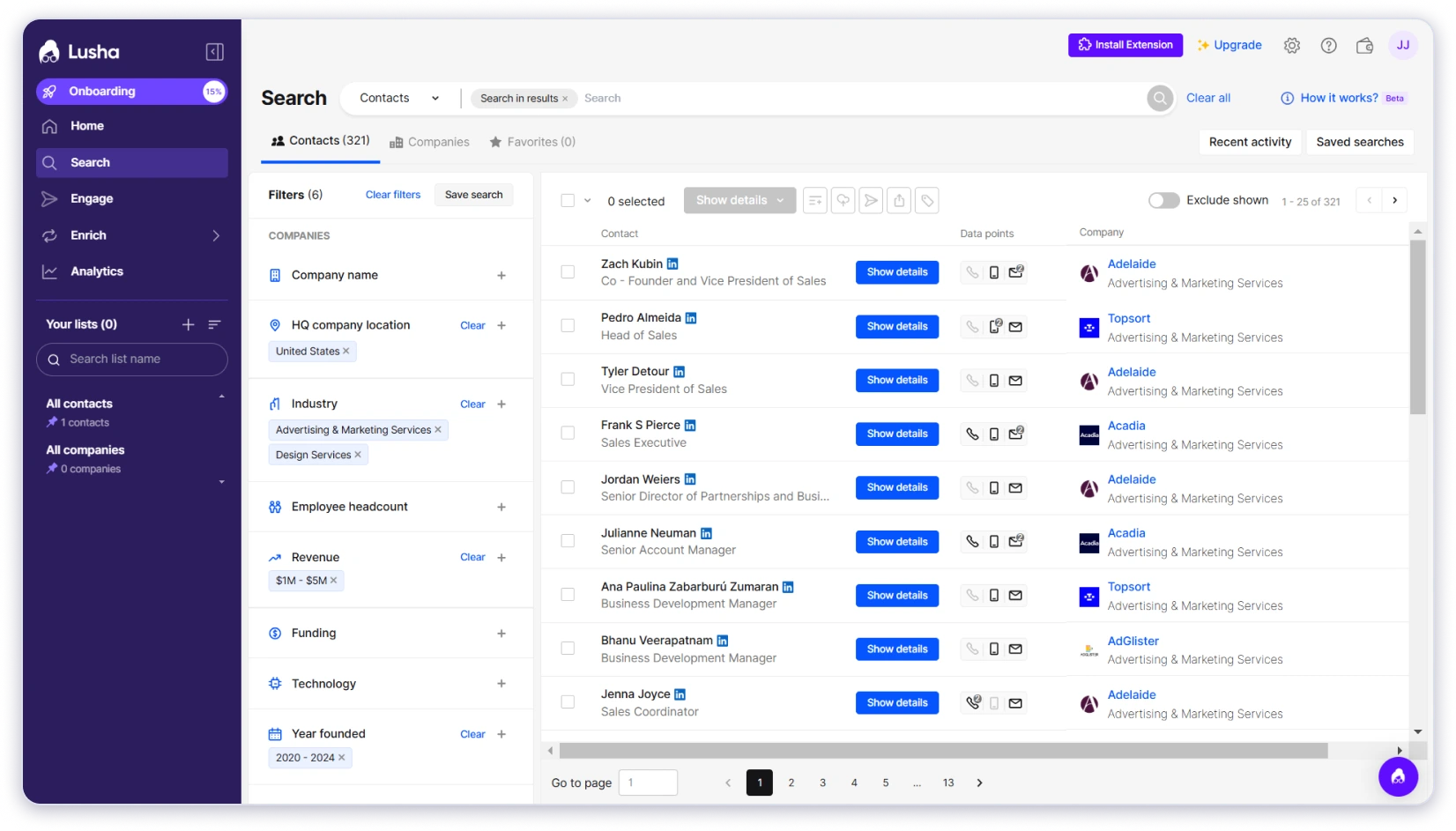
For targeted, one-contact-at-a-time sourcing of IT executives, Lusha’s workflow is fast.
Where Lusha is weaker is bulk list-building.
If you need 2,000 IT director emails across 500 accounts in a single search, you’ll burn credits faster than on a database-first tool.
Compared to dedicated LinkedIn email finder tools, Lusha wins specifically on phone coverage.
Key features:
- Chrome extension as the flagship sourcing tool
- Verified mobile + direct dial numbers
- Buying Intent Topics (5 on Starter, more on higher tiers)
- Hiring and growth signals
Pros
- Best Chrome extension workflow
- Strong phone accuracy
- Free tier available
Cons
- Lower G2 rating
- Smaller database than Apollo or Saleshandy for bulk sourcing
- Bulk list building is expensive
Pricing:
- Free: $0 (40 credits/month, 1 seat)
- Starter: $37.45/month billed yearly (4,800 credits/year)
- Pro: $258.95/month billed yearly (36,000 credits/year, 2 seats)
- Premium: $308.70/month billed yearly (48,000 credits/year, 5 seats)
- Scale: Custom pricing
- Lusha pricing captured at the 48,000 credits/year slider setting, August 2026.
“I find Lusha much easier to use compared with others.”
Read the full review on G2 →7. RocketReach
Teams sourcing IT contacts directly from LinkedIn with strong phone data needs.
RocketReach takes a different approach to building an IT email database.
Instead of a filtered-database-first model, it’s optimized around email lookup and bulk validation.
You feed it names and companies, and it returns verified contact data at scale.
The database covers 700M+ profiles across 60M companies, with claimed deliverability between 90 and 98 percent on verified emails.
Technographics, intent data (on Ultimate), and org charts are available, which makes it a solid fit for tech and IT leadership searches. The Chrome extension adds LinkedIn enrichment to the flow.

One heads-up: the public pricing page sometimes renders in INR (₹) rather than USD depending on your session.
You might need to contact sales for region-specific quotes. For broader email finder comparisons, our top email finder tools breakdown goes deeper.
Key features:
- 700M profiles / 60M companies
- Bulk email lookup and validation
- Technographics, intent data, and org charts
- AI-powered prospect recommendations
- Integrations with Salesforce, Outreach, HubSpot, Salesloft, Bullhorn
Pros
- Strong tech and healthcare coverage
- 90–98% deliverability
- API and bulk lookup capabilities
Cons
- Pricing inconsistency
- No Microsoft Dynamics integration
- Better for lookup vs list building
Pricing:
- Essentials: ₹773/month (USD not publicly shown on some sessions)
- Pro: ₹1,554/month
- Ultimate: ₹3,108/month (adds Intent Data)
“Integration with Microsoft Dynamics doesn’t exist.”
Read the full review on G2 →8. Seamless.AI
Teams needing massive scale and AI-based prospecting with a separate verification layer.
Seamless.AI markets on scale. It claims the largest IT email list in the category (1.6B+ verified business emails and 448M+ phone numbers) and runs a real-time AI search engine that crawls the web on-demand to find verified contact data.
For high-volume IT prospecting, the database size is genuinely useful.
The Buyer Intent product, Job Changes tracking, and AI Agents layer add real-time signals that competitors either gate behind enterprise tiers or don’t offer at all.
The Chrome extension works on LinkedIn.
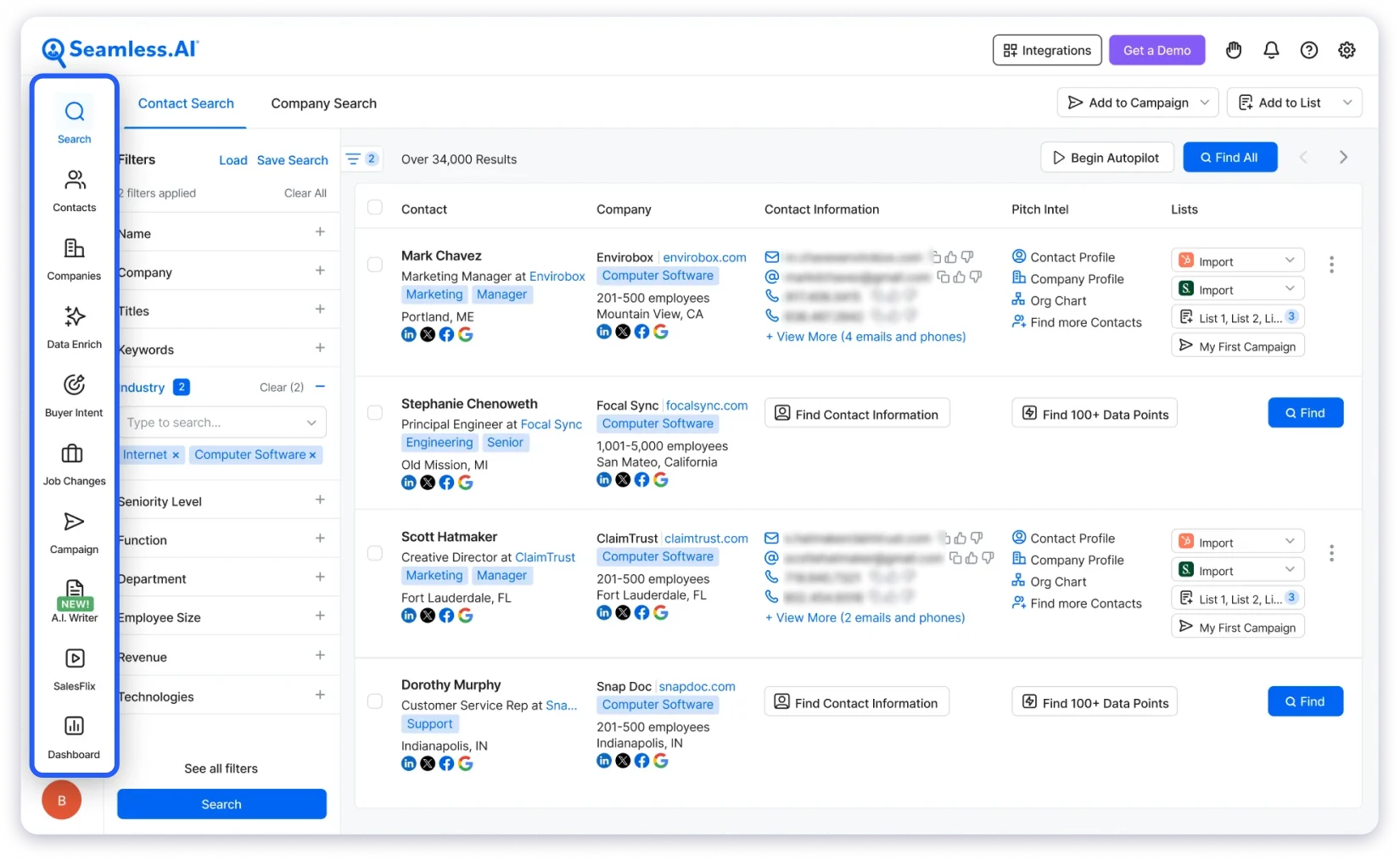
The recurring concern in G2 reviews is accuracy. Seamless.AI has the highest absolute volume of “Inaccurate Data” tags (410) in this comparison.
The real-time AI search sometimes returns emails that are found but not fully verified, which means a portion of your list will still bounce. If you’re leaning on a single provider for a critical IT push, pair it with a verification step.
Key features:
- 1.6B+ email database and 448M+ phone numbers
- Real-time AI web crawl for verified emails
- Buyer Intent, Job Changes, AI Agents
- Salesforce, HubSpot, Outreach, Salesloft integrations
- Chrome extension for LinkedIn
Pros
- Largest claimed database
- Real-time AI search
- Strong integrations
Cons
- High volume of inaccurate data complaints
- No transparent pricing
- Requires verification backup
Pricing:
- Free plan available (limited credits)
- Pro: Contact sales (per-user, unlimited exports, daily credit refresh)
- Enterprise: Contact sales (unlimited users)
“Only being able to find 50 contacts per page is a major drag.”
Read the full review on G2 →What’s the Best Way to Get an IT Decision Makers Mailing List?
The best way to get an IT decision makers mailing list is to use a B2B sales intelligence platform that lets you build ICP-based lists using advanced filters, instead of buying a pre-made CSV.
Why?
Because a pre-made IT decision-makers list is static. It’s been sold to dozens of other teams before you got it, the contacts are oversolicited, and roughly a third of them will have changed jobs since the list was put together.
Dynamic databases (Saleshandy, ZoomInfo, Cognism, Apollo, UpLead) pull fresh data at the time of your search, which means the CIOs, CTOs, and IT directors on your list are current, verified, and not already drowning in cold emails from twenty competitors.
A good platform also lets you layer filters on top of job title: company size, revenue, tech stack, hiring signals, funding triggers. That’s how you build an IT decision makers list that actually matches your ICP, not just a keyword dump of anyone with “IT” in their title.
The one rule I’d stick to: pick a provider that verifies email and phone data in real time at the search level, not after export. It’s the difference between a 3% bounce rate and a 25% one.
Should You Buy an IT Decision Makers Email Database Online?
Short answer: buy from a dynamic, verified provider. Don’t buy from a pre-made list broker.
Here’s why.
Pre-made IT decision makers email database files you find for sale online almost always have three problems.
- First, the data is stale. Most brokers don’t refresh their lists on a rolling cycle, which means you’re paying for contacts who left their companies months (sometimes years) ago.
- Second, the same list is sold over and over to different buyers, so the CIOs and CTOs on it are already tired of cold outreach.
- Third, a lot of these brokers play fast and loose with GDPR and CCPA compliance, which puts your sending domain and your company’s legal exposure at risk.
Dynamic databases solve all three.
You build the list at the moment you need it. Data is verified in real time. You pay per credit, so you’re not buying a fixed file that goes stale the day after you download it.
And the reputable providers (Cognism, Saleshandy, UpLead, ZoomInfo) all publish their compliance frameworks and can provide Data Processing Agreements on request.
If you’re selling into the EU specifically, compliance isn’t optional. GDPR fines are real, and “I bought this list from a broker” isn’t a defensible position if a regulator shows up.
Pick a provider that treats compliance as a product feature, not an afterthought.
If a provider checks all six boxes and publishes pricing publicly, they’re worth a trial. If they can’t clear four of these, move on.
Final Take: What to Keep in Mind While Running IT Outbound in 2026
Let me be straight with you.
Most teams overpay for IT decision-maker data because they start with brand recognition (ZoomInfo, Cognism) instead of with what they actually need (verified contacts, filters that match their ICP, pricing that scales with their usage). That’s how you end up in a $30k annual contract that delivers the same bounce rate as a $76/month tool with waterfall enrichment.
Here’s the honest tiering:
- Best overall fit for most teams: Saleshandy Lead Finder. 852M+ contacts, 92% verification accuracy, waterfall across 9 sources, transparent pricing, and built-in outreach so you don’t need a second tool to actually send.
- Best if budget is unlimited and you want enterprise depth: ZoomInfo, with a long contract cycle to match.
- Best for EU compliance: Cognism, if phone-verified mobile data justifies the contract size.
- Best free starting point: Apollo.io, with the understanding that accuracy trails the paid tools.
If you’re serious about building an IT decision makers mailing list that actually converts, the tool matters less than the workflow around it. Verify your data. Segment by role seniority. Layer intent signals on top of contact data.
And pick a provider that gets out of your way instead of gating every feature behind a sales call.
Frequently Asked Questions
1. What Exactly Is an IT Decision Makers Email List?
It’s basically a list of verified contacts for the people who call the shots on IT purchases — I’m talking CIOs, CTOs, VPs of Engineering, and IT directors. You get their emails, phone numbers, job titles, and some context on their company. You’d use a list like this to run targeted outbound instead of spraying cold emails at random.
2. Where’s the Best Place to Actually Buy One?
I’d skip the sites selling pre-built CSV files. That data is stale, it’s been sold to dozens of other buyers before you, and half the contacts have already moved on. Stick to dynamic providers like Saleshandy, Cognism, ZoomInfo, Apollo, or UpLead. You build the list fresh when you need it, which makes a real difference.
3. How Accurate Are These Lists Really?
Honestly, it varies a lot. The better tools I’ve looked at (Saleshandy at 92%, UpLead’s 95% guarantee) keep your bounce rate under 5%. Weaker tools can hit 20–30%, which is enough to tank your sending domain. If a provider won’t tell you their accuracy rate, I’d treat that as a red flag.
4. What Does an IT Decision Makers Email List Cost?
Depends what you need. You can start free (Saleshandy gives you 50 credits, Apollo throws in 900 credits a year) or go up to $30k+ annually on enterprise contracts with ZoomInfo or Cognism. For most teams I’ve seen, $50–$200 a month on a credit-based tool is the sweet spot.
5. Which Job Titles Should I Actually Target?
The usual suspects: CIO, CTO, VP of Engineering, VP of IT, IT Director, Head of Infrastructure, Director of DevOps. And if you’re selling something tactical, I’d also pull IT Managers and Systems Administrators — they often have more buying power than people give them credit for.
6. Is Buying This Data GDPR Compliant?
It depends entirely on who you’re buying from. Cognism, Saleshandy, UpLead, and Lusha all publish their compliance frameworks and handle GDPR and CCPA properly. The random “buy an email list” sites? Usually not. And trust me, if a regulator comes knocking, “I bought it online” isn’t a defense.
7. How Do I Check if the Emails on My List Are Actually Valid?
Easiest option I’d suggest is using a provider that verifies at the search level — Saleshandy’s waterfall enrichment and UpLead’s accuracy guarantee both do this before you spend a credit. If you’ve already got a list from somewhere else, run it through NeverBounce or ZeroBounce first. Don’t skip this step.
8. What’s the Difference Between an IT Directors List and a Full IT Decision Makers List?
IT directors are your tactical operators — they approve day-to-day spend and tool purchases. The full decision makers list includes them plus the strategic folks (CIOs, CTOs) who sign off on bigger enterprise deals. If you sell a $200/month tool, I’d target directors. If you sell a $50k platform, you’ll want the whole list.
9. Can I Actually Build a Decent List for Free?
Yes, within limits. Free tiers from Saleshandy (you get 50 credits to start), Apollo (900 credits a year per user), Lusha (40 a month), and Hunter.io (25 searches a month) are genuinely usable. You won’t build 10,000 contacts on a free tier, but you can easily pull a 50–200 contact pilot list to test reply rates before paying for anything.
10. How Often Should I Update My List?
Every 90 days at minimum, I’d say. IT leaders move around a lot, especially after funding events or layoffs. A CTO you emailed six months ago might be at a totally different company today. The cleanest option is picking a provider that auto-refreshes its database (Cognism updates director+ contacts every 30 days), and then re-enriching your list each quarter to catch the job changes.

 Anil Salvi