

If you have come here to know everything about Icypeas after reading Reddit threads or seeing people talk about it in cold email communities, then you have come to the right place.
Over the past few months, Icypeas has started getting a lot of attention among SDRs, recruiters, agencies, and outbound teams mainly because of one thing: the quality of leads it provides at this price.
The plans start at just $19/month, unused credits roll over, and the platform claims you only pay when a verified email is actually found.
But after seeing so many discussions around it, I wanted to find out whether Icypeas is genuinely good for outbound prospecting or if the low pricing is simply what’s driving the hype.
So, I spent a few weeks testing the platform myself to understand:
- how the credit system actually works,
- what features you get in each plan,
- where the platform performs well,
- where it falls short,
- and whether it is reliable enough for serious outreach workflows.
In this review, I’ll break down Icypeas pricing, features, pros, cons, and my honest experience using the platform so you can decide whether it is the right fit for your workflow.
Icypeas Pricing & Review (2026) – TOC
- TL;DR: Is Icypeas Worth It in 2026?
- In-Depth Review of Icypeas Features: What You Actually Get
- Icypeas Pricing: How Much Does It Cost?
- How the Icypeas Credit System Actually Works
- Pros and Cons of Icypeas
- 3 Better Alternatives to Icypeas Worth Considering
- My Final Verdict on Icypeas
- Frequently Asked Questions
- What it is: Icypeas is a B2B lead database and email verification platform known for its catch-all email verification capabilities and affordable pricing.
- Pricing: Plans start at $19/month for 1,000 verified emails and go up to $499/month for 100,000 credits. Unused credits roll over, which makes the pricing attractive for smaller outbound teams and agencies.
- Best feature: Icypeas can verify catch-all emails on Google Workspace and Microsoft 365, something many email finders struggle with or skip entirely.
- Biggest limitation: The database filters are still limited compared to larger prospecting platforms, and enrichment speeds can sometimes feel slower during individual searches.
- Best for: Agencies, technical teams, and Clay users who want an additional enrichment layer inside their outbound workflow rather than an all-in-one sales engagement platform.
- My verdict: Icypeas does a good job with email verification and affordable enrichment, especially for teams focused heavily on data quality. But if you need a larger B2B database, advanced prospecting filters, built-in outreach features, you may outgrow it quickly and need a more complete outbound platform.
In-Depth Review of Icypeas Features: What You Actually Get
Now let’s look at what you actually get inside the platform.
I spent time testing Icypeas across different workflows including:
to understand where the platform performs well and where it still feels limited compared to larger prospecting tools.
Some features genuinely stood out especially the catch-all email verification while others still feel more basic or unfinished depending on how advanced your outreach workflow is.
Here’s a breakdown of each feature and my experience using it.
1. Lead Database (People Search)
Icypeas has a built-in people and company database with filters like job title, company, location, industry, revenue, and headcount. You can browse results for free and only use credits when unlocking contact details.
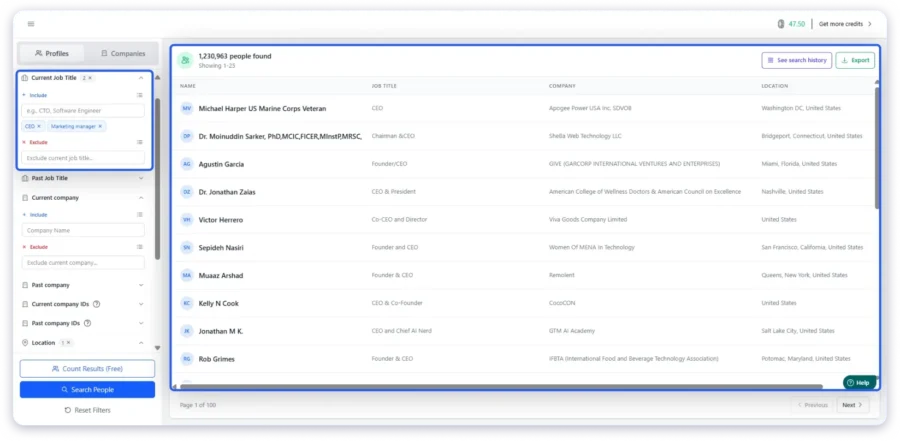
I searched for CEOs and Marketing Managers in the United States and got over 1.2 million results. You can browse the results and count them for free. Credits are only used when you reveal contact details like email addresses.
The filters cover the basics well, but there are limited segmentation options for building highly specific ICP lists.
2. Email Finder
The email finder in Icypeas works in two ways. You can reveal emails directly from the lead database after running a search, or you can upload a CSV with names and company domains and let the tool return verified email addresses in bulk. Their email records database has over a billion entries and gets refreshed every month.
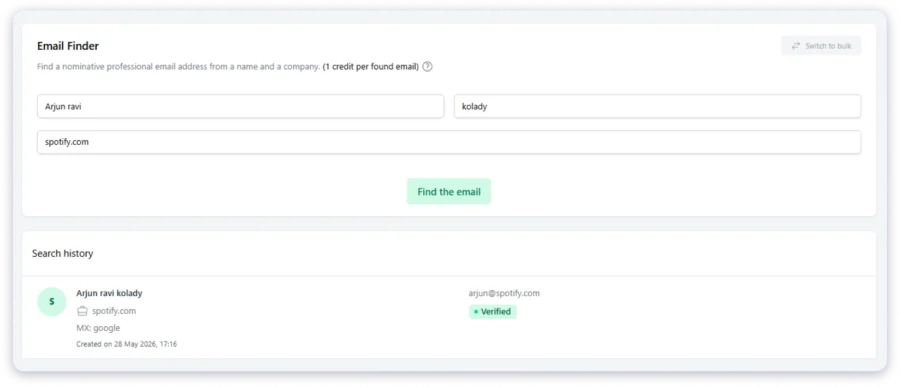
It costs 1 credit per found email. You only pay when an email is actually found. If the lookup fails, you keep your credit.
I tested it with a batch of contacts. Bulk uploads ran at a decent speed, but individual searches took 1 to 5 minutes each. If you need quick one-off lookups, that wait time adds up. For bulk use through the API or CSV, the speed is fine.
3. Email Verifier
This checks whether an email address is real and deliverable. It costs 0.1 credit per email, so you can clean a large list without burning through your credits.
The standout here is catch-all verification for Google Workspace and Microsoft 365. Most email verifiers see a catch-all domain and mark it as “unknown” or simply skip it. Icypeas can actually verify these addresses and tell you if someone is behind them.
This was the feature that interested me the most. A lot of valid business emails sit behind catch-all setups, and being able to verify them instead of throwing them out is a clear advantage.
4. Domain Scan
You enter a domain and Icypeas returns role-based emails like info@, contact@, or sales@. It costs 1 credit per domain.
This is built for outreach to very small businesses like local companies, shops, restaurants, and hotels, where there is no named contact on the website. I tried it on a few small company domains and it pulled back results, but if you need a specific person’s email, this feature will not help.
5. Reverse Email Lookup
You give Icypeas an email address and it returns a full profile with the person’s name, job title, company, and LinkedIn URL. This is useful when someone signs up on your website and you want to know who they are before reaching out.
One thing to watch out for is the credit cost. Reverse lookups use 10 credits each, which is 10x more than a regular email find. I ran 20 test lookups and used 200 credits, which is 20% of the Basic plan gone in minutes. If you plan to use this feature often, go with a higher plan.
6. People Scraper and Company Scraper
This tool pulls job titles, company details, and profile data from LinkedIn. It is useful for lead scoring and personalizing outreach emails.
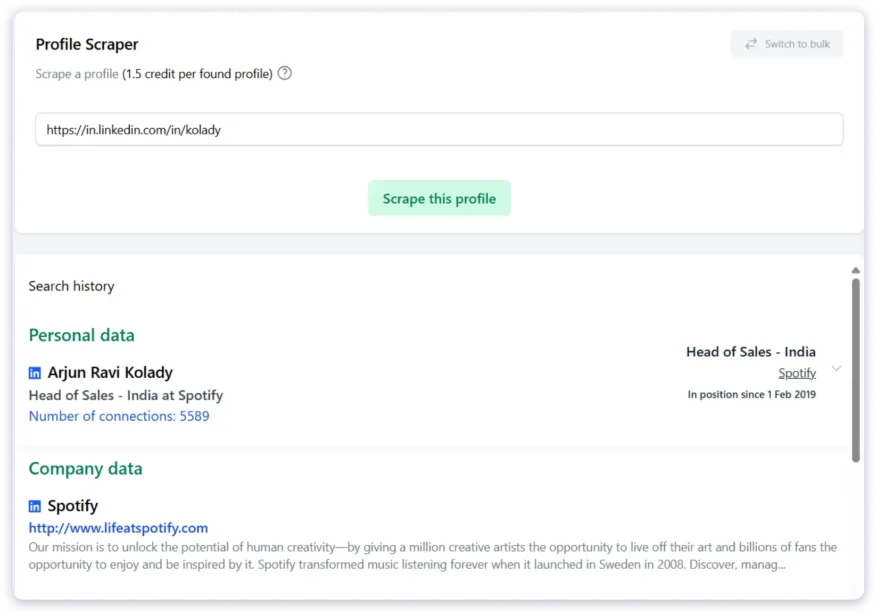
- A person profile costs 1.5 credits per result.
- A company profile costs 0.5 credits per result.
- Broader searches using Find People and Find Companies cost just 0.02 credits per result, which is very affordable for large lists.
7. API Access
Every plan includes API access with 99.9% claimed uptime. Icypeas also connects with Clay, Zapier, Make, and n8n. If you build automated workflows, the setup is simple and the documentation is clear.
8. Coming Soon
Phone Finder and Lookalike Finder are listed on the Icypeas website as upcoming features. Neither is live yet.
Icypeas Pricing: How Much Does It Cost?
Icypeas uses a credit-based pricing model. You choose a plan, get a monthly credit allowance, and use those credits across all tools including email finding, verification, scraping, and enrichment.
One thing I genuinely liked here is that Icypeas does not gate features behind higher plans. Every plan comes with the same core functionality, including:
- Catch-all verification for Google Workspace and Microsoft 365,
- Full API access,
- Credit rollover (unused credits never expire),
- And integrations with tools like Zapier, Make, Clay, and n8n.
The only real difference between plans is the number of credits you get each month and the effective cost per email.
Here’s the full pricing breakdown:
| Plan | Monthly Price (+VAT) | Credits/mo | Cost Per Email | Annual Price | Annual Credits |
|---|---|---|---|---|---|
| Basic | $19 | 1,000 | $0.019 | $190/year | 12,000 |
| Premium | $39 | 4,000 | $0.00887 | $390/year | 48,000 |
| Advanced | $89 | 10,000 | $0.0076 | $890/year | 120,000 |
| Hypergrowth | $499 | 100,000 | $0.00499 | $4,990/year | 1,200,000 |
A few things stood out to me immediately:
- You only pay when Icypeas successfully finds and verifies an email.
- Unused credits never expire, even if you cancel your subscription.
- The cost per email drops sharply as you move to higher plans.
- Annual billing gives you a 20% discount across all tiers.
Now let’s break down what each plan actually feels like in real-world usage.
1) Basic Plan — $19/Month
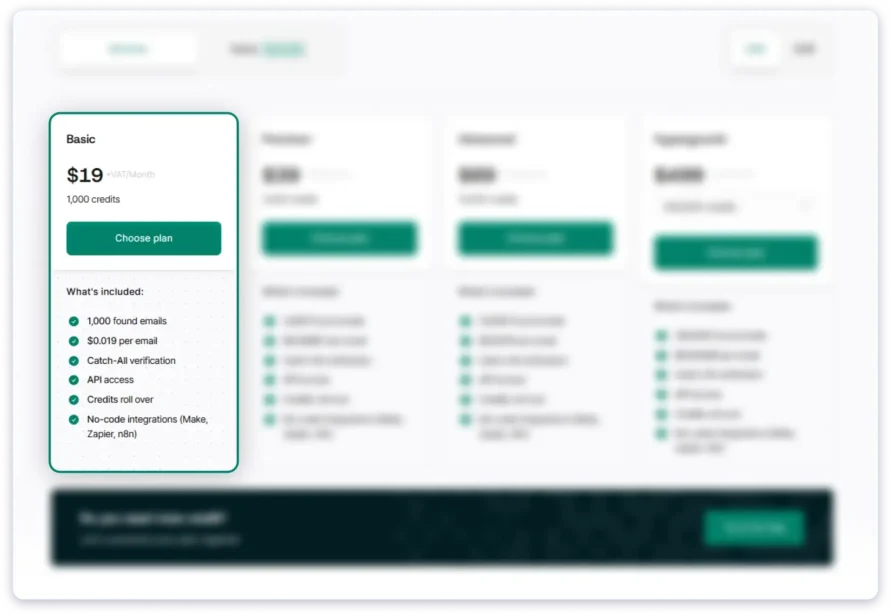
What you get:
1,000 credits per month.
With those credits, you could:
- find around 1,000 emails,
- verify roughly 10,000 emails,
- run around 100 reverse email lookups,
- or split the credits across different workflows.
The Basic plan feels more like a testing plan than a serious production plan. It is useful if you want to evaluate the platform, test verification quality, or run smaller enrichment workflows without spending much.
That said, I liked that you still get access to every core feature despite paying the lowest price. Icypeas does not artificially lock features behind higher tiers, which is rare in this category.
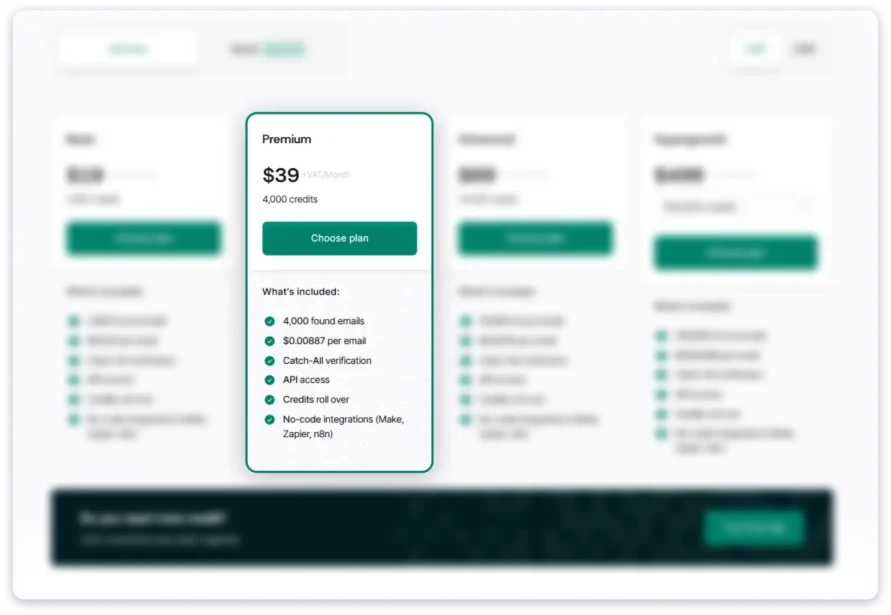
2) Premium Plan — $39/Month
What you get:
4,000 credits per month.
This is where the pricing starts becoming genuinely attractive because you are paying just $20 more than the Basic plan while getting 4x the credits. The effective cost per email drops by more than half.
For me, this is the first plan that starts making sense for ongoing outbound workflows.
If you are an SDR, recruiter, founder, or small agency running regular prospecting campaigns, Premium gives enough credits to work comfortably without constantly worrying about usage limits. The rollover system also helps because even if you do not fully use all 4,000 credits in a month, they continue stacking instead of expiring.
3) Advanced Plan — $89/Month
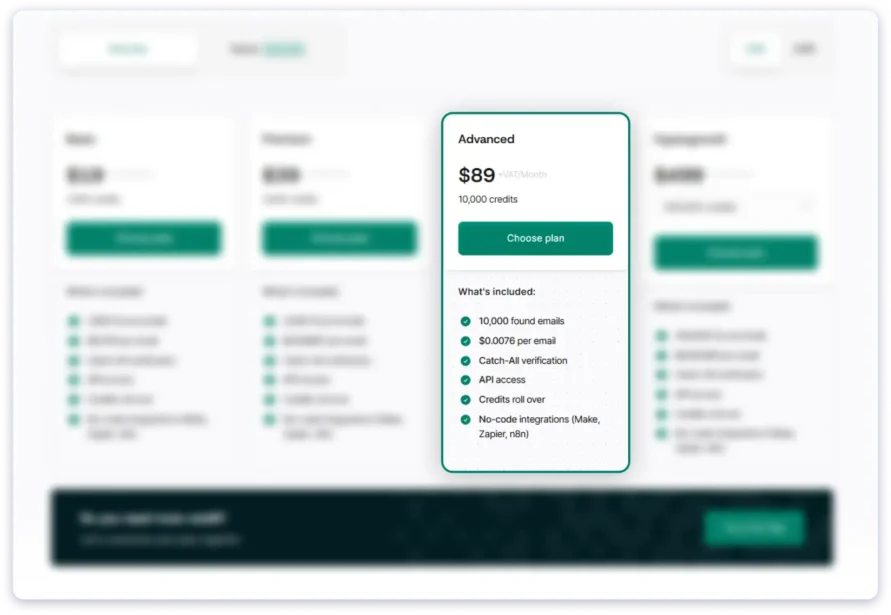
What you get:10,000 credits per month.
At this tier, the cost per email drops below one cent.
This plan mainly makes sense if you consistently use high credit volumes every month.
The pricing is still solid, but the jump in value is not as dramatic as the jump from Basic to Premium. Because unused credits roll over, many smaller teams may still find the Premium plan enough unless they are running large-scale enrichment or outbound campaigns regularly.
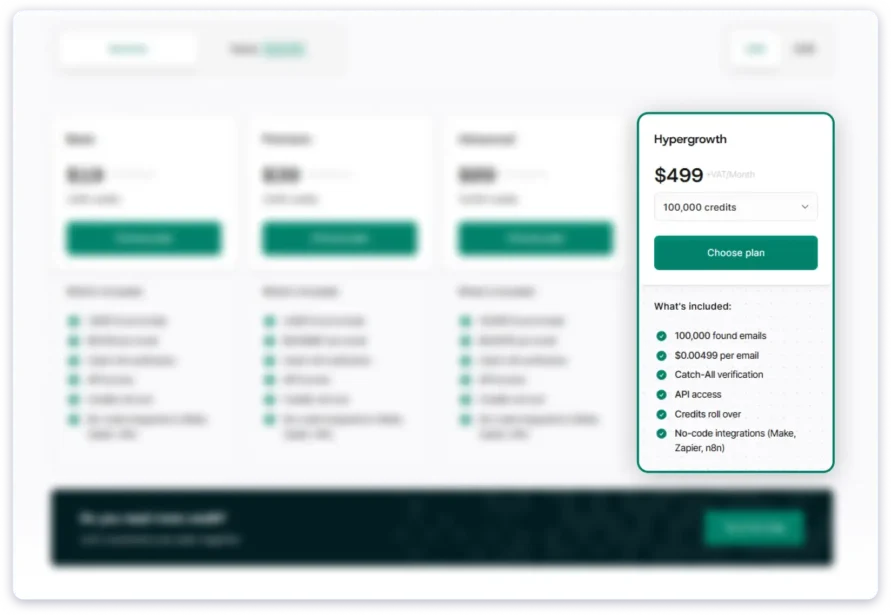
4) Hypergrowth Plan — $499/Month
What you get:
100,000 credits per month.
At this scale, the per-email cost becomes extremely low at roughly half a cent per verified email.
For high-volume enrichment workflows, the pricing here is genuinely competitive.
This plan makes the most sense for agencies, data providers, technical teams, or companies embedding Icypeas into automated workflows through the API.
One thing I noticed, though, is that the pricing page can feel slightly confusing. While $499/month is shown as the headline Hypergrowth plan, there are smaller volume tiers like 20K, 30K, and 50K credits hidden inside dropdown selections, which are easy to miss initially.
So while the value at scale is strong, you should still estimate your actual monthly usage before jumping into the larger plans.
5) Custom Plans
For enterprise teams processing millions of enrichment requests or building large-scale data workflows, Icypeas also offers custom pricing.
You can contact their sales team through the “Let’s customize your plan together” option on the pricing page.
How the Icypeas Credit System Actually Works
Icypeas uses one shared credit pool across the entire platform. Instead of paying separately for different tools, every action pulls from the same monthly credit balance.
Here’s what different actions cost:
| Action | Credit Cost | What You Get |
|---|---|---|
| Email Finder | 1 credit | One verified work email |
| Email Verifier | 0.1 credit | One email validation check |
| Domain Scan | 1 credit | Role-based emails (info@, contact@, etc.) |
| Person Profile Scraper | 1.5 credits | Job title, company, and profile data |
| Company Scraper | 0.5 credits | Company information |
| Find People / Find Companies | 0.02 credits | One search result |
| Profile URL Finder | 1 credit | LinkedIn or company profile URL |
| Reverse Email Lookup | 10 credits | Full profile from an email address |
| Phone Finder | Coming soon | Not yet available |
| Lookalike Finder | Coming soon | Not yet available |
After testing the platform, I noticed that some workflows are much more credit-efficient than others.
For example:
- Email verification is extremely cheap at just 0.1 credit per check, making it practical for cleaning large lists.
- Find People and Find Companies searches are also very affordable for bulk prospecting.
- Reverse email lookups, on the other hand, get expensive very quickly at 10 credits per search.
One thing I liked is that Icypeas only charges credits when it successfully returns a result. Failed email searches do not consume credits.
The rollover system is also genuinely useful. Unused credits continue carrying forward even if you downgrade or cancel your subscription, which is rare in this category.
One important thing to understand, though, is that the advertised “cost per email” is really the cost per credit, not the guaranteed cost per successful email found.
Your actual cost depends heavily on:
- Your list quality,
- The industries you target,
- And how many contacts Icypeas can successfully enrich.
That’s why I’d strongly recommend testing a smaller batch first before committing to higher-volume plans.
Pros and Cons of Icypeas
After spending time testing Icypeas across different workflows, here’s where I think the platform genuinely performs well and where it still feels limited compared to larger outbound and prospecting platforms.
- Catch-All Verification Actually Works: Icypeas can verify catch-all emails on Google Workspace and Microsoft 365, which most email finders either skip or mark as “unknown.” This is easily one of the platform’s strongest features.
- Built-In Lead Database: Icypeas includes a searchable people and company database with filters like job title, company, location, industry, revenue, and headcount. You can browse results for free before spending credits to unlock contact details.
- Credits Never Expire: Unused credits continue rolling over every month with no expiration deadline, even if you cancel your subscription. Most prospecting tools reset unused balances at the end of each billing cycle.
- You Only Pay for Successful Results: Failed lookups do not consume credits. You are only charged when Icypeas successfully finds and verifies a contact.
- Strong Pricing at Scale: The per-email cost becomes very competitive on higher plans, especially for agencies or teams running large enrichment workflows.
- API and Workflow Integrations: Icypeas integrates with Clay, Zapier, Make, and n8n while also offering API access across all plans with a claimed 99.9% uptime.
- Good Verification Quality: Based on my testing and available user feedback, verified emails appear reliable with low bounce risk, especially compared to cheaper enrichment tools.
- Single Searches Feel Slow: Individual email lookups can take anywhere from 1 to 5 minutes. Bulk searches through CSV uploads or API workflows are noticeably faster, but manual one-off prospecting can feel slow.
- Database Filters Are Still Limited: While the lead database is useful, the segmentation depth still feels limited compared to larger B2B databases. Building highly specific ICP lists can get difficult.
- No Phone Numbers Yet: Phone Finder is still listed as a “coming soon” feature and is not available yet. If phone outreach matters to your workflow, you will need another provider.
- Reverse Lookups Burn Credits Quickly: Reverse email lookups cost 10 credits per search, which becomes expensive very fast on smaller plans.
- Very Limited Third-Party Reviews: As of May 2026, Icypeas has very few public reviews on platforms like G2 or Capterra, which makes independent validation difficult.
- No Ongoing Free Plan: You get 50 one-time credits after signup, but there is no permanent free plan for continued usage.
- Public Find-Rate Benchmarks Are Limited: Icypeas claims strong find rates, but there are very few independent benchmarks available publicly. I would strongly recommend testing the platform with your own prospect lists before fully committing.
3 Better Alternatives to Icypeas Worth Considering
Icypeas works well for email finding and verification, especially if you mainly care about enrichment quality and catch-all verification.
But if your workflow also includes:
- cold emailing,
- calling,
- list building at scale,
- or managing outreach campaigns,
then you may eventually need a more complete outbound platform.
Here are three alternatives worth considering depending on your workflow and budget.
1. Saleshandy
Saleshandy is the strongest all-in-one alternative to Icypeas because it combines prospecting, enrichment, cold emailing, and calling in a single workflow.
Instead of using one tool for finding emails and another for outreach, you can manage the entire outbound process from one platform.
Here’s where it stands out compared to Icypeas:
- Larger Lead Database:
852M+ contacts across 42M+ companies with 75+ filters including industry, company size, revenue, technologies used, and geography. - Waterfall Enrichment:
Uses 9 enrichment providers per lookup instead of relying on a single data source, which helps improve find rates. - Built-In Cold Email Infrastructure:
Unlimited email accounts, sender rotation, sequencing, and warm-up support through TrulyInbox. - Built-In Calling:
Includes a dialer with local presence support for US and Canada starting at $23/month. - Agency-Friendly Pricing:
Unlimited team members, white-label support, and no aggressive per-seat pricing.
| Capability | Icypeas | Saleshandy |
|---|---|---|
| Contact database | Limited database filters | 852M+ contacts, 42M+ companies |
| Enrichment | Single source | Waterfall enrichment across 9 providers |
| Cold email | Not included | Unlimited sequences and accounts |
| Cold calling | Not included | Built-in dialer with local presence |
| Pricing | From $19/month | From $25/month (Outreach) / $49/month (Lead Finder) |
| Free trial | 50 one-time credits | 7-day free trial + 50 free credits |
2. Hunter.io
Hunter.io is one of the most established email finder tools in the market and works similarly to Icypeas in terms of workflow.
You can:
- search by domain,
- find professional emails,
- verify contacts,
- and use the browser extension while browsing LinkedIn or company websites.
Compared to Icypeas:
- the interface feels simpler,
- individual lookups are faster,
- and the platform has a much larger review presence online.
Pricing starts at around $34/month for 500 email credits, which makes it more expensive per contact than Icypeas.
Bonus read: Check out our detailed comparison of the top Hunter.io alternatives to find the best tool for your outreach and lead generation needs.
3. Snov.io
Snov.io sits somewhere between an email finder and a lightweight outreach platform.
Unlike Icypeas, it includes:
- basic cold email automation,
- drip campaigns,
- prospecting,
- and email verification in one tool.
It is not as advanced as dedicated outreach platforms, but it covers more workflow stages than Icypeas does.
Pricing starts around $30/month depending on credits and sending limits.
Bonus read: Read our detailed Snov.io review to see how it performs in real-world outreach testing.
My Final Verdict on Icypeas
After testing Icypeas across different prospecting and enrichment workflows, I think the platform does a few things genuinely well.
The biggest strength is clearly email verification especially catch-all verification for Google Workspace and Microsoft 365 accounts, which many enrichment tools still struggle with. The pricing is also refreshingly straightforward. Plans start at $19/month, unused credits roll over indefinitely, and you only pay when a lookup successfully returns a result.
If your workflow mainly involves:
- finding verified work emails,
- enriching prospect data,
- cleaning lead lists,
- or running API/Clay-based enrichment workflows,
Then Icypeas is a solid option.
But the platform still feels more like an enrichment layer than a complete outbound system.
The database works, but the filtering depth is still limited compared to larger B2B prospecting platforms. There is also:
- no cold email automation,
- no built-in calling,
- no phone number database yet,
- and no complete outreach workflow.
So if your team needs prospecting, enrichment, outreach, and calling in one place, you will likely end up paying for additional tools alongside Icypeas.
That is where more complete outbound platforms start making more sense.
For example, Saleshandy combines:
- a 852M+ contact database,
- waterfall enrichment,
- cold email automation,
- sender rotation,
- and built-in calling
inside a single workflow starting at $25/month.
So overall, my verdict is simple:
- If you mainly need affordable email finding and strong verification, Icypeas is worth trying.
- But if you want a full outbound platform that can handle prospecting and outreach together, you will probably outgrow it fairly quickly.
Frequently Asked Questions
1. Is Icypeas Free?
Icypeas gives you 50 free credits when you sign up, and no credit card is required to start testing the platform. After those credits are used, paid plans start at $19/month. There is no permanent free plan.
2. Does Icypeas Verify Catch-All Emails?
Yes. This is one of Icypeas’ strongest features.
Most email finders either skip catch-all domains or mark them as “unknown.” Icypeas can verify catch-all emails on Google Workspace and Microsoft 365 domains, which helps recover valid business emails that other tools often miss.
3. Does Icypeas Have a B2B Contact Database?
Yes. Icypeas includes a searchable people and company database.
The Profiles tab lets you filter by:
- job title,
- company,
- location,
- skills,
- languages,
- and education.
The Companies tab includes filters like:
- industry,
- revenue,
- company size,
- growth,
- and company type.
That said, the filtering depth still feels lighter compared to larger prospecting databases built specifically for advanced outbound targeting.
4. How Does Icypeas Compare to Saleshandy?
The two platforms are built for slightly different use cases.
Icypeas focuses mainly on:
- email finding,
- verification,
- enrichment,
- and API workflows.
Saleshandy is more of a complete outbound platform that combines:
- prospecting,
- waterfall enrichment,
- cold email outreach,
- and calling workflows.
So if you mainly need affordable email enrichment, Icypeas works well. But if you want prospecting and outreach in one place, Saleshandy covers more of the outbound workflow.
5. Is Icypeas GDPR Compliant?
Yes. Icypeas states that it is GDPR and CCPA compliant and holds ISO 27001 certification.
According to the company, it only collects publicly available business data and focuses on professional contact information rather than personal consumer data.