


AI tools are now part of how I write emails every day.
I use them for cold outreach, follow-ups, campaign emails, and client communication.
As email volume increases, writing emails that connect with people becomes a concern. Many AI email writing tools produce static drafts.
They generate content, but they do not adapt messages across conversations or carry context from one email to the next.
This leads to emails that sound similar, even when the situation changes. The challenge is not writing one email.
It is writing emails that connect across multiple touchpoints without repeating the same message. Templates lose value over time, and manual rewriting takes up too much time.
That is why I tested AI email writing tools during everyday email work.
This guide explains the best 10 email writing AI tools that help create emails that connect, so you can choose one that supports better email communication.
AI Email Writing Tools – TOC
TL;DR of Top 3 AI Email Writing Tools in 2026
- Saleshandy: Best for AI-assisted writing of cold emails. It offers an AI-assisted feature to generate complete multi-step email sequences from your business context.
- Copy.ai: Best for AI-assisted marketing emails. It uses AI to generate campaign-level email drafts for newsletters and nurture sequences, ensuring consistent messaging across multiple emails.
- Jasper: Best for AI-based brand-aligned emails. It applies AI to generate marketing email drafts that follow brand tone and campaign direction across ongoing sends.
9 Best AI Email Writing Tools to Use in 2026
Let’s understand each AI tool for email writing in detail.
1. Saleshandy
User Rating
- G2: 4.6⭐/5 based on 773+ reviews
Saleshandy offers an AI Sequence Copilot, which is an AI-powered feature built for cold email outreach.
Instead of helping you write one email at a time, it works on the full sequence. You add your business details, target audience, and outreach goal.
Based on this input, the tool creates a multi-step email sequence you can review before sending.
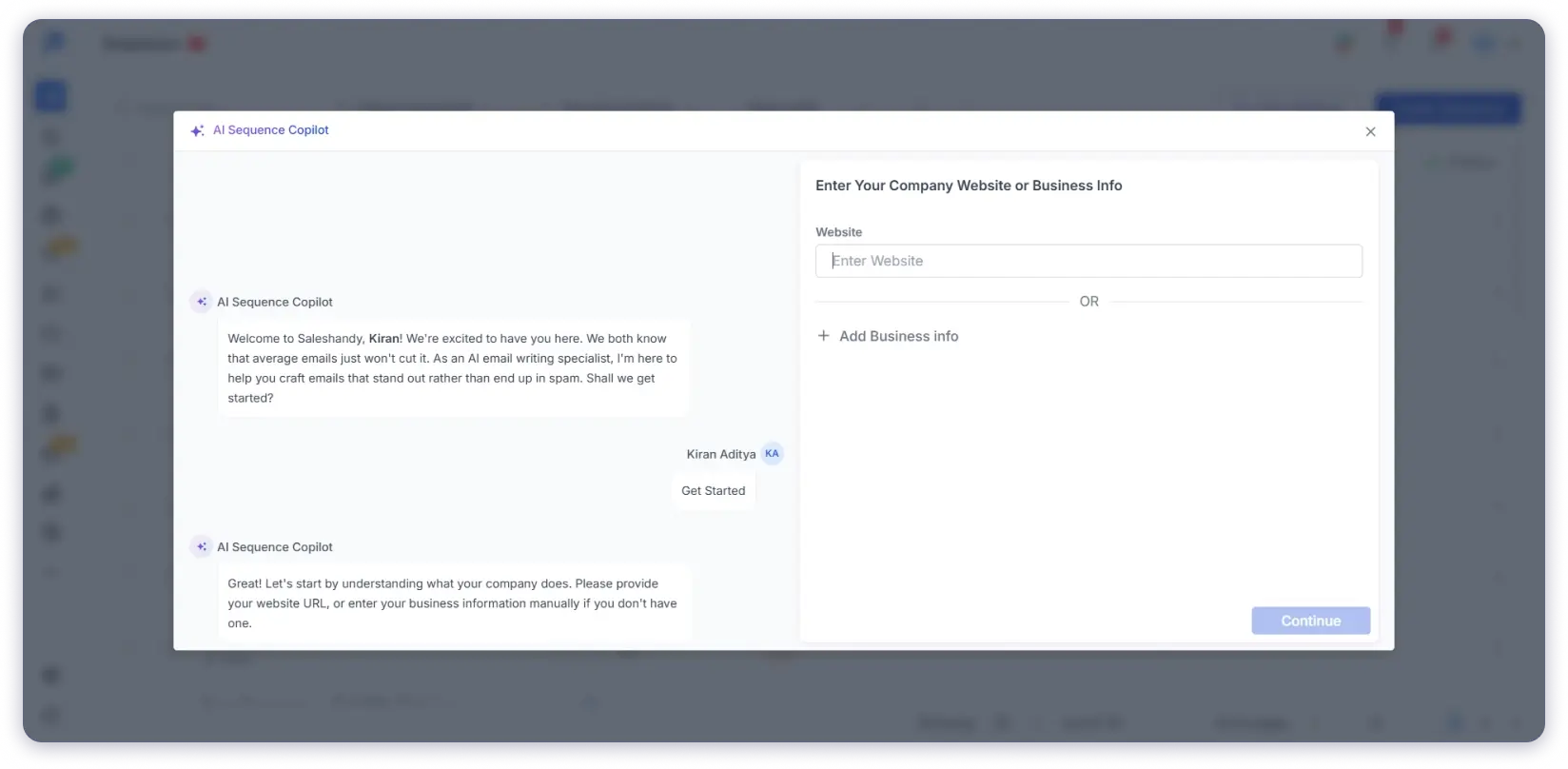
Why Saleshandy AI Sequence Copilot is My #1 Choice
I used AI Sequence Copilot while setting up end-to-end outbound campaigns with multiple follow-ups.
Writing the first email is manageable, but follow-ups usually slow things down. With this tool, I could generate the entire sequence in one flow.
Each email follows a logical order across the sequence. As a result, your message does not feel repeated across touchpoints. Cold email outreach stays aligned with the campaign goal from start to finish.
This reduced the time I spent writing follow-ups. It also helped teams move from setup to launch faster.
If your outreach depends on multiple follow-ups, this tool helps you save time during execution.
PSS – Saleshandy has launched its MCP server, letting you manage outreach directly from your AI using simple prompts. It supports 40+ outreach actions while keeping you in control.
Key Features
- AI Sequence Generation: Generates multi-step cold email sequences in one go.
- AI Website Search: Scans your website to capture business details, offerings, and audience context.
- AI Suggestions: Recommends sequence structure and messaging based on provided inputs.
- Goal and ICP Refinement: Adjusts outreach goals and target audience before sequence creation.
- AI Sequence Generation: Creates a complete cold email sequence from collected context.
- Edit with AI: Updates or rewrites individual emails within the sequence.
Pricing Plans ( Annually)
- Starter at $34/month (annual) with 1 user, 6,000 emails/mo.
- Pro at $76/month (annual) with 10 users, 100,000 emails/mo.
- Scale at $149/month (annual) with unlimited users, 200,000 emails/mo.
- 7-day free trial, no credit card required.
2. Copy.ai
User Rating
- G2: 4.7⭐/5 based on 183 reviews
Copy.ai is an AI tool built for creating email content as part of marketing campaigns. You define the audience, tone, and campaign purpose before generating content.
Based on this input, the tool creates subject lines, email copy, and CTAs.
I used Copy.ai while working on newsletters, onboarding emails, and nurture sequences. These campaigns needed multiple emails to follow the same message.
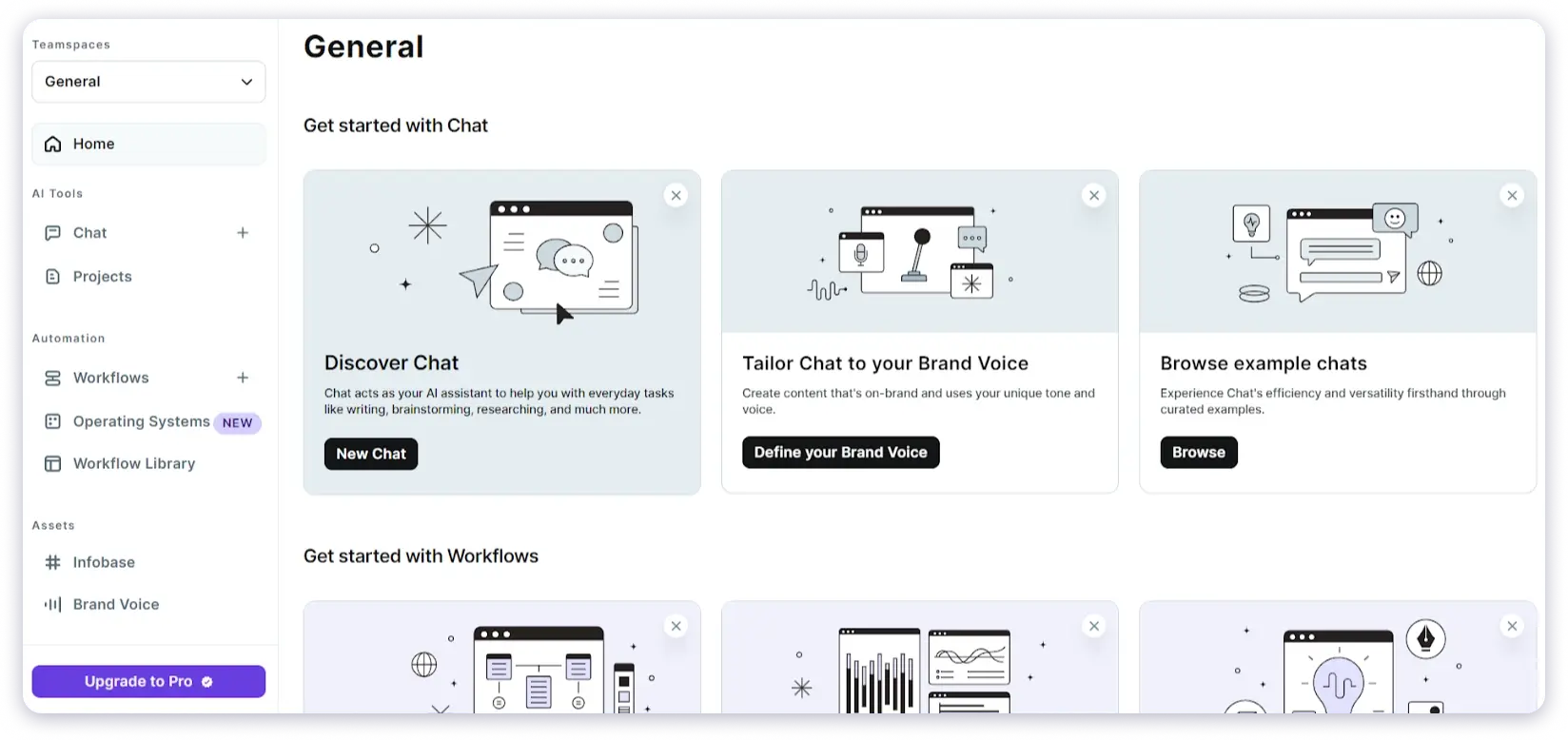
Why I Chose Copy.ai as My 2nd Pick
Instead of writing each email separately, I generated campaign-level drafts easily from the start.
I then adjusted each email based on its position in the sequence. When you run several campaigns at once, this reduces repetition.
It also helps keep messaging aligned across emails. You still review and edit the copy before sending. However, you start with drafts that already match the campaign direction.
As a result, if your email work involves structured marketing campaigns, Copy.ai fits that use case well.
Key Features
- Generate Personalized Emails: Create emails by using recipient details, context, and custom prompts.
- Adjust Tone and Style: Change email tone to match your brand, such as professional or casual.
- Build Campaign Emails: Create multi-email campaigns, including follow-ups, in one flow.
- Use Email Templates: Apply ready-made templates for newsletters, promotions, and campaigns.
- Edit with AI: Rewrite or refine email content without starting again.
- Integrations: Integrate with platforms such as Instagram, Airtable, Slack, Excel, OpenAI, Outlook, Microsoft tools, SocialPilot, and more.
Pricing Plans ( Annually)
- Chat: $29/mo
3. Jasper
User Rating
- G2: 4.7⭐/5 based on 1,266 reviews
Jasper is an AI tool built for writing marketing emails that follow the same campaign message.
You set the audience, purpose, and tone before generating any content. Based on this input, Jasper creates subject lines, email copy, and CTAs.
I used Jasper while managing newsletters, campaign emails, and regular marketing sends. These emails needed to carry the same message across multiple sends.
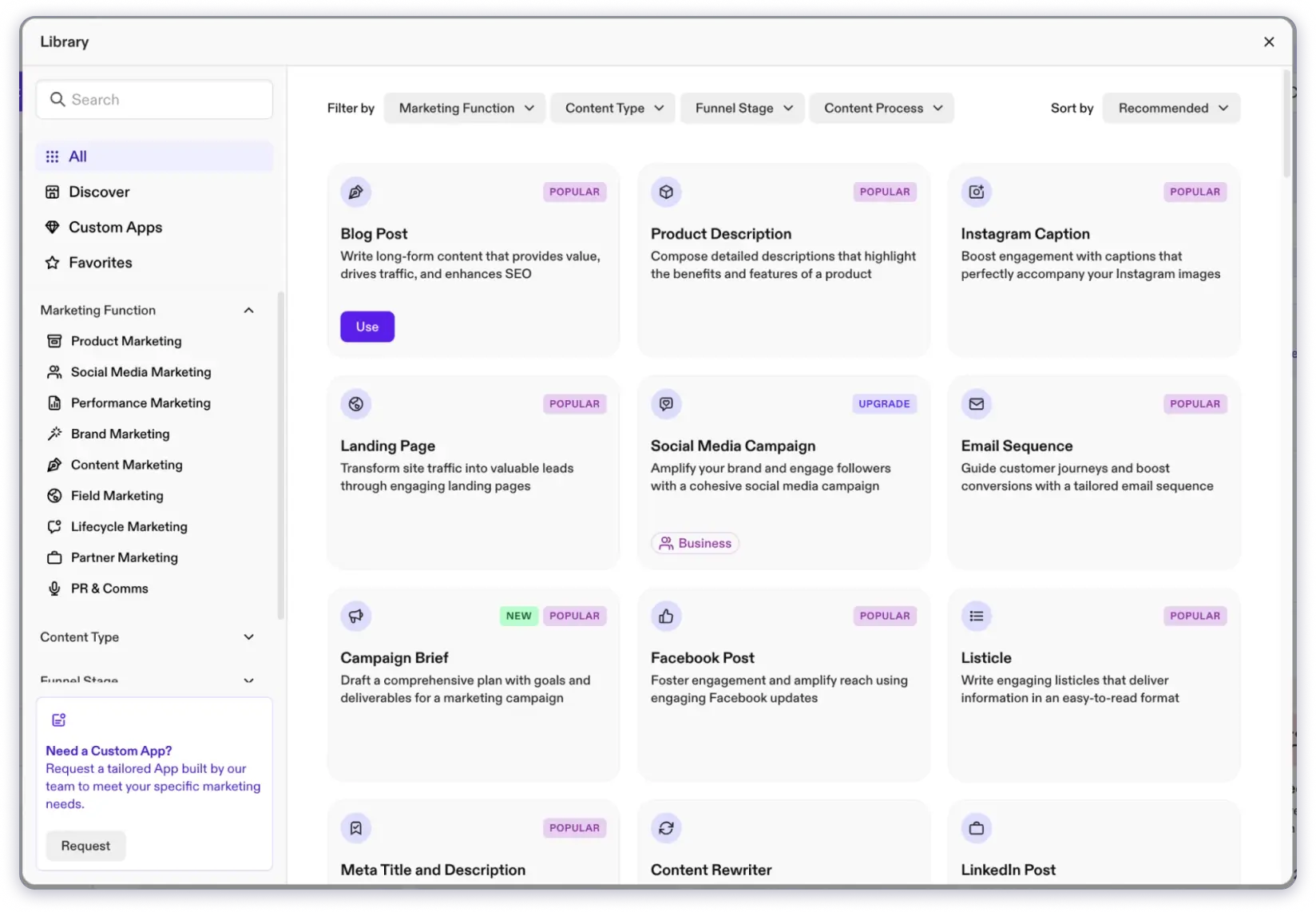
Why I Chose Jasper as My 3rd Pick
Instead of writing each email from scratch, Jasper generated the first draft. From there, I adjusted details based on timing or the email’s role in the campaign.
When you handle ongoing campaigns, this reduces repeated writing. It also helps keep messaging aligned across all emails.
You still review and edit the content before sending. However, you start with drafts that already follow the campaign direction.
Jasper fits when email work is tied to marketing campaigns and brand guidelines.
Key Features
- Generate Full Email Drafts: Create complete email content by setting the campaign goal, audience, and tone.
- Write Subject Lines: Generate subject line options based on the email’s purpose.
- Adjust Email Tone: Change how emails sound to match brand style.
- Create Campaign Emails: Build newsletters and campaign emails that follow the same message.
- Reuse Existing Content: Turn blog posts or product updates into email copy.
- Write Emails in Multiple Languages: Create email content for different regions.
Pricing Plans (Annually)
- Pro: $59/month/seat
- Business: Custom pricing
4. WriterSonic
User Rating
- G2: 4.7⭐/5 based on 2,089 reviews
Writesonic is an AI email writing tool designed to generate different types of email copy.
You start by selecting an email use case. Then you add details like recipient role, email purpose, language, and quality level.
Based on this input, the tool generates email copies. I used Writesonic when I needed multiple drafts quickly. This was useful for cold emails and promotional emails.
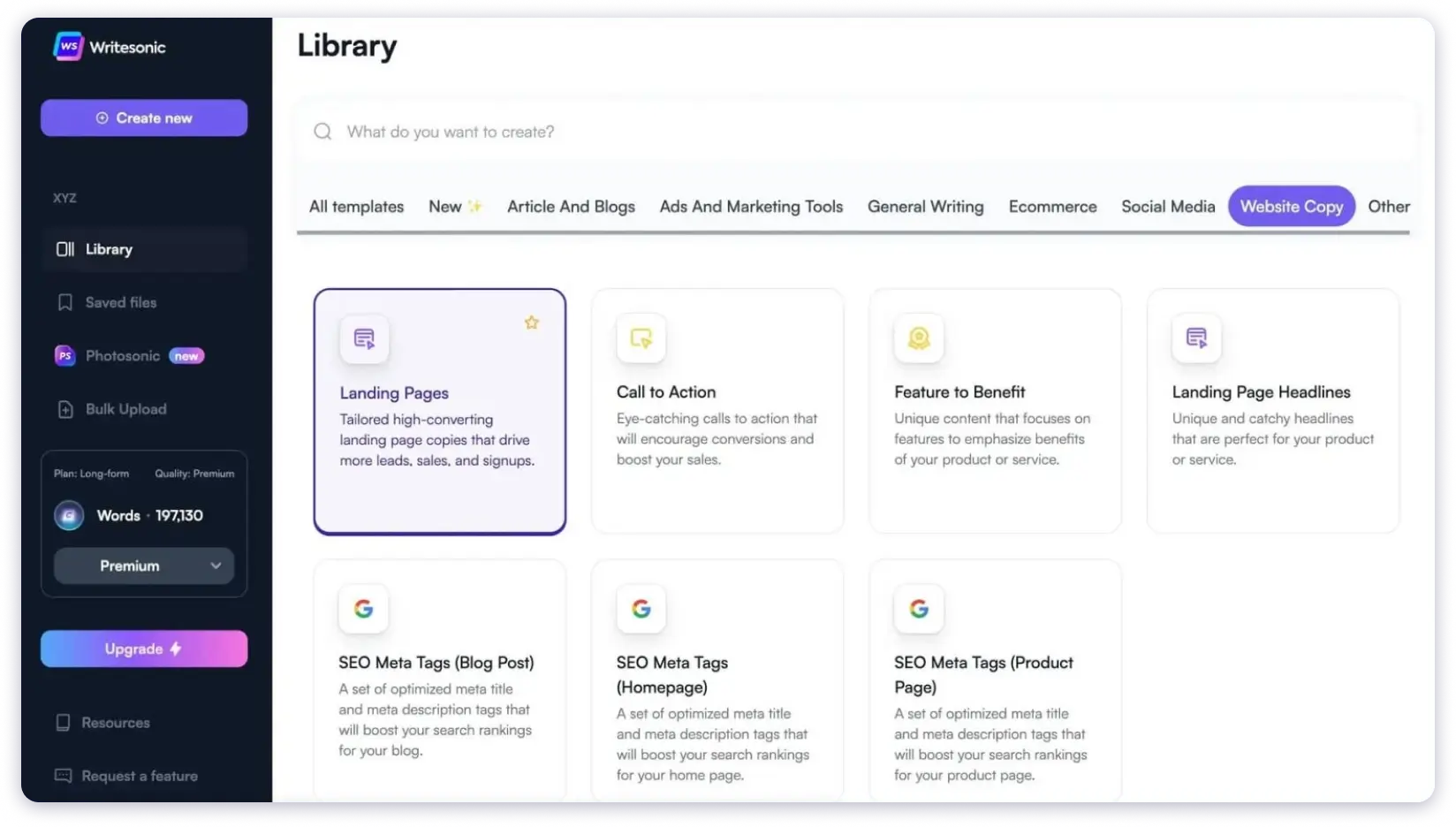
Why I Choose WriterSonic as My 4th Pick
Instead of writing one version at a time, the tool generated several options at once. This helped when I needed quick variations without much setup.
I still reviewed and refined the content before sending. However, WriterSonic reduced the effort required to write from scratch each time because of its templates, personal style, and email tone features.
Writesonic fits when you want fast email drafts and language support.
Key Features
- Use Email Templates: Generate cold emails, follow-ups, marketing emails, sales emails, newsletters, and professional emails using built-in email tools.
- Select Email Tone: Choose tones such as professional, friendly, persuasive, or urgent to match your audience.
- Edit Email Content: Rephrase, shorten, expand, and fix grammar or wording inside the editor.
- Continue Email Drafts: Add new lines or sections to an existing email without rewriting.
- Write Emails in Gmail: Draft and reply to emails directly inside Gmail using the Chrome extension.
- Check Content Originality: Scan email content to ensure it is original before sending.
Pricing Plans (Annually)
- Lite: $39/mo
- Standard: $79/mo
- Professional: $199/mo
- Advanced: $399/mo
- Enterprise: Custom pricing
5. Rytr AI
User Rating
- G2: 4.7⭐/5 based on 818 reviews
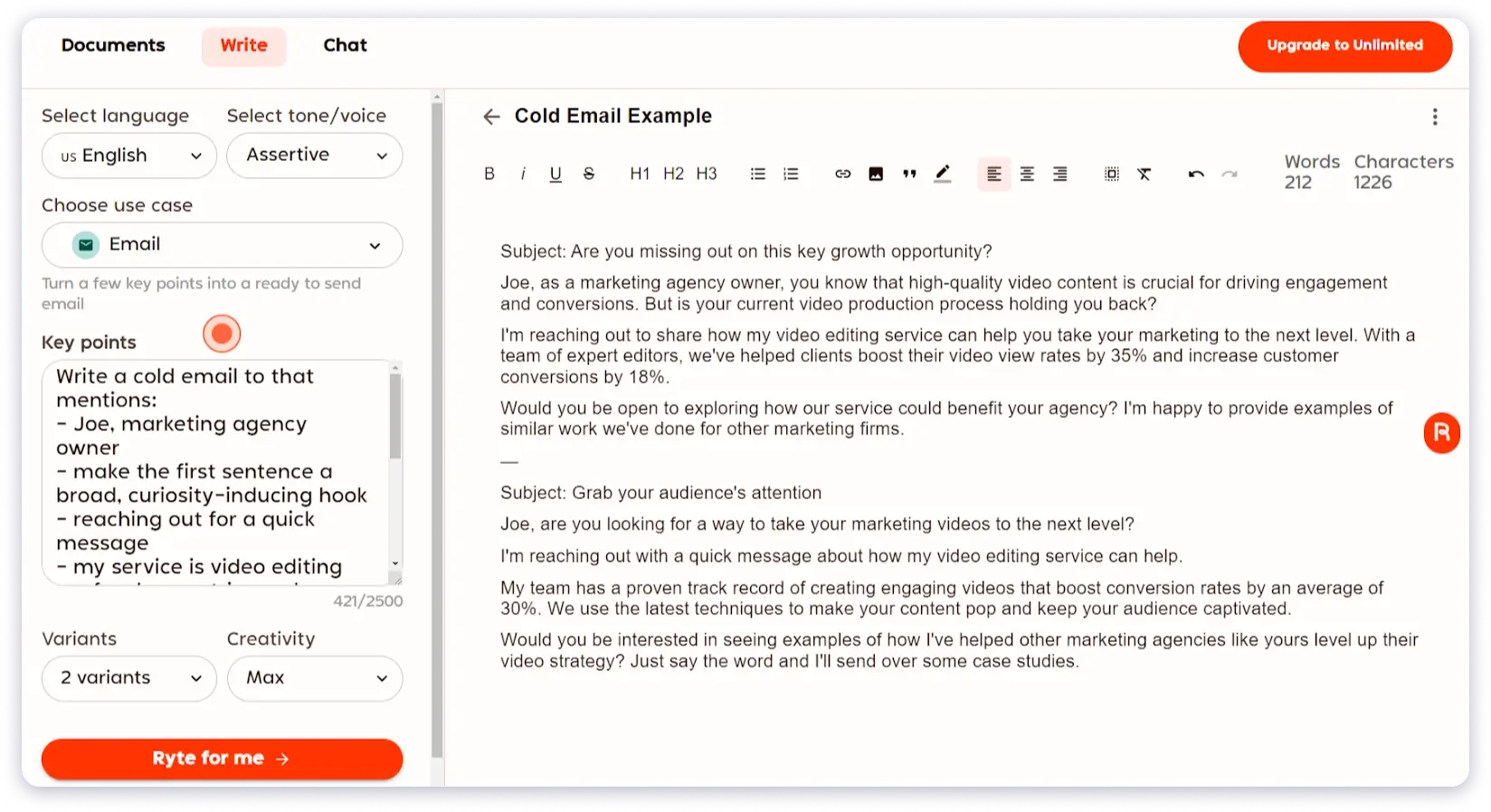
Rytr is an AI writing tool built for writing emails quickly with a basic structure.
It works best when you need a fast draft. You choose a tone, add a few key points, and the tool generates the email for you.
Why I Chose Rytr AI as My #5 Pick
I used Rytr mostly for short emails, quick replies, and simple marketing messages.
In these cases, setting up a long context felt unnecessary. I selected a tone like professional or appreciative, added bullet points, and let Rytr handle the draft.
This approach works when speed matters more than detail. You still review and adjust the output, but you avoid starting from a blank screen every time.
Rytr fits everyday email writing. It is not meant for campaigns or structured outreach sequences.
Key Features
- Use Email-Specific Templates: Generate cold emails, follow-ups, and marketing emails using a dedicated email use case.
- Select Tone of Voice: Choose from more than 20 tones, such as professional, conversational, persuasive, or appreciative.
- Apply Personal Writing Style: Train the AI with your own writing style using the MyVoice feature (premium).
- Edit Email Content: Improve, rephrase, shorten, or expand email text using built-in editing tools.
- Continue Writing Emails: Generate the next sentence or paragraph based on what you have already written.
- Write in Multiple Languages: Create email content in more than 30 languages for global audiences.
- Write Emails Inside Gmail: Use the Chrome extension to draft emails directly in Gmail and other browser-based tools.
Pricing Plans (Annually)
- Free: $0/mo
- Rytr Saver: $9/mo
- Rytr Unlimited: $29/mo
6. ChatGPT
User Rating
- G2: 4.7⭐/5 based on 1,449 reviews
ChatGPT is an AI tool that helps you write emails based on the instructions you give. You describe the situation, audience, and goal before generating content.
Based on this input, it drafts emails, subject lines, follow-ups, or replies. I used ChatGPT for writing cold emails, follow-ups, and internal messages. The output depended on how much detail I shared in the prompt.
Why I Chose ChatGPT as My 6th Pick
If you are comfortable guiding the tool step by step, ChatGPT gives you flexibility. You can rewrite, shorten, or change the tone in the same conversation.
When I explained the context properly, the drafts were usable. When the input was brief, the emails needed more editing.
ChatGPT does not manage email sequences or campaign structure. You still handle follow-up emails and organize them on your own.
It works well if you want a general writing assistant and are okay with doing some manual setup for email workflows.
Key Features
- Generate Email Drafts: Write emails when you provide the audience, purpose, and context.
- Rewrite Email Content: Change wording, length, or tone through follow-up instructions.
- Create Subject Lines: Generate subject line options from a short description.
- Use File Attachments: Read uploaded PDFs, documents, or spreadsheets to write emails.
- Extract Information from Files: Fetch key details from attachments and include them in emails.
- Use Web Information: Access recent or public web data to support email content when enabled.
Pricing Plans (Annually)
- Free: $0/mo
- Go: $8/mo
- Plus: $20/mo
- Pro: $200/mo
7. Claude
User Rating
- G2: 4.4⭐/5 based on 89 reviews
Claude is an AI writing tool that helps you draft emails using the context you share. You describe the situation, audience, and intent before generating content.
Based on this input, the tool creates a structured email draft. I used Claude for client communication, partner emails, and longer messages.
It handled detailed context well and needed fewer wording changes.
Why I Chose Claude as My 7th Pick
The writing is human and easy to understand, which helped in professional conversations. This worked well when emails needed more thought and care.
Like ChatGPT, Claude does not manage email campaigns or sequences. You still decide how many emails to send and when to follow up.
Claude is a good fit when you want help writing complete emails but prefer to control the overall email process yourself.
Key Features
- Write Email Content: Generate subject lines, email bodies, and CTAs by sharing the audience, goal, and context.
- Create Multiple Variations: Write different versions of the same email for A/B testing or tone comparison.
- Edit and Refine Emails: Rewrite emails to adjust tone, wording, or structure without changing the message.
- Summarize Information for Emails: Turn long notes, documents, or conversations into short email-ready content.
- Use Uploaded Files: Read uploaded files such as PDFs, DOCX, CSV, or TXT to write emails based on real data.
- Use Web Information: Fetch recent company news or industry updates to add context to emails.
- Connect with External Tools (MCP): Fetch live data from CRMs or tools to generate emails using real-time information.
Pricing Plans (Annually)
- Free: $0
- Pro: $20/mo
- Max 5x: $100/mo
- Max 20x: $200/mo
8. Lavender
User Rating
- G2: 4.8⭐/5 based on 62 reviews
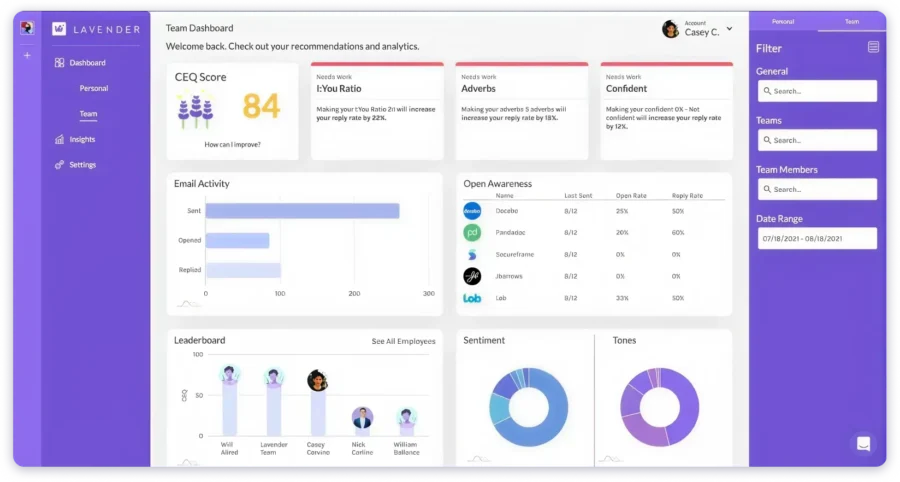
Lavender is a tool that helps you improve emails before you send them. It does not write emails for you.
It reviews what you write and shows where changes can help you get more replies. I used Lavender inside my inbox while writing sales and outreach emails.
Why I Chose Lavender as My 8th Pick
As I typed, it checked the email and showed a score. It pointed out things like long sentences, weak openings, missing personalization, or extra words. This helped me fix the email before sending it.
If you send outreach emails often, Lavender helps keep your emails consistent. You still write the message, but the tool guides you using email data instead of general writing tips.
Lavender works best when you want to improve reply rates and writing habits, not create emails from scratch.
Key Features
- Real-Time Email Scoring: Review emails as you write and get a score based on structure, tone, personalization, and reply potential.
- AI Personalization Support: Fetch prospect and company details into your inbox to help write more personal emails.
- AI Email Draft Generation: Create full email drafts from short notes or prompts.
- Prospect Research Context: Surface talking points and background to make outreach more relevant.
- Built-In Integrations: Work inside Gmail, Outlook, HubSpot, Salesloft, Outreach, and similar tools.
- Mobile Email Preview: Preview emails on mobile and adjust formatting before sending.
Pricing Plans (Annually)
- Basic: $0/mo
- Starter: $27/mo
- Individual Pro: $45/mo
- Team Plan: $89/seat/mo
9. Grammarly
User Rating
- G2: 4.7⭐/5 based on 12,987 reviews
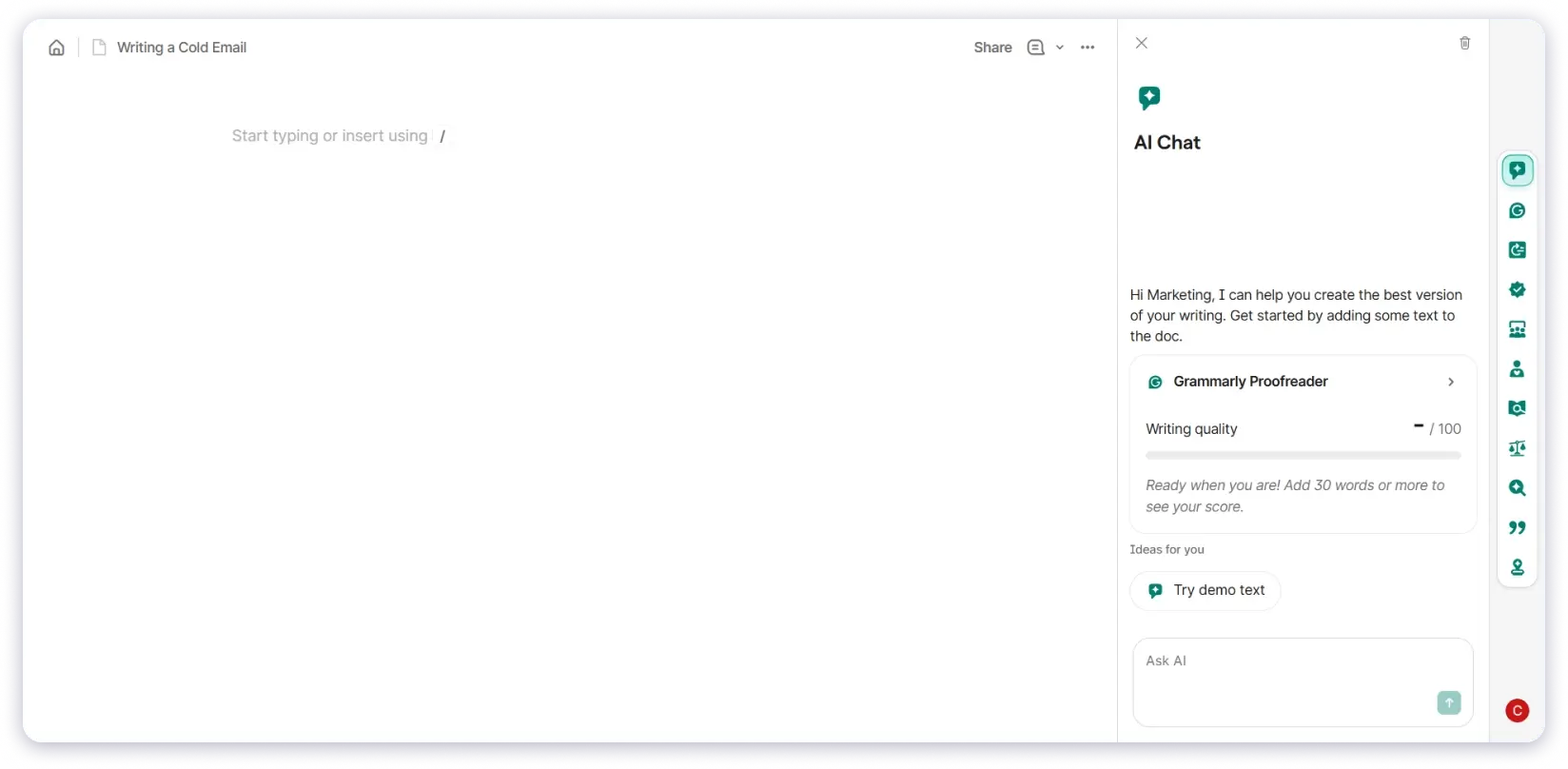
Grammarly is a writing assistant that helps improve emails while you write. It works inside your email inbox and gives suggestions to fix grammar, adjust tone, and improve sentence flow before sending.
I used Grammarly while writing work emails, replies, and follow-ups. It helped fix small mistakes, smooth sentences, and adjust tone when an email sounded off.
Why I Chose Grammarly as My 9th Pick
When I did not know how to start an email, the AI Email Writer created a full draft after I added the recipient and the reason for writing.
If you send emails often and want help improving writing without changing your style, Grammarly supports that. You write the email, and the tool helps refine it as you go.
Grammarly is best for daily email writing, not for managing campaigns or outreach sequences.
Key Features
- Adjust Email Tone: Detect tone and suggest changes to sound professional, friendly, confident, or persuasive.
- Generate Email Content with AI: Create drafts, rewrites, or ideas from prompts using AI assistance.
- Improve Sentence Clarity: Point out wordy or confusing sentences and suggest simpler alternatives.
- Work Across Platforms: Use Grammarly in Gmail, Google Docs, Word, browsers, desktop apps, and mobile.
- Apply Personal or Brand Style: Adapt suggestions to match your writing style or company tone.
Pricing Plans (Annually)
- Free: $0/mo
- Pro: $12/member/mo
- Enterprise: Custom pricing
Choose the Best AI Email Writing Tool, Leave the Rest!
You are now at the final step of choosing an AI email writing tool.
By this point, you have seen how different tools approach email writing.
Some help with full sequences. Some support campaigns. Others assist with daily writing.
But if you are still here, you are still unsure.
That usually means you want to see how a tool works in real use.
So here is my suggestion.
➜ Start with Saleshandy AI Sequence Copilot.
It shows how AI can handle complete cold email sequences, not just single emails.
Once you use it, the difference between writing emails and running outreach becomes clear.
FAQs About Email Writing Tools
1. Which AI email writing tool should I choose first?
That depends on how you write emails. If you run cold outreach with follow-ups, start with a tool that handles full sequences. If you work on marketing campaigns, choose a campaign-focused tool. For daily writing support, a general writing assistant works better.
2. Do I need an AI tool if I already use email templates?
Email templates help you get started, but they stay the same over time. AI email tools adjust content based on context, audience, and intent. This helps you avoid sending repeated or stale messages, especially across follow-ups and longer email threads.
3. Are AI email writing tools better for sales or marketing?
Both teams benefit, but in different ways. Sales teams need AI tools that help with follow-ups and multi-step sequences. Marketing teams benefit from tools that keep messaging aligned across newsletters, campaigns, and product updates.
4. Can one AI email tool handle everything?
Usually, no. Some tools work best for outreach and sequences, others for campaigns, and some for editing and tone improvements. Many teams use more than one AI tool, depending on the email task they are handling.

 Anil Salvi
