It’s hard to believe that two years have passed since our Prime Club LTD launch on September 20, 2022.
We want to extend our heartfelt thanks for being part of this journey and share the enhancements and additions we’ve made since then to continue delivering value to our LTD customers.
New Additions After the Launch of LTD
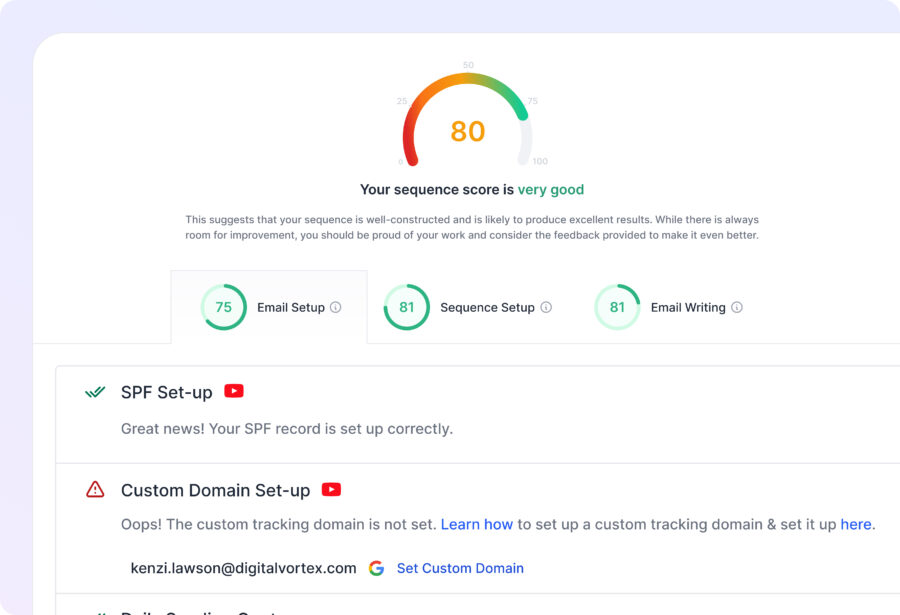
Sequence Score
Sequence Score helps you identify what is lacking in your sequences based on three parameters: email account setup, sequence setup, and email writing.
This feature assesses sequences and scores them based on these parameters, helping you optimize for the best results.
Sender Rotation
You can now send your sequences with multiple email accounts instead of just one, mitigating the risk of being flagged by ESPs. Sender Rotation also helps in scaling up, as you can reach more prospects without exceeding your email-sending limits.
Imagine you have three email accounts connected: john@saleshandy.com, alsiha@saleshandy.io, and owen@saleshandy.hq.
When your sequence is activated, the system automatically takes charge and starts rotating the sending of emails between these accounts.

A/Z Testing
We enhanced A/B testing to A/Z testing, allowing you to test up to 26 email variants with different subject lines, CTAs, and email copies. This extensive testing helps determine the most effective emails for optimum results.

Open Tracking Option
To comply with stricter sending policies and avoid issues with open rates, we introduced the ability to turn on/off open tracking. This feature helps you adhere to ESP policies while managing your campaigns effectively.

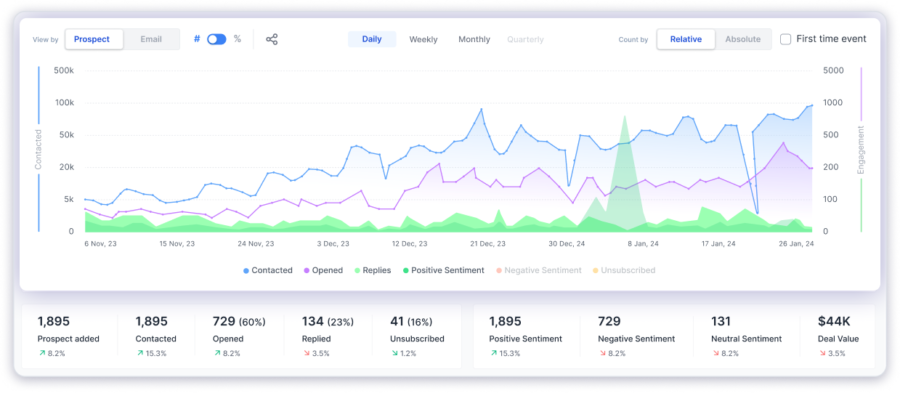
Advanced Graphical Reports
Our analytics have been transformed into graphical reports, providing you with a graphical overview of your sequence metrics. You can also download and share your sequence analysis screens to showcase your achievements.
Unified Inbox
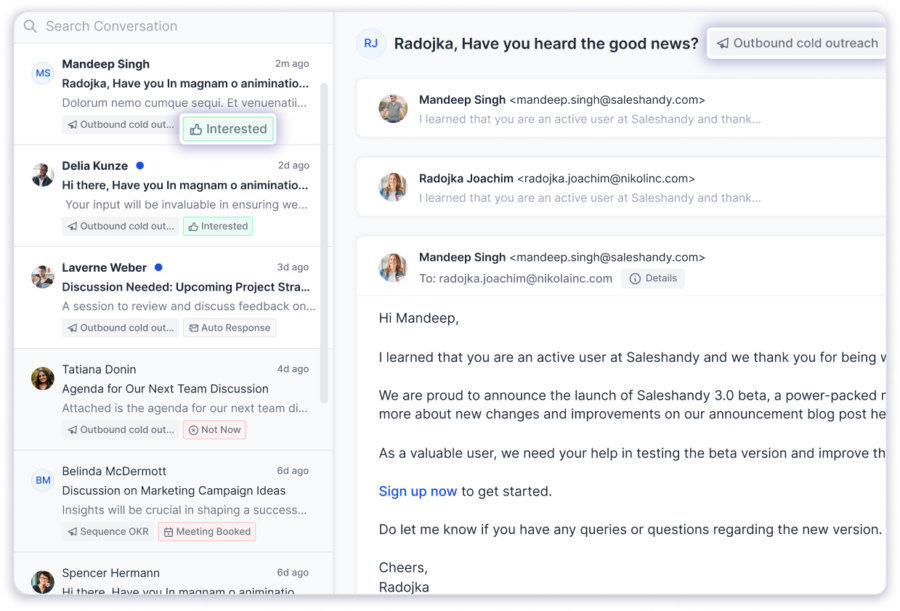
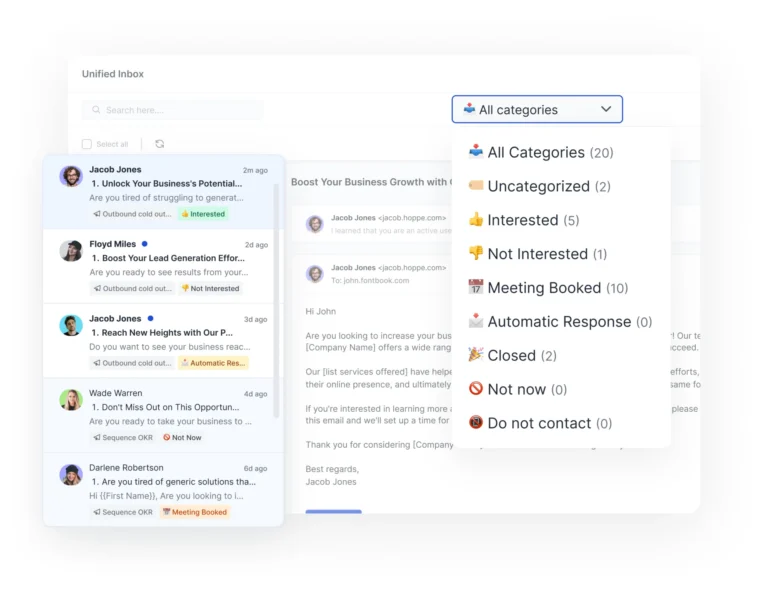
Unified Inbox consolidates all replies from sequences into one place within the Saleshandy.
You can read, categorize, and respond to emails easily, with an AI categorization feature to mark sentiments for enhanced organization.
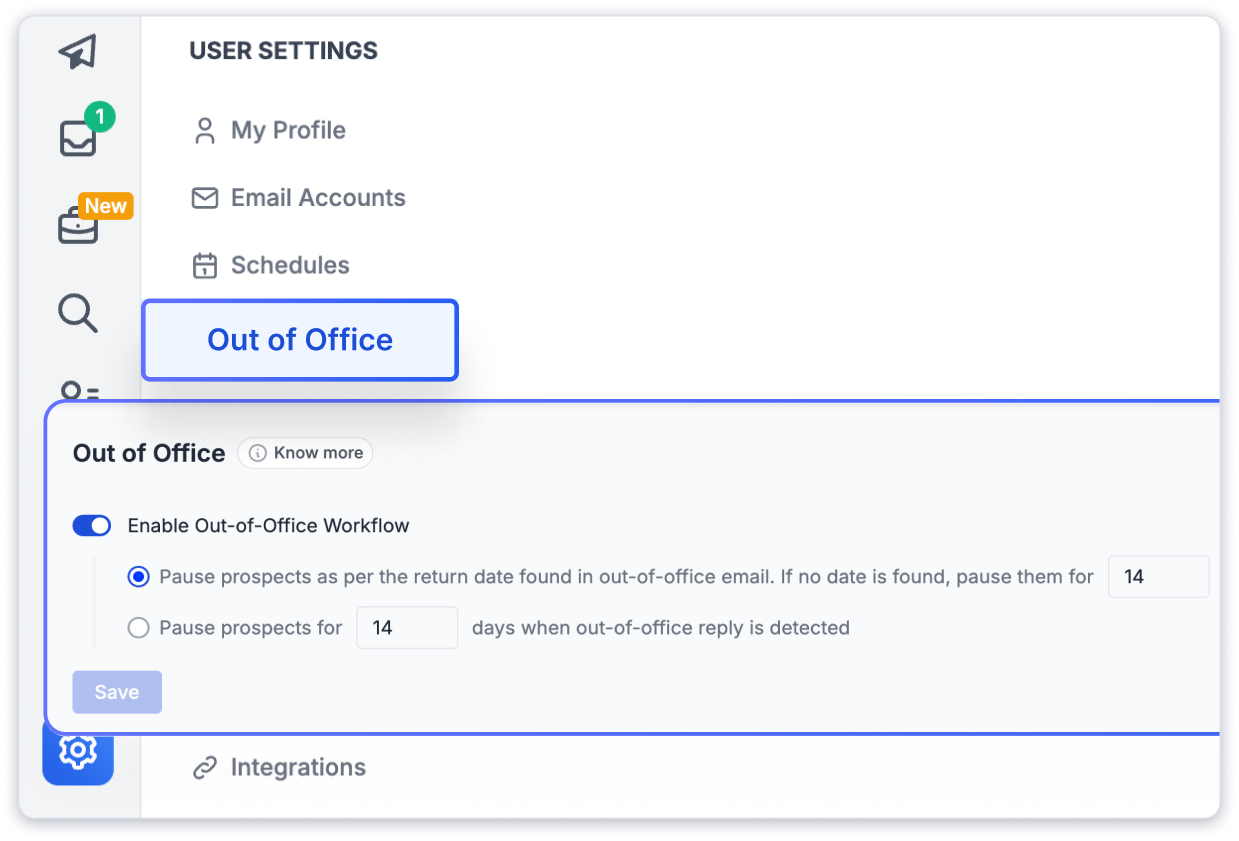
OOO Detection
This automatically detects out-of-office replies, pausing email sending to these prospects and resuming once they return. This saves you from manually sorting auto-replies.
Automatically pause and resume email sequences based on out-of-office replies, ensuring timely follow-ups and avoiding missed opportunities.
Spintax
Spintax allows you to auto-create different variants of your email copies, improving deliverability by avoiding spam filters. This helps ensure that each email sent is unique.
You can include multiple words or phrases between {spin} and {end spin}, separated by a vertical line | (pipe) to use Spintax.
For example:
{spin} Hey there | Hello | Hi {endspin}

Advanced Team Management
Our enhanced team management capabilities boost collaboration and productivity by allowing you to assign roles and permissions, track team activity, and share resources effortlessly.
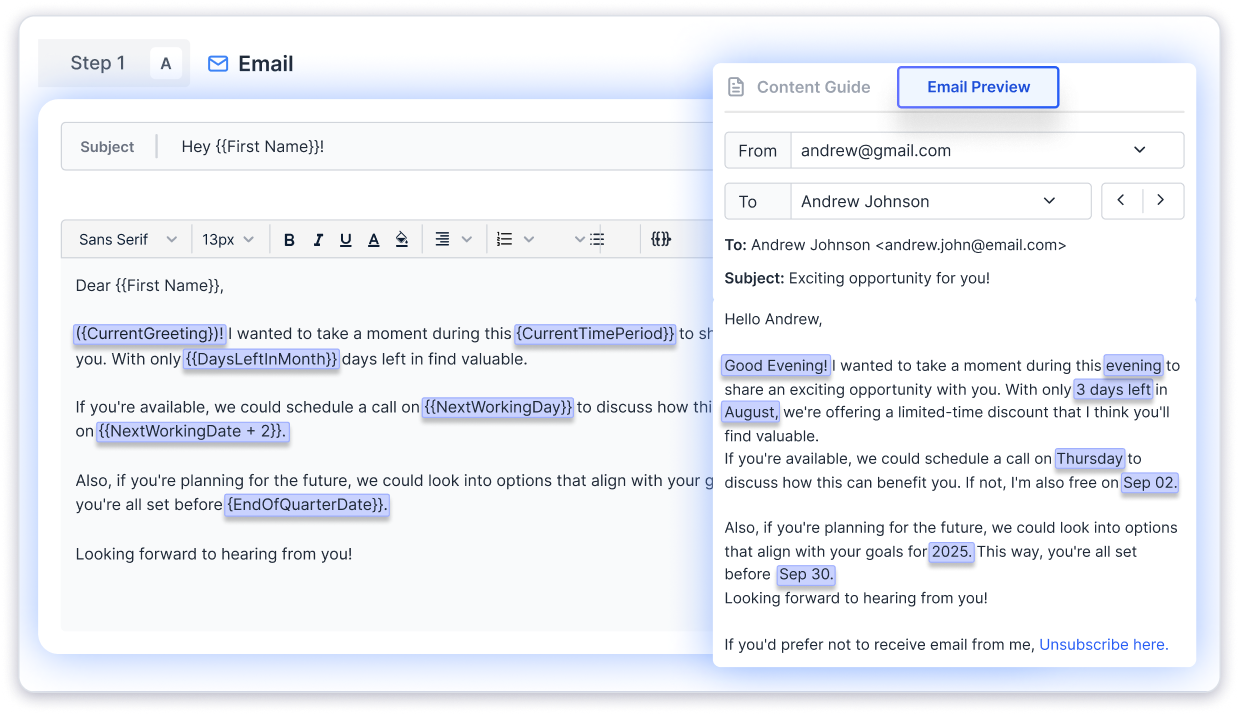
Email Preview
The new email preview lets you see a live preview of how your emails will appear to recipients before sending them. This ensures professional formatting, reduces errors, and enhances campaign effectiveness.
Variant Cloning
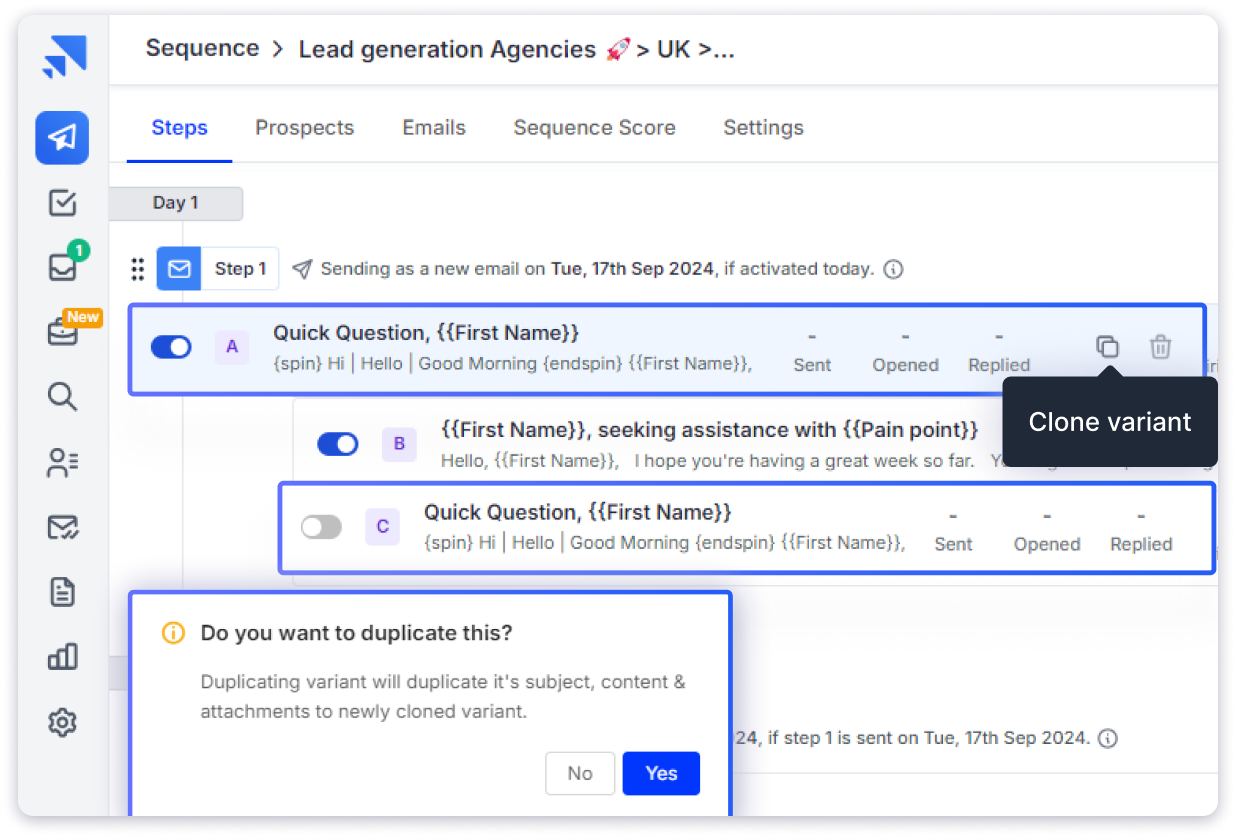
To simplify A/Z testing, we introduced variant cloning. You can duplicate email variants with a single click, making it easier to create multiple versions for testing without starting from scratch.
- A-Z Variants: Create new variants from any existing variant in the same step.
- Easy Cloning: Copy subject lines, pre-headers, emojis, merge tags, attachments, images, and content.
- Flexible Threads: Clone within the same thread or start a new one.
Webhooks
Our webhook automates workflows with real-time updates, allowing Saleshandy to connect seamlessly with other applications for instant notifications and actions based on specific events.
Slack Notifications
You can receive Slack notifications for prospect engagements, ensuring timely follow-ups and keeping the team updated on campaign progress.
You will receive real-time notifications in Slack channels, DMs and groups allowing you to monitor your leads more effectively than ever before.
Feature Details: You can choose to be notified for multiple actions:
-When an email is sent
-When an email is opened
-When an email link is clicked
-When a reply is received
-When an email bounces
-When a prospect unsubscribes
-When a prospect is finished
-When a prospect’s outcome changes

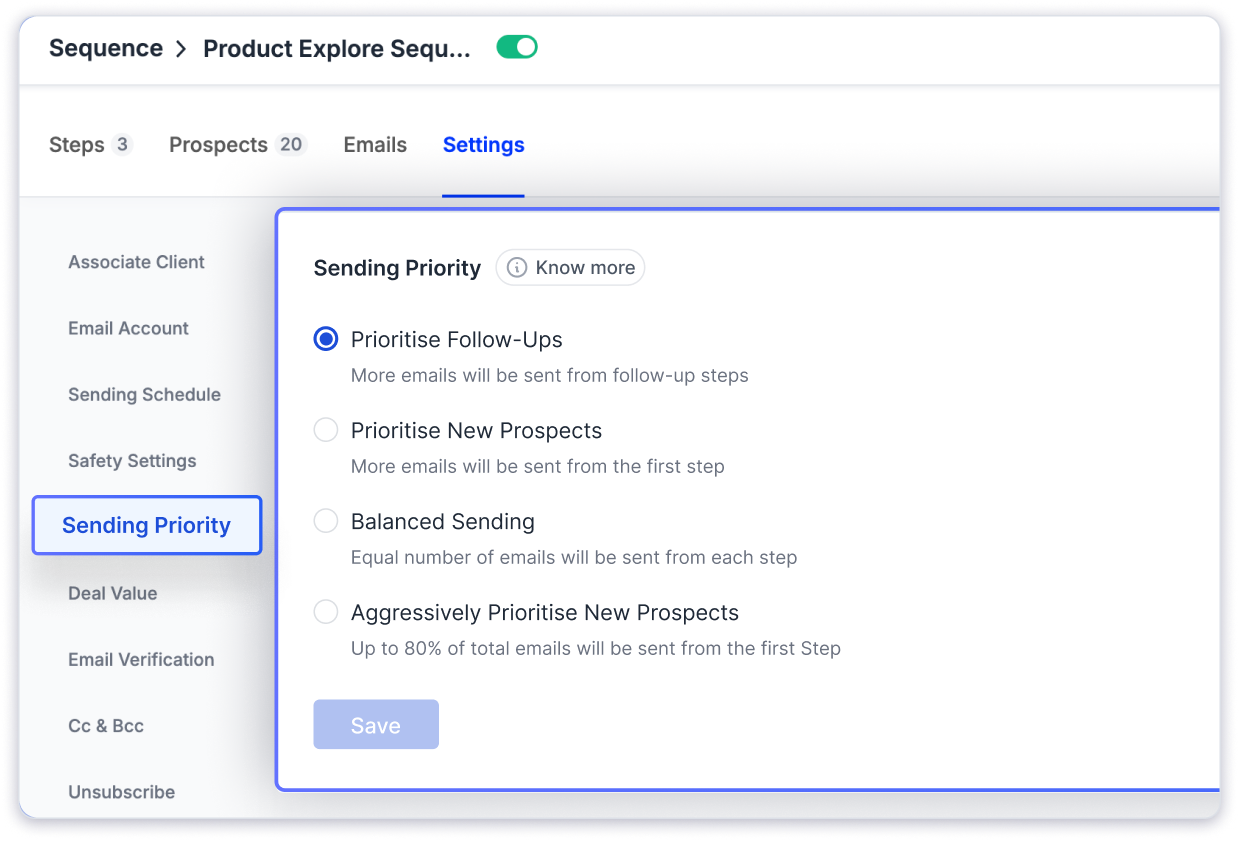
Sending Priority
You can set sending priorities for your email campaigns, ensuring that the most important emails reach your recipients promptly and align with your campaign goals.
Email Scheduling and Drafting
Our scheduling and drafting tools enable you to plan and send replies in advance, choosing the most suitable time for recipient engagement.
Variable Merge Tags
Personalize emails with dynamic elements using variable merge tags. This enhances personalization and can lead to higher engagement rates.

Text-Only Emails
You can now send text-only emails to improve deliverability and avoid issues with complex HTML formatting.

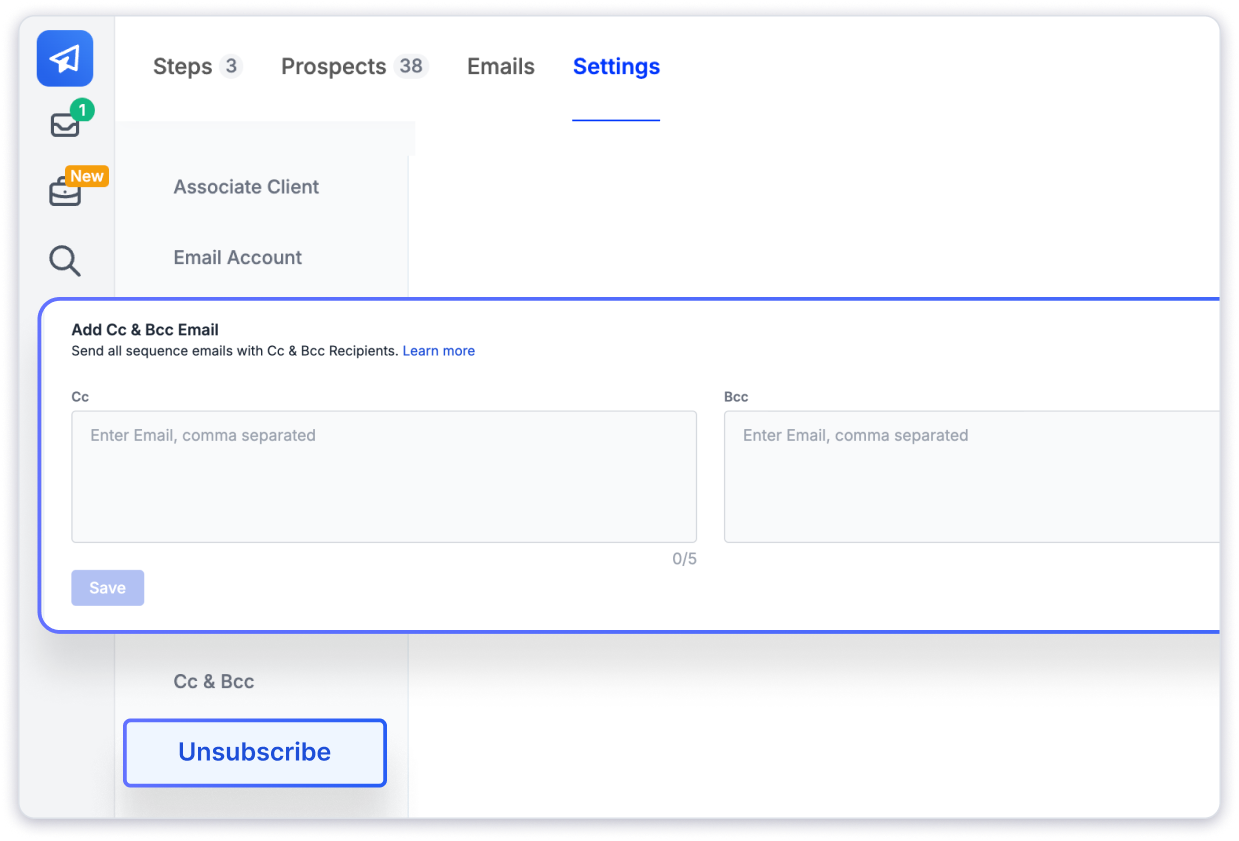
CC and BCC
The CC and BCC options allow you to include stakeholders in email conversations, streamlining communication and maintaining clarity.
Bulk Actions for Sequences
Manage multiple email sequences simultaneously with bulk actions, simplifying large-scale operations and saving time.
Manage Time Intervals
Adding time intervals between consecutive emails creates a more natural sending pattern, reducing the likelihood of emails being flagged as spam.

View Sent Emails Internally
You can view sent emails directly within Saleshandy without increasing open counts, ensuring accurate tracking and reporting.
AI Categorization in Unified Inbox
Our AI categorization in the unified inbox detects the tone and intent of replies, helping you prioritize and respond more effectively.
Prospect Outcome
Track the outcomes of prospect interactions with prospect outcome tracking, optimizing sales processes, and focusing on high-value sales.
Saleshandy Library
Access a variety of new templates tailored to specific outreach needs, helping you quickly create effective campaigns.
Reply to All
The “Reply to All” feature ensures that all relevant stakeholders are included in email threads, improving communication efficiency.
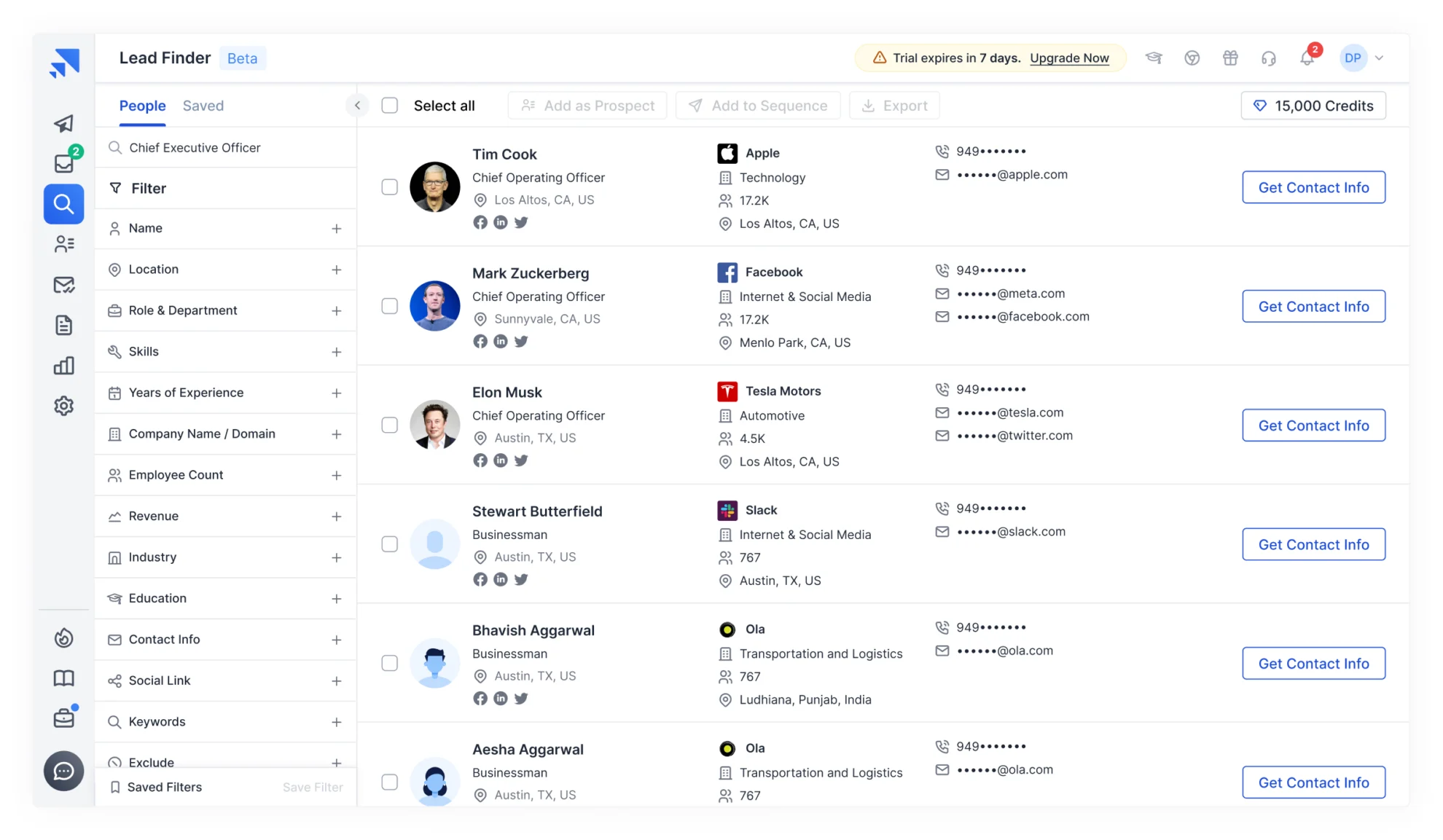
Lead Finder
Our B2B database has over 700 million profiles and 60 million companies. You can use advanced filters to find your ICP profiles and contact them from within Saleshandy.
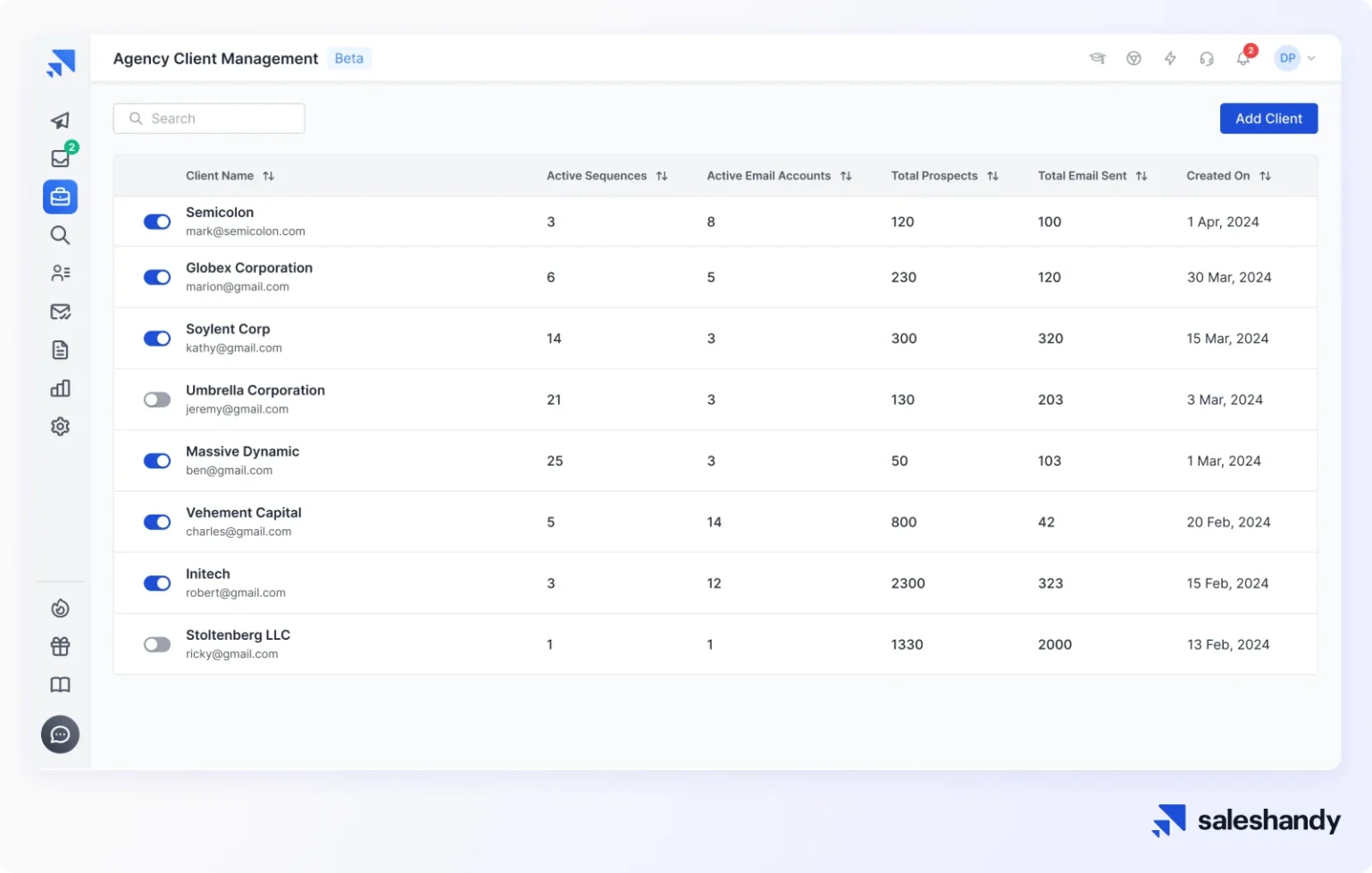
Agencies
For agencies, we’ve introduced Do Not Contact (DNC) lists, Whitelabel, Graphical Reports, Variable Tags, and Client Management features to simplify managing multiple clients.
New Integrations
We’ve introduced several integrations to help automate tasks and personalize communication:
- CRM Integrations: Connect with HubSpot, Salesforce, and Pipedrive to streamline sales processes.
- Video Personalization: Use tools like Sendspark, Sendler, Pitchlane, and Weezly to add personalized videos to your outreach.
- Zapier: Automate workflows with Zapier integration to save time.
UI/UX Enhancements
Based on your feedback, we’ve improved the interface for smoother navigation and faster campaign setup. The Email Accounts tab has also been upgraded to better manage connected accounts.
Performance Improvements
Behind the scenes, we’ve improved platform performance with faster load times and increased reliability to ensure smooth campaigns, even at scale.
Don’t just take our word login now and try it for yourself.
Your LTD Benefits
Most of these new features are included in your Prime Club LTD package at no extra cost. However, some premium features, such as B2B Lead Finder and Lead Finder Credits, require an upgrade. We’re committed to transparency and ensuring you fully understand what’s available as an LTD user.
Your core LTD access remains intact, with all promised features and enhancements delivered.
Thank you for being part of the Saleshandy community. We look forward to continuing to provide you with the best tools for your success!
Login now and try all the new features to enhance your campaign’s success.
Best regards,
The Saleshandy Team
 Anil Salvi