Most teams don’t struggle because they have no way to generate leads.
They struggle because the leads are either low quality, hard to verify, or scattered across too many tools.
That’s where lead generation software helps.
The right tool can help you find prospects, capture inbound interest, qualify buyers, enrich contact data, and move leads into your sales process faster.
But not every tool is built for the same job.
Some are better for outbound prospecting, some for website lead capture, some for LinkedIn selling, and others for AI-driven automation.
So, in this guide, I reviewed 15 of the best lead generation tools to help you choose the one that fits your team’s workflow, budget, and growth goals.
Let’s get into it!
Best Lead Generation Software – TOC
TL;DR: Best Lead Generation Software at a Glance
Short on time? Here’s the best lead generation tool for each use case.
- Best All-in-One B2B Lead Generation Platform: Saleshandy — Helps you find verified contacts and run multichannel outreach via email, calls, LinkedIn, and WhatsApp in one place.
- Best Marketing Automation Platform: HubSpot — Capture and nurture inbound leads using forms, landing pages, email automation, and a built-in free CRM.
- Best Website Visitor Tracking Tool: Leadfeeder — Identify which companies visit your website and what they are interested in, even if they never fill out a form.
- Best LinkedIn Lead Generation Tool: Sales Navigator — Find and filter prospects on LinkedIn using advanced search filters and lead recommendations.
- Best Lead Capture Tool: OptinMonster — Convert website traffic into leads using popups, exit-intent targeting, and on-page personalization.
How I Evaluated These Lead Generation Tools
I didn’t rank these tools based on feature lists or vendor claims. I evaluated them based on what actually matters when you’re trying to generate more qualified leads.
1. Data Quality, Verification, and Coverage
For contact database tools, I checked how each platform verifies its data and how fresh that data is.
Real-time verification at the point of export matters more than checking a list once and leaving it unchanged. B2B contact data can become outdated quickly as people change roles, companies, email addresses, and phone numbers.
I also looked at database coverage. A good B2B lead generation tool should help you find enough relevant contacts across your target industries, locations, job titles, and company sizes.
Tools with fresh, verified, and regularly updated contact data scored higher.
2. Targeting, Filtering, and Intent Data
A good lead generation tool should help you find the right people, not just a large list of contacts.
Basic filters like job title, company, and location are expected. Tools scored higher if they also offered advanced filters like company size, revenue, industry, technology used, hiring signals, and buyer intent.
For sales lead generation tools, this level of targeting makes a real difference. It helps teams build focused prospect lists instead of wasting time on contacts that don’t match their ideal customer profile.
I also gave extra weight to AI lead generation tools that offer intent signals, lead scoring, or smart recommendations to help users prioritize high-fit prospects.
3. Contact Enrichment
I also checked how much useful information each tool gives about a lead.
The best lead generation platforms don’t stop at an email address. They help you enrich contacts with details like phone numbers, LinkedIn profiles, job titles, company size, industry, location, and technology data.
This is important because better context leads to better personalization. A lead generation tool that gives me more than just an email address always stands out.
So, I looked at how much context each platform provides, including phone numbers, LinkedIn profiles, company details, job titles, and technology data.
4. Automation and Integrations
Finding leads is only half the battle. Once I’ve built a prospect list, I want my lead generation software to help me take the next step.
I looked at whether each tool offers automation features like email sequences, CRM syncing, lead scoring, or workflow automation.
The best sales lead generation tools don’t just help you find prospects; they help you move them through your pipeline with less manual work.
I also considered integrations. A tool becomes much more valuable when it fits smoothly into the systems your team already uses.
5. Ease of Use
No matter how many features a platform has, it won’t help much if it’s frustrating to use.
I paid close attention to how easy it was to get started, find leads, apply filters, and build prospect lists.
The best lead generation tools make prospecting feel simple. I gave higher scores to platforms that are intuitive, easy to navigate, and don’t require a lot of training before you can see results.
6. Pricing and Value
Lastly, I looked at the overall value. I wasn’t trying to find the cheapest lead gen software on the market.
I wanted to know whether each tool delivers enough value to justify its price. Some B2B lead generation tools charge premium prices because they offer better data, deeper targeting, and advanced features.
Others focus on affordability while still covering the basics well.
I scored each platform based on how much value you get for what you pay.
Why Do You Need Lead Generation Software?
Lead generation tools make that process easier. With so many lead generation technologies available today, here is what the right tools help you do:
- Find verified contacts, so you are not wasting time on outdated emails and wrong phone numbers
- Automate outreach and follow-ups instead of manually sending one email at a time
- Identify high-intent prospects using buying signals like hiring activity, funding, and tech stack changes
- Track website visitors and see which companies are checking your pricing page before they fill out a form
- Score and prioritize leads so your team focuses on the ones most likely to convert
- Nurture prospects over time through automated email sequences until they are ready to buy
The right lead generation software depends on how your team generates leads. There are different types of tools for lead generation, and this guide is organized by use case so you can skip straight to the category that fits.
Top 15 Best Lead Generation Software of 2026
I’ve grouped the 15 tools below into five categories based on what they do best. Each category solves a different part of the lead generation process, so you can jump straight to the one that fits how your team works.
Category 1: B2B Lead Generation Platforms
Category 2: Inbound and Marketing Automation Platforms
Category 3: Website Visitor Identification & Intent Data Tools
Category 4: LinkedIn-Based Lead Generation Tools
Category 5: Lead Capture & Conversion Tools
All of them work, but they solve different problems. I don’t see them as competitors, but as different parts of a lead generation system.
Here’s how each tool stacks up for lead generation, specifically in terms of coverage, accuracy, pricing, and where each one falls short.
Category 1: B2B Lead Generation Platforms
B2B lead generation platforms help you find and reach out to decision-makers who match your ideal customer profile.
These tools usually give you access to verified business emails, phone numbers, job titles, company details, and other prospect data.
You can filter leads by criteria like industry, location, company size, revenue, seniority, department, and technology used.
Many B2B lead generation platforms also let you engage those prospects through email sequences, calls, LinkedIn steps, or CRM integrations. This helps sales teams move from finding leads to starting conversations without switching between too many tools.
This category is best for sales teams, founders, and agencies that want to build targeted prospect lists and run outbound campaigns faster.
1. Saleshandy
Saleshandy is an all-in-one multichannel outreach tool that takes you from finding the right leads to reaching out to them, all inside a single platform.
You start with a built-in B2B lead generation database of 852M+ verified contacts across 42M+ companies. You can filter prospects using 75+ data pointers like job title, industry, company size, revenue, and tech stack.
Or, instead of manually filtering, you can simply describe your ideal customer in plain English and let the AI Lead Search build the list for you. This AI lead generation software capability is something most tools on this list still don’t offer.
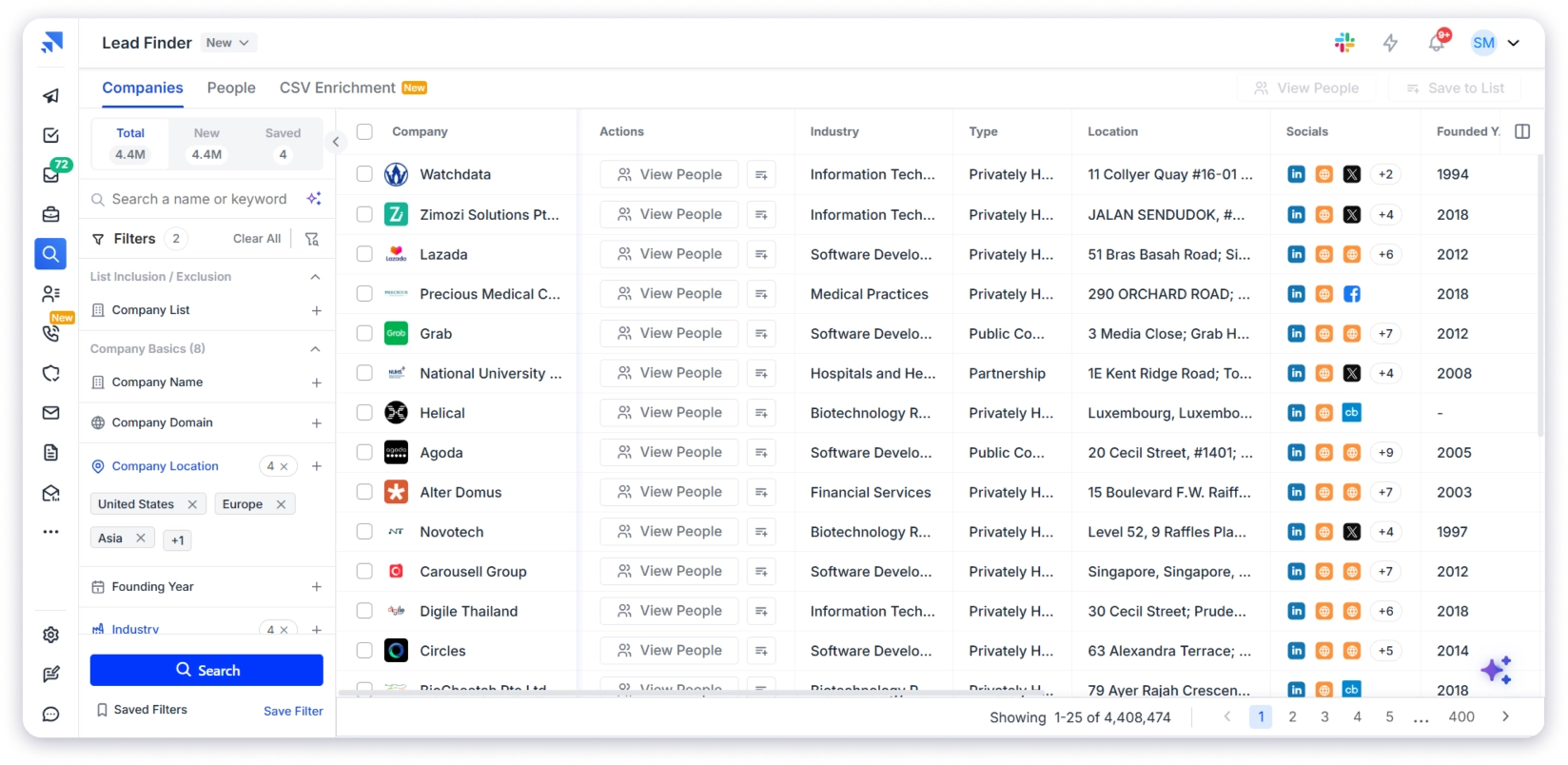
Every contact is then verified through waterfall enrichment across 9 data providers in real time. And if a lead doesn’t verify, you don’t pay for it.
After list building, I move directly into outreach. I can run email sequences, use the built-in dialer, send LinkedIn messages, or reach prospects via WhatsApp from the same platform.
That’s what makes Saleshandy more than just a data provider tool. You’re not only finding leads, but you can also engage them from the same dashboard.
As conversations start coming in, the built-in CRM helps you keep everything organized. You can track your full pipeline in a Kanban view, move deals through stages, and know exactly who needs follow-ups.
I tested this flow across multiple campaigns, and the lead finder software is clearly built for targeting. It consistently returns contacts that match your ICP instead of generic or irrelevant lists.
Key capabilities:
- 852M+ verified B2B contacts and 42M+ company profiles
- 75+ prospecting filters
- AI Lead Search for natural-language prospect discovery
- Waterfall enrichment across 9 data providers
- Real-time verified emails and phone numbers
- Intent signals: hiring, funding, tech stack changes
- Lead generation Chrome extension for LinkedIn
- Built-in outbound CRM with Kanban pipeline
- MCP access, webhooks, and API for custom integrations
Who should use: SDRs, founders, lead gen agencies, and B2B sales teams that want to find, contact, and close leads from one platform.
Use cases: Building verified prospect lists, running multichannel lead generation campaigns, tracking leads through the pipeline, and replacing multiple tools with one subscription.
Pricing:
- Starter: $34/mo (1,500 credits/month)
- Pro: $76/mo (4,000 credits/month)
- Scale: $149/mo (8,000 credits/month)
- Enterprise: Custom (custom credits)
Explore Saleshandy’s pricing plans here
2. Cognism
Up next is Cognism, specialising in European data, it allows you to connect with the right decision-makers to accelerate your European growth strategy at an affordable price point.
It is a sales lead generation tool built specifically for European markets. The database covers 400M+ business profiles with the deepest coverage in the UK, DACH region, France, and the Nordics.
I tested Cognism against two other providers for the same European personas. It delivered two to three times more verified connections.
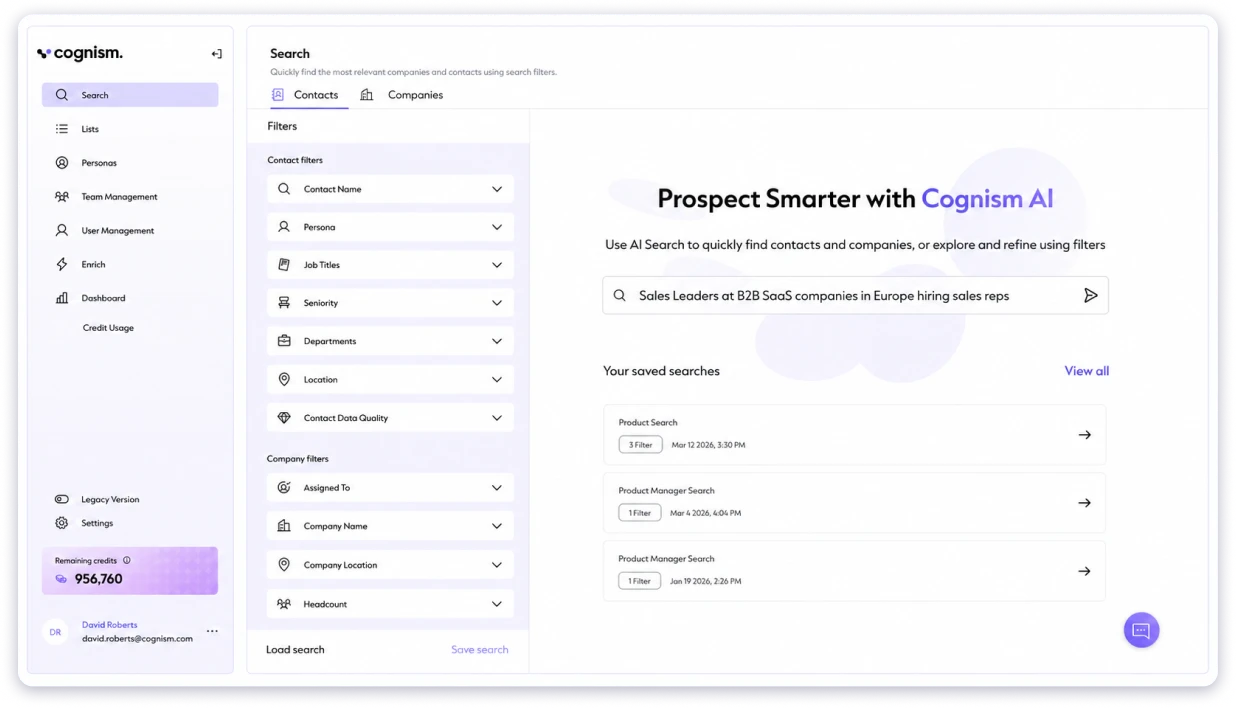
The reason is Diamond Data. Also, GDPR compliance is built in from the start, which matters when choosing between lead generation platforms for European markets.
It also works as an AI lead generation tool through Bombora intent data on the Elevate plan, helping you spot accounts actively researching your category.
But I ran into a few limitations during testing, as lead coverage outside Europe is noticeably weaker. US searches returned fewer results than other tools on this list. Also, intent data through Bombora costs extra. Some competitors bundle it into base pricing.
For the leads primarily in European markets and needs phone-verified contacts, Cognism is the strongest option here. If you need global coverage, look at Saleshandy instead.
Bonus read: Considering other options? Check out our best Cognism alternatives for 2026.
Key capabilities:
- 400M+ business profiles with best-in-class EMEA coverage
- Diamond Data: phone-verified mobile numbers
- GDPR, CCPA, SOC 2 Type II compliance built in
- Bombora intent data on the Elevate plan
- Chrome extension for LinkedIn prospecting
- CRM integrations with Salesforce, HubSpot, Outreach, Salesloft
Who should use: Cold calling teams selling into Europe and revenue ops teams enriching CRM data.
Use cases: Phone-verified cold calling across the EU/UK, GDPR-compliant prospect lists, and CRM data enrichment.
Pricing:
- Custom pricing
3. ZoomInfo
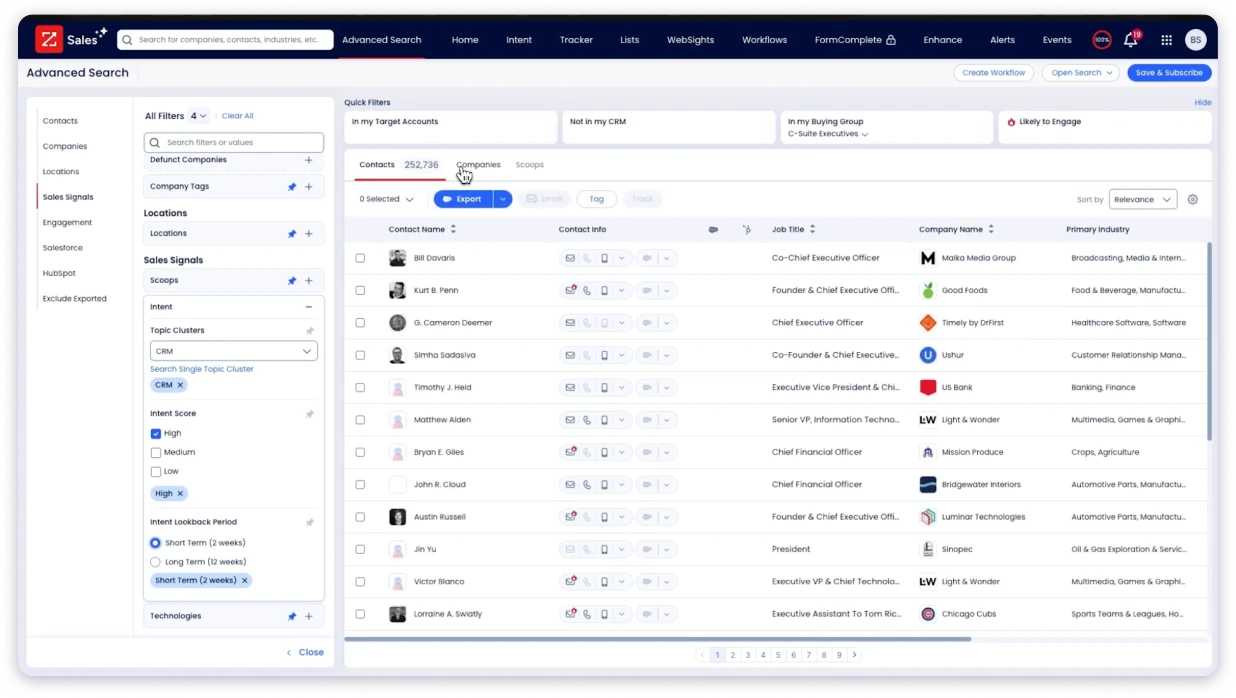
ZoomInfo is the b2b lead generation platform most enterprise sales teams think of first when they need deep account intelligence.
It is not just a contact database. It is a full sales intelligence lead generation tool. You get direct-dial phone numbers and verified emails.
But you also get technographic data showing what software lead generation prospects already use.
Buyer intent signals showing which companies are actively researching your category. And org charts showing exactly who reports to whom.
That depth is what makes ZoomInfo one of the most complete lead generation solutions on the market. You are not just building a list of names. You are building a picture of the entire account before you ever make a call.
However, ZoomInfo is built for enterprise buyers with enterprise budgets. Pricing is not published and requires a sales conversation.
Credits do not roll over, renewals often include automatic increases, and some G2 users flag accuracy issues outside the US.
If you have the budget, ZoomInfo is one of the best lead generation platforms for deep account intelligence. Everyone else will find more affordable options on this list.
Bonus read: Want more affordable options with similar features? See our best ZoomInfo alternatives compared.
Key capabilities:
- Massive B2B database with broad AI-powered next-best-action
- Org charts for mapping the full finance buying committee
- Proprietary intent data and real-time Scoops triggers
- Enterprise-grade compliance with GDPR, CCPA, and other data protection regulations
Who should use: Enterprise sales teams, revenue ops, and ABM teams with large budgets.
Use cases: Identifying in-market buyers, mapping decision-makers, and enriching CRM records.
Pricing:
- Custom pricing
Category 2: Inbound and Marketing Automation Platforms
Inbound and marketing automation platforms help you capture, nurture, and convert leads after they interact with your brand.
These digital marketing lead generation tools are useful for forms, landing pages, email campaigns, lead scoring, automated workflows, segmentation, and customer lifecycle marketing.
Unlike outbound B2B lead generation software that helps you find new contacts, these platforms focus more on managing inbound interest and moving leads through the funnel.
This category is best for marketing teams that want to turn website visitors, form submissions, ad leads, and email subscribers into qualified opportunities.
4. HubSpot
HubSpot is the best free lead generation tool for teams running inbound. The free CRM gives you contact management, deal tracking, email, forms, and landing pages at zero cost. If you are wondering what lead generation tools are supposed to do for inbound, this is where you start.
As your team grows, Marketing Hub adds lead generation automation tools like workflows, lead scoring, and full-funnel reporting. Everything connects inside one ecosystem so you track a lead from first visit to closed deal.
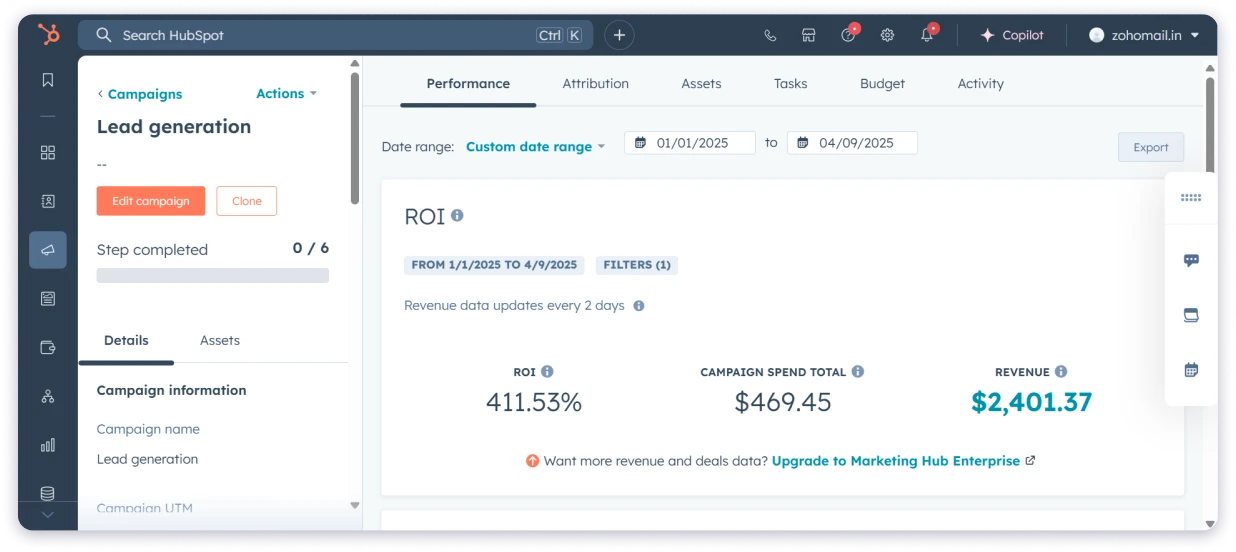
That makes HubSpot the best tool for lead generation if your strategy is content and SEO-driven. It is also one of the strongest lead generation software for small business teams that want CRM and marketing in one place.
I tested the free plan, and it does more than most paid tools at this level. But costs climb fast once you scale. HubSpot charges by marketing contacts, and that number grows quicker than most teams expect.
It is also not built for cold email or B2B prospecting. If you need verified contact data, pair it with an email outreach tool like Saleshandy.
Key capabilities:
- Free CRM with contact management and deal tracking
- Email marketing with a drag-and-drop builder
- Landing pages and forms with A/B testing
- Marketing automation workflows with lead scoring
- Full-funnel reporting and attribution
Who should use: Inbound marketers, sales managers, and growing teams that want everything in one place.
Use cases: Running inbound campaigns, building landing pages, automating email nurture, and tracking leads from first visit to closed deal.
Pricing:
- Free CRM: $0
- Starter: ~$20/mo per seat
- Professional: ~$800/mo (3 seats included)
- Enterprise: ~$3,600/mo (5 seats included)
5. ActiveCampaign
ActiveCampaign is one of the next email lead generation tools for small to mid-size teams. It combines a visual automation builder with a built-in CRM, so you can capture leads, score them, and trigger follow-ups automatically.
What stood out during my testing is how well the CRM connects to the automation layer.
When a lead hits a certain score or takes a specific action, the system creates a deal, assigns it to a rep, and starts a follow-up sequence. That kind of lead generation automation saves hours of manual work every week.
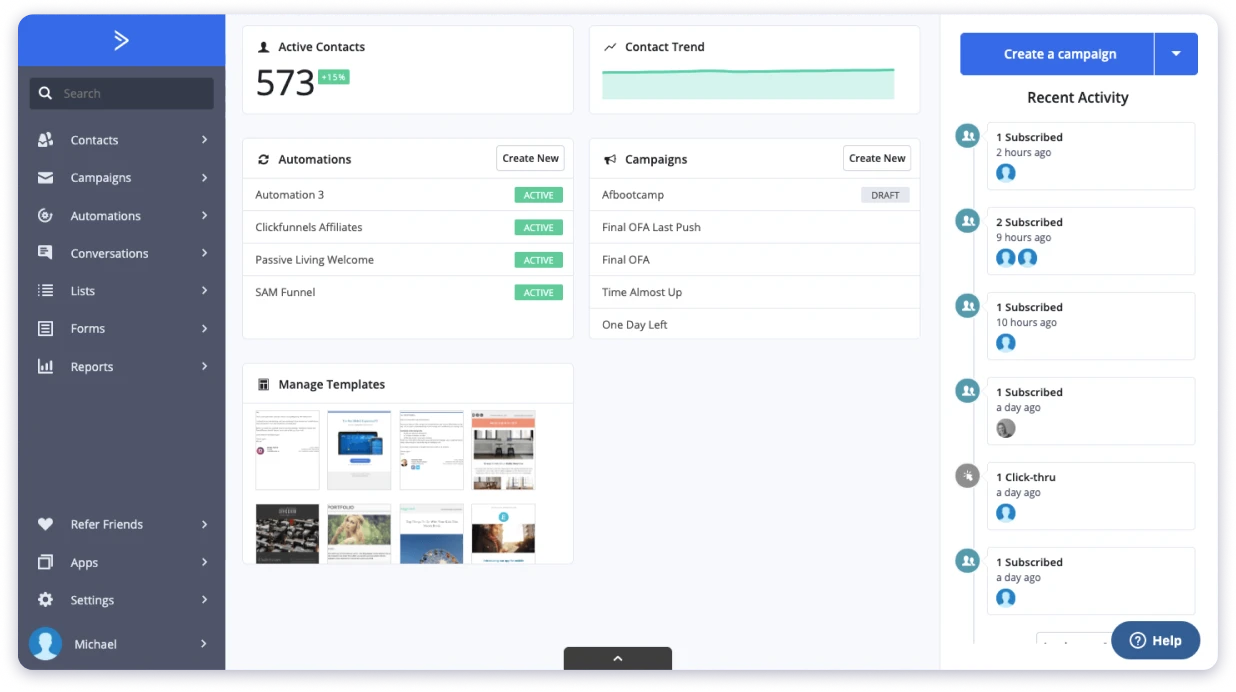
For lead generation for small business teams that rely on email to nurture prospects before a sales call, ActiveCampaign is hard to beat at this price.
The biggest limitation I ran into is the CRM. It works, but it is basic compared to HubSpot or Salesforce.
I also found myself wishing it had multichannel reach. It is built for email-first workflows, so if you need LinkedIn, phone, or SMS, you will need additional tools.
Key capabilities:
- Visual automation builder with conditional logic
- Built-in CRM with deal tracking and pipeline
- Lead scoring based on engagement and custom rules
- Integrations, including Shopify and Salesforce
- Site tracking to trigger automations from page visits
Who should use: Small to mid-size businesses and marketers who need advanced email automation on a budget.
Use cases: Behavior-based email triggers, lead scoring, personalized drip campaigns, and automated deal creation.
Pricing:
- Starter: $15/mo
- Plus: $49/mo
- Pro: $79/mo
- Enterprise: $145/mo
All prices for 1,000 contacts, billed annually.
Bonus read: Need more automation options? Here is our breakdown of the best email automation tools for 2026.
6. Brevo (formerly Sendinblue)
Brevo is widely considered the best free lead generation software if you are a small business on a tight budget. The free plan gives you 300 emails per day, a basic CRM, and signup forms.
That is enough to start capturing and nurturing leads without paying anything.
What makes Brevo different from other lead generation platforms is the transactional email layer. You can send marketing emails and system emails like order confirmations from the same platform.
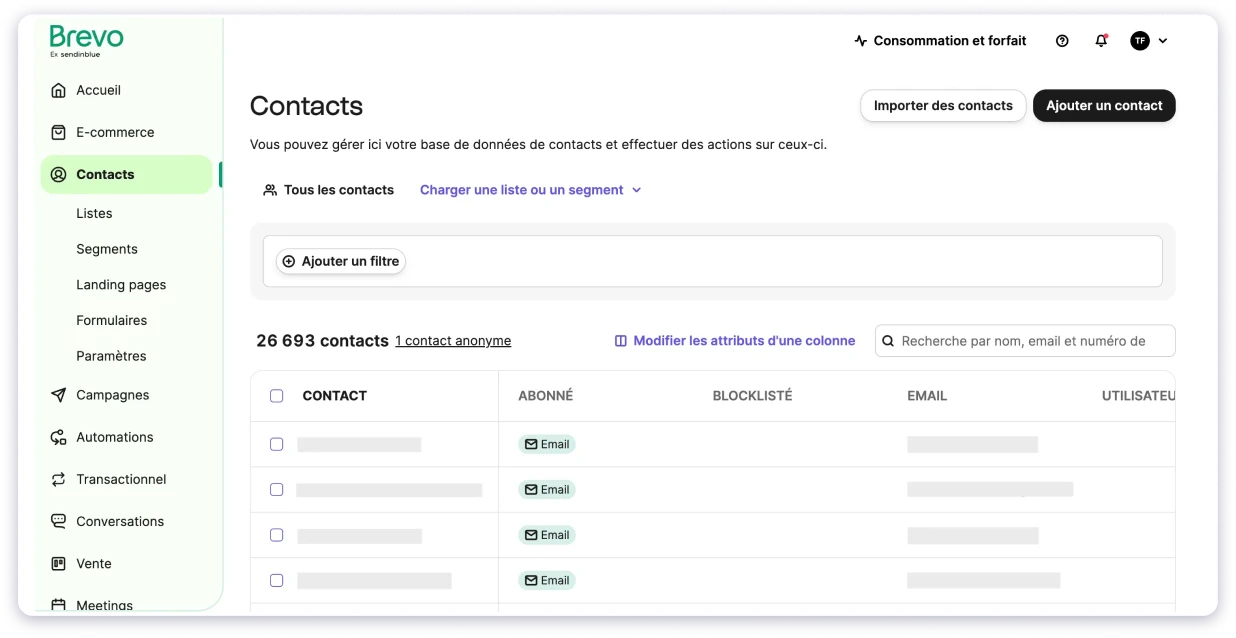
No need to pay for a separate service like SendGrid on top.
I tested Brevo for basic lead generation for small business teams, and it handled newsletters, simple automation flows, and deal tracking well. For teams that want email, SMS, and WhatsApp from one login, the simplicity is the appeal.
My only real complaint is the automation. It is basic compared to ActiveCampaign or HubSpot.
During my testing, I noticed reporting is limited on lower plans, and the CRM feels too simple for larger teams. Brevo is a strong starting point, but I can see teams outgrowing it as their marketing gets more complex.
Key capabilities:
- Email marketing with a drag-and-drop editor
- Transactional email API for system emails
- Basic CRM with deal tracking
- Marketing automation workflows
- SMS and WhatsApp marketing
- Landing pages and signup forms
Who should use: Small businesses and startups that need email marketing and CRM on a tight budget.
Use cases: Newsletters, transactional emails, basic automation flows, and simple CRM deal tracking.
Pricing:
- Free: $0 (300 emails/day)
- Starter: from ~$9/mo
- Standard: ~$18/mo
- Professional: ~$59/mo
- Enterprise: Custom
Based on 5,000 emails/mo, billed annually.
Category 3: Website Visitor Identification & Intent Data Tools
Website visitor identification and intent data tools help you understand which companies are visiting your website and what they are interested in.
Instead of waiting for every visitor to fill out a form, these tools match anonymous website traffic to company-level data. This helps sales and marketing teams spot warm accounts that are already showing interest.
If your team is running SEO, paid ads, content marketing, or ABM campaigns, these tools can help turn anonymous traffic into recognizable company names and buying signals.
This category is best for teams that want to identify high-intent accounts, prioritize follow-ups, and connect website activity with their sales pipeline.
7. Leadfeeder (by Dealfront)
Leadfeeder is an ABM lead gen tool that shows you which companies visit your website, what pages they view, and how often they come back. This tool helps you figure out who the other 95% are.
I tested it on a site getting around 5,000 monthly visitors. What surprised me was how quickly it started surfacing companies I had no idea were checking the pricing page.
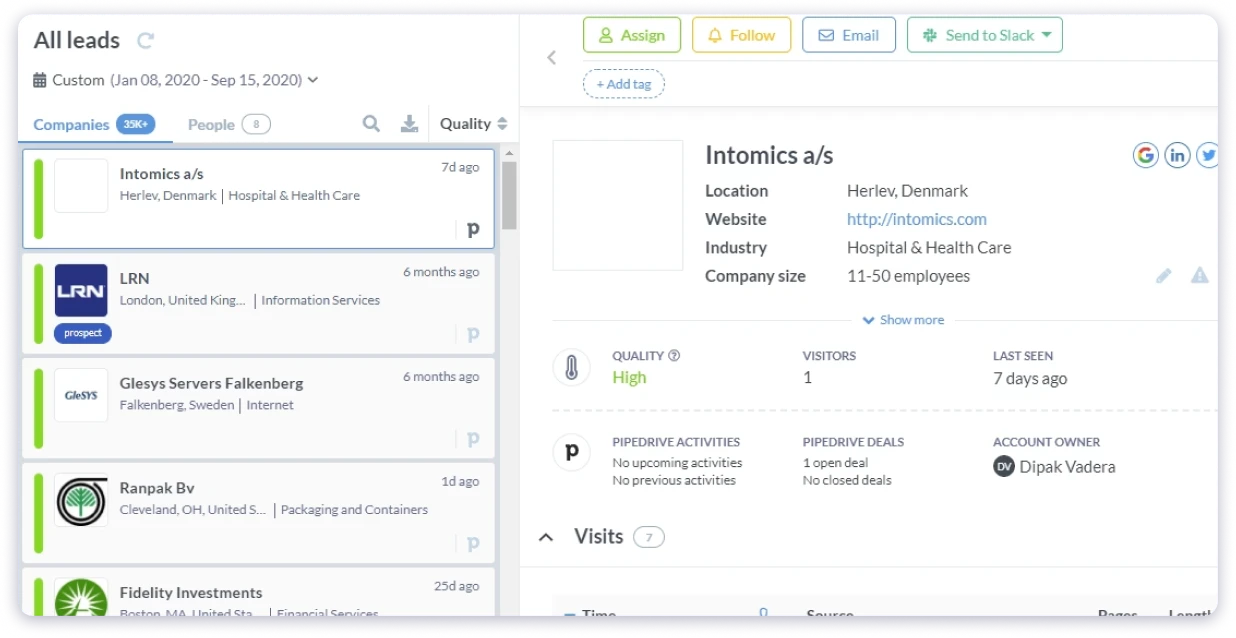
It connects to Google Analytics, scores visitors by engagement, and sends alerts when target accounts show up. That made it one of the more useful lead generation tools in digital marketing I reviewed.
The biggest issue I ran into is that Leadfeeder identifies companies, not people. You see “Company X visited your pricing page three times this week,” but you still need a tool like Saleshandy or another email finder tool to find the actual decision-maker and reach out.
I also occasionally ran into duplicate entries and incomplete company data. Whether that is a dealbreaker depends on your workflow, but it is worth knowing before you commit.
Key capabilities:
- Company-level website visitor identification
- Visitor feed ranked by engagement
- Filtering by industry, company size, and pages visited
- Automatic lead scoring by visit frequency
- CRM integrations with Salesforce, HubSpot, and Pipedrive
- Email alerts when target accounts visit
Who should use: B2B sales teams and marketers who want to know which companies visit their website.
Use cases: Identifying high-intent website visitors, alerting sales when target accounts visit, and measuring campaign performance.
Pricing:
- Lite: Free (up to 100 companies/mo)
- Website Visitor ID: from €99/mo
- Full Platform: from €399/mo
Pricing in EUR, billed annually.
8. 6sense
6sense is an AI-led generation platform that uses predictive AI to identify which accounts are in an active buying cycle before they ever visit your site.
If Leadfeeder shows you who is on your website, 6sense shows you who is researching your category across the entire web.
What stood out to me is the buying-stage prediction. The platform scores accounts as Awareness, Consideration, Decision, or Purchase.
That tells your sales team exactly when to reach out and who to prioritize. I have not seen another tool on this list do this at the same depth.
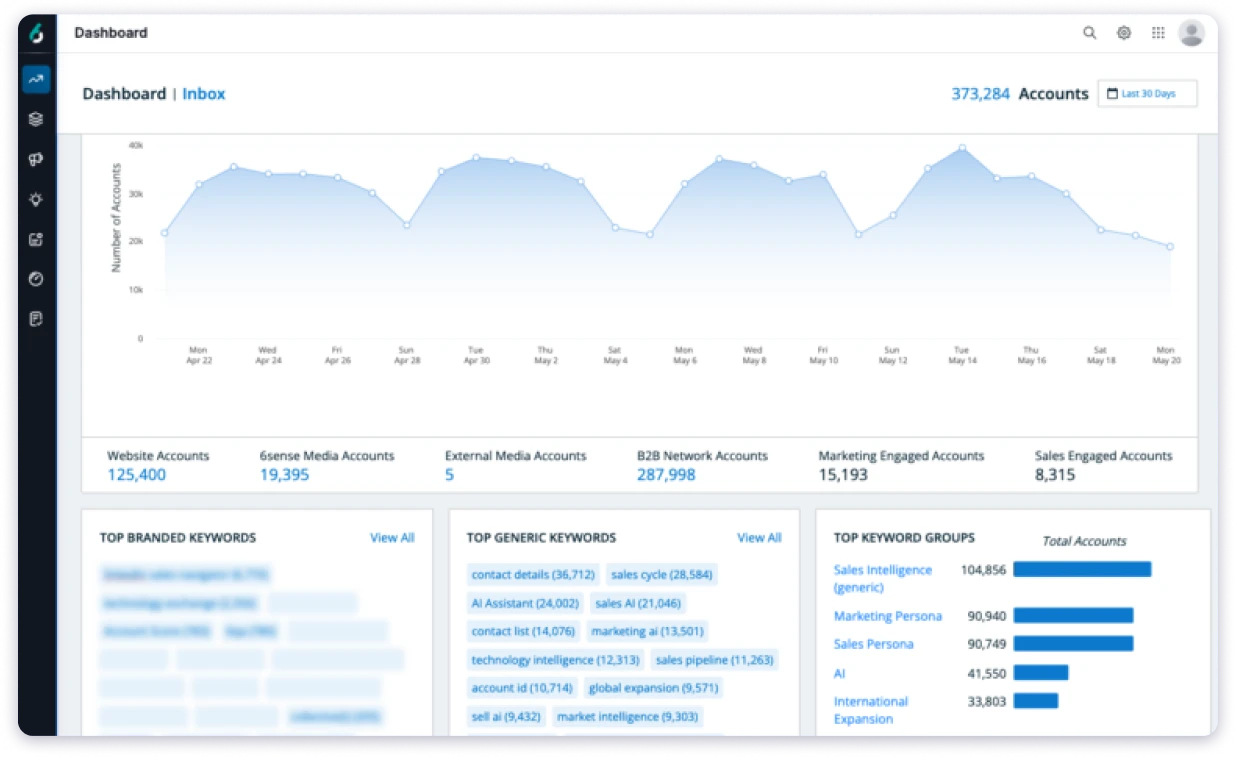
You also get account-based advertising, audience segmentation, and CRM integrations with Salesforce and HubSpot.
The biggest limitation is cost and complexity. During my research, I noticed you also need a dedicated RevOps person to manage scoring models and orchestration.
This won’t be ideal if you are a small team or just getting started with ABM.
If you just need verified contacts and outreach, 6sense is the wrong tool. But for enterprise teams that want to know which accounts are ready to buy before anyone else does, it is one of the most advanced lead generation technologies on the market.
Key capabilities:
- Predictive buying-stage models powered by AI
- Account-level intent data across thousands of topics
- Account-based advertising orchestration
- Conversational email and AI sales features
- CRM integrations with Salesforce, HubSpot, and Outreach
- Free plan available with basic account search
Who should use: Enterprise revenue teams running full ABM programs with dedicated marketing ops.
Use cases: Predicting in-market accounts, coordinating sales and marketing around buying signals, and running account-targeted ad campaigns.
Pricing: Custom pricing only
9. Demandbase
Demandbase is not your typical lead generation tool. It is an ai lead generation software built for enterprise teams doing account-based marketing. Instead of finding individual contacts, it shows you which companies are actively researching your product category across the web.
What I found most useful is multi-stakeholder deals. When five people from the same company are looking at your category, your sales team knows exactly where to focus.
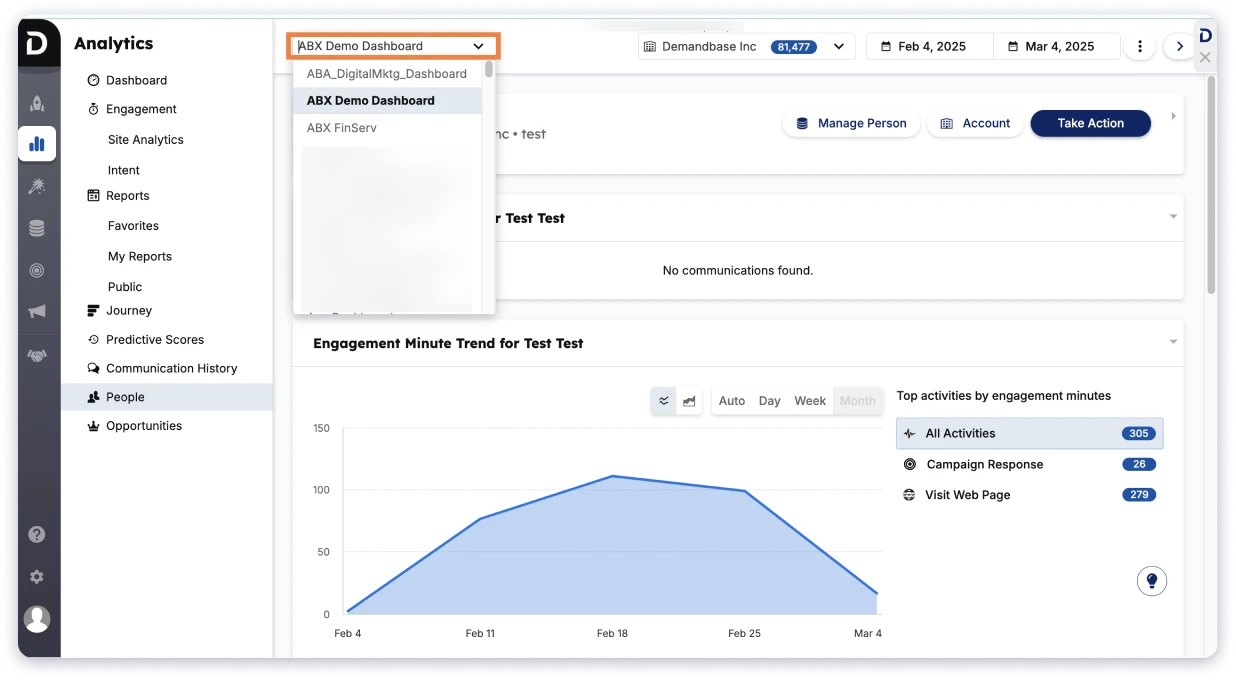
You also get targeted ads, website personalization, and predictive scoring using lead generation technologies that most other tools do not have.
The biggest limitation is complexity. It assumes you already have a CRM, a marketing platform, and a clear ABM strategy. If you just need contact data and a way to reach people, this is the wrong tool.
Bonus read: Demandbase too complex for your team? Here are 7 simpler Demandbase alternatives that cost a fraction of the price.
Key capabilities:
- Account-level intent data across thousands of topics
- B2B advertising for account-targeted display ads
- Website personalization by visiting the account
- Account scoring and journey tracking
- Integrations with Salesforce, HubSpot, Marketo
- Multi-stakeholder engagement tracking
Who should use: Enterprise marketing teams running account-based marketing programs.
Use cases: Account-level intent scoring, targeted ad campaigns to high-intent accounts, and multi-stakeholder engagement tracking.
Pricing:
- Custom pricing only
Category 4: LinkedIn-Based Lead Generation Tools
LinkedIn-based lead generation tools help you find, research, and engage prospects on LinkedIn.
These tools are useful when your target audience is active on LinkedIn and you want to build prospect lists based on job title, company, industry, location, seniority, or recent activity.
Some tools are built mainly for prospect research, while others help you manage connection requests, messages, follow-ups, and LinkedIn-based outreach workflows.
This category is best for B2B sales teams, founders, recruiters, and agencies that use LinkedIn as a key channel for finding and starting conversations with decision-makers.
LinkedIn Sales Navigator is a premium LinkedIn lead generation software designed to enhance your lead-generation efforts.
If LinkedIn is where your buyers are, Sales Navigator gives you the search filters, lead recommendations, and InMail credits to find them more effectively than a free LinkedIn search ever could.
The biggest value I found is in the search functionality. The search gives you 30+ filters, including job title, company size, industry, seniority, geography, and years in role.
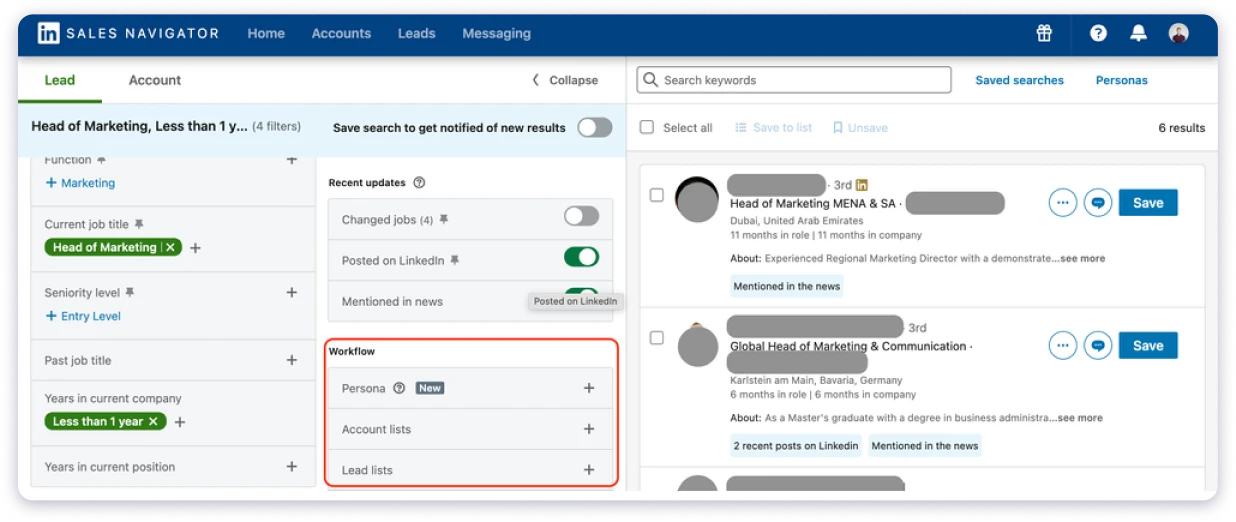
You can save searches to automatically surface new leads matching your criteria. And lead recommendations suggest prospects based on your past activity.
But here’s what Sales Navigator is not. It’s not an automation tool. Sales Navigator helps you find the right people. But it does not send automated connection requests or message sequences.
Most teams pair it with Expandi or Dripify for the actual outreach part. It also does not give you verified email addresses, so you will still need a B2B database alongside it.
Bonus read: Sales Navigator does not give you verified emails. Here is how to find anyone’s email address once you have identified the right prospect.
Key capabilities:
- Advanced lead and account search with 40+ filters
- Lead and account list management with alerts
- InMail messaging to prospects outside your network
- Job change and company news alerts
- CRM sync with Salesforce and HubSpot
- TeamLink to leverage your company’s network
Who should use: Sales reps and BDRs who prospect on LinkedIn daily.
Use cases: Advanced lead search, tracking job changes, sending InMail, and monitoring target accounts.
Pricing:
- Core: $99/mo
- Advanced: $179/mo
- Advanced Plus: Custom
11. Expandi
Expandi is a cloud-based automated B2B LinkedIn generation tool designed for teams that want to scale outreach safely.
Unlike browser-based lead generation extension tools, Expandi runs from the cloud using a dedicated IP address. That reduces the risk of LinkedIn flagging or restricting your account.
I found the platform straightforward to set up. You build smart sequences that combine connection requests, profile views, messages, follows, and InMail into multi-step campaigns.
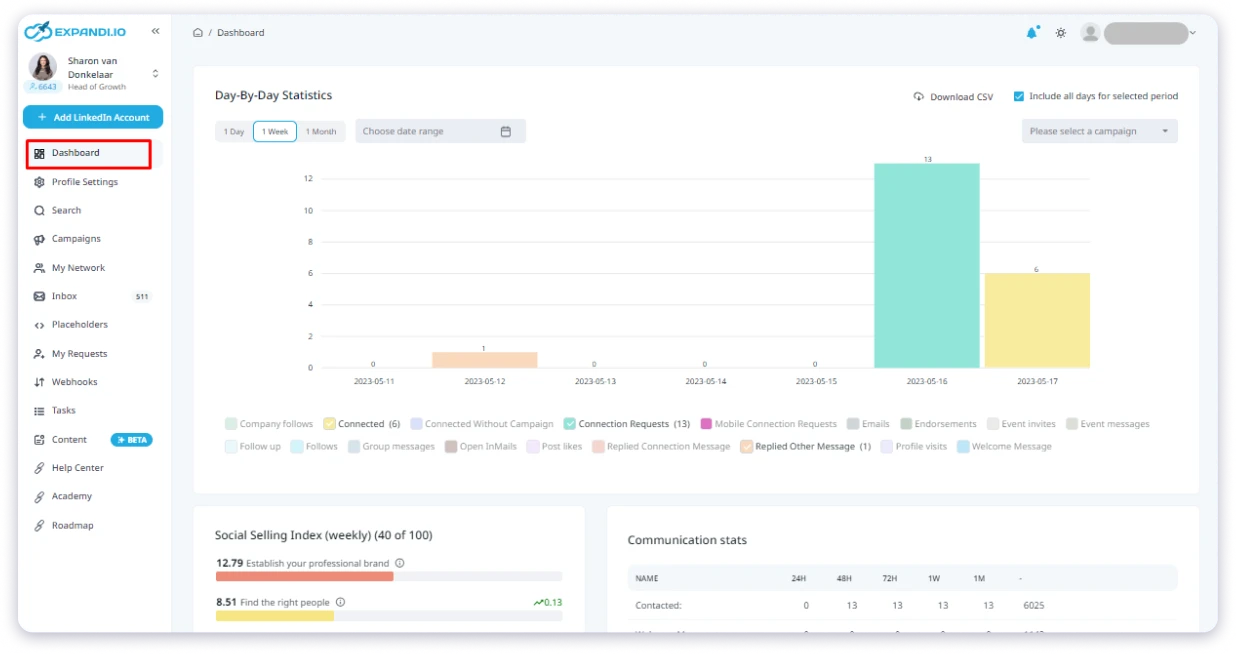
Define your target audience by importing a Sales Navigator search and then Expandi runs it automatically with built-in safety limits.
You can run campaigns for different brands from one login. That makes Expandi one of the more capable lead generation tools for LinkedIn outreach at scale.
LinkedIn automation always carries some risk. Even with safety features, aggressive activity can trigger account restrictions.
This tool also does not include a B2B contact database, so you need Sales Navigator or another source for finding leads first.
Key capabilities:
- Automated connection requests and follow-ups
- Smart sequences with conditional logic
- Dedicated IP address and behavior mimicking
- Multi-channel campaigns via integrations
- Agency dashboard for multiple clients
- A/B testing for messages
Who should use: SDR teams and agencies automating LinkedIn outreach at scale.
Use cases: Automated connection requests, multi-step LinkedIn sequences, A/B testing messages, and managing multiple client accounts.
Pricing:
- Business: $99/mo per seat (monthly)
- Annual: ~$79/mo per seat (20% off)
- Agency (10+ seats): Custom
12. Dripify
Dripify is a cloud-based LinkedIn automation tool that helps B2B teams run structured outreach campaigns on autopilot. It lets you create multi-step sequences like profile views, connection requests, and follow-ups while staying within LinkedIn’s activity limits.
The interface is clean, the setup takes minutes, and you do not need to be a power user to get campaigns running.
If you just want to send connection requests, follow up automatically, and track what is working, Dripify handles that without the learning curve. It is a simple lead generation app that does one job well.
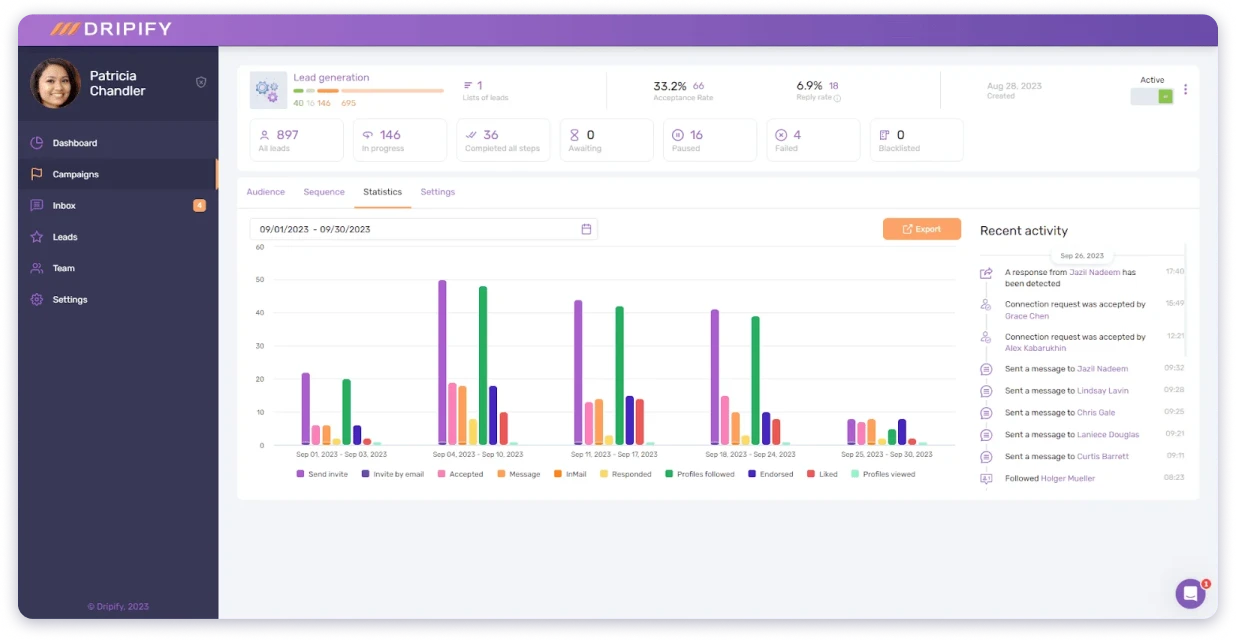
I set up a basic drip campaign in under minutes and it worked as expected, and the analytics dashboard showed acceptance rates and reply rates clearly.
For founders doing their own LinkedIn prospecting who want to save a few hours per week, Dripify does the job at a reasonable price.
Like other users find Dripify to be expensive, especially considering its limited features, such as the absence of proper A/B testing and a lack of active sequence updates.
I also find the inefficient workflow of Dripify frustrating, particularly during the setup and lead import processes. Additionally, the email limitations can be confusing, leading to failed outreach attempts and potential issues with LinkedIn accounts.
Key capabilities:
- Automated LinkedIn drip campaigns
- Smart inbox for managing conversations
- Team management dashboard
- Performance analytics: acceptance and reply rates
- Lead export to CSV
- Zapier integration for CRM connections
Who should use: Solo founders and small teams who want simple LinkedIn automation.
Use cases: LinkedIn drip campaigns, automated follow-ups, team performance tracking, and exporting leads to CSV.
Pricing:
- Basic: $59/mo
- Pro: $79/mo
- Advanced: $99/mo
Category 5: Lead Capture and Conversion Tools
Lead capture and conversion tools help turn website visitors into leads before they leave your site.
These tools are useful for forms, popups, landing pages, quizzes, live chat, exit-intent campaigns, and personalized website offers.
Whether you’re running paid ads, publishing content, or growing organic traffic, these lead generation tools help you capture interest and convert more visitors into contacts.
This category is best for marketing teams that want to increase website conversions without relying only on demo requests or contact forms.
13. Unbounce
Unbounce is the best lead capture software for teams running paid ads. If you are spending money on Google or Facebook Ads and sending that traffic to your homepage, you are losing conversions.
This lead capture tool lets you build dedicated landing pages that actually convert.
The feature that stood out to me is AI Smart Traffic. As an AI lead generation tool, it automatically routes each visitor to the page variant most likely to convert them.
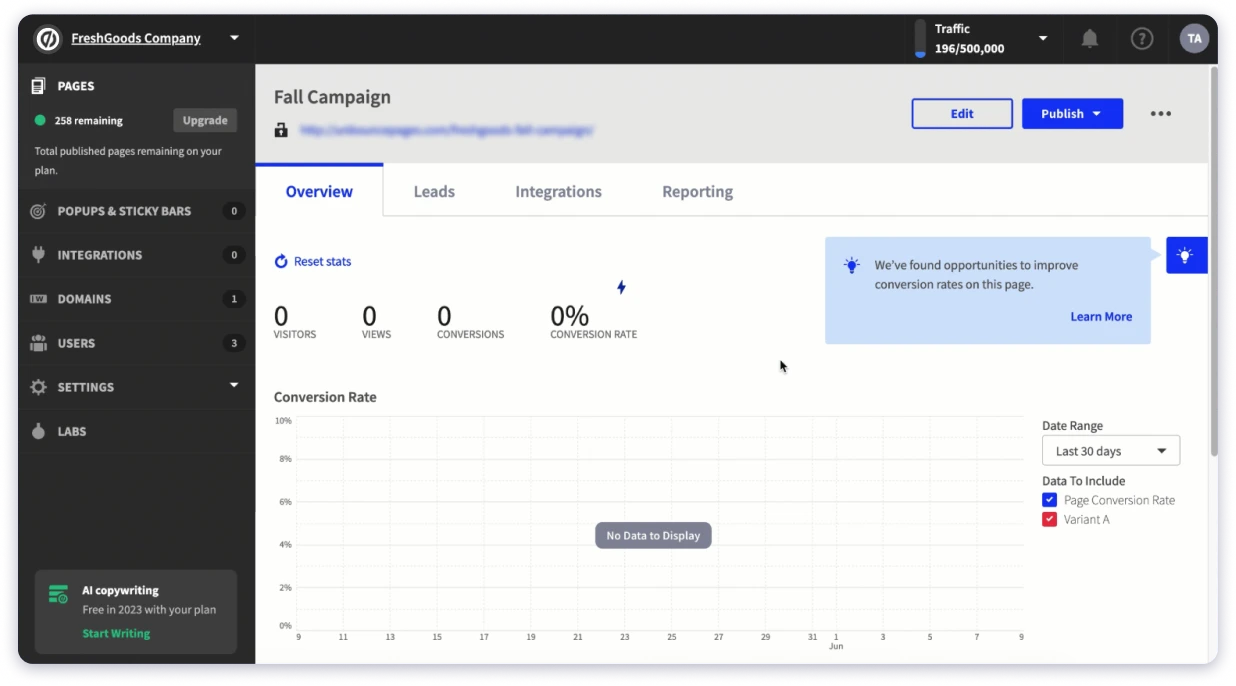
Instead of waiting weeks for an A/B test to reach significance, Smart Traffic starts optimizing within 50 visits. I found that speed made a real difference when running multiple campaigns.
One thing I did not like was the pricing. There have been unexpected price jumps with no new features to show for it. Usage caps and overage penalties were introduced without much warning.
On the product side, there are no reusable components. If you want to change one element across all your pages, you do it one at a time. That gets old fast when you are managing dozens of landing pages.
Key capabilities:
- Drag-and-drop landing page builder with 100+ templates
- AI Smart Traffic for automatic optimization
- A/B testing for headlines, CTAs, and layouts
- Popups and sticky bars
- AMP pages for faster mobile load
- Integrations with HubSpot, Mailchimp, Salesforce, Zapier
Who should use: Performance marketers and agencies running paid ad campaigns.
Use cases: High-converting landing pages, AI-powered conversion optimization, and A/B testing page variants.
Pricing:
- Starter: $22/mo
- Build: $74/mo
- Experiment: $112/mo
- Optimize: $187/mo
14. Leadpages
Leadpages is a simpler, more affordable lead capture tool than Unbounce.
As a lead generation tool for small business teams and solopreneurs who need professional landing pages but do not need AI optimization, it is a solid fit.
I found the drag-and-drop builder genuinely beginner-friendly. The template library covers lead magnets, webinar registrations, service pages, and product launches.
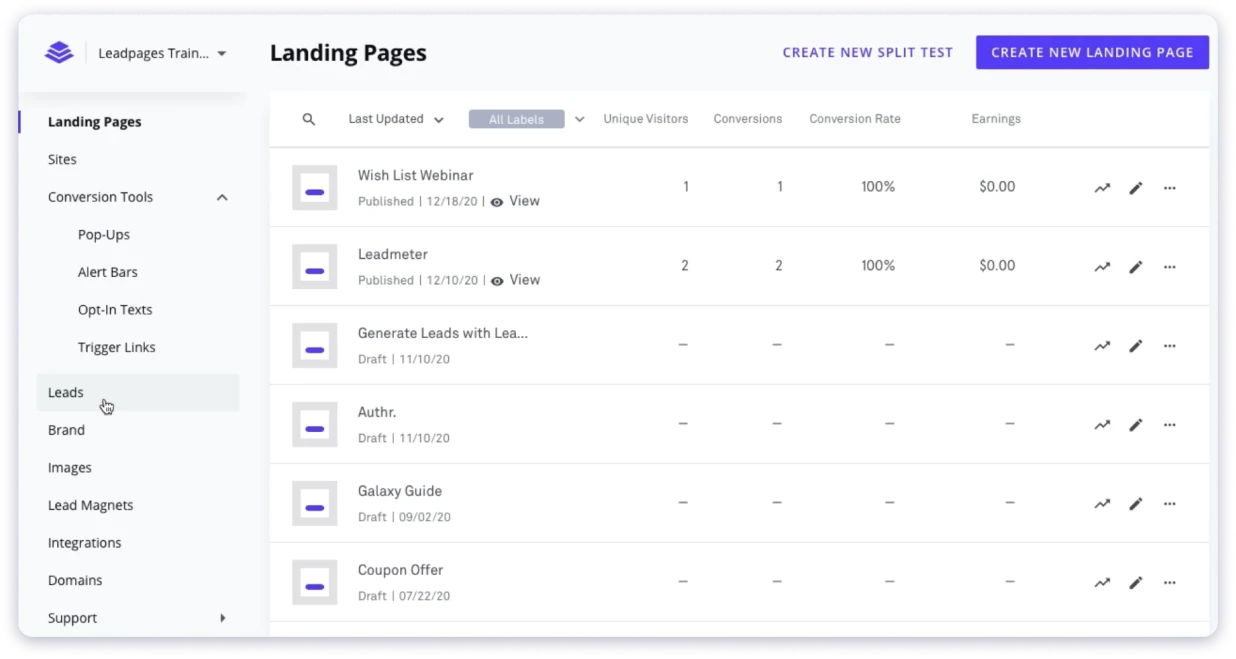
And unlike most competitors, all plans include unlimited traffic and leads with no caps on conversions.
During my testing, I noticed it lacks the advanced A/B testing and analytics that Unbounce offers. Depending on your use case, that may not matter.
But if you are running high-volume paid campaigns and need granular optimization, you may outgrow this lead generation platform quickly.
Key capabilities:
- Drag-and-drop landing page builder
- 200+ conversion-optimized templates
- Built-in pop-up and alert bar tools
- Unlimited landing pages on all plans
- Integrations with Mailchimp, ConvertKit, HubSpot, and Zapier
- Built-in payment processing via Stripe
Who should use: Small businesses, solopreneurs, coaches, and consultants.
Use cases: Landing pages for lead magnets, webinar signups, email list building, and selling digital products.
Pricing:
- Grow: $99/mo ($49/mo with current promo)
- Optimize: $199/mo ($99/mo with current promo)
- Scale: $399/mo
15. OptinMonster
OptinMonster is a lead capture software and online lead generation tool built to do one thing well.
It converts your existing website traffic into email subscribers and leads using popups, slide-ins, and floating bars.
The feature I found most effective is exit-intent technology. When a visitor moves their cursor toward the close button, a popup appears with a targeted offer.
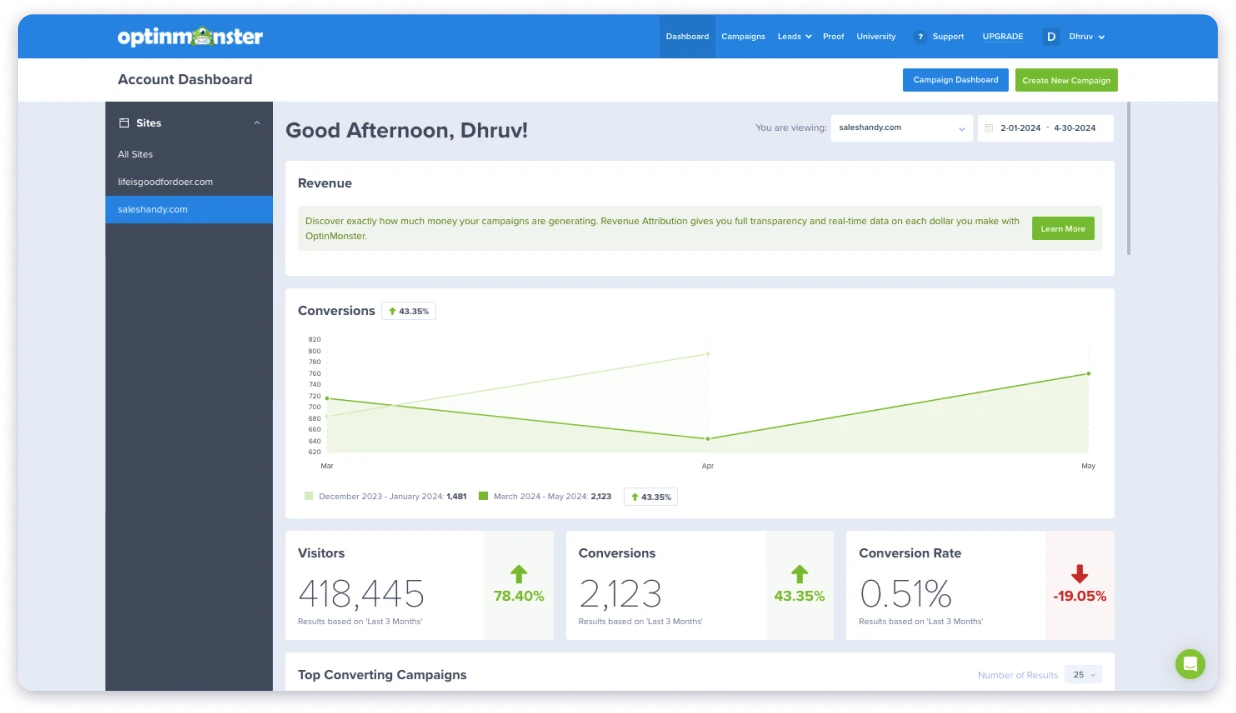
On one test, this lead capture tool recovered about 12% of visitors who would have left without converting. You can also set page-level targeting so different pages show different offers. Your pricing page gets a demo CTA while your blog gets a newsletter signup.
My only real complaint is the pricing model. The introductory rates look affordable, but renewal prices are significantly higher.
I also occasionally ran into confusing campaign management. When you are running multiple popups across different pages, it takes some trial and error to figure out which campaigns are live and who sees what.
Key capabilities:
- Exit-intent popup technology
- Multiple popup types: lightbox, floating bar, slide-in, fullscreen
- Page-level and device-based targeting rules
- Referral source targeting
- A/B testing for pop-up designs
- Integrations with every major email platform and CRM
Who should use: Content marketers and e-commerce sites with existing website traffic.
Use cases: Exit-intent popups, page-specific opt-in forms, cart abandonment reduction, and growing email lists from blog traffic.
Pricing:
- Basic: $7/mo
- Plus: $19/mo
- Pro: $29/mo
- Growth: $49/mo
Final Verdict: Which Lead Generation Software Should You Actually Use?
There is no single best lead generation software for every business.
Teams focused on inbound marketing will benefit most from HubSpot. LinkedIn Sales Navigator is a better fit for businesses that rely heavily on LinkedIn prospecting.
For companies that need enterprise-grade intent data and market intelligence, ZoomInfo and Demandbase are stronger options.
But for most B2B sales teams that want to find verified leads and start outreach from one place, Saleshandy is the strongest pick.
It brings the core outbound workflow together: lead search, real-time verification, multichannel outreach, and pipeline management. That means you don’t need to stitch together separate tools just to find prospects, verify them, contact them, and track replies.
So, instead of choosing the tool with the longest feature list, choose the one that fits how your team actually generates leads.
If outbound is your main growth channel, start with Saleshandy’s 50 free credits and test the data quality for yourself.
FAQs
1. What are lead generation tools?
Lead generation tools are software that help you find, attract, and capture potential customers. They include email lead generation tools, marketing automation platforms, website visitor ID tools, LinkedIn lead generation software, and lead capture tools like pop-ups and landing pages.
2. What is the best lead generation software for small businesses?
The best small business lead generation tools depend on your sales model. For outbound sales, Saleshandy is a popular option because it offers a lead database and cold email tools at an affordable price. For inbound marketing, HubSpot is widely used because it has a free CRM and simple marketing tools. Brevo and Leadpages are also good for email marketing and capturing leads through landing pages.
3. What is the best free lead generation tool?
Some good free options include HubSpot, which offers a free CRM, forms, and basic email marketing tools. Brevo allows you to send a limited number of free emails daily. Saleshandy also gives free credits to test its lead database. Typeform is useful for creating simple lead capture forms, and LinkedIn free search tools can help with basic prospecting.
4. What is the best B2B lead generation tool?
Saleshandy is the best overall lead generation software for b2b teams. It combines 852M+ contacts, real-time verification, multichannel outreach, and a built-in CRM. It is the best lead-generating software for teams that need data and outreach in one place. For European markets, Cognism has the best GDPR-compliant phone data. For enterprise teams, ZoomInfo offers the deepest intent signals.
5. What is the best AI lead generation software?
The best AI lead generation tools in 2026 include Saleshandy for AI-powered prospect search, Unbounce for AI landing page optimization, and Demandbase for AI account identification. The right pick depends on whether you need AI for finding contacts, optimizing conversions, or identifying accounts.
6. How do I choose the right lead generation tool?
Match the tool to how you sell. Outbound teams need a B2B contact database and outreach platform. Inbound teams need marketing automation. The best websites to find leads are the ones that match your sales process. Then evaluate data quality, pricing, and CRM integration. Most teams need 2-3 lead generation programs from different categories.

 Anil Salvi