
ZoomInfo doesn’t just hide its price behind a sales call. 😲
It also leaves out the add-ons, credit top-ups, and renewal terms that decide what you’ll actually pay.
When my team requested pricing, ZoomInfo’s SDR got on a call with us and then sent list prices with two package documents. Together, they show what each plan includes, and they also show how much can still change before you sign.
That’s why I wrote this guide. You’ll see what each ZoomInfo package includes, which line items push your bill up, and when a lower-cost outbound platform like Saleshandy is the smarter buy.
Let’s break it down.
TOC – ZoomInfo Pricing in 2026
- TL;DR: Quick Breakdown of ZoomInfo Pricing in 2026
- How Much Does ZoomInfo Actually Cost in 2026?
- What Can Increase Your ZoomInfo Bill?
- Is ZoomInfo Worth the Cost for Your Team?
- What Do Prospects and Clients Say About ZoomInfo Pricing?
- How to Evaluate and Negotiate a ZoomInfo Quote
- So Should You Pay a Hefty Price to ZoomInfo for Its Data?
- FAQs I Often Get About ZoomInfo Pricing
TL;DR: Quick Breakdown of ZoomInfo Pricing in 2026
I got an actual quote from a ZoomInfo SDR who sent us listed prices after a call:
- $5,000 for a 1-seat plan,
- $10,000 for Professional (3 seats),
- $15,000 for Advanced (3 seats),
- $21,000 for Enterprise (5 seats).
The SDR was clear that these are list prices, not final negotiated rates.
- Add-ons aren’t included in the base price: Global Data Passport and NeverBounce email verification are separately priced on every paid tier, with no dollar amount listed.
- Credit overages can move the bill: Each export costs a credit, and you can buy more when you run out.
- If you mainly need contacts and outreach, you have cheaper options. Saleshandy publishes every price upfront, starting at $34/month billed annually, with 1,500 Lead Finder credits included each month.
*List price from a quote we received directly, described by the SDR as standard listed pricing, not a final negotiated rate. One data point, not a universal price.
How Much Does ZoomInfo Actually Cost in 2026?
Well, there’s no public number for ZoomInfo’s paid Sales plans.
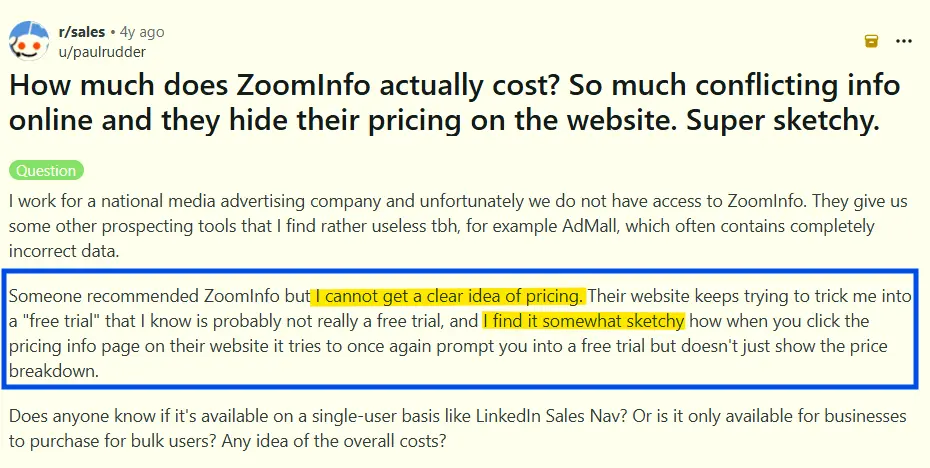
When my team got a call from their SDR, he said that the price depends on features and functionality, the number of licenses, and credit usage.
That’s why two teams of the same size can receive very different quotes. A team exporting thousands of contacts into a CRM will use ZoomInfo very differently from a team researching a few target accounts.
Be careful with exact figures on third-party sites. Many use older tier names like “Elite,” which don’t match ZoomInfo’s current Sales packages.
Here’s what ZoomInfo’s sales documents include for each package:
Data region: North America/Europe
While selecting a pricing plan, look at the per-seat math, because it’s easy to miss. Basic averages 200 bulk credits per month for one seat, while Professional’s 5,000 annual credits average about 139 per seat per month across three seats.
So upgrading from Basic to Professional buys you more seats and features. It doesn’t give each person more exports.
ZoomInfo Professional: Contact Data and Core Prospecting
Professional is built for teams that mainly need to find people and get their contact details.
According to ZoomInfo’s pricing page, it includes:
- Contact and company profiles with business emails and mobile numbers
- Quick and advanced search with exporting
- Prospect lists, alerts, tagging, and territory filters
- CRM integrations with tools like HubSpot and Salesforce
- Chrome extension, mobile app, AI email generation, and intelligent dialing
- Standard support
And the sales quote I got adds the allowances: 3 seats, 5,000 bulk credits a year, and no monthly user credits. Bulk credits are listed for the whole package, not per user, so ask whether one heavy user can drain the pool for everyone.
Copilot Advanced: Intent, Account Prioritization, and Workflows
ZoomInfo’s Advanced plan is for teams that want help deciding who to contact first, not just how to reach them. It adds Account Fit Score, buyer intent signals, website visitors, champion tracking, buying-group filters, and automated outreach workflows.
The sales quote lists 12 intent topics, up to 25 buying groups, and company data like org charts, technologies, financials, and news. Company Attributes is marked as a paid extra on this package.
The credit jump is significant. Three users with 1,000 monthly credits each could use up to 36,000 credits a year, plus 10,000 bulk credits, but ZoomInfo doesn’t say whether unused monthly credits roll over.
Copilot Enterprise: Advanced Signals and Customization
Enterprise suits teams with complex sales processes and the operations capacity to run them. ZoomInfo lists real-time and custom intent, earnings call signals, competitor alerts, custom integrations, advanced reporting, and AI account summaries.
It also adds a dedicated customer service manager and white-glove onboarding. The sales quote shows 5 seats, 20,000 bulk credits a year, 1,000 monthly credits per user, and unlimited intent topics and buying groups.
Enterprise is also the only package that includes Company Attributes and employee counts by department.
It’s the only one with five included seats too, so a five-person team should ask sales whether extra seats can be added to a lower package, and at what price.
Key Takeaway After Analyzing the Sales Quote I Got & ZoomInfo’s Pricing Page:
I noticed that higher tiers only look cheaper per credit if your team actually uses every monthly credit, and the documents don’t say whether unused monthly credits roll over.
What About ZoomInfo’s Marketing Packages?
ZoomInfo sells separate Marketing packages for ABM and demand generation. It asks for “Get a demo” instead of free trials, and the SDR quote we received didn’t include Marketing prices.
Unfortunately, ZoomInfo doesn’t say whether credits are monthly or annual, how many credits ABM Lite includes, or whether ad spend is part of the package.
- If your sales and marketing teams both need ZoomInfo, ask whether that means two separate packages.
- Also ask whether Marketing and Sales credits come from the same pool.
What Can Increase Your ZoomInfo Bill?
The base package is only your starting point.
Seats, credits, data regions, integrations, and paid extras can all change the final number, and most of them have no public price.
Licenses, Export Credits, and Additional Data Usage
Licenses come in fixed amounts per package: 1 seat on Basic, 3 on Professional and Copilot Advanced, and 5 on Copilot Enterprise. ZoomInfo doesn’t publish what an extra seat costs or say whether you can add one to a lower package.
Credits are spent when you export a contact or company profile. ZoomInfo says each export costs one credit, whether it comes from the platform, the ReachOut Chrome extension, or an API call from an integration.
You can add credits to any package, but ZoomInfo doesn’t publish top-up rates. So, ask these questions before you sign:
- Do unused bulk or monthly credits roll over?
- Does exporting the same contact again cost another credit?
- Do deeper data types use credits differently? The FAQ mentions “more robust credits” in one answer and says all credits work the same way in another.
- What counts as one of your 2,000 monthly views per user?
Data Regions and Paid Extras
Each package includes one data region, either North America or Europe.
Worldwide coverage needs Global Data Passport, which ZoomInfo’s quote comparison doc lists at about $4,500 a year for Professional and above.
It marks NeverBounce email verification as a paid extra on every Sales package. Company Attributes is also paid on Copilot Advanced and included only on Enterprise.
Treat these as list estimates, not final costs. The quote I received is labelled informational, and it is unclear about Enterprise, describing Global Data Passport as both a paid item and “bundled in Enterprise.”
Integrations, API Access, and Intent Add-Ons
Integrations can carry their own costs. ZoomInfo says pre-packaged integrations “typically have a base cost to use and install” and require a minimum purchase of bulk credits.
Watch automated syncs closely. Because API calls from integrations use credits, your CRM can spend credits without anyone clicking “export.”
ZoomInfo’s API access is included in all relevant plans, and it lists Enterprise API access as custom-priced. Ask sales to name which plan covers your integrations and what usage limits apply.
Intent scope also changes by package. Professional lists no intent topics, Copilot Advanced includes 12, and Copilot Enterprise includes unlimited topics, while Streaming Intent is a separate add-on priced by keyword volume and accounts tracked.
Payment Schedules and Renewal Terms
Your payment options depend on your package, add-ons, and number of users. The sales team works out payment frequency with you.
The ACH debit is for automatic payments, plus wire transfer, EFT, ACH, and check for manual payments. The pricing page doesn’t cover contract length, renewal increases, notice deadlines, or seat reductions.
Paying monthly is also different from being able to cancel monthly. Get both answers in writing, because ZoomInfo’s sales documents say your executed contract or order form decides your actual terms.
Want to see the price before the sales call? Saleshandy publishes prices, credit allowances, and user limits for its self-serve plans. Start your free trial and test it on your own prospect list.
Is ZoomInfo Worth the Cost for Your Team?
Honestly, ZoomInfo can be worth it, but only if your team uses what you’re paying for.
The real question is whether you need advanced account intelligence or mainly need contacts and outreach.
When ZoomInfo May Justify the Investment
- You need intent signals, buying groups, or org charts to prioritize accounts
- Your reps have a process for acting on those signals quickly
- You have RevOps support to manage seats, credits, and integrations
- ZoomInfo replaces tools you already pay for, not adds another subscription
When a Smaller Outbound Platform May Be a Better Fit
- Your main job is finding prospects and running email or call outreach
- You need a predictable budget you can see before signing
- Your team is small, and buying extra seats would inflate the quote
- Enterprise features like custom intent would mostly go unused
My Recommendation: Evaluate Usable Results, Not Just Database Size
A huge database only matters if it covers your buyers. Before signing, test a sample of your real target accounts during the trial.
Check whether the right roles appear, whether emails and phone numbers are available, and how many records already exist in your CRM. Then use this formula to compare tools fairly:
Cost per usable contact = annual prospecting spend ÷ unique contacts that match your ICP and can be reached
This tells you more than a credit count. It also exposes duplicates and irrelevant contacts that still consume credits.
See how many of your target buyers you can actually reach. Find your first 50 leads free with Saleshandy Lead Finder.
What Do Prospects and Clients Say About ZoomInfo Pricing?
ZoomInfo’s reviews usually say two things. People like the data and the targeting, but cost and contract terms keep coming up in the complaints.
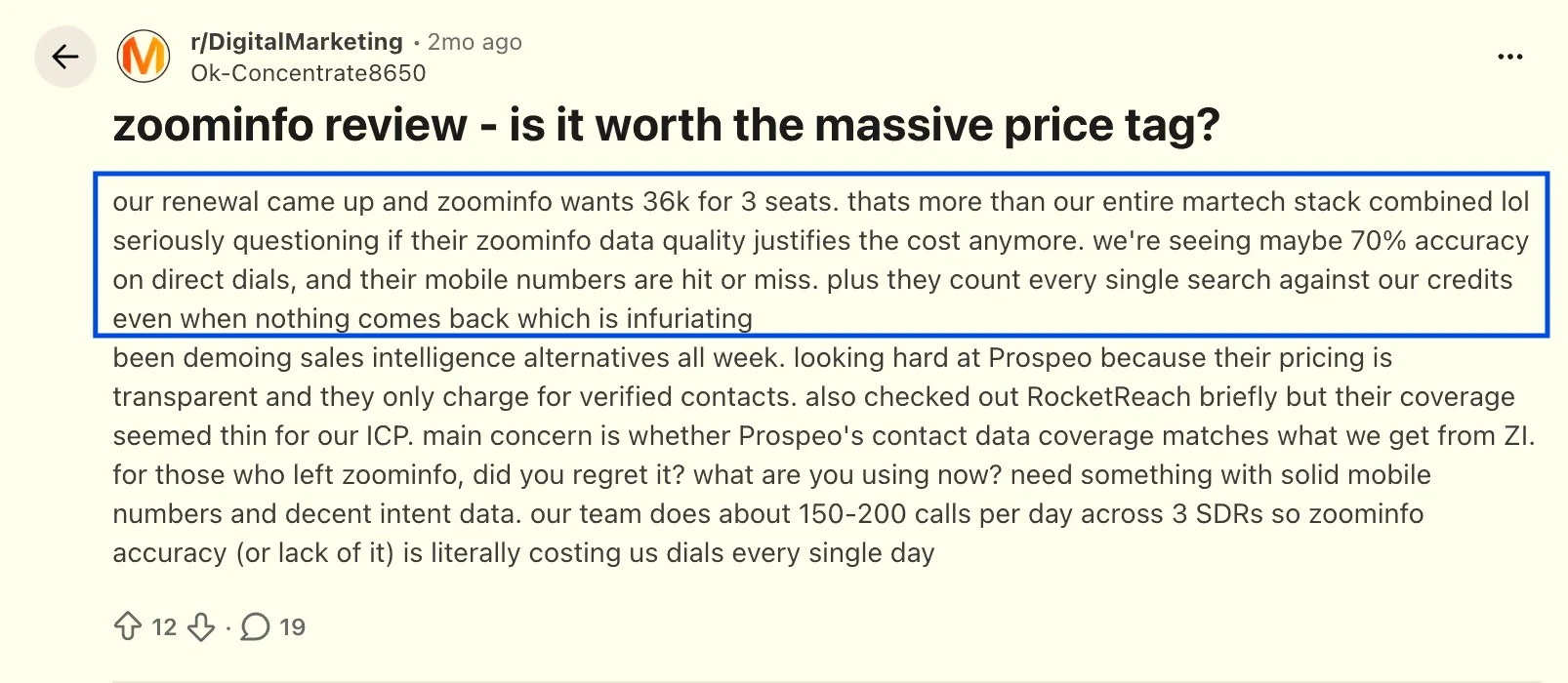
A recent (September 2026) G2 review rated ZoomInfo 3.5/5 and praised its AI for lead building and segmentation.
But the same reviewer said they ran into data reliability problems and that the tool hadn’t saved them time on the pipeline. Their summary of the cost: “it ends up being more expensive than I expected.”
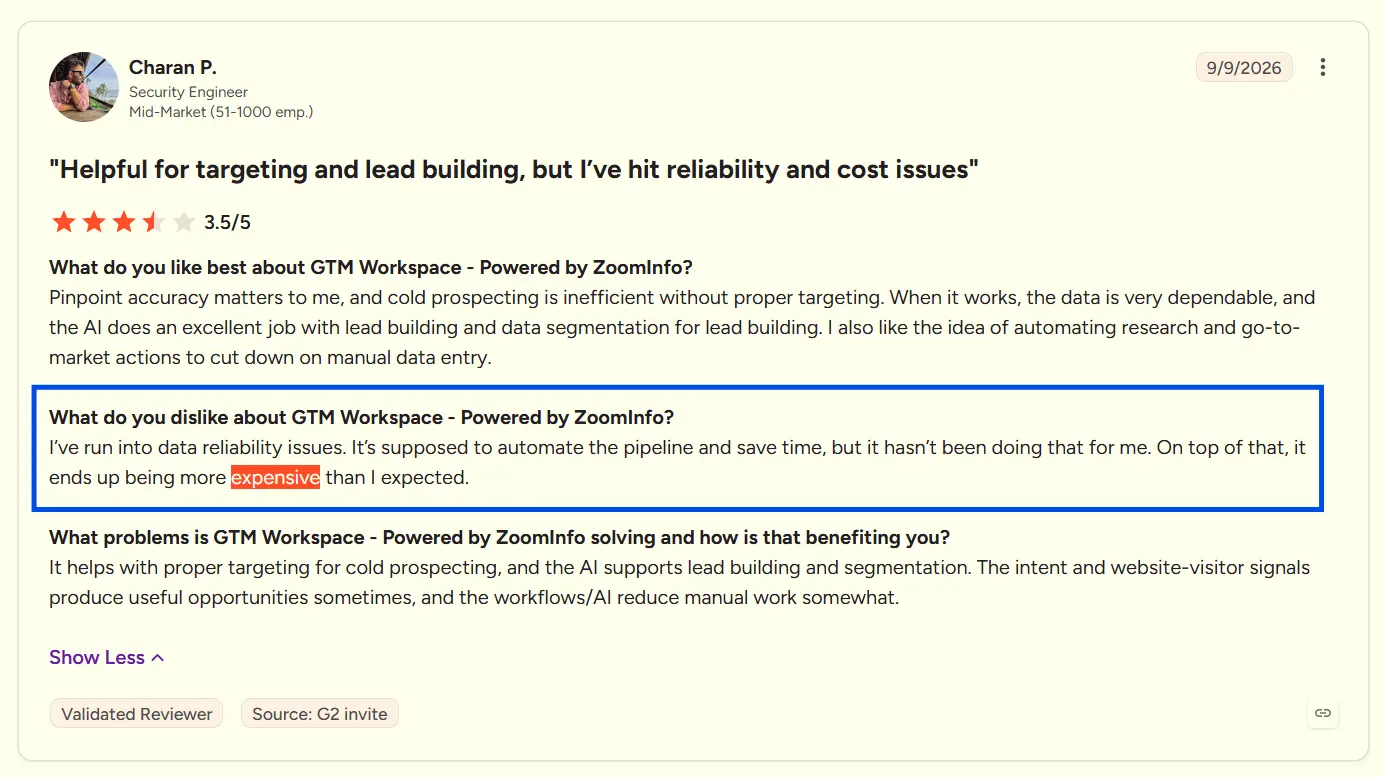
Across reviews and pricing guides, the same concerns come up repeatedly:
- High entry cost, but bad data: Entry plans are commonly reported at around $15,000 a year, but the users are not happy with the quality of the data.
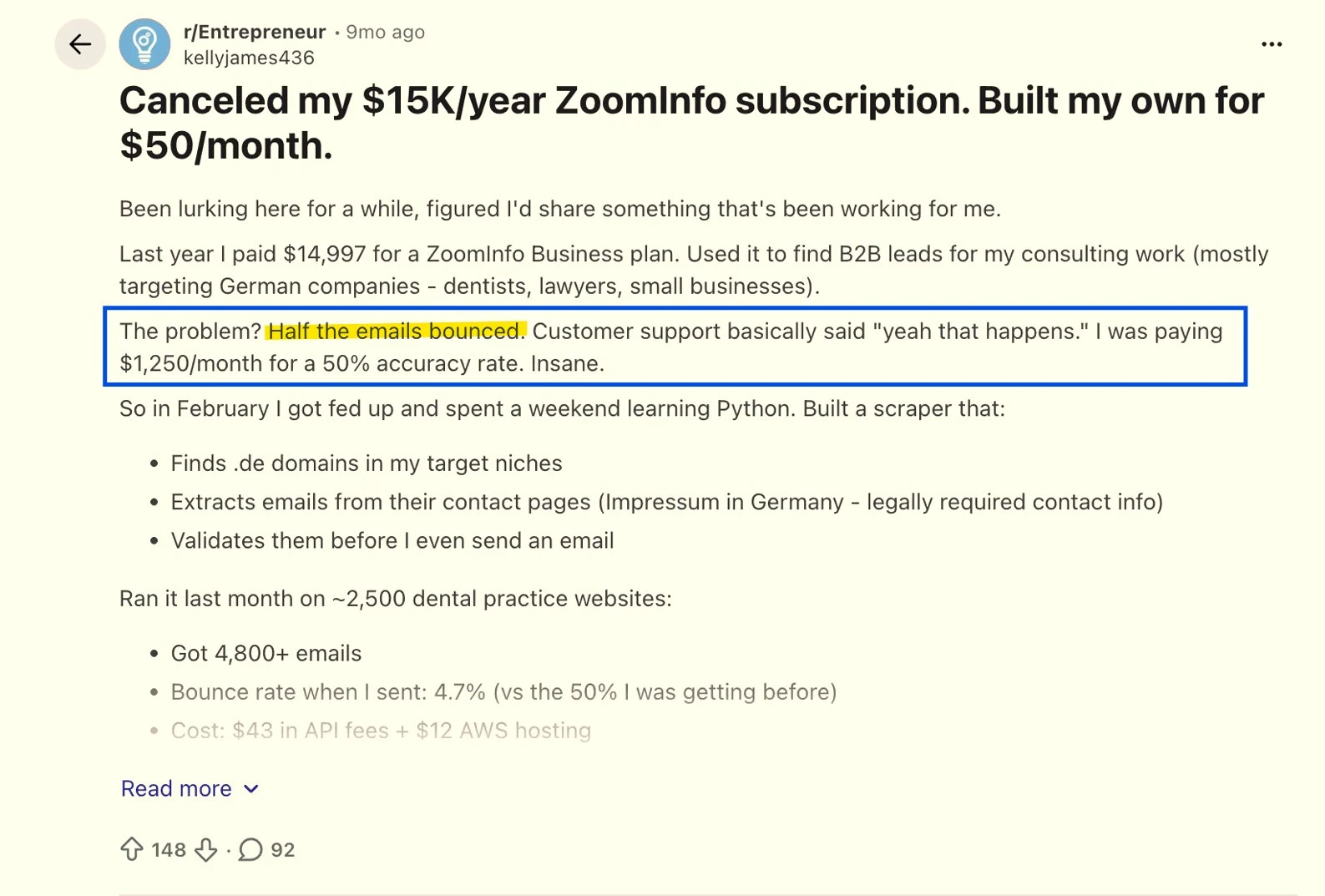
- No public prices: This one is confirmed. You submit a business email and get pricing from sales.
- Long contracts and auto-renewal: Reviewers report annual or multi-year terms with cancellation notice windows of about 60 to 90 days. ZoomInfo’s pricing page doesn’t publish these terms.
- Add-ons that raise the bill: ZoomInfo’s own comparison sheet marks Global Data Passport and NeverBounce as paid extras on its Sales packages.
- Credit top-ups: ZoomInfo confirms you can buy more credits, but it doesn’t publish the rates.
- Renewal increases: Reviewers often mention increases of 10% to 20% at renewal.
Worth Reading: ZoomInfo Review
How to Evaluate and Negotiate a ZoomInfo Quote
You need to negotiate the package, not just the headline number. A lower price on the wrong package can still cost you more later.
- Match seats to real users: If one person will use ZoomInfo, ask whether Basic fits before accepting a three-seat package.
- Estimate your credit usage: Count manual exports plus CRM syncs, then compare that number with bulk and monthly credits.
- Get top-up rates in writing: Ask for the price of additional credits and the minimum purchase amount.
- Pick one data region carefully: Confirm whether you need Global Data Passport before it appears as a surprise later.
- Itemize every paid extra: Ask for separate prices for NeverBounce, Company Attributes, integrations, and intent add-ons.
- Read the renewal terms: Confirm contract length, renewal pricing, notice deadline, and whether you can reduce seats.
- Bring a real alternative: A published price from another tool gives you a fair comparison point during the conversation.
Need a published price and a better tool than ZoomInfo to compare against? Get 50 free contacts with Saleshandy’s 7-day free trial. No credit card required.
So Should You Pay a Hefty Price to ZoomInfo for Its Data?
That depends on what you’ll do with the data. The list prices we were quoted run from $5,000 a year for one seat to $21,000 for five seats, before paid extras like Global Data Passport or NeverBounce.
If intent signals, buying groups, and account intelligence decide where your team sells, that spend can pay off. If your team’s job is finding prospects and emailing or calling them, you’re likely paying for intelligence you won’t open.
That second group is who Saleshandy is built for. You find verified contacts, run outreach, and manage replies in one platform, and every self-serve price is published before you talk to anyone.
ZoomInfo vs. Saleshandy Pricing Compared
Not happy with ZoomInfo’s hefty pricing and outdated data? Explore better ZoomInfo Alternatives now.
What a Five-Person Team Would Pay
That’s a $20,088 difference in list price for the same five people, or about $1,674 a month. It isn’t a like-for-like trade, because Copilot Enterprise adds unlimited intent topics, a dedicated customer service manager, and white-glove onboarding.
For enterprise teams that act on intent signals and account intelligence every week, that premium may pay off. ZoomInfo is built for that kind of operation.
But if you’re a solopreneur or a small team, the math looks very different. Saleshandy Starter costs $408 a year for one user, against $5,000 for ZoomInfo’s one-seat plan, and Pro covers up to 10 users for $912.
So start with what you’ll actually use. Get verified contacts and run outreach from one place, then revisit enterprise intelligence once your pipeline needs it. 🤩🤩
Start Your Free Trial and Get 50 Free Leads
FAQs I Often Get About ZoomInfo Pricing
1. Does ZoomInfo Publish Its Prices?
No. ZoomInfo’s pricing page lists packages and features, but paid Sales plans need a quote. We received list prices from a ZoomInfo SDR in October 2026, ranging from $5,000 to $21,000 a year, and those are shared above.
2. How Much Does ZoomInfo Cost Per Month?
ZoomInfo doesn’t publish monthly prices, and its FAQ says payment frequency is agreed with sales. Based on our quoted list prices, the monthly equivalent runs from about $417 for one seat to $1,750 for Copilot Enterprise. Paying monthly also doesn’t mean you can cancel monthly, so check your contract.
3. Is ZoomInfo Lite Free?
ZoomInfo’s blog describes Lite as a permanent $0/month plan. It includes 10 export credits a month, contact and company search, a Chrome extension, and 10 website visitor reveals a day. One caution: our SDR used “Lite” for a $5,000 one-seat plan, which ZoomInfo’s package document calls “Basic,” so confirm which plan you’re being quoted.
4. What Is Included in ZoomInfo Credits?
A credit is used each time you export a contact or company profile. This applies whether you export from the platform, the ReachOut Chrome extension, or an integration’s API call. ZoomInfo’s sales documents also separate yearly bulk credits, monthly user credits on Copilot plans, and 2,000 monthly views per user, so ask how rollover and repeat exports work.
5. How Much Does ZoomInfo API Access Cost?
ZoomInfo doesn’t publish API pricing. Its blog says API access is included in “all relevant plans” and lists Enterprise API access as custom-priced. API calls from integrations also use credits, and pre-packaged integrations can carry their own setup costs.
6. Is ZoomInfo Pricing Negotiable?
Yes. Our SDR described the quoted prices as “standard listed prices and not the final negotiated rates.” You can negotiate seats, credits, data region, and add-ons, but get top-up rates and renewal terms in writing before you sign.
7. Can Saleshandy Replace ZoomInfo for Prospecting and Outreach?
For finding verified contacts and running outreach, yes. Saleshandy combines a B2B database, email verification, sequences, and a unified inbox, starting at $34/month billed annually, with calling available as a dialer add-on. It isn’t a like-for-like replacement for ZoomInfo’s enterprise intent and ABM features.