
Here’s a pattern I keep seeing in outbound teams.
They sign up for a prospecting tool, build a few lists, run some campaigns, and then six months later, they’re comparing alternatives.
The reasons are usually the same.
Outdated data, data coverage limited outside the US, or credits getting consumed too fast.
And if you’re in the same situation, you’ve probably landed here searching for “Lusha vs. Apollo” – both are leading platforms in this space, and almost everyone recommends them.
But after testing them side by side for real outbound campaigns, tracking everything from email bounce rates to credit consumption to how many contacts actually turned into meetings, I found differences that their feature pages won’t tell you.
This comparison guide breaks down where Apollo and Lusha stand, feature by feature.
I’ll also share a better alternative that’s built to solve the exact pain points I just mentioned.
Outdated data, limited coverage, and credit waste.
By the end, you’ll see where Saleshandy outperforms both and why it might be the prospecting tool you stop switching from.
TOC – Lusha vs. Apollo
TL;DR: Lusha vs. Apollo: Which One’s Better for Cold Outreach in 2026?
- Choose Apollo for prospecting, email sequences, native calling, and AI-assisted sales engagement.
- Choose Lusha for contact intelligence, enrichment, and signal-based prospecting, with email outreach through Engage.
- Need a better, feature-rich, and budget-friendly alternative to Apollo and Lusha? Choose Saleshandy to find real-time verified leads, run multichannel outreach, and manage strong deliverability in one outbound platform.
| Criteria | Lusha | Apollo | Saleshandy |
|---|---|---|---|
| Core strength | B2B data intelligence, AI prospecting, and enrichment | Sales intelligence and engagement, including prospecting, outreach, and calling | Accurate lead discovery, multichannel outbound, and strong deliverability |
| Contact database | • 515M+ contacts • 29M+ companies |
• 240M+ contacts • 30M+ companies |
• 852M+ contacts • 42M+ companies |
| Email & phone data | • Email: 1 credit • Phone: 5 credits |
• Email: 1 credit • Mobile: 8 credits |
• Email: 1 credit • Mobile: 6 credits |
| Cost per lead | • Email: ~$0.09 • Email + phone: ~$0.56 |
• Email: ~$0.02 • Email + mobile: ~$0.18 |
• Email: ~$0.02 • Email + mobile: ~$0.16 • $0 if the email isn’t verified or no phone is found |
| Intent/signals | • Topic-intent filters • Event-based signals • Plan-dependent access |
• Buying intent • Job changes • Website-visit signals |
• Real-time buying signals • Intent-relevant filters |
| Outreach Capabilities | ✅ Email only, through Lusha Engage (Gmail or Outlook) | ✅ Multichannel: • Automated and manual emails • Call steps • LinkedIn manual tasks • Other tasks |
✅ Multichannel: • Automated emails and follow-ups • Calls • Tasks • LinkedIn workflows |
| Waterfall enrichment | ✅ Yes | ✅ Yes | ✅ Yes via 9 providers |
| AI capabilities | • AI table building • Recommendations • Live web enrichment • Meeting analysis |
• AI research • Prospecting • Writing • Sequencing • Conversation analysis |
• AI prospect search • Sequence Copilot • Enrichment • Call summaries |
| Integrations | • Salesforce • HubSpot • Other CRM connectors • Automation tools • API • Webhooks |
• Salesforce • HubSpot • Outreach • Other sales integrations |
• Salesforce • HubSpot • Pipedrive • Zoho • Automation connectors • API • Webhooks |
| MCP/CLI | ✅ No CLI | ✅ | ✅ |
| Free plan | 🆓 Free plan with up to 40 credits/month | 🆓 Ongoing free plan; email campaigns included, with restrictions | 🆓 7-day free trial, with up to 50 free Lead Finder credits |
| Privacy/security | 🔒 SOC 2 Type II • ISO certifications • Documented GDPR/CCPA compliance |
🔒 SOC 2 Type II • ISO 27001 • Documented privacy and compliance controls |
🔒 SOC 2 Type II compliant • ISO 27001:2022 certified • Documented GDPR/UK-GDPR practices |
Apollo vs Lusha: Tool Overview
I compared Lusha and Apollo by what happens after you find a prospect, not just how many contacts they offer.
Here’s a quick overview for users who’re short on time.
Apollo.io: All-in-One Sales Engagement Platform
Apollo connects finding prospects with taking the next action: emailing, calling, and managing follow-ups.
Its AI Context Center is the detail I’d highlight. It gives AI your offering, audience, and value proposition to guide research and messaging.
One distinction matters: LinkedIn steps are manual tasks, not automated actions. Plus, multichannel sequences organize the workflow, but you still complete those LinkedIn touches yourself.
Lusha: B2B Intelligence and AI Prospecting
I wouldn’t reduce Lusha to its Chrome extension. Its workspace lets you build persistent prospect tables through AI chat, filters, or CRM imports.
What I liked about Lusha is that it separates data enrichment into different layers. You can use its existing database, enrich contacts with live AI web research, or add intent and signal data with different credits and at different costs.
Once you find the right contacts, you can add them to Lusha Engage and run email sequences.
So, when evaluating Lusha, look at three things separately:
- how it finds contact details
- how it enriches those records
- how you can use that data for outreach
Lusha vs. Apollo: Head-to-head Feature & Pricing Comparison
I have compared Apollo and Lusha across 9 key areas that matter the most in cold outreach in 2026.
So, without further ado, let’s jump into the details.
1. B2B Database Size and Coverage
A bigger database gives you more potential matches. But sadly, it doesn’t guarantee better coverage of your ideal customers.
And that’s why I compared three things: matching prospects, available contact details, and targeting options.
Remember, database size alone won’t tell you which tool fits.
Apollo.io Database Coverage and Data Quality Review
Apollo currently advertises 240M+ contacts across 30M+ companies, replacing the older figures in this section.
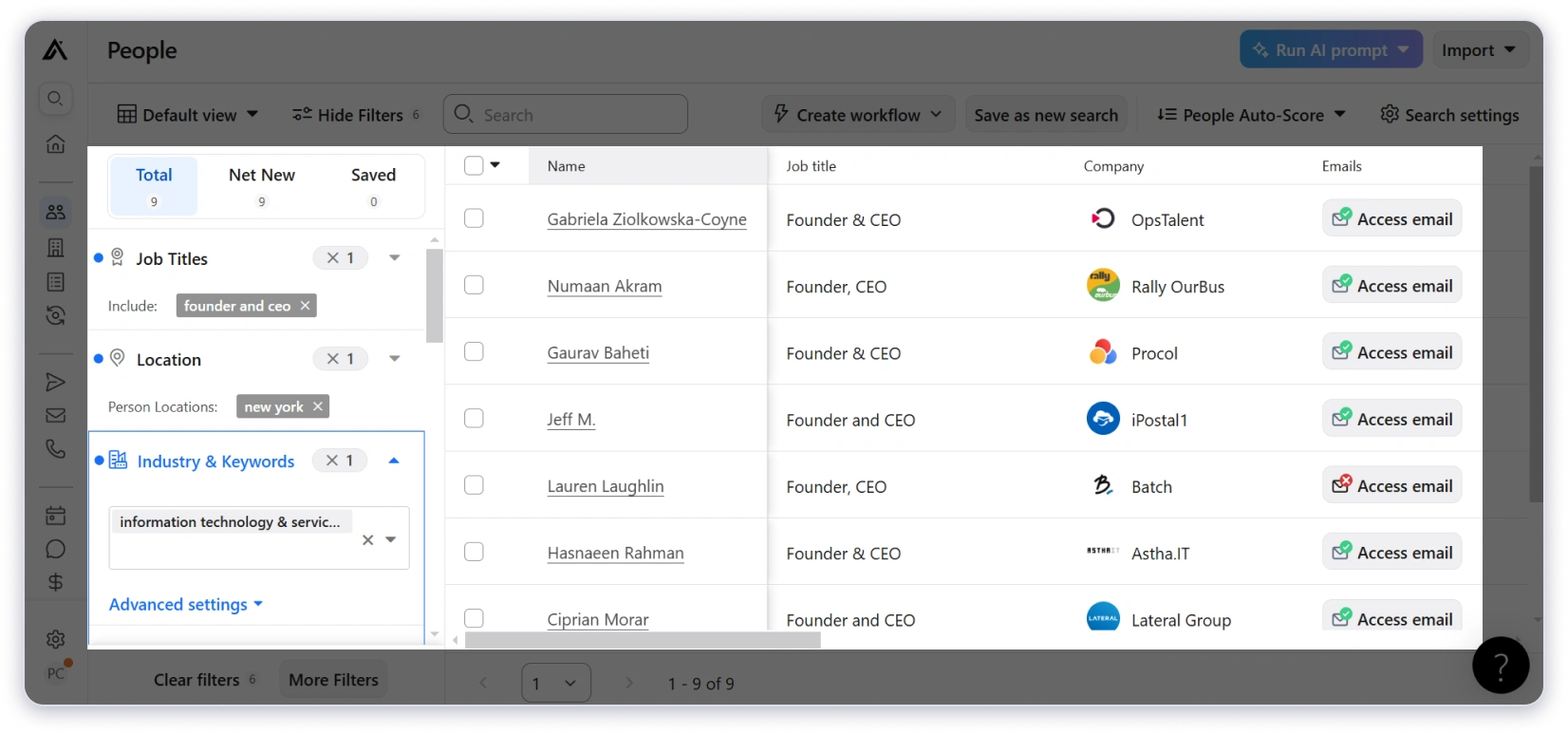
Its database combines contributor activity, public sources, and third-party providers. That makes record freshness worth checking alongside database size.
What I really like is its job-change tracking. Apollo records previous and current roles, helping you distinguish someone’s career history from their current position.
Its Data Health Center also helps identify stale records. If Apollo lacks contact details, waterfall enrichment can search additional sources.
That can expand the data you retrieve, but third-party enrichment results should not be confused with Apollo’s own database coverage.
Lusha Prospecting Database Review
Lusha currently advertises 515M+ contacts across 29M+ companies. That is a larger reported contact count, not proof of better accuracy.
The targeting detail I’d highlight is office location versus headquarters. You can find companies operating in your region even when their headquarters are elsewhere.
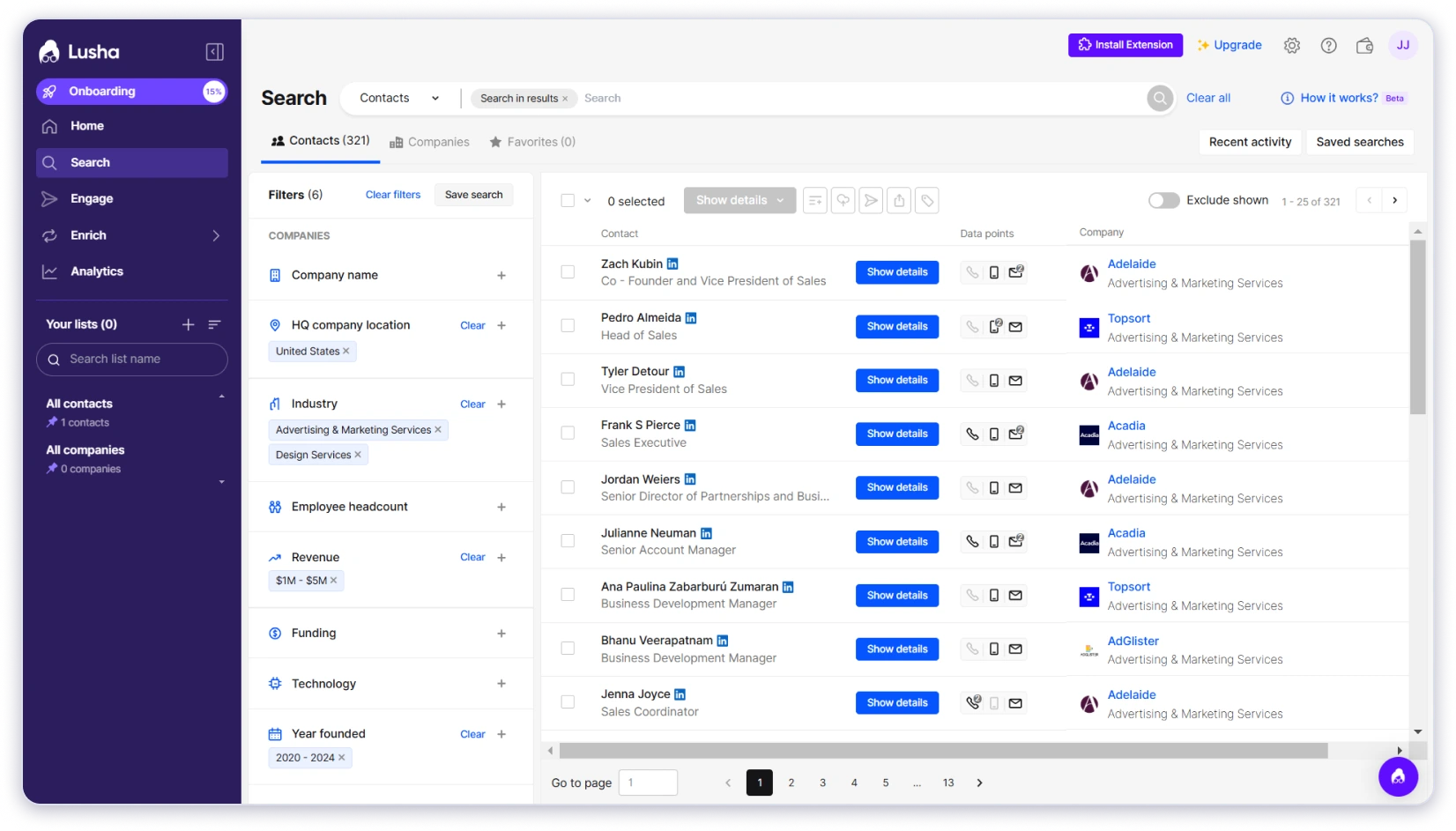
You can also filter for mobile numbers, direct landlines, or work emails before revealing contacts. That helps narrow results around your outreach channel.
That said, when I ran the same searches targeting prospects in India, Brazil, and Southeast Asia, Lusha returned far fewer results than Apollo. And for niche verticals like healthcare IT or specialized manufacturing, the contact coverage was almost nonexistent.
There’s a limitation worth knowing: skills, education, languages, and certification filters rely on enriched LinkedIn data. Incomplete profiles can reduce matches.
Winner: Apollo
Yes, Lusha has the larger advertised contact database, but Apollo gives you better data quality.
And its job-change tracking, Data Health Center, and waterfall enrichment make it easier to spot stale records and fill missing contact details.
If I were you, I’d test both with the same ICP and compare how many relevant contacts, usable emails or phone numbers, and targeting options each returns.
Why Saleshandy Outperforms Both (With 852M+ contacts)
Saleshandy’s Lead Finder gives you access to 852M+ contacts across 42M+ companies. That’s roughly 4x Apollo and over 3x Lusha.
The numbers sound big, but here’s where it actually showed up. I ran identical ICP searches across all three platforms for prospects in the MENA region and India.
Apollo and Lusha returned thin results.
Saleshandy consistently pulled 40–60% more contacts for the same search criteria.
The gap got even wider in niche verticals.

Searches for specialized manufacturing and healthcare IT prospects that returned almost nothing on Lusha and limited results on Apollo gave me full lists on Saleshandy.
What surprised me most was coverage in markets like India, Brazil, and parts of Africa, regions where both Apollo and Lusha had sparse data.
If you’re running outbound for a global audience, that reach is the difference between a half-empty list and a full pipeline.
And the database updates regularly with real-time verification, so you’re not burning credits on contacts who changed jobs six months ago.
2. Data Accuracy and Verification
Finding contacts is only half the job. If the emails bounce or the phone numbers lead to switchboards, you’ve wasted credits and damaged your sender reputation.
So the next thing I tested was how accurate the data from each platform actually is in real campaigns.
Apollo.io: Decent Emails, Weak Phones
Apollo claims a 91% email accuracy rate through multi-step verification.
When I ran a 500-contact test campaign targeting VP-level prospects in the US, the email deliverability was optimal.
But the phone numbers were a different story.
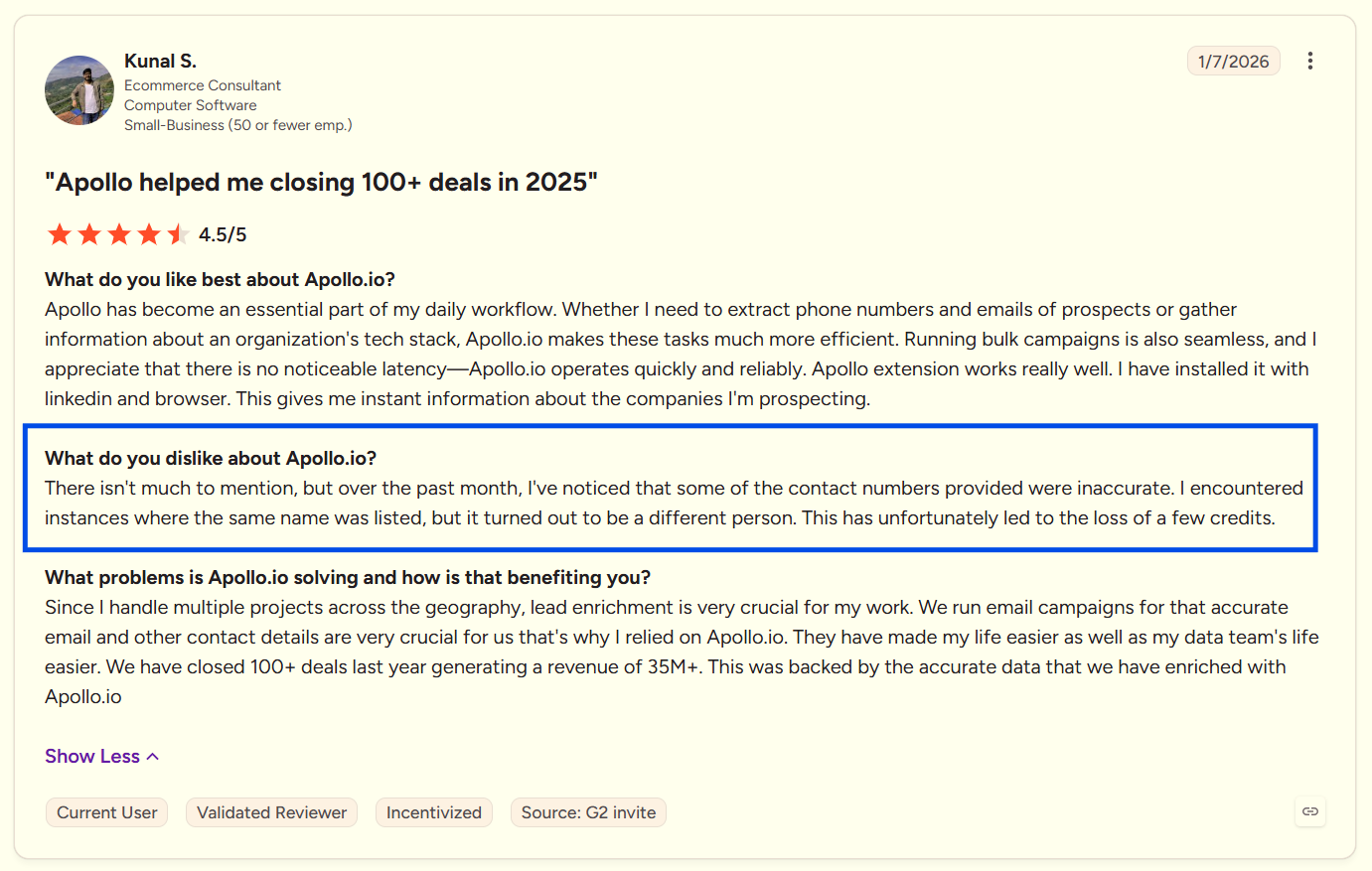
Apollo charges multiple credits per phone reveal, and a noticeable portion of those numbers led to outdated lines or generic company switchboards. Multiple G2 reviewers report the same frustration.

Now Apollo does offer credit refunds for bounced emails, but there’s a catch.
The refund only applies if you send those emails through Apollo’s own platform.
But by that time, your email deliverability is already compromised.
And the moment you export the data to any other outreach tool, the refund policy doesn’t apply. And for phone numbers, there are no refunds at all, regardless of how you use them.
Lusha: Strong on Phone Numbers
This is where Lusha genuinely stands out. When I tested direct dials for sales leaders at US tech companies, Lusha’s numbers connected to the right person noticeably more often than Apollo’s.
The reason is Lusha’s community-sourced data model.
Users contribute contact information from their own networks, which means Lusha surfaces personal mobile numbers that purely corporate databases like Apollo’s often miss.
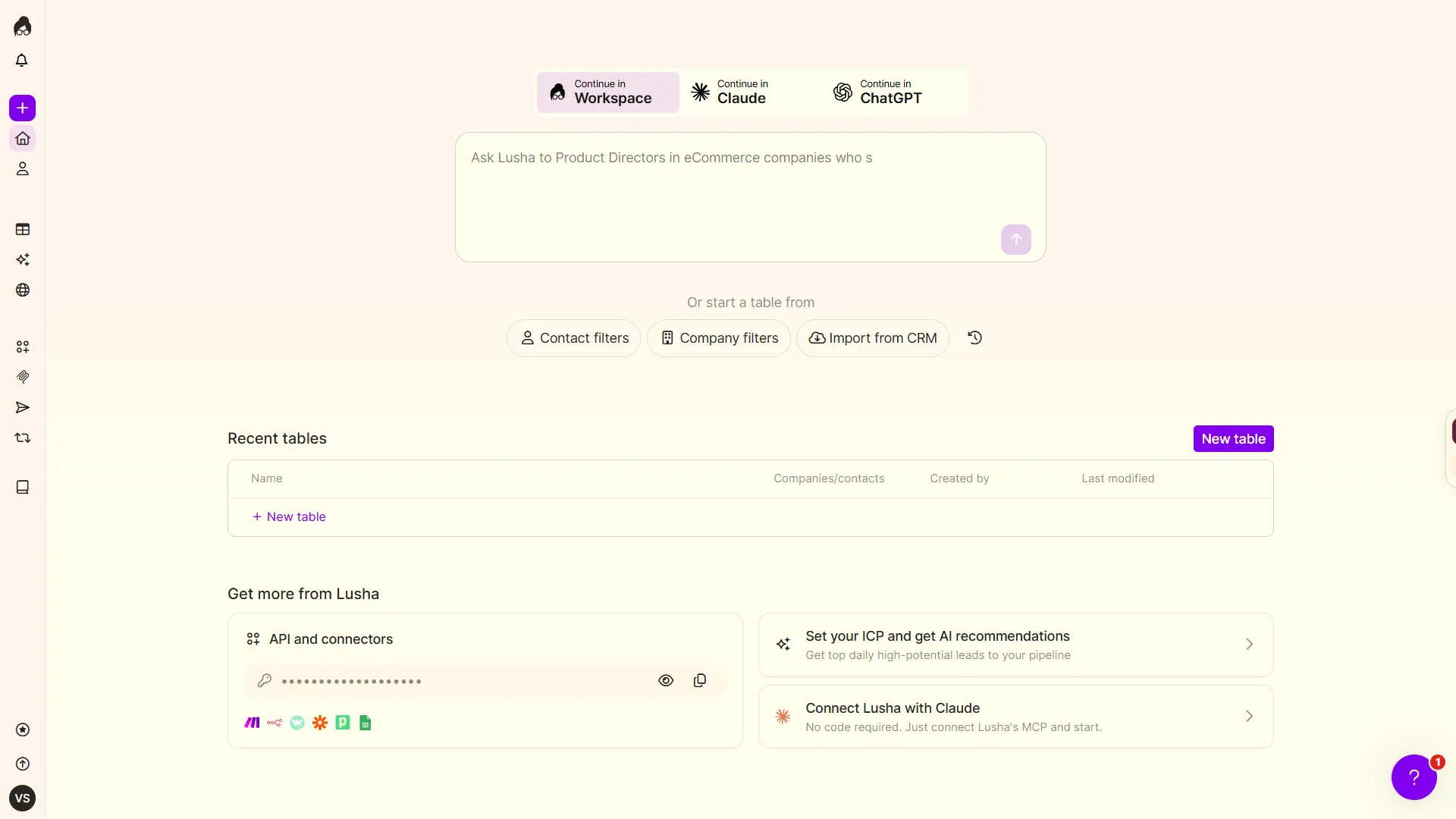
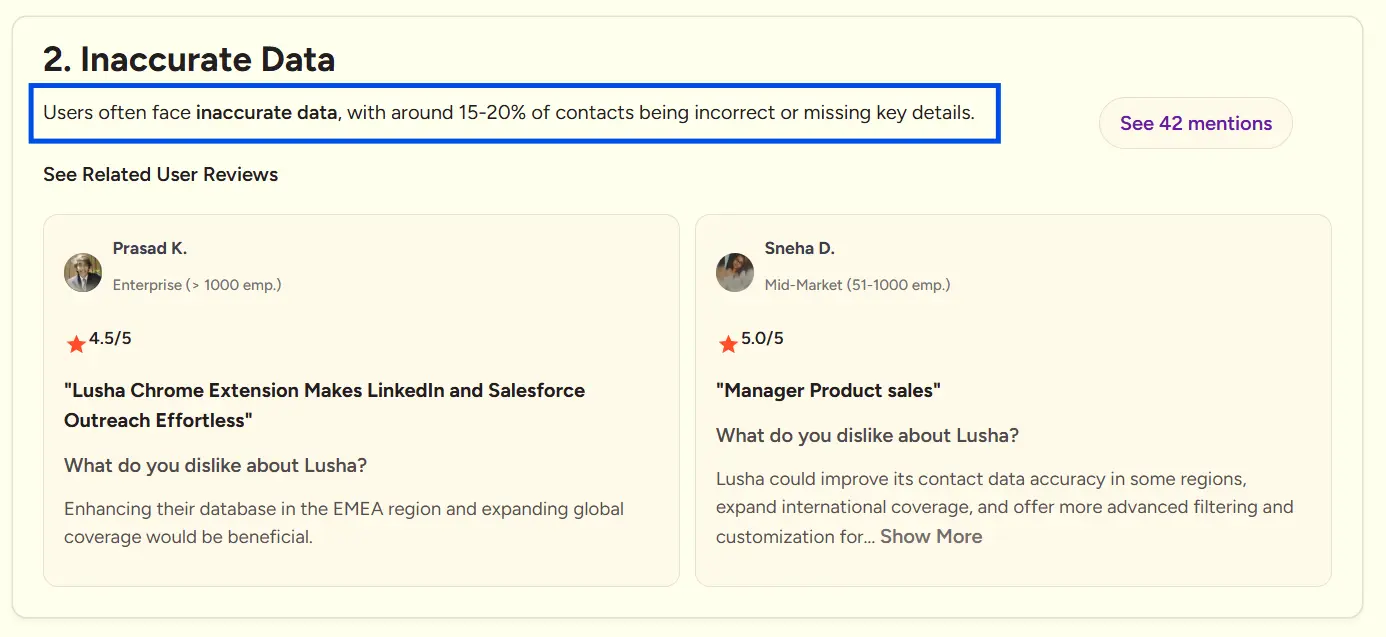
Email accuracy is solid for US and Western European contacts.
But just like the database coverage, it drops for regions outside those core markets.
And when it comes to refunds, Lusha’s policy is clear.
According to their official terms, once a credit is used, it cannot be revoked. No replacement credits or refunds are provided based on the quality or accuracy of a record.
The credit-consuming action is final, even if the data turns out to be wrong.
Winner: Lusha
More reliable contact data overall, especially for direct phone numbers.
Why Saleshandy Outperforms Both on Data Accuracy
Saleshandy takes a different approach.
It verifies every email in real-time before it’s revealed to you. If the verification flags an invalid email, the contact doesn’t even show up in your results.
You never see bad data, and you’re never charged for it.
I tracked credit waste across all three tools over a month.
With Apollo and Lusha, roughly 8–12% of revealed contacts had unusable data.

Credits gone with nothing to show for it. With Saleshandy, that waste essentially drops to zero.
Phone number accuracy on Saleshandy sits at 90%+, pulled from the same 852M+ database.
When you’re revealing hundreds or thousands of contacts per month, paying only for verified data isn’t a nice-to-have. It changes the entire economics of prospecting.
3. Prospecting Filters and Search
The quality of your prospecting filters determines whether you’re building targeted lists or generic ones.
Broad filters give you volume. Granular filters give you prospects that actually match your ICP.
Here’s how each tool handles search and filtering.
Apollo.io: 65+ Filters
Apollo offers 65+ search filters, and the depth is genuinely impressive. Job title, company size, industry, tech stack, revenue, funding, seniority, and more.
When I needed to find CTOs at Series B+ companies using Kubernetes in the Bay Area, Apollo let me build that exact search.
It also offers saved searches and search alerts, which are useful if you’re prospecting for the same ICP regularly.

The catch: the most powerful filters, like tech stack, buying intent signals, and hiring activity are locked behind higher-paid plans.
On the free or Basic tier, you’re working with a fraction of Apollo’s actual filtering power.
Lusha: 20+ Filters
Lusha offers 20+ filters covering job title, seniority, location, industry, department, company size, revenue, technology, and funding.
Where Lusha gets interesting is Flex Search, its AI-powered natural language querying.
Instead of manually selecting filters, you type something like “VP Marketing Boston Finance,” and Lusha applies the right filters automatically. Boolean search is also available in select filters.
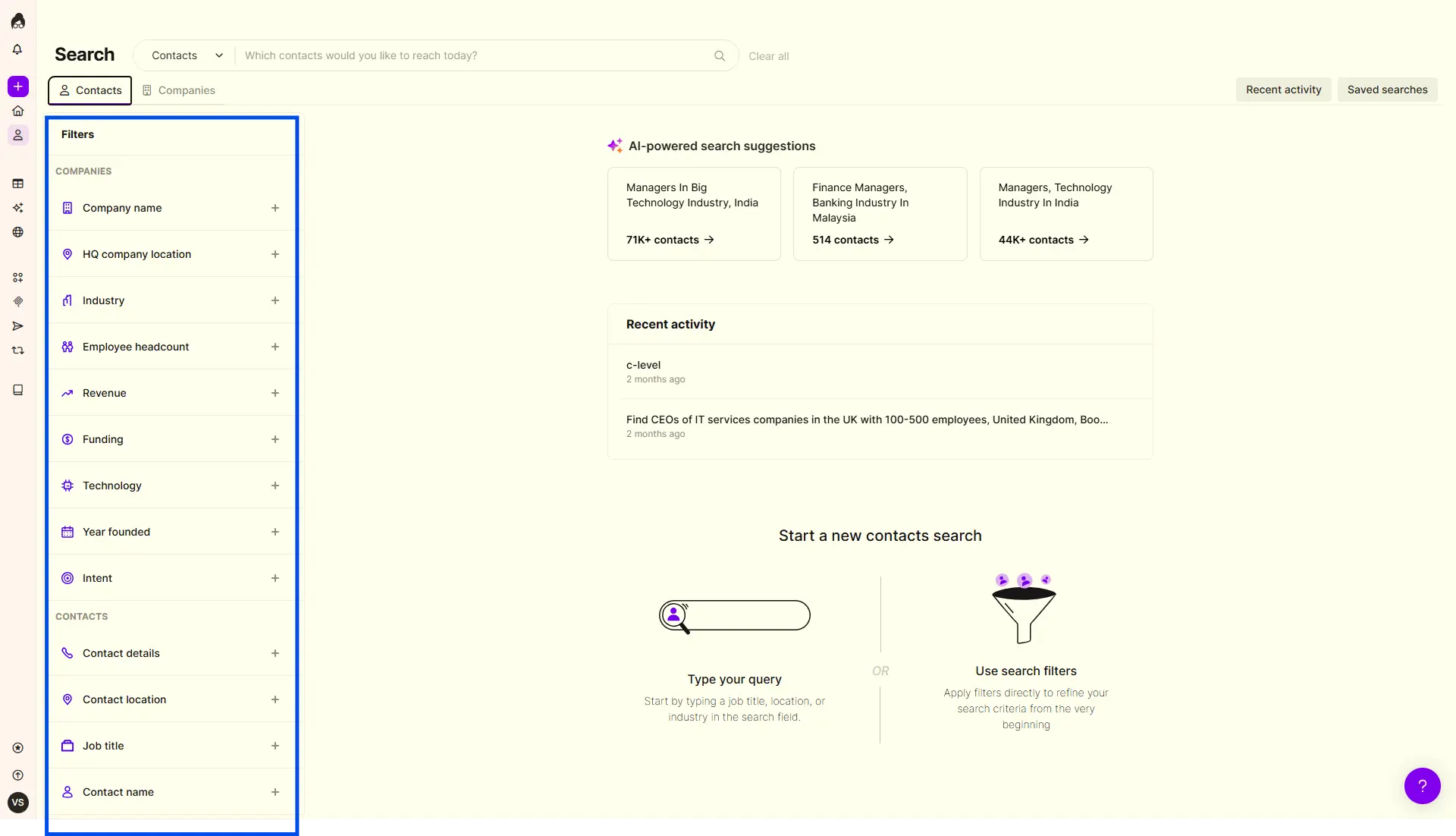
That said, when I needed to narrow down by specific tech stacks or funding stages, I hit the limit faster than expected.
The filter set covers the basics well, but for highly specific ICP searches with multiple layered criteria, Lusha falls short compared to Apollo.
Winner: Apollo
Why Saleshandy Outperforms Both on Prospecting Filters
Saleshandy’s Lead Finder gives you 70+ advanced filters. That’s more than Apollo’s 65+ and significantly more than Lusha’s 20+.
Saleshandy also offers AI Natural Language Search.
You can filter by company name, domain, employee count, revenue range, location from continent down to city level, job title, department, seniority, years of experience, education, and skills.
On top of that, Saleshandy’s Company Tab lets you:
- Search companies similar to your best customers using Look Alike filters
- Filter by technographics to see what tools they’re using
- Use 8 buying signals, like recent funding, leadership changes, or rapid hiring to find companies ready to buy
Once you’ve found the right companies, bulk select them and reveal the decision makers inside them in one action. Apollo doesn’t have dedicated company-level intelligence like this.

Where this actually made a difference: I needed to find operations managers at logistics companies in Germany with 50–200 employees and 5+ years of experience.
Saleshandy lets me stack all those filters in one search.
Apollo came close but didn’t have the years-of-experience granularity. Lusha couldn’t layer that many criteria together.
Saleshandy also offers AI Natural Language Search.
Type a prompt like “Find marketing managers at US SaaS startups with under 200 employees and $5M+ revenue” and the AI applies the right filters automatically.
4. Outreach and Engagement Capabilities
Finding prospects is step one.
What matters next is whether you can actually reach them from the same platform without juggling multiple tools.
Here’s how each tool handles outreach once you’ve built your list.
Apollo.io: Full Outreach Suite (But Lacks Advanced Features)
Apollo combines several outreach channels in one sequence:
- Automated and manual emails
- Native calling with recording and parallel dialing
- LinkedIn tasks and other action items
For teams that want data, outreach, and deal management in one place, Apollo covers a lot of ground.
It also offers email warm-up and mailbox rotation. However, rotation is selected when contacts enter a sequence. You can’t change that rotation for contacts already enrolled.
I ran a multi-step sequence with email and LinkedIn tasks, and the workflow held up well for a smaller campaign.
But once I pushed past 200 emails/day across multiple accounts, Apollo’s lack of warm-up and proper rotation started showing. Open rates dipped, and a couple of accounts hit spam flags within two weeks.
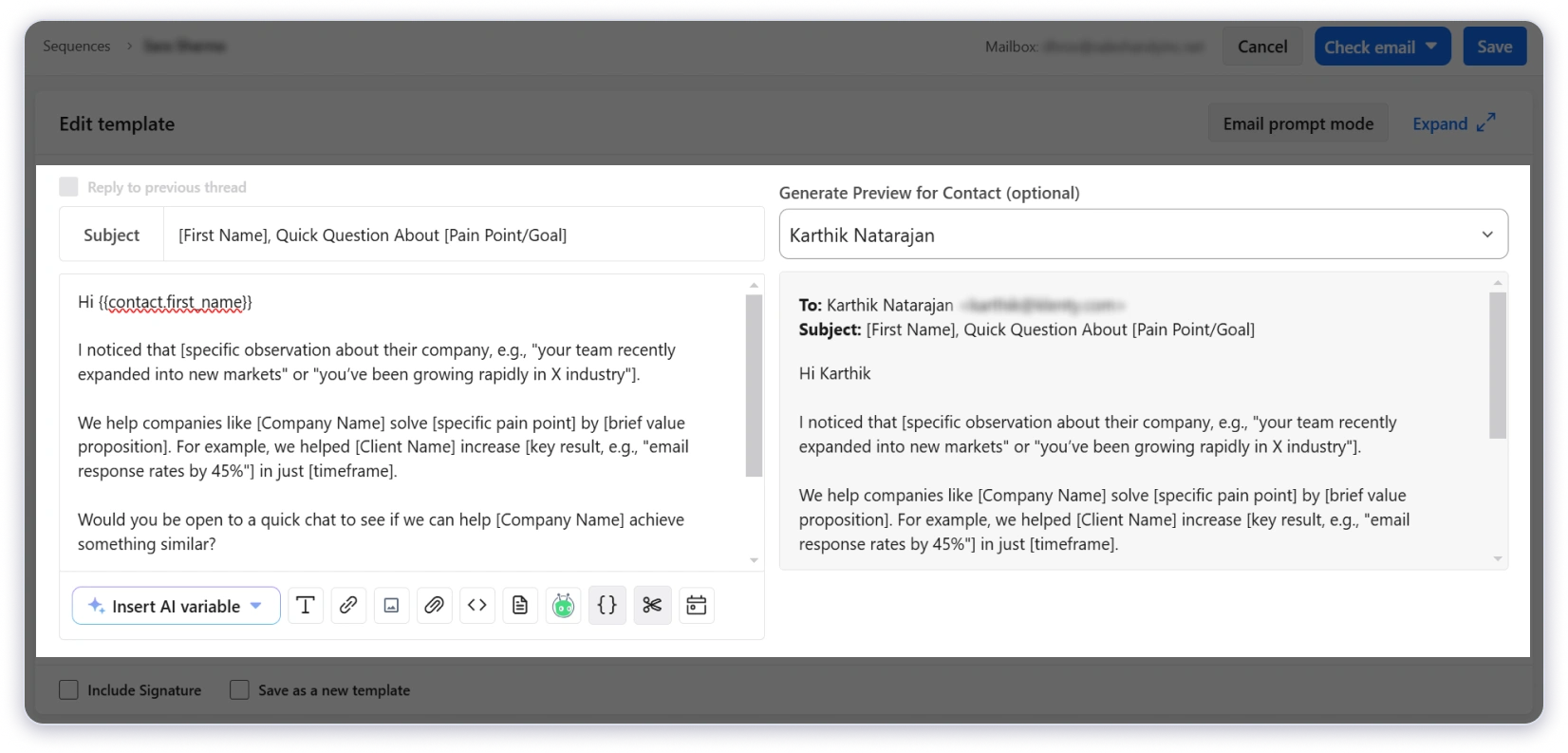
Also, there’s one operational risk I want to highlight: enrolling a contact in multiple sequences can send them overlapping messages. Apollo warns you, but doesn’t block enrollment.
Sending still depends on your connected mailbox provider. Warm-up and rotation don’t guarantee inbox placement or remove provider limits.
Lusha: Very Basic Cold Email Sequences
Lusha Engage lets you send personalized, automated email sequences through a connected Gmail or Outlook account.
You can add contacts from prospecting, tables, CSV uploads, or the browser extension. Engage also supports AI-assisted email creation and scheduling.
The important limits are:
- No stated limit on sequences created or steps per sequence
- 1,000 emails per user per day
- 10 active sequences per user
That means unlimited sequence creation isn’t unlimited simultaneous campaigning.

Replies arrive in my Gmail and Outlook inboxes. When contacts are marked as replied or bounced, Engage removes them from the sequence.
This connects prospecting with email follow-ups without requiring another outreach platform. However, there’s no native calling or LinkedIn steps within Engage sequences.
The daily cap is a product ceiling, not a recommended cold-email volume. Your mailbox provider and sending practices still matter.
Winner: Apollo
Apollo offers the broader execution workflow through email, native calling, and manual LinkedIn tasks. Lusha Engage connects prospecting with automated email outreach.
Why Saleshandy Outperforms Both on Outreach
Saleshandy was built as a cold email platform first, not as an add-on to a database. That difference shows up in every part of the outreach experience.
Here’s what you get:
- Unlimited email accounts with sender rotation across 100+ accounts
- AI Sequence generator to create complete outreach campaigns in minutes
- Conditional-based follow-ups that adapt based on prospect behavior
- AI Prospect enrichment for hyper-personalizing every email
- Multi-channel outreach across email, phone, LinkedIn, WhatsApp, and SMS
- Advanced deliverability suite with unlimited email warm-up, sender rotation, and inbox placement tests
- Cold email infrastructure built for high-volume sending
- Agency-friendly features and pricing for teams managing multiple clients
Compare that to Apollo, which limits your email accounts, has no warm-up, and offers only basic sender rotation.
Or Lusha Engage, which supports a single Gmail or Outlook account with a 1,000 email/day cap and no A/B testing at all.

When I ran identical 5-step sequences on Apollo and Saleshandy targeting the same prospect list, the deliverability difference was clear.
Saleshandy’s warm-up and sender rotation kept inbox placement rates significantly higher over 30 days.
For teams that need to send at volume without landing in spam, that infrastructure gap is what separates a prospecting tool with outreach features from a platform actually built for cold email.
5. LinkedIn Chrome Extension
For SDRs who prospect on LinkedIn daily, the Chrome extension is where most of the actual work happens.
How fast you can reveal contacts, how accurate the data is, and what you can do without leaving LinkedIn directly impact your daily output.
Here’s how each tool’s extension performs in real daily prospecting.
Apollo.io: Feature-Rich but Heavy
Apollo’s Chrome extension works across LinkedIn, Sales Navigator, Gmail, Google Calendar, Salesforce, HubSpot, and company websites.
When I used it on Sales Navigator, I could reveal emails and phone numbers, view company insights like tech stack and funding data, and add contacts directly to Apollo lists and sequences.
In Sales Navigator search results, Apollo shows suggested leads rather than supporting bulk prospecting actions.
Profile-level information may be available; otherwise, you continue from the standard LinkedIn profile.

The major trade-off is that the extension is heavy. With 10+ tabs open, I noticed browser slowdowns, and multiple G2 reviewers flagged the same issue.
If you’re a power user running LinkedIn, Gmail, and CRM tabs simultaneously, it gets sluggish.
Lusha: Cleanest Extension Experience
Lusha’s Chrome extension works across LinkedIn, Sales Navigator, CRM platforms, and B2B websites.
The experience is the opposite of Apollo’s. Reveals are fast, the UI is clean, and you can bulk reveal up to 25 contacts at once on paid plans.

You also get company details like revenue and intent scores alongside contact data, and you can push contacts directly into Engage sequences from the extension.
Winner: Apollo
Why Saleshandy Outperforms Both on Chrome Extension
Saleshandy Connect does something the other two extensions don’t.
It verifies the accuracy of contact data right on the LinkedIn profile itself.
Before you export anything to your list, you can already see whether the email and phone number are valid. No guessing, no wasted credits on bad data.
On top of that, when you’re on a company’s LinkedIn page, you can bulk search and reveal all decision-makers at that company in one go.

No clicking through individual profiles one by one. Find the company, reveal the contacts, and add them to a sequence directly from the extension.
6. Pricing Comparison
Pricing in prospecting tools is rarely straightforward.
Per-seat costs, credit systems, and feature locks all add up differently depending on your team size and outreach volume.
Here’s what each tool actually costs when you break it down.
Apollo.io Pricing (Annual)
- Apollo’s Free plan includes 1,200 credits per seat per year, granted monthly.
- The Basic plan starts at $49/user/month with 30,000 credits per seat per year.
- Professional jumps to $79/user/month with 48,000 credits per seat per year and unlocks A/Z testing.
- Organization costs $119/user/month with 72,000 credits per seat per year and custom reports. It also requires a minimum of 3 seats, bringing the real entry cost to $357/month.

One thing to watch: Apollo offers
- 1 email reveal = 1 credit
- 1 phone number = 8 credits
Those 30,000 credits on Basic go a lot faster than they look if you’re pulling phone numbers regularly.
Apollo Pricing: Explore Full Cost Breakdown to Make the Right Decision
Lusha Pricing
Lusha’s Free plan gives 40 credits a month and includes 1 seat.
Starter is $37.45/month, billed annually, with 4,800 credits per year and 1 seat.
Pro currently starts at $52.45/month, billed annually, with 7,200 credits per year and 2 seats. It also adds API access, CSV enrichment, signals, and webhooks.
Premium currently starts at $299.95/month, billed annually, with 40,800 credits per year and 5 seats. It adds advanced API access, team management, and credit allocation.
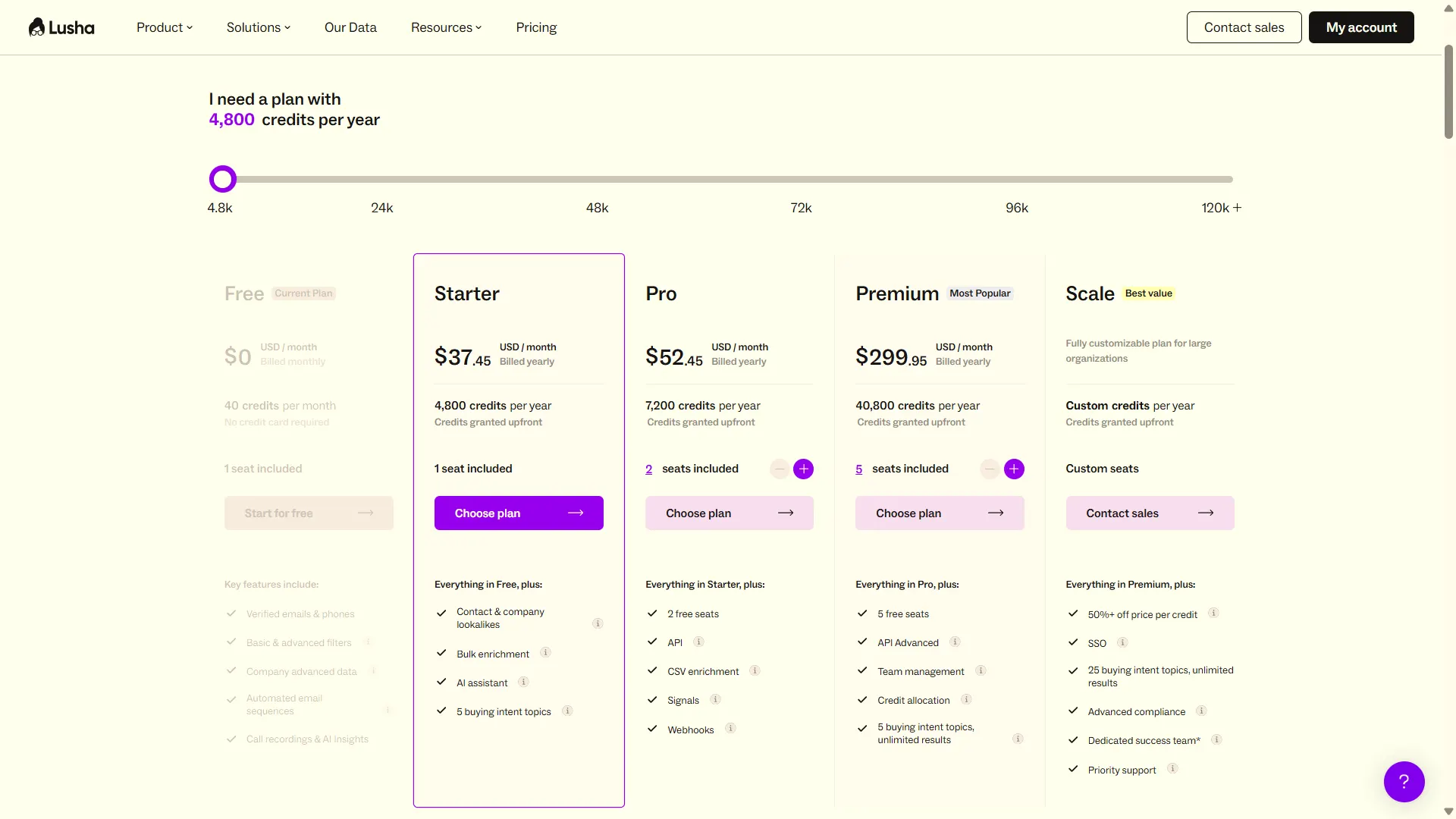
Scale uses custom pricing, credits, and seat counts. It also adds SSO and expanded buying-intent access.
Annual plans provide credits upfront for the contract year. Unused annual credits reset at the end of the annual cycle. On monthly plans, unused credits can roll over up to 2× the plan’s monthly credit limit.
For exports, Lusha’s documentation lists 1 credit per CRM export. Workspace documentation also lists CSV exports at 1 credit per 25 rows.
Pricing varies with the credit configuration selected. Screenshot captured October 7, 2026, with 4,800 annual credits selected.
Lusha uses this credit model for contact reveals:
- 1 email = 1 credit
- 1 phone = 5 credits
- Email + phone = up to 6 credits
PS: Lusha Engage is available to Lusha users at no extra charge.
Lusha Pricing: See Full Cost Breakdown Before You Decide
Saleshandy Pricing
Saleshandy Starter is $34/month with 1,500 credits per month (18,000/year), 1 user.
Pro is $76/month with 4,000 credits per month (48,000/year) and covers 10 users.
Scale is $149/month with 8,000 credits per month (96,000/year) and unlimited users.
Enterprise is custom, with SSO, whitelabel, and volume sized to your pipeline.
Lead Finder credits are bundled into every plan alongside outreach — there is no separate data-only subscription. (newly added)
Here are three things that make the pricing more cost-effective compared to Apollo and Lusha:
- Adding seats costs nothing. Apollo and Lusha both scale with headcount – Apollo at $79/user on Professional, Lusha with seats bundled per tier. Saleshandy Pro covers 10 users at $76 flat, and Scale is unlimited users at $149.
- Credits are only consumed for verified data. If an email cannot be verified, you are not charged. Apollo refunds bounced emails only if you send through Apollo, and neither Apollo nor Lusha refunds phone credits at all.
- No export tax. Pushing contacts to CSV, CRM, or sequences costs nothing on Saleshandy. Lusha charges a credit per CRM export, so a usable contact costs double the headline rate.
7. Prospect Management and CRM
Once you’ve found prospects and started outreach, you need a way to track where each deal stands.
Some tools connect your prospect data to an external CRM. Others provide deal management inside the platform.
Here’s how each tool handles it.
Apollo.io: Built-In Deal Management CRM
Apollo has built-in deal management. You can create pipelines and custom deal stages, track deal values, assign owners, add tasks, and manage opportunities without leaving Apollo.
When I tested it, I found the deal view useful for tracking opportunities and reviewing related emails, calls, meetings, and follow-up tasks.

For smaller teams running prospecting and outreach inside Apollo, this may reduce how much they depend on a separate CRM.
The trade-off is complexity. Apollo combines prospecting, outreach, deal management, automation, and reporting in one platform, which can feel excessive if you only need basic prospect and follow-up tracking.
Lusha: No Built-In Deal Pipeline
Lusha does not offer a native deal pipeline comparable to Apollo Deals.
Instead, it connects with CRMs such as Salesforce, HubSpot, Pipedrive, and Zoho CRM, letting you push and enrich prospect data inside your existing CRM.
Winner: Apollo
Apollo wins because it lets you manage prospects and deals through a built-in pipeline, while Lusha relies on external CRM integrations for deal management.
Why Saleshandy Outperforms Both on Prospect Management
Saleshandy recently launched Prospect CRM, a kanban-based pipeline built specifically for cold email workflows.
Most CRMs store data but leave reps guessing what to do next. Saleshandy’s CRM is the opposite.
You see exactly who needs follow-up, why they matter, and what action to take — without switching tools or building complex views.

Every interaction from your cold email campaigns flows automatically into each prospect’s activity timeline.
Emails sent, replies received, calls logged, notes added, sequence status. No manual logging. Full context before every reply.
How does it differ from Apollo?
Apollo gives you prospect data and basic deal tracking, but you’re still applying filters and digging through lists to find warm prospects.
Whereas Saleshandy surfaces them in your daily workflow through visual pipeline stages and smart views. Less searching, more acting.
And unlike traditional CRMs like HubSpot or Salesforce that are built for recording what happened, Saleshandy CRM is built for showing what should happen next.
Your prospects move through actual conversation stages — Contacted → Replied → Meeting Booked — instead of abstract deal stages designed for enterprise sales pipelines.
8. Integrations
The best prospecting tool is useless if it doesn’t connect to the rest of your sales stack. CRM sync, automation platforms, and API access determine how smoothly data flows between tools.
Here’s how each platform handles integrations.
Apollo.io: Broadest Ecosystem
Apollo has the widest integration library in this comparison, with over 100 native integrations.
CRM sync covers Salesforce, HubSpot, Pipedrive, and dozens more. It also connects natively with sales engagement tools like Outreach and Salesloft, plus a full API.

If your team uses a less common CRM or relies heavily on tools like Outreach or Salesloft for sequencing, Apollo is most likely to have a native connector already built.
Lusha: Covers the Essentials
Lusha integrates with Salesforce, HubSpot, Pipedrive, Dynamics, and Zoho for CRM sync, plus Outreach, Salesloft, and Bullhorn for sales engagement. API access is available on the Scale plan.
The integration list is smaller than Apollo’s, but it covers the CRMs and sales tools most outbound teams actually use. API access is available from the Pro plan up, with strict rate limits on Free and Starter.

If your stack is built around any of these, Lusha connects without issues.
Winner: Apollo
Saleshandy: Native CRMs + Flexible Connectivity
Saleshandy offers native bidirectional sync with Salesforce, HubSpot, Pipedrive, and Zoho.
Beyond CRM, it connects with Zapier for 6,000+ app integrations, webhooks for real-time automation, and a full API for custom workflows.
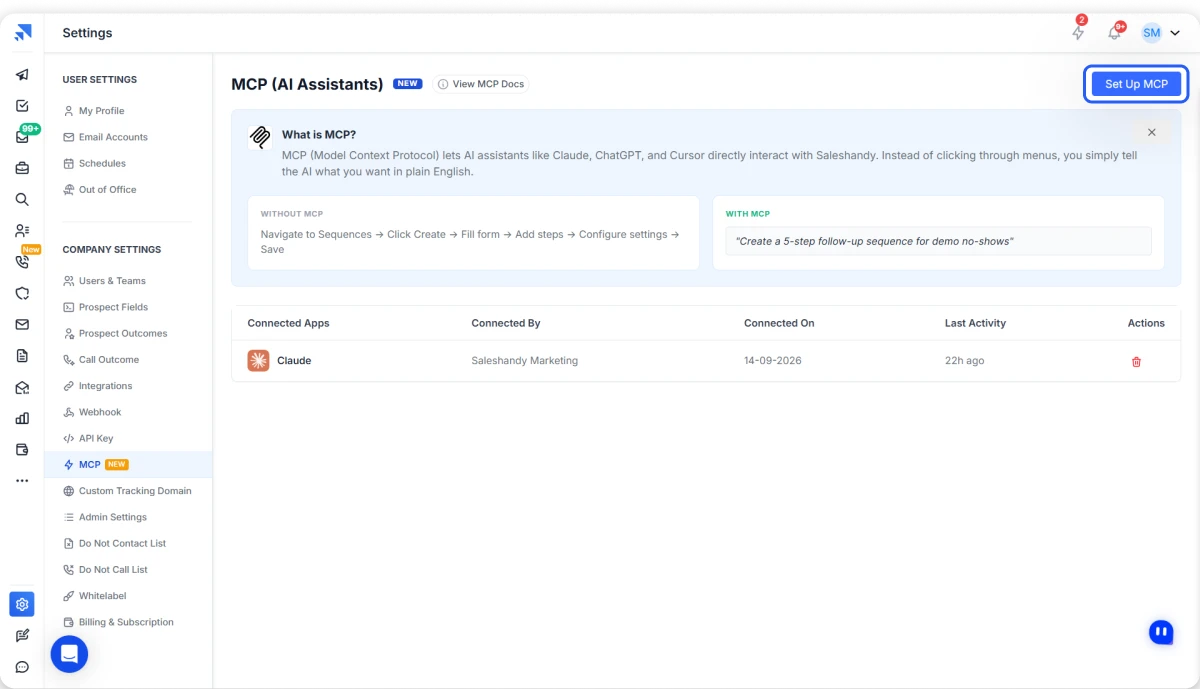
What sets Saleshandy apart here is MCP (Model Context Protocol) support – letting you control your entire Saleshandy workflow directly from AI assistants. Lusha also offers MCP, and Apollo has an MCP product – the difference is that Saleshandy includes MCP and CLI on every plan.
Saleshandy also integrates with tools like Clay for enrichment and TrulyInbox for deliverability.
9. AI Capabilities for Prospecting, Research, and Outreach
Most tools now claim “AI.” What matters is what the AI actually does for you.
So I compared where each tool’s AI helps: finding prospects, researching accounts, or writing and running outreach.
Apollo: Deepest Native AI Workflow
Apollo has the broader native AI stack. Its AI Assistant can find prospects, research accounts, build sequences, create workflows, analyze performance, and trigger actions across Apollo.
I love its AI Context Center. I added my offer, ICP, and value proposition once, and its AI features wrote email sequences from that context.
AI Research can qualify and enrich records, while Conversation Intelligence handles call transcription, summaries, objections, and follow-ups.
The trade-off is complexity: AI usage is split across unified credits, AI word limits, and conversation minutes.
Note: AI research costs 1 credit per record per column, and AI writing draws from a monthly word limit.
Lusha: Strong AI Data Layer + MCP Access
Lusha’s AI is built around data. In Workspace, you describe a list in plain English and refine it through chat.
Its MCP server goes further. It exposes 50 tools to Claude, ChatGPT, Cursor, n8n, and other AI clients. You can enrich contacts, find lookalikes, check hiring signals, and push records to your CRM.
MCP calls share your API credit pool: 1 credit per email, 5 per phone. Recommendation tools work only through OAuth clients.
Winner: Apollo for AI Depth
Its AI reaches further across prospecting, research, messaging, workflows, scoring, and conversations. Lusha’s AI and MCP capabilities are strong, but they lean more heavily toward finding, enriching, and activating prospect data.
How Saleshandy Covers the Gaps in Both
Saleshandy takes a more focused approach. Sage AI turns natural-language ICP descriptions into Lead Finder searches, while AI Sequence Copilot creates complete outreach sequences from your website and campaign goals.
Its MCP also lets AI assistants manage prospects, sequences, sender accounts, tasks, and outreach analytics through conversation. Saleshandy adds CLI access and AI-powered call transcription and summaries too.
So, if Apollo feels too complex and Lusha feels too data-focused, Saleshandy gives you a more balanced AI workflow across prospecting, outreach, deliverability, and calling.
Moment of Truth: Which is Better, Lusha or Apollo?
I’ll be honest. After testing both, I come to the conclusion that they’re strong tools, but unfortunately, they solve different problems.
- Apollo is strong if you want prospecting, email sequences, native calling, and deal tracking in one platform.
- Lusha performed better for contact data, enrichment, and buying signals, with Engage covering basic email outreach.
The problem is that neither completely removes tool stacking.
With Lusha, you may still need separate tools for calling and deliverability. With Apollo, per-seat pricing can become expensive as your team grows.
But there’s a tool that removes challenges users face with both of these tools, and it’s Saleshandy.
Yes, Saleshandy runs your full outbound motion on one platform: you find leads, verify them, reach out, and manage the replies.
- Find: 852M+ contacts across 42M+ companies, with AI natural language search and 9-provider waterfall enrichment
- Pay only for verified data: 1 credit per verified work email, and $0 when an email can’t be verified or a phone number isn’t found
- Reach: One sequence can include email, calls, WhatsApp, and tasks, with a native dialer
- Land in the inbox: Unlimited email accounts and unlimited warm-up on every plan, plus built-in sender rotation
- Scale without seat costs: Pro covers 10 users at $76/month. Scale covers unlimited users at $149/month, billed annually
So, if you want one platform for lead discovery, verification, multichannel outreach, and deliverability without adding another warm-up tool, data subscription, or per-seat bill, Saleshandy is the stronger all-in-one choice.
So why wait?
Get 50 FREE Leads & Start Your 7-day FREE Trial NOW
Essential Guides:
Want to dig deeper before choosing between Apollo and Lusha? These guides cover each tool in more detail, including features, pricing, limitations, and alternatives.
- Complete Apollo Review
- Best Apollo Alternatives
- Best Lusha Alternatives
FAQs About Lusha vs. Apollo
1. Why would a sales team choose Apollo over Lusha for outbound prospecting?
Choose Apollo if you want prospecting and outreach in one platform. Its sequences can include automated emails, manual emails, call steps, and LinkedIn tasks, while the native dialer adds parallel dialing and call recording.
Lusha is stronger around prospecting, enrichment, and email outreach through Engage, but it does not offer the same built-in calling workflow.
Keep in mind that Apollo’s LinkedIn steps are manual tasks, not automated actions.
2. Which is better for phone-first outreach, Apollo or Lusha?
It depends on whether you care more about finding numbers or calling them.
Lusha focuses on phone data and lets you filter for mobile or direct numbers before revealing them. A phone reveal costs 5 credits.
Apollo goes further with a built-in dialer, parallel dialing, recording, and AI call summaries.
If you want verified phone data and calling in one platform, Saleshandy also combines phone enrichment with a native dialer.
3. Which is better for prospecting data plus outreach sequences?
Apollo offers the broader workflow. You can move from prospecting into email sequences, calling, mailbox rotation, and deal management inside one platform.
Lusha is stronger on data enrichment, Workspace tables, buying signals, and CRM sync. Its Engage product handles email sequences through Gmail or Outlook.
If you need email, calls, WhatsApp, tasks, unlimited email accounts, and warm-up in one workflow, Saleshandy covers more of that outbound process.
4. Can I use Lusha and Apollo together?
Yes, but there is no native Lusha-to-Apollo integration in the documentation I reviewed.
You can export contacts from Lusha and import them into Apollo, or connect both platforms to the same CRM, such as Salesforce or HubSpot.
The downside is cost and credit duplication. You may end up paying for two subscriptions and using credits twice on the same contact, so check existing CRM records before revealing data.
5. Which is cheaper, Apollo or Lusha?
It depends on team size and credit usage.
Apollo Basic costs $49/seat/month with 30,000 annual credits per seat. Lusha Starter costs $37.45/month for 1 seat with 4,800 annual credits. Lusha Premium costs $348.70/month for 5 seats with 48,000 annual credits.
Lusha Starter is cheaper for a solo user. Apollo can offer more credits per seat, but costs rise as you add users.
6. Is there a free alternative to both Lusha and Apollo?
Both Apollo and Lusha offer free plans.
Apollo includes 1,200 credits per seat per year, granted monthly. Lusha includes 40 credits per month for 1 seat.
Saleshandy does not have a permanent free plan, but it offers a 7-day free trial with up to 50 free Lead Finder credits and no credit card requirement. Its paid Starter plan begins at $34/month, billed annually.
“`html “`