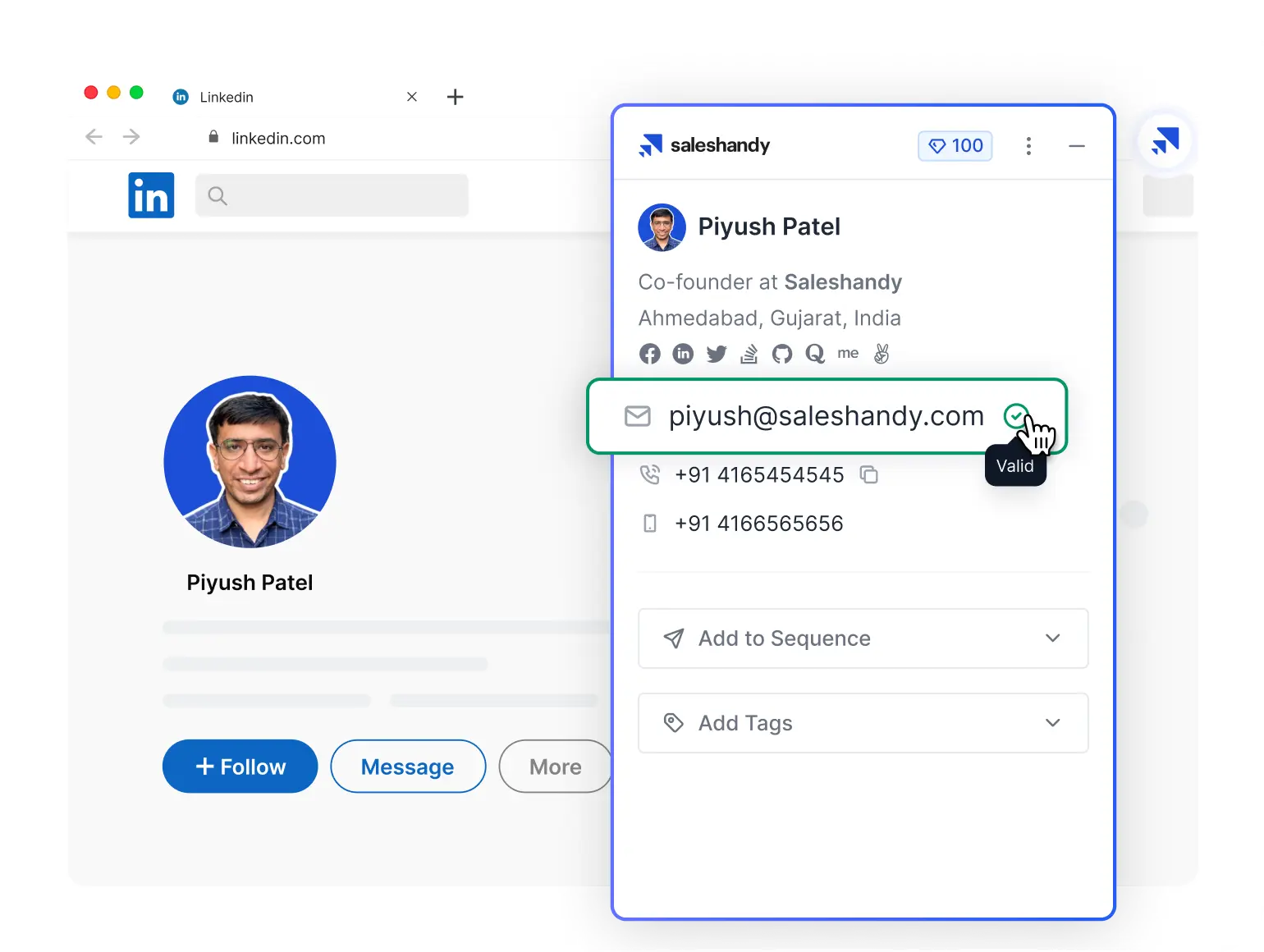
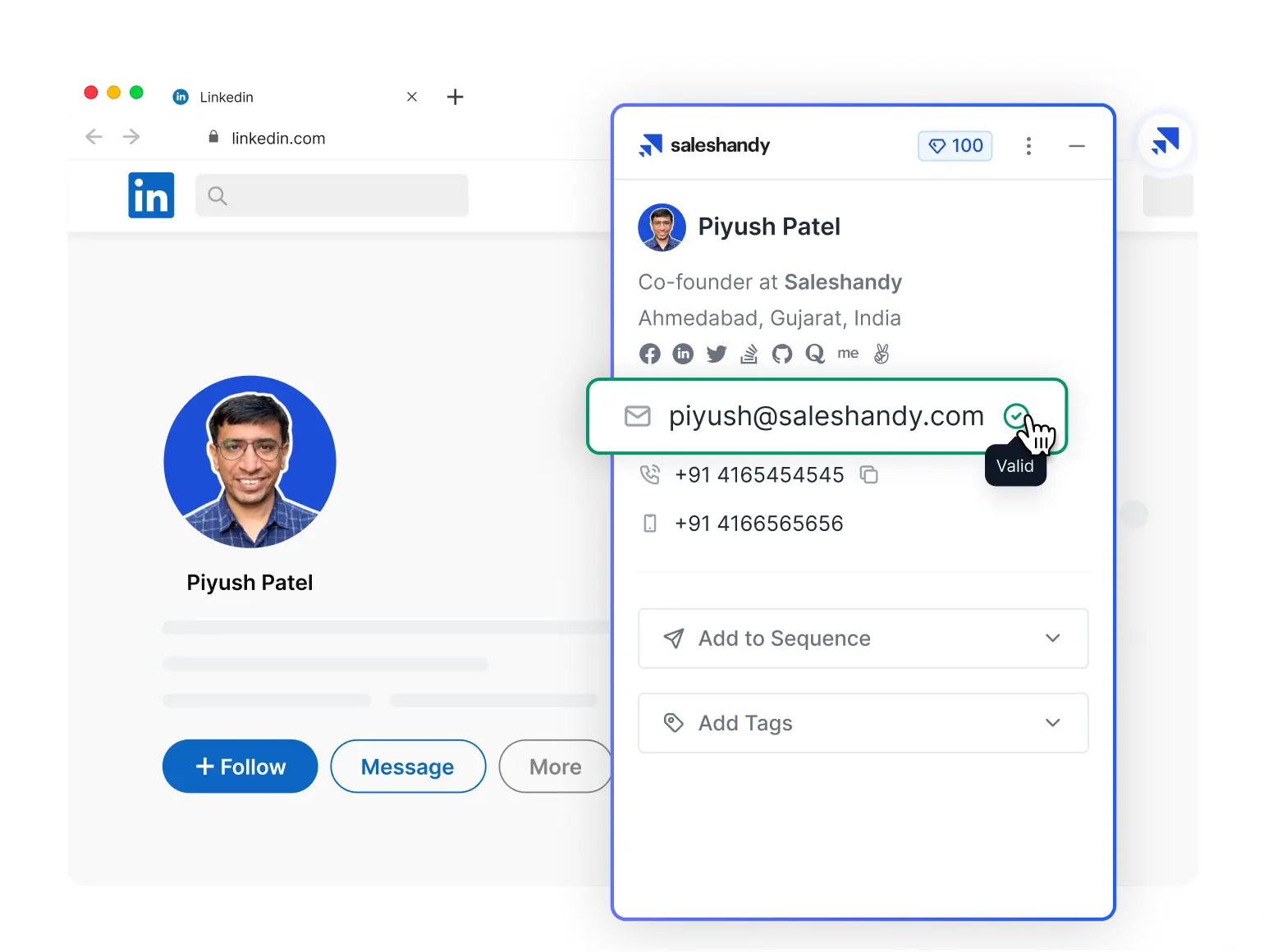
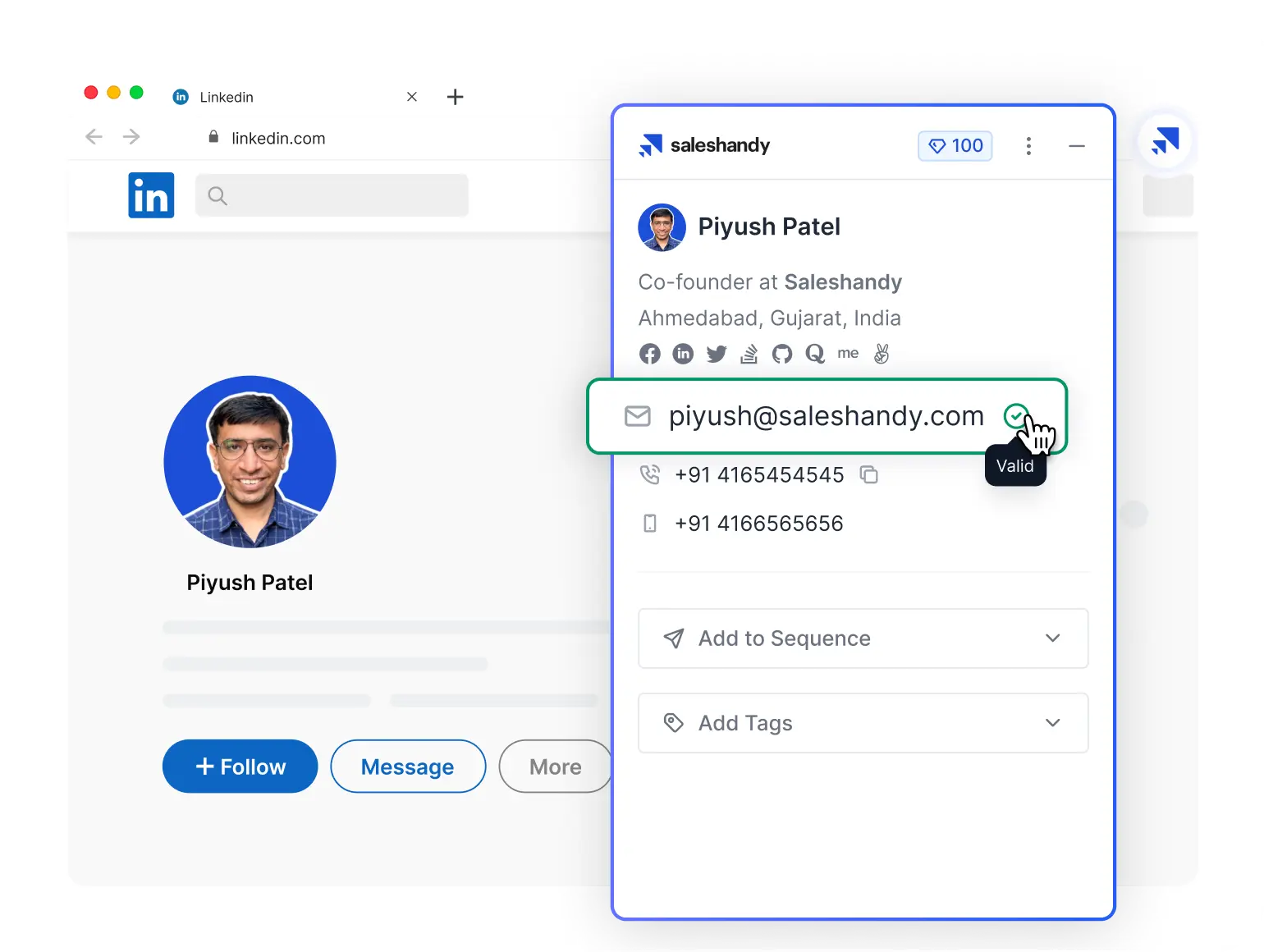
Find Verified Emails & Phone Numbers from LinkedIn Profiles

Use our LinkedIn email finder Chrome Extension to build a highly targeted lead list in minutes. Pay only for verified leads!
*Available on Chrome web store only

Trusted by 10,000+ businesses

We Help You Build a Targeted Lead List in Minutes.

Cold emailing remains one of the most effective ways to generate high-quality B2B leads. With Saleshandy, your outreach is simple, effective, and scalable — powered by features designed to win replies.

  • accurate Data

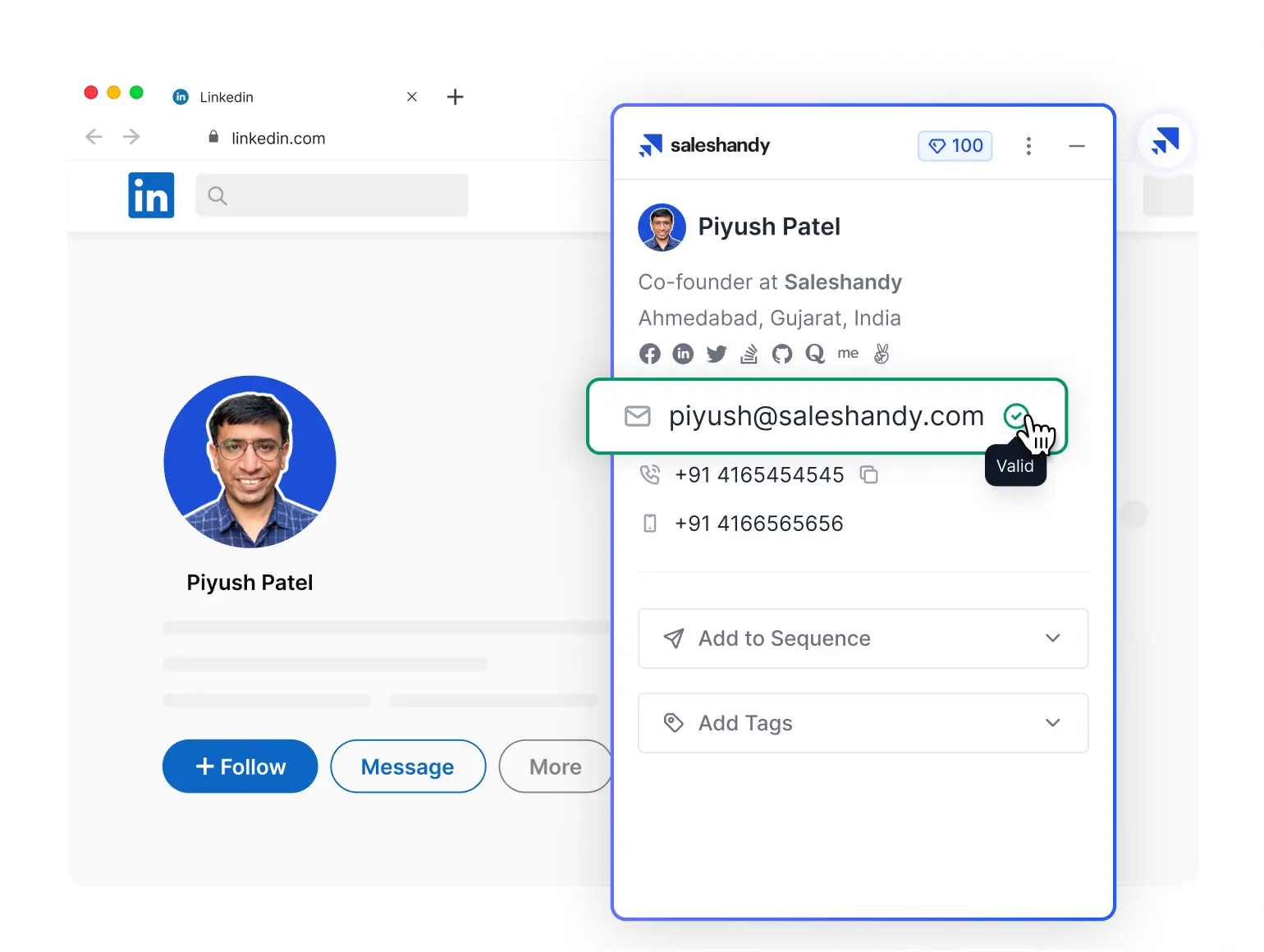
    Engage with your prospects immediately by clicking on the 'reveal email' or 'email + phone number' option. Leads are real-time verified, and your credits are utilized only for verified email addresses and phone numbers.
    accurate Data
  • Bulk Leads

    Scale your outreach campaign by switching to Bulk Email Finder. Be it a lead generation campaign or a recruitment one, you can reveal leads in bulk with a single click.
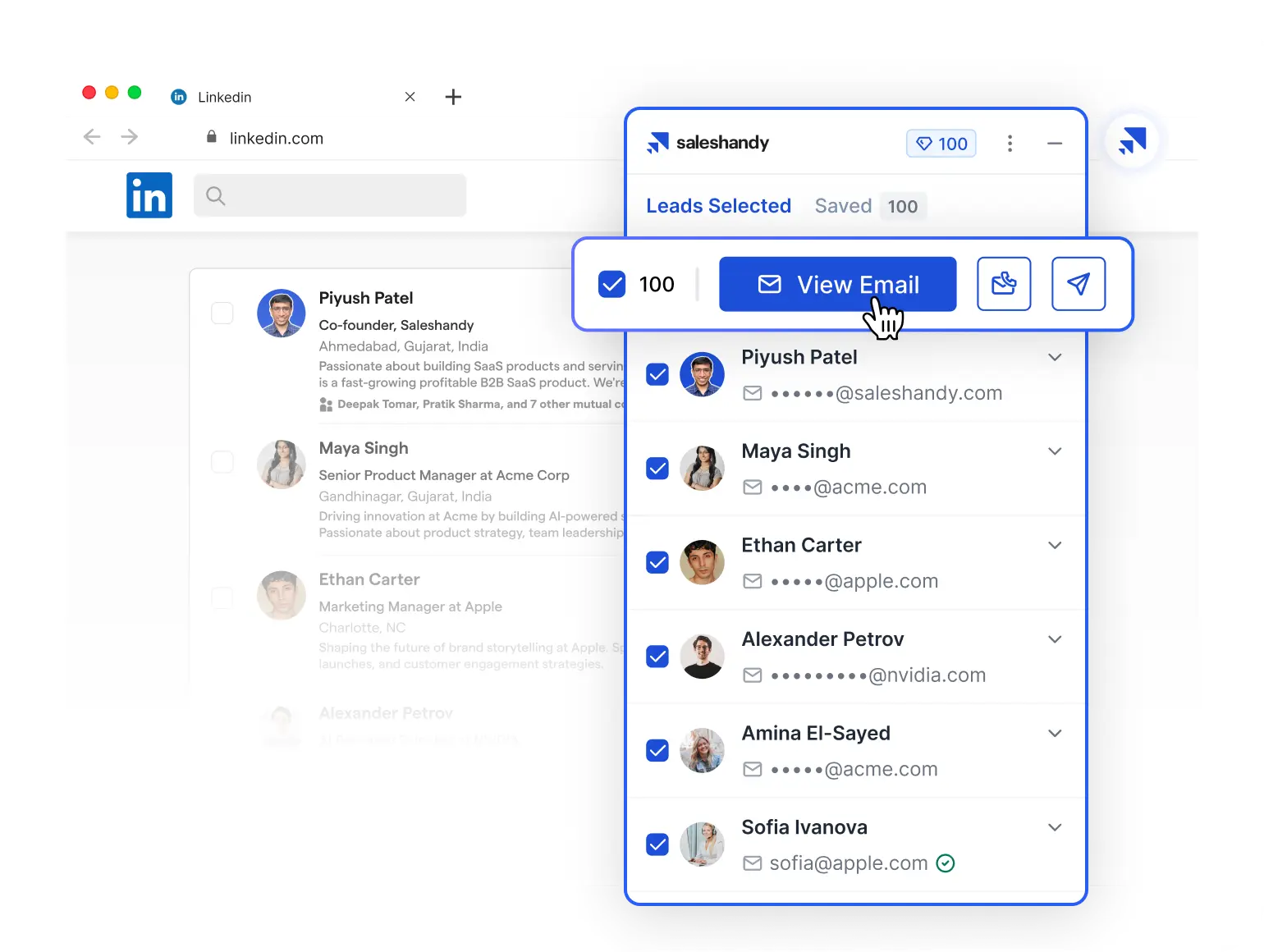
    Bulk Leads
  • Automated Sequences

    Convert your revealed leads into customers effortlessly by adding them to automated email sequences. Next, engage with them by writing compelling email copies and follow-ups.
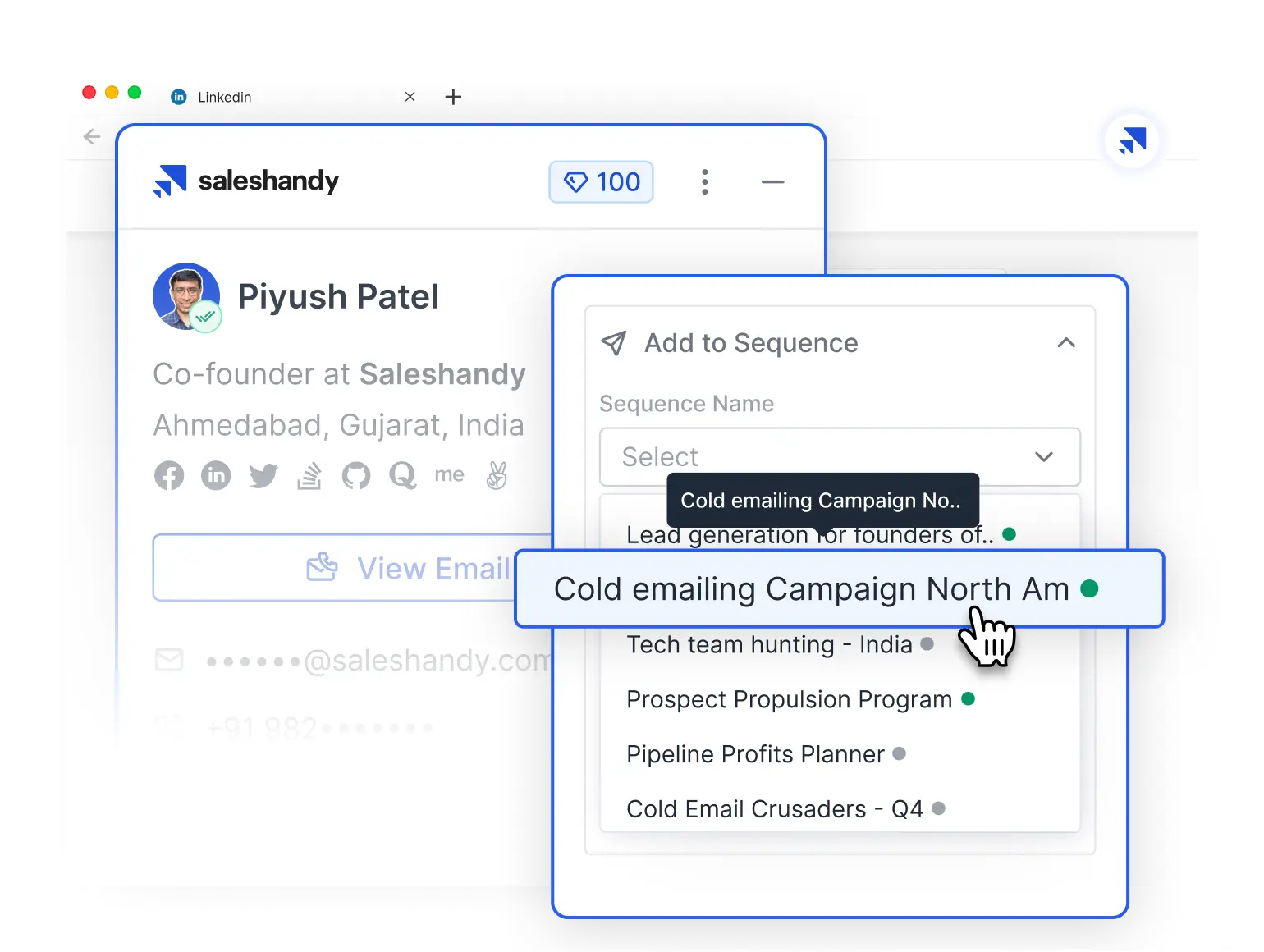
    Automated Sequences
  • Smart filters

    Organize and manage your leads more efficiently with advanced filters and tags. Nevertheless, you can segment your prospects by tags and dates for better lead management.
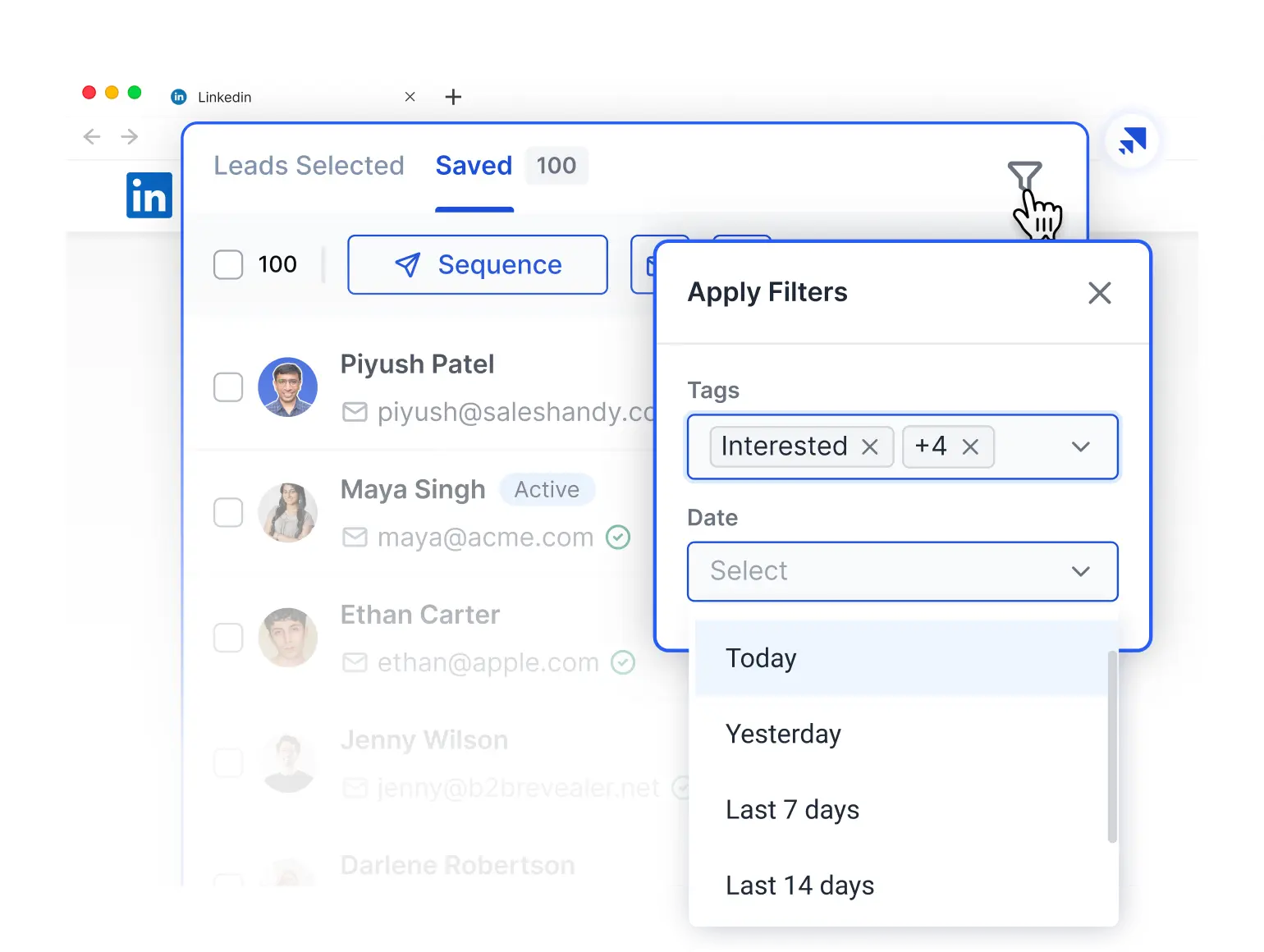
    Smart filters

How to Find Emails and Phone Numbers Using Saleshandy Connect 2.0?

Launch your first cold email sequence in minutes.

Step - 1

Install Saleshandy Connect 2.0 (LinkedIn Email Finder)

Get Saleshandy Connect 2.0 (Chrome Extension) by downloading it from our webpage or the Chrome Extension Store. Log in to Saleshandy using your credentials.

Install Saleshandy
Step - 2

Find Verified Emails & Phone Numbers from LinkedIn Profiles

Open LinkedIn, select the profile for which you want to reveal the email address, phone number, or both.

Find Leads
Step - 3

Select Leads and Add them to Email Sequences with a Click!

After adding your leads to a sequence, you can also enrich them using AI Prospect Enrichment before running your outreach campaign.

Add Leads

Want to Reveal Your Leads in Bulk from LinkedIn?

Why Saleshandy Connect 2.0 for Finding Emails and Phone Numbers on LinkedIn?

Get started for free Arrow Right
Biggest B2B Contact Database

Search your ideal customer profiles or prospects from the pool of the biggest B2B contact databases of 60M+ Companies.

AI-Assisted Lead Search

Pay only for verified emails and phone numbers. Reveal single and bulk leads with a single click and add them to sequences.

Real-time Email Verification

In-built email verifiers to help you find accurate email addresses of your prospects/leads.

Real Stories. Real Growth. See How Teams Win With Saleshandy

Saleshandy is pretty easy to use with a minimum learning curve. Unlike other sales outreach apps, I don't need to explore for hours or days to learn how to use them. The interface is so intuitive and easy to understand. For sale people who are new to cold outreach, they can get started with Saleshandy straightaway without much hassle.

Julia M.

Julia M.

Director of Sales, Small Business

Unified Inbox simplified by workflow and saved a lot of time for me. Saleshandy helped me in reaching out to new clients without any additional costs and add as many email accounts as possible for better deliverability. Also, the Unified inbox simplified my day-to-day process as I can access all my inboxes in my place rather than going to different accounts separately.

Neo Maulazdi

Neo Maulazdi

Owner, PR Agency Small-Business

Saleshandy has been the perfect tool to help our sales teams up their game. We've used a few others tools before, but so far, Saleshandy has been the most reliable and professional tool for our new cold outreach systems. It's more than just a warm-up and email tool; there are lots of useful features. We have seen our responses and conversions increase since we implemented Saleshandy

Dan R.

Dan R.

CEO Small-Business

There are two things I like best about Saleshandy. All the necessary tools to execute and optimize cold email outreach are there. Setting up is straightforward and pretty easy. Starting with email warm-up, upload your list, create templates and sequences, run them, and analyze the reports. Furthermore, go in the settings and tweak them to best match your prospects' behaviors for the best results.

Kritcha B.

Kritcha B.

Owner Marketing and Advertising Small-Business

A pretty competitive contender in the cold email industry. The ease of using the product is one of the most powerful features. And nevertheless, the new update they have made of putting the limits on the monthly sendings (instead of email slots) is the best decision, making the product more comprehensive and reasonable for the cold email industry.

Huzaifa F.

Huzaifa F.

Head Of Ecommerce Small-Business

Saleshandy, A/B Split Testing, a special email spam filter that removes any spammy words found in your outreach sequences or templates, Custom Domain tracking, and the best part about Saleshandy is that you can add unlimited email accounts to increase scale and volume when it comes to cold outreach. The fact that I chose this platform over many others was a game-changer for me and helped me save a ton of money.

Gino T.

Gino T.

Senior Marketing Manager, Enterprise

Pretty Handy for Sales. I like there three things the best: Unlimited email sending, the feature to see the data sent, and the open rate, I can reuse the sequence which performed well and modify the sequence which is not working so well.

Hermes L.

Hermes L.

Salesperson Enterprise

Saleshandy, all in one platform! Saleshandy provides us ease of use with the creation of emails that help us to complete our prospecting tasks in minimum time. It provides us with friendly features which help us to collaborate with our team anytime and anywhere.

Emily R.

Emily R.

Senior Marketing Manager, Enterprise

SalesHandy is a comprehensive sales tool that has helped our team improve our communication with prospects and customers. One of the standout features of SalesHandy is the ability to track email activity, including when emails are opened and clicked on. This has helped us identify which messages are resonating with our audience and adjust our approach accordingly.

Korkut D.

Korkut D.

Company Owner Small-Business

Find Leads on LinkedIn, Enrich with AI, Close More Deals

Frequently Asked Questions

  • Masterclass

    Become a cold email expert with our simple, step-by-step guide

    Get startedArrow Right Mw
    Sm Man
  • Need help?

    Connect over 1:1 call we can help you get started

    Let’s talkArrow Right Mw
    Sm Woman
Plus Minus

Yes, you must download our Saleshandy Connect 2.0 Bulk Email Finder to reveal bulk leads from LinkedIn. Here are the quick steps to get started:

1. Download the ZIP named “Bulk Lead Finder” by clicking on the "Get Our Bulk Lead Finder" button and unzip it.
2. Open chrome://extensions in Chrome and turn on Developer mode.
3. Click Load unpacked and select the unzipped folder named "build".
4. Pin the extension via the puzzle icon.
5. Open LinkedIn, then open the extension from the Chrome toolbar and run the bulk lead reveal on LinkedIn.

Plus Minus

Definitely, Saleshandy Connect 2.0 reveals both email addresses and phone numbers.

Plus Minus

Yes, Saleshandy Connect (LinkedIn Email Finder) works with all versions of LinkedIn. It is compatible with Free LinkedIn, LinkedIn Business Premium, LinkedIn Recruiter Lite, and LinkedIn Sales Navigator.

The #1 cold email platform trusted by top sales teams

G2 Star Group4.6 out of 5 on G2