
 Piyush Patel
 Contents
- 1 Email Automation Tools – TOC
- 2 Which is the Best Email Automation Software for Your Business in 2026?
- 3 A Quick Summary of All Email Automation Tools in 2026
- 4 How I Tested and Evaluated Each Email Automation Tool
- 5 13 Best Email Automation Tools in 2026
- 5.1 Sales & Cold Email Automation
- 5.2 1. Saleshandy
- 5.3 2. Lemlist
- 5.4 3. Instantly.ai
- 5.5 Email Marketing Automation
- 5.6 4. Brevo
- 5.7 5. ActiveCampaign
- 5.8 6. Mailchimp
- 5.9 7. GetResponse
- 5.10 8. HubSpot
- 5.11 9. MailerLite
- 5.12 E-commerce Email Marketing Automation
- 5.13 10. Klaviyo
- 5.14 11. Omnisend
- 5.15 12. Drip
- 5.16 13. Moosend
- 6 Pick the Best Email Automation Platform for Your Requirements
- 7 FAQs About Email Automation Tools
- 7.1 1. Which tool is best for email and SMS automation together?
- 7.2 2. What’s the difference between email marketing software and cold email automation tools?
- 7.3 3. Which email automation tool is best for small businesses on a budget?
- 7.4 4. What features matter most when scaling past 10,000 contacts?
- 7.5 5. What is email automation and how does it work?
- 7.6 6. Which is the best AI email automation tool in 2026?
- 7.7 7. Can I use a CRM with email automation?
- 7.8 8. Are email automation tools and email automation software the same thing?
Email automation can drive serious results.
It can generate 320% more revenue, and every $1 spent on email automation can return $36 to $42 on average.
Amazing, right?
But those results only come when you pick the right email automation tool.
In this blog, I have reviewed 13 best email automation tools across sales outreach, email marketing, and e-commerce.
I compared their pricing, tested their features, and matched each one to a specific use case so you can choose the one that actually fits your workflow.
Let’s get started!
Email Automation Tools – TOC
- Which is the Best Email Automation Software for Your Business in 2026?
- A Quick Summary of All Email Automation Tools in 2026
- How I Tested and Evaluated Each Email Automation Tool
- 13 Best Email Automation Tools in 2026
- Pick the Best Email Automation Platform for Your Requirements
- FAQs About Email Automation Tools
Which is the Best Email Automation Software for Your Business in 2026?
- Saleshandy — Best AI-powered cold email automation software for outbound teams.
- Lemlist — Best for multi-channel sales outreach with visual personalization.
- Instantly.ai — Best for scaling cold email volume across multiple accounts.
- Brevo — Best budget-friendly email and SMS automation platform.
- ActiveCampaign — Best email marketing automation platform for advanced workflows.
- Mailchimp — Best email automation software for beginners and small teams.
- GetResponse — Best email automation tool with built-in funnels and webinars.
- HubSpot — Best CRM with email automation for growing teams.
- MailerLite — Best free email automation tool for small business.
- Klaviyo — Best AI-driven ecommerce email automation software.
- Omnisend — Best multichannel email automation platform for online stores.
- Drip — Best behavior-based email automation for DTC brands.
- Moosend — Best affordable automated email marketing software.
A Quick Summary of All Email Automation Tools in 2026
Get a quick glimpse of the best email automation tools for different requirements.
13 Best Email Automation Tools in 2026
I’ve grouped these into three categories. Pick the section that matches your use case — or read through all three if you’re comparing across categories.
Sales & Cold Email Automation
These tools are built for outbound teams. They handle prospecting, email sequencing, follow-ups, and deliverability for cold campaigns.
1. Saleshandy
G2 Rating: 4.6/5 ⭐ (700+ reviews)
Best For: Agencies, SDRs, outbound sales teams, and founders who want to find leads, send cold emails, and manage replies from one platform.
Saleshandy is the most complete AI email automation tool I tested for cold outreach.
And I say that because it’s the only platform where I didn’t need a second tool to get a campaign running end to end.
Most cold email tools handle either prospecting or sending. Saleshandy does both — and now with the CRM launch, it handles deal tracking too.
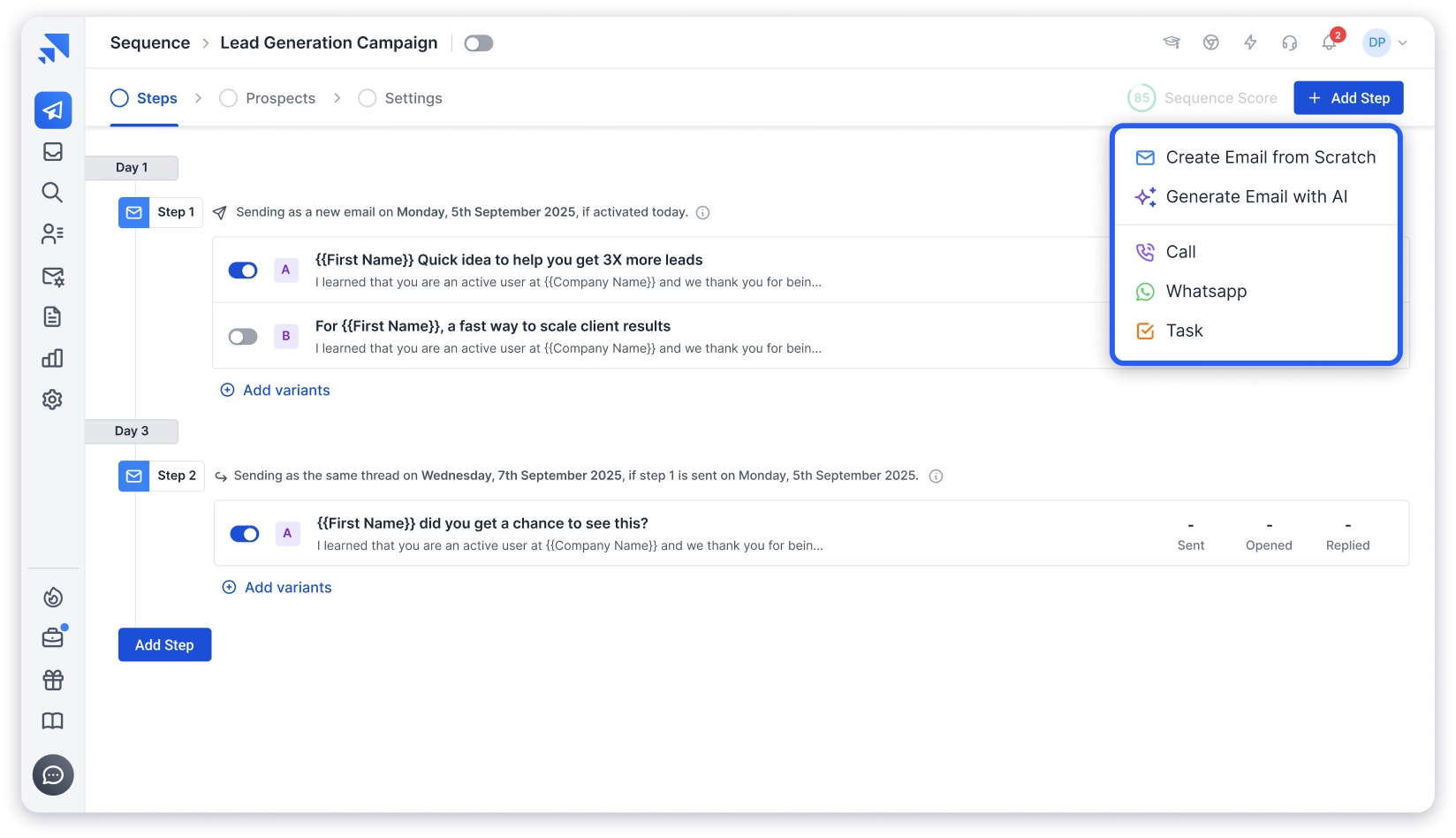
The feature that stood out most during testing was the AI Sequence Copilot.
I gave it a website URL and a target ICP. It pulled context from the site and built a multi-step email sequence — with subject lines, personalized opening lines, and follow-up variations.
The output needed light editing, but it cut my campaign setup time from an hour to about 15 minutes.
The B2B Lead Finder gives you access to 800M+ verified contacts. You can filter by job title, company size, revenue, industry, tech stack, and even buying signals.
What I appreciated is that Saleshandy does real time verification and AI enrichment — it pulls data from multiple providers to maximize accuracy instead of relying on a single source.
On the deliverability side, sender rotation spreads your volume across multiple inboxes automatically.
Gradual ramp-up prevents new domains from getting flagged. And the inbox placement test lets you check where your emails land before you press send.
The newest addition is Saleshandy CRM. It replaces the old Prospects tab with a Kanban-based visual pipeline.
Every prospect has a full activity timeline — emails sent, replies received, notes, tasks, and sequence history.
You can move prospects across stages, set follow-up reminders, and track deal progress without leaving the platform.
All replies from every connected inbox show up in the Unified Inbox. AI categorizes each reply — interested, not now, meeting booked, or unsubscribed. That alone saves 20-30 minutes daily when you’re managing campaigns across multiple inboxes.
What I Liked
- AI Sequence Copilot builds full campaigns from website context and prospect data.
- 800M+ verified B2B database with waterfall enrichment and 75+ search filters.
- Built in CRM with Kanban pipeline, prospect timeline, and task management.
- Sender rotation, email warm up, and inbox placement testing.
- Unified Inbox with AI powered reply categorization.
- Unlimited email accounts on every paid plan.
- Connects with CRMs like Salesforce, HubSpot, Pipedrive, and Zoho.
What I Didn’t Like
- The 7 day free trial with 100 emails gives you a taste, but not enough time to fully explore the platform’s depth.
Pricing (billed annually):
- Outreach Starter: $25/month (6,000 emails, 2,000 prospects)
- Outreach Pro: $69/month (150,000 emails, 30,000 prospects)
- Outreach Scale: $139/month (240,000 emails, 60,000 prospects)
- Outreach Scale Plus: $209/month (custom limits)
2. Lemlist
G2 Rating: 4.5/5 ⭐ (900+ reviews)
Best For: Sales teams that want to combine email, LinkedIn, and calls in a single outreach sequence.
Lemlist is the tool I’d pick if multi-channel is the priority over pure email volume.
You can create sequences that mix email steps, LinkedIn connection requests, profile visits, and call tasks — all inside one flow.
That’s the standout here. Most cold email tools treat LinkedIn as an afterthought or require a separate extension. Lemlist builds it into the core workflow.
The visual personalization engine is what makes Lemlist different from almost every other tool on this list.

You can insert custom images with the prospect’s name, logo, or website screenshot directly inside the email body.
During testing, I found that personalized image emails got noticeably higher reply rates compared to plain-text variants.
Every account includes Lemwarm — their built-in warm-up tool — which runs in the background to keep sender reputation stable.
The platform also has a 450M+ lead database, though the data quality doesn’t match Saleshandy’s 800M+ waterfall-enriched contacts in my experience.
What I Liked
- True multi channel sequences with email, LinkedIn, and call steps in one workflow.
- Visual personalization with custom images and dynamic landing pages.
- Lemwarm for automatic inbox warm up on every plan.
- 450M+ lead database for prospecting.
- Unified inbox for managing all replies.
What I Didn’t Like
- Per user pricing makes scaling expensive. The basic plan starts at $55 per user per month, and multi channel features need the higher tier.
- Each additional sending email costs extra every month.
Pricing (billed annually):
- Email Pro: $55/user/month
- Multichannel Expert: $79/user/month
- Enterprise: Custom
14-day free trial. No credit card required.
Not sure if Lemlist is the right fit? Check out these Lemlist alternatives for similar features at better pricing.
3. Instantly.ai
G2 Rating: 4.8/5 ⭐ (3,900+ reviews)
Best For: Solopreneurs, small teams, and agencies that want high volume cold email sending with simple setup.
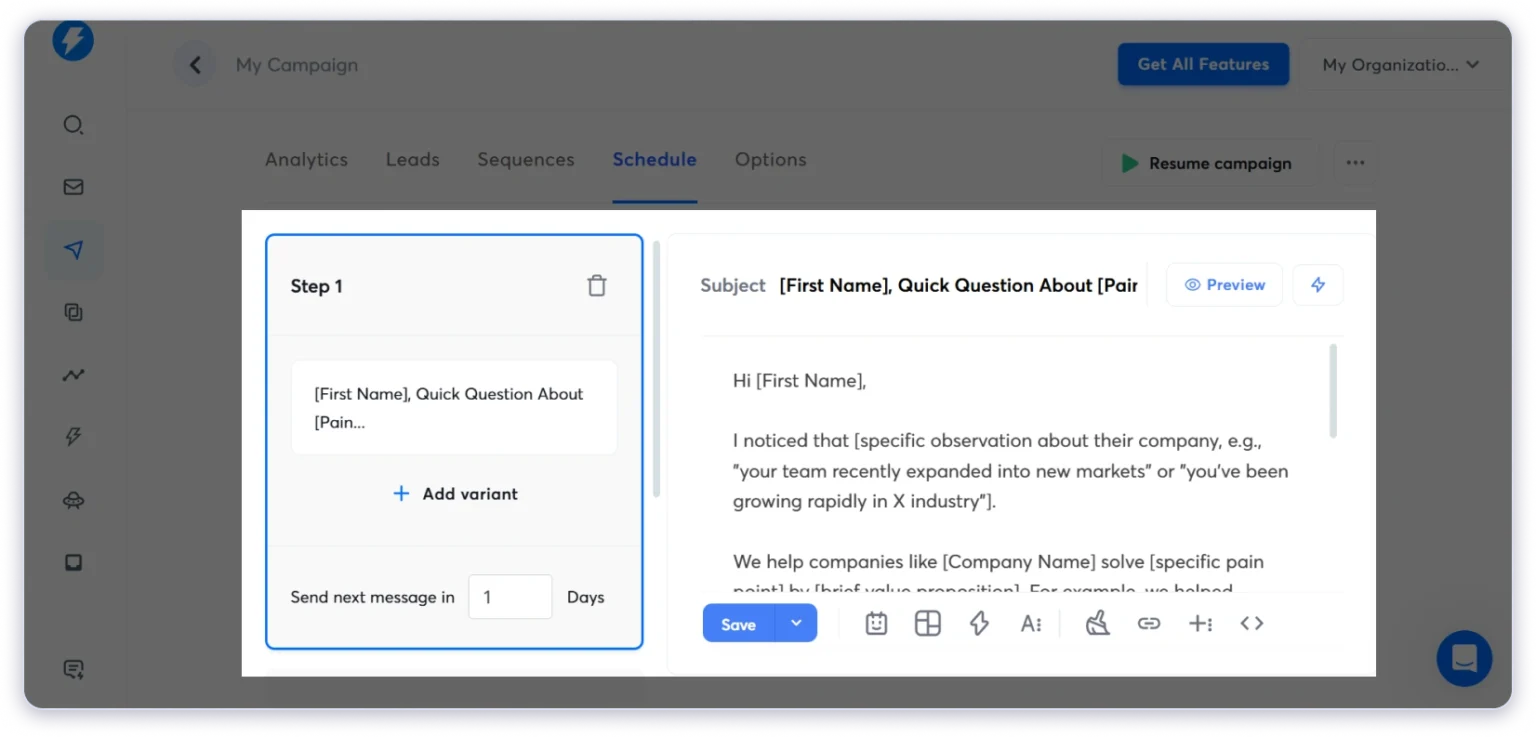
Instantly is the fastest tool to go from sign-up to sending. That’s its strength.
You connect unlimited email accounts, turn on unlimited warm-up, and start launching campaigns. If speed and volume are what matter most, Instantly delivers on that promise.
The unlimited warm-up on every plan is the standout feature.
When you’re managing 10+ sending domains — common for agencies — having warm-up baked in without extra cost saves real money.
Instantly also offers a 450M+ contact database, AI-powered sequence writing, and a unified inbox.
Setup is minimal. I had a campaign running within 30 minutes of creating an account.
But here’s where it gets tricky.
The entry-level Growth plan at $30/month limits you to 5,000 emails and 1,000 contacts. A/B testing is locked behind the $77.6/month Hypergrowth plan.
And the lead database requires a separate subscription starting at $42.30/month.
What I Liked
- Unlimited email accounts and warm up on every plan.
- Fastest setup to sending time of any tool I tested.
- Clean interface that keeps things simple.
What I Didn’t Like
- A B testing needs the Hypergrowth plan.
- Lead database and CRM are priced as separate products.
- The real cost climbs much faster once you add the features you actually need.
Pricing (billed annually):
- Growth: $30/month (5,000 emails, 1,000 contacts)
- Hypergrowth: $77.6/month (100,000 emails, 25,000 contacts)
- Light Speed: $286.3/month (500,000 emails, 100,000 contacts)
14-day free trial available. For a detailed comparison, read Saleshandy vs Instantly.
Email Marketing Automation
These tools handle newsletters, drip sequences, lifecycle campaigns, landing pages, and subscriber nurture flows.
4. Brevo
G2 Rating: 4.5/5 ⭐ (2,400+ reviews)
Best For: Small and mid sized teams that want multi channel automation with email, SMS, and WhatsApp without high costs.
Brevo’s pricing model is the standout here. Unlike most competitors, it charges by email volume, not contact count. You get unlimited contacts on every paid plan.
That single difference changes the math completely.
If you have 10,000 contacts but only send 20,000 emails a month, Brevo stays affordable. On Mailchimp, you’d be paying for those contacts whether you email them or not.

During testing, I found the multi-channel automation genuinely useful.
You can combine email, SMS, and WhatsApp messages inside a single workflow.
The transactional email engine also runs at a 99% delivery rate — handy if you send order confirmations or verification emails alongside marketing campaigns.
What I Liked
- Unlimited contacts on all paid plans.
- Email, SMS, and WhatsApp automation in one workflow.
- Strong transactional email delivery.
- AI suggestions for send timing and subject lines.
What I Didn’t Like
- Template customization feels limited.
- Multi user access is only available on higher tiers.
- Navigation is not the most intuitive for new users.
Pricing (billed annually):
- Starter: $8/month (5,000 emails)
- Business: $16/month (marketing automation included)
- Enterprise: Custom
Free plan with 300 emails/day.
5. ActiveCampaign
G2 Rating: 4.5/5 ⭐ (14,000+ reviews)
Best For: Marketing teams that need behavior based automation with deep conditional logic and CRM integration.
If automation depth is the deciding factor, ActiveCampaign wins. No other tool on this list comes close to its workflow builder.
I tested branching logic, conditional content, predictive sending, and multi-step sequences across channels.
ActiveCampaign handled every scenario I threw at it — from lead scoring based on email engagement to triggering sales follow-ups when a deal stage changed in the CRM.
The 900+ pre-built automation templates in their marketplace are a genuine time-saver.

Instead of building flows from scratch, you can import a template, customize the triggers, and go live in minutes.
The predictive sending feature impressed me most during testing. It analyzes each contact’s past behavior and picks the optimal send time automatically.
Not every tool offers this — and the ones that do usually charge enterprise pricing for it.
What I Liked
- The deepest visual automation builder at SMB pricing.
- Predictive sending that optimizes timing per contact.
- CRM integration connects marketing workflows directly to your sales pipeline.
- 900+ pre built automation recipes in the marketplace.
- A B testing on full sequences, not just subject lines.
What I Didn’t Like
- First time users can feel overwhelmed by the workflow builder.
- Full automation depth requires the Professional plan.
Pricing (billed annually):
- Starter: $15/month
- Plus: $49/month
- Professional: $79/month
- Enterprise: $149/month
14-day free trial available.
6. Mailchimp
G2 Rating: 4.3/5 ⭐ (12,000+ reviews)
Best For: Small businesses, content creators, and teams that need simple newsletters and basic automated campaigns.
Mailchimp is the tool most people start with — and for basic email marketing, it still does the job.
The drag-and-drop editor is one of the easiest I’ve used. You pick a template, customize it, set your audience, and send.
If you’ve never touched an email tool before, Mailchimp won’t intimidate you.
The 300+ integrations are the standout for Mailchimp. Shopify, WooCommerce, Canva, Zapier, Salesforce, WordPress — the ecosystem is massive.
Whatever tool you’re already using, there’s likely a Mailchimp connection.
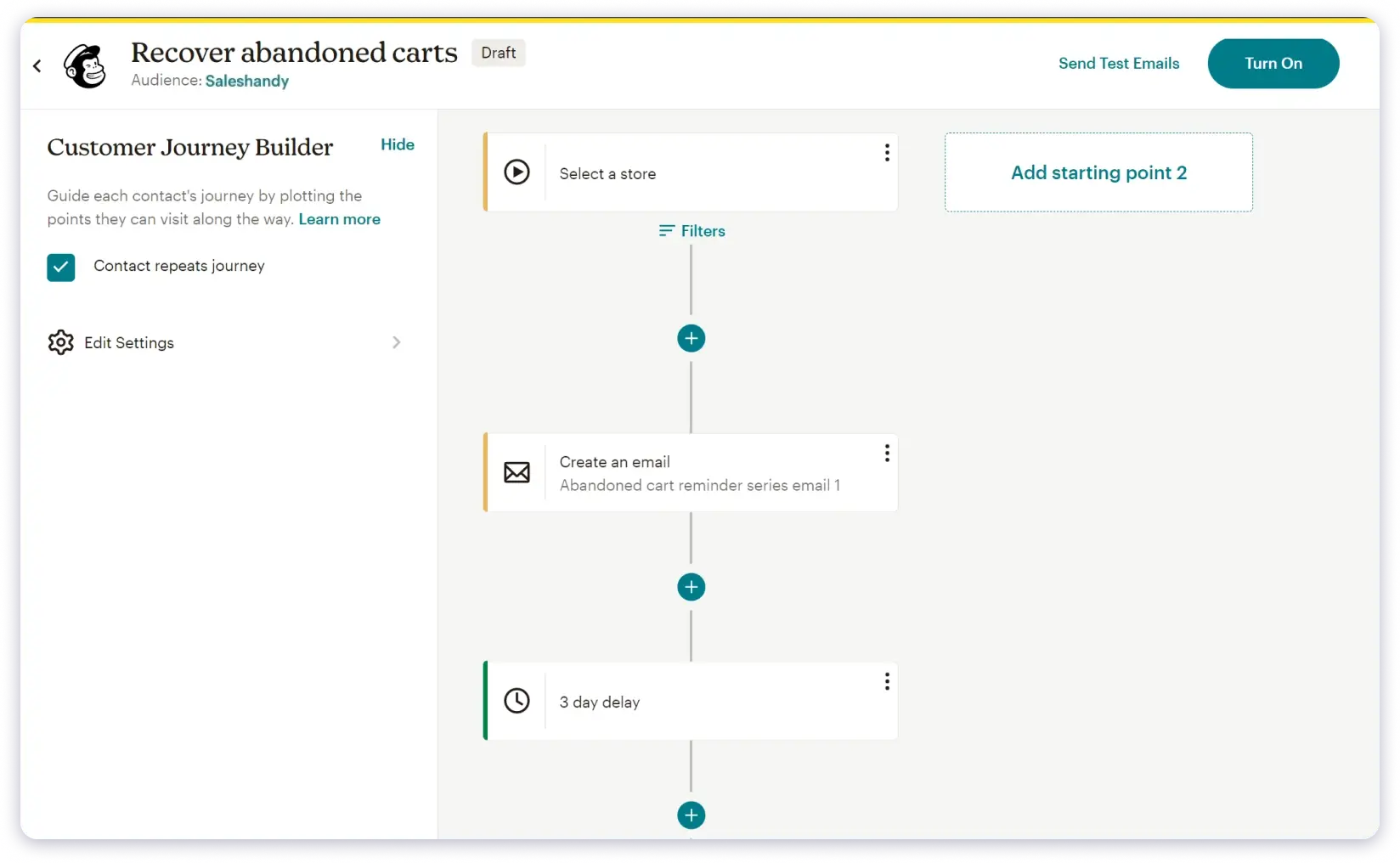
Automation covers the basics.
Welcome emails, cart abandonment, product follow-ups, and birthday emails work right out of the box. AI tools help with subject lines and email copy.
Where Mailchimp breaks down is depth and pricing. Automation is shallow compared to ActiveCampaign.
And the pricing gets expensive fast as your list grows — especially since Mailchimp charges you for unsubscribed and bounced contacts.
What I Liked
- Easiest setup for first time users.
- 300+ integrations make it one of the most connected email marketing tools.
- AI content optimizer and subject line helper.
- Solid ecommerce automations for carts and product follow ups.
What I Didn’t Like
- Automation depth is limited compared to tools like ActiveCampaign or GetResponse.
- It charges for inactive, bounced, and unsubscribed contacts.
- Pricing grows steeply as your list size increases.
Pricing (billed annually):
- Free: 500 contacts, 1,000 emails/month
- Essentials: From $4.25/month
- Standard: From $6.35/month
- Premium: From $127/month
7. GetResponse
G2 Rating: 4.3/5 ⭐ (800+ reviews)
Best For: Online educators, consultants, and businesses that want email, funnels, landing pages, and webinar hosting in one tool.
GetResponse is the only tool on this list that includes webinar hosting as a built-in feature.
If you sell courses, run coaching programs, or use webinars for lead generation, this saves you from juggling Zoom, a landing page builder, and an email tool separately.
One platform handles the full journey — from sign-up form to webinar registration to follow-up emails.
The conversion funnel builder was the standout during testing.

You pick a funnel template, connect your landing page, set up the automated follow-up sequence, and the whole journey runs itself.
AI helps with subject line generation, send-time optimization, and email drafts. The automation builder supports triggers based on clicks, purchases, site visits, and timestamps.
What I Liked
- Built in webinar hosting, which is rare among email automation tools.
- Conversion funnel builder with pre built templates.
- AI powered send time optimization and email drafts.
- Landing page builder with A B testing.
What I Didn’t Like
- The interface feels cluttered for new users.
- Template styling has limited design flexibility.
- Advanced automation requires the Marketer plan.
Pricing (billed annually):
- Starter: $15.58/month
- Marketer: $48.38/month
- Creator: $56.58/month
- Enterprise: Custom
30-day free trial available.
8. HubSpot
G2 Rating: 4.4/5 ⭐ (31,000+ reviews)
Best For: Teams that want CRM, email marketing, automation, and sales pipeline management in one system.
HubSpot is the platform you choose when you want everything connected under one roof.
The standout isn’t any single feature — it’s the fact that every email workflow has direct access to your full CRM data.
You can trigger campaigns based on deal stage changes, lifecycle movement, form submissions, or page visits.
No other tool on this list offers that level of native data integration without a third-party connector.
Dynamic lists auto-segment contacts based on behavior. The drag-and-drop editor is clean. And the 300+ app marketplace covers almost every use case.
The trade-off is price. The free CRM and Starter plan ($9/seat/month) are reasonable.

But meaningful email automation requires the Professional plan at $800/month. That’s a significant jump that only makes sense for mid-size teams or larger.
For outbound teams that need CRM and cold email automation without enterprise pricing, Saleshandy CRM offers a more focused and affordable alternative.
What I Liked
- CRM data directly powers every email workflow.
- Dynamic segmentation based on lifecycle, behavior, and deal stage.
- Massive integration marketplace.
- Free CRM tier with core email tools.
What I Didn’t Like
- Meaningful automation requires the expensive Professional plan.
- There is a steep learning curve for new users.
- Costs scale aggressively as contacts and features grow.
Pricing (Billed Annually):
- Free: Core email tools + CRM
- Starter: $9/seat/month
- Professional: $800/month
- Enterprise: $3,600/month
9. MailerLite
G2 Rating: 4.6/5 ⭐ (1,900+ reviews)
Best For: Small businesses, bloggers, freelancers, and anyone who needs solid email automation without paying for it.
MailerLite has the most generous free plan I’ve seen in the email automation space.
You get 500 subscribers, 12,000 emails per month, automation workflows, landing pages, forms, and even a website builder — all free. Most competitors lock automation behind their paid plans. MailerLite doesn’t.
During testing, the standout was speed of setup. I built a complete welcome sequence with conditional branching in under 10 minutes.
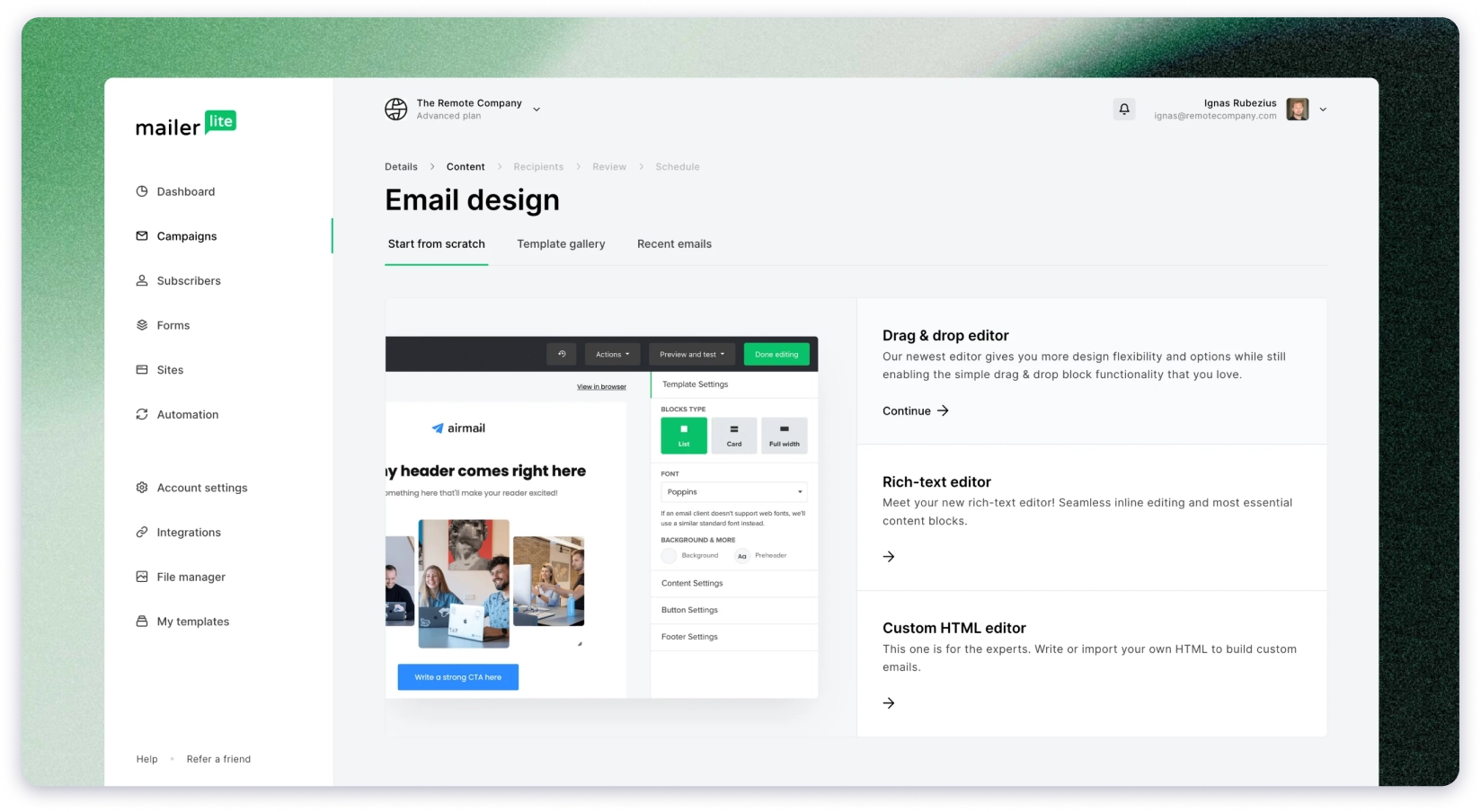
The editor is clean. The interface doesn’t overwhelm you with options. And the paid plans starting at $10/month keep things affordable as you grow.
If you’re a small business looking for an email automation platform that’s simple, affordable, and actually includes automation from day one — MailerLite is the pick.
What I Liked
- Generous free plan with automation, landing pages, and website builder.
- One of the cleanest and most intuitive interfaces across all tools tested.
- Paid plans stay very affordable as you grow.
- Supports selling digital products and paid subscriptions.
- Premium features come with a free trial.
What I Didn’t Like
- Automation depth is shallow compared to advanced tools like ActiveCampaign.
- The free plan does not include pre designed email templates.
- It has fewer integrations than larger platforms like Mailchimp or HubSpot.
Pricing (billed annually):
- Free: 500 subscribers, 12,000 emails/month
- Growing Business: From $10/month
- Advanced: From $20/month
- Enterprise: Custom (100K+ subscribers)
E-commerce Email Marketing Automation
These tools integrate with your e-commerce platform and trigger emails based on browsing behavior, cart activity, and purchase history.
10. Klaviyo
G2 Rating: 4.6/5 ⭐ (600+ reviews)
Best For: E commerce stores that need predictive analytics, deep product level personalization, and behavior based flows.
Klaviyo is the tool most serious ecommerce brands end up using — and the predictive AI is the reason.
During testing, what stood out was how Klaviyo forecasts purchase timing, churn risk, and customer lifetime value at the individual level.
You can build segments and automations around these predictions. For example, triggering a win-back campaign specifically for customers whose predicted next order date has passed.
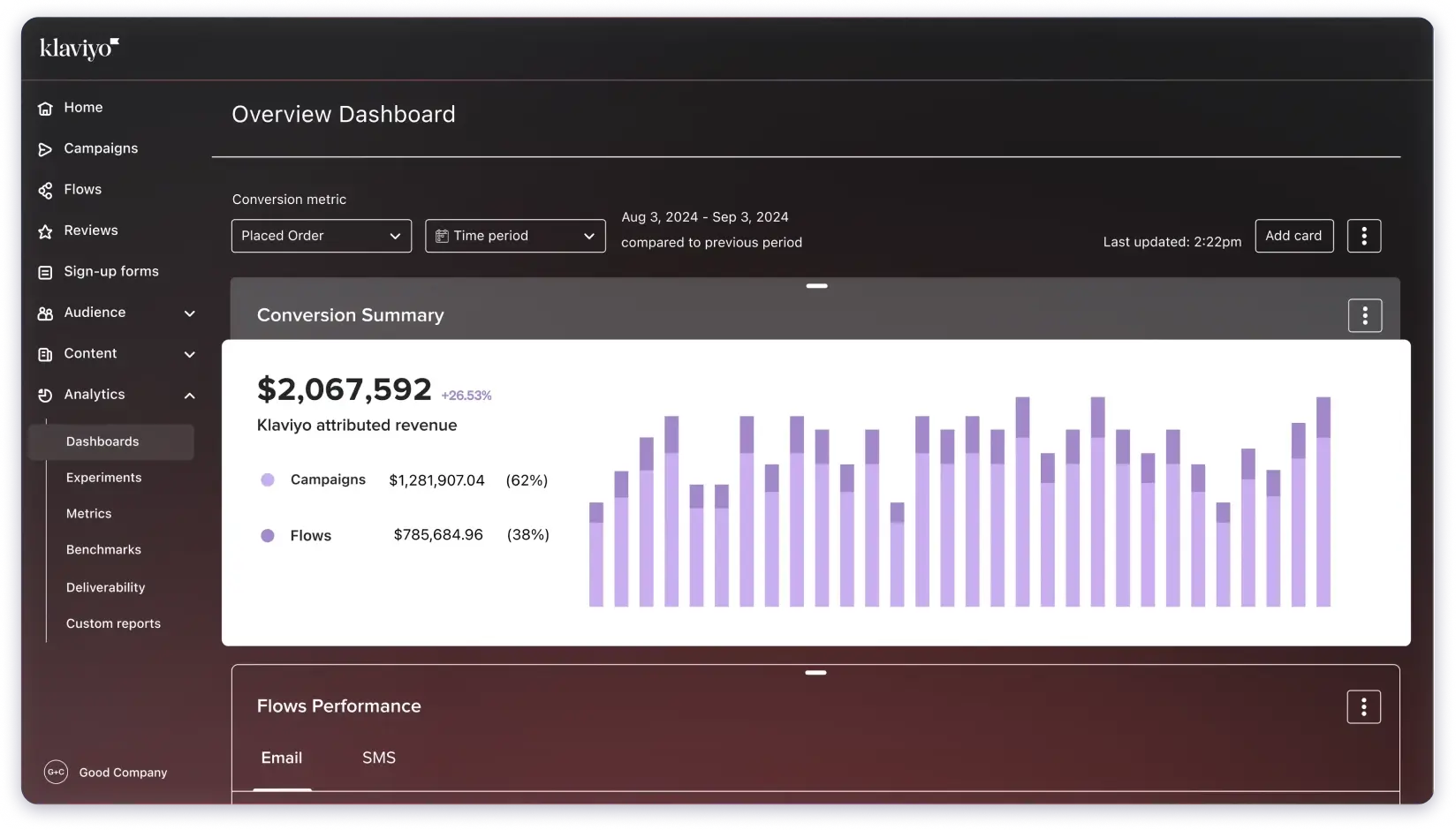
The platform integrates deeply with Shopify, WooCommerce, and BigCommerce.
Dynamic product blocks inside emails pull content based on browsing activity, past orders, or cart value. This level of personalization runs automatically once you set up the flow.
The free plan gives you access to most features for up to 250 profiles. Enough to properly test the platform before committing.
What I Liked
- Predictive AI for purchase behavior, churn risk, and customer lifetime value.
- Dynamic product recommendations based on real browsing and purchase data.
- Deep native integrations with major e commerce platforms.
- Most core features are available on the free plan.
- Built in SMS marketing alongside email.
What I Didn’t Like
- Pricing gets expensive as your contact list grows.
- Setup can feel complex for beginners, especially around segmentation.
- Some AI features are not available on the free plan.
Pricing (billed annually):
- Free: 250 profiles, 500 emails/month
- Email: From $45/month (15,000 emails)
- Email + SMS: From $60/month
11. Omnisend
G2 Rating: 4.6/5 ⭐ (900+ reviews)
Best For: Online stores that want email, SMS, and push notification automation working together in one flow.
Omnisend’s standout is true multichannel automation — not just email with SMS bolted on as an afterthought.
When I tested the cart abandonment flow, here’s what happened. A customer abandons a cart. Omnisend sends an email.
If ignored, it sends an SMS. When the shopper returns, a push notification triggers at the right moment. All of this runs from one workflow builder.
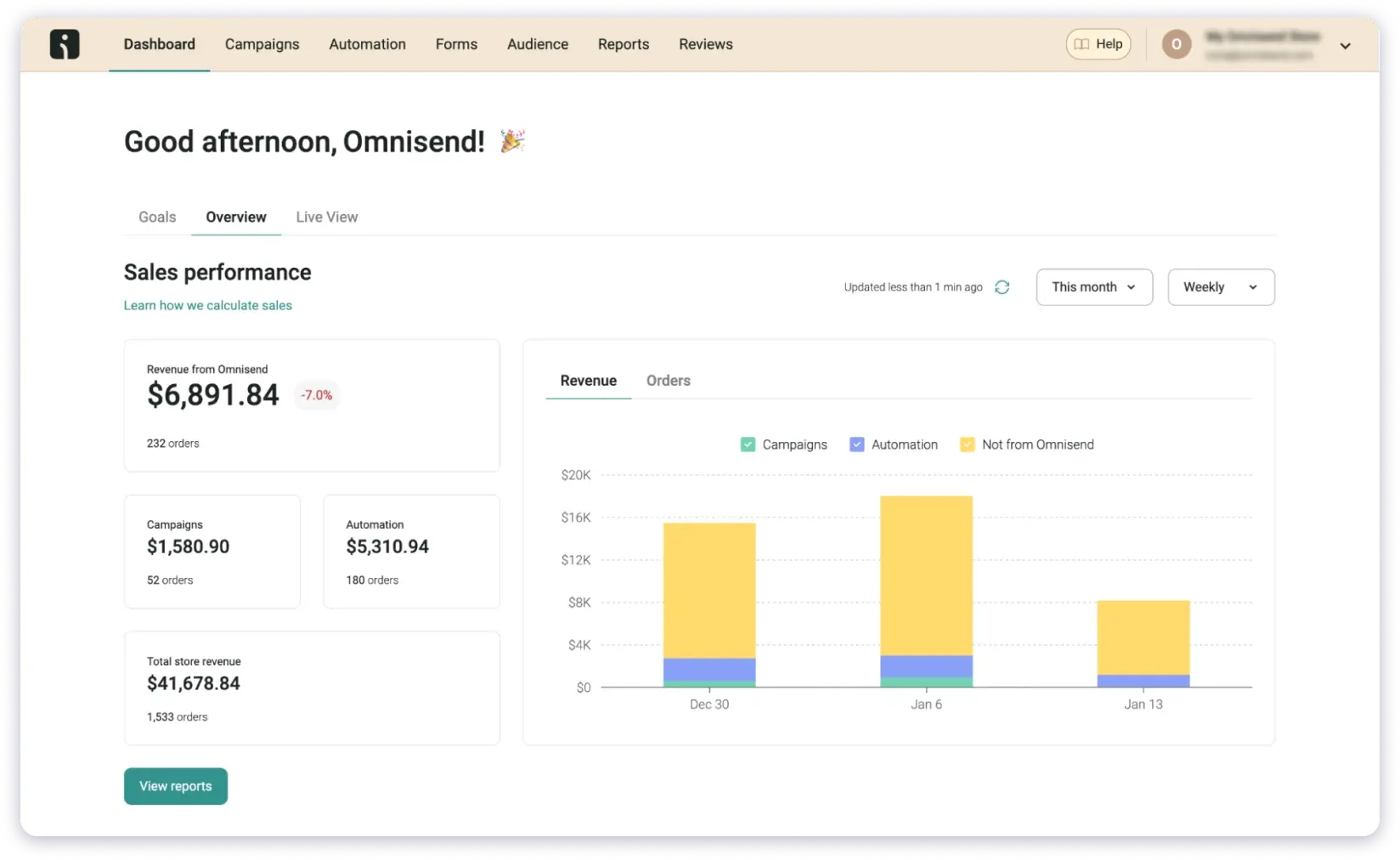
The platform reads customer behavior and adjusts messages based on intent, timing, and past actions. Pre-built ecommerce workflows cover cart recovery, post-purchase follow-ups, welcome series, and browse abandonment.
The dynamic product picker inserts products automatically based on each customer’s activity. And all features are available on every plan — including the free one.
What I Liked
- Email, SMS, and push notifications work together in a single automation workflow.
- Behavior based segmentation with intent aware messaging.
- Pre built ecommerce workflows help you launch faster.
- All features are available on every plan, including the free one.
What I Didn’t Like
- Pricing increases noticeably as your list grows.
- Template customization options feel limited.
- Integrations outside ecommerce are sparse.
Pricing (billed annually):
- Free: 250 contacts, 500 emails/month
- Standard: $11.20/month
- Pro: $41.30/month
12. Drip
G2 Rating: 4.4/5 ⭐ (450+ reviews)
Best For: DTC and e commerce brands that want automations triggered by browsing, cart activity, and purchase history.
Drip’s standout is its library of 50+ pre-built ecommerce workflows. Cart recovery, post-purchase follow-ups, win-back campaigns, browse abandonment — they’re all ready to go out of the box.
During testing, I had a full cart recovery flow live within 15 minutes. The visual workflow builder shows the entire customer journey at a glance, which made it easy to identify where contacts were dropping off.
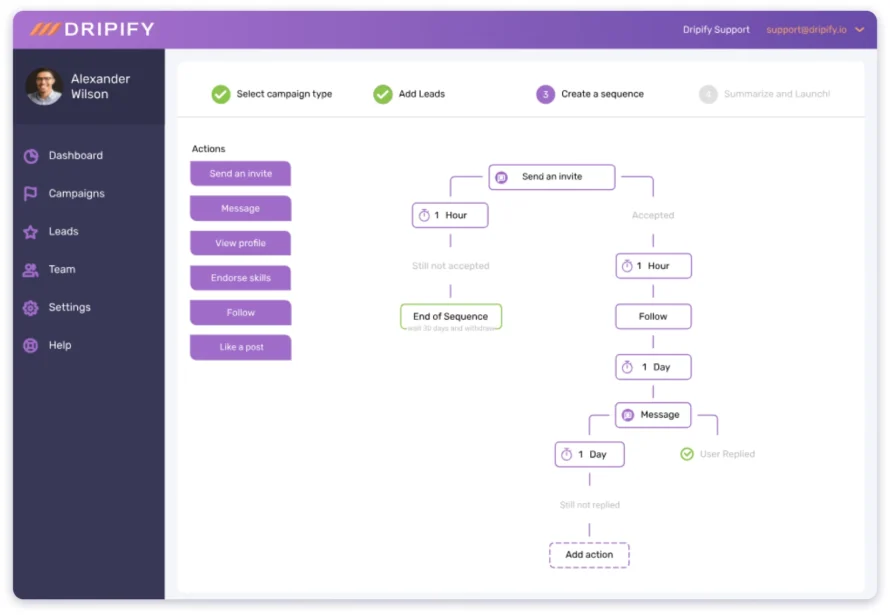
Segmentation based on purchase history and browsing behavior runs deep.
Dynamic product recommendations inside emails pull items based on each customer’s activity. And the revenue attribution reports clearly show which campaigns generate money — not just opens and clicks.
What I Liked
- 50+ pre built automation workflows for fast launch.
- Advanced segmentation based on browsing and purchase behavior.
- Dynamic product recommendations inside emails.
- Clear revenue attribution and reporting.
- 150+ integrations with ecommerce tools.
What I Didn’t Like
- The interface takes time to learn for new users.
- Reporting is more basic than what you get in Klaviyo.
- It is not useful outside ecommerce use cases.
Pricing (billed annually):
- Starter: From $39/month (scales by contacts)
- 14-day free trial available.
13. Moosend
G2 Rating: 4.7/5 ⭐ (720+ reviews)
Best For: Small businesses and ecommerce stores that want full email marketing automation without enterprise pricing.
Moosend surprised me. At $9/month, I expected limitations.
Instead, I got unlimited emails, a visual automation builder, A/B testing, landing pages, and 18 pre-built workflow templates — all included from day one.
Most tools at this price lock automation behind higher tiers. Moosend doesn’t. That’s the standout.
The automation builder supports triggers based on email opens, clicks, page views, and product interactions.
The pre-built templates cover welcome sequences, cart abandonment, re-engagement, and upsell flows.
During testing, I launched a complete welcome flow in under 10 minutes.

Moosend also includes AI-powered product recommendations — a feature usually reserved for pricier ecommerce-focused tools like Klaviyo. That’s impressive value at this price point.
Where it falls short is in integrations. Around 80 native connections is decent, but doesn’t match Omnisend’s 160+.
And transactional emails need a separate add-on unless you’re on the Enterprise plan.
What I Liked
- Full automation starting at a very low monthly price.
- 18 pre built workflow templates for quick setup.
- AI product recommendations for ecommerce brands.
- Strong deliverability performance.
- Behavior based triggers inside the visual workflow builder.
What I Didn’t Like
- There is no permanent free plan.
- It has fewer integrations than larger competitors.
- The template library design feels dated.
Pricing (billed annually):
- Pro: From $9/month (500 subscribers, unlimited emails)
- Moosend+: Custom (transactional emails, advanced triggers)
- Enterprise: Custom
30-day free trial, no credit card required.
Pick the Best Email Automation Platform for Your Requirements
Now that you have read the complete blog, you have a complete idea of all the tools (I believe so).
If not, or if you are confused, you can choose a platform that helps you with:
- Find accurate emails and verify every contact
- Use AI that improves engagement instead of making it worse
- Automate your entire outreach process from start to end
- Track conversations and manage replies from one unified inbox
When all of this sits inside a single platform, your workflow becomes quick and much easier to scale.
Try Saleshandy and see how smooth your email outreach can be.
FAQs About Email Automation Tools
1. Which tool is best for email and SMS automation together?
Brevo and Omnisend handle this well. Brevo combines email, SMS, and WhatsApp in a single workflow at an affordable price.
Omnisend triggers SMS based on cart and browsing behavior — making it stronger for ecommerce.
2. What’s the difference between email marketing software and cold email automation tools?
Email marketing software sends campaigns to opt-in subscribers — newsletters, promotions, lifecycle emails.
Cold email tools send one-to-one messages from your inbox to new prospects.
They focus on deliverability, personalization, and automated follow-ups. One nurtures existing audiences. The other creates new conversations.
3. Which email automation tool is best for small businesses on a budget?
MailerLite offers the best free plan — automation, landing pages, and website builder for 500 subscribers.
Moosend gives you full automation at $9/month with unlimited emails. Brevo is another strong option with unlimited contacts on paid plans.
4. What features matter most when scaling past 10,000 contacts?
Prioritize email deliverability first.
Then look at sender rotation, behavior-based segmentation, A/B testing across sequences, advanced workflows, and clear analytics. Saleshandy, ActiveCampaign, and Klaviyo all handle scale well.
5. What is email automation and how does it work?
Email automation sends messages automatically based on triggers you define. Those triggers can be a form submission, a date, an email click, a purchase, or a website visit.
You set the rules once and the platform handles delivery — right person, right message, right time.
6. Which is the best AI email automation tool in 2026?
For cold outreach, Saleshandy’s AI Sequence Copilot builds full campaigns from website context and prospect data.
For email marketing, ActiveCampaign’s predictive sending and conditional content are the most advanced. For ecommerce, Klaviyo’s predictive AI forecasts purchase timing and churn risk.
7. Can I use a CRM with email automation?
Yes. HubSpot offers the most complete CRM + email automation suite, though it’s expensive.
Saleshandy CRM is built specifically for outbound teams — Kanban pipeline, prospect timeline, and follow-up tracking in one view. ActiveCampaign also has a built-in CRM.
8. Are email automation tools and email automation software the same thing?
In practice, yes. People use “tools” and “software” interchangeably when searching for platforms that automate email campaigns. Both refer to software that sends emails based on triggers, schedules, or user behavior.