
30-Second Summary
With email testing tools, you will be able to spot and fix deliverability and content issues before your campaigns go live.
In this blog, I cover the best email testing tools like Inbox Radar by Saleshandy, GlockApps, Email on Acid, and more
I’ll also share my insights on how these tools perform, where they fall short, and their pricing so that you can pick the right one.
The most frustrating part of running email campaigns is not knowing whether your carefully written emails will actually work!
I have seen a lot of campaigns that looked great before sending, only to end up buried in spam folders or pushed into the promotions tab.
The reason could be anything:
- Content that triggers spam filters
- Improper authentication records (SPF, DKIM, DMARC)
- Poor sender reputation
- Invalid or outdated email addresses
- Small technical misconfigurations that are easy to overlook
The easiest way to spot them beforehand is to test your emails before sending them.
This is where email testing tools come in.
I’ve compiled a list of 5 email testing tools that you can use to improve the chances of your emails landing in inboxes.
Dive in to find out which tool is ideal for your use case!
Email Testing Tools – TOC
What are Email Testing Tools?
Email testing tools are software that help you analyze, refine, and preview emails and email campaigns before you send them.
Through them, you can render emails in real-time, identify errors in content, check deliverability, and ensure that your domain is all set to deliver emails into inboxes.
With a stack of good email testing tools, you’ll be able to achieve low bounce rates and spam rates while maintaining a high inbox placement rate.
TL;DR: Email Testing Tools By Use Case
Here’s a quick look at how each of the tools I’ve included in this list can help you test your emails and email campaigns:
- Inbox Radar by Saleshandy: Best inbox placement testing tool that helps you know where your emails will land in the inbox and proactively fix deliverability issues.
- GlockApps: An inbox placement tester designed specifically for email marketers.
- Email on Acid: The best tool for previewing your marketing emails on 100+ devices, apps, and ESPs.
- MailTrap Email Sandbox: A developer-friendly tool that helps you create, test, and send production emails for marketing campaigns.
- ZeroBounce: The premium solution for verifying emails and email lists in real-time.
5 Best Email Testing Tools For Outreach and Email Marketing
To compile my list of the best email testing tools, I tried and tested several platforms that promise to help with deliverability.
The five I’ve included are the best of the best in their niches – placement testing, rendering, development, and verification.
Here’s how my list stacks up:
1. Inbox Radar by Saleshandy
Best For:
Cold Emailers, Outreach Specialists, etc., who want to proactively check where their emails will land and fix issues to improve deliverability.
Inbox Radar is an inbox placement tool from Saleshandy.
With it, you can see in real time where your emails will land in the inbox for various email service providers, like:
- Google Workspace
- Microsoft O365
- Gmail
- Outlook
- Zoho mail
- Yahoo
Inbox Radar also gives you suggestions to help fix issues that may be affecting your deliverability.

What I liked the most about Inbox Radar is the insights, especially the ESP-to-ESP placement report.
It helps you see how your emails are treated across different providers, making it easy to find and fix deliverability gaps.
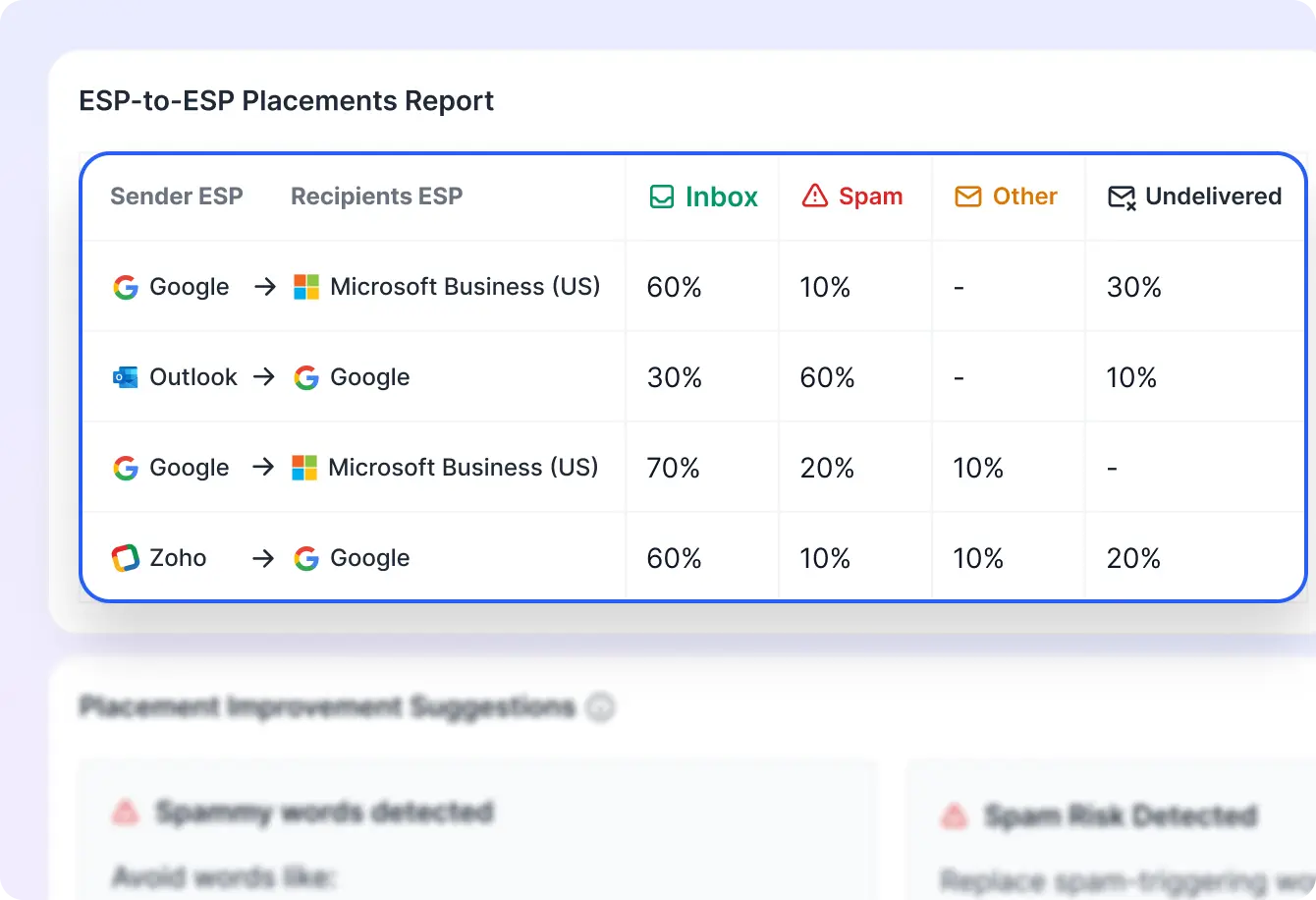
Additionally, Inbox Radar checks your authentication records, emails for spammy content, weak personalization, and more, to provide an overall assessment of your sending reputation.
In short, Inbox Radar is the perfect tool you can use to find out where your emails are going to land and fix any problems before launching your email outreach campaign.
Key Features of Inbox Radar
- Provides a detailed SpamAssassin score for every email.
- Checks your domain and IP health.
- Monitors blacklists to alert you of risks.
- Allows you to schedule and customize inbox placement tests.
- Generates detailed, instantly shareable reports.
Pricing (Billed Annually)
There are two plans you can choose from: Inbox Starter and Inbox Pro.
- Inbox Starter costs $23/month and lets you conduct 15 tests monthly.
- The Pro plan costs $79 and lets you run unlimited deliverability tests.
2. GlockApps
Best For:
Email marketers who want to check where their emails will land before launching their campaigns.
GlockApps is an inbox placement tool designed for marketers who want to send newsletters or launch drip campaigns.
You can use it to send test emails to a large seed list of professional and personal email accounts from various ESPs and across multiple countries.

But that’s where the limitations lie as well!
GlockApps’ seed list has only 11 professional accounts across the four most popular ESPs: Google Workspace, Outlook, Zoho, and ProtonMail.
As a result, the insights you get for B2B inbox placement may not be as reliable as they would be with larger seed lists.
If you want accurate insights for B2B, check out my list of 5 GlockApps Alternatives.
Key Features of GlockApps
- Checks the status of your authentication protocols.
- Analyzes your emails for spammy content.
- Integrates with Google Postmaster
- You can automate inbox placement tests.
- Monitors IP and Domain Blacklists.
GlockApps Pricing (Billed Annually)
GlockApps offers three different pricing plans:
- Bundle Plan: Starts at $49/month for 360 test credits (1 sending account).
- Test Credits Pack: Starting at $16.99 for 3 credits.
- DMARC Analytics: Starts at $55/month for 1 million DMARC messages.
3. Email on Acid
Best For:
Email marketers who want to preview their marketing emails across various devices and fix issues before sending.
Email on Acid makes my list as a must-have tool for anyone sending marketing emails or newsletters.
It helps you test and visualize how your emails will appear on 100+ devices and email clients (including on Dark Mode).
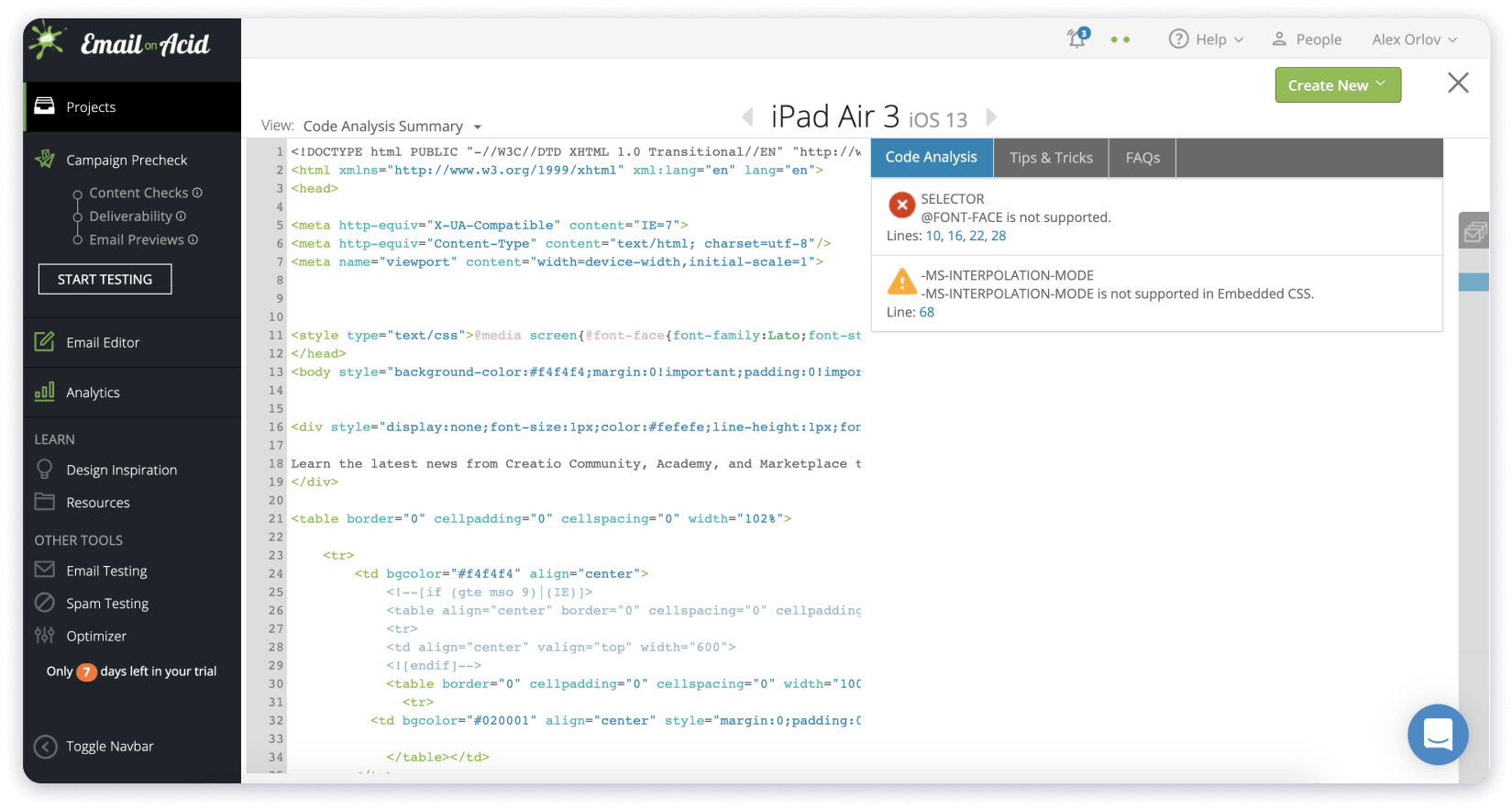
Additionally, Email on Acid also analyzes your content and flags potential spelling or grammar errors.
What I liked most about it was its blacklist monitoring feature, which alerts you if your domains are listed on any blacklists.
Key Features of Email on Acid
- Shows how your email will appear in the inbox list.
- Monitors domain and IP blacklists.
- Detailed analysis of images and download times of emails.
- Offers white-label and agency solutions.
Email on Acid Pricing (Billed Annually)
Email on Tester is pretty expensive – its basic plan starts at $74/month (limited to 1 user).
It also offers a Premium plan for $134/month (3 users) and a custom plan that gives you advanced white-labeling capabilities.
Also Read: 9 Best Email Deliverability Tools
4. MailTrap Email Sandbox
Best For:
Developers creating production emails for mass marketing campaigns.
If you’re a team that’s developing a custom email environment, MailTrap Email Sandbox is hands-down the one tool you must use without fail.
You can use it to preview your emails, inspect & debug them, and even check their spam score.
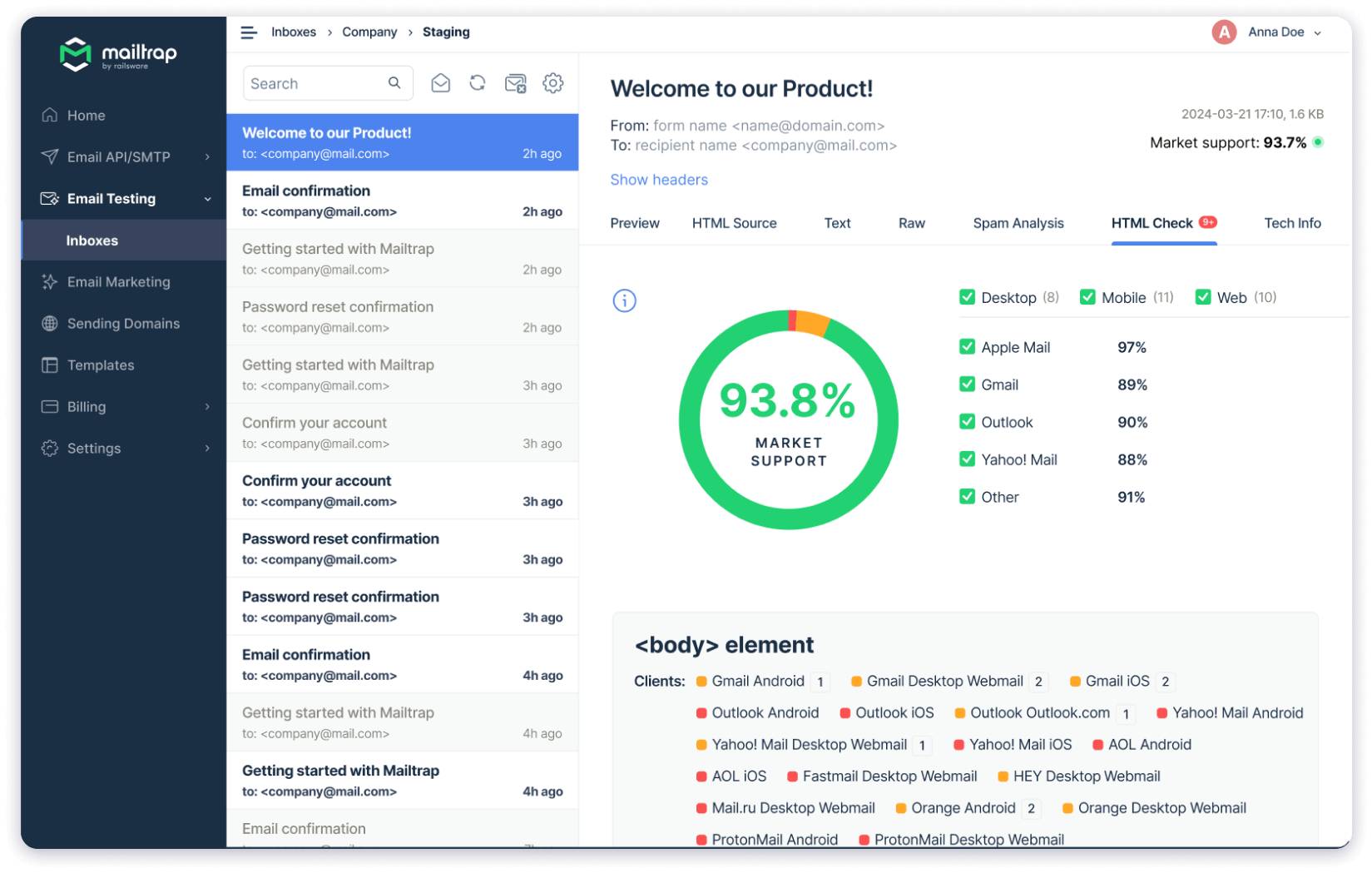
However, MailTrap doesn’t check the actual inbox placement. It uses a fake SMTP server, which lets you “send” emails without actually sending them.
So, you get to see how they appear on different devices without actually harming your sender reputation!
Key Features of MailTrap Email Sandbox
- Sends you weekly email deliverability alerts.
- Integrates with 30+ apps and tools.
- Offers Q/A automation for devs.
MailTrap Email Sandbox Pricing (Billed Annually)
MailTrap offers 5 different pricing plans for its Sandbox product.
The free plan lets you send 50 test emails, whereas the Basic paid plan starts at $14/month and lets you send 500 test emails.
Also Read: 9 Most Reputed Inbox Placement Tools
5. ZeroBounce
Best For:
Email list verification and validation.
If you’re facing high bounce rates or never want to face this problem in the first place, ZeroBounce is your go-to email testing tool.
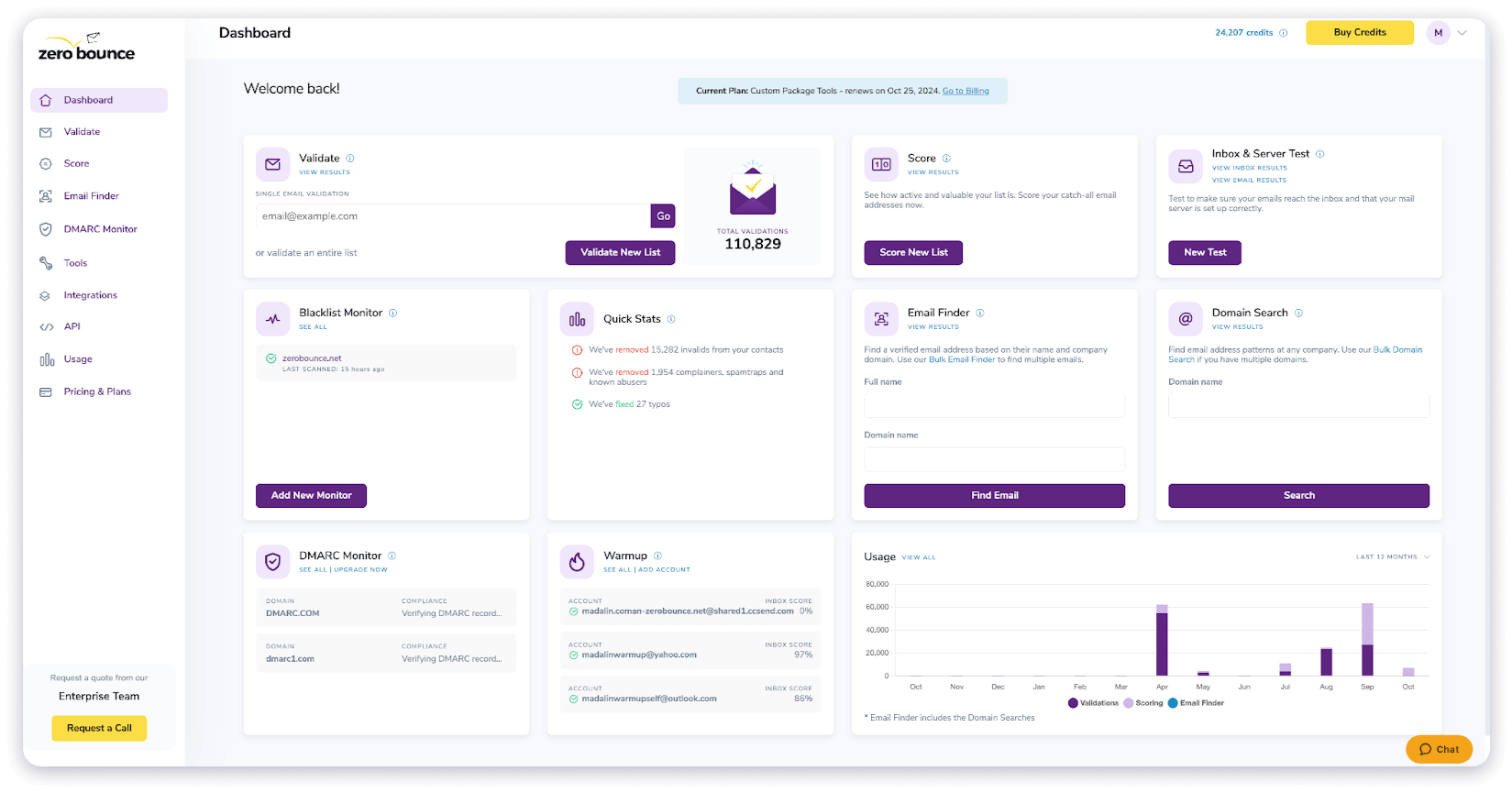
For every email address you have, ZeroBounce can verify whether it uses valid syntax, exists on an active domain, and is configured to receive incoming emails.
Key Features of ZeroBounce
- Cleans large lists (100,000+ emails) in 45 minutes.
- Encrypts your email lists and data while it’s being processed.
- Automatically identifies and removes spam traps, bots, and invalid email addresses.
- Deliverability features like blacklist monitoring, placement testing, warmup, etc.
ZeroBounce Pricing (Billed Annually)
ZeroBounce offers three plans: a free plan with 100 verification credits, a premium plan with 25k credits, and an enterprise plan with unlimited credits.
The premium plan costs $79/month and gives you access to all of its features.
Improve your Chances of Landing in The Inbox
In this blog, I’ve shared a list of the 5 best tools, each with its own email testing functionalities:
- Inbox Radar is ideal for finding where your emails will land before launching your campaigns and fixing issues to improve actual deliverability.
- GlockApps is ideal for running spam tests for marketing emails.
- Email on Acid helps you preview emails on 100+ different devices and email clients.
- MailTrap is the perfect tool for teams that want to create custom environments.
- ZeroBounce verifies and validates email lists in real-time.
If you want to create personalized campaigns, A/B test variations (up to 26), preview emails, and text inbox placement, you should check out Saleshandy!
It is the ideal automation solution for cold emailers.
You can start with a free trial, explore the features for yourself, and see how well it fits your email outreach needs.
Email Testing Tools: FAQs
1. Do email testing tools guarantee better deliverability?
No, email testing tools don’t guarantee better deliverability by themselves. But they do help you preview emails, find out where they’re landing in real-time, and identify potential issues that might harm your email deliverability.
2. Are there free email testing tools available?
Yes, there are several free email testing tools on the market:
- GlockApps: 3 basic deliverability tests every 24 hours.
- MailTrap Sandbox: 50 inbox placement test for production emails.
- ZeroBounce: 100 free email verification credits.
Saleshandy also offers a free trial you can use to try its email testing features.
3. How often should I test my emails?
You should test your emails before launching cold email or mass marketing campaigns. I also recommend running periodic checks every three months and after major marketing campaigns. It’ll help you find out if your campaign or sending pattern has hurt your email deliverability.
4. How to choose the right email testing tool?
To choose the right testing tool, I suggest considering five factors:
- Functionality: Does the tool offer the basic features you need?
- Compliance: Does it comply with regional privacy laws?
- Reviews: What have users said about the tool?
- Ease of Use: Is the email testing tool easy to use and navigate?
- Pricing: How much does the tool cost, and how many seats/credits does it include?
5. Is there an all-in-one email testing tool?
Absolutely – Saleshandy is an all-in-one email testing tool that offers inbox placement testing, email list verification, A/Z testing for up to 26 variants, email previews, HTML rendering, and a full suite of email deliverability features in one place.