 Anil Salvi
 Contents
- 1 Inbound vs Outbound Calls – TOC
- 2 TL;DR: Inbound vs Outbound Calls at a Glance
- 3 What Is an Outbound Call?
- 4 3 Best Outbound Calling Software Tools
- 5 What Is an Inbound Call?
- 6 3 Best Inbound Calling Software Tools
- 7 Final Verdict- When Should You Use Inbound vs Outbound Calls?
- 8 FAQs
- 8.1 1. What is the difference between inbound and outbound calls?
- 8.2 2. Is cold calling an inbound or outbound call?
- 8.3 3. Which is better, inbound or outbound calls?
- 8.4 4. What’s the best software for outbound sales calls?
- 8.5 5. How many outbound calls should an SDR make per day?
- 8.6 6. Can inbound and outbound calling work together in the same team?
Should we be making more outbound calls or investing in inbound?
If you’ve ever sat in a revenue meeting where this question killed 45 minutes without a clear answer, you’re not alone.
Most blogs ranking for this topic are written for call center vendors. They’ll walk you through IVR trees, hold queues, and agent supervision. None of that helps if you’re trying to figure out which direction actually grows your business.
In this guide, you’ll learn:
- What outbound and inbound calls actually mean (without the BPO jargon)
- The real differences that matter for your team
- When to lean into outbound, when inbound makes more sense, and why most businesses in 2026 run both
- The best software tools for each side
- How to handle the hostile responses that come with outbound calling
Let’s get into it.
Inbound vs Outbound Calls – TOC
TL;DR: Inbound vs Outbound Calls at a Glance
| Factor | Outbound Calls | Inbound Calls |
|---|---|---|
| Who initiates | Your team | Customer or prospect |
| Primary purpose | Sales, lead generation, follow-ups | Support, service, demo requests |
| Intent level | Variable (you reached out) | High (they reached out) |
| Volume per agent/day | 50–100+ | 5–20 |
| Best for | Teams building pipeline | Brands with inbound demand |
| Best tool | Saleshandy | Aircall |
What Is an Outbound Call?
An outbound call is any call your team initiates. You dial the prospect, the customer, the lead. The person on the other end didn’t ask you to call.
That’s the entire definition.
The purpose changes, but the direction is what makes it outbound.
In B2B sales, outbound calls are the backbone of pipeline building. You research a list, identify decision-makers, and reach out before they come to you. In customer success, outbound calls look like renewal check-ins or upsell conversations.
In recruiting, it’s sourcing candidates who aren’t actively looking.
The common thread: your team controls the timing, the targeting, and the first impression.
Types of Outbound Calls
Not every outbound call is a cold call. The four main types break down like this:
1. Cold Calls
Outbound calls to prospects who have zero prior interaction with your company. No email, no LinkedIn touch, no demo request. You’re reaching out based on research alone.
2. Warm Calls
These happen after some form of prior contact. Maybe the prospect replied to a cold email, clicked a LinkedIn message, or downloaded a resource. Warm calls convert at significantly higher rates because the prospect already has context.
3. Follow-up Calls
These come after a reply, a demo, or a meeting. The prospect knows your name and expects the call. They feel closer to inbound, but they’re still rep-initiated.
4. Discovery Calls
Booked, scheduled conversations where the goal is qualifying fit. Both sides agreed to the meeting. This is where deals actually begin.
💡 Pro Tip: Top SDR teams on Reddit and LinkedIn consistently report that warm calls (email-first, then call) convert 3–5x better than pure cold dials. Spending an extra 30 seconds sending a cold email before calling makes the conversation feel expected, not intrusive.
Why Outbound Calls Still Work in 2026
There’s a persistent myth that cold calling is dead. The data disagrees.
69% of buyers have accepted cold calls from new providers.
The organizations that skip outbound calling entirely see 42% less growth compared to those that pick up the phone.
The version of outbound calling that died is the “spray and pray” model. Random dials from an unresearched list with a generic script. That approach deserves to be dead.
What works now is multi-channel outbound: research a prospect, build a cold call list, connect on LinkedIn, send a cold email and then call with context.
The call isn’t the first touch. It’s the third or fourth.
3 Best Outbound Calling Software Tools
If your team runs outbound, you need a stack that connects prospecting, outreach, and follow-up in one motion.
Here are three tools that get this right.
1. Saleshandy – All-in-One Outbound Calling and Outreach Platform
Most outbound teams buy one tool for finding contacts and a completely separate tool for calling them. Then a third tool to log the conversation.
Then wonder why nothing syncs.
Saleshandy eliminates that problem.
You find the prospect’s phone number from an 800M+ contact database, call them directly from the same platform, and the entire conversation gets logged on the prospect’s timeline automatically.
Recording, transcription, AI summary, notes, follow-up task. All in one place, zero tab-switching.
Your first US or Canada number is included free with any plan. Every call gets unlimited recording storage, automatic transcription, and an AI-generated summary that captures key points and next steps. You’re not paying extra for any of that.
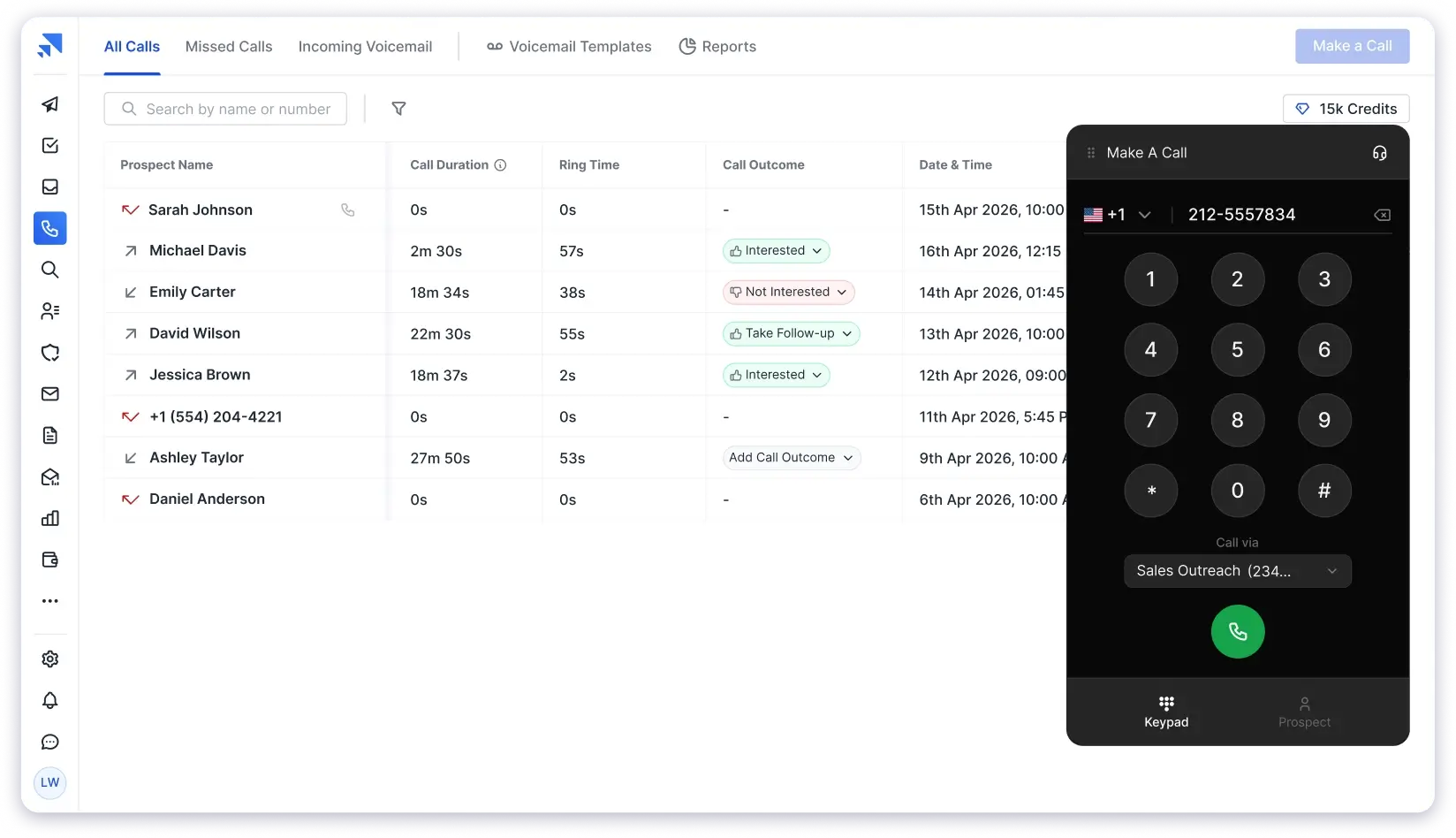
Local presence auto-selects the outbound number that matches your prospect’s area code, which can increase pickup rates by up to 4x.
Number rotation distributes calls across your numbers in the same region so you don’t get flagged as spam. And if a call goes to voicemail, drop a pre-recorded message with one click and track callback rates per template.
You can trigger calls from sequence tasks, the Kanban board, prospect profiles, or the dedicated Dialer module. When prospects call back, browser notifications pop up with full context so the rep who answers isn’t scrambling.
For comparison: Aircall charges $40/user/month and JustCall charges $30/user/month for standalone calling.
With Saleshandy, you get the dialer plus Lead Finder (800M+ contacts with phone numbers), cold email sequences, and CRM in one platform. No extra seat fees for calling.
Key features:
- Built-in dialer with local presence, number rotation, and one-click voicemail drops
- US and Canada phone numbers (first number free, additional numbers available)
- Unlimited call recording storage with AI transcription and AI call summaries
- Custom call outcomes with sentiment tagging for pipeline reporting
- DNC module for outbound calling compliance
- 800M+ verified B2B contact database with phone numbers and 75+ search filters
- Cold email and multi-channel sequences to warm prospects before you dial
- CRM with Kanban pipeline, prospect activity timelines, and call task triggers
✅ Best for: B2B outbound teams that want to find contacts and call them from one platform without paying for a separate dialer. Lead-gen agencies, SDR teams, and founders running cold outreach.
Pricing:
- Dialer Starter: $23/month (1,000 calling credits, 1 free phone number included)
- Dialer Pro: $55/month (2,500 calling credits, 3 phone numbers, power dialer, parallel dialer)
- Add-on credits last forever.
2. Apollo.io – Outbound Calling Software with Built-in B2B Database
Apollo.io combines a large B2B contact database with email sequencing and a built-in dialer. If you’re looking for an outbound calling software that also handles prospecting in one tool, Apollo is one of the more established options.
The database covers 230M+ contacts with email and phone data, intent signals, and technographic filters. The dialer is available on Professional plans ($79/user/month) and above, with call recording and CRM logging included.
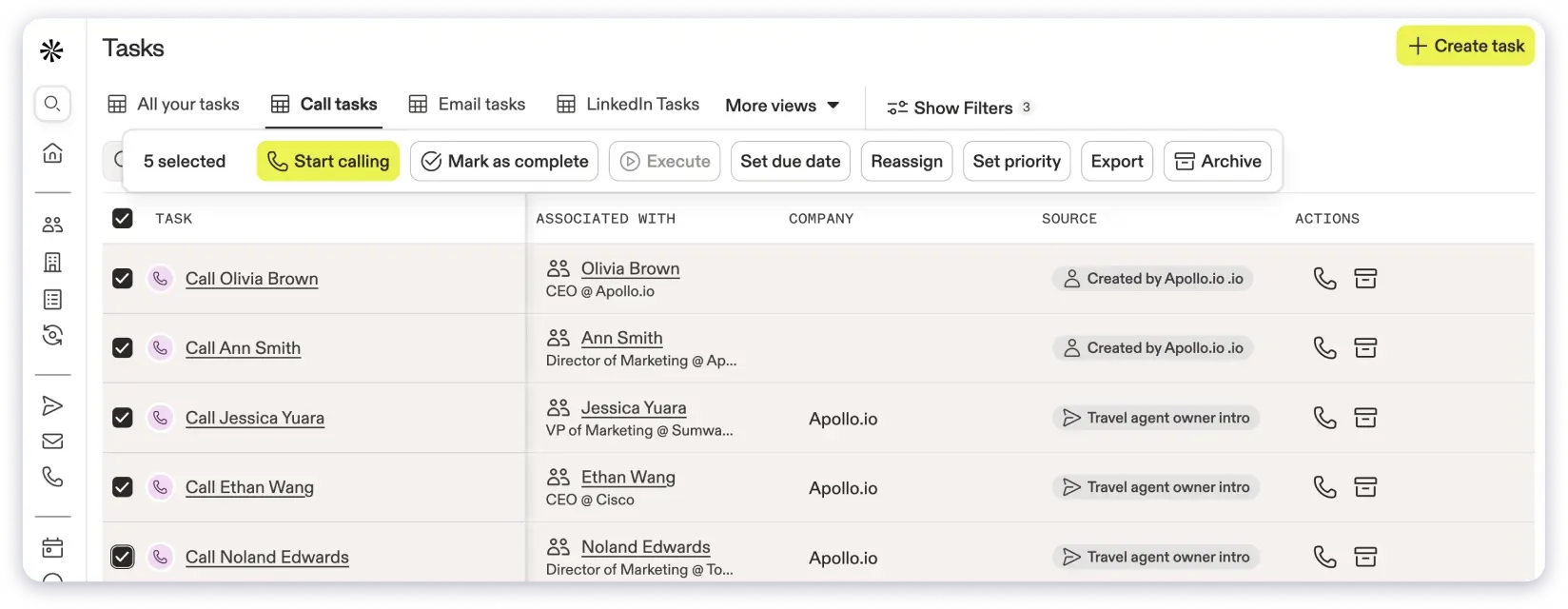
Where Apollo falls short for calling specifically: the dialer is locked behind higher-tier plans, international dialing requires the Organization plan ($119/user/month), and the credit system gets expensive since phone numbers cost 5-8 credits each. Email deliverability has also been a reported issue, with bounce rates between 15-25% according to multiple sources.
Key features:
- 230M+ B2B contact database with email and phone data
- Built-in dialer with call recording (Professional plan and above)
- Email sequencing with A/B testing
- Intent signals and technographic filters
- Chrome extension for LinkedIn prospecting
- CRM integrations with Salesforce and HubSpot
✅ Best for: Teams that want a large prospecting database with calling available on higher plans and don’t mind the credit-based pricing model.
Pricing:
- Basic: $49/user/month (annual billing, no dialer)
- Professional: $79/user/month (includes dialer, call recording, A/B testing)
- Organization: $119/user/month (international dialing, advanced reports, min 3 users)
- Free plan available with limited credits
3. Klenty – Cold Calling Software for Multi-Channel Sales Teams
Klenty is a sales engagement platform focused on multi-channel cadences: email, phone, SMS, WhatsApp, and LinkedIn from one workspace. As a cold calling software, Klenty stands out for its multi-mode dialer options and deep CRM integrations.
The dialer kicks in on the Growth plan ($70/user/month) and includes power dialer, parallel dialer (higher tiers), voicemail drop, and automatic call transcription. CRM integrations with Salesforce, HubSpot, Pipedrive, and Zoho run deep, with bi-directional sync that keeps pipeline data clean.
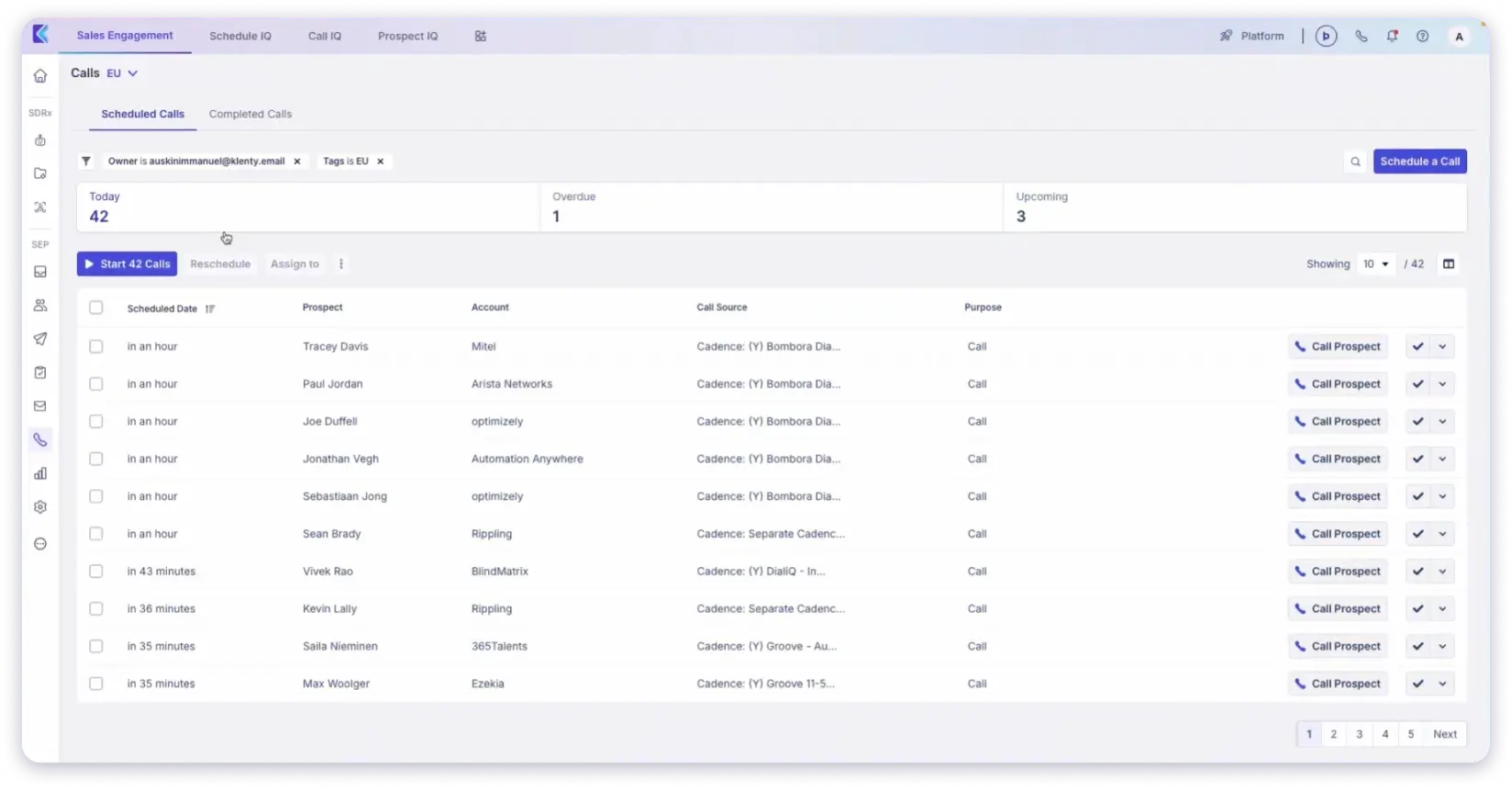
Klenty doesn’t include a built-in B2B database, so you’ll need a separate tool for finding prospect phone numbers before you can call them. If your team already has its contact data and needs a strong sequencing engine with native calling, Klenty delivers.
Key features:
- Multi-mode dialer: power dialer, parallel dialer (up to 5 lines), focus dialer
- One-click voicemail drop with callback rate tracking
- AI call transcription and CRM note sync
- Multi-channel cadences across email, phone, SMS, WhatsApp, and LinkedIn
- Deep bi-directional CRM integrations (Salesforce, HubSpot, Pipedrive, Zoho)
- Call forwarding and routing for prospect callbacks
✅ Best for: Sales teams that already have their contact data and need cold calling software with multi-channel sequencing and deep CRM sync.
Pricing:
- Startup: $50/user/month (annual, email-only, no dialer)
- Growth: $70/user/month (multi-channel cadences, power dialer, voicemail drop)
- Plus: $99/user/month (parallel dialer, AI credits, advanced coaching)
- 14-day free trial
What Is an Inbound Call?
An inbound call is any call where the customer or prospect contacts you first. They pick up the phone, they dial your number, they initiate the conversation.
The reasons vary. A customer calling for support. A prospect requesting a demo. A lead following up on a proposal they received last week. An existing account reaching out about billing.
What they all share: the person calling already has intent. They have a question, a problem, or a decision they’re trying to make. They chose to reach out.
This is why inbound calls generally convert at higher rates than outbound. The prospect already cleared the biggest hurdle by picking up the phone.
Types of Inbound Calls
1. Customer Support and Technical Help
These make up the largest share of inbound calls for most businesses. They range from simple questions (“How do I reset my password?”) to complex troubleshooting that requires escalation.
2. Demo Requests and Sales Inquiries
The high-value inbound calls every sales team wants more of. A prospect visited your pricing page, read a case study, or got a referral, and they’re calling to learn more. These calls have the shortest path to revenue.
3. Billing and Account Management
Calls from existing customers. Upgrade requests, payment issues, plan changes. Lower urgency, but high retention value if handled well.
4. Callbacks from Outbound Outreach
The bridge between the two worlds. You sent a cold email, left a voicemail, or connected on LinkedIn. The prospect calls back. Technically this is an inbound call, but it was sourced by your outbound motion.
💡 Pro tip: Experienced outbound teams on LinkedIn frequently mention that callbacks from cold outreach are among the highest-converting inbound calls they receive. The prospect already saw your name, read your message, and decided to call. That level of intent is hard to manufacture from pure inbound marketing alone.
Why Inbound Calls Convert Higher (and Why That Can Be Misleading)
Inbound calls convert at 15-30%+ because the prospect self-selected. They already have a problem and believe you might solve it.
But here’s the part that doesn’t get talked about enough: you can’t control inbound volume. It depends on your brand awareness, your content engine, your ad spend, and your market position. If those aren’t mature, waiting for inbound calls isn’t a strategy. It’s a hope.
The most dangerous trap for a growing business is building a phone system optimized for inbound and then realizing there isn’t enough inbound to fill the pipeline. That’s when outbound becomes essential.
3 Best Inbound Calling Software Tools
If your team’s primary motion is receiving calls, whether for support, inbound sales, or demo requests, you need tools built for routing, queuing, and managing high volumes of incoming conversations.
1. Aircall – Inbound Calling Software for Support and Sales Teams
Aircall is a cloud phone system built specifically for teams that receive high volumes of incoming calls. As an inbound calling software, it handles the full routing and queuing infrastructure that inbound-heavy teams need.
The integration library connects natively to Salesforce, HubSpot, Zendesk, and 100+ other tools. For teams that need to route calls based on department, language, or rep availability, Aircall handles the complexity without requiring IT setup.
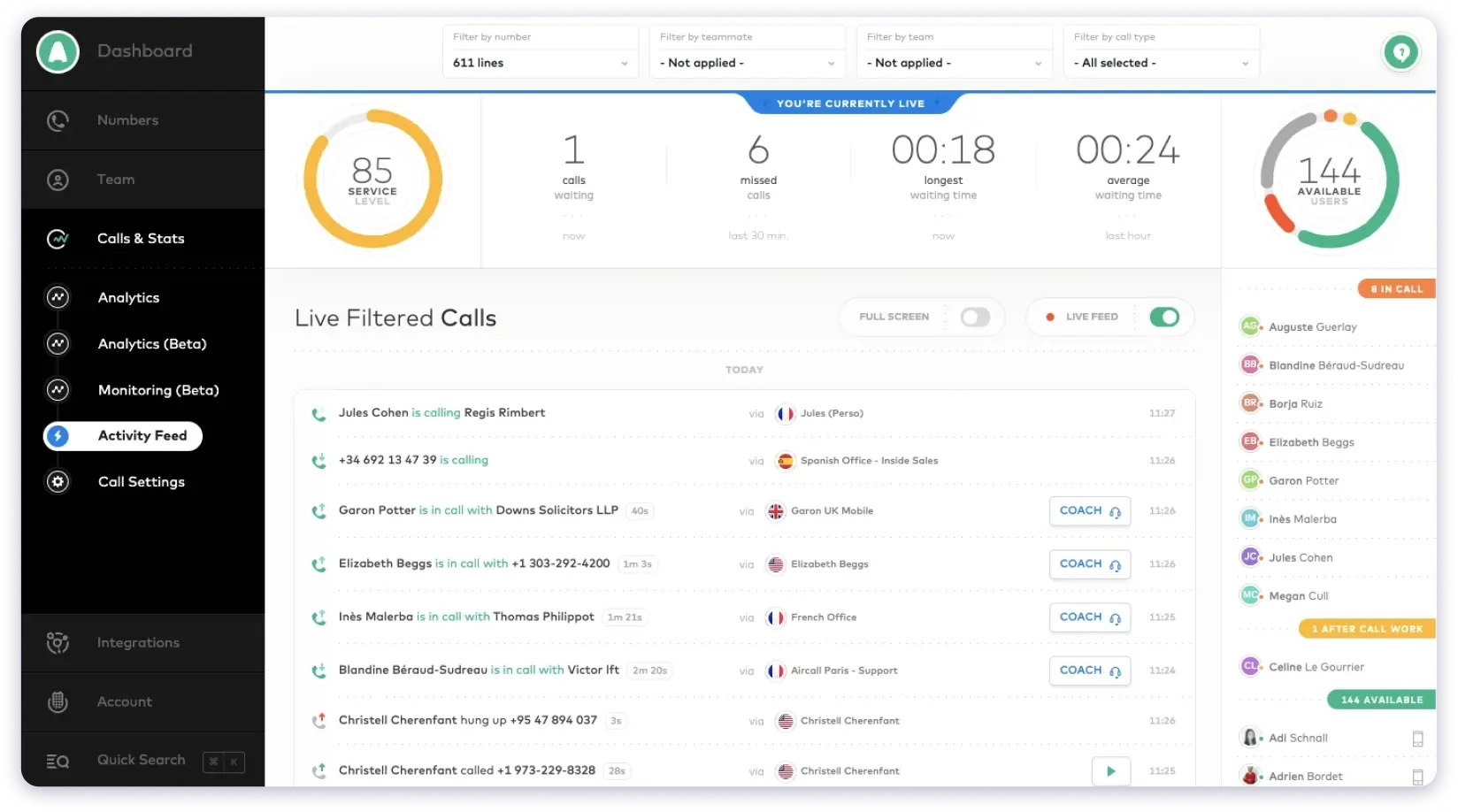
Call monitoring with whisper and barge (Professional plan) gives managers real-time coaching capabilities during live calls. Business-hours rules with after-hours voicemail routing make sure no call goes unanswered even outside working hours.
Key features:
- IVR and auto-attendant for caller self-routing
- Call queues with wait-time management and queue callbacks
- Ring groups and skill-based routing
- Business-hours rules with after-hours voicemail
- Call monitoring with whisper, barge, and real-time coaching (Professional)
- Two-way SMS
- 100+ native integrations (Salesforce, HubSpot, Zendesk, Intercom)
✅ Best for: Inbound-led SaaS teams, support and sales hybrid desks, and mid-market businesses running a main business phone line with predictable inbound volume.
Pricing:
- Essentials: $30/user/month (annual billing, 3-user minimum)
- Professional: $50/user/month (Salesforce integration, power dialer, advanced analytics)
- Custom: Quote-based (25-user minimum, unlimited international calling)
- 7-day free trial
2. JustCall – Cloud-Based Inbound Call Management Platform
JustCall is a cloud contact center that balances inbound call management with outbound capabilities. It works well for teams that receive a steady flow of inbound calls but also need to make outbound follow-ups from the same platform.
The power dialer, queue callback, and IVR are available on the Pro plan. AI call scoring and real-time agent assist come on Pro Plus, which is useful for teams that want automated quality monitoring on incoming conversations.
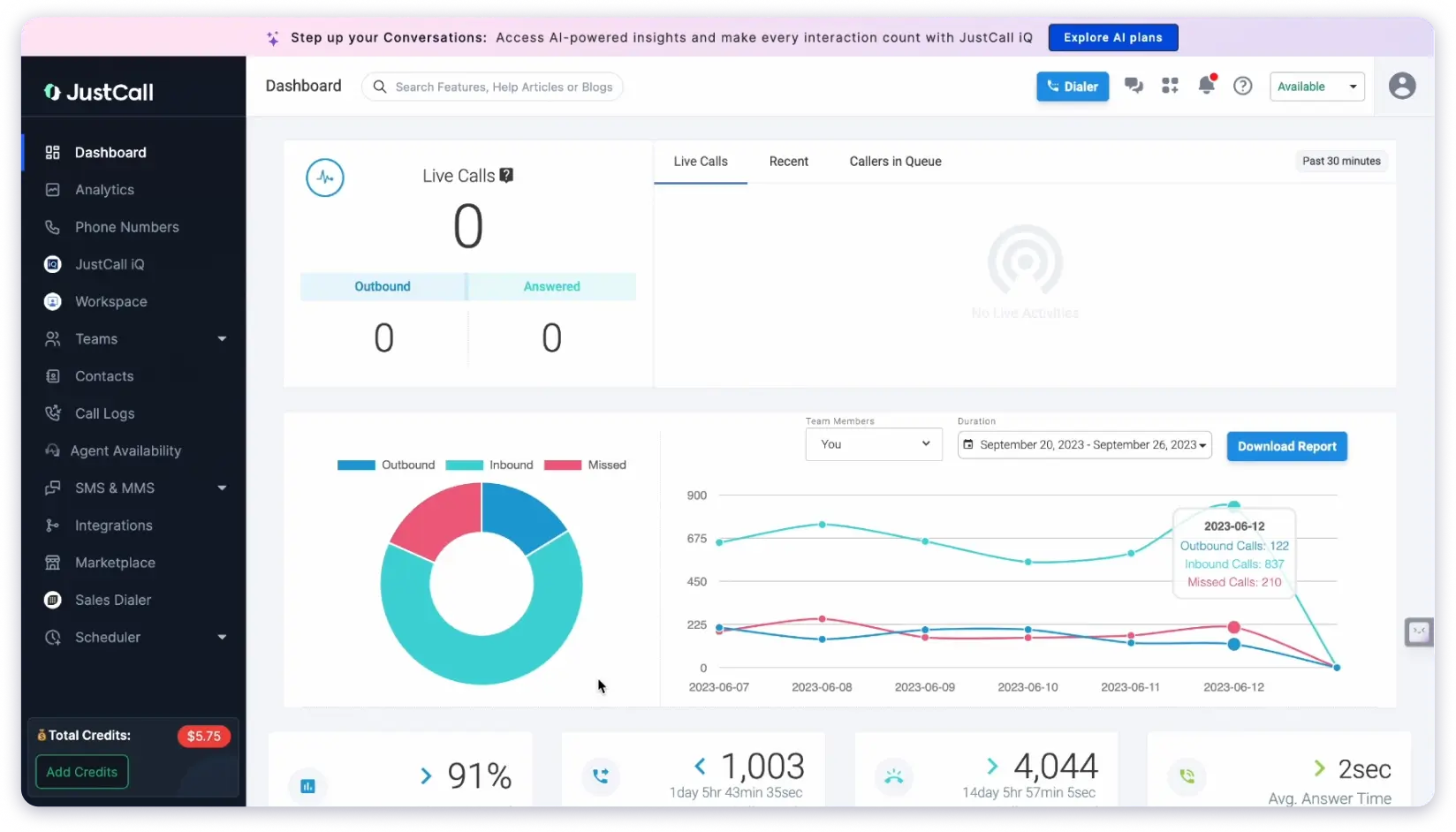
Where JustCall falls short: calling minutes are capped at 1,000 per user/month across all plans, and inbound minutes count against that limit too. SMS segments are also capped, which can get expensive for teams running high-volume text follow-ups.
Key features:
- IVR and call forwarding with conditional routing
- Queue callbacks to reduce customer wait times
- AI call scoring, transcription, and real-time agent assist (Pro Plus)
- Power dialer for outbound follow-ups
- SMS campaigns and WhatsApp integration
- Deep CRM integrations (Salesforce, HubSpot, Pipedrive)
- Call recording with AI transcription
✅ Best for: Mid-market teams with high inbound demo volume, agencies managing client phone lines, and teams that need inbound calling plus SMS in one tool.
Pricing:
- Team: $29/user/month (annual billing, 2-user minimum)
- Pro: $49/user/month (power dialer, Salesforce integration, queue callbacks)
- Pro Plus: $89/user/month (AI call scoring, real-time agent assist, SMS bots)
- Business: Custom pricing (10-user minimum)
3. RingCentral – Enterprise Inbound Calling and Unified Communications Platform
RingCentral is an enterprise-grade unified communications platform that combines phone, video, messaging, and contact center capabilities. As an inbound calling solution, it’s more than most B2B sales teams need, but it’s the right answer if you’re running combined sales, support, and internal communications through one system.
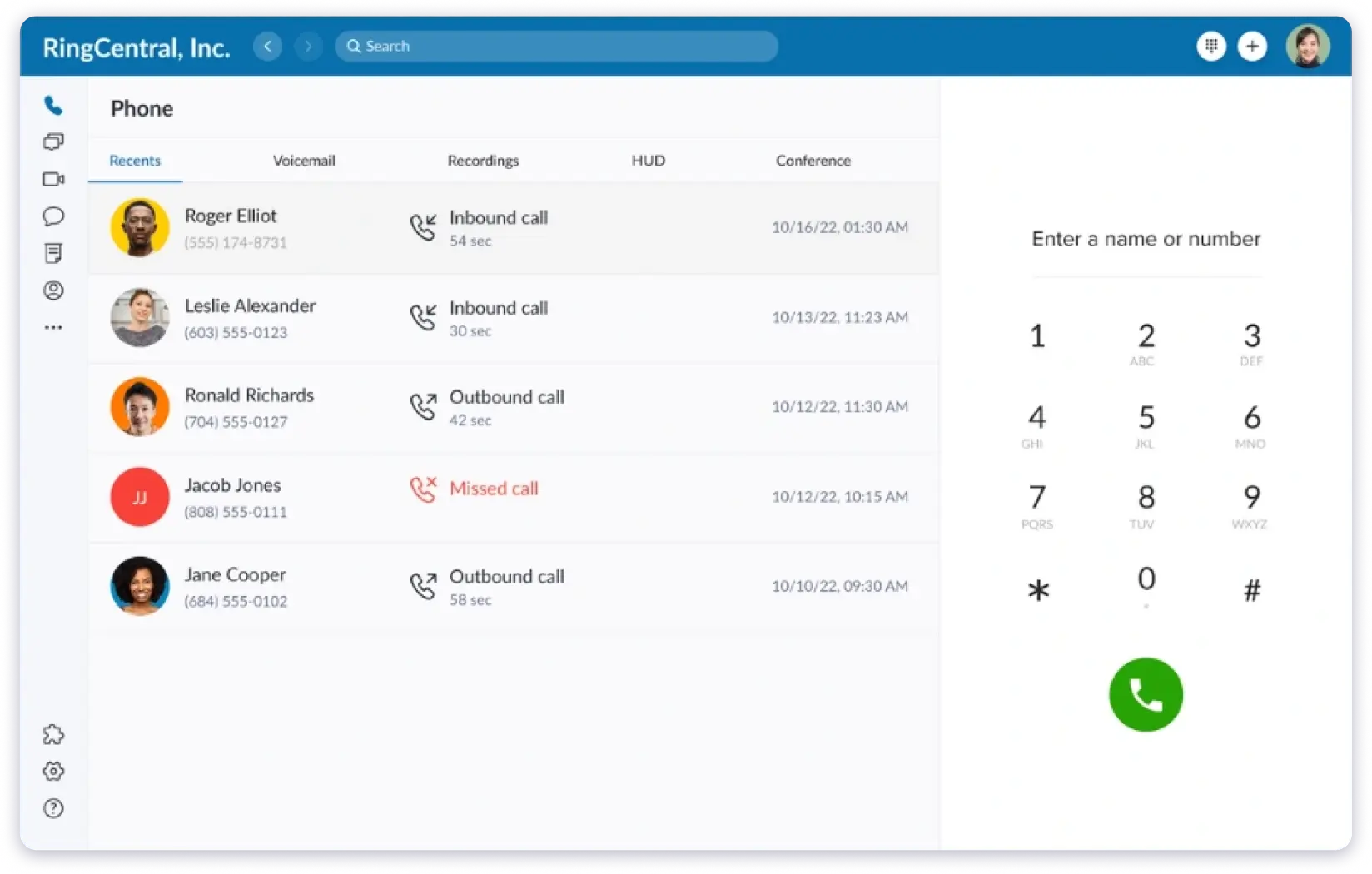
The Advanced plan ($25/user/month) is where RingCentral starts making sense for teams that need inbound call management, with automatic call recording, call monitoring (whisper and barge), and 300+ CRM integrations including Salesforce.
Key features:
- Multi-level IVR with custom routing logic
- Advanced call queues with live analytics dashboards
- Call monitoring with whisper, barge, and takeover
- 300+ integrations including Salesforce, HubSpot, Zendesk
- Video conferencing and team messaging built in
- Unlimited domestic calling in US and Canada
- Global calling across 33+ countries
✅ Best for: Larger organizations that need sales, support, and internal comms unified under one phone system with enterprise-grade security and compliance.
Pricing:
- Core: $20/user/month (annual billing, basic IVR, AI transcription)
- Advanced: $25/user/month (call recording, call monitoring, 300+ CRM integrations)
- Ultra: $35/user/month (unlimited SMS, advanced analytics, 200-person video)
- 14-day free trial
Final Verdict- When Should You Use Inbound vs Outbound Calls?
When Inbound Calls Win
Inbound works when your brand already pulls demand. You’ve built a content engine, your SEO ranks for buying keywords, your ads drive qualified traffic, and prospects are calling you before your sales team reaches out.
This is also the right model when you run a support-heavy business where customers need to reach a human. Service businesses, SaaS with complex onboarding, healthcare, legal, financial services.
The pattern: inbound calls work best when the prospect already knows your name and has a reason to call.
When Outbound Calls Win
Outbound works when you’re not waiting for the phone to ring. You’re building into a new market, you’re targeting a niche ICP, you need predictable pipeline fast, or your competitors have locked up the inbound share and you need another way in.
SDR teams, BDRs, outbound agencies, and founder-led sales teams almost always start with outbound because the alternative is waiting for marketing to generate enough inbound volume. That takes months or years. Outbound takes a list and a phone.
The pattern: outbound calls work best when you need control over timing, targeting, and pipeline growth.
💡 Pro tip: A common framework from outbound sales communities: if your total addressable market is under 10,000 accounts, outbound is almost always more efficient than inbound. You can directly reach every decision-maker instead of hoping they find your content.
FAQs
1. What is the difference between inbound and outbound calls?
Inbound calls are initiated by the customer or prospect. They’re calling your business for support, sales inquiries, or follow-ups. Outbound calls are initiated by your team. You’re reaching out to prospects, customers, or leads for sales, follow-ups, or check-ins. The key difference is direction: inbound is reactive, outbound is proactive.
2. Is cold calling an inbound or outbound call?
Cold calling is always an outbound call. You’re reaching a prospect who hasn’t expressed interest in your product or service. The prospect didn’t initiate the conversation. If a prospect calls you back after a cold call, that callback is technically inbound, but it was sourced by your outbound effort.
3. Which is better, inbound or outbound calls?
Neither is universally better. Inbound calls convert at higher rates (15-30%) because the prospect self-selected. Outbound calls give you pipeline control and speed. Most growing B2B businesses in 2026 run both. Outbound creates initial contact, inbound handles the response. The right mix depends on your brand maturity, market size, and growth stage.
4. What’s the best software for outbound sales calls?
For B2B outbound, Saleshandy offers the most complete stack: 800M+ verified contacts through Lead Finder, cold email sequences, unified inbox, and a CRM built for outbound workflows. All included starting at $49/month with 50 free credits. Apollo.io and Klenty are also strong options depending on whether you prioritize data or sequencing.
5. How many outbound calls should an SDR make per day?
Most B2B SDR teams target 50-80 dials per day. High-volume teams with parallel dialers hit 100+. But raw dial count matters less than the quality of each conversation. An SDR making 40 well-researched, multi-touch calls will typically book more meetings than one making 100 blind dials from an unverified list.
6. Can inbound and outbound calling work together in the same team?
Yes, and in 2026 that’s how most high-performing teams operate. The model: outbound outreach (email, LinkedIn, calls) generates interest. Interested prospects call back or reply. Those inbound responses get handled by the same reps with full context on the prior outbound touches. Tools like Saleshandy make this possible by keeping every interaction on one prospect timeline.