 Anil Salvi
 Contents
- 1Best Sales Outreach Tools – TOC
- 2 TL;DR: Best Sales Outreach Tools in 2026
- 3 How I Compared and Selected These Sales Outreach Tools
- 4 The 10 Best Sales Outreach Tools in 2026
- 5 Final Verdict: Which Is the Best Sales Outreach Tool in 2026?
- 6 FAQs
- 6.1 1. What Is a Sales Outreach Tool?
- 6.2 2. What Features Should I Look for in a Sales Outreach Tool?
- 6.3 3. How Much Do Sales Outreach Tools Cost?
- 6.4 4. What Is the Best AI Tool for Sales Outreach?
- 6.5 5. What Is the Difference Between a Sales Outreach Tool and a CRM?
- 6.6 6. Can I Run Multichannel Outreach From One Tool?
A year back, I could usually tell what made one sales outreach tool different from another within a few minutes.
Today, I can open five vendor websites and see nearly identical feature lists.
This has made evaluating sales outreach tools harder than ever.
Which is why I no longer judge sales outreach tools by what they promise. I judge them by what happens after a sales team starts using them.
So instead of asking which tool has the most features, I wanted to understand which tools actually help sales teams execute outreach more effectively.
To build this list, I evaluated multiple sales outreach platforms and narrowed them down to the 10 best options based on:
- Outreach capabilities
- Automation features
- AI functionality
- CRM and third-party integrations
- Ease of use
- Pricing
- User feedback from G2 and Reddit
In this guide, I’ll walk you through each tool and explain where each one excels, where it falls short, and help you determine which one is the right fit for your team.
Best Sales Outreach Tools – TOC
TL;DR: Best Sales Outreach Tools in 2026
Short on time? Here are my top 3:
- Saleshandy — Best overall sales outreach platform for teams that want to find prospects, engage them across multiple channels, and close deals from a single platform.
- Outreach.io — Best for enterprise sales teams that need advanced forecasting, deal management, rep coaching, and cross-channel engagement at scale.
- Reply.io — Best for teams looking to automate outreach with AI-powered SDR workflows across email, LinkedIn, SMS, and calls.
Want the full picture? Here is how all 10 tools compare:
| Tool | Best For | Why Choose It |
| ⭐ Saleshandy | Teams looking for an all-in-one outbound platform | Combines prospecting, multichannel outreach, calling, AI automation, and CRM capabilities in one platform. |
| Outreach.io | Enterprise revenue teams | Strong forecasting, deal management, sales coaching, and cross-channel engagement for large teams. |
| Salesloft | Sales organizations focused on rep productivity | Helps teams improve execution with coaching, analytics, and structured sales workflows. |
| Reply.io | Teams wanting AI-powered outreach automation | AI SDR capabilities automate outreach across email, LinkedIn, SMS, and calls. |
| Apollo.io | Teams that need both prospecting and outreach | Large B2B database combined with sales engagement capabilities. |
| Lemlist | Personalized cold email campaigns | Known for advanced email personalization and strong deliverability features. |
| Klenty | Growing outbound teams | Supports multichannel outreach with a balance of features and affordability. |
| Instantly.ai | High-volume cold email outreach | Built for sending outreach at scale while keeping costs manageable. |
| Dialpad AI Sales | Calling-focused sales teams | AI-powered calling, conversation intelligence, and sales coaching. |
| HeyReach | LinkedIn-first outbound strategies | Designed for scaling LinkedIn outreach across multiple accounts. |
How I Compared and Selected These Sales Outreach Tools
I evaluated these sales outreach tools based on the factors that have the biggest impact on day-to-day outbound execution.
Here’s what I looked at:
1. Outreach Capabilities
The first thing I evaluated was how many channels each platform supports and how well they work together.
Can you manage email, LinkedIn, calling, and SMS from the same sequence? Or do you need multiple tools to run a multichannel campaign?
Platforms that support more channels and make them easy to manage from a single place scored higher.
2. Automation
Not all automation is created equal.
I looked at how flexible each platform is when building outreach sequences, including conditional workflows, prospect-triggered actions, task automation, A/B testing, and scheduling options.
The goal was to identify tools that reduce manual work without sacrificing control.
3. CRM Integrations
Your outreach platform shouldn’t create more administrative work.
I evaluated how well each tool syncs with popular CRMs like HubSpot, Salesforce, Zoho, and Pipedrive, along with the quality of their integration ecosystem.
Tools that automatically keep contact and activity data in sync received higher scores.
4. Ease of Use
Feature-rich software means very little if your team struggles to adopt it.
I considered how intuitive each platform feels, how quickly teams can get campaigns running, and whether common tasks require unnecessary setup or complexity.
5. AI Capabilities
Every sales outreach tool claims to have AI features today.
I focused on whether those features actually save time or improve performance.
This included AI-generated sequences, personalization assistance, lead scoring, coaching, and autonomous outreach capabilities.
6. Built-In Prospecting Database
Some tools only help you engage prospects. Others help you find them as well.
I evaluated whether each platform includes a B2B contact database and how useful that database is for building prospect lists without relying on additional software.
7. Pricing and Scalability
Pricing becomes increasingly important as your team grows.
I compared pricing models, feature availability across plans, and how costs scale when adding users, outreach volume, or additional functionality.
Tools that offer predictable pricing and strong value for money scored higher.
The 10 Best Sales Outreach Tools in 2026
Here is a closer look at each tool, what it does well, where it falls short, and who should consider using it.
1. Saleshandy
⭐ Best for: SDRs, agencies, and lead gen teams that want prospecting, multichannel outreach, and reply management in one platform without paying per seat.
Saleshandy is often where most teams start outbound, and it’s easy to see why.
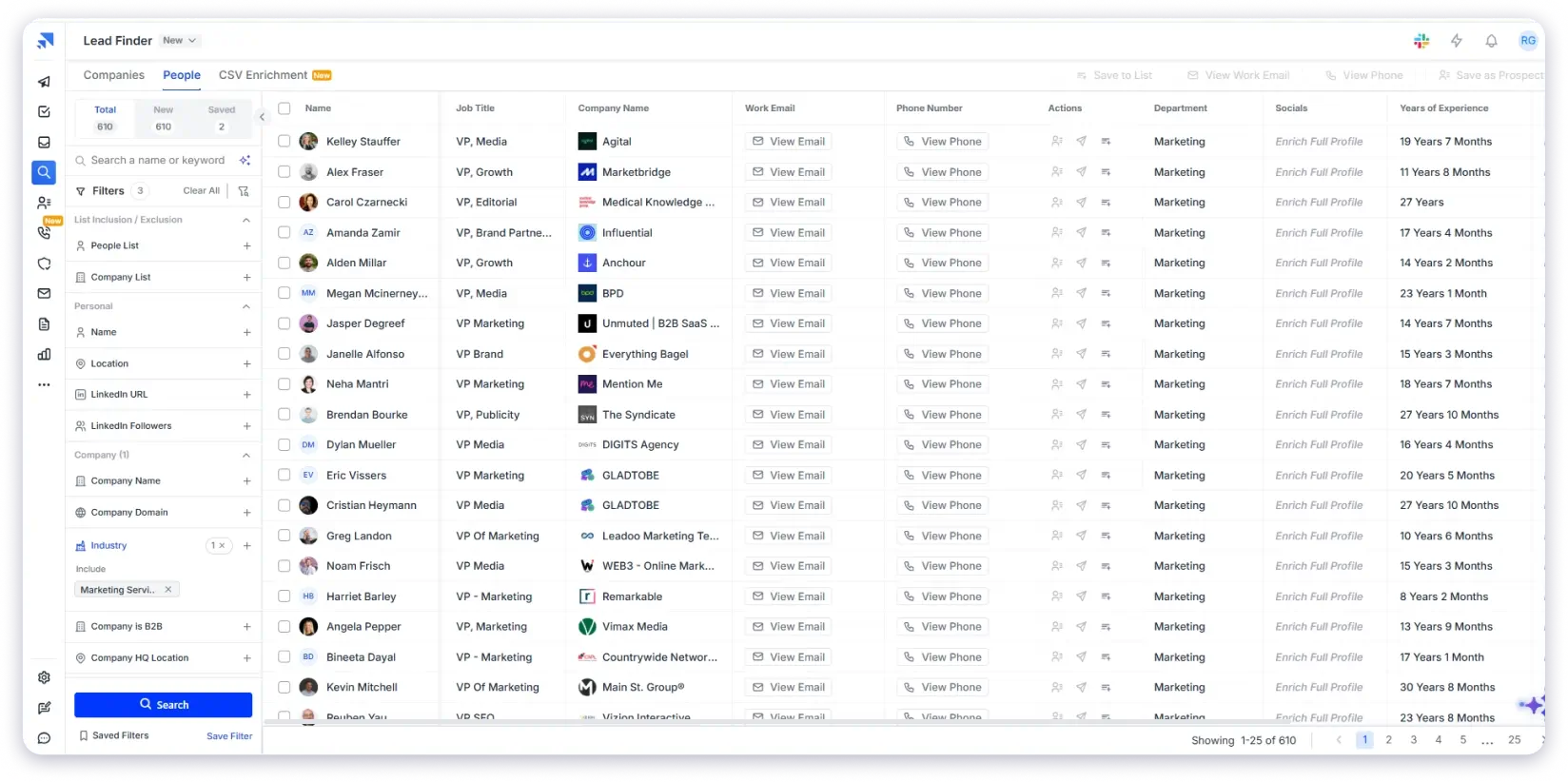
You can find prospects from an 852M+ verified B2B database, build multichannel sequences across email, calls, and LinkedIn, manage replies in a unified inbox, and sync all activity directly to your CRM without switching tools.
What stood out during testing was how smooth the Saleshandy workflow felt.
I could go from finding a prospect to launching a campaign in just a few steps, without needing extra tools or complex setup.
There is no per-seat pricing. You can add as many team members and email accounts as you need, and your cost does not increase with headcount.
One of the best things that impressed me was that calling is handled through an AI Dialer with local presence dialing, which lets reps call prospects using a number that matches their area code.
What impressed me most was local presence dialing. It helps calls feel more natural and increases the chance of getting answered.
I also liked the AI transcripts because they save time by automatically writing call notes. Overall, it is a simple and useful setup for teams that mainly do email outreach but also want to add calls.
Key features I found most useful:
- Multichannel Outreach: Combine email, cold calling, and LinkedIn steps in a single sequence. Calling and LinkedIn actions are task-based, meaning reps complete them manually when prompted.
- B2B Lead Finder: Access 852M+ verified contacts using more than 70 filters, including job title, industry, company size, revenue, and technology stack. AI Prompt-to-List helps build prospect lists using natural language.
- AI Sequence Copilot: Creates multi-step outreach sequences based on your ICP and campaign goals.
- Unified Inbox: Collects replies from all connected email accounts in one place and automatically categorizes responses using AI.
- Agency Portal: Manage multiple clients from a single dashboard with white-labeling, unlimited email accounts, and unlimited team members.
- Outbound CRM: Visual Kanban pipeline with activity tracking, notes, tasks, and outreach history for every prospect.
- Unlimited Accounts and Team Members: Every plan includes unlimited users and sending accounts, so costs do not increase as your team grows.
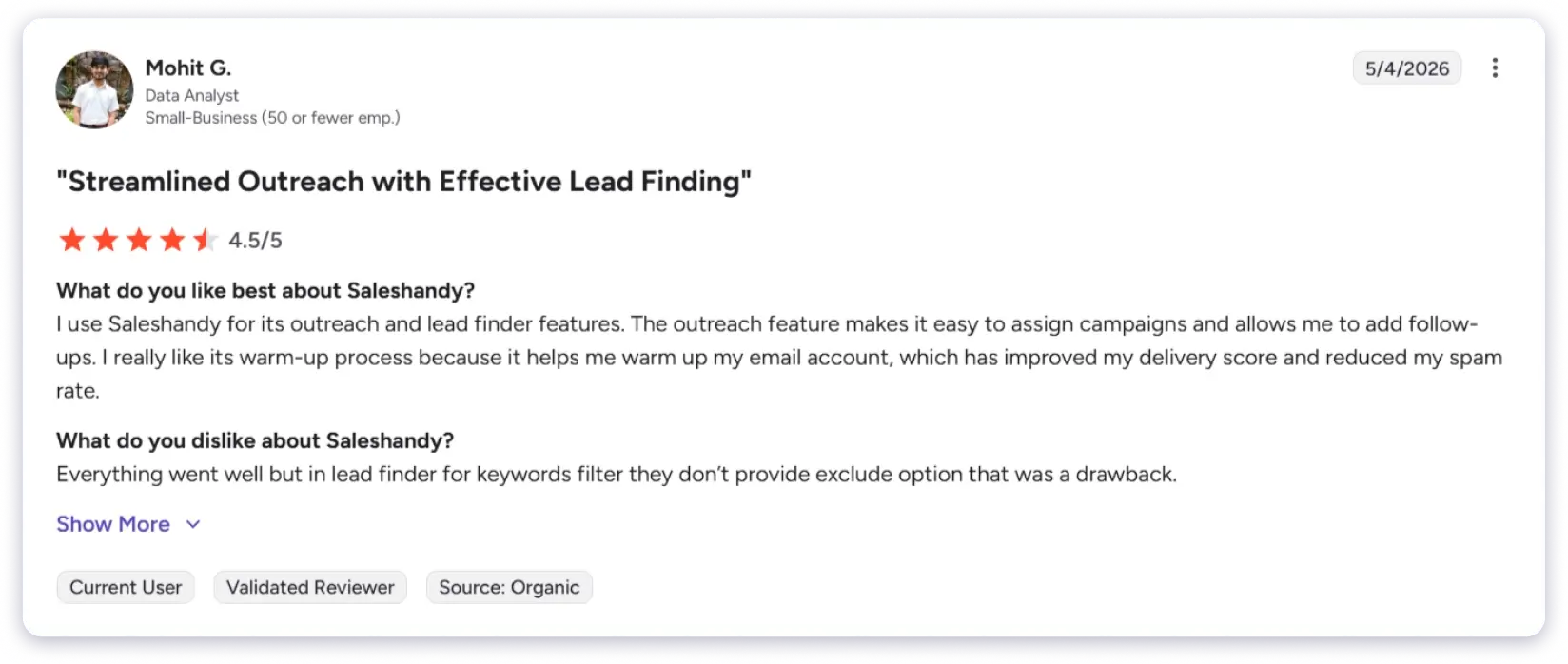
What Are Users Saying About Saleshandy
My Honest Take
Saleshandy covers prospecting, outreach, and reply management better than most tools on this list. The dialer handles calling well for email-first teams that use calls as a supporting channel. I am waiting for Power Dialer and Parallel Dialer to go live. If your team runs 200+ calls a day and needs auto-dial, a dedicated calling platform will be a much better fit for now.
Pricing (annual billing):
- Outreach Starter: $25/mo
- Outreach Pro: $69/mo
- Outreach Scale: $139/mo
For full pricing details, including Lead Finder plans, visit the Saleshandy pricing page.
2. Outreach.io
Best for: Large revenue teams that need cross-channel engagement, AI coaching, and forecasting in one platform.
Outreach.io is one of the most established sales engagement platforms on the market. What stood out to me is that it supports much more than outreach.
You get much more than email, calls, and LinkedIn sequences. Outreach also includes coaching, forecasting, and pipeline visibility tools that help teams stay on top of deals
The feature I liked most was Kaia AI. It joins sales calls, transcribes conversations in real time, and surfaces helpful prompts during meetings.
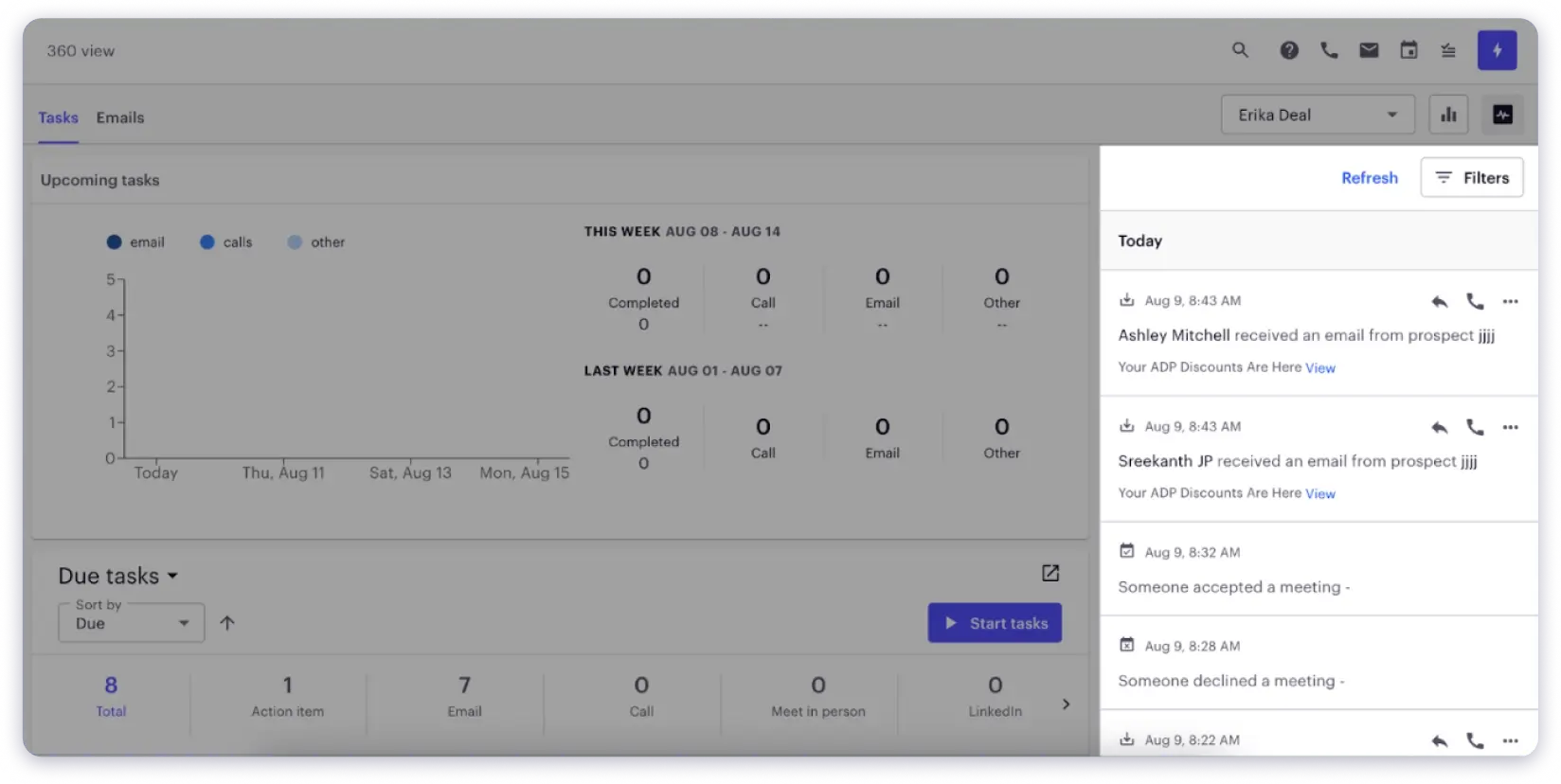
I also liked how Outreach centralizes everything. Reps can access prospect activity, engagement history, and CRM data without constantly switching between tools.
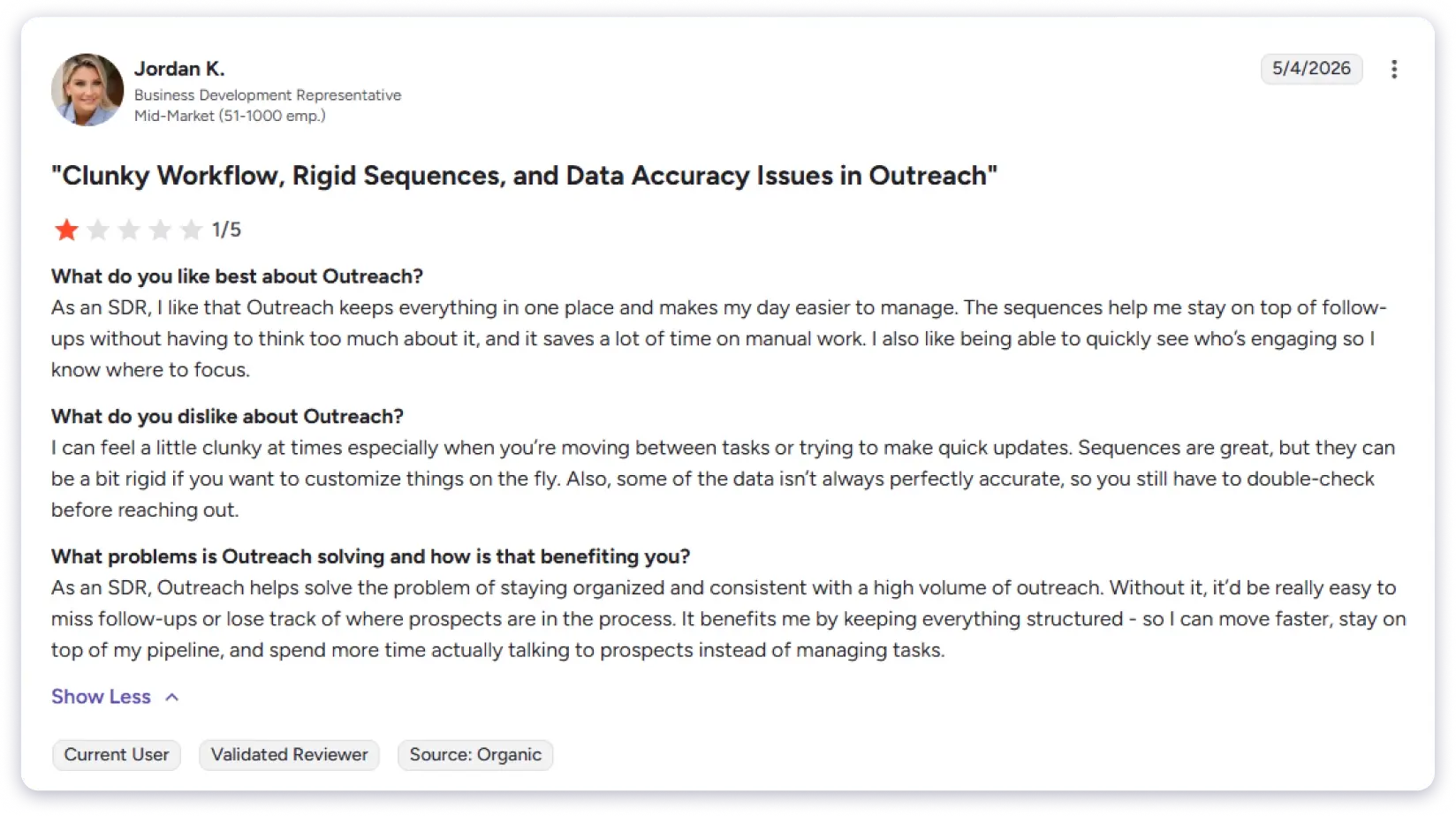
That said, the platform isn’t without drawbacks. One issue I noticed, and something that comes up frequently in G2 reviews, is that the interface can feel cumbersome when you’re moving between tasks or making quick updates.
The sequencing engine works well for structured processes, but it can feel restrictive when you need more flexibility.
I also found that some prospect data required manual verification before outreach, which adds extra work for teams expecting highly accurate data at this price point.
Key Features of Outreach.io
- Cross-Channel Sequences: Build outreach sequences across email, phone, and LinkedIn from a single workflow.
- Kaia AI Assistant: Provides real-time call transcription, coaching prompts, meeting summaries, and action items.
- Sales Intelligence: Brings together CRM data, prospect activity, and engagement history in one place.
- AI Forecasting and Pipeline Management: Helps sales leaders identify risks, track pipeline health, and forecast revenue more accurately.
What Are Users Saying About Outreach.io
My Honest Take
The platform can feel clunky to use, and sequences are not very flexible. Prospect data is not always accurate, and you need a separate B2B database. It’s best suited for large teams, not smaller ones.
Pricing: Custom pricing
3. Salesloft
Best for: Enterprise sales orgs that need outreach, coaching, conversation intelligence, and revenue forecasting in one system.
Salesloft is a Revenue Orchestration Platform that manages the full sales cycle. Reps often do not know who to focus on, which deals need attention, or what to do next.
It helps decide who to contact, when to reach out, and which sequence to use based on buyer signals through Conductor AI.
What I liked is the structure it brings to daily sales work.
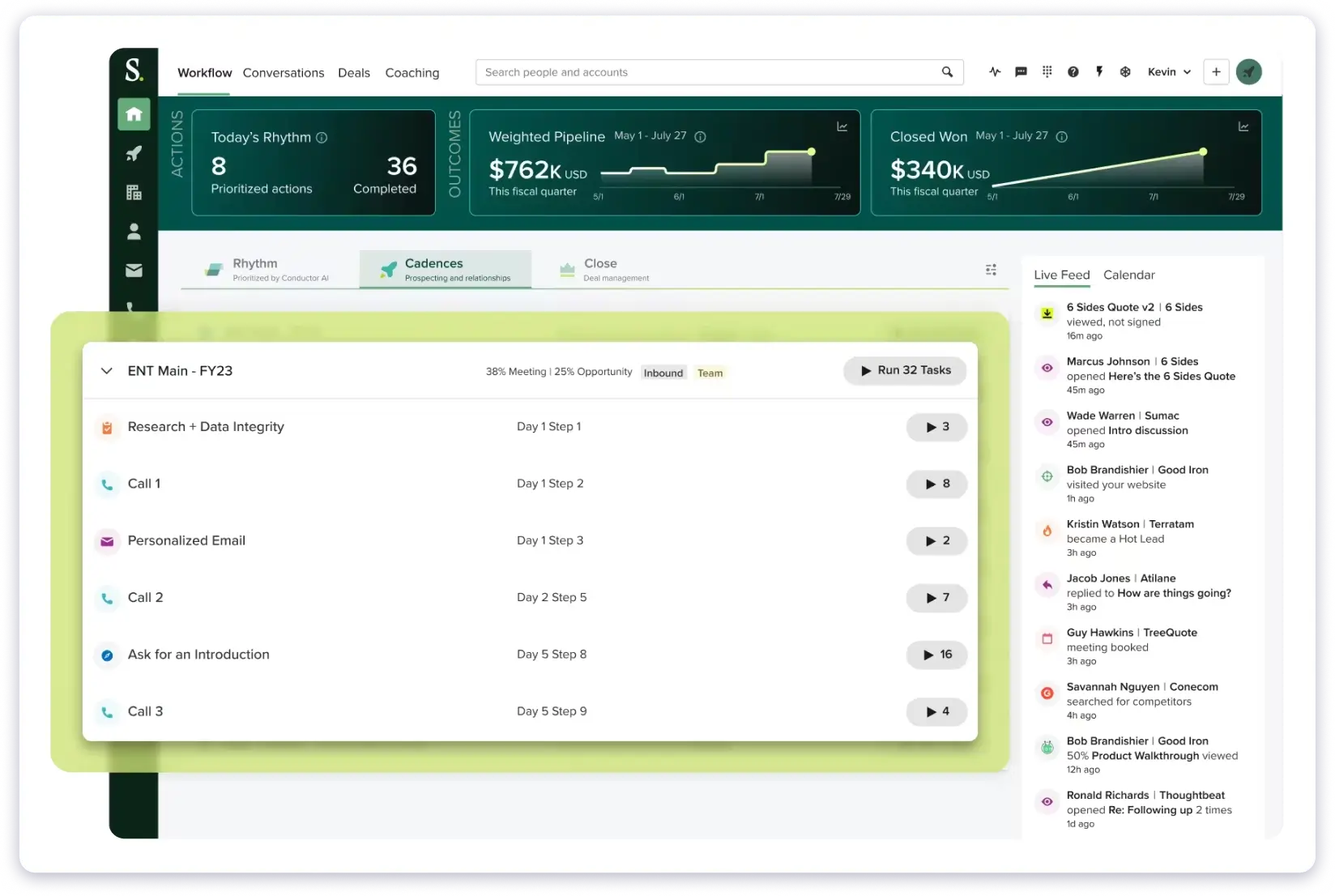
Instead of reps figuring everything out manually, the platform pushes clear next steps and reduces decision fatigue.
Salesloft also uses 25+ purpose-built AI agents across different tasks. One handles prospect research, another drafts emails, another prepares call briefs, and another scores calls.
Each one is focused on a single job instead of relying on one general AI assistant. From a campaign management perspective, it helps standardize outreach across teams.
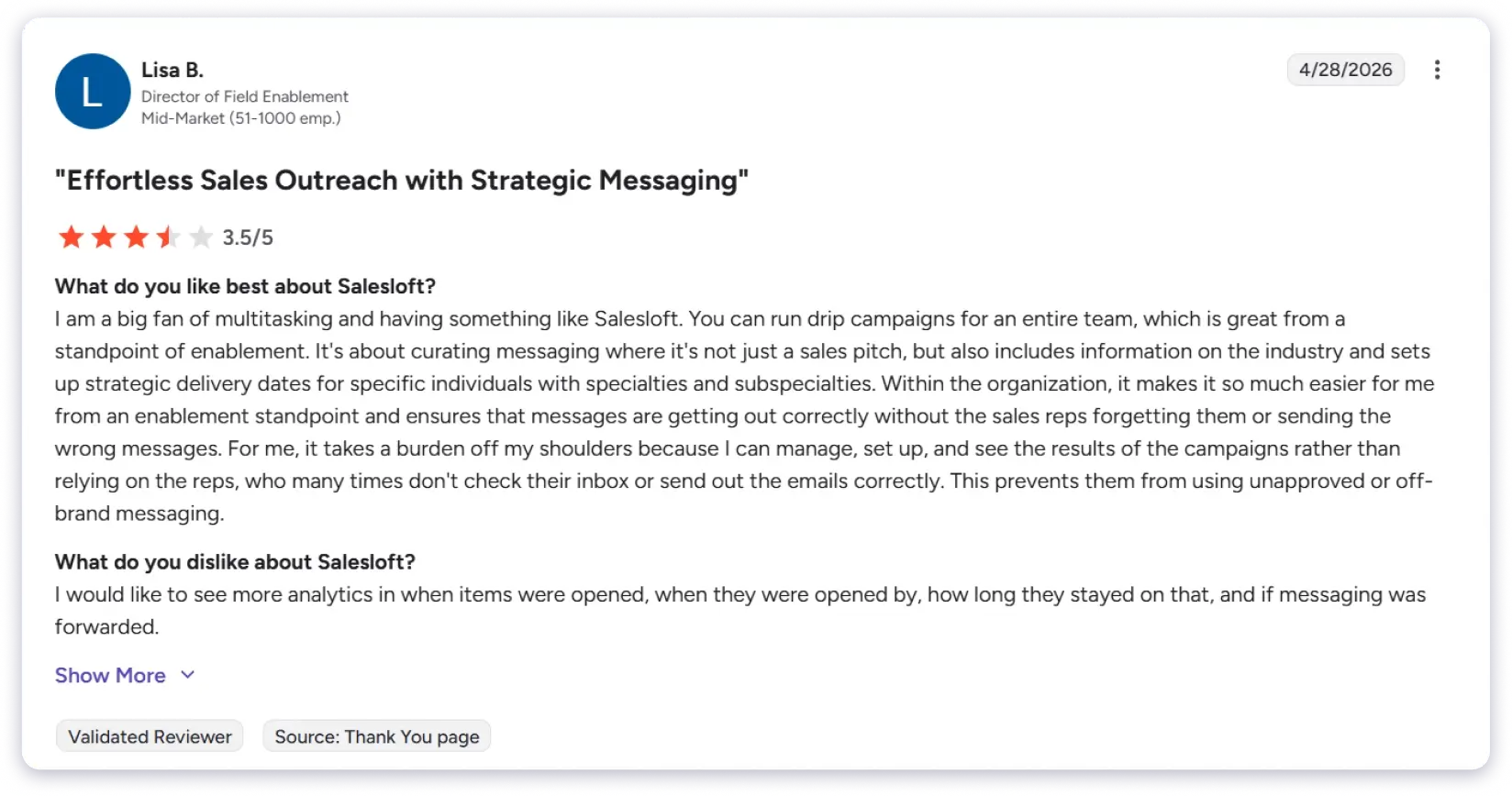
You can run coordinated drip campaigns, control messaging at scale, and ensure reps stay consistent without depending on individual execution.
Where Salesloft falls short is simplicity, cost, and reporting depth. G2 reviewers often mention that analytics could go deeper, especially around detailed engagement tracking like opens, forwards, and time spent on emails.
It’s also clearly built for large, mature sales teams, so many advanced features won’t be fully used if you only need basic outreach automation.
Key Features of Salesloft
- Conductor AI: Analyzes buyer signals, engagement patterns, and rep activity in real time. Tells reps which accounts to prioritize and what to do next. This is the core differentiator.
- 25+ AI Agents: Purpose-built agents for research, email drafting, call prep, meeting summaries, and analytics. Embedded across the platform, not bolted on.
- Drift Website Engagement: Identifies and engages website visitors through chat and routes them to the right rep automatically. Built in natively.
- Salesloft Rhythm: Intent-based engine that ranks accounts by priority and surfaces next-best actions based on live buyer signals.
- Conversation Intelligence: Every call is recorded, transcribed, and analyzed. Managers get coaching insights and AI scorecards without listening to full recordings.
- 180+ Integrations: Bi-directional sync with Salesforce, HubSpot, and Microsoft. Largest integration ecosystem in the category.
What Are Users Saying About Salesloft
My Honest Take
Setup takes weeks and requires a dedicated team to manage it properly. It only really makes sense for mid-market and enterprise teams with a proper sales tech budget. But reporting lacks depth, pricing is custom and not public, and smaller teams will overpay for features they will never use.
Pricing: Custom (no public pricing)
4. Reply.io
Best for: Teams that want an AI SDR handling prospecting and outreach across multiple channels without constant human supervision.
Next on my list is Reply.io, and the reason is simple. It gives you one of the widest ranges of control in a single outreach tool.
You can run fully manual sequences, automate multichannel campaigns, or switch on full AI autopilot with Jason AI SDR. You decide how much you want to automate.
It finds prospects from a 1B+ database, personalizes messages, and runs outreach across email, LinkedIn, SMS, WhatsApp, and phone automatically.
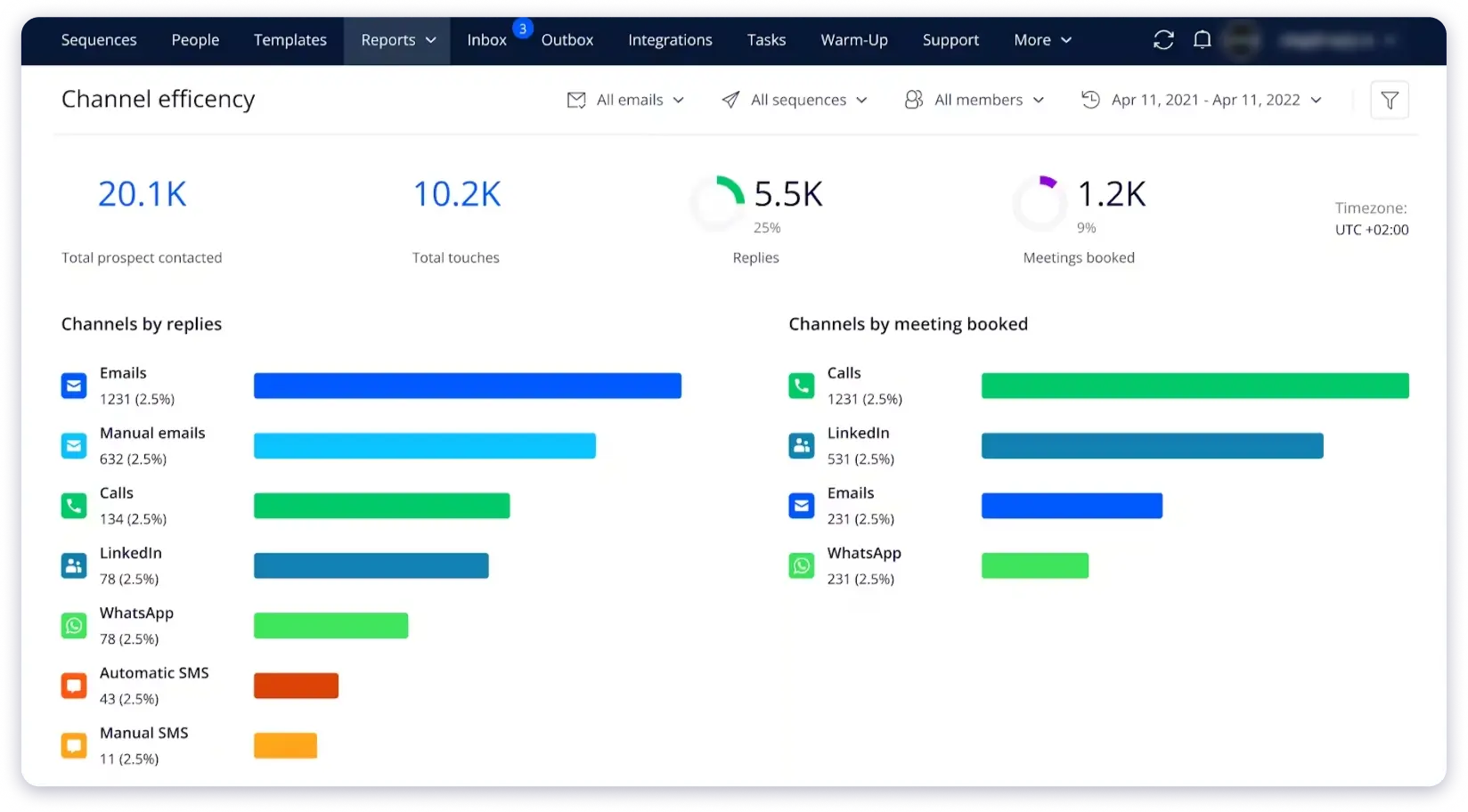
The sequence builder is also one of the most advanced I have tested. You can set a simple rule like “if no reply in 3 days, send a LinkedIn request, then call on Day 7,” and it executes across channels without manual work.
That’s where Reply.io really stands out for me.
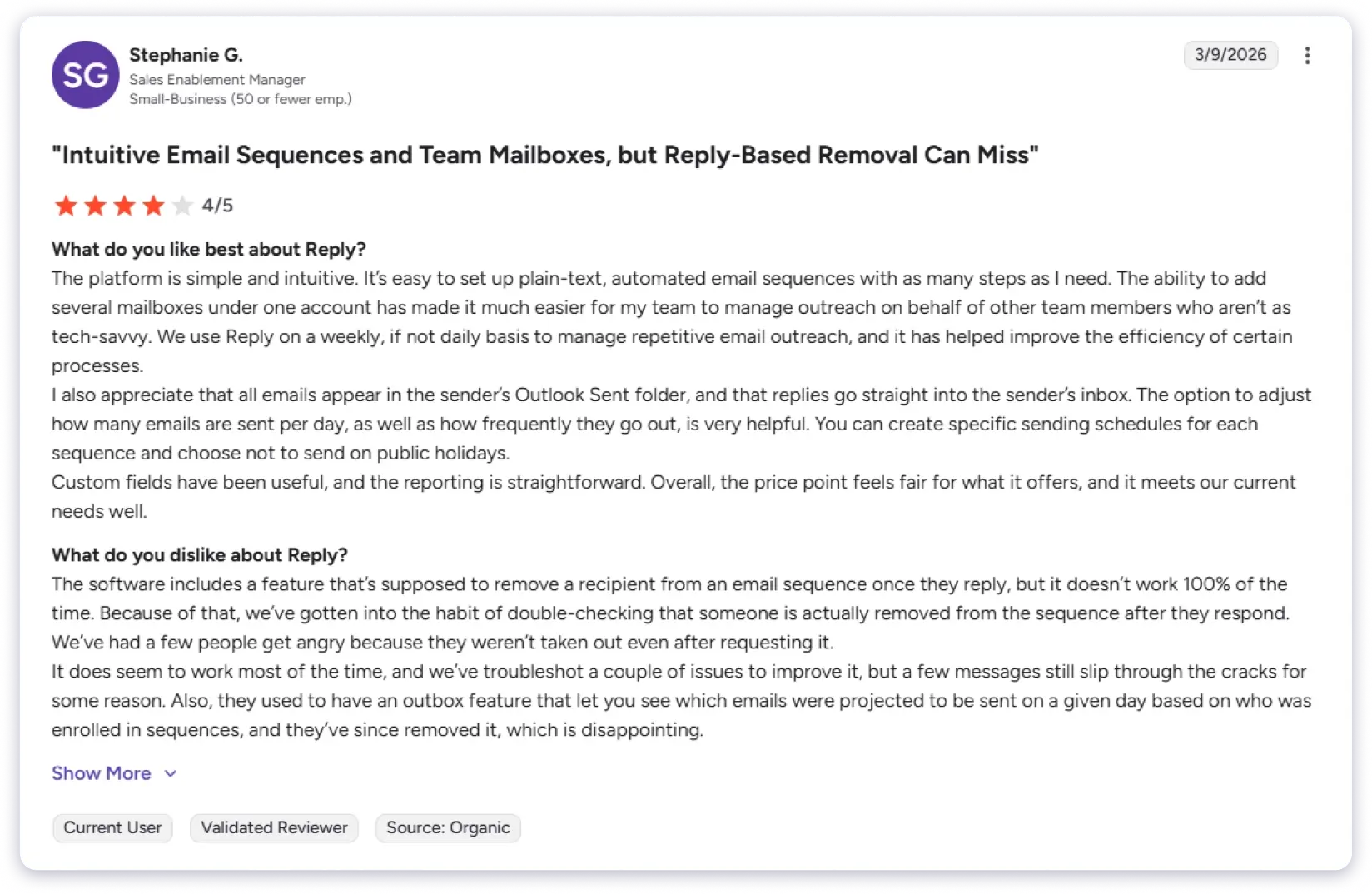
Also, it’s easy to use day to day. Multi-mailbox setup is smooth, replies land directly in the sender’s inbox, and controls like sending limits and schedules are well handled.
What I didn’t like was the reliability. The auto-removal feature doesn’t always catch replies or opt-outs, and I personally saw follow-ups still go out after responses.
That’s not just messy; it can become a reputation issue.
Pricing is the other thing to watch, as LinkedIn automation is an extra add-on per account. It scales fast in cost as you grow.
Key Features of Reply.io
- Jason AI SDR: Handles ICP creation, prospecting, message writing, and outreach execution autonomously across channels.
- B2B Database: Includes 1B+ contacts searchable directly inside the platform.
- Multichannel Conditional Sequences: Span email, LinkedIn, SMS, WhatsApp, and phone with branching logic based on engagement.
- Video Email: Native Vineyard integration lets you embed personalized video in sequences.
What Are Users Saying About Reply.io
My Honest Take
I found the platform user-friendly and easy to get started with, but it’s worth noting that some users have reported concerns with Reply.io’s pricing and billing, including unexpected price increases, unclear communication around contract renewals, and slow support responses, although many still feel it delivers strong outbound features overall.
Pricing (annual billing):
- Email Volume: $49/user/mo
- Multichannel: $89/user/mo
- AI SDR (Jason): From $500/mo
5. Apollo.io
Best for: Teams that want a database and outreach sequences in one platform and are okay with per-seat pricing.
Next sales outreach tool on my list is Apollo.io.
It combines a 275M+ contact database, email sequences, intent data, lead scoring, and a basic CRM in one platform. For teams starting from scratch, it quickly gets you from zero to a working outbound setup.
The free tier is also genuinely useful. You get 900 credits per month, 2 sequences, a Chrome extension, and basic filters.
The extension alone is one of the fastest ways to pull prospects from LinkedIn straight into a sequence.
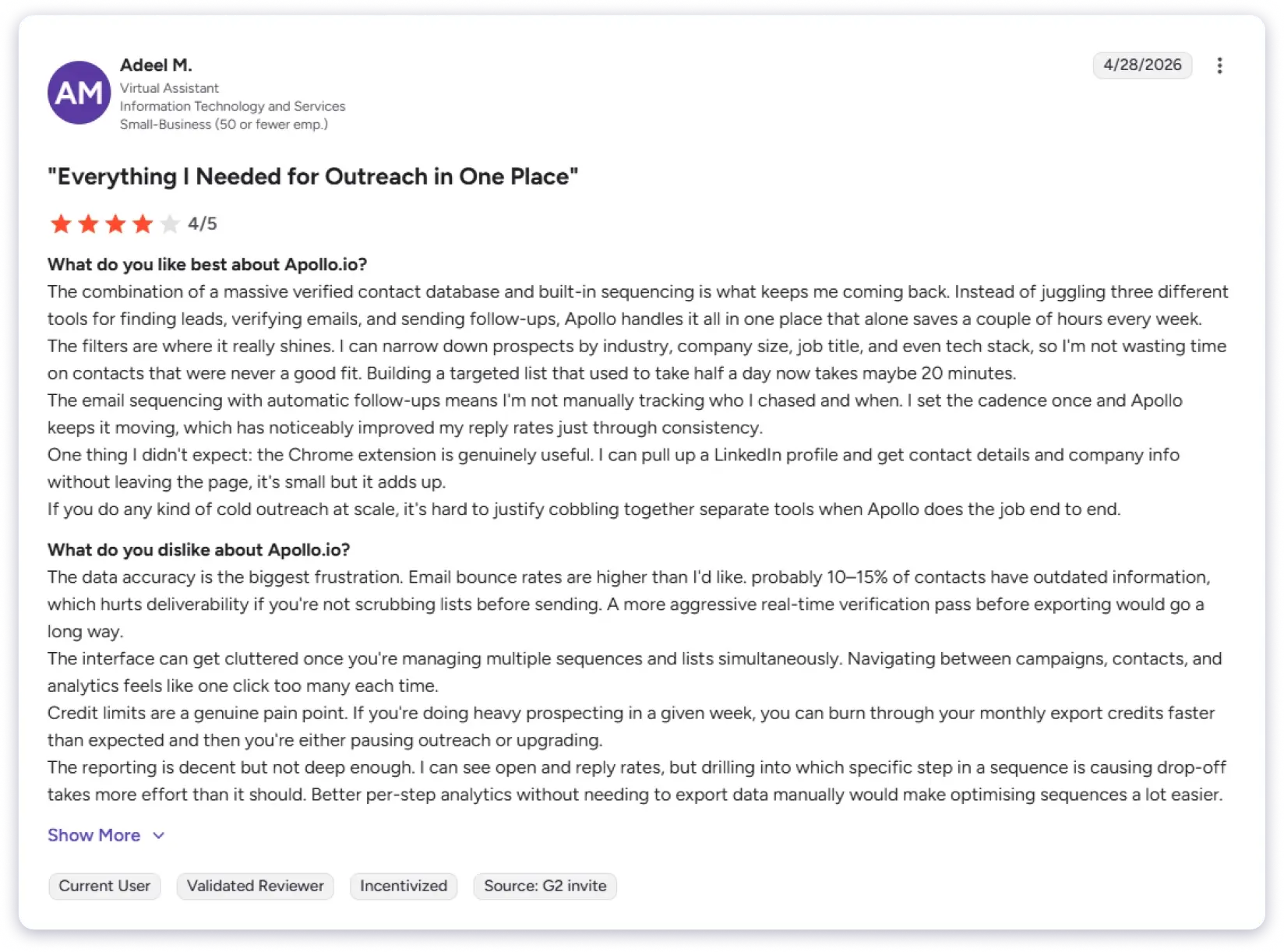
That said, there’s a learning curve. Also, the platform is packed with features, and once you start juggling multiple lists and campaigns, the interface can feel cluttered.
Simple actions like switching between sequences or checking analytics take more clicks than they should.
Where I ran into real issues was data quality. I definitely agree with other users that a noticeable chunk of contacts had outdated or incorrect details, which led to higher bounce rates unless I cleaned lists first.
If you’re actively prospecting, you can also burn through credits quickly and end up upgrading mid-cycle.
And phone numbers were even less reliable, so verification becomes an extra step Apollo doesn’t really remove.
Key Features of Apollo.io
- B2B Database (275M+ Contacts): Includes firmographic, technographic, and intent data along with a Chrome extension that lets you pull prospect information directly from LinkedIn profiles in seconds.
- Multi-Step Sequences: You can build sequences that combine email, LinkedIn tasks, and calling tasks with A/B testing and condition-based branching built in.
- Intent Data and Lead Scoring: The platform identifies which accounts are actively researching topics related to your product so reps can prioritize based on real buying signals instead of guessing.
- Data Enrichment: Adds 30+ attributes to your existing CRM records through integrations or bulk CSV upload. Email lookups cost 1 credit, and phone numbers cost 8 credits each.
What Are Users Saying About Apollo.io
My Honest Take
Apollo is a solid starting point for outbound. But per-seat pricing adds up quickly, data quality outside the US is inconsistent, and credits burn faster than expected. It is good for getting started, but not a specialist tool for scale.
Pricing (annual billing):
- Free: $0 (limited credits)
- Basic: $49/user/mo
- Professional: $79/user/mo
- Organization: $119/user/mo (minimum 3 users)
6. Lemlist
Best for: Teams that believe creative personalization drives replies, not volume.
Lemlist takes a different approach from most tools on this list.
Instead of competing on sending volume or database size, it focuses on making every single email feel like it was crafted for one person.
You can embed custom images with the prospect’s name and company logo, drop in personalized video messages, and create dynamic landing pages that change based on who clicks.
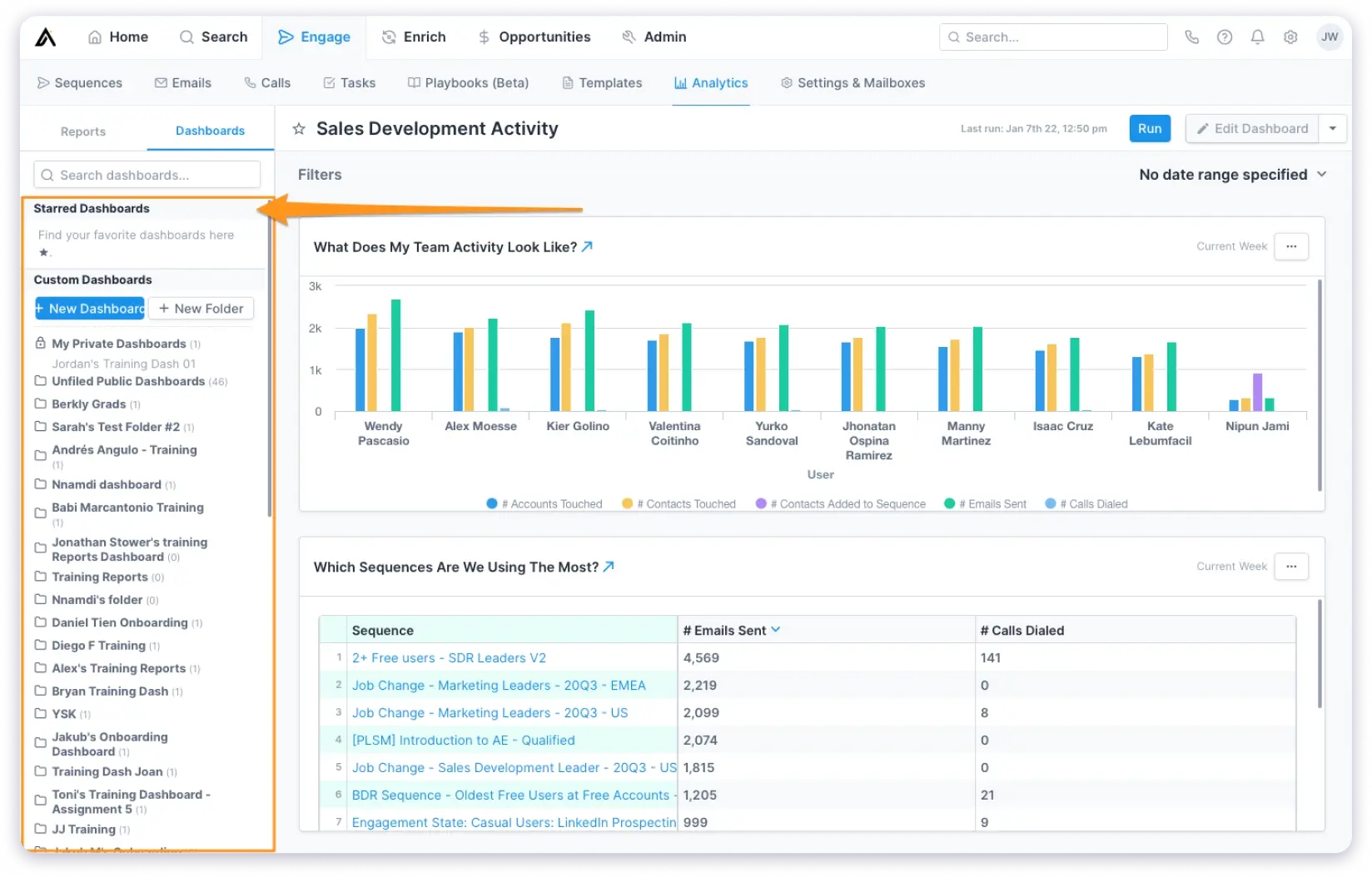
When I tested the image personalization, the setup was surprisingly quick.
Upload a template, map your variables, and the tool generates a unique image for each prospect automatically.
The multi-source email finder pulls from ContactOut, Datagma, and Prospeo instead of relying on a single provider, which means higher match rates.
The creative personalization features are genuinely unique. If you are in a competitive space where plain-text cold emails get ignored, Lemlist gives you tools to stand out.
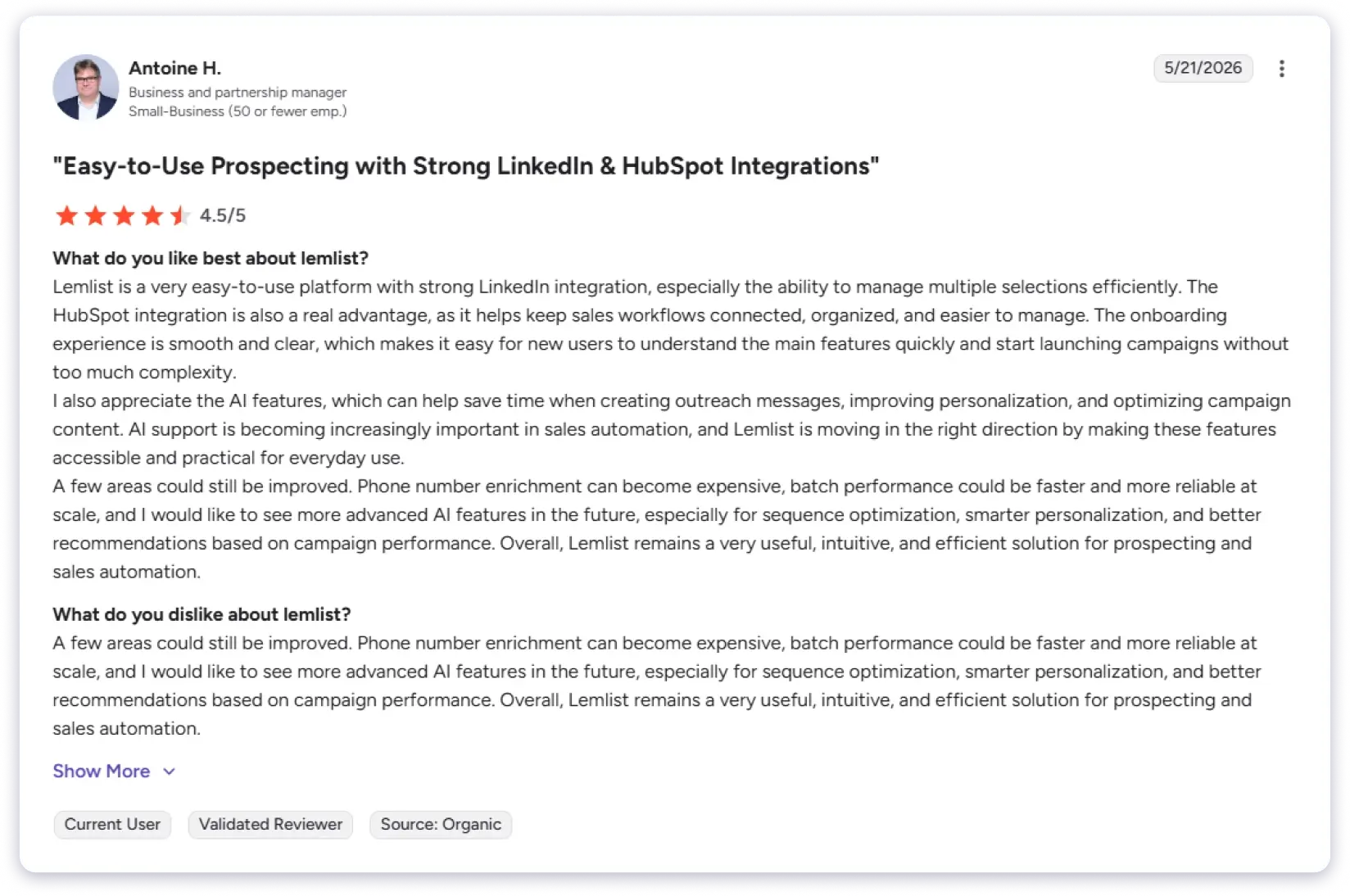
But there are gaps in pricing, and credits expire monthly. Also, phone number enrichment gets expensive at volume.
Batch performance slows down and becomes less reliable at scale, which is frustrating when you are running large campaigns.
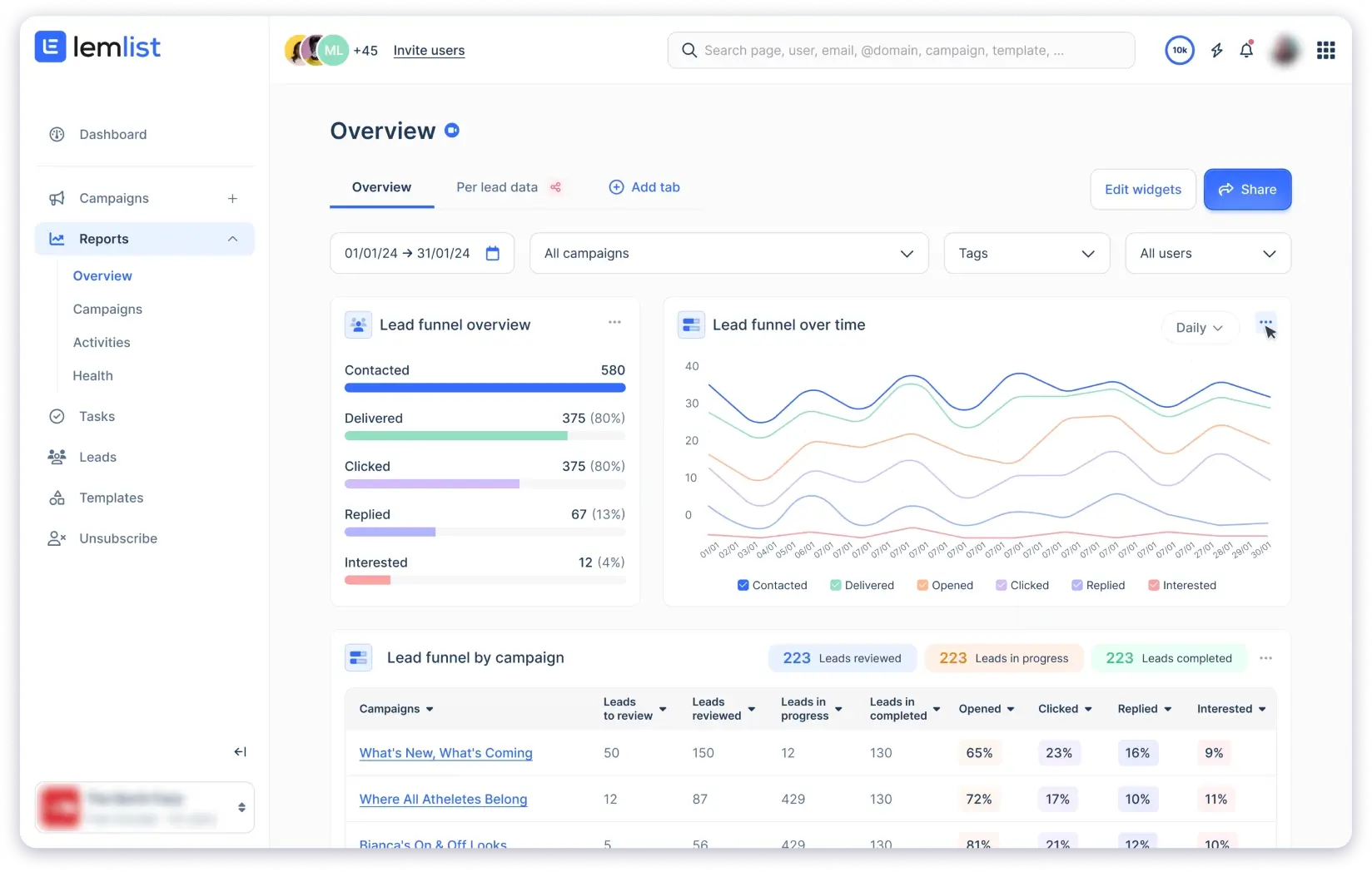
Like other users, I have faced the issue of campaign visibility. When running several sequences in parallel, it is not always clear at a glance where each one stands.
You end up clicking around the dashboard just to check progress, which adds unnecessary friction to your daily workflow.
Key Features of Lemlist
- Personalized Outreach: Add dynamic elements like names, company logos, and job titles into images, videos, and landing pages to make emails feel more one-to-one instead of generic.
- Multichannel Campaigns: Run outreach across email, LinkedIn, SMS, calls, and WhatsApp in a single sequence so all touchpoints stay connected.
- lemAgent: AI assistant that finds and enriches prospects, scrapes data, and cleans lists so you spend less time on manual research.
- Pay-Per-Success Enrichment: You only pay when data is verified. Emails cost 5 credits and phone numbers cost 20 credits, with no charge for failed lookups.
What Are Users Saying About Lemlist
My Honest Take
Best-in-class for personalization, but it gets expensive at scale. Per-user pricing, plus $9 per extra email account, adds up quickly. Sending limits on base plans are also restrictive. Not ideal for high-volume teams or agencies. Lemlist works best for teams that prioritize quality over volume.
Pricing (annual billing):
- Email Starter: $55/user/mo
- Email Pro: $79/user/mo
- Multichannel Expert: $99/user/mo
7. Klenty
Best for: Teams where cold calling is the primary channel and email supports it.
Klenty is built for phone-first outbound. The concept of multichannel outreach across email, LinkedIn, and calls is solid in theory. And when it works, it works well for structured outbound workflows.
What impressed me is that it does not just run sequences blindly.
It actually tries to separate active buyers from passive ones using SmartLists, intent signals, and workflow rules.
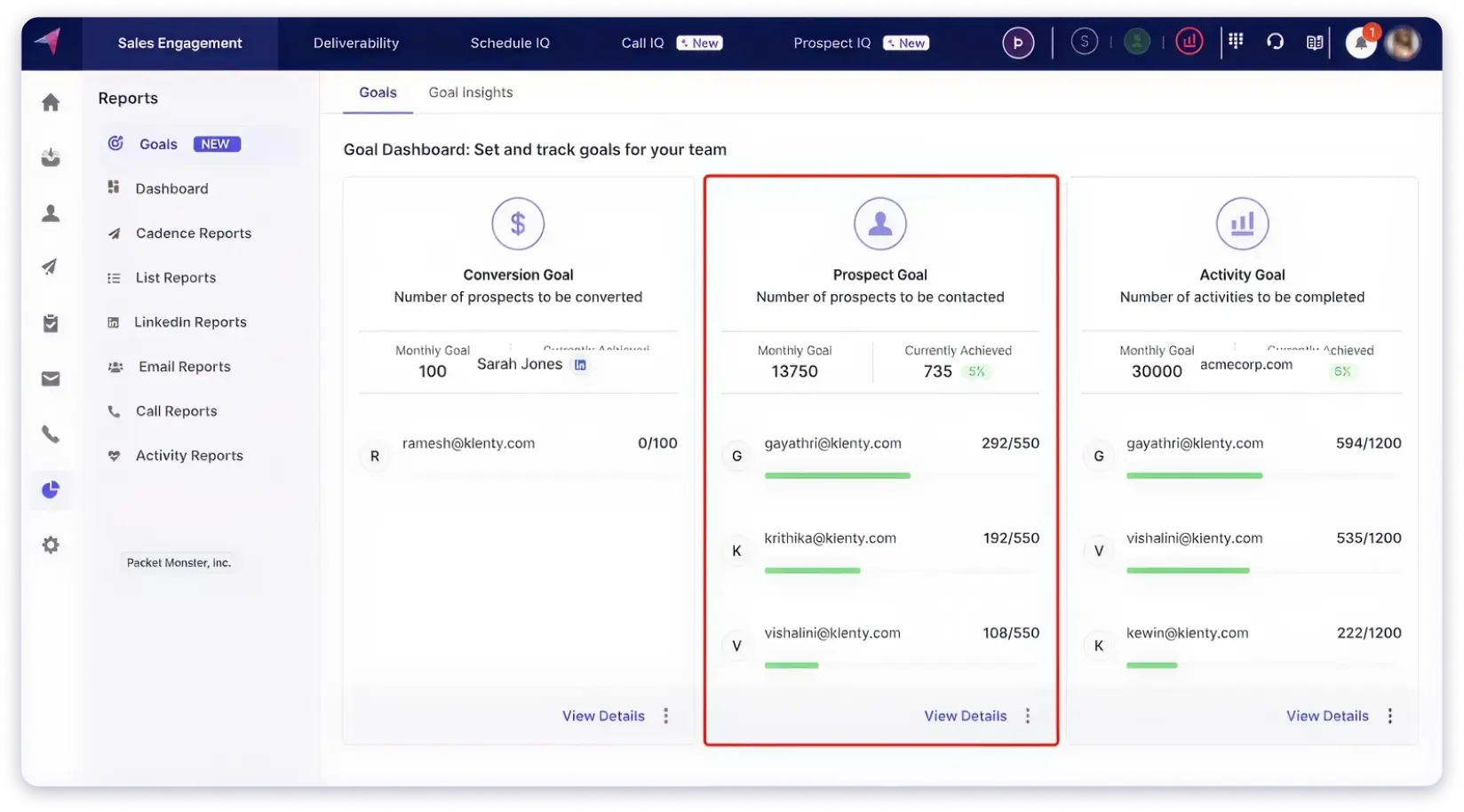
Instead of blasting everyone with the same follow-up, it adjusts based on where the prospect is in the buying journey. That level of intent-based selling is something most tools on this list do not offer.
The built-in dialer is also a strong point. Voicemail drop, AI coaching suggestions, and automatic call logging all sit inside the sequence. Reps do not need to switch tools to make calls.
But in practice, there are gaps worth knowing about.
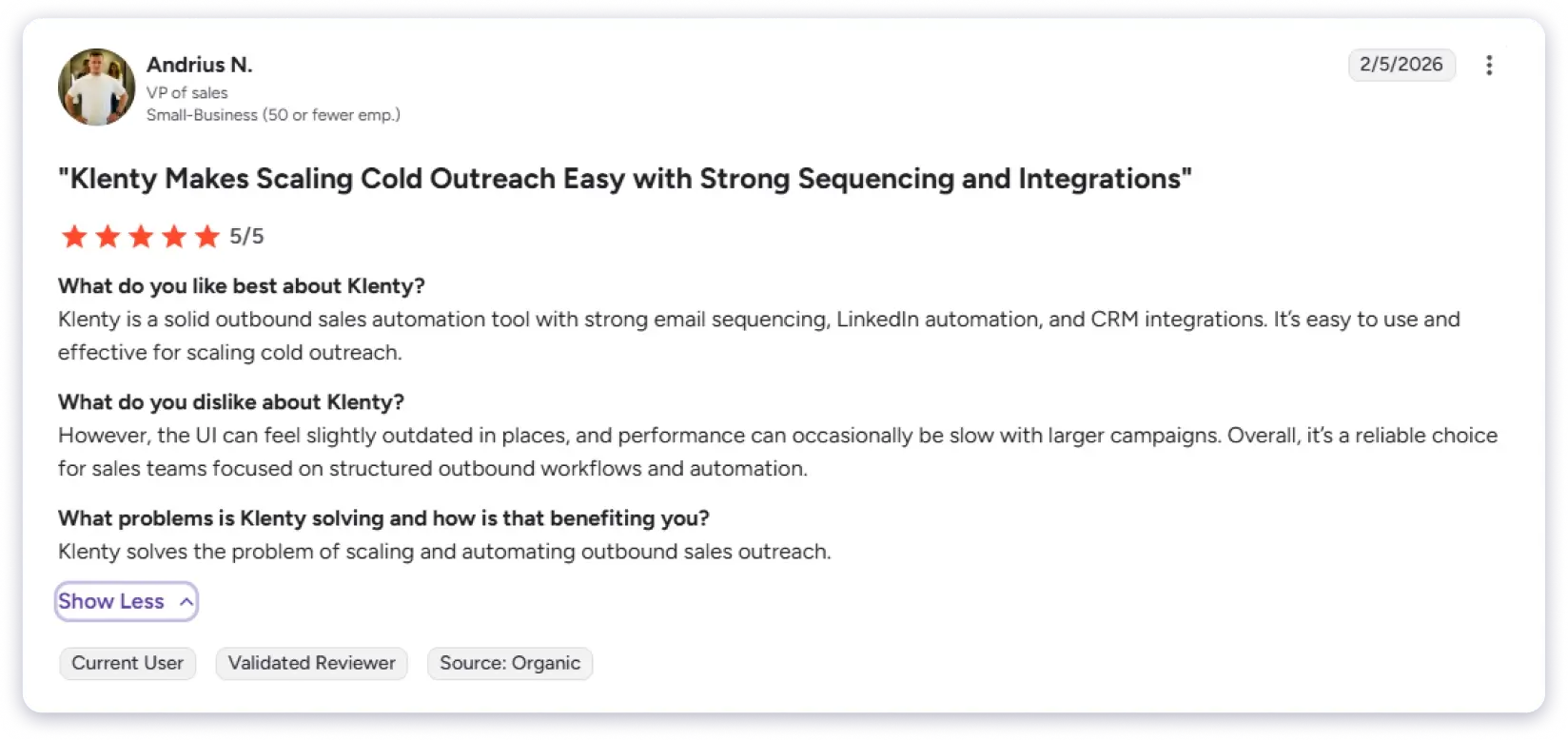
The UI feels outdated in places. Performance slows down noticeably with larger campaigns. Several G2 reviewers flagged the same issue. I noticed the platform can feel laggy and unstable when you are running high-volume outreach.
There is a noticeable gap between what is advertised and how the product actually performs under load.
Support is friendly but slow to resolve issues. When your sequences are live, and something breaks, slow turnaround adds real friction to daily workflow.
Key Features of Klenty
- Built-In Dialer: Make calls directly from the platform with voicemail drop, call coaching tips, and automatic logging into sequences.
- SDRx Account Intelligence: Pulls data from SEC filings, LinkedIn, tech stack info, and company news to give reps a quick pre-call research brief.
- AI Lead Scoring: You define what a “good lead” looks like in simple terms, and the system automatically scores and prioritizes your pipeline.
- Multichannel Plays: Run outreach across email, calls, LinkedIn, SMS, and WhatsApp in one sequence with conditional logic based on prospect behavior.
What Are Users Saying About Klenty
My Honest Take
Klenty has the strongest intent-based selling approach on this list. The dialer and SmartLists are genuinely useful. But the UI feels dated, performance lags with larger campaigns, and support is slow when things break. Best for phone-first teams who can work around the rough edges.
Pricing (annual billing):
- Starter: $50/mo (email only)
- Growth: $70/user/mo (multichannel)
8. Instantly.ai
Best for: Agencies and teams that run cold email as their sole outreach channel and need a strong sending infrastructure.
Instantly.ai started as a cold email platform but has expanded into multichannel outreach with email, LinkedIn, and webhook-based sequences.
It offers unlimited email accounts, unlimited warm-up, and an AI Copilot that helps build campaigns from scratch.
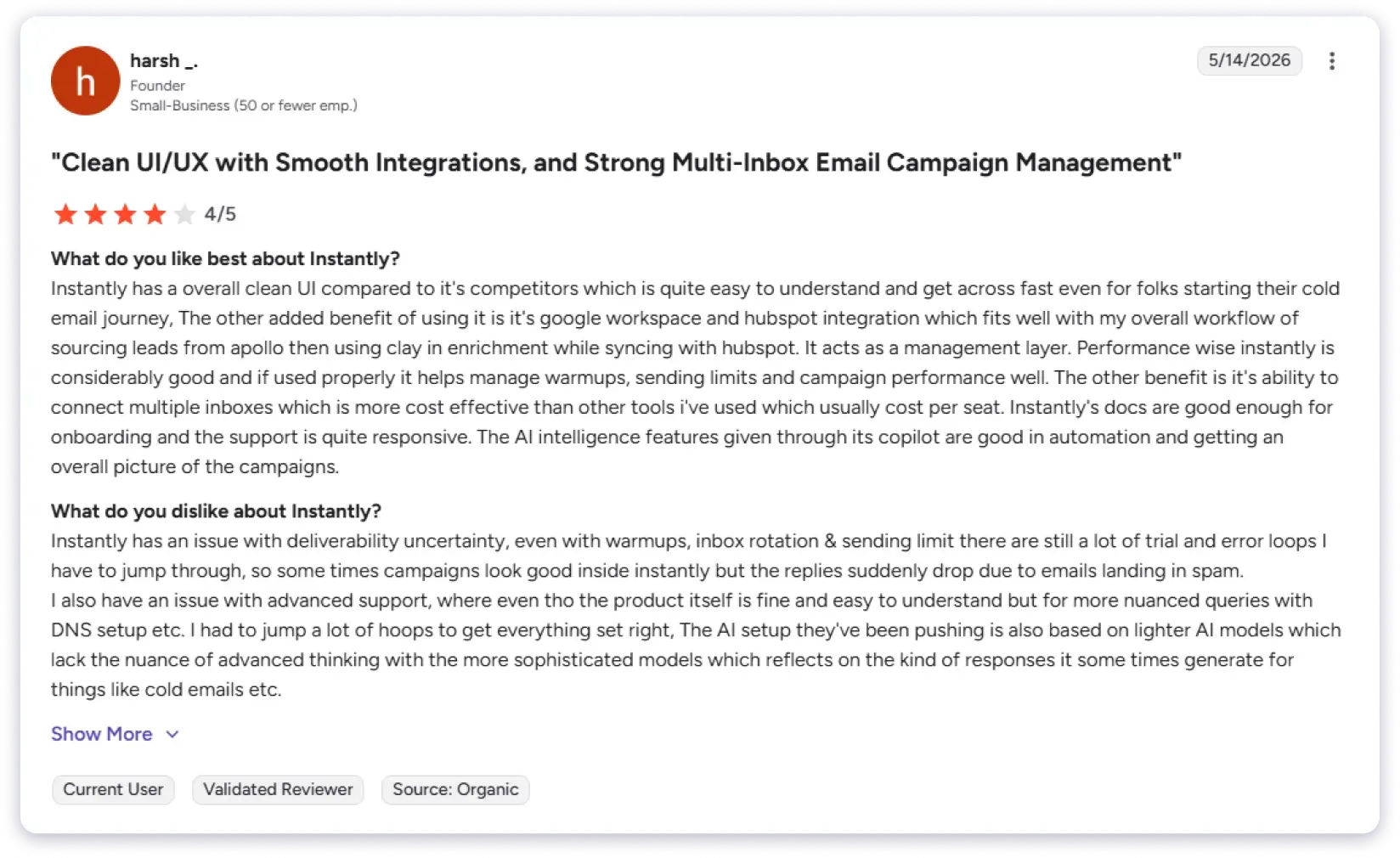
When I tested it, the setup was simple, and I was able to get campaigns running quickly without much technical effort. In the beginning, the results were also consistent, which made it easy to trust the system.
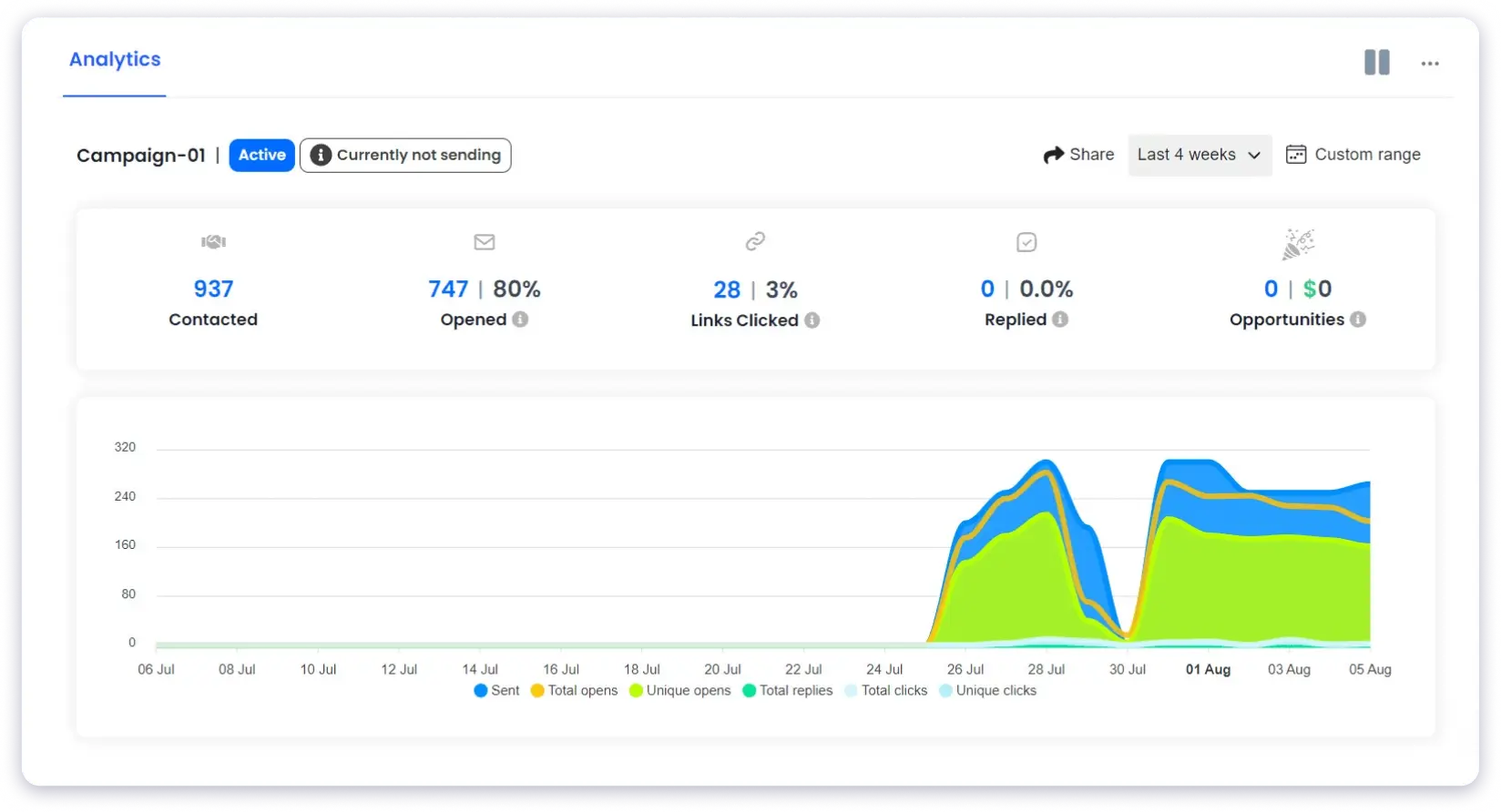
But over time, I started noticing a few gaps. Deliverability was not always predictable for me.
Even with warm-ups, rotation, and proper sending limits, performance would sometimes fluctuate.
Some campaigns looked fine in the dashboard but still ended up with fewer replies because emails went to spam. That inconsistency became frustrating when managing multiple client accounts.
In my experience, effective multichannel outreach needs proper sequencing across email, LinkedIn, and calls so each step builds familiarity. Instantly does support LinkedIn and webhook steps, but the overall workflow still feels less mature.
Things like channel-specific messaging, timing control, and tracking engagement across channels felt limited compared to tools like Saleshandy or Reply.io.
Key Features of Instantly.ai
- Unlimited Email Accounts and Warm-Up: Connect as many sending accounts as you need. Every account gets automatic warm-up through Instantly’s network.
- AI Copilot: Generates campaign copy, subject lines, and sequence structures based on your inputs. Useful for getting a first draft out fast.
- Multichannel Sequences: Email, LinkedIn, and webhook steps inside one campaign. Still evolving but functional for basic multichannel flows.
- Inbox Rotation and Deliverability Tools: Automatic sender rotation across connected accounts. Bounce detection and ESP matching are included on higher plans.
What Are Users Saying About Instantly.ai
My Honest Take
Instantly is strong for cold email at volume. But deliverability is inconsistent even with proper setup, advanced support is slow on technical issues, and the AI lacks depth. Database, CRM, and outreach are separate products, so the real cost is higher than the headline $30/mo.
Pricing (annual billing):
- Growth: $37.6/mo
- Hypergrowth: $77.6/mo
- Light Speed: $286.3/mo
9. Dialpad AI
Best for: Sales teams where the phone is the primary outreach channel and real-time AI coaching matters.
Dialpad AI is different from most dialers because it helps you during the call, not after.
While you’re talking, it shows real-time prompts like talking points, objection handling tips, and suggested responses. So reps don’t have to rely only on memory.
It’s useful because the phone is still a key channel for many sales teams, and without live guidance, reps often miss important cues.
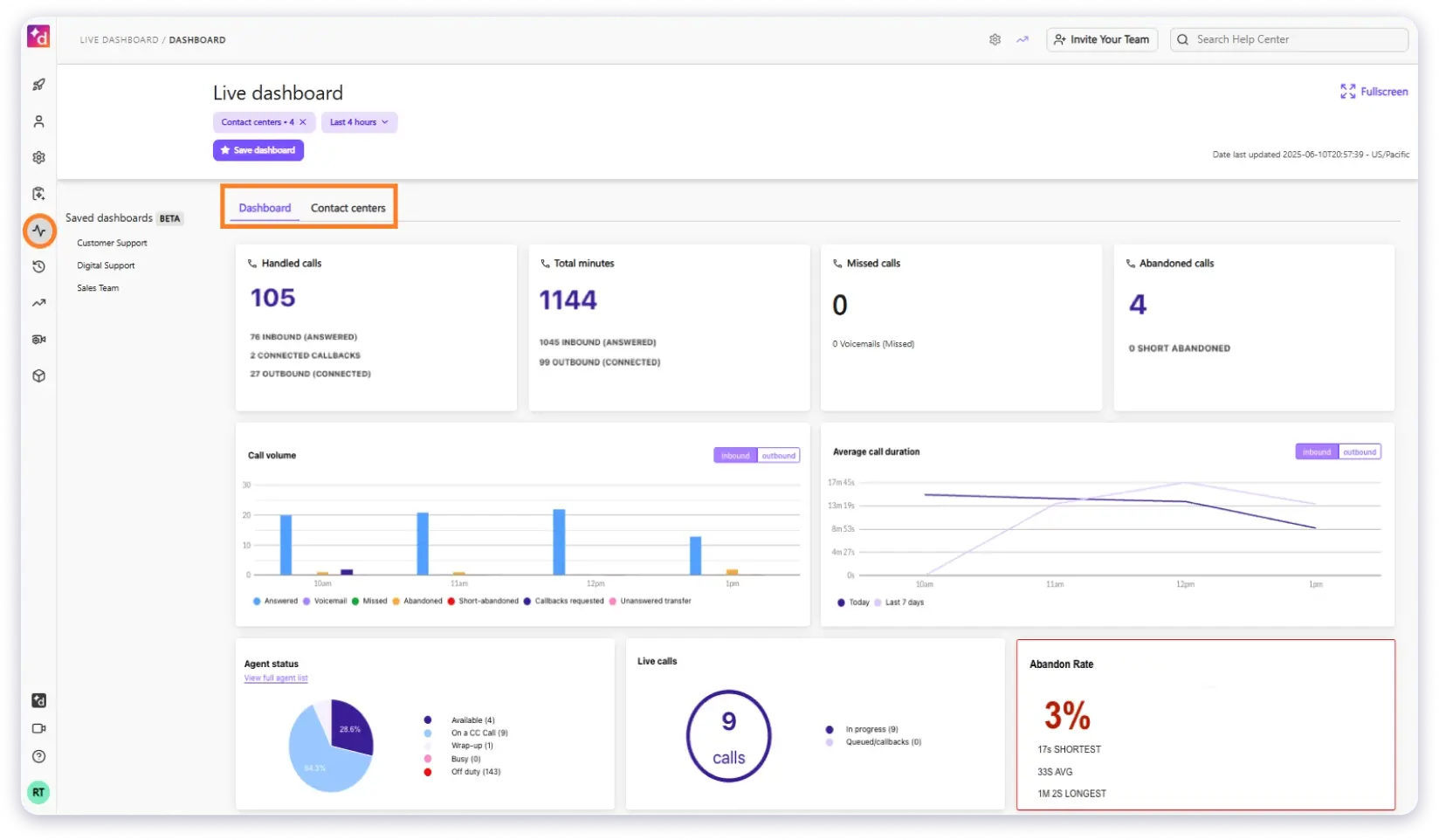
Dialpad also gives real-time transcription, sentiment tracking, and call summaries through DialpadGPT. This helps newer reps stay more confident and structured.
Setup is quick, and calling is simple to use. Call quality is generally stable, and transcripts make follow-ups easier.
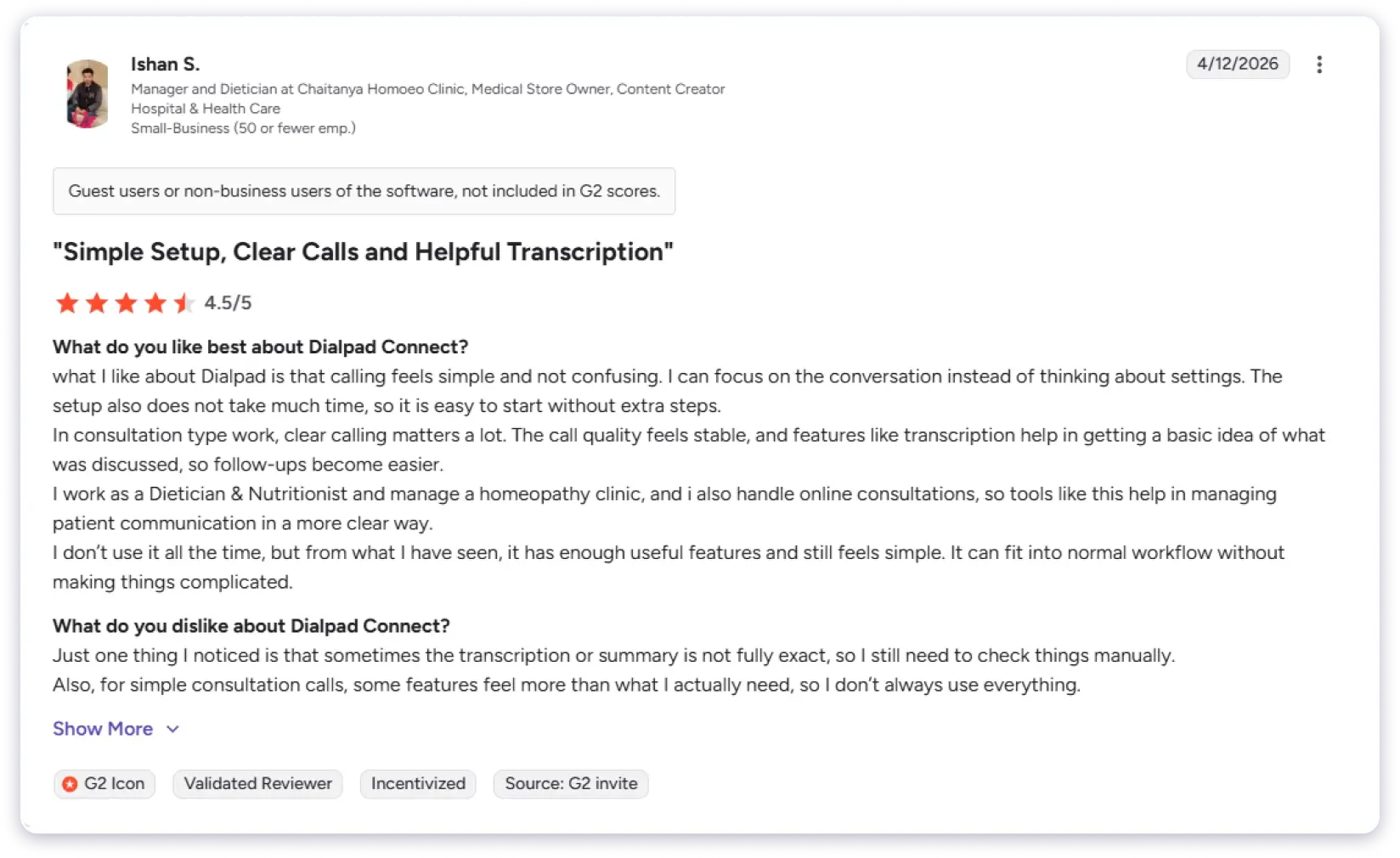
But there are clear limitations. Transcriptions are not always accurate, so you still need to verify notes manually.
Customer support is another recurring concern. Multiple G2 reviewers mention long wait times and delays in issue resolution, which becomes frustrating when call systems are involved.
Some users also report cancellation issues where subscriptions continue even after requests are made.
The most useful AI features also sit in the higher-tier plan, which is hard to justify if calling isn’t your primary channel.
Key Features of Dialpad AI
- Real-Time Transcription and Call Summaries: Automatically captures conversations and generates key points and action items after every call.
- Live Coaching: Provides real-time AI prompts during calls with suggested responses and objection handling tips.
- Sentiment Analysis: Detects tone and highlights signals like buyer interest, hesitation, or competitor mentions.
- Native SMS and Video Meetings: Adds extra touchpoints for phone-first teams without needing separate tools.
What Are Users Saying About Dialpad AI
My Honest Take
Dialpad has the best real-time call coaching on this list. Also, it is voice and SMS only, transcription is not always accurate, support wait times are long, and the best AI features require the $95/mo plan. Great for phone-first teams, but not worth it if calling is a secondary channel.
Pricing (annual billing):
- Standard: $15/user/mo
- Pro: $25/user/mo
10. HeyReach
Best for: Teams and agencies scaling LinkedIn outreach with multi-account management and automated message sequences.
HeyReach is a cloud-based automation platform for LinkedIn, aimed at B2B sales teams and lead generation agencies.
You connect multiple LinkedIn accounts, rotate sending across profiles, and run connection requests and message sequences from a single dashboard.
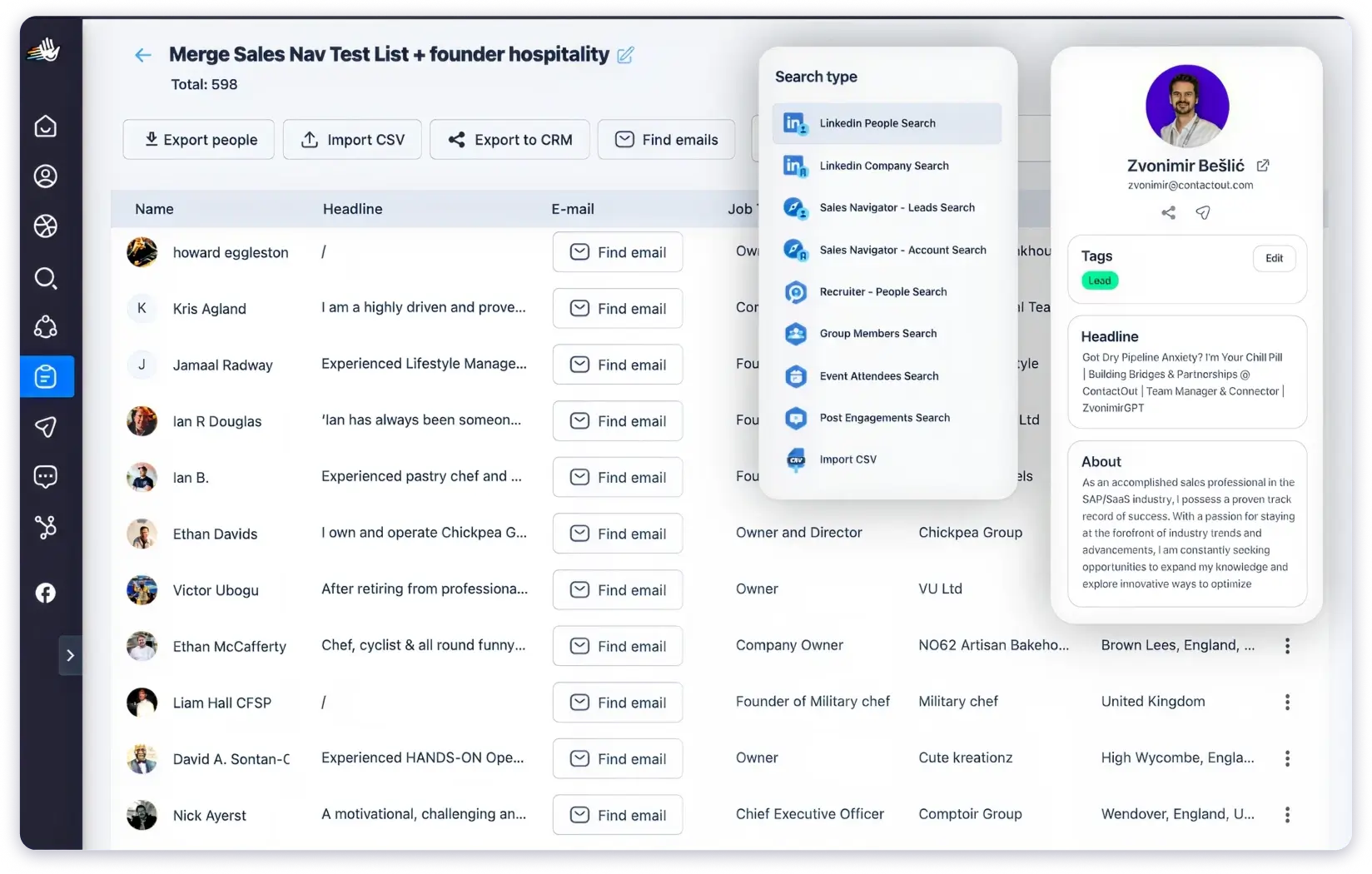
The strongest part is multi-account rotation. Instead of relying on a single profile, outreach is distributed automatically across all connected accounts.
For agencies or teams running LinkedIn-heavy campaigns, that makes scaling much more realistic.
However, there are clear limits. It’s LinkedIn only, no email, no calling, no SMS. So it can’t be your full outreach stack. Most teams end up pairing it with a cold email tool.
LinkedIn’s own automation limits still apply, so volume is naturally capped no matter what tool you use.
There are also some product gaps. Advanced LinkedIn workflows are limited, and exclusions (blacklisting) are not very smooth.
You often have to be careful before running campaigns because removing lists isn’t as clean as it should be.
Key Features of HeyReach
- Multi-Account LinkedIn Outreach: Connects and rotates across multiple profiles automatically to distribute volume within platform limits.
- Automated Message Sequences: Include connection requests, follow-ups, and InMails with scheduling controls.
- Unified LinkedIn Inbox: Collects conversations across all connected accounts in one place.
- Native CRM Integrations: Sync LinkedIn engagement data with HubSpot, Pipedrive, and other tools.
What Are Users Saying About HeyReach
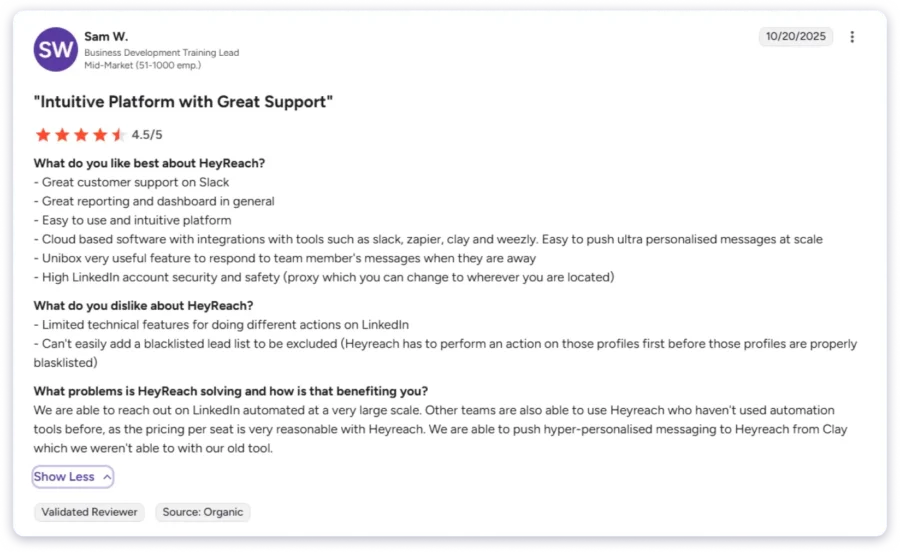
My Honest Take
HeyReach is a strong option if LinkedIn is your primary outreach channel. However, it doesn’t cover email or calling, and LinkedIn’s own limits can restrict how much you can scale compared to a true multichannel platform.
Pricing:
- Starter: $63/seat/mo
- Agency: $799/mo
- Unlimited: $2,399/mo
Final Verdict: Which Is the Best Sales Outreach Tool in 2026?
After testing all 10 sales outreach tools, here is my take.
I compared every platform on outreach capabilities, multichannel support, AI features, database quality, ease of use, pricing, and real user feedback from G2.
If you need one platform that covers prospecting, multichannel outreach, and deal management without per-seat pricing, Saleshandy is the strongest option on this list.
You get access to an 852M+ verified database, sequences across email, calls, and LinkedIn, a unified inbox with AI-based reply sorting, and a built-in CRM.
Every contact goes through real-time verification before you access it. This ensures you are not working with outdated data.
If you are still unsure, you can try it yourself with a free trial.
Sign Up Free and Get 50 FREE Leads→
FAQs
1. What Is a Sales Outreach Tool?
A sales outreach tool automates how you contact prospects across email, phone, LinkedIn, and other channels. It replaces manual outreach with automated sequences, tracks engagement, and helps sales teams manage their pipeline at scale.
2. What Features Should I Look for in a Sales Outreach Tool?
Multichannel support across email, calling, and LinkedIn in one sequence. Automated workflows with conditional logic. AI for sequence generation and lead scoring. A built-in B2B database. Native CRM integration. And a pricing model that does not punish you for growing your team.
3. How Much Do Sales Outreach Tools Cost?
Free tiers like Apollo.io to $100+/seat/month for Outreach.io and Salesloft. Flat-fee tools like Saleshandy start at $25/month regardless of team size. Per-seat models cost significantly more as teams grow.
4. What Is the Best AI Tool for Sales Outreach?
Reply.io’s Jason AI SDR is the most autonomous. Saleshandy’s AI Copilot builds full sequences from a prompt. Dialpad AI provides real-time voice coaching. Salesloft’s 25+ AI agents cover the full revenue cycle at enterprise scale.
5. What Is the Difference Between a Sales Outreach Tool and a CRM?
A CRM stores records and manages deals. An outreach tool automates contacting prospects through sequences. Most teams use both: the outreach tool fills the pipeline, the CRM manages it.
6. Can I Run Multichannel Outreach From One Tool?
Yes. Saleshandy, Reply.io, and Klenty support email, calling, and LinkedIn inside one sequence. Single-channel tools like Instantly, Dialpad, and HeyReach need to be combined for full multichannel coverage.