
 Anil Salvi
 Contents
- 1 Warmup Email Account: TOC
- 2 What is Email Warmup?
- 3 How to Warm Up Your Email Account?
- 3.1 Method 1: Manual Email Warm Up
- 3.2 Step 1: Start Small and Ultra-Personal
- 3.3 Step 2: Gently Expand Your Circle (Days 8–14)
- 3.4 Step 3: Build Momentum (Days 15–21)
- 3.5 Step 4: Start Mixing in Cold Emails (Days 22–30)
- 3.6 Method 2: Automated Email Warm-up (Recommended for Outreach)
- 3.7 So, What is The Best Way to Warmup Email Accounts?
- 4 5 Email Warm-up Best Practices
- 5 Maximize Your Chances to Land In Your Prospect’s Inbox
- 6 Warmup Email Account – FAQs
- 6.1 1. Is Email Warm Up Necessary for Cold Outreach?
- 6.2 2. What Is the Best Way to Warm Up a New Email Domain?
- 6.3 3. How Do I Warm Up Gmail and Outlook Accounts?
- 6.4 4. How Long Does It Take to Warm Up New Email Accounts?
- 6.5 5. How Many Emails Should I Send per Day During Warm Up?
- 6.6 6. What Is the Best Email Warmup Strategy?
- 6.7 7. What Are the Common Email Warm Up Mistakes to Avoid?
- 6.8 8. Can I Warm Up Old Email Accounts to Improve Damaged Sender Reputation?
- 6.9 9. What Metrics Should I Monitor During Email Warm Up?
Your email copy could be perfect, and it has an irresistible offer.
But if it lands in the spam folder, none of it matters.
So what determines whether your emails will land in the inbox?
One thing: Sender reputation.
And the #1 proven way to build (or rebuild) sender reputation is through,
Email warm-up.
With a proper warm-up process, you gradually earn the trust of Gmail, Outlook, Yahoo, and every other email provider, so your emails consistently land in the primary inbox.
In this guide, I’ll show you:
- What is email warm-up (and why it’s non-negotiable in 2026)
- How the email warm-up process works
- Step-by-step instructions to safely warm up any email account
Let’s get started!
Warmup Email Account: TOC
What is Email Warmup?
Email warm-up is the strategic process of gradually increasing the number of emails sent and encouraging positive engagement from a new or inactive account to build a positive sender reputation with email service providers.
How Email Warmup Works
Here’s the process I use when warming up an email address:
- Start Slowly: Send 5-10 emails per day to start. This gradual approach keeps you off spam radar and signals legitimate activity to ESPs.
- Personalize Your Email Copy: Sending personalized emails will massively increase the chances of recipients engaging with your emails. (crucial for building a positive sender reputation)
- Engage with Responses: When you get replies to your warm-up emails, keep the conversation going. It tells ESPs that your emails are actually wanted, not spam.
- Gradually Increase Email Volume: After 1-2 weeks, start increasing the number of emails you send each day.
| Scenario | Recommended Warm-Up Period |
|---|---|
| Brand-new domain + new email account (never sent mail before) | 8–12 weeks (2–3 months) |
| New email on an aged/existing domain (domain already has some positive history) | 3–6 weeks |
| Inactive account (hasn’t sent in 3+ months) | 2–4 weeks |
| Damaged reputation (recent spam complaints, low engagement, sudden blasts) | 4–8 weeks (sometimes longer) |
Also Read: How to Check Your Email Reputation
Why is Email Warm Up Important?
Email warm-up is very important for several reasons like →
- Avoiding Spam and Blacklisting
- Improves Email Deliverability
- Restoring Reputation After High-Volume Outreach
1. Avoiding Spam and Blacklisting
When you start sending a lot of emails with a new email account, ESPs will immediately flag your account.
As a result of this, there is a huge chance that your emails land in spam. Worse, ESPs could even blacklist your account!
2. Improves Email Deliverability
Email warm-up increases the chances of landing almost (nearly all!) your emails in inboxes.
An email warm-up can help you do just that, thereby increasing your email deliverability!
3. Restoring Reputation After High-Volume Outreach
Email warm-up is the only way to restore your email reputation with ESPs after a cold outreach campaign.
It will help you reverse the effects of having sent thousands of emails to hundreds of recipients.
So, if you want to use a new or old email account to send emails to several recipients, you cannot afford to skip email warm-up.
But it is especially important for anyone who wants to launch sales outreach or cold email campaigns!
How to Warm Up Your Email Account?
Now that you know why email warm-up is important, let’s look at how to actually do it.
There are two approaches:
Well, regardless of which you take, these 2 rules are non-negotiable.
1. Never Warm Up with Personal Email Accounts (@gmail.com, @yahoo.com, etc.)
You should avoid using personal email accounts for warm-ups because
- Gmail actively penalizes high-volume sending from free accounts, leading to spam folder placement or even account blocks.
- You can’t set up custom SPF/DKIM/DMARC on personal accounts, which severely impacts deliverability.
Instead, try using professional, domain-based email accounts.
Here are the best options:
- Google Workspace.
- Microsoft Outlook.
- Zoho Mail, Proton for Business, or a custom domain with any reputable provider.
2. Set Up SPF, DKIM, and DMARC Correctly
If these aren’t configured, mailbox providers will reject or spam your emails, even during warm-up.
| Protocol | What It Does | How to Check / Set It Up |
|---|---|---|
| SPF | Proves you’re allowed to send from certain IPs | TXT record: v=spf1 include:_spf.google.com ~all (Google Workspace example) |
| DKIM | Cryptographically signs your emails so they can’t be forged | Add the DKIM key provided by your provider in DNS |
| DMARC | Tells receivers what to do with failed SPF/DKIM (reject/quarantine) + gives you reports | Start with v=DMARC1; p=none; rua=mailto:[email protected] → later switch to p=quarantine or p=reject |
Quick verification tools (free):
- mxtoolbox.com/spf
- mxtoolbox.com/dkim
- dmarcian.com/dmarc-inspector
- Free Email Spam Checker & Deliverability Test
Method 1: Manual Email Warm Up
Okay, let us now explore the first of the two email warm-up strategies: manual email warm-up.
Step 1: Start Small and Ultra-Personal (First Week)
Step 2: Gently Expand Your Circle (Days 8–14)
Step 3: Build Momentum (Days 15–21)
Step 4: Start Mixing in Cold Emails (Days 22–30)
Here is how it works:
Step 1: Start Small and Ultra-Personal
To start with, send only 10–20 emails per day.
Who should you send them to?
Friends, family, colleagues, past clients, partners, vendors… basically anyone who already knows you.
Because they will definitely reply to your emails.
Make sure you write short emails in a casual tone (2 to 5 sentences max).
And always end them with an open question that encourages them to reply.
Remember, your only goal for the first step is to get:
- Sky-high open rate (70-100%).
- Lots of replies (to at least 30-60% of the emails you’ve sent).
- Zero spam marks.
Step 2: Gently Expand Your Circle (Days 8–14)
In the second week, it is time to increase the sending volume to 20-50 emails per day.
But here is the important part: you should still keep sending 10-15 truly personal emails every day to the people from Step 1 (they are your reputation safety net).
In addition to this, you should start adding people who have engaged with you in the last 60-90 days:
- Old newsletter subscribers who opened.
- LinkedIn connections you’ve chatted with.
- Previous leads who replied.
Do not forget to personalize every single message: use their name + one specific detail you actually know about them.
Plus, you should spread the email volume evenly throughout the day (morning, lunchtime, late afternoon).
And avoid sending emails in one go!
Step 3: Build Momentum (Days 15–21)
Now, you can safely start sending 50-100 emails per day.
Again, you should still keep sending 10 to 20 real personal emails daily to your warm contacts!
The rest can go to moderately engaged leads (people who have opened or clicked your emails in the past).
When anyone replies, answer the same day and keep the conversation going. This will help you tell ESPs that you are engaging in mutually important conversations with recipients!
Step 4: Start Mixing in Cold Emails (Days 22–30)
This is the last step, which you should take in the 4th week of your email warm-up.
This week, you can finally ramp up to 100-200 emails per day.
And this is also the stage where you can carefully start adding real cold outreach.
But, at first, you should keep it to only 20-30% of your daily volume.
Plus, I suggest prioritizing only the highest-intent prospects:
- Recent website visitors.
- Prospects who engaged with you on LinkedIn.
- Webinar sign-ups.
This 4-step process should work fine if you are warming up an email address or two.
But if you are wondering how to warm up multiple email addresses simultaneously, the answer is automated email warm-up!
Method 2: Automated Email Warm-up (Recommended for Outreach)
When it comes to warming up email accounts for sales outreach, automated warm-up is hands-down the smartest, most reliable strategy.
Manual methods work fine for one or two personal accounts, but the moment you’re dealing with multiple inboxes, domains, or high-volume campaigns..
Automation saves you time, reduces errors, and delivers consistently better results, often pushing inbox placement rates to 95–98%.
That’s why I personally use and recommend TrulyInbox as my dedicated email warm-up tool.
What makes it stand out for me (and why it should for you too):
- Full Custom Control Over Your Strategy
- Human-Like Interactions That Actually Build Trust
- Unlimited Email Accounts on Every Plan
- Forever-Free Plan to Start Risk
I’ve tried others, but TrulyInbox consistently gets my emails into the Primary inbox faster, with fewer headaches. It’s affordable, scalable, and just works.
Plus, it also integrates smoothly with Saleshandy, the platform I use to find leads and automate my outreach campaigns!
Here is what you need to do:
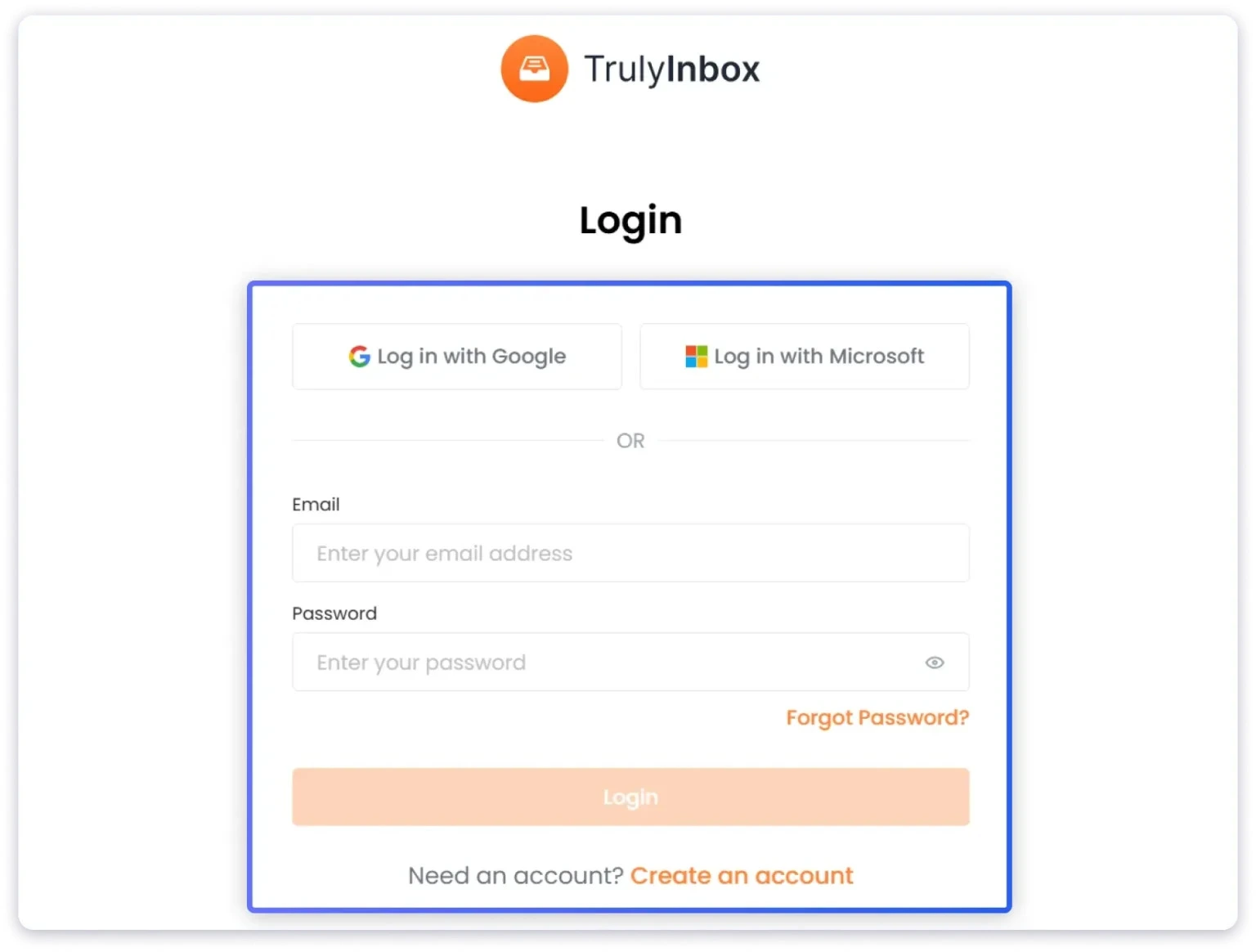
Step 1: Log in to TrulyInbox with your email address.
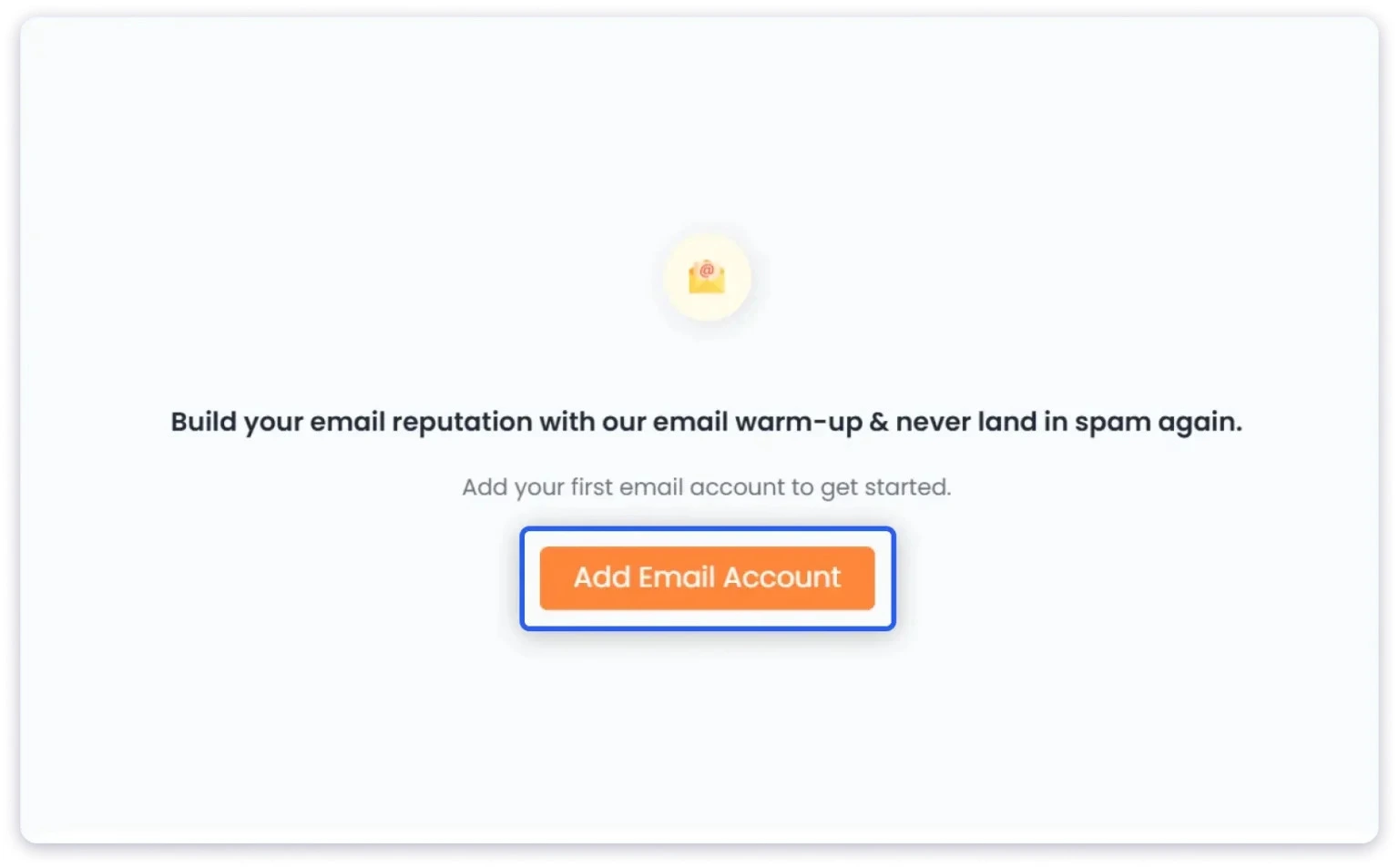
Step 2: Connect the email address you want to warm up with TrulyInbox by clicking on “Add Email Account”.
If you have either a Workspace or a Microsoft account, the process is straightforward.
To connect an IMAP or SMTP inbox, just follow the instructions on the TrulyInbox website.
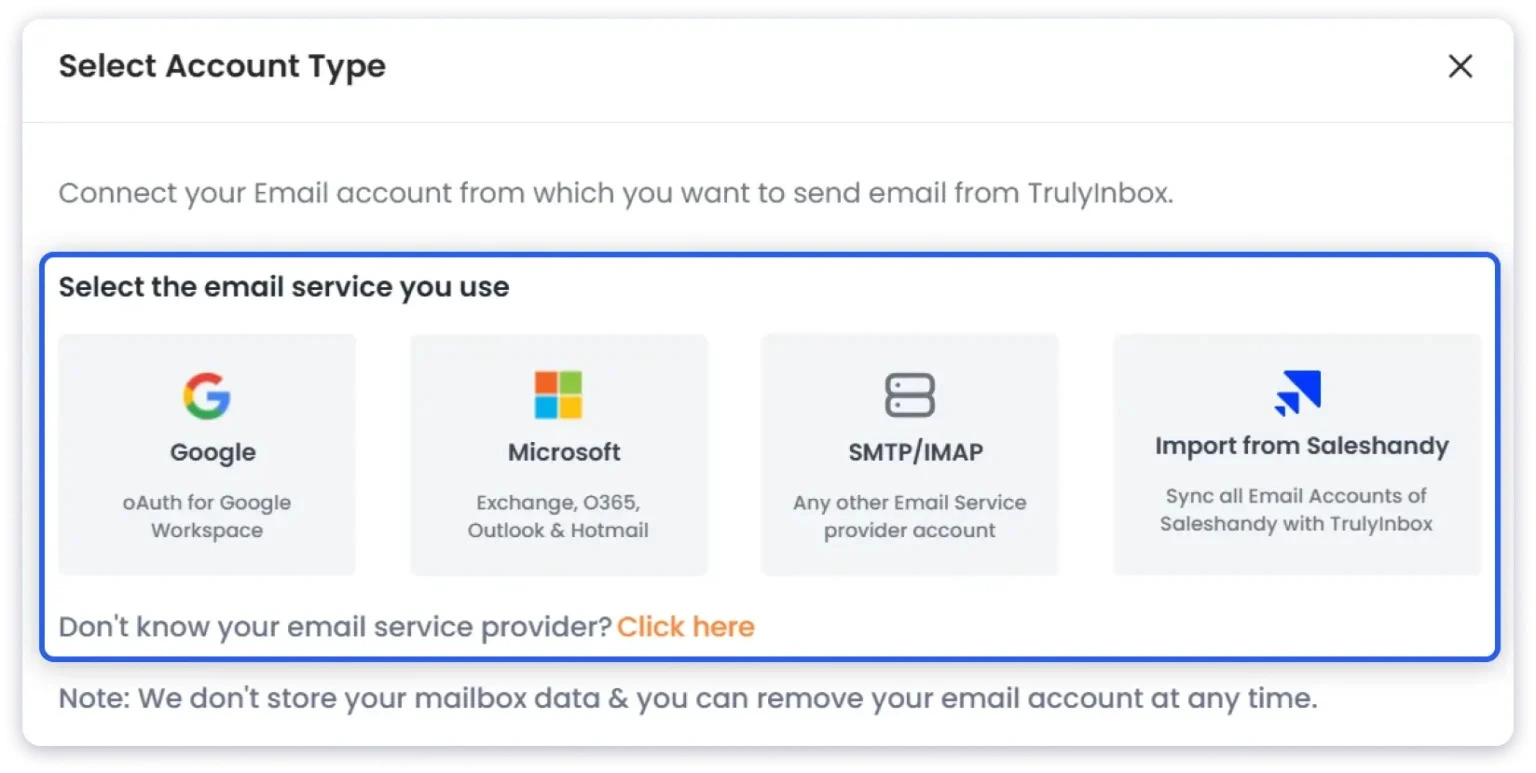
Alternatively, if you are a Saleshandy user, TrulyInbox lets you sync all your email accounts for warm-up with just a few clicks!
Step 3: Next, it is time to customize the warm-up process by selecting:
- Max Emails/Day: When this limit is reached, TrulyInbox will stop ramping up the daily sending volume!
- Email Volume: How many emails you want to send/day.
- Reply Rate: The % of warm-up emails for which you want a reply.
- Daily Ramp-Up: The rate at which you want to increase the daily sending volume.

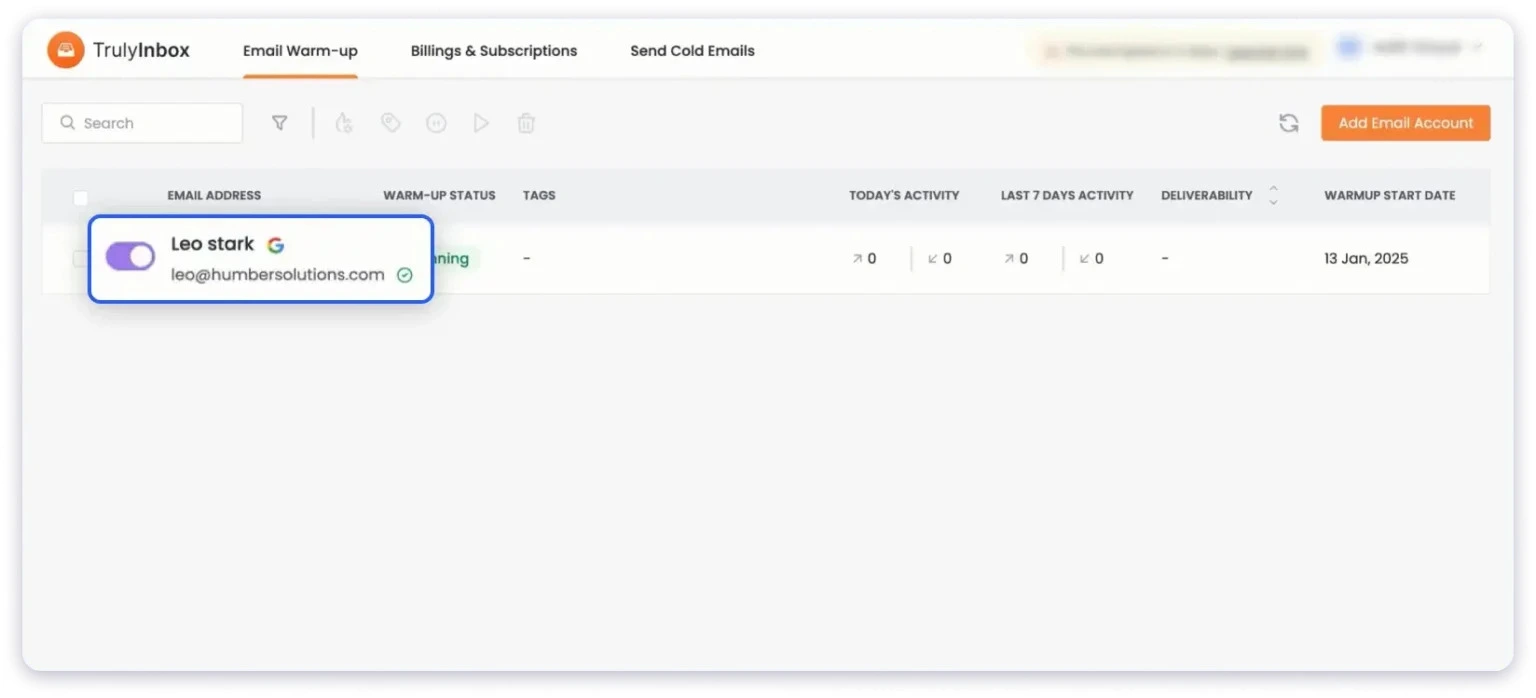
Step 4: Once you have customized the warm-up strategy, just go to the toggle switch and click on it.
And that is it!
TrulyInbox will start sending warm-up emails just like you would.
So, What is The Best Way to Warmup Email Accounts?
If you’re managing several email accounts—or even multiple domains—for sales outreach, newsletters, or agency clients, automated email warm-up is absolutely the best (and most practical) approach.
Manual warm-up is great for one or two personal accounts, but scaling it to 5, 10, or 50+ inboxes? It’s time-consuming, error-prone, and nearly impossible to do consistently across all of them.
Automated tools solve this by running in the background 24/7, simulating real human email behavior at scale.
These tools connect your email accounts and:
- Gradually ramp up sending volume (starting low and increasing safely)
- Send warm-up emails from your accounts to a private network of thousands of high-reputation B2B inboxes (often real user accounts or carefully managed ones)
- Simulate positive engagement from the recipient side: opening emails, marking as important, removing from spam, and sending realistic replies
- Monitor and adjust based on your reputation signals
This creates the exact positive signals (high opens, replies, low complaints) that Gmail, Outlook, and other providers look for without you manually scheduling anything.
There are solid options out there (like TrulyInbox, Lemwarm, MailReach, Warmup Inbox, and Warmy.io), each with different strengths in network size, customization, and pricing.
Check out my full guide: The Best Email Warm-Up Tools on the Market.
5 Email Warm-up Best Practices
In this section, I will share 5 best practices you should follow during your email warm-up.
They have always made sure that my email warm-up strategy is successful in achieving a high sender reputation:
- Clean Your Email List: If you send warm-up emails to invalid email addresses, they will end up bouncing. So, you should verify and clean your email list before scheduling your cold email warm-up sequence!
- Send Emails Consistently: ESPs can treat sudden spikes in your email sending volume as a sign of suspicious activity. So, maintain a consistent email sending schedule when warming up your email.
- Start Warm-up By Emailing Engaged Users: One thing I highly recommend is sending your first few warm-up emails to people you already know. These can be current or former colleagues, professional acquaintances, or even customers!
- Monitor Key Email Deliverability Metrics: Regularly monitoring your email deliverability metrics (like your sender reputation and spam rate) will tell you whether your email warm-up strategy is working.
- Use Automated Warm-up Tools: I learned this one the hard way. Using an email warm-up tool is both the easiest and the best way to warm up email addresses. It guarantees results since it opens your emails from the recipient’s accounts and will do all the heavy lifting by automating the entire process.
Maximize Your Chances to Land In Your Prospect’s Inbox
Email warm-up is non-negotiable in 2026.
But to ensure that it improves your sender reputation, you need the right tool that can help you automate the entire process and get assured results.
So, which tool should you use?
Personally, I recommend TrulyInbox.
With it, you get:
- Unlimited Accounts, One Price: Warm up for as many inboxes as you need without per-account fees.
- Human-Like Email Sending Behavior: It sends personalized B2B emails, simulates real replies/opens/marks-as-important, and even opens emails multiple times (just like real humans would!).
- Fast Setup: It takes less than 2 minutes to set up your account, and another 5 minutes to start your warm-up.
- Guaranteed Results: Both users and statistics prove that TrulyInbox delivers up to 98% inbox placement and a high sender reputation.
TrulyInbox can thus save you a lot of money, hours, and email addresses.
Plus, it comes with a forever-free plan you can use to test whether it actually improves your email reputation before committing to paying a single cent!
Warmup Email Account – FAQs
1. Is Email Warm Up Necessary for Cold Outreach?
Yes! Email warm-up is necessary for cold outreach. It will help you build a high sender reputation, which is absolutely essential for achieving a high inbox placement rate.
2. What Is the Best Way to Warm Up a New Email Domain?
The best way to warm up a new email domain is to use an email warm-up tool. With the right tool, you can automate the entire process and get guaranteed results!
3. How Do I Warm Up Gmail and Outlook Accounts?
If you need to warm up only 1 or 2 accounts, you can go for the manual method. But if you are warming up an entire domain or multiple accounts? You should definitely go for the automated warm-up process.
4. How Long Does It Take to Warm Up New Email Accounts?
Typically, it takes between 3 and 4 weeks. But if you notice that your sender reputation has not increased as much as you would like, you can also extend it by a week or two.
5. How Many Emails Should I Send per Day During Warm Up?
Start with 30-50/day and increase the sending volume to 100-150 per day over 3-4 weeks.
6. What Is the Best Email Warmup Strategy?
The best email warm-up strategy is:
- Use an automated email warm-up tool.
- Start with a low volume: 30-50 emails/day.
- Set the ramp-up rate to 5 emails/day.
- Run the warm-up process for 3-4 weeks.
7. What Are the Common Email Warm Up Mistakes to Avoid?
There are 5 mistakes that you should absolutely avoid making:
- Sending emails to or from personal email accounts.
- Not setting up email authentication protocols.
- Sending too many emails too soon (start with 10-20/day).
- Using HTML-heavy templates in emails.
- Not monitoring your email reputation.
8. Can I Warm Up Old Email Accounts to Improve Damaged Sender Reputation?
Yes. Email warm-up is one of the best ways to improve the sender reputation of inactive or old email accounts with a damaged sender reputation.
9. What Metrics Should I Monitor During Email Warm Up?
You should monitor three main metrics:
- Inbox placement rate
- Sender reputation.
- Spam rate