 Dhruv Patel
 Contents
- 1 Follow-Up Email Subject Lines – TOC
- 2 Why Are Follow-Up Email Subject Lines Important?
- 3 How to Write an Effective Follow-Up Email Subject Line?
- 4 85+ Proven Follow-Up Email Subject Line Examples by Scenario
- 4.1 1. Follow-Up Email Subject Lines After No Response
- 4.2 2. Casual/Neutral Follow-Up Email Subject Lines
- 4.3 3. Professional/Formal Follow-Up Email Subject Lines
- 4.4 4. Follow-Up Email Subject Lines After a Job Interview or Application
- 4.5 5. High-Converting Sales Follow-Up Email Subject Lines
- 4.6 6. Follow-Up Email Subject Lines After a Meeting or Call
- 4.7 7. Follow-Up Email Subject Lines for Proposals or Quotes
- 4.8 8. Networking Follow-Up Email Subject Lines
- 4.9 9. Follow-Up Email Subject Lines After a Career Fair
- 4.10 10. Follow-Up Email Subject Lines After an Event or Webinar
- 4.11 11. Client Check-In Follow-Up Email Subject Lines
- 4.12 12. General Checking In Follow-Up Email Subject Lines
- 4.13 13. Creating Urgency or Importance Follow-Up Email Subject Lines
- 4.14 14. Curiosity/Value-Driven Follow-Up Email Subject Lines
- 4.15 15. Short, Catchy, & Quirky Follow-Up Email Subject Lines
- 4.16 16. Friendly Reminder Follow-Up Email Subject Lines
- 4.17 17. Follow-Up Email Subject Lines for Multiple Follow-Ups in a Sequence
- 5 What Are the 9 Best Practices to Write Follow-Up Email Subject Lines?
- 6 7 Common Pitfalls to Avoid in Follow-Up Email Subject Lines
- 7 How Many Times Should You Follow Up – And Should You Change the Subject Line Each Time?
- 8 How Saleshandy Helps You Write, Test & Automate Follow-Up Subject Lines
- 9 FAQs: Follow-Up Email Subject Lines
- 9.1 1. What Is a Good Subject Line for a Follow-Up Email?
- 9.2 2. How Do I Write a Follow-Up Subject Line After No Response?
- 9.3 3. What Subject Line Should I Use After an Interview?
- 9.4 4. Which Subject Lines Work Best for Sales Follow-Up Emails?
- 9.5 5. How Do I Write a Polite Follow-Up Subject Line to a Client?
- 9.6 6. What Are Some Short and Simple Follow-Up Email Subject Lines That Get Opened?
Your subject line is the first (and sometimes only) thing a prospect sees.
In follow-up emails, that matters even more.
You are not starting fresh; you are asking for attention again (and again).
That is why follow-up email subject lines cannot be lazy.
If they do not give the reader a reason to open,
your email is dead before it is opened.
I have spent 10+ years working on email campaigns,
writing and testing more subject lines than I can count.
The subject lines in this guide come from
actual campaigns that worked across industries.
On average, they drive 20-24% open rates,
with higher results in ongoing sequences.
I put them together for you, so let us get started!
Follow-Up Email Subject Lines – TOC
- Why Are Follow-Up Email Subject Lines Important?
- How to Write an Effective Follow-Up Email Subject Line?
- 85+ Proven Follow-Up Email Subject Line Examples by Scenario
- What Are the 9 Best Practices to Write Follow-Up Email Subject Lines
- 7 Common Pitfalls to Avoid in Follow-Up Email Subject Lines
- How Many Times Should You Follow Up – And Should You Change the Subject Line Each Time?
- How Saleshandy Helps You Write, Test & Automate Follow-Up Subject Lines
- FAQs: Follow-Up Email Subject Lines
Why Are Follow-Up Email Subject Lines Important?
Did you know that an average person receives over 120 emails per day?
This means your follow-up email competes against other unread messages.
The subject line is the most decisive factor in whether your email gets opened.
The better your follow-up email subject line, the higher your open and click-through rates.
Some key reasons why subject lines in follow-up emails are important:
- Increased open rates
- Higher chances of replies and engagement
- Reduced spam risk
- Long-term sender reputation
- Maximized conversions in job applications, sales, etc.
Also read: How to Write a Follow-Up Email in 2026?
How to Write an Effective Follow-Up Email Subject Line?
To fix what most follow-up email subject lines miss, I put together the framework I use:
The FOLLOW framework.
It is practical and tested, consistently yielding above-average response rates, 15-20%.
- Frame the Scenario and Goal
- Original Context Anchor
- Layer in the Hook
- Link to Their Relevance
- Outline the Gentle Nudge
- Whittle to Mobile
1. Frame the Scenario and Goal
Grab your notebook and a pen. Write down these three quick answers:
- What is the exact context or trigger (interview 1 week ago, proposal sent Dec 15, etc)
- What specific action do you want them to take after they open the email? (reply, book call, give feedback, download, etc.)
- Key recipient detail? (name, role, pain point if known)
These three simple steps avoid generic writing and align your email with the user intent.
2. Original Context Anchor
Now, choose the single most specific,
non-vague reference of your previous interaction.
This can be a booked call, document name, or other details.
Some examples you might write down:
- “Re: Dec 20 cold outreach”
- “Jan 1 Marketing Lead Interview”
- “Proposal XYZ – [Company Name]”
3. Layer in the Hook
This is the fun part: add curiosity or tease the value of your email.
You can add one short phrase that creates an information gap,
as if you are withholding full details.
Experiment with different styles, like promising a win, hinting at a new research, using questions, etc.
Layered examples:
- “Re: Cold outreach: Missed a tactic”
- [Company Name] pipeline boost inside
4. Link to Their Relevance
Insert a personalized benefit, goal, timing, etc. In short, make the benefit all about the recipient.
What you are doing here is linking every subject line to a specific value!
- Proposal #XYZ for [Their Product] – Cutting Launch Risk
- Re: Dec 20 Cold Outreach to [Company] – Q1 Pipeline Accelerator…
5. Outline the Gentle Nudge
Add 1-2 word gentle nudges after your hook to maximize clicks.
You can also use ellipses, colons, or bare value words.
If you developed a few variations for the subject line, that is even better!
You can A/B test them and determine which ones work best and win more replies.
Some examples:
- Re: Cold outreach: Missed tactic? Thoughts?
- “Proposal #XYZ – 20% Faster?”
6. Whittle to Mobile
This is the step you must never skip.
Cut down your subject line to a maximum of 6-7 words
(or under 50-60 characters).
Remove any spam words or characters (!!!, FREE, URGENT, etc.).
These are some finals:
- “Faster [Product] Launch? Your View?”
- “[Company] Pipeline Boost – Quick Thoughts?”
To validate your subject line, you can run this 3-question mental test:
- Would I open this if I were busy and saw it in my inbox today?
- Does it address user pain points?
- Are there any hooks and nudges that I may have missed?
Also read: 150+ Cold Email Subject Lines That Get You Replies
85+ Proven Follow-Up Email Subject Line Examples by Scenario
Simply sending an email does not guarantee that your prospects will read or reply.
Writing attention-grabbing subject lines will make your prospects sit up and take notice.
Below, I am sharing the best subject lines that will guarantee a higher open rate.
- Follow-Up Email Subject Lines After No Response
- Casual/Neutral Follow-Up Email Subject Lines
- Professional/Formal Follow-Up Email Subject Lines
- Follow-Up Email Subject Lines After a Job Interview or Application
- High-Converting Sales Follow-Up Email Subject Lines
- Follow-Up Email Subject Lines After a Meeting or Call
- Follow-Up Email Subject Lines for Proposals or Quotes
- Networking Follow-Up Email Subject Lines
- Follow-Up Email Subject Lines After a Career Fair
- Follow-Up Email Subject Lines After an Event or Webinar
- Client Check-In Follow-Up Email Subject Lines
- General Checking In Follow-Up Email Subject Lines
- Creating Urgency or Importance Follow-Up Email Subject Lines
- Curiosity/Value-Driven Follow-Up Email Subject Lines
- Short, Catchy, & Quirky Follow-Up Email Subject Lines
- Friendly Reminder Follow-Up Email Subject Lines
- Follow-Up Email Subject Lines for Multiple Follow-Ups in a Sequence
1. Follow-Up Email Subject Lines After No Response
When I sent follow-up emails after no response, I noticed that some subject lines performed visibly better than others.
Some exact subject lines I have used:
- Re: [Topic] – Still relevant?
- [Name], buried in inbox?
- Permission to close loop?
- Quick re-share on [Date]?
- [Name] – Thoughts on this?
Adding gentle curiosity or a value tease increased my reply rate to 20%, compared with my other generic emails.
These work because they help the recipient remember the thread, reduce spam risk, and create a slight sense of FOMO.
The key? You can almost always start with “Re:” with a specific trigger followed by a short question/tease.
2. Casual/Neutral Follow-Up Email Subject Lines
When A/B testing subject lines, casual line openers, or light personalization also increase open rates to more than 20%.
They feel more human (as opposed to corporate) and are ideal for warm leads or ongoing chats.
- Hey [Name] – Quick touch base?
- Just circling back casually
- Hi again – Any updates?
- Still on your radar?
- Casual check-in: [Topic]
Tip: Use “Hey/Hi” with the recipient’s name with light action.
3. Professional/Formal Follow-Up Email Subject Lines
Straightforward, factual subject lines with “Re:” or role references also observe good performance, especially in B2B.
This is because they are perceived as reliable and executive-level. You can use these subject lines for enterprise or high-stakes contexts.
- Re: [Role] Discussion Follow-Up
- Following Our [Date] Conversation
- Update on [Project/Proposal]
- [Company] Next Steps Inquiry
- Formal Follow-Up: [Topic]
Tip: Be clear and straightforward. Avoid withholding information in these contexts.
4. Follow-Up Email Subject Lines After a Job Interview or Application
Candidates who showed enthusiasm through thank-yous and personalization received more replies.
When writing emails for a job, you must recap value (specific discussion), show gratitude, and nudge stats.
- Thank You – [Role] Interview [Date]
- [Role] Follow-Up – Great Chat!
- Re: [Company] Interview Thanks
- Excited About [Role] Opportunity
- [Name] – Interview Recap Thanks
5. High-Converting Sales Follow-Up Email Subject Lines
Sales follow-up email subject lines saw a 30%+ increase in value when they had numbers and urgency.
Replies also jump when they are personalized and focused on the recipient’s benefits, especially in sequences.
- [Name] – 20% Pipeline Boost Idea
- Exclusive: Your Q1 Edge
- Quick Win for [Pain Point]?
- [Company] – Proven Tactic Inside
- Last Chance: Tailored Offer
These subject lines convert when they are low-pressure and high-value focused.
6. Follow-Up Email Subject Lines After a Meeting or Call
Your post-meeting follow-up subject lines must include specific details and next steps to drive high engagement.
These mostly follow a context recall with a low-effort nudge. This prevents drop-off after an interaction, especially in sales.
- Great Call – Next Steps?
- Re: [Topic] Meeting Recap
- Quick Summary from Today
- [Name] – Thoughts Post-Call?
- Following Our Discussion
Pro tip: For sales calls, provide one unique or new value in the follow-up email. This should increase the recipient’s confidence in you.
7. Follow-Up Email Subject Lines for Proposals or Quotes
I have observed that when I include a reference or add a timeline in question format, my reply rate increases.
Here, you focus on product fit rather than just price. They switch to user benefits, they close deals faster.
- Follow-Up: [Project] Quote
- Reviewed [Quote] Yet?
- Quick Q on Proposal?
- [Date] Quote – Aligned?
- Thoughts on Attached Quote?
Tip: Reference project, date, or quote with a question on their review or fit.
8. Networking Follow-Up Email Subject Lines
The best subject lines here are those that build trust through a mutual connection or a common element.
By adding these details, the email feels less cold.
- [Mutual] Suggested I Reach Out
- Connecting via [Name]?
- [Event] Networking Follow-Up
- [Name] – Let’s Link Up?
- From [Connection]: Quick Chat?
9. Follow-Up Email Subject Lines After a Career Fair
In these subject lines, be specific while showing enthusiasm to reinforce your interest.
They must build on the momentum from the in-person career fair with recaps.
- Great Meeting at [Fair Name]
- [Role] Follow-Up from [Fair]
- Thanks for [Fair] Chat!
- [Company] – Career Fair Next?
- Re: [Fair] Conversation
Key: Make sure to mention the event name.
10. Follow-Up Email Subject Lines After an Event or Webinar
For the highest engagement, you can tease resources or summaries.
They capitalize on fresh interest through value-adds.
- Webinar Recap + Resources
- Thanks for Joining [Event]!
- Key Takeaways from [Webinar]
- [Event] Follow-Up Notes
- Missed [Event]? Catch-Up Here
11. Client Check-In Follow-Up Email Subject Lines
Empathetic, value-focused client check-ins help maintain professional relationships, especially in B2B.
It shows you are helping with their pain point without being overly salesy.
- Quick Check-In: How’s [Goal]?
- [Name] – Any Updates Needed?
- Supporting Your [Project]?
- Client Pulse: Thoughts?
- How Can We Help More?
Tip: Keep it personal or empathetic with a helpful question.
12. General Checking In Follow-Up Email Subject Lines
Research shows that neutral “quick” subject lines avoid annoyance. These are perfect for low-pressure sequences.
- Quick Check-In [Name]
- Just Touching Base
- Any News on [Topic]?
- Still Interested?
- Brief Update Check
Tip: A/B test with “Quick” or other neutral phrases to determine what works best.
13. Creating Urgency or Importance Follow-Up Email Subject Lines
Anything that triggers FOMO with expiration lines drives high conversion rates. They leverage scarcity without triggering spam.
- Last Chance: [Offer] Expires
- Urgent: [Timeline] Approaching
- Limited Spots Left
- Ends Soon: Your Quote
- Priority: Act by [Date]
Tip: Always keep these subject lines focused on time or benefit, and mention key terms like “Last” or “Ends.”
14. Curiosity/Value-Driven Follow-Up Email Subject Lines
These subject lines are highly focused on teasing value or creating information gaps.
This leverages the Zeigarnik effect, in which people tend to remember unfinished or interrupted tasks more readily than completed ones.
- One Idea You Missed?
- Secret to [Goal]?
- Worth Exploring This?
- Hidden Gem for You
- You Won’t Believe…
Remember, the information revealed must justify the tease!
15. Short, Catchy, & Quirky Follow-Up Email Subject Lines
These are ultra-short subject lines, 3-4 words long, for mobile opens.
They stand out visually in inboxes that are filled with heavy emails.
- Quick Thoughts?
- Still In?
- Next?
- Update?
- Idea?
For a more casual or creative audience (startups, marketing teams, or informal B2B), these quirky elements add a light touch to break the ice.
Use them sparingly to match the brand tone and avoid appearing unprofessional.
- Still breathing? 😏
- Don’t ghost me
- Bumping this cutely
- Miss me yet?
- Helloooo from the void
- Don’t ghost me pls
16. Friendly Reminder Follow-Up Email Subject Lines
Polite reminder subject lines re-engage your recipients without irritating them.
- Gentle Reminder: [Topic]
- Friendly Nudge on [Date]
- Just a Reminder
- Not Forgotten?
- Soft Reminder
Check-out: If you need more guidance, check out How to Write a Polite Reminder Email: 19 Templates That Work
If the email is an important reminder, please include “Reminder” or a similar label in the subject line.
17. Follow-Up Email Subject Lines for Multiple Follow-Ups in a Sequence
If you are planning a sequence with 3+ touches, you can check out these subject lines.
They avoid fatigue by adding new angles.
Examples (for later touches):
- Final Note – Worth It?
- New Angle on [Topic]
- One Last Idea
- Closing the Loop?
- Last Follow-Up: Thoughts?
Tip: Escalate the value or urgency and end with permission to close.
Read more: 30+ Follow-Up Email Templates That Get Replies in 2026
What Are the 9 Best Practices to Write Follow-Up Email Subject Lines?
After years of sending and testing follow-up emails,
I have learned what works and what fails.
These are the nine rules I live by when writing follow-up emails for higher conversions.
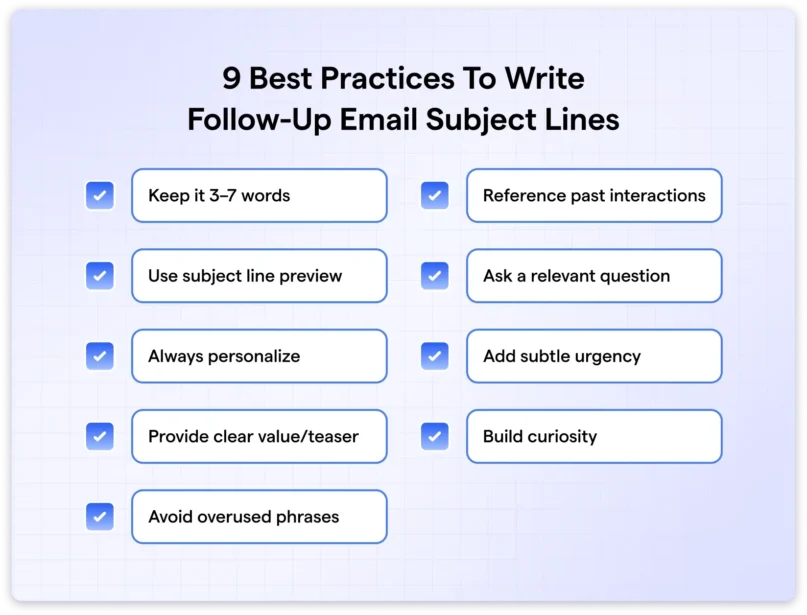
- Keep it 3–7 Words (under 20-30 characters)
- Use the Subject Line Preview
- Always Personalize
- Provide a Clear Value or a Teaser
- Reference Past Interactions
- Ask a Relevant Question
- Add Subtle Urgency
- Build Curiosity
- Avoid Overused Phrases
1. Keep it 3–7 Words
Recipients scan their inboxes in 2-5 seconds,
especially on mobile, where longer lines get cut off.
Keeping follow-up email subject lines 3-7 words,
ideally under 20-30 characters, is a best practice.
This ensures the entire message is visible and stands out from other emails.
2. Use the Subject Line Preview
The subject line preview, or pre-header text, extends your subject line into the inbox snippet.
This is your secondary hook that builds anticipation after your subject line.
Keep your preview line 40-45 characters.
It can complete the subject line, tease value, add a new insight, or provide more details.
3. Always Personalize
Personalizing your subject line makes your email more targeted.
It demonstrates that you understand the recipient’s pain points, role, and challenges.
The higher the relevance, the more genuine your email feels.
It makes the recipients feel valued, reducing the likelihood of deletion and spam reports.
Insert names, job titles, specific events, pain points, goals, etc.
But avoid over-personaization that feels invasive, and stick to shared information.
Also read: Cold Email Personalization in 2026: Tactics & Real Examples
Providing a clear value or teaser shows what is in it for the recipient.
This approach hooks attention by promising solutions, perks, or insights.
Identify the core benefits for a segment
and weave them into the subject with action verbs and numbers.
As always, you can preview how it pairs with the pre-header for amplified effect.
5. Reference Past Interactions
Reply in the same email thread for accuracy, with key note details from the previous interaction.
Keep the reference in the subject line specific but brief.
It allows the recipient to remember the interaction.
For example: “Next steps from our [date] meeting.”
This also makes subsequent follow-ups easier.
6. Ask a Relevant Question
Asking questions in your subject lines invites participation
and sparks curiosity.
This makes the email feel less monotonous and more conversational.
To do this clearly, create questions aligned with the recipient’s needs or past conversations.
Test phrasing via A/B to avoid sounding pushy.
7. Add Subtle Urgency
Use psychological triggers, such as FOMO or time-limited offers,
to motivate action.
It helps drive faster responses, higher conversion rates,
and higher open rates.
Include soft phrases like “before [date]” or “limited spots left,” e.g., “Confirm your slot before Friday.”
Base it on actual constraints to stay honest, and tie it to value for balance.
Avoid all caps or excessive exclamation marks, and use natural language.
8. Build Curiosity
Building curiosity in subject lines creates an information gap
that compels the recipients to open the email.
Hint at intriguing content without full disclosure.
Ensure hints are truthful to avoid backlash.
Keep it brief, and do not forget to include a preview line for buildup.
9. Avoid Overused Phrases
Avoid generic phrases to keep your message fresh and genuine.
Using clichés like “touching base” or “just checking in”
may trigger eye rolls (unless it is a strong reminder-only email).
Instead, use value-based subject line alternatives like:
- “Next steps from our [date] call,”
- “Update on [shared topic],”
7 Common Pitfalls to Avoid in Follow-Up Email Subject Lines
I have run hundreds of campaigns, tested many subject lines, and seen what crushes open rates versus what does not.
From my experience scaling outreach and advising teams, here are 7 pitfalls that trip up even seasoned outbound professionals!
- Overlooking mobile optimization: Always front-load your strongest hook in the first 10-15 characters since mobile dominates opens. Use preview tools like Saleshandy to check whether keywords disappear.
- Repeating similar phrasings across follow-ups: Mix questions, bold promises, or light emojis in each touch. Audit the full sequence in advance and build a rotation list of 5-7 alternatives for each step.
- Neglecting subtle urgency or exclusivity: Layer in soft signals, such as “limited pilot spots,” tied to genuine constraints.
- Underutilizing deep personalization: Move past {{First Name}} to reference exact pain point, funding, LinkedIn posts, etc. You do not always need to include these, but create a subject line that focuses on them.
- Employing deceptive clickbait tactics: Ban misleading tricks like fake “Re:” or “Fwd:” prefixes. Focus on honest, context-aligned teasers only.
- Prioritizing sender branding over recipient value: Lead with prospect-centric benefits first (pain solved, result gained). Bury your company name unless it is already warm context.
- Treating subject lines as afterthoughts: Allocate 80% of your sequence prep time to writing subject lines. Treat them as high-stake headlines. Run internal reviews, conduct A/B testing, or use AI assistants.
How Many Times Should You Follow Up – And Should You Change the Subject Line Each Time?
From my 10+ years running outbound campaigns and helping teams scale, the sweet spot is 4-7 follow-ups spread over 2-5 weeks.
Start with your first follow-up 2-3 days after the initial send, then space the following ones 3-7 days apart.
On changing the subject line:
Yes, use a fresh one for each follow-up in most sequences.
Escalate value each time by leveraging new insights, social proof, or urgency.
Write a new, value-driven subject line, test new variations, and keep the sequence feeling fresh.
Keep the thread only if it is a warm, ongoing conversation. For cold email outreach, prioritize standing out over continuity. Test both approaches in your sequences to see what your audience responds to best!
How Saleshandy Helps You Write, Test & Automate Follow-Up Subject Lines
As discussed, follow-up email subject lines are make-or-break. They re-earn attention after the initial email goes unanswered (which happens frequently).
Saleshandy makes this effortless with AI-powered tools, email personalization, and built-in testing.
1. AI-Powered Writing & Variants
Saleshandy’s AI Sequence Copilot and AI Variant features generate hyper-personalized follow-up emails (including subject lines) in seconds.
You have to provide your ICP, website, product offering, or initial draft. The AI pulls context to suggest options.
What is best is it creates multiple human-like variations (with merge tags, spintax, and personalization) to avoid repetition.
2. A/Z Testing to Optimize What Actually Gets Opens
You can test up to 26 variants per step, including different subject lines, without breaking threads.
Saleshandy splits prospects evenly, tracks open rates, replies, and provides more detailed dashboards.
In my experience, this increases open rates to 20-23% by quickly identifying winning subject lines. Experiment with urgency, questions, or deep personalization, then auto-apply!
3. Automated, Behavior-Triggered Follow-Ups
Set condition-based follow-ups that trigger on opens, clicks, ignores, or replies. Saleshandy handles timing, adds value at each touchpoint, and rotates senders. The AI automatically handles follow-ups, and triggers handle the rest.
To conclude, you can test your subject lines and emails to track in-depth what works best.
Ready to see higher opens and more conversations? Grab a free trial, run your campaign, and write high-converting emails based on data!
Also Read: Learn when to stop sending follow-up emails.
FAQs: Follow-Up Email Subject Lines
1. What Is a Good Subject Line for a Follow-Up Email?
A good follow-up email subject line is short (3-7 words), personalized, and value-focused. Keep it focused on the next steps to prompt opens. It should respect the recipient’s time and also stand out.
2. How Do I Write a Follow-Up Subject Line After No Response?
Reference the previous email or topic without being pushy. Keep it brief, add context, and avoid spammy words. Avoid generic phrases that fail to spark interest and reduce the risk of your email being deleted.
3. What Subject Line Should I Use After an Interview?
Use a clear, professional line that thanks the interviewer, mentions the role and interview date, and expresses interest in the position. The goal is to keep your profile top of mind by demonstrating gratitude and professionalism.
4. Which Subject Lines Work Best for Sales Follow-Up Emails?
The best sales follow-up email subject lines lead with the recipient’s benefit, include specific proof or value, and personalize with company or pain point details. Use curiosity or urgency to drive opens and replies.
5. How Do I Write a Polite Follow-Up Subject Line to a Client?
Keep it respectful and low-pressure. Recap the previous conversation or ongoing work to help them progress. Use gentle and formal language to maintain the relationship without sounding demanding. This encourages a positive response.
6. What Are Some Short and Simple Follow-Up Email Subject Lines That Get Opened?
Short, simple lines work best when they are direct, question-based, or action-oriented. For example: “Miss me yet? “Quick vibe checkkk,” or “Still alive?”