Dhruv Patel
 Contents
- 1 What is an Email Campaign Software?
- 2 What Should You Look For in an Email Campaign Software Program?
- 3 31 Best Email Campaign Software Solutions That You Should Check Out
- 3.1 Best Email Campaign Software for Cold Emailing
- 3.2 Best Email Campaign Software for Email Marketing Automation
- 3.3 Best Email Campaign Software With CRM Integration
- 3.4 Best Email Campaign Software for List Building
- 3.5 Best AI-Powered Email Marketing Platforms
- 3.6 Best Email Campaign Platforms For Email Surveys/Polls
- 4 Ready to Pick an Email Campaign Software For Your Business?
- 5 FAQs
When you’re looking for perfect email campaign software, you want killer deliverability, automation options, detailed analytics—and maybe even more.
You want a solid email platform that offers rich functionality and fits within your budget.
Now, there are many email campaign software like these out there.
In fact, there are so many that it could be overwhelming to take a demo of them all and then decide the right one for your business.
It can be very draining to go through each email tool, find out what it offers, and then compare it to the competitors.
We get it; so we’ve done all the heavy research for you!
In this post, we’ll simplify your search for the ideal email campaign software. We’ll explore these platforms and take a look at their key features, pros, cons, and pricing details.
Plus, you’ll learn insider tips to help you get the most out of these email platforms.
Whether you’re a startup seeking to send cold emails or an enterprise that needs advanced automation, there’s an option for you here.
Table of Contents
- What is an Email Campaign Software?
- What Should You Look For in an Email Campaign Software Program?
- 31 Best Email Campaign Software Solutions That You Should Check Out
- Ready to Pick an Email Campaign Software For Your Business?
- FAQs
What is an Email Campaign Software?
Email campaign software makes it easy to manage, coordinate, and optimize your email campaigns.
Using these email tools, you can send engaging emails to the right subscribers in a targeted way. After your campaign is live, you can track the results and optimize your campaigns further.

Here are all the benefits of using email campaign software:
- Automate and schedule follow-up emails
- Create segmented subscriber lists
- Personalize content using subscriber data and attributes
- Integrate with popular CRM and e-commerce platforms
- Add customizable opt-in forms, landing pages to grow your lists
- Create interactive emails by adding surveys, social sharing links, and more
- Get detailed analytics on opens, clicks, and unsubscribe rate
- A/B test different email elements like subject lines, content sections
In summary, you can create more sophisticated, optimized, and result-driven email campaigns with dedicated email campaign software solutions.
What Should You Look For in an Email Campaign Software Program?
Before we dive into the listings, take a quick look at the main features you should be seeking in an email campaign software program.
Having a clear understanding of these features will make it easy for you to shortlist ones that are actually relevant to your needs.

Here is what you should look for when selecting an email campaign software:
- Professional Templates: Email creation becomes easy if you have templates that you can get started with.
You should pick a tool that gives you access to professionally designed templates along with customization options. This way, you’ll be able to create unique emails without spending too much time. - Outreach Tools: For more effective outreach, you should look for features like prospect list uploading, personalization, sequences, and compliance in your email campaign software.
These features make sure that you can out to more prospects effectively while saving time and effort. - Email Automation: Whether it’s a warm welcome or a special announcement, automation frees up your time for more personal connections.
So, embrace email campaign software programs that allow you to send timely, triggered emails. - Contact Management: Your recipients want to read emails that cater to their needs and pain points.
That’s why you should look for an email tool that allows you to effortlessly group subscribers and build tailored lists.
Based on these lists, you can send personalized emails that resonate with them. - Analytics: If you want to build a successful email campaign, you’ll need to constantly work on optimization.
That’s why it is important to opt for a tool that enables you to track opens, clicks, and shares to understand your audience better.
This data will enable you to figure out what’s working or what resonates with your audience. - Smart Testing: Successful email campaigns are a result of constant observation and testing. So, look for A/B or A/Z testing capabilities in your email campaign software.
Ideally, you should be able to test subject lines, content variations, and layouts to discover what truly resonates with your audience. - Deliverability Tools: It’s important for your emails to land in your recipients’ primary inbox if you want to get their attention.
Email campaign software programs with specialized features like email warm up and sender rotation can improve your email deliverability. This, in turn, can help you get more boost your campaign’s engagement rate. - Integrations: If you run a business, you’re likely to use multiple tools to keep track of your customers and your finances.
Ideally, you should find an email campaign software that seamlessly integrates with the other apps that you regularly use. Having seamless integration can save you time and make your work more efficient.
31 Best Email Campaign Software Solutions That You Should Check Out
With a clear picture of the must-have features, it’s time to explore today’s leading email campaign software options.
Next up, we’ll provide an overview of the top email campaign software platforms, detailing pricing, ease of use, and standout capabilities.
We’ve divided them all into relevant categories based on use cases to make the list more efficient.
Best Email Campaign Software for Cold Emailing
If you’re all about sending cold emails using your email campaign software, this section is just for you. Here, we’ll focus on platforms that make reaching out to new prospects easy and automate your cold email campaigns.
Here’s our list of the top 5 email campaign software specifically for cold emailing purposes:
1. Saleshandy
2. Woodpecker
3. Lemlist
4. GMass
5. Snov.io
Let’s dig in deeper to find out what each of these top picks has to offer and what makes them unique.
1. Saleshandy
If you want the best tool for sending cold emails that can help you generate quality leads and boost your sales, Saleshandy is the one to go for.
It makes it easy to send targeted, personalized emails that seem like they were written keeping the recipient in mind with the use of Merge Tags.

Plus, you can set up email sequences with follow-up emails so that there are multiple touchpoints with your prospects.
Basically, it helps you connect with potential customers, nurture your relationships, and turn them into loyal buyers.
A significant advantage is its ability to tackle a common issue with cold emails – avoiding the spam folder.
It includes features that help you maintain a positive sender reputation, increasing the likelihood of your emails landing in the main inbox.
After sending your cold emails, you can even monitor all the responses in real-time.

On the dashboard, you can see who opened your emails, replied to them, or clicked on links. In the long run, this data is invaluable for refining your overall email marketing strategy.
Key Features
- Cold Email Automation: You can save substantial time and effort by automating personalized cold emails to reach more prospects easily.
With the Auto Follow-Up feature, you can add multiple follow-ups in your email sequences to boost engagement. - Sequence Score: You can get a clear idea of your email sequences’ effectiveness with the Sequence Score.
Each of your sequences is assigned a score between 0-100 based on the email setup, sequence structure, and copy quality. The higher the score, the more effective your sequence is.
- Email Personalization: You can tailor all your cold emails for each prospect with merge tags.
When you add a merge tag to your cold email, the platform automatically inserts unique prospect details like their first name and company name. This ensures your cold emails feel customized for every individual. - Sender Rotation: With the Sender Rotation feature on Saleshandy, you can seamlessly connect unlimited email accounts and rotate them to prevent deliverability issues.
It solves the problem that arises from sending too many sales emails from one account and getting flagged. - Unified Inbox: If you have connected multiple email accounts, you can manage all prospect replies under a single platform with the Unified Inbox feature.
This makes monitoring conversations easy as you don’t have to switch between different email accounts. - A-Z Testing: With the A/Z Testing feature, you can experiment with different versions of preheaders, body content, and subject lines to test different ideas and see what works well.
- Advanced Team Management: With the Advanced Team Management feature, you can create roles like owner, manager, member, and admin and give permissions to your team access to fit their roles.
- CRM Integration: You can directly sync your customer data from CRM platforms like Pipedrive, Zoho, or HubSpot. This makes your workflow more efficient.
Pros
- You can connect unlimited email accounts at no additional cost.
- You can try all the key features for free.
- You can access email templates designed for different use cases.
- You get integration with popular third-party CRMs.
- You have access to advanced email deliverability features.
- You get suggestions from an AI-powered email writing assistant.
Cons
- No free plan (7-day free trial available)
Pricing
- Cold Emailing
- Outreach Starter – $25/Month
- 2,000 Total Prospects
- 10K Emails per Month
- Outreach Pro – $74/Month
- 30K Total Prospects
- 125K Emails per Month
- Outreach Scale – $149/Month
- 60K Total Prospects
- 250K Emails per Month
- Outreach Scale Plus – $219/Month
- 100K Total Prospects
- 350K Emails per Month
- B2B Lead Finder
- Lead Starter – $29/month for 500 credits/month (billed annually)
- Lead Pro – $59/month for 1,000 credits/month (billed annually)
- Lead Scale – $99/month for 2,500 credits/month (billed annually)
- Lead Scale Plus – $199/month for 5,000 credits/month (billed annually)
Get more information about Saleshandy pricing from here.
Customer Ratings
- G2 — 4.7⭐/5 based on over 500 reviews
- Capterra — 4.5⭐/5 based on over 100 reviews
2. Woodpecker
When you choose Woodpecker, you opt for cold email software that is designed to be user-friendly. It lets you effortlessly organize contacts, craft personalized email templates, and add automated follow-up sequences.

This guarantees that your prospects receive timely and relevant communication, significantly increasing the likelihood of a positive response.
What’s more, Woodpecker’s got a smart system to help you keep track of your leads – you can put them into groups based on how they interact with you.
This makes it easy to reach the right people who are likely to respond.
Key Features
- Automated Follow-Ups: With Woodpecker, you can set up follow-up emails in your email sequences that adapt to your prospect’s actions.
You can choose to pause or send messages based on their behavior. this feature lets you plan a communication sequence with a more personalized approach for each lead. - Email Personalization: You can personalize your cold emails effortlessly by incorporating custom fields in Woodpecker.
This feature enables you to add specific details tailored to each prospect so that your content resonates with them. - A/B Testing: While it doesn’t offer as many variations as Saleshandy’s A-Z testing, Woodpecker’s A/B functionality is quite useful.
You can use it to test two different versions of your email elements to find the most effective approach. - Real-Time Data: Get real-time data on opens, clicks, and replies to track your success comprehensively.
Armed with these insights, you can make informed decisions to further optimize your campaigns and ensure ongoing success. - Email Deliverability: With Woodpecker’s deliverability features like automatic duplicate contact detection and validation checks, you can prevent emails from reaching invalid addresses.
This makes sure that your communication is not personalized and reliably delivered to the intended recipients.
Pros
- It comes with a user-friendly interface.
- You can assign scores to leads to set your priorities.
- It proves seamless integration with Zapier, Aircall, Calendly, and more.
Cons
- Woodpecker’s email warmup feature does not work with Google accounts.
- It comes with a steeper learning curve than other similar platforms.
Pricing
- Cold Email – $54/user/month
- Agency – $59/user/month
- Sales Assistant – $64/user/month
Customer Ratings
- G2 Rating: 4.3/5 (41 reviews)
- Capterra Rating: 4.6/5 (31 reviews)
3. Lemlist
Lemlist is a cold email tool that is known for its segmentation capabilities. You can easily create targeted email sequences based on user engagement and preferences.
Its visual workflow builder makes it simple to set up emails to go out if a contact clicks a link versus just opening an email.

Another key feature of Lemlist is its ability to enrich contact data from integrated third-party tools you already use.
By connecting services like your CRM, Lemlist can pull in useful information about prospects to further segment and customize your cold emails. This improves personalization at scale to boost results.
With features like scheduled sending and automated follow-ups, you can also save time and run your email campaigns on auto-pilot.
Key Features
- Easy Personalization: You can create a unique and engaging experience for each prospect by personalizing images and videos within your emails with Lemlist.
- Automated Campaigns: You can increase engagement by precisely timing follow-ups through Lemlist’s automation options. With it, you can send emails automatically based on prospect actions like opens, clicks, or replies.
- Email Deliverability: Lemlist comes with features to help you warm up your email account, and maintain your sender reputation. As a result, you can improve your overall email deliverability rate.
- Optimized Performance: You can refine your approach and improve campaign results by testing different subject lines and email content with Lemlist’s A/B Testing feature.
- Effortless Collaboration: You can streamline coordination within your team by collaborating on campaigns, templates, and results directly within Lemlist, making outreach efforts more efficient.
Pros
- You can add personalized images to templates for a more customized outreach.
- You can use custom tracking domains to monitor engagement and campaign results better.
- It provides you with tools for warming up email accounts to enhance deliverability.
- You get access to a clean and intuitive user interface that makes setting up campaigns easy.
- It integrates with various CRMs and tools so you can streamline workflows.
Cons
- It does not provide a unified inbox if you use multiple email accounts.
- It may be expensive if you are on a tight budget.
Pricing
- Standard: $50/seat per month (when billed annually)
- Pro: $83/seat per month (when billed annually)
- Enterprise: Please request their team for a custom quote.
4. GMass
GMass is a Mail merge extension for Gmail that enables you to easily send mass emails to multiple recipients with a single click.
It acts as an email marketing toolkit right within Gmail, providing personalization, scheduling, and campaign management capabilities to scale outreach.

A key capability is getting around Gmail’s account limits for mass sending. GMass automatically distributes your emails over multiple days if you exceed account thresholds.
Even with a large mailing list of 8,000+ contacts, you can press send once and trust all emails will be delivered successfully. This makes it an efficient mass email service.
With an end-to-end toolkit integrated with Gmail, GMass streamlines large-scale cold email sequences.
Key Features
- Personalized Emails with Google Sheets Integration: You can make each email feel tailored just for them by seamlessly merging prospect data from Google Sheets into your messages.
- Automated Follow-ups: You can continue conversations effortlessly with automated sequences triggered by prospect actions. You can schedule follow-ups based on opens, clicks and replies help you nurture connections.
- In-Depth Campaign Analytics in Gmail: You can optimize performance without toggling between platforms. With Gmass, you can get direct access to open rates, click rates, and reply analytics in Gmail.
- Optimal Timing with Email Scheduling: You can boost engagement by planning sends around prospect availability. Schedule emails for ideal send times when recipients are most active.
Pros
- You can schedule and track your cold emails directly from Gmail.
- It is very user-friendly.
- It has features to let you bypass Gmail’s sending limits for better deliverability.
Cons
- GMass only works with Gmail, not other email service providers.
Pricing
- Standard: $19.95 per month
- Premium: $29.95 per month
- Enterprise: $49.95 per month
Customer Ratings
- G2 — 4.6 ⭐/5 based on 1115 reviews
- Capterra — 4.6 ⭐/5 based on 96 reviews
5. Snov.io
Whether you want to cast a wide net or nurture specific leads, Snov.io puts robust email finding and outreach capabilities at your fingertips.
Its range of automation features help you with list building, personalization, segmentation, and testing so you can efficiently run scalable yet tailored cold email campaigns.

Key Features
- Email Finder: You can swiftly build relevant mailing lists by searching for professional leads across LinkedIn and websites to find contacts matching your ideal customer profiles.
- Email Validation: You can verify email addresses before sending cold emails to increase deliverability via reduced bounce rates and improved sender authority.
- Automated Sequences: You can set up multi-phase drip campaigns with conditional triggers to automatically send follow-up messages when prospects open emails, click links, or reply.
- Real-Time Engagement Tracking: You can get instant notifications when recipients open your email or click links, empowering coordination of optimally-timed follow-up messaging.
- Dynamic Personalization: You can individually customize email content and design for each contact leveraging Snov.io’s robust personalization tools.
- Campaign Analytics: You can get access to comprehensive performance reporting across open, click-through, and reply rates to refine the approach and amplify future campaign efficacy.
Pros
- It has a clean interface that is very intuitive.
- It has easy-to-use features for finding and verifying email addresses.
Cons
- Some users say that their customer support team may take a while to respond.
Pricing
- Cold Email: $44 monthly per email slot. (Annual billing)
- Sales Assistance: $52 monthly per email slot. (Annual billing)
- Agency: $48 monthly per email slot. (Annual billing)
Customer Ratings
- G2: 4.3 ⭐/5 based on 41 reviews
- Capterra: 4.6 ⭐/5 based on 31 reviews
Best Email Campaign Software for Email Marketing Automation
By now, you’ve got a good idea about the best cold emailing tools out there. Next, let’s move on to email marketing automation.
While both categories do involve automation, there is a slight difference between the two.
Marketing automation solutions are often a good fit for businesses ready to graduate beyond basic email marketing campaigns.
This more advanced approach enables increased personalization and targeting of leads. It can be especially beneficial if you have a larger marketing team and budget.
The highly targeted abilities of marketing automation make it a worthwhile investment if you want to scale and optimize your sales pipelines.
If that sounds like something that you’re looking for, check out our list of the best email campaign software programs:
6. Mailchimp
If you are into email marketing, you’ve likely heard of Mailchimp. After all, it’s one of the most popular email marketing platforms out there!
With Mailchimp, you can easily create professional email campaigns using pre-made templates, drag-and-drop builders, and signup forms for your website.
Digging deeper into Mailchimp’s features, you get access to advanced segmentation and personalization tools to target your emails.
For example, you can send product recommendations using their ecommerce plugin. You also have options like A/B testing and send time optimization to refine your campaigns.
For automation, Mailchimp provides both pre-built workflows and the ability to create your own targeted email journeys based on customer actions.

If you want to expand beyond email, Mailchimp also has features to schedule social media posts, and run ads within the same platform.
Key Features
- Email Templates: You have the flexibility to choose from a variety of templates, whether custom-coded for a unique look or pre-designed for quick and easy email creation. This ensures that your emails align seamlessly with your brand identity and style.
- Personalization: You can use branching points and conditional logic to design more personalized customer journeys.
- Predictive Segmentation: You can take advantage of predictive segmentation to target your audience more effectively. This feature allows you to categorize and communicate with your contacts based on their behavior and preferences.
- Dynamic Personalization: You can engage your audience on a deeper level by dynamically personalizing content for various segments. This means that each recipient receives tailored messages that are more relevant to them.
- Optimize Campaigns: You can refine and improve your email campaigns through multivariate and A/B testing.
- Seamless Integration: MailChimp offers easy integration with over 300 apps, including popular ones like Canva, Shopify, and WordPress.
Pros
- It is rich in functionality
- It has flexible pricing plans.
- You can also use it to build landing pages, create paid ads, and publish posts on social media.
- It can recommend triggers based on your pre-built workflows.
Cons
- Some users say that it has limited email templates compared to the competitors.
- There may be issues in syncing contacts with your CRM platform.
Pricing
Mailchimp offers a flexible pricing structure based on the number of contacts in your email list.
For 500 contacts, here are the pricing details:
- Free Plan
- Price: $0 per month
- Monthly Email Sends: 1,000
- Users: 1 Seat
- Essentials Plan
- Price: Starts at $4.61 per month (for 12 months)
- Monthly Email Sends: 5,000
- Users: 3 Seats
- Standard Plan
- Price: Starts at $6.88 per month (for 12 months)
- Monthly Email Sends: 6,000
- Users: 5 Seats
- Premium Plan
- Price: Starts at $137.66 per month (for 12 months)
- Users: 1 Seat
- Monthly Email Sends: 150,000
7. Omnisend
With Omnisend, you can quickly build automated email workflows using their library of pre-designed templates, subject lines, and messaging.
Whether you want to welcome new subscribers, promote products, or send cart abandonment reminders, they have workflows tailored for every need. And you can easily customize any template using their drag-and-drop editor.

Omnisend also has some advanced features to optimize your email marketing.
For example, with their Automation Splits feature, you can personalize offers and messaging paths within a single workflow to target your audience more effectively.
You can also A/B test subject lines and sender names and resend campaigns to non-openers to boost engagement.
Overall, Omnisend is an all-in-one platform ideal for high-growth eCommerce brands looking to scale. You can integrate your sales channels, leverage personalized messaging, and unlock your brand’s potential.
With robust automation and optimization tools, Omnisend gives you the capabilities to drive more sales through engaged subscribers.
Key Features
- Advanced Personalization: You can hyper-target your messaging by integrating 130+ data sources and displaying specific content blocks only to targeted segments.
It also has advanced features for ecommerce websites like dynamic product recommendations and custom messaging paths. - Marketing Automation: With Omnisend, you have access to 25 pre-made workflows designed for different uses, like creating welcome emails, abandoned cart emails, and cross-selling email series.
When you personalize these workflows, you can modify elements in the trigger block. This includes defining the action that should trigger the email, setting the audience filter, specifying exit conditions, and determining the frequency of email triggers in the series.
- In-Depth Analytics: You can monitor real-time engagement and sales within the workflow editor for optimization, and analyze performance and trends with detailed automation reports.
- Robust A/B Testing: You can optimize combinations of channels, incentives, and subject lines through split testing, continuously enhancing your performance based on real data insights.
- Customizable Templates: You can quickly replicate your brand’s styles with preset templates for future campaigns, and effortlessly build optimized emails using dynamic content blocks.
Pros
- It comes with a special form builder with over 70 form templates.
- You can integrate it with major ecommerce platforms like Shopify, WooCommerce, and others.
- The product picker tool can automatically fetch all the product details in your emails.
Cons
- It does not integrate with Google Analytics and some CRM platforms.
- It does not provide an option to spam test emails.
Pricing
- Free: $0/mo
- 250 contacts
- Unlimited list size
- 500 emails/mo
- Standard: $16/mo
- 500 contacts
- 6,000 emails/mo
- EMAIL + SMS Pro: $59/mo
- 500 contacts
- Unlimited emails
8. Mailmodo
Mailmodo is an email marketing platform that enables marketers to create interactive, app-like experiences directly within emails without coding.
It makes it easy to build sophisticated automation and drip campaigns through an intuitive drag-and-drop builder.

A key feature of Mailmodo is its integration of Accelerated Mobile Pages (AMP) technology, which enables you to add interactive elements in emails like calendars, forms, surveys, and more.
The best part is that you can also add gamification features like quizzes and spin the wheel to boost engagement. This creates a seamless, immersive email experience for your recipients.
Key Features
- Interactive AMP Emails: You can easily create AMP emails effortlessly without coding—just use their WYSIWYG editor to drag and drop AMP blocks.
This enables you to personalize content for each user hassle-free. Additionally, you have the option to upload your HTML files or other code snippets with ease. - Email Automation: You can automate drip sequences based on your user behavior and market data effortlessly with the visual journey builder. It comes with a drag-and-drop feature for easy customization.
- Auto Trigger Transactional Emails: You can automatically trigger emails based on your actions like signup, purchase, or cart abandonment. For better conversions, you can also segment your users using past campaign metrics such as open, click, and submissions.
- All Reports on a Single Dashboard: You can visualize all your data, including opens, clicks, unsubscribes, and submissions, conveniently on a single dashboard. Plus, you can export all your data in CSV format or seamlessly integrate with any third-party tool of your choice.
Pros
- It integrates easily with Shopify, Salesforce, CleverTap, Pipedrive, and other tools.
- Mailmodo provides 24×7 live chat support
- They have a pay-as-you-go pricing system.
Cons
- Some users find it difficult to integrate their own SMTP and set up their email domain for AMP eligibility.
Pricing
For 2500 Contacts
- Lite Plan: $39/month, billed annually
- Pro Plan: $79/month, billed annually
- Max Plan: $159/month, billed annually
9. MailerLite
MailerLite enables you to build sophisticated automated email workflows triggered by prospect actions like form fills, link clicks, and others.
At once, you can also set up multiple triggers together for advanced targeting so your emails can reach the right recipients at the right time.

So, you can send an automated email if a subscriber opens your email or if they click on a link. Such multiple triggers make it easy to boost engagement.
When someone doesn’t open your email, you can use the auto-resend feature to choose specific rules for sending emails again to those who haven’t opened or clicked previous messages.
It helps you refine and improve campaign content with each send, alternately subject lines or adding personalized notes.
This gets your messages in front of the right subscribers ultimately driving more conversions.
Key Features
- Segmentation: You can segment your contacts by interests or behaviors to deliver hyper-targeted, dynamic content matched to subscriber needs.
- Advanced Newsletter Options: You can enhance your newsletter content with surveys, ecommerce features, social sharing, and more using the intuitive drag-and-drop editor. If you don’t want to build newsletters from scratch, you can also access their template library.
- Robust Integrations: You can connect an array of apps like Stripe, Zapier, Shopify for smooth workflows. For unique needs, you can also add integrations via the developer API.
- In-Depth Analytics: You can gain actionable insights into opens, clicks, bounces, unsubscribes, spam complaints, and more with comprehensive reports.
- A/B Testing: You can conduct A/B tests on subject lines, content, and send times by exploring up to three variations. This allows you to make informed decisions based on data-driven insights.
- List Verification: Before you send automated emails, you can validate and clean lists to improve your email deliverability rate.
- Lead Capture Tools: If you want to collect more subscriber leads, you can create custom landing pages and add forms to your website and social media channels.
Pros
- It has options for options for list verification and lead capturing.
- You can trigger automated emails on exact dates
- It has multiple workflows and integrations for ecommerce businesses.
Cons
- It can take a while to get your account verified after you sign up.
- Some users face issues with the email editor and email deliverability.
Pricing
- Free Plan: $0
- Subscribers: Up to 1,000
- Monthly Emails: 12,000
- Users: 1
- Growing Business Plan: $10/month
- Subscribers: Up to 500
- Monthly Emails: Unlimited
- Users: 3
- Advanced Plan: $20/month
- Subscribers: Up to 500
- Monthly Emails: Unlimited
- Users: Unlimited
- Enterprise Plan: Custom pricing
- Suitable for businesses with over 100K subscribers.
- Monthly Emails: Unlimited
- Users: Unlimited
Customer Ratings
- G2 Rating: 4.7/5 (786 reviews)
- Capterra Rating: 4.7/5 (1,826 reviews)
10. Sender.net
Sender is one of the best and most affordable email marketing tools on this list. Through its automation feature, you can easily schedule and send timely, relevant emails, like welcome and abandoned carts, to your audience.
On top of that, the platform enables you to combine text message campaigns with your email efforts to offer customers an omnichannel experience.
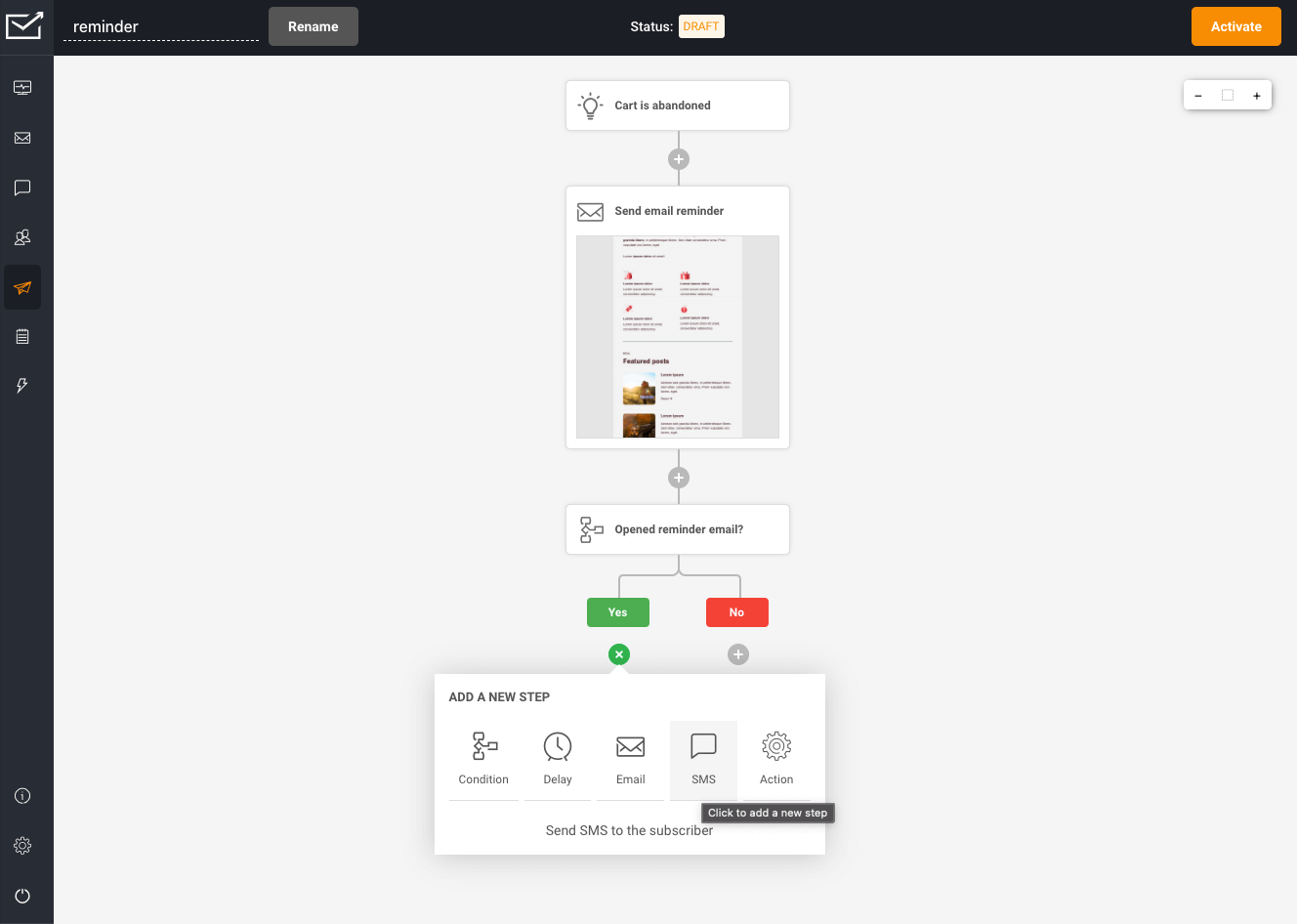
At the heart of effective marketing lies the ability to deliver personalized content to your audience. Sender takes this to the next level with advanced segmentation and personalization. This feature helps you tailor your messages based on user behavior and preferences, boosting conversions.
Thanks to its drag-and-drop email builder with responsive templates, you can create professional emails in minutes without needing a background in coding. The platform even adds an interactive way to grow your email list with its spin-to-win popups.
Key Features
- Email and SMS Marketing Automation: Send relevant and perfectly timed messages to your subscribers.
- Advanced Segmentation and Personalization: Segment your audience based on their behavior and preferences and send personalized emails that resonate with them.
- Drag-and-Drop Email Builder with Responsive Templates: Easily create beautiful, professional emails that look great on any screen.
- High-Converting Popups: Grow your email list with popups such as spin-to-win and exit-intent.
- Detailed Analytics and Reports: Gain insights into your campaign’s performance so you can make informed decisions and improve your strategies.
- Seamless Integration: Integrate Sender effortlessly with your existing tools for a streamlined workflow.
- 24/7 Customer Support: Enjoy peace of mind with round-the-clock friendly support so you can focus on your marketing goals.
Pros
- Affordable pricing plans, including a generous Free Forever plan.
- Easy-to-navigate user interface.
- High email deliverability rates.
- Powerful automation capabilities with advanced segmentation.
- Detailed analytics and reporting features for valuable insights into campaign performance.
- Exceptional customer support.
Cons
- The Free Forever plan contains Sender’s branding.
Pricing
- Free Forever Plan: $0
- Subscribers: Up to 2,500
- Monthly Emails: 15,000
- Standard Plan: $15/month
- Subscribers: Up to 2,500
- Monthly Emails: 30,000
- Professional Plan: $29/month
- Subscribers: Up to 2,500
- Monthly Emails: 60,000
- Enterprise Plan: Custom Price
- Unlimited emails
- Dedicated success manager
- Advanced user permissions
Customer Ratings
- G2 – Rating: 4.4/5 (50 reviews)
- Capterra – Rating: 4.6/5 (149 reviews)
11. Mailjet
Mailjet makes setting up marketing automation easy with ready-made workflow templates for scenarios like welcome series, event-based triggers, and scheduled messaging.
These templates make it easy for you to get started without having to build a workflow from scratch.

Before you activate your email campaigns, you can also effortlessly organize your subscriber list based on interests, attributes, or past interactions to create targeted groups.
After segmentation, you can create individual workflows for each group to send more relevant and personalized emails.
Once your email campaigns are live, you can track how they are performing on the Statistics dashboard. Overall, you can use Mailjet to automate and optimize your email campaigns.
Key Features
- Dynamic Content: You can drive personalized and targeted messaging at scale with Dynamic Sections that display custom content to each subscriber based on their attributes.
- Segmentation: You can group contacts with common interests and behaviors for tailored communication that resonates.
- A/B Testing: You can conduct A/B testing of email components like sender name, subject line, and visuals to optimize what resonates best with your audience.
- Analytics: You get access to detailed analytics across open rate, click rate, non-deliveries, ISP performance, and more to make data-driven optimization decisions.
- Robust Integrations: Mailjet easily integrates with other popular apps including WordPress, Keap, BigCommerce, HubSpot, Zapier, and others.
Pros
- It does not have any daily sending limits.
- The multi-user collaboration feature allows team members to work simultaneously.
- It comes with an easy-to-use form builder.
Cons
- The available automation trigger options do not include opened/clicked conditions.
Pricing
- Free: $0/month (Forever)
- Emails: 6,000/month
- Daily Limit: 200 emails/day
- Contacts: Unlimited
- Essential: Starting at $15/month (Billed monthly)
- Emails: 15,000/month
- No daily sending limit
- Premium: Starting at $25/month (Billed monthly)
- Emails: 15,000/month
- No daily sending limit
- Custom: Available upon request
Customer Ratings
- G2 Rating: 4/5 (148 reviews)
- Capterra Rating: 4.3/5 (300 reviews)
Best Email Campaign Software With CRM Integration
Even beyond your email campaigns, your subscribers could be interacting with your business on other channels. If you want to get a comprehensive view of their profile, you should pick an email campaign software with CRM integration.
It combines your email behavioral data with the information in your CRM like preferences and purchase history.
This allows you to easily synchronize contact data, track interactions from email campaigns in your CRM, and enable more personalized, targeted messaging.
The biggest advantage of picking an email campaign software with CRM integration is that you can easily connect the dots between marketing and sales.
As a result, it becomes easier to optimize the lead engagement process.
While there are many email tools with CRM integration, here are our top picks:
12. HubSpot
HubSpot offers a suite of integrated apps combining email marketing, CRM, and sales software in one centralized hub.

Within one HubSpot account, you can create, send, and analyze email campaign performance without toggling between separate tools.
Having integrated email capabilities, lead scoring, and tracking in one place gives you an omnichannel view of engagement.
This makes it easier to attribute lead activity accurately across channels and build an effective sales pipeline.
Additionally, you can personalize your email sequences with details like prospect behaviors, purchase history, and demographics from your CRM.
Overall, this unified platform approach makes it easy to align marketing and sales efforts for maximum impact.
Key Features
- Automated Email Campaigns: You can set up conditions, triggers, and actions to schedule automated emails to your prospects at the right time.
- List Segmentation: You can create contact lists based on different criteria including expected deal size, age, and recent downloads. Based on these targeted lists, you can create more personalized messaging.
- Lead Capture Capabilities: You can fill your CRM with leads from your website using the powerful online form builder to convert visitors.
- Lead Management: You can take your lead management to the next level by implementing webhooks, scoring leads, and seamlessly transferring them to your sales team through strategic workflows.
- Robust Marketing Analytics: You can measure performance for all your marketing campaigns with built-in analytics, reports, and dashboards to promote optimization.
Pros
- It is rich in functionality with a lot of advanced features.
Cons
- It may be too overwhelming or confusing for new users.
Pricing
HubSpot Marketing:
- Free Plan: $0/month
- Starter Plan: Starting at $18/month
- Professional Plan: Starting at $800/month
- Enterprise Plan: $3,600/month
[Note: You can also create bundles of HubSpot’s tools that are relevant for you. Or you can subscribe to particular pricing plans for Marketing, Sales, Operations, CMS, or Service.]
13. Zoho Campaigns
Zoho Campaigns, the brainchild of Zoho, seamlessly integrates with Zoho CRM, creating a powerful synergy for your email marketing campaigns.
Every time a contact engages with your emails or takes specific actions, Zoho Campaigns feeds this valuable data back into Zoho CRM.
As a result, you can get a comprehensive view of your subscribers’ interactions across platforms.
When it comes to email automation, Zoho Campaigns’ makes it easy for you to set up customizable workflows. You can add triggers based on certain pre-set actions.
In action, this is what it looks like:

Let’s say you have a group of recipients who frequently open your emails but haven’t made a purchase yet.
If you want to keep them engaged, you can set a trigger to automatically add these prospects to a special mailing list, maybe one tailored for exclusive offers to encourage their first purchase.
Beyond this, Zoho also has features for email personalization, deliverability, and automation. It has a complete toolkit to help you plan successful email marketing campaigns.
While it comes with rich functionality, it is also very affordable. That makes it a great option for startups and small businesses on a budget.
Key Features
- Workflow Templates: You can create automation workflows easily with their pre-designed email workflow templates. They cover multiple use cases including user onboarding, follow-ups, and re-engagement.
- Newsletter Options: You can choose from our templates, import your HTML, or customize layouts for impactful newsletters.
- Lead Nurturing: You can filter and send emails, and assign scores based on interactions. This makes it easy to figure out which leads you need to focus on.
- E-commerce Integration: You can easily integrate it with e-commerce platforms like Shopify, WooCommerce, BigCommerce, and others.
Pros
- It integrates well with other Zoho products.
- Their customer service team is very responsive.
- Their pricing plans are very affordable.
Cons
- Some users say that their customer service could be improved.
Pricing
- Free: $0/month
- Standard: $3.44/month (Approximately)
- Professional: $5.37/month (Approximately)
Customer Ratings
- G2 Rating: 4.3/5 (944 reviews)
- Capterra Rating: 4.2/5 (247 reviews)
Also Read: Best Zoho Campaigns Alternatives
14. Keap
Keap is a complete package for email marketing, lead capture, client management, and beyond. You can also collect leads via custom lead forms and landing pages, and then segment your lists based on attributes like demographics, interests, and activity history.

Then, you can trigger personalized email follow-up sequences to nurture contacts with messages matched to their preferences.
On the back-end, Keap also equips you with robust CRM capabilities to manage ongoing client relationships. You can track correspondence history, growth metrics, and more to keep a pulse on engagement over time.
What’s more, it comes with features like quotes and invoices that make it easy to simplify administrative tasks, so you can focus on sales.
With email marketing, powerful automation, and CRM under one roof, Keap has everything a growing business needs to convert and retain happy customers.
Key Features
- Lead Capture: You can build custom lead forms, landing pages, and sync social media to automatically collect and organize visitor contact information into your database.
- Segmentation: You can automatically tag and segment new leads based on attributes you specify. Then send personalized welcome emails matched to their interests.
- Templates: You can access beautiful, modern email template designs to create on-brand newsletters and campaigns with ease.
- Reporting: You can track email clicks, conversions by segment, sales stage movement, and other metrics to evaluate and optimize performance.
- Integrations: You can connect Keap to apps like Zapier, WordPress, BigCommerce, LeadPages, and more to sync data across channels.
Pros
- It offers great customization options.
- You can segment users based on purchase frequency, product familiarity, and potential lifetime value.
- You can send automated emails and text messages.
Cons
- It may be too expensive for small businesses.
- It has a long learning curve.
Pricing
- Pro Plan: $159/mo
- Contacts: 1500
- Users: 2
- Max Plan: $229/mo
- Contacts: 2500
- Users: 3
- Ultimate Plan: $279/mo
- Contacts: 2500
- Users: 3
15. ActiveCampaign
ActiveCampaign is one of the most popular platforms to create targeted email campaigns. While it has an easy-to-use interface, it also has advanced features that make it possible to track the engagement of each contact over a period of time.
With robust tagging, custom fields, and segmentation features, you can also group contacts based on full name, organization, time subscribed, tag, and more.

What’s more, ActiveCampaign seamlessly integrates data from across your tech stack – social media, landing pages, live chat, and beyond.
So, you can get a 360 degree view of each contact from their first site contact to their 5th purchase and leverage that intelligence to nurture relationships over the long term.
Overall, it offers rich functionality at an affordable price. That makes it a great email campaign software for small businesses.
Key Features
- Pre-Made Workflows: You can access over 900 pre-made workflows for scenarios like abandoned cart recovery, lead nurturing, post-event follow-ups, and more. If you want to make changes tailored to your campaign requirements, you can also customize them.
- Dynamic Content: You can add dynamic content blocks that change based on user preferences, attributes, and behaviors.
- Lead Scoring: You can automatically track engagement across channels to identify hot leads based on behaviors that indicate buyer readiness. As a result, you can route the most promising contacts to sales at just the right time.
- Segmentation: With features like lists, tags, and custom fields, you can enable targeted outreach to hyper-personalized contact groups based on lifecycle stage, past purchases, demographics, score tier, and more.
- Integrations: It offers deep integrations connecting data from 800+ apps, so you can sync info from your CRM, landing pages, chat tools, Shopify store, and other platforms.
Pros
- It has affordable pricing plans
- It comes with advanced Machine Learning features like predictive content and lead scoring.
- It has a lot of native integrations.
Cons
- Some users say the reporting features could be more robust.
- New users may have a long learning curve.
Pricing
- Plus: $49 per month, billed annually
- For 3 Users
- Professional: $149 per month, billed annually
- For 5 Users
- Enterprise: Custom pricing available
- For 10 Users
Customer Ratings
- G2 Rating: 4.3/5 (87 reviews)
- Capterra Rating: 4.2/5 (173 reviews)
16. Salesmate
Salesmate brings together contact management, email marketing, pipeline tracking, and task management into one platform.
You can create targeted sequences of follow-up emails and text messages using Salesmate’s templates – no coding needed.
Plus, you can customize messaging to match where each lead stands within your predefined workflow stages.

What’s more, you can set reminders within the platform to prompt timely personal follow-ups as well. So, you can engage contacts with a personalized mix of automated and manual touchpoints.
It also offers robust segmentation capabilities that enable you to send the right messages to the right people at the scale you need.
You can group your contacts based on industry, lead score, deal size, or other attributes, and then send targeted email broadcasts for
Key Features
- Lead Scoring: Create custom frameworks in Salesmate to score those leads just the way you want based on what matters most to your business.
- Customizable Templates: You get access to professionally designed email templates including welcome emails, subscription reminders, or special greetings. You can also customize these templates to match your needs.
- Custom Reporting: You can create custom reports and dashboards to add critical metrics that matter to you.
- Integrations: It seamlessly integrates with popular apps, including Google CRM, Zapier, Zoom, and others.
Pros
- It is very easy to use.
- They offer great customer support.
- The customizable dashboards make tracking convenient.
Cons
- Some users report that it lags occasionally.
Pricing
- Starter: $15 per user/month
- Growth: $30 per user/month
- Boost: $50 per user/month
- Enterprise: Custom pricing available
Product Ratings
- G2 Rating: 4.6/5 (65 reviews)
- Capterra Rating: 4.7/5 (80 reviews)
17. EngageBay
While EngageBay is primarily an all-in-one CRM software, it comes with strong email marketing capabilities. From email automation to sequences and broadcasts, you can do it with this platform.
On their integrated email dashboard, you can access real-time data to check the total number of downloads, unsubscribes, click-through rates, email open rates, and more.

As a mainly CRM software, you can use it to manage contacts, tasks, and deals and get a unified view of what each contact is up to.
For easier management, you can segment them into lists based on common attributes and filter them as per your needs.
Key Features
- Unified Dashboard: You can get a holistic view of your subscribers with features like automated lead scoring, activity timeline, and customer behavior tracking in a single view.
- Segmentation: You can create smart segments by grouping subscribers based on location, age, gender, demographics, and others. If you want to send your emails at a particular time, you can also create time-specific customer buckets.
- Email Sequences: You can add personalized email sequences to automate your emails and send follow-up emails at the right time to your subscribers. They also have a predictive lead scoring feature that lets you define the excluding conditions for your email sequences.
- Integrations: You can seamlessly integrate it with Zapier, QuickBooks, Twilio, Shopify, SendGrid, WooCommerce, BulkSMS, and other apps to easily manage your workflow and improve your efficiency.
- Reporting: You can track open rates, click-through rates, and other key metrics with this email campaign platform. It also has features that let you create custom reports for better reporting and management.
Pros
- It is very easy to use.
- They provide great customer support.
Cons
Pricing
- Free Plan: $0/user per month
- Basic Plan: $13.79/user per month
- Growth Plan: $59.79/user per month
- Pro Plan: $110.39/user per month
18. SendX
As an email marketer looking for robust automation capabilities, SendX should firmly be on your radar. With its drag-and-drop interface, creating customized email automation workflows is easy.
You can use the powerful rules-based builder to build multi-layered sequences based on schedules, user behaviors, and audience segments even if you don’t have any coding expertise.

You can easily set up welcome drips for onboarding, cart abandonment drips for re-targeting, event-triggered drips for notification emails, and more.
Furthermore, SendX comes loaded with pre-built triggers and actions covering common email marketing use cases that you can tweak for your needs.
SendX also comes with integrated smart features – no more guessing optimal delivery times.
Their GEO technology automatically factors subscriber timezones, while machine learning determines the best individual send times based on past engagement analytics for better relevance.
Key Features
- Custom Automation Rules: SendX uses the “If this, then that” type of rule for email automation. You can use this rule set to create custom automation that reaches your subscribers at the right time.
For example, if someone opens your email, then SendX automatically sends them a follow-up message. If they click a link, another email tailored to their interest lands in their inbox. - Segmentation: You can organize your email list based on contact behavior, location, or other similar attributes. If you don’t find the segmentation options that you are looking for, you can also add custom properties.
- A/B Testing: You can experiment with your email content and subject lines to boost your engagement and optimize your email campaigns.
- Reporting: Get custom reports and detailed analytics about how your email campaigns are performing. Email open, click, and reply rates are all a few clicks away.
Pros
- It offers great features at an affordable price.
- Their customer service team is very responsive and helpful.
Cons
- Some users say that it has limited analytics and reporting capabilities.
Pricing
Their pricing plan is based on the total number of subscribers.
- For 1,000 subscribers: $7.49/month (Billed annually)
- For 2,000 subscribers: $14.99/month (Billed annually)
- For 3,000 subscribers: $29.99/month (Billed annually)
Best Email Campaign Software for List Building
We’ve already discussed that email marketing is a big deal—it helps you generate leads and grow your sales. But here’s the thing — if you want to succeed at email marketing, you need to invest time in building an email list.
Now, there are tools out there that make growing your email list easy.
These email campaign software come with features that enable you to help you create forms, quizzes, and popups to get more people signing up for your emails.
If you’re looking to grow your email list, here are the top email campaign software that you should check out:
Diving in deeper, let’s take a closer look at the list building capabilities and other key features of these top email campaign tools:
19. Constant Contact
With robust list uploading, segmentation, lead capture, and social integration capabilities, Constant Contact gives you the specialized tools to actively build your subscriber database.

With it, you can easily upload existing contact lists from various sources like Excel or Salesforce into organized segments tailored to your needs.
You can leverage tags, profiles, past email engagement metrics, locations, and more to divide contacts into targeted lists and subgroups.
Furthermore, Constant Contact enables you to generate additional subscriber leads via professional-quality landing pages and sign-up forms. And as it also integrates with Facebook and Instagram, you can generate leads via social media as well.
Key Features
- Email Templates: You can get access to hundreds of ready-to-use, mobile-responsive email templates for your campaigns. You can edit them easily using the drag-and-drop functionality.
- Segmentation: You can segment your lists based on profile information, activity, and tags to target specific audiences with your email campaigns.
- Landing Pages and Sign Up Forms: You can create engaging landing pages and sign-up forms to generate leads across platforms.
- A/B Testing: You can test two different versions of your email subject lines to find which version performs better. Additionally, you can also test the content in your email to check what generates the most clicks.
- Reporting: You can monitor email delivery, opens, deletions, and link clicks to gain insights into recipient interactions.
- Integration: You can work efficiently as the platform seamlessly integrates with Vimeo, Canva, Salesforce, Shopify, and other popular apps.
Pros
- You can break down your lists into targeted categories.
- It offers easy customization options.
Cons
- If you have a large contact list, this platform can turn out to be expensive.
Pricing
- Lite Plan: Starting at $12/month
- Standard Plan: Starting at $35/month
- Premium Plan: Starting at $80/month
- Price varies depending on the number of contacts
Customer Ratings
- G2 Rating: 4/5 (5,649 reviews)
- Capterra Rating: 4.3/5 (2,547 reviews)
20. Drip
Drip is an email campaign platform with a specialized focus on ecommerce businesses.
It has features that can help you communicate the right offer or information to contacts exactly when they need it.
In fact, its automation and customization capacities work hand in hand to convert more leads through hyper-personalized email engagement.
Rather than relying on static contact lists, it leverages dynamic segmentation that responds in real time as customer data and behaviors shift.

For instance, once a one-time buyer makes another purchase, they automatically graduate to a different segment without manual sorting.
This automation allows you to deliver timely, relevant messaging tailored to how far contacts have progressed through your sales funnel.
Drip also enables easy customization of campaign content down to granular elements like image sizing, fonts, and spacing through its intuitive email builder.
Key Features
- Email Templates: You can choose from over 50 professionally designed ecommerce email templates from their library. If you want to outsource email creation completely, you can also reach out to their service team.
- A/B Testing: You can test up to four different variations of your subject lines and content to optimize your email campaigns for better results.
- Dynamic Product Blocks: You can add dynamic product blocks to send more targeted emails to new and existing subscribers.
- Email Automation: You can automate campaigns across emails and social media and build custom workflows that suit your needs. With behavior-based automation triggers, you can send relevant emails whenever someone makes a purchase or clicks on a link.
- Social Retargeting: When you sync Facebook Audiences with your Drip segments, you can create send effective retargeting messages to make your marketing campaigns more effective across different channels.
- Integrations: If you own an ecommerce store, you can add data from Shopify, LoyaltyLion, WooCommerce, and other popular apps to make your campaigns more effective.
Pros
- It has great features for ecommerce businesses.
- You can find insightful data in their visual, detailed reports.
- You can run promotions on social media platforms.
Cons
- Since it has features specifically designed for ecommerce businesses, other businesses might not get what they are looking for.
Pricing
- For 2500 contacts, the price is $39/month
- For 5000 contacts, the price is $89/month
- For 7500 contacts, the price is $124/month
21. AWeber
AWeber stands out as an email marketing platform known for making list-building incredibly straightforward. With its intuitive drag-and-drop editor, creating custom sign-up forms and landing pages takes just minutes, even for beginners.

Segmenting and targeting your audiences is also a breeze with AWeber. Its smart lists automatically group subscribers based on engagement metrics, purchase history, location, and more.
You can then craft campaigns tailored to each subgroup’s unique interests and needs.
Furthermore, insights are essential for optimizing performance, and AWeber delivers here as well. Rich analytics provide visibility into critical metrics like open and click-through rates.
You can even connect Google Analytics and Facebook Pixel to unlock a deeper understanding of your email marketing ROI across channels.
Key Features
- Email Campaigns: You can save time with email templates for any occasion when creating email campaigns. Plus, you can utilize pre-built autoresponders and their AI writing assistant to create more engaging emails.
- List Growth: You can grow your email list faster by creating custom sign up forms and landing pages optimized for list growth.
- Segmentation: With dynamic content in your emails, you can make each subscriber feel like you made the email just for them. You can segment subscribers and send targeted emails based on recent purchases, opens, and more.
- A/B Testing: Through A/B testing, you can find the best send times and content and learn what text, concepts, and images get more clicks and conversions.
- Integrations: You can add integrations for PayPal, Facebook, WordPress, Zapier, Shopify, and other popular apps.
Pros
- They provide 24/7 customer support.
- It is very easy to create landing pages with their landing page builder.
- It is easy to organize multiple lists with their tagging feature.
Cons
- Some users say that their templates could be more varied and modernized.
- There is a significant learning curve – they could have more training resources.
Pricing
- Free Plan: $0.00/month
- Lite Plan: $12.50/month (Billed annually)
- Plus Plan: $20/month (Billed annually)
- Unlimited Plan: $899/month (Billed annually)
Customer Ratings
- G2 Rating: 4.2/5 (627 reviews)
- Capterra Rating: 4.4/5 (281 reviews)
22. GetResponse
GetResponse is an all-in-one email campaign software make it easy to grow and connect with your audience. You can use their ready-made signup forms, landing pages, and popups to collect contact information from your website visitors.
You can also connect GetResponse with your other marketing tools to collect contacts from multiple sources, into one database.
In addition to this, you can use features like AI-generated subject lines, newsletters, and autoresponders to deliver personalized, relevant content for your subscribers.

Furthermore, it comes with automation and analytics features that help you identify subscriber segments that best resonate with different email types and offers.
With GetResponse streamlining list building and giving you detailed data to continually improve – you have everything needed to turn visitors into life-long customers.
Key Features
- List Segmentation: You can segment your subscriber list based on criteria such as demographics, past purchases, and product views. This way, you create targeted groups that dynamically update as new data comes in.
- List Growth: Their toolkit includes professional, stylish pre-designed landing page templates. Also, you have the flexibility to customize them with elements like countdown timers and custom fonts.
Plus, if you want to go one step further, you can create gamify this entire process of growing your email list with interactive, game-based popups. - Subscriber Automations: You can trigger customized automation workflows for individual subscribers and base them on specific attributes and behaviors.
- Analytics: You can keep a close eye on engagement metrics such as open rates, click-through rates, bounce rates, and unsubscribe rates with their analytics features.
To dive deep into navigation patterns, you can also check the heatmaps across emails and your website.
Pros
- It offers detailed reports.
- It comes with well-designed, professional-looking templates.
Cons
- Some users face issues with list purging.
Pricing
- Email Marketing: $13.20/month (Billed annually)
- Marketing Automation: $41.1/month (Billed annually)
- Ecommerce Marketing: $82.9/month (Billed annually)
- GetResponse MAX: Custom pricing available
23. Moosend
Moosend is a powerful email marketing platform that makes managing your email list a breeze.
Using custom fields, you can sort your mailing lists based on the information you collect from your subscribers. This way, you can filter your email lists and create tailored content for your email subscribers.

Plus, Moosend integrates with email verification tools to keep your list clean and provides useful data to manage your contacts more efficiently.
Key Features
- List Segmentation: You can easily segment your subscriber list by criteria such as demographics, past purchases and product views to create targeted groups.
As new data comes in, Moosend dynamically update these segments so you’re always updated. - List Growth: Your toolkit includes professional, stylish pre-designed landing page templates. You have the flexibility to customize them with elements like countdown timers and custom fonts.
What’s more, you can take the fun route and gamify the whole process of list building. For example, you can create an interactive popup where your audience can spin the wheel to
At the end of the game, you can ask them for their email address in exchange for a discount or some kind of a perk. - Subscriber Automation: You can trigger customized automation workflows for individual subscribers based on their specific attributes and buying behaviors.
- Analytics: You can easily track engagement metrics like open, click-through, bounce, and unsubscribe rates. For better analysis of what the readers resonate with, you can also check click heatmaps to see content interaction.
Pros
- It includes advanced features in the lower tier plans.
- It comes with an easy-to-use interface.
Cons
- You have limited access to their customer support team in the free plan.
Pricing
- Free trial available
- Pro Plan: $7/month (billed annually)
- Enterprise Plan: Please get in touch with their sales team for more information.
24. Campaigner
As an email campaign software powered by AI, Campaigner boasts industry-leading features for email personalization, automation, and optimization.
Here’s how it works: You can seamlessly combine customer information with real-time behavioral data. This dynamic duo allows you to personalize each message down to the individual.

You can take a deep dive into attributes and past interactions, figuring out the perfect timing, content style, and product recommendations for each subscriber.
With these features, you can create engaging and conversion-friendly email conversations that give off a vibe as if they were crafted exclusively for the reader.
Key Features
- Dynamic Content: You can automatically populate messages with content tailored to each customer based on user attributes, geolocation, past purchases, and behavior.
- Segmentation: You can use advanced filtering options to build out targeted contact groups based on location, order history, demographics, and custom data. For each customer cluster, you can also send hyper-targeted messages.
- Email Templates: You can access pre-built email templates or use their drag-and-drop editor to customize them as per your needs.
- Automation Workflows: You can create simple or advanced automation multi-channel workflows that combine emails and SMS messaging.
- Conversion Tracking: You can easily monitor and flag contacts based on pivotal “conversion events” like opening an email, submitting a form, or visiting target pages.
- Forms: Build custom sign-up forms, quizzes, assessments, surveys, and more to seamlessly capture new leads into your database while learning about their needs. Embed right onto your website or link in emails.
Pros
- It is very easy to use.
- It has great customization options.
Cons
- Some users complain that their customer service is slow to respond.
Pricing
- Starter Plan: $59/mo
- Contacts: Up to 5k
- Email & SMS Plan: $104/mo
- Essential Plan: $179/mo
- Contacts: Up to 25k
- Email & SMS Plan: $224/mo
- Advanced Plan: $649/mo
- Contacts: Up to 100k
- Email & SMS Plan: $694/mo
eCommerce Plans
- eCommerce Starter Plan: $79.95/mo
- Emails: Up to 30k
- eCommerce Essential Plan: $99.95/mo
- Emails: Up to 45k
- eCommerce Advanced Plan: $149.95/mo
- Emails: Up to 75k
- eCommerce Enterprise:
- Custom pricing
Best AI-Powered Email Marketing Platforms
AI is shaking up the marketing scene, and email campaign tools are already harnessing its power to send out top-notch campaigns.
Now, AI features in email tools can help you determine the perfect delivery times for each subscriber based on their unique activity patterns.
Meanwhile, you can also subject line variations and content combinations in the background to uncover what triggers your audience to convert.
If you’re looking to make the most of AI to optimize your campaigns, here are some email tools you should check out:
25. Brevo
Brevo makes creating beautiful, effective email campaigns easy with its user-friendly drag-and-drop editor. You can choose from various professional templates or start from scratch to match your brand’s look and feel.
Plus, with the help of Brevo AI assistant, you can get multiple options to create subject lines that get more clicks and conversions.

Additionally, you can engage your contacts on a deeper level through Brevo’s advanced email personalization and A/B testing capabilities.
It enables you to customize message content based on specific recipient criteria to boost relevancy and connect with each subscriber.
Over a period of time, you can experiment with different ideas to determine the most effective approach for each campaign.
Alternatively, you can leverage Brevo’s Machine Learning technology, which analyzes past campaign performance. These insights can guide you in determining the optimal send times for future campaigns.
Key Features
- Email Campaign Creation: You can design and send targeted email campaigns using an intuitive drag-and-drop builder and pre-made templates.
- SMS Marketing: You can create promotional SMS campaigns or transactional messages like shipping confirmations to work in sync with your email campaigns.
- Customer Relationship Management: You can store customer data and activity within an integrated CRM to inform messaging personalization and segmentation strategies.
- Marketing Automation: You can set up conditional campaigns and workflows to trigger automated SMS or email messages that engage users based on their behaviors.
- Audience Segmentation: You can divide contacts into groups using declared data, purchase history, location, and other attributes to target campaigns.
- Campaign Reporting: You can access real-time reports on email, SMS, and ad performance – including open/click rates and geographic data.
Pros
- It is very easy to use.
- It includes advanced features in the freemium plan.
- You can work on SMS and WhatsApp campaigns in the free plan.
Cons
- Some users say that their support team can take a while to respond.
Pricing
Marketing Platform
- Free
- Starter: $10/month (approximately)
- Add on: 20k emails/month: $11/month
- Business: $43/month (approximately)
- Add on: 20k emails/month: $11/month
26. ConvertKit
ConvertKit simplifies email creation through AI-optimized templates and an intuitive editor. They have customizable email templates with styling options, buttons, images, and more.

For campaign management, you can organize contacts with tags and personalized segments to promote more targeted, relevant content matched to user interests.
Additionally, you can use ConvertKit’s AI email funnels to handle repetitive tasks like sending welcome and product launch emails. Its smart filters even identify customers who have already purchased to avoid over-pitching while ensuring personalized, efficient marketing.
Key Features
- Visual Automation: You can use their pre-built templates or create single or multiple entry point automation using ConvertKit’s intuitive visual automation interface.
- RSS Feed Integration: With their RSS integration, you can utomatically share your blog posts with your audience by setting up broadcasts triggered by your new post publications.
What’s more, you can choose between sending updates immediately or compiling a weekly or monthly digest. - Email Designer: With ConvertKit’s Email Designer, you can effortlessly create engaging emails and embed various media types, including videos, tweets, products, and music directly into your content.
This provides a richer and more engaging experience for both you and your subscribers. - Tagging System: You can easily categorize subscribers with tags and segments, enabling you to deliver targeted content based on their interests. Furthermore, you can group subscribers based on tags, custom form fields, location, or any criteria you prefer.
Pros
- You can use it to create landing pages and forms.
- It offers advanced features for creating forms.
- It is easy to use.
- It offers an efficient way to organize contacts with its tagging options.
Cons
- The analytics reports can be more detailed.
Pricing
- Free [Up to 1,000 subscribers]
- Creator: $9/month
- $108 billed annually [Up to 300 subscribers]
- Creator Pro: $25/month
- $290 billed annually [Up to 300 subscribers]
27. Twilio SendGrid
With Twilio SendGrid, you’ve got a powerhouse for creating top-notch email campaigns. The suite includes tools for automation, signup forms, testing, design, templates, and statistics.
What sets it apart is its AI touch across three main areas. Firstly, it comes with real-time email validation that ensures that you have a clean email list and reduces bounce rates.

Secondly, the neural protection feature identifies and rectifies risky sending patterns, boosting deliverability rates.
Lastly, Twilio SendGrid provides AI-driven deliverability insights and offers actionable recommendations for improved performance.
Key Features
- Email Design: You can design awesome emails quickly with ready-to-go templates or let loose your creativity from scratch. With drag-and-drop tools and HTML options, you can craft emails that stand out and capture attention.
- Email Automation: You can set up engaging time-based drip series to engage with your contacts. Once it’s live, you can see how they perform and tweak it for even better results.
- Email Testing: You can rest easy knowing your emails will look polished and professional with the Email Testing option in Twilio SendGrid. It allows you to weed out spammy content, and fix broken links, images, and buttons.
- List Management: You can add or update your contacts with simple CSV uploads in Twilio SendGrid. Once it’s done, you can build targeted lists or dynamic segments for precise targeting and get real-time updates with the Contacts API.
Pros
- It is very easy to set up.
- Some users say that it provides a good deliverability rate.
- It comes with a lot of API integrations.
Cons
- Some users say that their customer service team could take a while to respond.
Pricing
- Free Plan: $0/month
- Basic Plan: Starts at $15/month
- Advanced Plan: Starts at $60/month
- You can get started with Twilio SendGridfor free with 100 emails per day forever.
28. Zeta Messaging
Zeta Messaging is part of the broader Zeta Marketing platform that is designed to help you grow your customer base and retain them more efficiently.

With their email platform, you can leverage real-time personalization and predictive AI to optimize your email campaign performance at scale.
It enables you to get insights into individual interests, demographics, and behaviors to create more targeted content and product recommendations. It also features predictive insights to optimize your send times, subject lines, and email sending frequency.
Key Features
- AI-Powered Personalization: Zeta’s AI selects optimal content and recommendations in real-time based on understanding each customer’s needs, interests, and intent.
This enables highly relevant 1:1 conversations through email and other channels. - AI-Driven Optimization: Zeta’s platform uses AI to optimize email campaigns based on channel mix, subject lines, creative content, send times, frequency, and more to boost performance.
Such outcomes-based analytics can help you connect campaign results to business goals like conversions and subscriptions.
Pros
- It offers outcomes-based analytics.
Cons
- Limited features compared to the competitors.
Pricing
- Please get in touch with the sales team.
Best Email Campaign Platforms For Email Surveys/Polls
Email surveys and polls are your direct line to understanding your customers’ opinions. They can give you insights into their product preferences, satisfaction levels, and areas where you can improve.
Making surveys and polls is easy when you’ve got the right email software. Some of them offer ready-made templates and ample customization options to make sure you can tailor your surveys or polls exactly how you want.
In fact, we’ve already covered some popular email campaign software like Mailmodo, MailerLite, Campaigner, and others that offer options to add surveys.
Let’s take a look at the best email campaign software you can use to create polls and email surveys.
29. Campaign Monitor
Campaign Monitor is a comprehensive email marketing platform with advanced features to help you design engaging emails, segment your audience, and track your results.
One of Campaign Monitor’s unique features is its built-in survey tool. With this tool, you can easily create and send surveys to your subscribers, gather valuable feedback, and gain insights into their preferences.

Campaign Monitor works with GetFeedback to make it possible to add surveys right into your emails. All you need to do is open your email editor, drag the GetFeedback button into your email, and make your survey look how you want. Easy as that!
There’s another way to go about it as well – Use the ‘Survey’ button in Campaign Monitor and add a link to an existing GetFeedback survey.
Key Features
- Email Survey Personalization: You can use merge tags to add a personal touch to your email surveys. When you add any custom fields based on your content, Campaign Monitor will fetch the stored data to fill those fields.
- Unsubscribe Survey: When someone unsubscribes to your emails, you can send them a survey to figure out what made them hit the unsubscribe button. It can be a quick way to gauge why your subscribers are opting out.
- Marketing Automation: With their email marketing automation features, you can send a series of emails based on pre-set triggers to get more engagement.
- AI Features: With their AI-based features, you can write and optimize email copy quickly. In addition to this, you can use it to change large chunks of text into persuasive CTAs and blurbs.
- Integrations: It offers easy integration with multiple CRM and marketing tools including HubSpot, Qgiv, Salesforce, LeadsBridge, and others. What’s more, it also inetgrates with specialized survey tools like AgileForms, JotForm, Paperform, and others.
Pricing
- Lite: $11/month
- Essentials: $19/month
- Premier: $149/month
30. Email Octopus
EmailOctopus is a versatile platform that goes beyond email creation segmentation, and automation features.
It also allows you to add surveys to your emails to open up a two-way communication channel with your recipients.
The process to add email surveys is simple – integrate your survey tool with EmailOctopus through Zapier. You can even add a Google Form to Email Octopus.

In your email editor on Email Octopus, you can simply copy and paste the HTML code to add the survey to your emails.
Once you add an email survey, you can collect subscriber data such as location and content preferences on the platform. This data can help you create more relevant content that resonates more with your subscribers.
Key Features
- Email Builder: You can use their pre-designed email templates to design engaging emails quickly. On the other hand, if you’d like full creative control, you can also design your emails from scratch or directly import your HTML templates.
- Email Automation: Email Octopus allows you to create complex email automation to greet new subscribers and educate them about your service or product. If you want to engage and nurture them, you can also add if/else conditions to your email automation.
- Segmentation: You can segment your mailing list based on the data that you prioritize. For better organization, you can add custom fields and tag subscribers based on gender, preferences, or age.
- Survey Integrations: You can easily integrate with email survey platforms like Google Forms, TypeForm, YesInsights, and FeedLetter.
- Other Integrations: Email Octopus integrates with popular CRM tools, ecommerce platforms, website builders, and advertising platforms like ClickFunnels, Salesforce, Teachable, Shopify, WooCommerce, and others.
- Tracking and Optimization: You can check key email metrics like opens and clicks to gauge how your email campaigns are performing. If you want to dive deeper, you can also check individual subscriber data like past activity.
Pricing
- Free Plan
- 2,500 subscribers
- 10,000 emails per month
- Pro Plan: $16/month
- 2,500 subscribers
- 25,000 emails per month
31. Benchmark Email
Benchmark Email is a great pick if you want to create different types of email surveys and polls to keep your recipients engaged.
Their user-friendly survey builder makes it easy to set up different question formats from multiple-choice to open-ended responses.
Their pre-made templates allow you to quickly build surveys tailored for multiple use cases like customer satisfaction, event feedback, and others.
While all survey questions are set as optional, you can set the required responses as necessary for important questions. When you choose the “Required” option, you’ll see a red asterisk mark next to the added question.

Each email survey automatically captures the respondent’s email address to manage distribution and follow-ups within Benchmark Email.
However, you can request for anonymous survey links from their support team if you need to add privacy for sensitive subject matter.
For creating polls, you can add a single question, and the default answers are “Yes” and “No.” At the most, you can add up to five answers for each poll question.
Key Features
- Survey Templates: You can select from various pre-made templates designed for common scenarios like event registration, customer satisfaction, and others. Even if you use the templates, you have full control over the styling of questions as well as design.
- Diverse Question Types: You can create surveys with single-select answers, multi-select answers, open text, drop down menus, and others.
- Multiple Sharing Options: You can also share surveys via branded URL links in emails or web pages. Alternatively, you can use generated HTML code to seamlessly embed on websites.
- Robust Analytics Reporting: On their reporting dashboard, you can view total responses and aggregate or break down response rates per answer.
Pricing
- Free plan: $0/month
- Pro Plan: $13/month for 500 contacts (Billed annually)
- Enterprise Plan: Please get in touch with their sales team for a quote.
32. SendPulse
SendPulse comes with several survey integrations that make it possible to easily create email surveys within the platform. You can integrate it with SurveyMonkey, TypeForm, QuickTapSurvey, and other such apps via Zapier.
Every time someone finishes a survey, Zapier will create a new contact and send all their information to your mailing list on SendPulse.
As your mailing list expands, you can use email marketing automation features on SendPulse to follow-up regularly and keep them engaged.

In fact, you can select the option to send automated follow-up emails to those who have not read your emails. If you want to do it yourself, you can also send these emails manually.
Beyond surveys and automation, SendPulse also offers the option to pair your email automation with SMS and messenger chatbots. This way, you can reach your leads via multiple channels and close more deals.
Key Features
- Email Automation: You can send automated emails and follow-ups based on user behaviors like opening your emailing, clicking on a link, or even not opening your email at all.
- Integrations: You can integrate with with survey platforms like SurveyMonkey, TypeForm, QuickTapSurvey. Additionally, you can also integrate it with WordPress, Facebook Leads Ads, Pipedrive, WooCommerce, and other popular platforms.
- Email Verifier: It provides an email verification feature so that you can keep your mailing list clean and updated. After the verification process, you can also get a detailed report that separates the “verified” and “unverified” email addresses on your list.
- Analytics: You can track your email campaign performance by checking data like open rate, click-through rate, and unsubscribe rates. Plus, you can also get insights into delivery and error statistics.
- A/B Testing: You can A/B test different subject lines and email content to figure out what works best for you.
Pricing
- Free Plan
- Up to 500 subscribers
- Standard Plan
- $5.20/month (Billed annually)
- Up to 500 subscribers
- Pro Plan
- $6.24/month (Billed annually)
- Up to 500 subscribers
- Enterprise Plan
- $8.74/month (Billed annually)
- Up to 500 subscribers
Ready to Pick an Email Campaign Software For Your Business?
Alright, we’ve covered it all – there are various types of email campaign software out there, each catering to different needs.
Whether you want to send cold emails, expand your email list, synchronize your CRM data, or conduct surveys, rest assured, that there’s a tool for you within this comprehensive list.
We’ve laid out the key features, pricing details, and more, so you can make an informed decision. Take your time checking the options, comparing them, and finding the perfect fit for your business.
Explore the possibilities and choose your email campaign software wisely!
FAQs
- Which is the best email campaign software for startups and small businesses?
Saleshandy, Zoho Campaigns, and ActiveCampaign are some of the best email campaign software for startups and small businesses. They are affordable and make it easy for small businesses to scale effortlessly.
- Which is the best email campaign software for agencies?
Saleshandy, MailChimp, HubSpot, and Campaign Monitor are some of the best email campaign software for agencies.
- Can you use CRM for email marketing?
You can use CRM data to make your email campaigns more effective. CRM systems often integrate with email marketing tools, allowing you to manage and nurture leads, personalize communication, and track interactions.