





 Anil Salvi
 Contents
- 1 Business Development Tools – TOC
- 2 What Are Business Development Tools & Why Should You Care About Them?
- 3 Types of Business Development Tools That I’ve Covered
- 4 Prospecting Tools
- 5 Email Outreach Tools
- 6 Cold Calling Tools
- 7 Sales Engagement Tools
- 8 Customer Relationship Management Tools
- 9 Tools to Record & Book Meetings
- 10 Analytics & Reporting Tools
- 11 Project Management Tools
- 12 Social Media Management Tools
- 13 Video Sales & Marketing Tools
- 14 Customer Success & Virtual Agents Bots
- 15 TL;DR – Best Tools for Business Development
- 16 FAQs
- 16.1 How do I choose the right business development tool for my company?
- 16.2 Are free business development tools effective?
- 16.3 Is there a tool that’s good for team collaboration and communication?
- 16.4 How do automation tools support business growth?
- 16.5 Can business development tools integrate with existing systems?
Ever relied on your GPS to guide you through a new area – so that you don’t get lost along the way?
Business development tools are just like that!!
They help folks like you and me find their own trail toward the journey to growth.
Why? Because business development can be overwhelming!
I’ve been there on the receiving end, and hence, I’ll be sharing my personal list of the best business development tools that have been helping me achieve crazy revenue milestones.
While sharing these tools, I’ll also explain what these business development tools are and how they’re helping brands worldwide.
PS. I’ve categorized these tools as per their use cases so that it’s easier for you to navigate.
Hope it helps!!
Business Development Tools – TOC
What Are Business Development Tools & Why Should You Care About Them?
As I said earlier, business development tools help you find business opportunities and pursue them to get a boost in revenue.
You can get new business ideas, find potential prospects, reach out to leads, and increase your overall productivity. This helps you to keep your whole team on the same page.
In short, they are a complete package to help you streamline your sales processes, enhance the productivity of your whole team, and make informed decisions.
But are these tools worth your time, and more importantly – money!!!??
Why Should You Care About Business Development Tools?
I have seen startups trying to do everything themselves. Which is the stupidest thing to do.
Well, if you ask me why!!!!!!
It is because when you can utilize the best potential of the tools available online to minimize your manual efforts, why would you choose not to do it?
The same applies here for business development tools.
Simple example – Some businesses still send cold emails manually when they can automate it via cold email software.
I mean, if I find any of my subordinates wasting their time doing it manually, I would personally go around bashing (teaching) them (how to work smartly).
And if you ask me, what are some of the best benefits of using a business development tool, I’ll say,
- It improves your efficiency
- Helps you generate better leads faster
- Helps you make data-driven decisions
- Ensures that you manage customer relationships better
- It gives you scalability & growth (the most important factor)
Types of Business Development Tools That I’ve Covered
When you grow your business, you can only take one step at a time. Doing everything at once will lead to nothing.
That’s why, I’ve sorted these tools based on various stages and challenges of business development,
- Prospecting Tools
- Email Outreach Tools
- Cold Calling Tools
- Sales Engagement Tools
- Customer Relationship Management Tools
- Tools to Record & Book Meetings
- Analytics & Reporting Tools
- Project Management Tools
- Social Media Management Tools
- Video Sales & Marketing Tools
- Customer Success & Virtual Agents Bots
Prospecting Tools
Sales is one of the most important parts of the customer acquisition process.
These tools help you start the sales process where you can discover potential prospects, create your outreach list, and help you close deals faster.
There are two tools that I recommend,
1. Saleshandy B2B Lead Finder
Best for: Businesses who want to get verified leads and reach out to them.
Used for: To find large volumes of verified B2B contacts and exporting for outreach.
User Ratings
G2: 4.6/5 ⭐ (650+ reviews)
Capterra: 4.5/5 ⭐ (125+ reviews)
How Saleshandy B2B Lead Finder Helps?
I’m not biased, but when I say that Saleshandy B2B Lead Finder’s database is amazing, I mean it!
I’ll tell you why,
- It has 700M+ verified contacts of business professionals and over 60M+ companies globally
- Does not get exhausted even after extensive usage
- Does 2-step verification of contact details (email addresses and phone numbers)
- Your unused credits don’t get eaten (ie. extra credits get rolled over to the next month)
The best part? You can do an AI lead search, which will help you find leads that match your criteria with just a prompt.
To get the right set of prospects, you can use advanced search filters like company location, team size, revenue, designation, and more. This helps you get high-intent leads that are likely to convert.

In Saleshandy Lead Finder, you can also view 25-100 records at a time, and export up to 10k leads at once.
This specific feature is most suitable for lead generation agencies and companies that want to save time and process everything in bulk.
If you compare this with other B2B data providers, you will realize that this is one of the most budget-friendly deals with high-quality data.
Pricing
- Lead Starter – $35/month (500 credits/month)
- Lead PRO – $69/month (1000 credits/month)
- Lead Scale – $119/month (2500 credits/month)
- Lead Scale Plus10k – $239/month (5000 credits/month)
2. Apollo
Best for: Sales professionals and recruiters who want to find intent-based leads.
Used for: Searching for prospects based on buying-intent signals and syncing them into your CRM.
User Ratings
G2: 4.8/5 ⭐ (7890+ reviews)
Capterra: 4.6/5 ⭐ (350+ reviews)
How Apollo Helps?
Apollo is a sales intelligence platform that helps you find the contact details of your ICPs.
It has a relatively small contact database of 210M business professionals from 35M companies, but it compensates for the lack of quantity with quality.
In Apollo, you can find prospects based on their buying intent.
For example, if you are a hiring agency, you can set triggers based on job change or work anniversary, where the chances of conversion are higher.
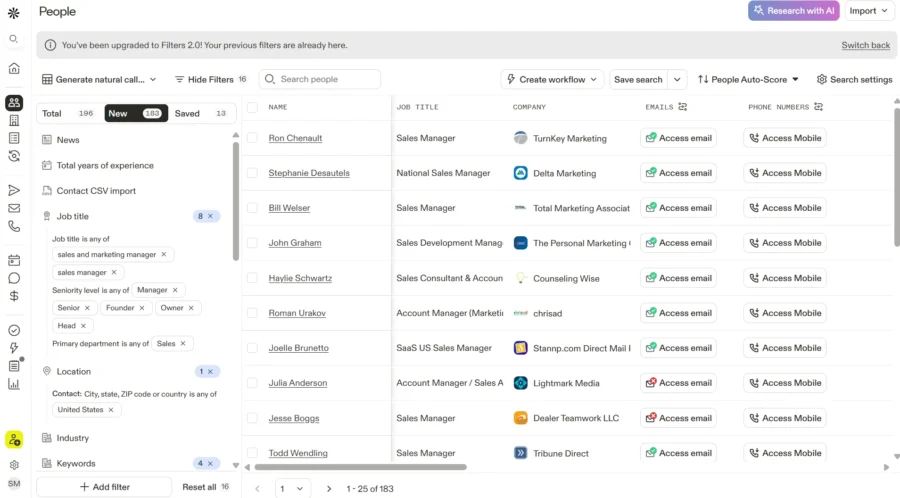
The best part – You can filter your prospects based on their buying intent (you can set this as per your criteria).
Also, its integrations are really good, You get Bi-directional sync with Salesforce and HubSpot.
Pricing
- Free: $0/month
- Basic: $49/month
- Professional: $79/month
- Organization: $119/month
If Apollo’s pricing seems a bit costlier, then you can check out some better Apollo Alternatives.
Email Outreach Tools
If you think email outreach is just bulk mailing your potential customers, then you’re wrong.
Even many doubt whether cold emails will work or not.
But let me tell you, cold email is alive and kicking because email outreach tools are coming up with so many personalization and deliverability features that ensure that your emails reach your inbox and you get replies.
Considering this, I have listed two email outreach tools that are best fit,
3. Saleshandy
Best for: Businesses who want to blitzscale and automate their outreach campaign.
Used for: Automating cold email sequences and follow-ups in one platform.
User Ratings
G2: 4.6/5 ⭐ (650+ reviews)
Capterra: 4.5/5 ⭐ (125+ reviews)
How Saleshandy Helps?
Saleshandy is a one-stop software for automating your cold emails. It’s a perfect tool for startups and agencies that don’t want to juggle between multiple platforms for outreach.
The best part – It verifies your email addresses before you start sending emails. This helps you avoid getting hard bounces.
Talking about functionality, Saleshandy has AI Sequence Copilot that can create your whole sequence with just a prompt. That too by following all the best practices that will help your emails avoid spam filters.
One of the coolest features of Saleshandy (which is not available anywhere else) is sequence scoring!
What does it do? – It scores your whole email sequence and generates a score with suggestions that will help you improve your email deliverability.

On top of this, Saleshandy also has an inbox placement tool called Inbox Radar, where you can test email deliverability across various ESPs.
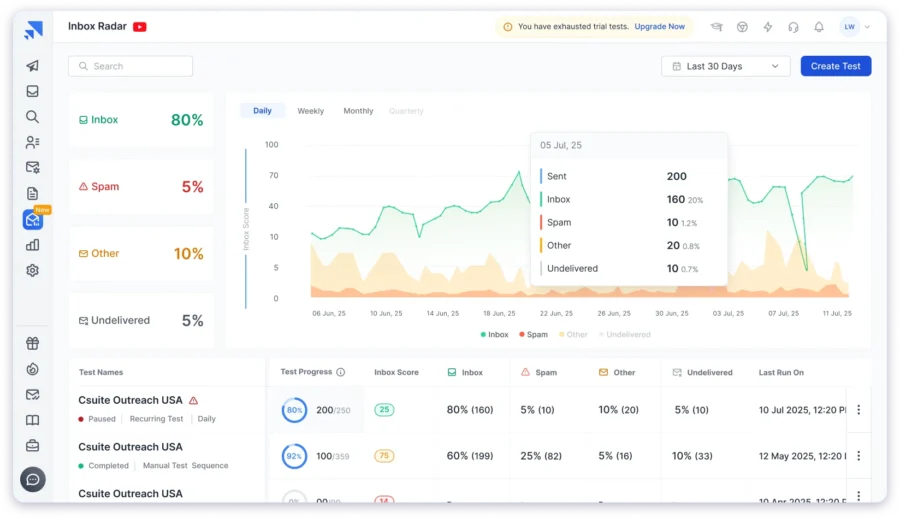
Not only this, Saleshandy helps you manage replies conveniently in a single place with a unified inbox.
Its AI categorization helps you filter out important replies so that you don’t miss out on any important leads in the clutter.
Also, when it comes to integrations, Saleshandy is second to none.
It natively integrates with popular CRMs like Zoho, Salesforce, HubSpot, and many other tools, which makes it easy for you to keep the whole team on the same page.
Pricing
- Outreach Starter – $25/month
- 6K emails/month + 50 Lead Finder Credits
- Outreach PRO – $69/month
- 150K emails/month + 100 Lead Finder Credits
- Outreach Scale – $139/month
- 240K emails/month + 100 Lead Finder Credits
- Outreach Scale Plus – $209/month
- 300K emails/month
PS. Saleshandy offers unlimited email warm-ups (at no extra cost).
4. Instantly
Best for: For sales folks who need heavy-duty cold emailing.
Used for: Running cold email campaigns with AI personalization and inbox rotation.
User Ratings
G2: 4.8/5 ⭐ (3506+ reviews)
How Instantly Helps?
Instantly is a sales engagement and lead intelligence platform that helps you find prospects, reach out to them on scale, and engage with them with a touch of AI.
Cool thing about Instantly is that they have a suite of AI features that help you speed up your outreach.
Following are the two AI features I like the most,
- AI Sequence Writer: This feature helps you personalize your emails when you give prompts to the AI.
- AI Inbox Manager: It replies to emails when you’re offline (only when the AI is confident in the answer).

Also, Instantly provides a lead database of 160M size where you find leads and send automated emails directly without any need to switch between different platforms for prospecting and outreach.
For those who want to maximize email deliverability and bypass potential blocks, consider using a curl proxy to route your email traffic through a different IP address. This can help improve your email deliverability and reduce the risk of your emails being flagged as spam.
But Instantly is not flawless, so do check Instantly reviews before making the final decision.
Pricing
- Growth: $30/month
- Hypergrowth: $77.6/month
- Light Speed: $286.3/month
- Enterprise: Custom
Cold Calling Tools
You want it? – No.
You really don’t want it? – Let me think about it…
That’s not how a usual cold call goes, but you get the idea.
Even in 2025, cold calls hold a special place in business development. Especially for service sectors.
All you have to do is be genuine and persistent (without annoying the prospect).
To help with that, here are two amazing cold-calling tools,
5. Aircall
Best for: Salespersons who need to do daily cold calls and note down remarks after the call.
Used for: Making/outbound calls from cloud numbers, adding call notes, and triaging leads post-call.
User Ratings
G2: 4.3/5 ⭐ (1154+ reviews)
Capterra: 4.3/5 ⭐ (430+ reviews)
How Aircall Helps?
Aircall is a business phone system where you can even set up your cloud-based call center.
You can create local (toll-free) or even international phone numbers within minutes. That too without needing IT.
If you have existing numbers, you can directly port them, and you are good to go to make calls.
This way, you don’t have to use your personal numbers for calling.

They also give you the option to send text messages, which makes it more convenient if your call is not picked up.
For example – you can drop a simple text saying ‘Hey, I tried to reach you around 1:30 pm, but we were not able to connect. When will be a good time to call you?’
This can increase the chances of you getting a response from your prospect.
Also, after you finish a call, you get the option to add a note in Aircall (this can help you review your call later).
Pricing
- Essentials: $30/license
- Professional: $50/license
Note: You will need to add 3 licenses minimum.
6. Dialpad
Best for: Big sales team with high call volume.
Used for: Using AI-powered communication for calls, note‐taking, real-time analytics, and integrations for large teams.
User Ratings
G2: 4.45 ⭐ (1852+ reviews)
Capterra: 4.2/5 ⭐ (540+ reviews)
How Dialpad Helps?
Dialpad is an all-in-one communication platform that makes cold calling easier with the help of AI.
Here’s how.
Dialpad helps you to focus more on calls and less on taking notes. Its AI takes notes and delivers a summary and insights related to the call.
This helps your team to stay productive and updated all the time without missing out on any details. All this without wasting any extra time.
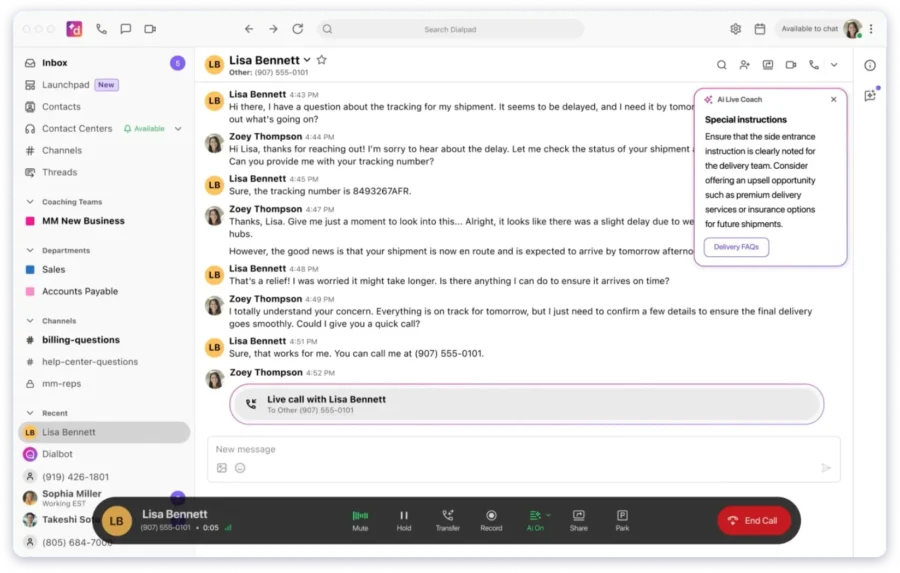
Also, Dialpad allows integration with popular apps like Zendesk, Salesforce, and Google Workspace. Which helps you keep data updated across other tools.
The cool part is – It gives real-time analytics for managers & admins.
This way, you can have a perfect picture of the status of call volume, usage, and progress.
Pricing
- Standard: $15/user/month
- Pro: $25/user/month
- Enterprise: Custom plan as per requirement
Sales Engagement Tools
If you suddenly feel that it’s easy to target and interact with prospects during the sales process, remember that there’s a sales engagement tool in play.
Well, if you want to optimize and improve your sales process, then here are two sales engagement tools I recommend,
7. Klenty
Best for: Sales team who need to automate the entire sales engagement and outreach process.
Used for: Automating multichannel outreach cadences (email + maybe other channels) with intent-based personalization.
User Ratings
G2: 4.6/5 ⭐ (380+ reviews)
Capterra: 4.6/5 ⭐ (40+ reviews)
How Klenty Helps?
Klenty is a sales engagement software that helps you send personalized emails and automate your follow-ups.
It’s a good tool if you are looking forward to scaling your outreach sales process.
The best part – It personalizes your outreach based on the prospect’s intent.
This naturally improves your email deliverability and response rate.

Also, Klenty provides an AI-powered cadence. This makes it very convenient for marketers to set up multi-channel campaigns within minutes.
It’s like you are tapping into new channels consistently while ensuring that the quality of outreach is maintained. There are other tools like Klenty, but its still difficult to match the varity of feature it provides.
Pricing
- Starter: $50/month
- Growth: $70/user/month
- Plus: $99/user/month
8. Outreach.io
Best for: Sales, RevOps, and market leaders looking to simplify, automate, and scale their outbound sales efforts.
Used for: Handling complex outbound workflows like personalized cadences, ABM, and tracking engagement.
User Ratings
G2: 4.3/5 ⭐ (3,449+ reviews)
Capterra: 4.4/5 ⭐ (297+ reviews)
How Outreach.io Helps?
If you need an all-in-one kind of platform to manage all sales activities, then Outreach.io is your best bet.
It helps you create personalized email cadences and schedule automated follow-ups so that you can reach out to your prospect list.

One cool feature – It can track buyer engagement signals.
You will get alerts whenever your potential leads show intention of making a purchase or inactivity or losing interest.
This helps you sort your priorities and pay attention to critical prospects immediately (aka. strike when the iron’s hot).
Also, you can set up ABM campaigns in Outreach.io. This means that you can now target multiple decision-makers from a single company.
Pricing
You need to contact their team for custom pricing.
Customer Relationship Management Tools
Building relationships goes a long way. Period.
And a CRM tool helps you easily take care of every interaction of customers with your company.
Here are two globally accepted tools for CRM,
9. Salesforce
Best for: Marketers, sales, and customer service teams that want a single tool to enhance operations, build relationships, and grow business.
Used for: Centralizing prospect data, automating follow-ups, and integrating all the channels to drive growth.
User Ratings
G2: 4.4/5 ⭐ (23,170+ reviews)
Capterra: 4.4/5 ⭐ (18,742+ reviews)
How Salesforce Helps?
Salesforce CRM helps you make sense of your data with the help of AI (while helping you manage customer relationships).
Salesforce allows you to keep all data in one place by allowing integration with multiple sources.
Their AI, Einstein 1 understands your whole data, tries to make sense of it, and can take action in real time to assist you in doing your work faster.
For example – it can give you a ready-to-give answer for a customer query. You might have to tweak it a bit or add more details if needed, otherwise, its answers are good to go.

The best part – It’s scalable (from the infrastructure perspective).
Why is this important?
Because many tools boast that they are scalable, but when it comes to reality, something breaks, and it does not meet the expectations.
But in the case of Salesforce CRM, it meets the expectations.
Pricing
You need to request the Salesforce team for custom pricing.
10. HubSpot CRM
Best for: Marketing and sales teams needing an affordable, easy-to-use, scalable CRM.
Used for: Tracking leads, managing interactions, and connecting marketing and sales activity in one place.
User Ratings
G2: 4.4/5 ⭐ (12,226+ reviews)
Capterra: 4.5/5 ⭐ (4,289+ reviews)
How HubSpot CRM Helps?
HubSpot CRM is a business development tool made especially for streamlining operations and improving relations with customers. (Which eventually helps in growth)
It helps you track leads, manage customer interactions (with minute details), and monitor the sales pipeline efficiently.

The best part – It has a centralized database, which helps you personalize communications with potential customers.
Also, it helps you automate tedious tasks like sending follow-up emails, scoring leads, and scheduling meetings.
When it comes to integrations, HubSpot allows you to connect your marketing tools including email marketing, cold outreach, and social media.
This helps you keep your CRM updated with the latest activity and details.
Pricing
- Marketing Hub Starter: $15/mo/seat
- Starter Customer Platform: $15/mo/seat
- Marketing Hub Professional:$800/mo (includes 3 seats)
- Marketing Hub Enterprise: $3,600/mo (includes 5 seats)
Tools to Record & Book Meetings
You can’t close a deal without meetings, right?
So you know the importance of a reliable and user-friendly platform to record and book meetings.
11. Calendly
Best for: Salespeople, marketers, and consultants who have regular meetings and need a better way to manage their time and tasks
Used for: Letting prospects schedule meetings, analyzing booking patterns, and managing availability.
User Ratings
G2: 4.7/5 ⭐ (2,280+ reviews)
Capterra: 4.7/5 ⭐ (3,895+ reviews)
How Calendly Helps?
Calendly is a free appointment scheduling tool that allows your prospects to book meetings directly from your Calendly page.
This helps you to avoid a lot of back-and-forth.

It also allows you to set availability and add buffer times in between successive time slots (so that you can prepare for the meeting).
Also, Calendly provides valuable data and analytics based on your booking schedules.
This can give you a better understanding of peak booking times, popular meeting types, and help you schedule the rest of your day accordingly.
Pricing
- Free: $0
- Standard: $10/seat/mo
- Teams: $16/seat/mo
- Enterprise: $15k/yr
12. TL;DV
Best for: Busy marketers, professionals, and sales teams who need quick summaries of long meetings.
Used for: Joining meetings, generating detailed summaries, and updating CRM automatically to save note-taking time.
User Ratings
G2: 4.7/5 ⭐ (318+ reviews)
ProductHunt: 4.6/5 ⭐ (225+ reviews)
How TL;DV Helps?
TL;DV is an AI Notetaker for Zoom, MS Teams, and Google Meet.
Its role is very simple – It makes your meeting less like a classroom where you’re taking notes.
How it works?
When you sign up and ask TL;DV to make notes from your meetings, it joins your meetings, and hears everything.
After the meeting, it will create a gist of the meeting and give you a structured summary, so that you don’t miss out on any important detail.
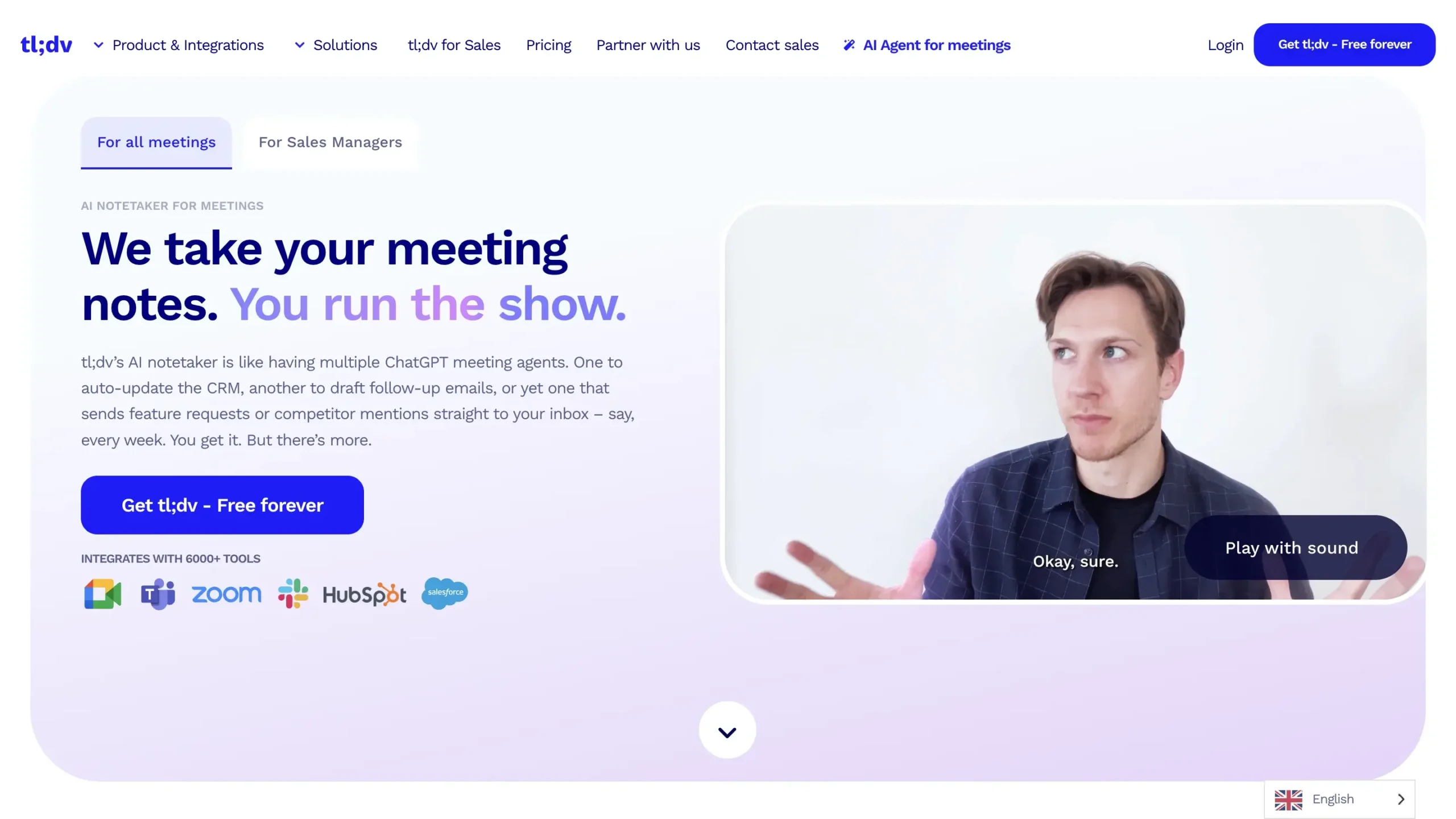
Also, it can auto-update the CRM that you’ve integrated with the meeting details.
This makes it very easy as you don’t have to update it manually.
Hence, with TL;DV, you can attend multiple meetings efficiently.
Pricing
- Free Forever: $0
- Pro: $18/seat/month
- Business: $59/seat/month
- Enterprise: Custom pricing
Analytics & Reporting Tools
No website visitor should go unseen from your eyes. That’s what analytics and reporting is all about.
The two giants that stand at the top of analytics are,
13. Google Analytics (GA4)
Best for: Every website & app in the world.
Used for: Tracking user behavior, audience analysis, and to keep track of campaign performance.
User Ratings
G2: 4.5/5 ⭐ (6,427+ reviews)
Capterra: 4.7/5 ⭐ (8,099+ reviews)
How GA4 Helps?
The latest version of Google Analytics (GA4) is very advanced. It collects event-based data from both websites and apps.
With this, you can understand customer behavior and see how users are interacting with your website and applications.
In fact, you can also check funnels and see the customer journey in detail.
I use GA4 to do the following activities,
- Audience Segmentation: Depending on users’ location, behavior, and other factors, you can create cohorts and understand their needs.
- Campaign Performance Tracking: You can accurately track the performance of your marketing campaigns which helps you understand which channels and strategies are driving the most leads and conversions.
- Data-Driven Decision Making: GA4 provides the data and insights that you need to make informed decisions about your business development strategies (including product development, sales & marketing, and customer service).
Note: You can explore more and see how you can get insights that help you grow your business.
Pricing
- Free: $0 (Good enough for most use cases)
- GA360: Starts at $50,000/year (only large enterprises might need it)
14. Power BI
Best for: Business analysts and data experts who need a simple yet powerful tool to visualize data insights.
Used for: Connecting data sources, building dashboards, and sharing insights to drive action.
User Ratings
G2: 4.5/5 ⭐ (1,201+ reviews)
Capterra: 4.6/5 ⭐ (1,750+ reviews)
How Power BI Helps?
Power BI is a data visualization tool that helps you get relevant insights that help you bring impact to your business.
It helps you to compile unrelated data sources and turn them into visuals so that it makes sense.
The best part – You can share this data with your customers or clients. It even allows you to embed Power BI reports in websites and apps.
This gives it an upper edge as compared to many other reporting tools.
In fact, this is a perfect solution for agencies who face difficulties in sharing and showcasing their data.
Pricing
- Power BI Free: Free
- Power BI Pro: $10/user/month
- Power BI Premium Per User: $20/user/month
- Power BI Embedded: Custom pricing
Project Management Tools
Everyone gets ideas, but execution matters!!
For this, project management tools exist. These are the tools that help the whole team stay updated with the latest changes and progress in various projects.
Here are two tools that I will cover here,
15. Monday.com
Best for: Project managers and teams who want a centralized tool to plan, track, and manage projects.
Used for: Creating workflows for leads and tracking tasks to keep deals moving.
User Ratings
G2: 4.7/5 ⭐ (12,838+ reviews)
Capterra: 4.6/5 ⭐ (5,379+ reviews)
How Monday.com Helps?
Monday.com is a great tool that helps you streamline workflows and get a clear picture of what’s happening around you.
It allows you to create a central hub for your leads and prospects (with contact details, interaction history, and deal stage).
This will ensure that no lead gets ignored.

The cool thing is, that you can automate repetitive tasks like sending a follow-up or updating lead status.
This thing can be done with the help of integrations, which makes the work of the sales team super easy and helps them focus on high-value tasks.
Pricing
- Free: $0 (free forever)
- Basic: $9/seat/month
- Standard: $12/seat/month
- Pro: $19/seat/month
16. ClickUp
Best for: Project managers, business owners, and marketers need a platform to organize tasks, collaborate, and manage multiple projects.
Used for: Using a unified workspace to track leads, collaborate across teams, automate triggers, and integrate with sales tools for efficiency.
User Ratings
G2: 4.7/5 ⭐ (9,990+ reviews)
Capterra: 4.6/5 ⭐ (4,378+ reviews)
How ClickUp Helps?
ClickUp is an all-in-one type of productivity tool that can be a good alternative to individual workplace tools.
It has cool features like task tracking (with list, board, and whiteboard views), document collaboration, and automated workflows.
You can also use ClickUp to manage customer relationships, track leads, and organize projects.
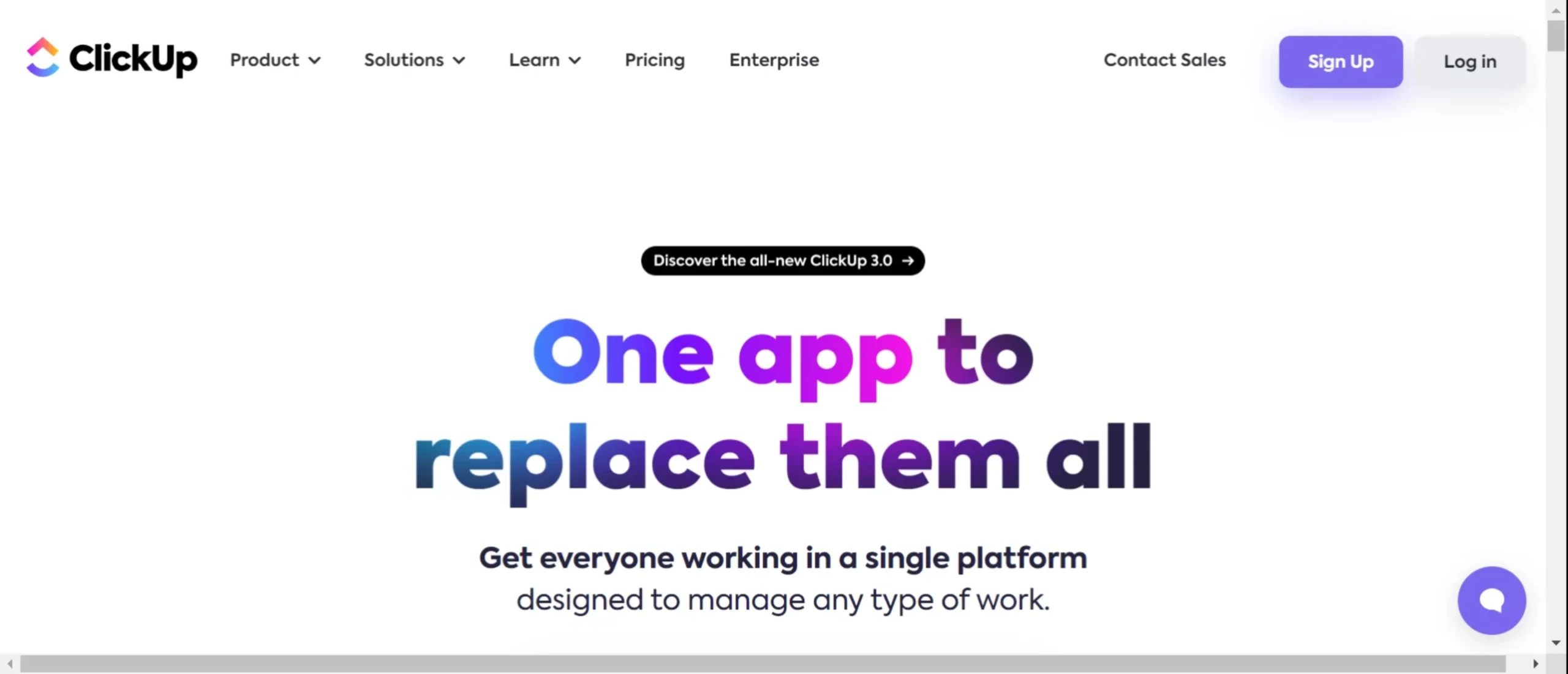
If you want to automate any trigger-based task, then you can do that too from ClickUp.
Cool feature – You can use its AI to generate content, summarize meetings, and find the most efficient ways to complete tasks.
You can also integrate ClickUp with your existing tech stack, including popular CRMs, marketing automation platforms, and communication tools (like Slack).
Pricing
- Free
- Unlimited: $7/month
- Business: $12
- Enterprise: Custom pricing
Social Media Management Tools
It’s very difficult to post on social media at specific times across all social handles. Especially when you’re an agency.
To make this easy, marketers rely on social media management tools to manage social media in one place. Here are the two best ones in the market,
17. Hootsuite
Best for: Social media managers and marketers who want to schedule, manage, and analyze tasks across multiple networks in one tool.
Used for: Planning + scheduling posts across social channels and analyzing engagement to support business development.
User Ratings
G2: 4.2/5 ⭐ (4,905+ reviews)
Capterra: 4.4/5 ⭐ (3,785+ reviews)
How Hootsuite Helps?
Hootsuite is a very popular social media management tool that helps users plan, schedule, and manage posts.
It allows you to schedule posts from popular social media networks like LinkedIn, Twitter (X), Instagram, Facebook, YouTube, Pinterest, and more.
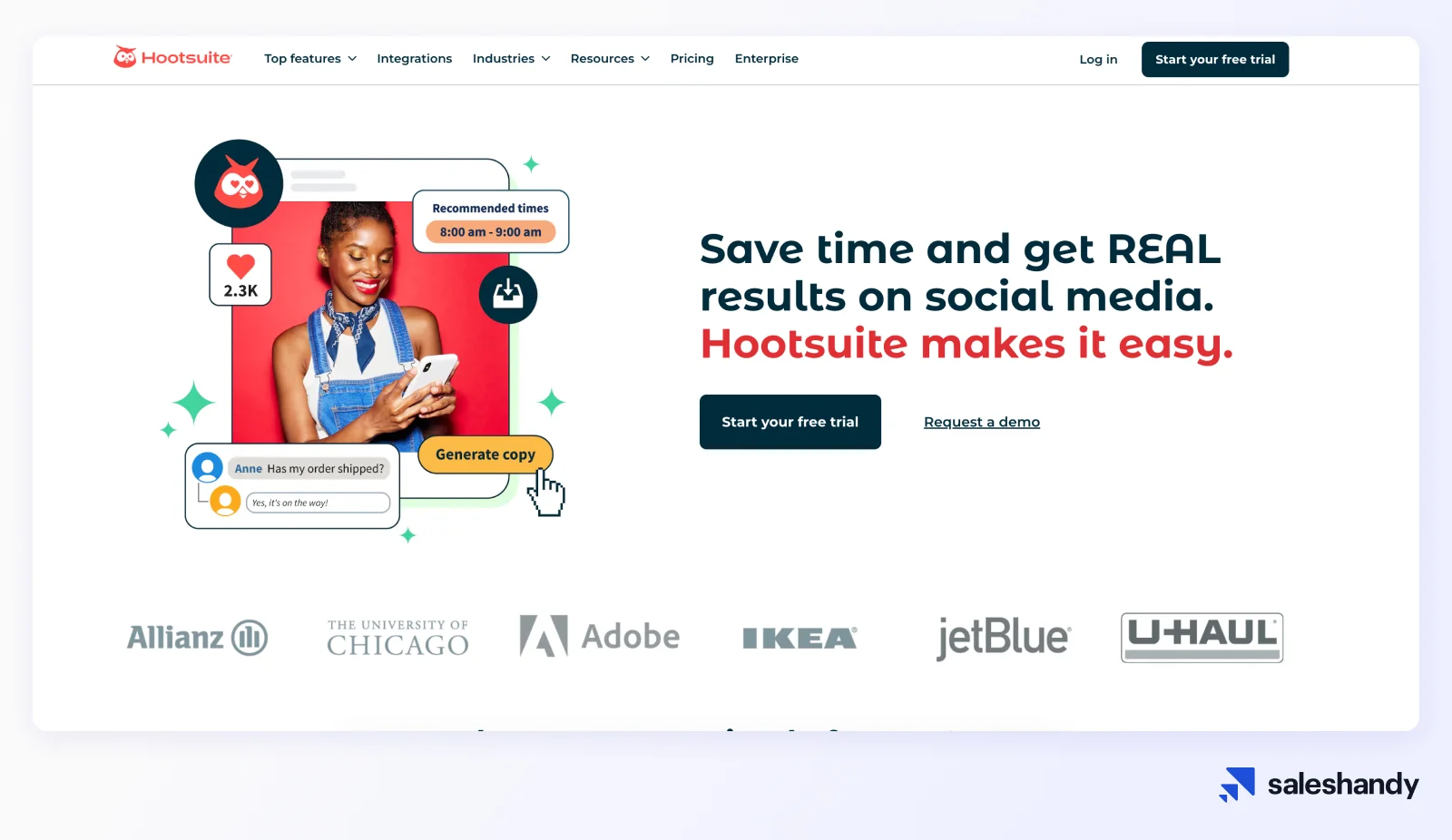
In Hootsuite, you will get all the necessary features that will help you schedule your posts in bulk, that too with real-time social listening and detailed analytics.
What do I really like about Hootsuite?
Unified inbox feature. It helps you manage messages and comments from one place. It is kind of similar to Saleshandy’s unified inbox feature for emails.
Also, Hootsuite allows you to track mentions of specific keywords and trends. This makes it the best platform to see if your efforts are giving results or not.
This platform is good for B2C as well as B2B users, for example eCommerce and SaaS both can use it for reaching out to their potential customers.
Pricing
- Professional: $99/month
- Team: $249/month
- Enterprise: Custom
18. Buffer
Best for: Small businesses and startups who need a pocket-friendly social media scheduling platform.
Used for: Scheduling content to maintain social presence without high cost or complexity.
User Ratings
G2: 4.3/5 ⭐ (1,007+ reviews)
Capterra: 4.5/5 ⭐ (1,483+ reviews)
How Buffer Helps?
Buffer is a fast-growing social media management platform that’s quite similar to Hootsuite, but with some features missing.
For example, you can’t schedule LinkedIn posts from Buffer. But it compensates for that by providing scheduling options for Instagram, Twitter (X), TikTok, Threads, Mastodon, YouTube, and more.

Also, Buffer contains some features that help you plan, create content, and even craft social media posts with the help of AI.
It’s a good pick if you want to avoid spending a lot of time ideating and creating posts.
Pricing
- Free: Free forever (Connect up to 3 channels)
- Essentials: $5/month (1 channel)
- Team: $10/month (1 channel)
Video Sales & Marketing Tools
Video is king these days.
Doesn’t matter if you are posting it on YouTube or just sharing a screen recording with your clients, it really works well and shows your efforts.
Here are the tools that make it easy,
19. Loom
Best for: All-size businesses, project managers, and remote teams who need a simple & quick video messaging tool.
Used for: Recording videos and sharing asynchronous updates or demo messages.
User Ratings
G2: 4.7/5 ⭐ (2,089+ reviews)
Capterra: 4.7(465)/5 ⭐ (465+ reviews)
How Loom Helps?
Loom is one of the most convenient screen recorder tools that takes little to no effort to set up.
The best part – Its AI will understand the intent of the video (based on the audio).
It automatically segments the video and adds a transcript that makes it the ultimate tool to communicate in between teams and customers.
The coolest part is, that if you share a loom video link (almost) anywhere, it automatically gets embedded as a snippet.
Pricing
Starter: $0/user/mo
Business: $15.00/user/mo
Business + AI: $20.00/user/mo
Enterprise: Custom
20. Vidyard
Best for: Sales teams and marketers who need a video platform to engage with leads, clients, and customers, all in one place.
Used for: Creating trackable sales videos and optimizing video content for outreach.
User Ratings
G2: 4.5/5 ⭐ (802+ reviews)
Capterra: 4.5/5 ⭐ (119+ reviews)
How Vidyard Helps?
Vidyard is an online video platform for virtual sales and marketing folks. It helps you to record videos to reach more customers.
Why does this work? Because it shows that you are sincere.
Also, with the help of AI avatars, you can add a personal touch to your message by simply telling what to say, and Vidyard will take care of the rest.
In case you are planning to scale with videos, Vidyard provides video hosting.
You can upload, optimize, manage, and track all your videos from one place.
Pricing
- Free: $0
- Plus: $59/person/month
Customer Success & Virtual Agents Bots
If you have a problem where you get a lot of customer queries, it’s a good problem to have.
All you need to do is resolve those queries quickly so that your customers get the best experience.
Happy customers = Growth
Here are the tools that help in that,
21. Intercom
Best for: Sales and customer support teams who want to improve customer engagement & offer personalized support at scale.
Used for: Messaging website visitors, automating responses, tracking support interactions, and integrating with CRM for growth & retention.
User Ratings
G2: 4.5/5 ⭐ (3,290+ reviews)
Capterra: 4.5/5 ⭐ (1,088+ reviews)
How Intercom Helps?
Intercom is an amazing AI-first customer service solution.
Its Fin AI Agent is of human quality and replies to queries quite accurately. My support team uses Intercom here, and we have a great experience.
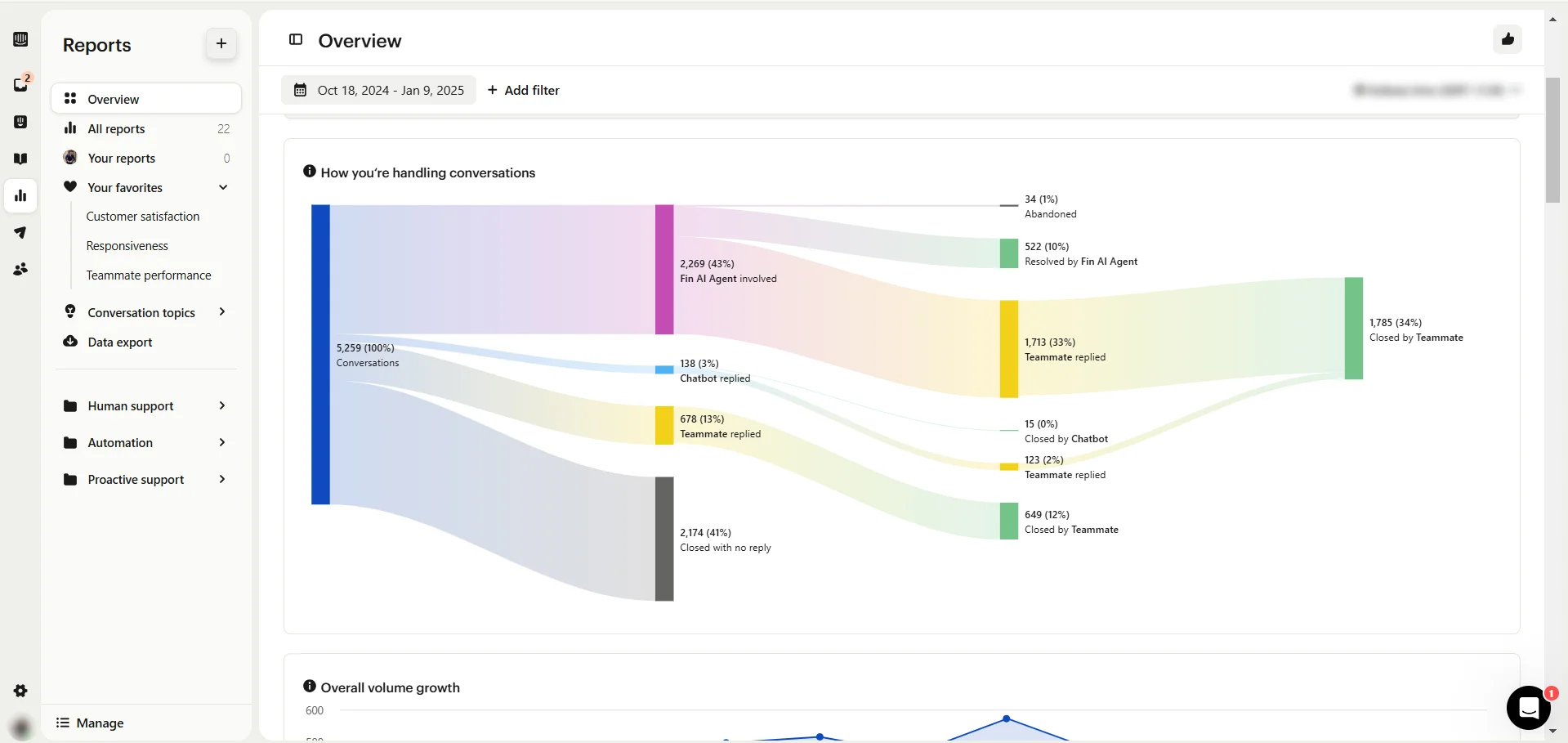
I really like Intercom’s reporting and analytics. It gives you an overview of the flow of support queries. I’ve added a screenshot of how it looks below.
Along with the AI features, Intercom does what a normal support tool does. You can set up your help center where users can search for their queries.
In short, Intercom is a very good platform that helps you ensure complete customer satisfaction.
Pricing
- Essential: $29/seat/mo
- Advanced: $85/seat/mo
- Expert: $132/seat/mo
22. Help Scout
Best for: SMBs who want a pocket-friendly tool to streamline, manage, and improve customer engagement.
Used for: Providing chat support, managing tickets, integrating CRM data, analyzing support performance to maintain customer satisfaction.
User Ratings
G2: 4.4/5 ⭐ (400+ reviews)
Capterra: 4.5/5 ⭐ (220+ reviews)
How Help Scout Helps?
Help Scout is a help center and live chat software where users can throw their queries and customer support folks can reply to them from their Help Scout dashboard.
You can set up your support articles and see how they are performing from the dashboard.
Help Scout allows you to integrate your CRMs so that you can move in data and assign/update cards based on queries.
This helps you keep everything updated altogether.
Pricing
- Free: $0
- Standard: $50/month
- Plus: $75/month
TL;DR – Best Tools for Business Development
If you’re confused, then I’ll share with you my personal set of best business development tools.
- Prospecting & Email Outreach – Saleshandy
- Cold Outreach – Dialpad
- CRM – Hubspot
- Analytics & Reporting – Google Analytics (GA4)
- Project Management – Monday.com
- Social Media Management – Hootsuite (Buffer if you’re tight on budget)
- Video Sales & Marketing – Vidyard
- Customer Success & Virtual Agent Bots – Intercom
FAQs
How do I choose the right business development tool for my company?
Usually, you should keep three things in mind before choosing a business development tool,
- What’s your business size?
- How much is your budget?
- What exactly do you need – Is it automation? Is it outreach? Or, fewer prospects to reach out to?
Are free business development tools effective?
Free tools can be helpful for small businesses or startups, but it may lack the advanced features required by larger organizations.
Also, if it’s GA4, you are good to go, for the rest, you might need to get their basic plan at least.
Is there a tool that’s good for team collaboration and communication?
For easy and quick team collaboration, you can try Slack. It’s pretty solid when it comes to communication and quick calls (huddle).
You can even invite people from out of your organization at no extra cost.
How do automation tools support business growth?
Automation tools can save your team’s time by handling repetitive tasks like email follow-ups, scheduling, and data entry, allowing teams to focus on strategy and innovation.
Can business development tools integrate with existing systems?
Most modern tools offer integrations with common platforms like email, social media, and analytics software for seamless workflows.






![How to Get Phone Numbers from LinkedIn [3 Quick Ways]](https://www.saleshandy.com/blog/wp-content/uploads/2025/05/How-to-Get-Phone-Numbers-from-LinkedIn-3-Quick-Ways.webp)