
 Anil Salvi
 Contents
- 1 TL;DR – The 3 Best CTO Email List Tools at a Glance
- 2 How I Evaluated These Tools for CTO Email List Building
- 3 9 Best CTO Email List Providers in 2026
- 4 How to Choose the Right CTO Email List Building Tool
- 5 Final Verdict: Which CTO Email List Provider Should You Pick?
- 6 Frequently Asked Questions
- 6.1 1. What is a CTO email list?
- 6.2 2. Are CTO email lists legal?
- 6.3 3. How often should I update my CTO email list?
- 6.4 4. How much does a CTO email list cost in 2026?
- 6.5 5. Can I get a free CTO email list sample?
- 6.6 6. What is the best free way to find CTO email addresses?
- 6.7 7. Should I buy a pre-built CTO list or build one with a tool?
- 6.8 8. How do I email a CTO without sounding salesy?
If you are here, your last attempt at building a CTO email list probably did not go well.
That is okay. You are in the right place!!!
CTOs and their contact information are not hard to find.
Every database out there promises to provide its contact information.
But the actual problem is that the emails and phone numbers they give you are outdated or inaccurate.
That doesn’t just waste your time and money.
And it also gives you a few nervous breakdowns, too. (I mean, sinking deliverability is the worst nightmare!)
In this blog, you will find:
- 9 best tools to build a CTO email list
- Their key features
- In-depth analysis of their per-email cost
Let’s see how they compare, where each one wins, and which one fits your use case.
- TL;DR – The 3 Best CTO Email List Tools at a Glance
- How I Evaluated These Tools for CTO Email List Building
- 9 Best CTO Email List Providers in 2026
- • Saleshandy Lead Finder
- • Apollo.io
- • ZoomInfo
- • Cognism
- • Lusha
- • Clearbit
- • ListKit
- • RocketReach
- • LeadIQ
- How to Choose the Right CTO Email List Building Tool
- Final Verdict: Which CTO Email List Provider Should You Pick
- Frequently Asked Questions
TL;DR – The 3 Best CTO Email List Tools at a Glance
If you only have 60 seconds, here’s what you need to know.
- Saleshandy Lead Finder → Best for teams of any size that want 95%+ verified CTO emails with buyer intent data, technographic filters, across any industry or region.
- Apollo.io → Best for solo SDRs who want a free tier to test cold outreach to CTOs before paying.
- ZoomInfo → Best for enterprise teams that need deep account intelligence, org charts, and real-time intent signals around a CTO’s buying committee.
How I Evaluated These Tools for CTO Email List Building
Choosing a CTO contact database shouldn’t take weeks. Most tools do 80% of the same things. So before I get into the list, I’ll give you my honest take on each platform. Here is what I tested each tool against.
1. Accuracy of CTO contact data.
I looked at how each tool verifies email addresses before you export them, what bounce rates real users report, and whether you lose credits on bad data.
2. Database depth and CTO-specific filters.
A “Chief Technology Officer” job title filter alone returns thousands of wrong-fit contacts. I tested whether each tool lets you narrow by seniority level, company stage, headcount, tech stack, and funding to separate real decision-makers from vanity titles.
3. Data freshness.
Tech leaders change roles every 2 to 3 years on average. I checked how often each database refreshes its records and whether stale contacts get flagged before you spend credits on them.
4. Compliance.
If you are emailing CTOs in Europe or the UK, GDPR and CCPA compliance is not optional. I verified Do-Not-Call list coverage, privacy certifications, and opt-out handling for each platform.
5. Prospecting and outreach features.
Some tools stop at the data and leave you exporting CSVs into a separate sequencer. Others let you go from finding a CTO to sending them a cold email without switching platforms. I tested which tools offer that end-to-end workflow.
I’ll also share pricing for each tool, but check the official websites for the most current numbers.
9 Best CTO Email List Providers in 2026
Below are the 9 CTO email list providers I tested. For each tool, I have covered what it does best, where it falls short, and what it costs so you can pick the one that fits your workflow.
1. Saleshandy Lead Finder
Saleshandy Lead Finder stands out as the best CTO email list tool on this list.
Why?
Because it lets you find CTOs, verify their emails, run outreach, and track replies from one place.
The database is 852M+ contacts across 42M+ companies.
What I love about Saleshandy is that it gives you 75+ data points so you can target the right prospects with precision.
You can narrow down to CTOs at companies showing hiring surges, recent funding rounds, tech stack changes, and buying signals.
So your list has CTOs who are actually in a buying cycle right now.
Another thing I appreciate is that you don’t get charged for invalid emails.
Once your CTO list is ready, add them to a multichannel outreach sequence inside Saleshandy. I didn’t need a separate tool for sending.
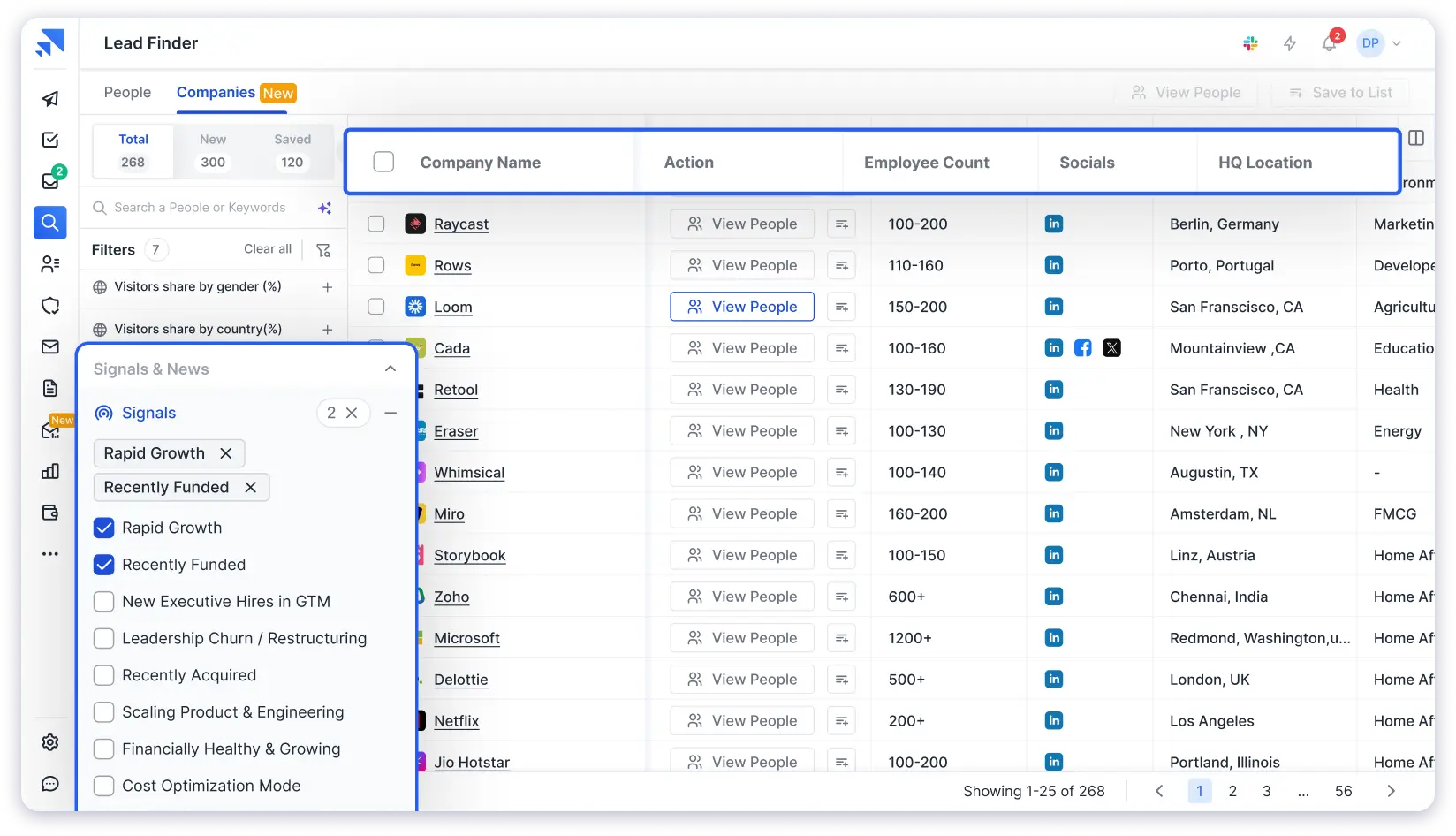
Here’s the full set of features that make Saleshandy strong for CTO prospecting:
- 75+ search filters to find CTOs by seniority, tech stack, funding, and revenue
- AI search to build CTO lists from a plain English prompt
- Real-time email verification before you spend a credit
- Built-in multichannel outreach to reach CTOs instantly
So, if you are running systematic outbound to CTOs, Saleshandy lets you go from finding a contact to sending a personalized email without leaving the platform.
You can manage replies and track pipeline stages in the built-in CRM.
Pricing
- Lead Starter: $49/mo (annual)
- Lead Pro: $79/mo (annual)
- Custom: Contact sales
How to Build a Targeted CTO Email List Using Saleshandy Lead Finder
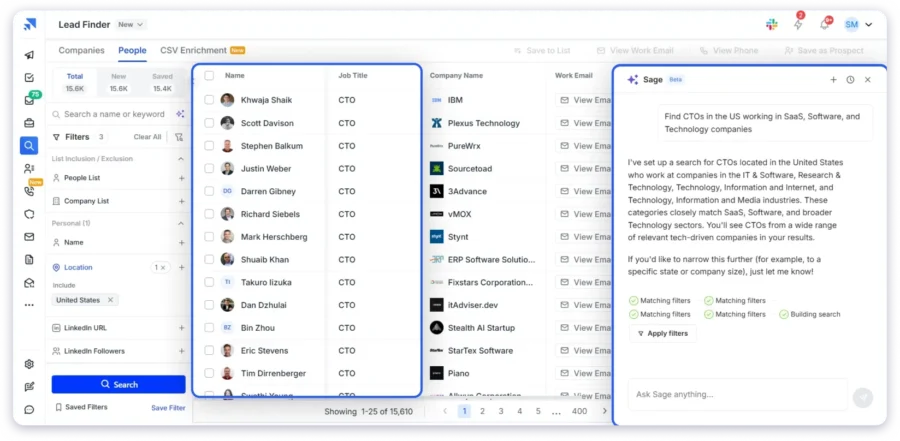
Step 1: Sign up for free and get 50 free credits to test the database.
Step 2: Open Lead Finder. You will see two tabs at the top: People and Companies. Use the People tab with filters. Add filters like location, industry, company size, and revenue to match your ideal customer profile.
Click the People tab and apply these filters on the left panel:
- Job Title: CTO, Chief Technology Officer
- Department: Engineering, Technology
- Location: United States
- Industry: SaaS, Software, Technology
Step 3: Or just use AI Search. Skip all filters entirely. Type this prompt in the AI Search bar:
“Find CTOs working at SaaS, software, and tech companies across the US.“
Saleshandy automatically applies the right filters and gives you a targeted list. No manual filtering needed.
Step 4: Review results and reveal the emails you need. Each one is verified in real time.
Saleshandy runs waterfall enrichment across 9 data providers in real time. If it cannot verify a contact, you do not get charged.
Step 5: Add verified CTOs to a cold email sequence right inside Saleshandy. Or export up to 10,000 contacts as CSV for your CRM
2. Apollo.io
The next CTO email list tool on my list is Apollo. It is here for one reason.
You get 10,000 free email credits every month, two active sequences, and five mobile credits without paying anything.
If you want to build a targeted CTO prospect list before committing budget, Apollo is the place to start.
The platform comes with a set of CTO prospecting features:
- 230M+ contact database with 65+ search filters
- Seniority, company size, technology, and buyer intent filters
- Built-in email sequences and parallel dialer
- Lightweight CRM to track conversations
From my testing, Apollo works well as an all-in-one for SDRs and founders who want to go from list to outreach inside one platform.
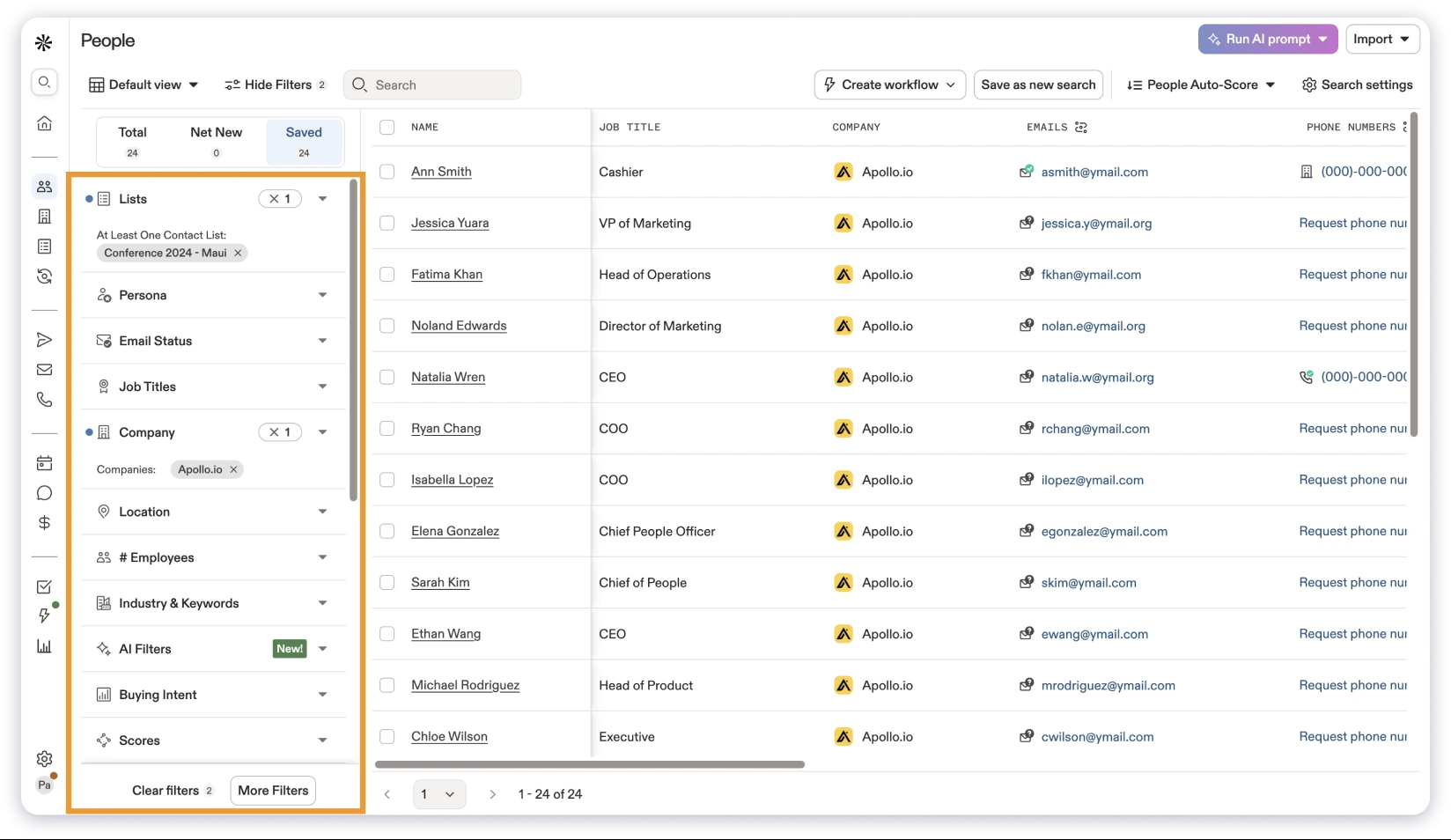
If you spend a lot of time on LinkedIn, you will appreciate that the Chrome extension makes it easy to find a CTO profile and add them to a sequence right away.
That said, accuracy is where it gets tricky. Some G2 users report varying results, with bounce rates of 15 to 25%. While others see a success rate between 65 and 80% based on verified data.
Apollo does offer intent filters, but those are locked behind higher-tier plans and the topic depth is limited.
Pricing
- Free plan available
- Basic: $49/user/mo (annual)
- Professional: $79/user/mo (annual)
- Organization: $119/user/mo (annual)
📘 Bonus read: Explore our detailed comparison of Apollo.io alternatives to discover more cost-effective options.
3. ZoomInfo
ZoomInfo is probably the most well-known B2B sales platform on this list.
It is here not just for CTO contact data but for everything that surrounds them.
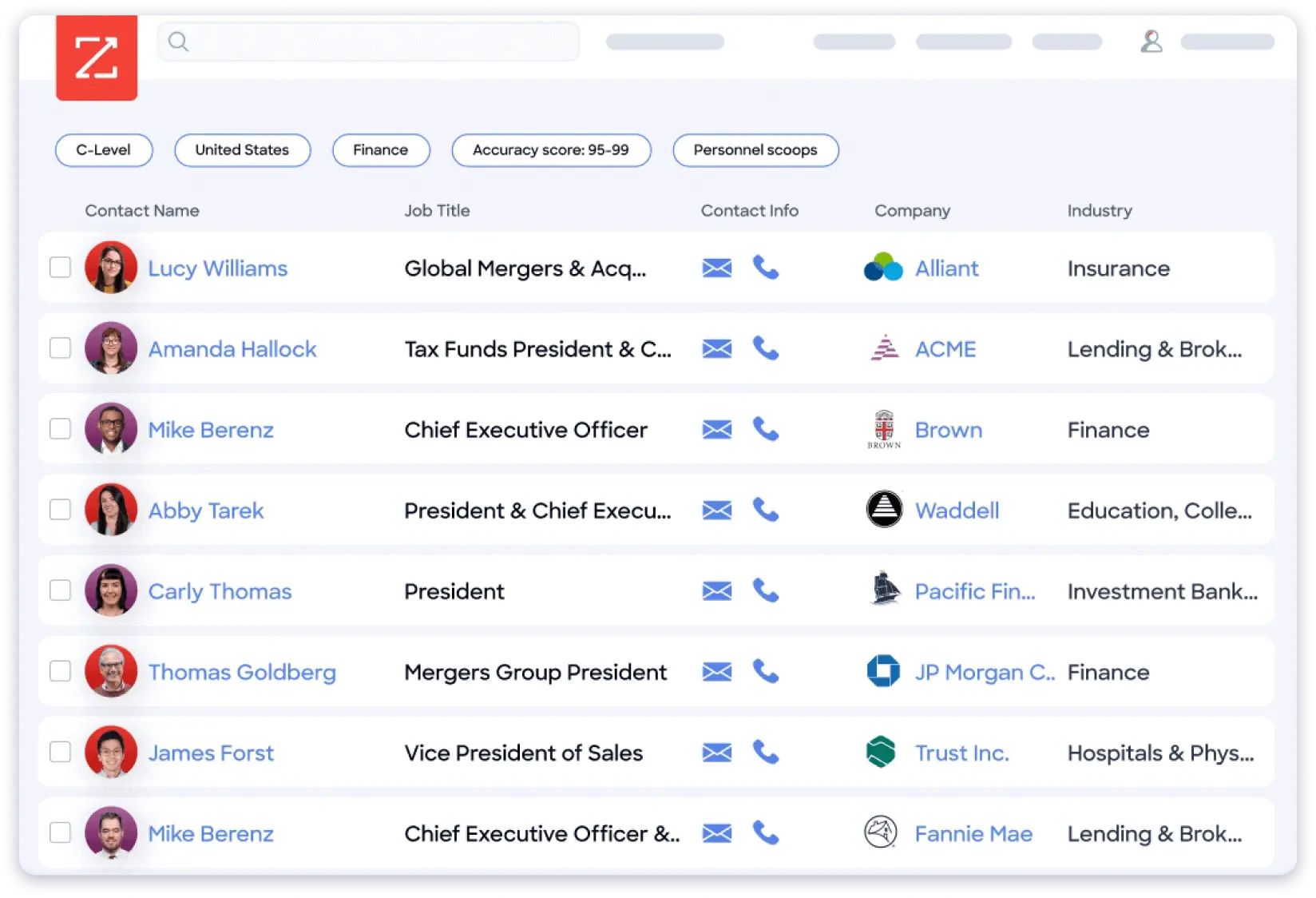
You get org charts, firmographic data, technographic filters, and real-time buying signals before you even send the first email.
If you are building a C-suite email list and need to map every decision-maker around the CTO, ZoomInfo gives you that picture.
Beyond the CTO email address, ZoomInfo gives you:
- 500M+ contacts across 100M companies
- Org charts to see who reports to the CTO
- Real-time intent signals to spot CTOs actively looking for tools like yours
- Technographic data to see what software the company uses
- Website visitor tracking and conversation intelligence
What I love about ZoomInfo is how much context you get before reaching out. You know the team size, the tech stack, and whether they are hiring for roles that signal a buying cycle.
I would like to highlight that ZoomInfo does not offer a built-in email verifier. You may need a separate tool for verifying CTO email addresses.
Without that, your email deliverability can take a hit.
ZoomInfo’s pricing is custom based, which makes it hard to evaluate upfront.
Most reviewer in G2 have also flagged the cancellation process as frustrating, noting that commitments outlined during initial discussions were not always honored.
Pricing
ZoomInfo requires you to contact their sales team to obtain custom quotes for enterprise solutions.
📘 Bonus read: Evaluating ZoomInfo alongside other options? We covered that in our ZoomInfo alternatives comparison.
4. Cognism
If your target CTOs sit in the UK, Germany, or France, Cognism is the tool to pay attention to.
It delivers phone-verified mobile numbers more accurately than any other platform here for European contacts.
While it does not offer built-in outreach or sequences, it makes up for it by focusing solely on providing high-quality, GDPR compliant CTO data.
For European CTO targeting, Cognism offers:
- Diamond Data phone-verified mobile numbers with 87% connect rate
- Intent data powered by Bombora
- Cross-referencing against 13 global Do-Not-Call lists
- ISO 27001, ISO 27701, and SOC 2 certifications
What I love about Cognism is the Diamond Data verification. Human agents manually confirm phone numbers, which is why connect rates are roughly 3x the industry average.
For teams selling into regulated European markets, that compliance removes real legal risk from your CTO outreach.
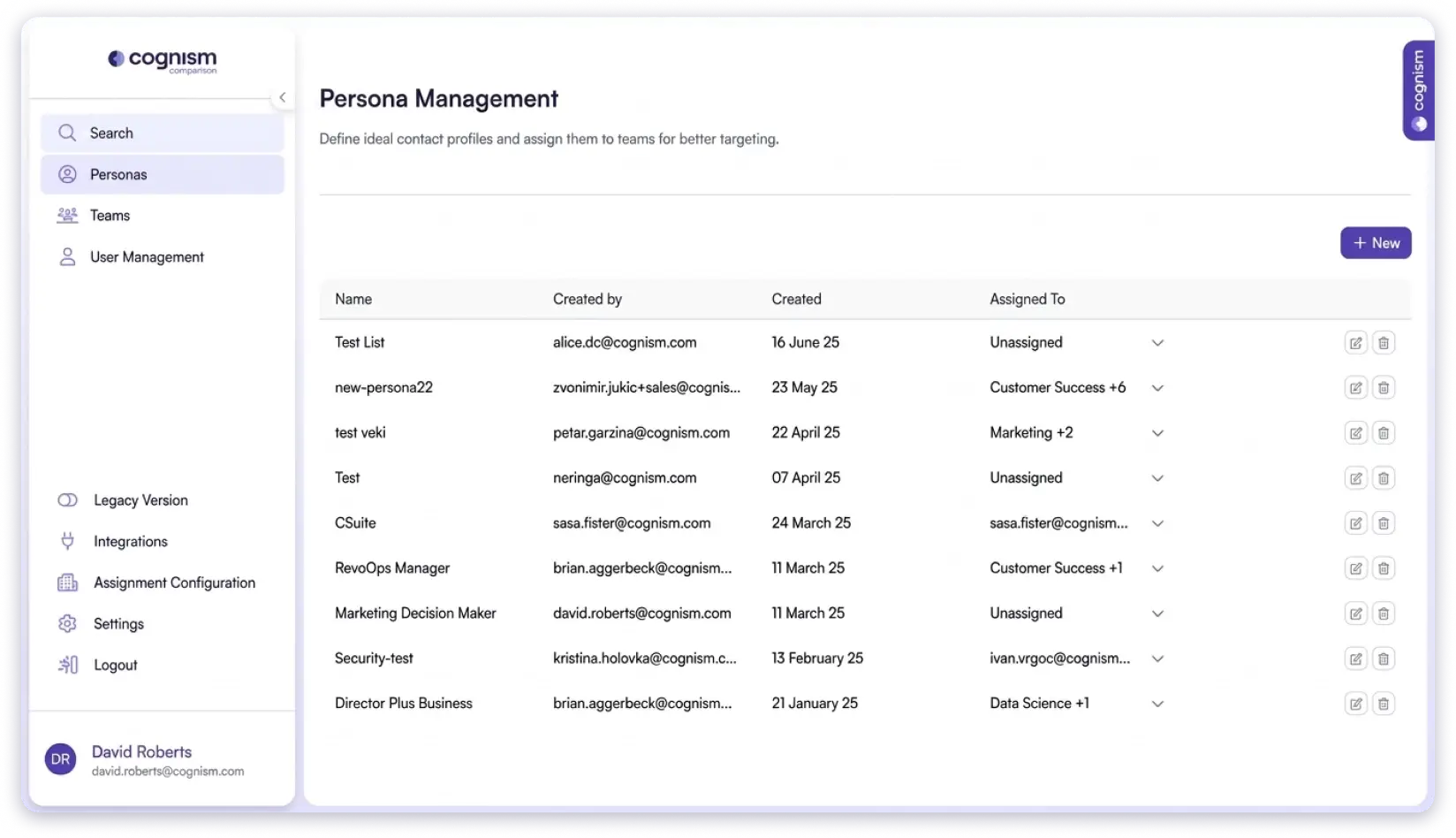
I would like to highlight that the platform focuses heavily on compliance, which can add complexity if you just need simple CTO prospecting.
Additionally, pricing is custom and can be expensive for smaller teams. Before locking in Cognism, see how 13 alternatives stack up for CTO data.
Pricing
Custom pricing only (contact sales)
5. Lusha
Sometimes you do not need a massive database. You just need one CTO’s email, and you need it right now. That is Lusha.
Install the Chrome extension, open a CTO’s LinkedIn profile, click reveal. With in 10 seconds, and you have the email without leaving your browser.
What I liked is once you start looking up a few CTOs, Lusha suggests similar profiles you might have missed.
So your CTO email list grows without extra effort.
The setup is minimal and the feature set is focused:
- 300M+ business profiles across 30M+ companies
- One-click Chrome extension for LinkedIn
- ICP insights to suggest similar CTO contacts
- Direct dial phone numbers alongside verified email addresses
- Transparent pricing listed on their website
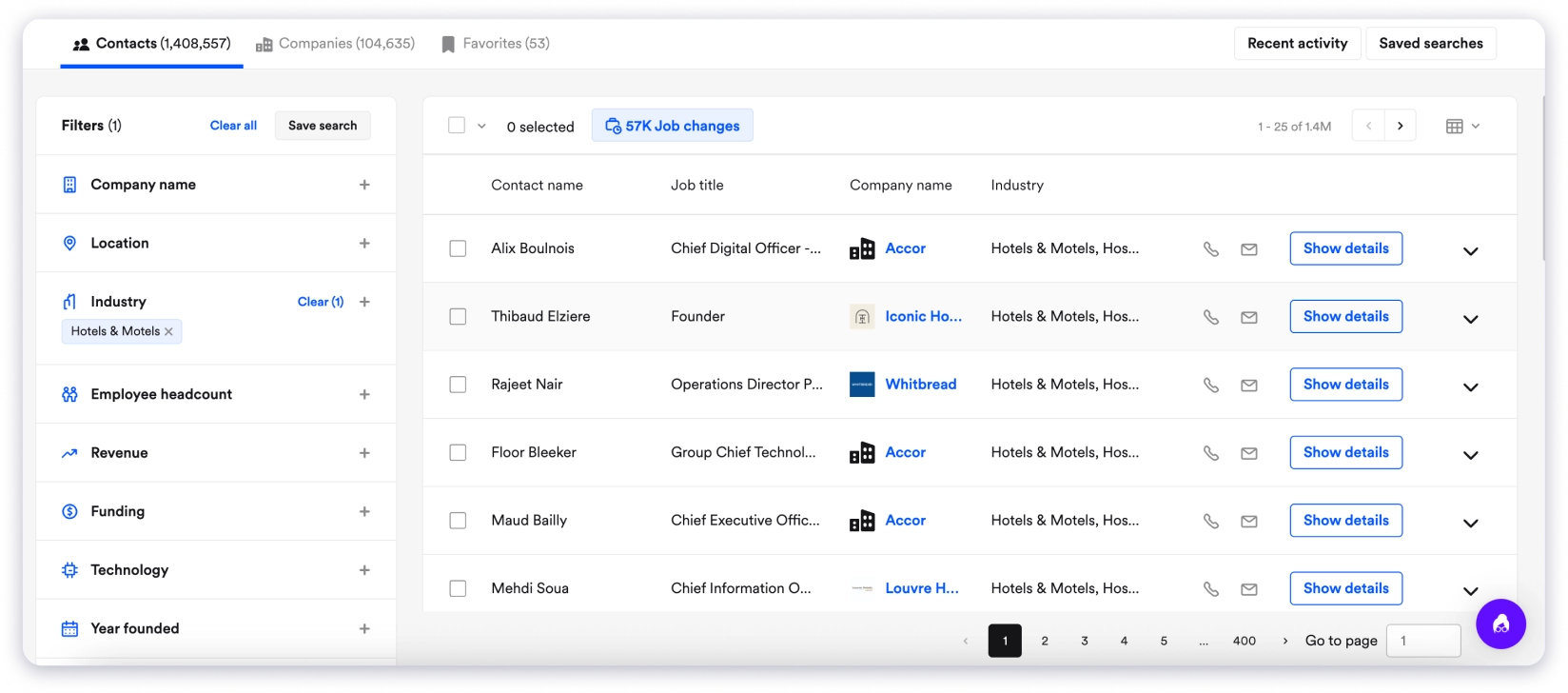
However, I would like to highlight that Lusha’s database is the smallest on this list. Match rates drop for CTOs at smaller companies. There is also no outreach, sequences, or CRM built in. You will need a separate tool to actually email the CTOs you find.
Pricing
- Free: 70 credits/month (1 credit per email, 10 per phone number)
- Pro, Premium, Scale: Contact sales for pricing
6. Clearbit (via HubSpot Sales Hub)
I need to be honest about this one. Clearbit is not a list building tool. You will not use it to find new CTOs. It does something completely different.
A CTO fills out a short form on your website. Clearbit automatically fills in company size, revenue, tech stack, industry, and funding stage.
That 3-field form turns into a fully enriched CTO profile inside your HubSpot CRM.
Other features include:
- Auto-enrichment that fills in company size, revenue, tech stack, and industry when a CTO submits a form
- Website visitor identification at the company level
- Form shortening to reduce friction while capturing rich data
- Native HubSpot integration with zero setup
What I liked is the website visitor identification. When a company keeps hitting your pricing page, Clearbit tells you which company it is before anyone fills out a form.
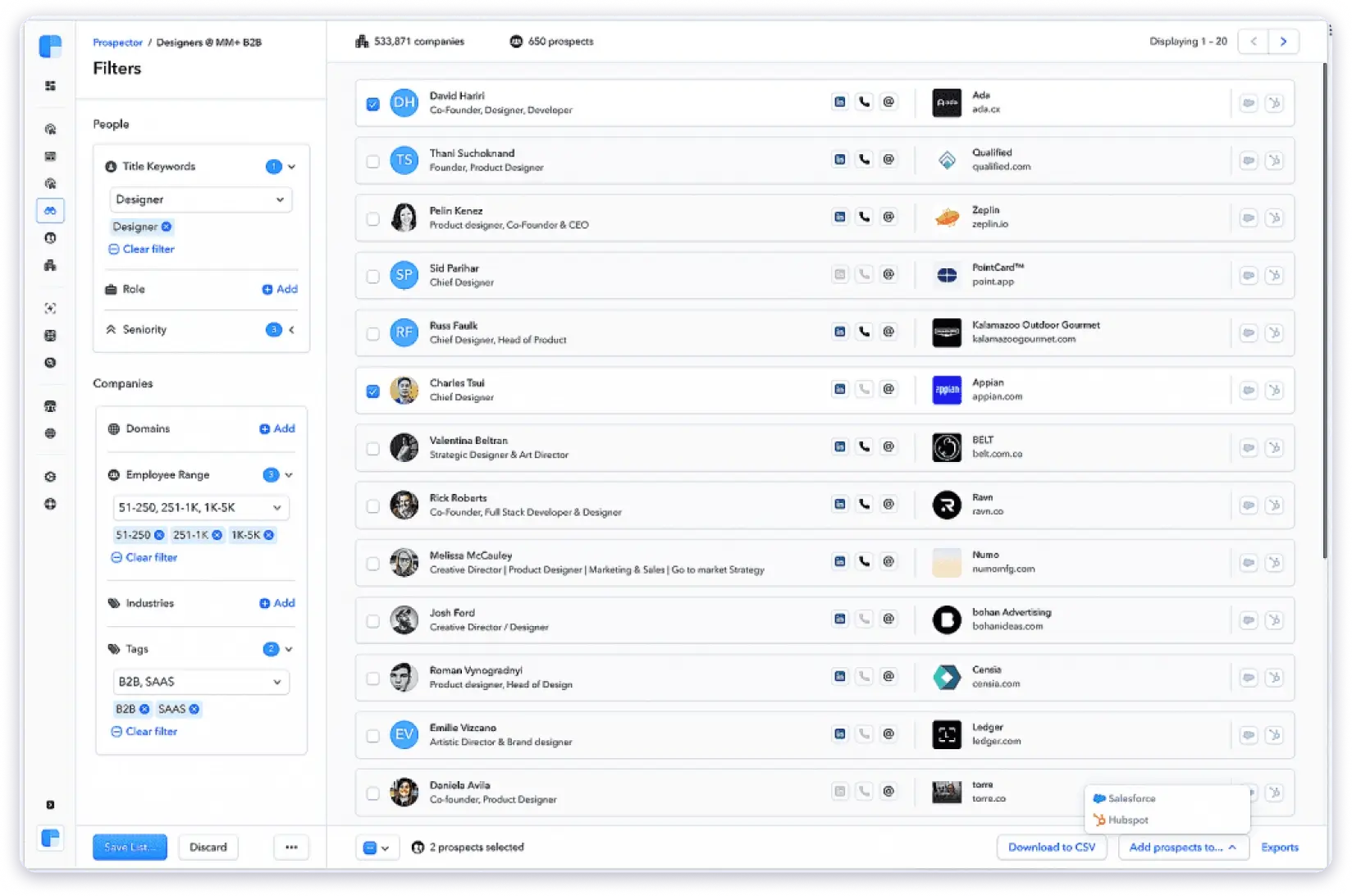
At first, all the features felt overwhelming. But I quickly realized it requires HubSpot and some technical setup.
Also, visitor ID only shows the company, not the CTO, and there’s no list building, email finder, or phone numbers.
So if you want a simple way to build a CTO email list from scratch, Clearbit probably isn’t the right fit.
[Screenshot: Breeze Intelligence enrichment in HubSpot]
Pricing
- Requires HubSpot subscription.
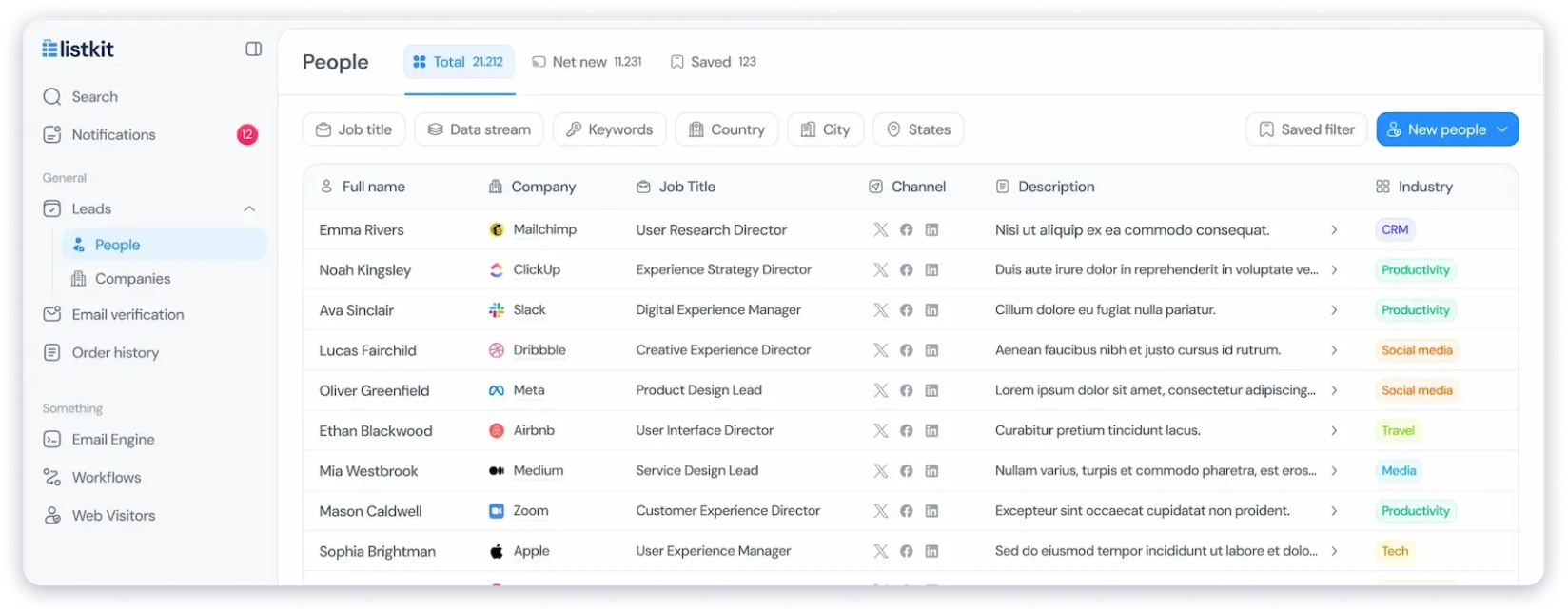
7. ListKit
What if you could skip the entire search, filtering, verification, and cleanup process?
That’s exactly what ListKit does as a CTO email list builder.
It gives you export-ready contact lists that are already verified before you even download them.
You search for CTOs, pull a list, export it, run it through a verification tool, remove the bad emails, deduplicate, and then finally you have something usable.
Here is what you get:
- 731M+ contacts with triple-verification
- AI company search to describe your ideal CTO in plain English
- Intent data on higher-tier plans
- Direct Smartlead integration for cold email agencies
- CSV export to load CTO lists into any outreach tool
The best part I d’ like is the contacts are triple-verified before you even download them.
However, the platform only handles the data. There is no built-in sequencing, no CRM, no pipeline tracking.
And the filtering is more limited than full-stack platforms. You still need a separate tool for outreach, sequences, and pipeline tracking. Filtering is also more limited than full-stack platforms.
Pricing
- Professional: $83/mo
- Scale: $253/mo
- Utlimate: $508/mo
8. RocketReach
Sometimes you do not need a database. You already know the CTO’s name and company. You just need their email.
That is exactly what RocketReach is built for.
What I liked about RocketReach is how fast a single lookup is. No filters to configure, no lists to build, just type the name, get the contact.
For recruiters and solo consultants doing targeted CTO outreach one person at a time, the per-lookup model works well.
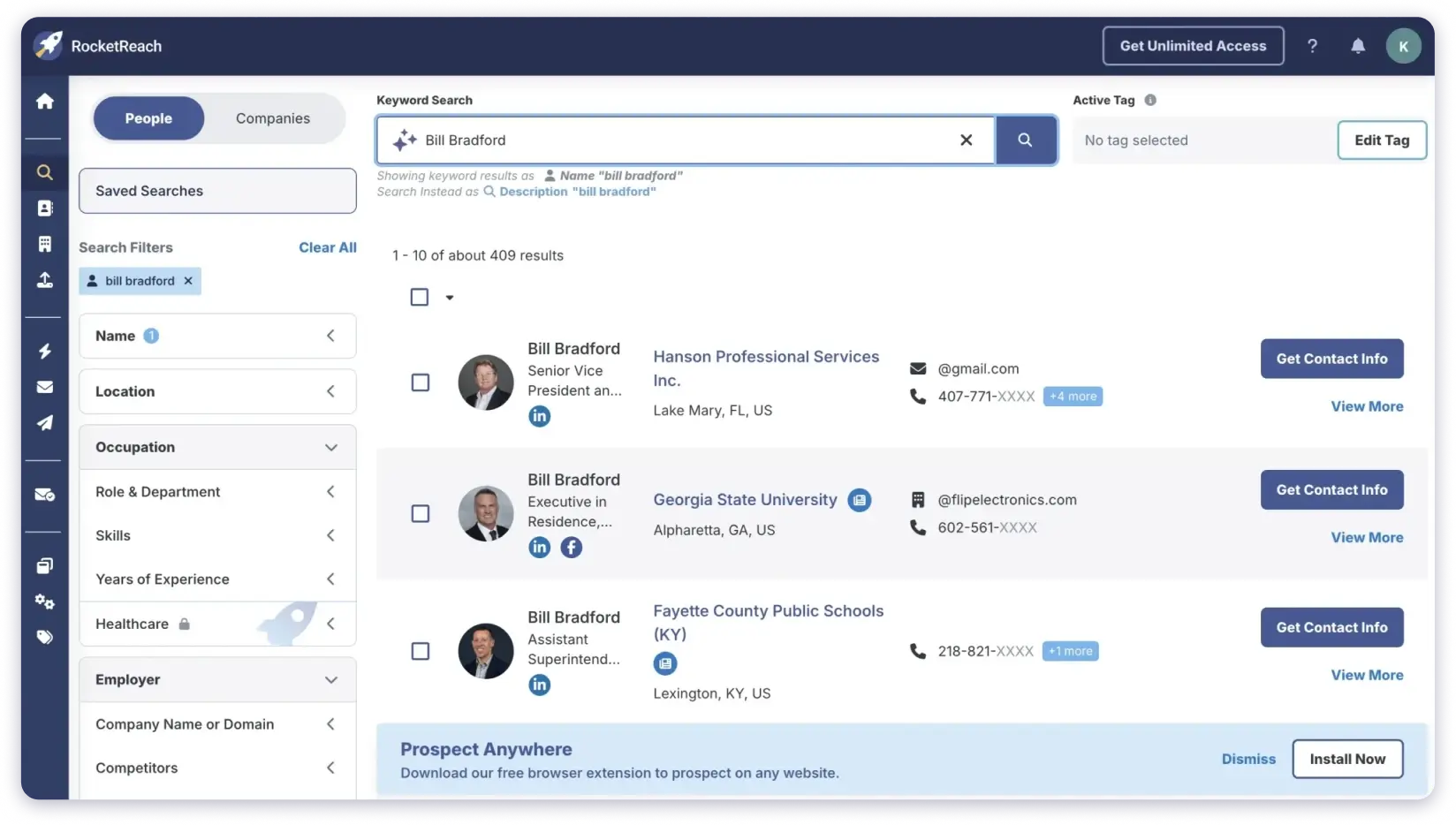
For individual CTO lookups, RocketReach offers:
- 700M+ professional profiles across 60M companies
- 100+ search filters for title, industry, location, and technologies
- Chrome extension for LinkedIn, GitHub, and Crunchbase
- Bulk CSV lookup to enrich existing CTO lists
- Salesforce and HubSpot integrations
I would like to highlight that accuracy has become a concern. Like other G2 reviewer noted, I also think that unverified emails still show up in results, leading to wasted outreach on contacts that bounce. Also, accuracy has dropped over time, and they plan to switch tools.
Pricing
- Free plan available
- Essentials: $27/mo (annual)
- Pro: $69/mo (annual)
- Ultimate: $175/mo (annual)
9. LeadIQ
If your entire CTO prospecting workflow lives inside LinkedIn Sales Navigator and Salesforce, LeadIQ was built for that exact setup.
Find a CTO on Sales Navigator, click capture, and the contact syncs to Salesforce with deduplication built in.
No CSV, no manual entry and no clean-up required.
The capture workflow includes:
- Chrome extension optimized for LinkedIn Sales Navigator
- One-click sync to Salesforce and HubSpot with deduplication
- Scribe AI to draft personalized emails based on CTO LinkedIn activity
- Job change tracking to catch CTOs switching companies
- Native Outreach and Salesloft integrations
What I found useful is the job change tracking. Tech executives who recently started a new role are more open to evaluating vendors. That is a warm outreach window most tools miss.
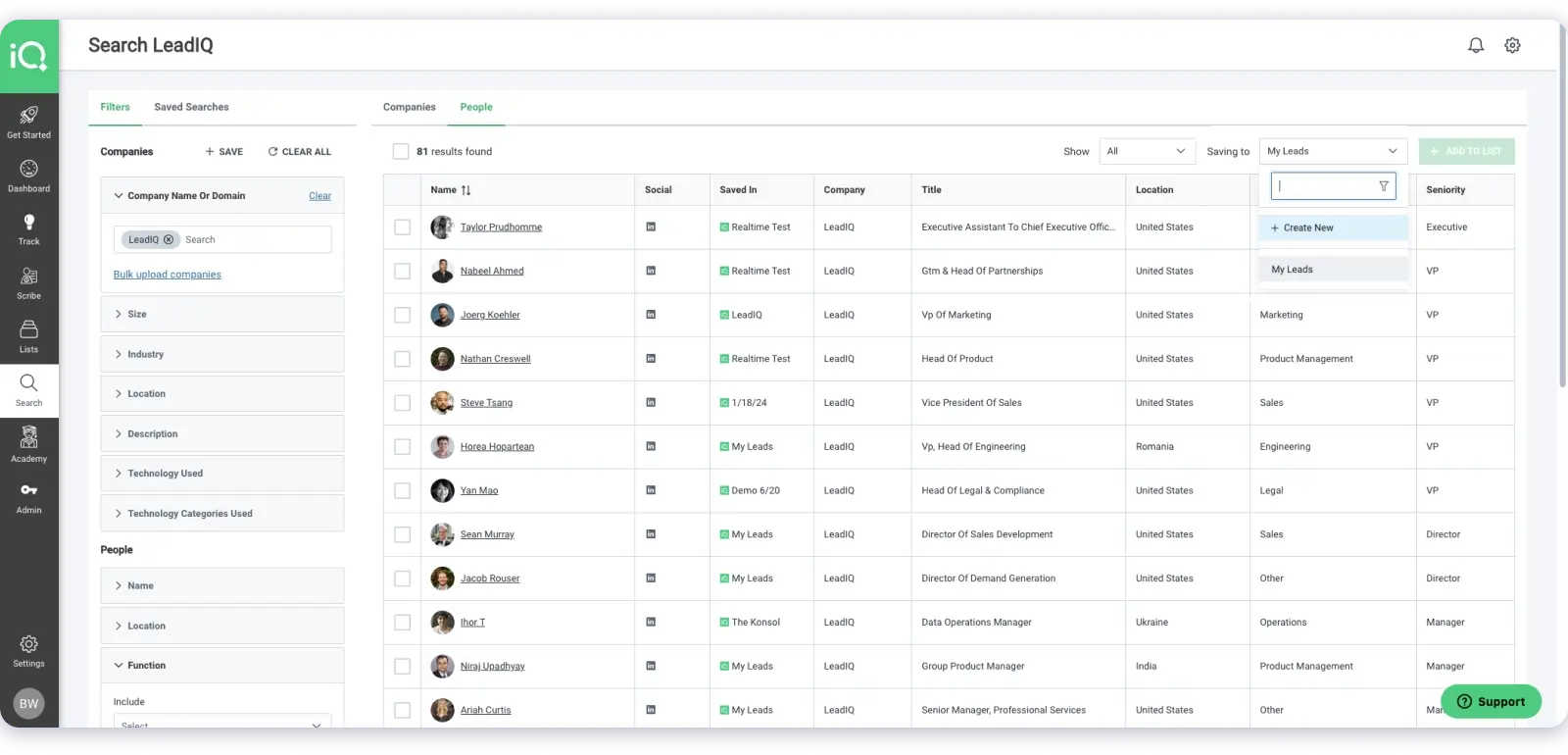
I would like to highlight that LeadIQ does not disclose the database size. As suggest G2 reviewers,I do face inaccurate data is the most common complaint, with incorrect or outdated phone numbers flagged.
Pricing
- Free plan available
- Pro: from ~$15user/mo (annual)
- Enterprise: custom pricing
How to Choose the Right CTO Email List Building Tool
The best CTO email list building tool depends less on having the biggest B2B contact database and more on whether it fits your prospecting and lead generation goals. Before choosing a CTO email database provider, focus on these factors.
1. Prioritize Data Accuracy and Verification
A large contact database means little if the CTO’s email addresses bounce.
Look for tools that offer:
- Verified work email addresses
- Real-time email verification
- Low bounce rates
- Frequent data refreshes
If outbound deliverability matters, accuracy should be your first filter.
2. Evaluate CTO Targeting and Search Filters
Not every platform makes it easy to build a highly targeted CTO email list.
Look for filters such as:
- Industry or vertical
- Company size
- Revenue or funding stage
- Geography
- Technology stack
- Job title and seniority
The better the filtering, the more relevant your prospect list.
3. Choose Based on Your Use Case
Different tools serve different goals.
If you need:
- Affordable prospecting for startups, prioritize value and simplicity
- Enterprise-level data coverage, prioritize scale and enrichment
- Built-in outreach workflows, choose an all-in-one platform
- Niche CTO targeting, prioritize advanced segmentation
Pick for your workflow, not just feature count.
4. Check Compliance and Data Sourcing
Especially if you run outbound at scale, understand how contact data is sourced and whether the platform supports compliance requirements like GDPR or CAN-SPAM.
Reliable data is about legality and trust, not just volume.
5. Consider Whether You Need Data Only or Data + Outreach
Some tools only help you build CTO email lists. Others combine:
- Contact data
- Email sequencing
- Deliverability features
- CRM integrations
If you want to move from list building to outreach in one workflow, this can matter a lot.
Final Verdict: Which CTO Email List Provider Should You Pick?
So here’s the verdict.
I’ve gone through all the different tools. Each one made the list for a specific reason.
Apollo is great if you want a free starting point, while ZoomInfo is better for larger teams that need deeper data.
On the other hand, Cognism stands out for its strong European coverage.
But most of these tools solve one part of the problem.
You still end up jumping between tools for the rest.
If you want one platform that finds CTOs, verifies their data, runs your outreach, and tracks your pipeline, Saleshandy Lead Finder does all of it without making you leave the dashboard.
People who are always busy like me really appreciate anything that saves time and reduces that extra work.
Everything you need for CTO outbound lives in one platform.
Don’t overthink it. Sign up, get up to 50 free credits, and see the data quality for yourself.
Frequently Asked Questions
1. What is a CTO email list?
A list of verified contact details for CTOs, including name, business email, company, and role. Good lists offer accurate data, filtering options, and regular updates. The difference between a good list and a bad one comes down to three things: are the emails verified, can you filter by specific criteria, and how fresh is the data.
2. Are CTO email lists legal?
Yes, if you follow the rules. Under GDPR, email only if it’s relevant and includes an opt-out. Under CAN-SPAM, use accurate sender info and an unsubscribe link. Only contact business emails and use trusted data sources.
3. How often should I update my CTO email list?
Every 3 to 6 months at a minimum. B2B contacts go stale fast (about 22% yearly), and CTO roles change even quicker. It’s best to verify contacts before each campaign. Tools like Saleshandy Lead Finder verify contacts in real time on every export, so the data is fresh when you pull it.
4. How much does a CTO email list cost in 2026?
It depends on the source you choose. Self-serve tools cost about $29–$499/month (~$0.10–$0.50 per verified contact). Enterprise platforms like ZoomInfo start around $15,000/year. One-time data lists cost $200–$2,000 but go outdated quickly. For most teams, monthly tools offer better value and fresher data.
5. Can I get a free CTO email list sample?
Most good providers offer free trials. The smart way to use a free trial is with Saleshandy, which gives you up to 50 free credits on signup with no credit card required.
6. What is the best free way to find CTO email addresses?
Saleshandy offers 50 free verified credits on signup. Apollo gives 10,000 free credits per month with built-in sequences. Both are good starting points, but Apollo’s data may need a separate verification step before you send.
7. Should I buy a pre-built CTO list or build one with a tool?
Build with a tool. Pre-built CSV lists go stale within months. A self-serve database gives you real-time verification, custom filters, and ongoing access to fresh data at a lower cost per contact.
8. How do I email a CTO without sounding salesy?
Start with their tech stack or a recent company event, not your product. Mention something specific (funding, hiring, tech change). Keep it under 80 words, ask one question, and don’t include a calendar link in the first email. Avoid generic words like “leverage,” “seamless,” or “I just wanted to reach out.”