
 Dhruv Patel
 Contents
- 1 Email Finder Tools – TOC
- 2 TL;DR — Picking the Right Email Finder
- 3 12 Best Email Finder Tools to Use in 2026 [Listed by Accuracy Rate]
- 4 How I Have Evaluated Each of These Email Finder Tools ▼
- 5 In-depth Review of Top 12 Email Finder Tools to Use in 2026
- 6 Cold Email ROI Starts With Choosing the Right Email Finder
- 7 FAQs About Email Finding Tools
- 7.1 1. How can you choose the right email finder tool?
- 7.2 2. Is there a free way to look up an email address?
- 7.3 3. Are email finder tools legal to use?
- 7.4 4. Is there an AI tool for finding emails?
- 7.5 5. What features should you look for in an email finder tool?
- 7.6 6. How do email finder tools work?
8 out of 10 email finder tools will charge you full price for emails that bounce.
I know because I tested 15 of them across 95,000 cold emails.
The pattern is always the same.
The database sounds massive and the accuracy claims are bold.
Then you pull a list of 500 contacts, hit send, and 30% bounce.
Your domain takes a hit. Your inbox placement drops.
And the tool that was supposed to save time just created a deliverability problem that takes weeks to fix.
That taught me one thing — accuracy is the only metric that matters when picking an email finder.
Not database size. Not integrations. Not how polished the demo looks.
So I tested each tool below against the same list of 100 verified business contacts.
I tracked find rates, bounce rates, and whether credits were wasted on unverified emails.
Here is how the 12 best email finder tools performed, ranked by accuracy.
Email Finder Tools – TOC
- TL;DR — Picking the Right Email Finder
- 12 Best Email Finder Tools to Use in 2026 [Listed by Accuracy Rate]
- How I Have Evaluated Each of These Email Finder Tools
- In-depth Review of Top 12 Email Finder Tools to Use in 2026
- Cold Email ROI Starts With Choosing the Right Email Finder
- FAQs About Email Finding Tools
TL;DR — Picking the Right Email Finder
Every tool on this list finds emails. The difference is what happens after you get them.
12 Best Email Finder Tools to Use in 2026 [Listed by Accuracy Rate]
In this table, get a quick glimpse of the top email finder tools that help you get verified email addresses in seconds.
| Email Finder Tool Name | Email Accuracy | Free Credits/Mo | Found Emails Out of 100 | Not Found Emails Out of 100 |
|---|---|---|---|---|
| Saleshandy Lead Finder | 98% | 50/month | 95 | 5 |
| Apollo.io | 91% | 100/month | 91 | 9 |
| ZoomInfo | 95% | 25/month | 92 | 8 |
| Hunter.io | 90% | 50/month | 90 | 10 |
| Lusha | 93% | 40/month | 92 | 8 |
| Cognism | 90% | 25 leads | 90 | 10 |
| GetProspect | 95% | 50/month | 95 | 5 |
| UpLead | 95% | 5 credits | 95 | 5 |
| FindyMail | 90% | 10 credits | 90 | 10 |
| Skrapp.io | 93% | 100/month | 93 | 7 |
| Snov.io | 79% | 50/month | 79 | 21 |
| RocketReach | 83% | 5/month | 83 | 17 |
This method ranks tools based on what affects cold email performance. Inbox delivery, sender reputation, and credit usage were the deciding factors.
In-depth Review of Top 12 Email Finder Tools to Use in 2026
1. Saleshandy Lead Finder
Accuracy: 95–98% | Free Credits: 50/month | Ease of Use: 4.8/5
When I need email addresses I can trust for cold outreach, Saleshandy Lead Finder is the first tool I open.
Not because of the brand ,but because it consistently gives me the cleanest data of anything on this list.
The database covers 852M+ B2B profiles across 42M+ companies. I can filter by job title, company name, industry, revenue, location, technographics, and LinkedIn URLs.
What I notice compared to tools like Apollo or Lusha is that the data stays clean. I rarely pull outdated contacts or generic “info@” addresses that waste credits and hurt deliverability.
Saleshandy also has a free email finder you can try before committing to anything. Enter a name and company domain, and it pulls a verified email from the database.
The AI Lead Search is the feature that saves me the most time. Instead of setting 8-10 filters manually, I type something like
“VP of Sales at SaaS companies in the US, 50-200 employees,” and the AI configures the search for me.
It is not perfect for every niche use case, but for standard B2B prospecting, it cuts list-building time significantly.

For bulk prospecting, I have extracted up to 10,000 emails in a single batch without accuracy dropping off. The exports are clean and ready to use. Most tools I have tested start returning more “risky” or unverified emails as list sizes grow — Saleshandy kept its hit rate steady even at high volume.
What really separates Saleshandy from every standalone email finder on this list is the full workflow.
With Hunter, GetProspect, or Findymail, I find emails and then export them to a separate cold email tool.
With Saleshandy, I go from finding a prospect to launching a cold email sequence with automated follow-ups to tracking that deal in a built-in outbound CRM — without leaving the platform.
The Chrome extension works on LinkedIn profiles and Sales Navigator. One click reveals the prospect’s verified email and phone number, and I can add them directly to a sequence.
Pros
- One of the largest and most accurate B2B email databases
- Multi-step email verification process
- Chrome extension for LinkedIn prospecting
- Bulk email finder for large contact lists
- Unused credits roll over in all plans
- Advanced search filters to find prospects quickly
Cons
- Free plan includes limited credits
- Only a 7-day free trial
Pricing (Billed Annually)
Saleshandy email finder is free to use, however it charges for it’s B2B database →
- Lead Starter — $49/mo (30,000 credits/year)
- Lead Pro — $79/mo (48,000 credits/year)
- Custom — Contact Us
Final Verdict: In my experience, you can say Saleshandy Lead Finder is an AI email finder that works best when email accuracy matters more than volume. If you want verified data, strong deliverability, and one tool for outreach, it is a reliable choice.
2. Apollo.io
Accuracy: 91% | Free Credits: 100/month | Ease of Use: 4.3/5
When I need to build very specific prospect lists, I choose Apollo.io. I use it when it’s about targeting roles, industries, tools, or company profiles in detail.
Apollo gives access to 210M+ contacts across more than 35M companies. I start by applying filters like job title, company size, revenue, funding stage, location, and tech stack.
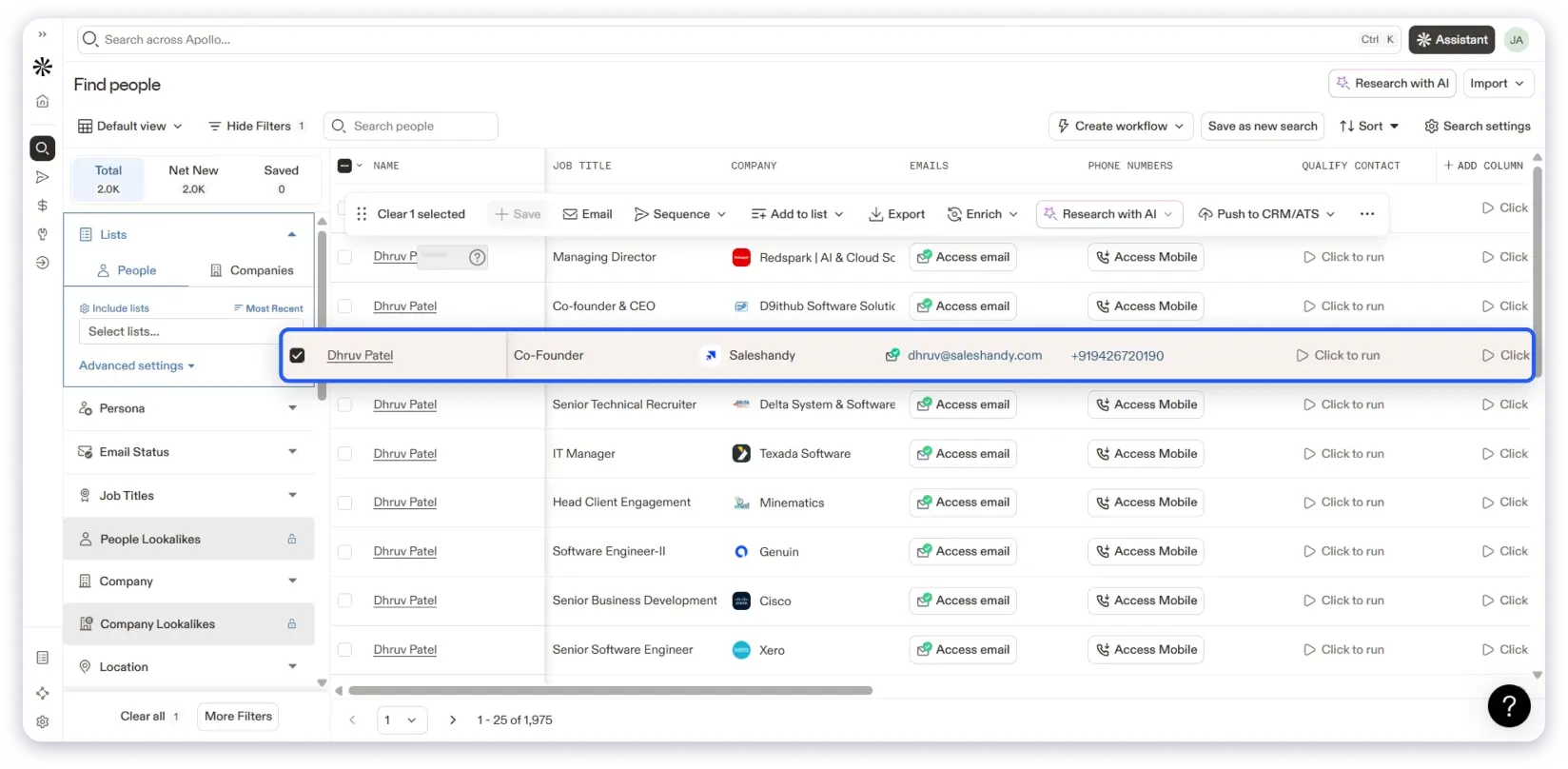
Apollo also shows email status, such as verified and not verified. So, that helps me decide which contacts are safer to use for cold outreach.
Compliance: GDPR, CCPA/CPRA, SOC 2 and ISO 27001
Best For: Sales teams needing advanced filtering and detailed prospect research
The filtering depth lets me narrow lists down to very precise segments. This is where Apollo feels strong.
Even with that, I stay cautious about email deliverability. For important campaigns, I still verify emails again before sending.
Additionally, I can find emails and company details from LinkedIn without leaving the profile page. The Chrome extension works well during LinkedIn prospecting.
Plus, it offers bulk exports to support larger lists, but credits drop quickly. This becomes noticeable when running repeated searches or exports.
Overall, Apollo works more as a research and list-building tool. I use it when precision matters more than ready-to-send email accuracy.
Pros
- Very strong filtering with hundreds of data attributes
- Email status visibility before outreach
- Chrome extension for LinkedIn prospecting
- Email verification to make sure you get accurate emails
- Team collaboration is good
Cons
- Sometimes email accuracy needs extra verification
- There is a learning curve for users
- Pricing is quite expensive, especially for small businesses
Pricing (Billed Annually)
Apollo.io provides four different plans.
- Free plan
- Basic plan at $49/month with 30,000 credits yearly
- Professional plan at $79/month with 48,000 credits yearly
- Organization plan at $199/month with 72,000 credits yearly
Final Verdict: In my experience, Apollo.io fits best when building targeted prospect lists. For cold email campaigns where deliverability comes first, I treat it as a supporting tool.
3. ZoomInfo
Accuracy: 90–95% | Free Credits: No | Ease of Use: 4.3/5
Next in the list is ZoomInfo, which I use when the goal is finding verified business emails. I rely on it for reaching decision-makers at mid-sized and large companies.
ZoomInfo gives access to 209M+ professional profiles across 13M+ companies. I search email addresses using job titles, company names, industry, revenue, and location filters.
Most contacts include verified business email addresses. In many cases, I also find direct phone numbers, which adds context for outreach for later stages.
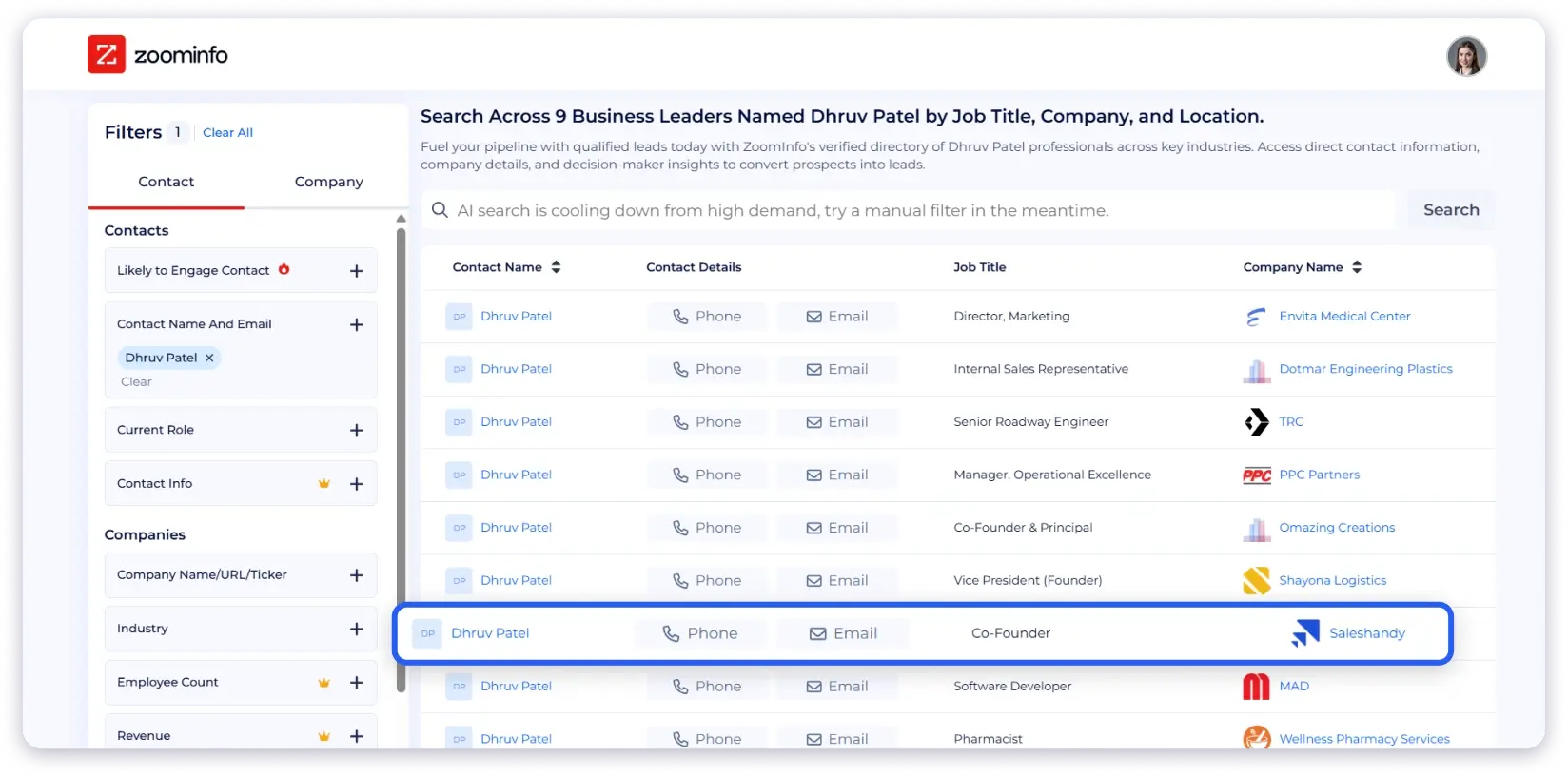
ZoomInfo shows email status and engagement signals. This helps me decide which contacts to include in cold email campaigns.
Compliance: GDPR and CCPA compliant
Best For: Teams seeking verified business emails for enterprise outreach
Email data quality stays strong in most cases. I still review email address lists before sending, especially for larger campaigns.
The platform works best for structured email list building. I spend more time refining filters than exporting quick lists.
Global coverage also helps with email prospecting. ZoomInfo includes over 200 million professional profiles outside North America.
Overall, ZoomInfo fits use cases where email accuracy matters more than speed. I use it when quality and depth come before pricing.
Pros
- The data accuracy of the platform emails is good
- Strong filters for targeted email list creation
- The user interface of ZoomInfo is user-friendly
- Email status and engagement signals
- Wide global email data coverage
Cons
- No free credits or trial access
- Expensive for small teams
- Certain users on G2 have complained about outdated emails
Pricing (Billed Annually)
- You need to contact ZoomInfo’s sales team.
Final Verdict: In my experience, ZoomInfo works well for finding verified business emails at scale. If enterprise email accuracy is the priority, it is a solid choice.
4. Hunter.io
Accuracy: 90% | Free Credits: 50 searches/month | Ease of Use: 4.7/5
Next in the list is Hunter.io email finder, which I use when I already know the company domain. I rely on it to find emails by domain name or by a person’s name.
Hunter works best when the task is simple and focused. I enter a domain, and it returns email addresses linked to that company.
Each result comes with confidence signals and sources. This helps me judge whether an email is worth using for outreach.
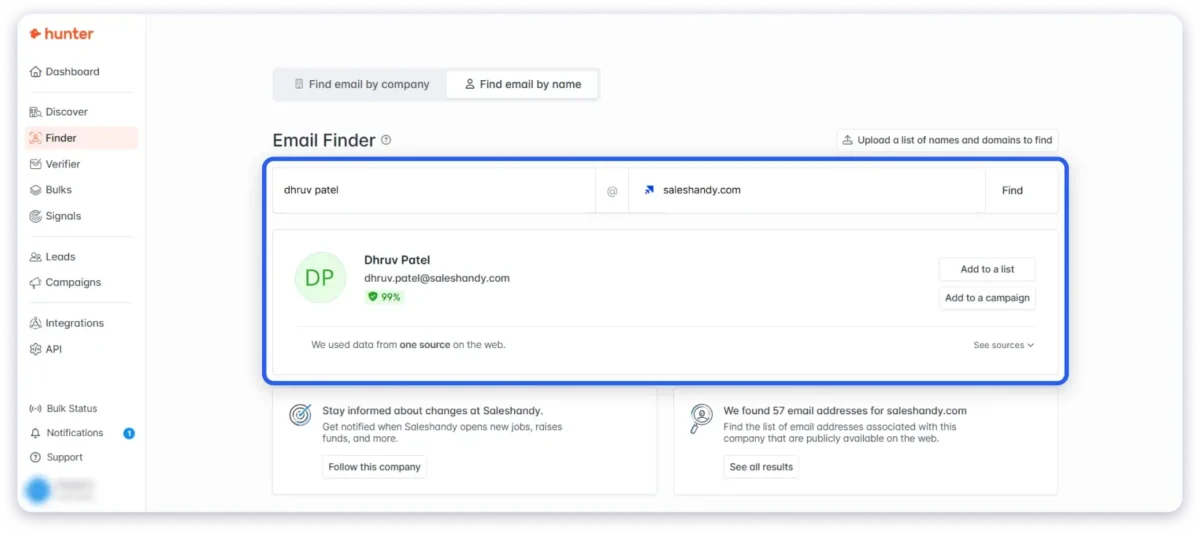
Hunter also includes an email verifier, which I use before sending campaigns. It checks syntax, domain status, server response, and past data signals.
Compliance: GDPR, CCPA, and CASL compliant
Best For: Teams wanting domain-based email discovery and list verification
The verifier marks emails as valid, accept-all, invalid, or disposable. This makes list cleaning easy before starting cold email sequences.
Bulk email verification is useful for larger lists. I upload a file and get results in a few clicks without extra setup.
Hunter keeps things lightweight and easy to use. I do not need to spend time learning filters or workflows.
Overall, Hunter is well known as a reliable free email finder tool that works well when you want to get emails from a domain.
Pros
- Find emails by domain name or person name
- Built-in email verifier with status labels
- Hunter.io email finder is extremely easy to use
- Bulk email verification support
- Simple interface with a low learning curve
- The customer support of the platform is commendable
- LinkedIn Chrome extension
Cons
- Limited data depth compared to large databases
- The free plan has search limits
- Does not include phone numbers
Pricing (Billed Annually)
Hunter.io offers five plans, which are as follows:
- Free plan with 50 credits per month
- Starter plan with 2,000 credits per month at $34 per month
- Growth plan with 10,000 credits per month at $104 per month
- Scale plan with 25,000 credits per month at $204 per month
- Enterprise plan with custom quotes
Final Verdict: In my experience, Hunter.io is one of the best email searching tools that works best for domain-based email discovery and verification. If you want valid emails without a complex setup, it does the job well.
5. Lusha
Accuracy: 90–95% | Free Credits: 40/month | Ease of Use: 4.3/5
I look at Lusha when my only goal is finding email addresses quickly. It works best when I already know the person, company, or domain I want to target.
Lusha gives access to a database of 285M+ business profiles. This helps when I need emails linked to actual people working at active companies.
Within the platform, I can search for emails by a contact’s or a company’s name. This works well for building shortlists without going into extensive research.

Lusha also supports domain-based email discovery. I can look up a company and see available business emails linked to that domain.
Compliance: GDPR and CCPA compliant
Best For: Teams wanting to quickly find business email addresses without complex setup
Each email address comes with a verified status and confidence signal. This helps me judge whether an email is safe to use for cold outreach.
Email verification is part of the workflow. I use it to remove invalid or risky email addresses before launching campaigns.
Phone numbers are available, but email finding remains the main use case for me. Credits get used faster when revealing phone numbers, so I use them carefully.
For smaller lists, bulk reveal works well. I rely on it when I want emails quickly, not after a long list-building.
Plus, Lusha offers a cool feature that is AI recommendations for email finding. They are a helper for discovering prospects, not for finding emails directly.
Overall, Lusha fits simple and direct email discovery workflows. I use it to find emails from names, company domains, or known prospects.
Pros
- Find emails by name, company, or domain
- Verified email status included
- The platform is easy to use and quick
- Built-in email verification
- API access for integration
- Chrome extension to find emails from LinkedIn
- Team collaboration features
Cons
- Credits run out quickly
- Limited depth compared to larger databases
- Accuracy varies by region
Pricing (Billed Annually)
Lusha has four plans, which are as follows:
- Free: 40 credits per month
- Pro: 3,000 credits per year at $22.45/month, billed annually
- Premium: 7,200 credits per year at $52.45/month, billed annually
- Scale: Custom credits and pricing
Final Verdict: In my experience, Lusha works best when I already know who I want to contact. If the goal is to find quick email finding from names or domains, it fits that intent well.
6. Cognism
Accuracy: 90% | Free Leads: 25 | Ease of Use: 4.4/5
When I need business emails I can trust for outreach, I turn to Cognism. It works best for teams that care about data quality and compliance.
Cognism provides verified business email addresses checked through multiple layers. This includes compliance checks and machine learning-based validation.
Email finding starts with searching for people or companies. I can get emails for decision-makers without worrying about permission issues.
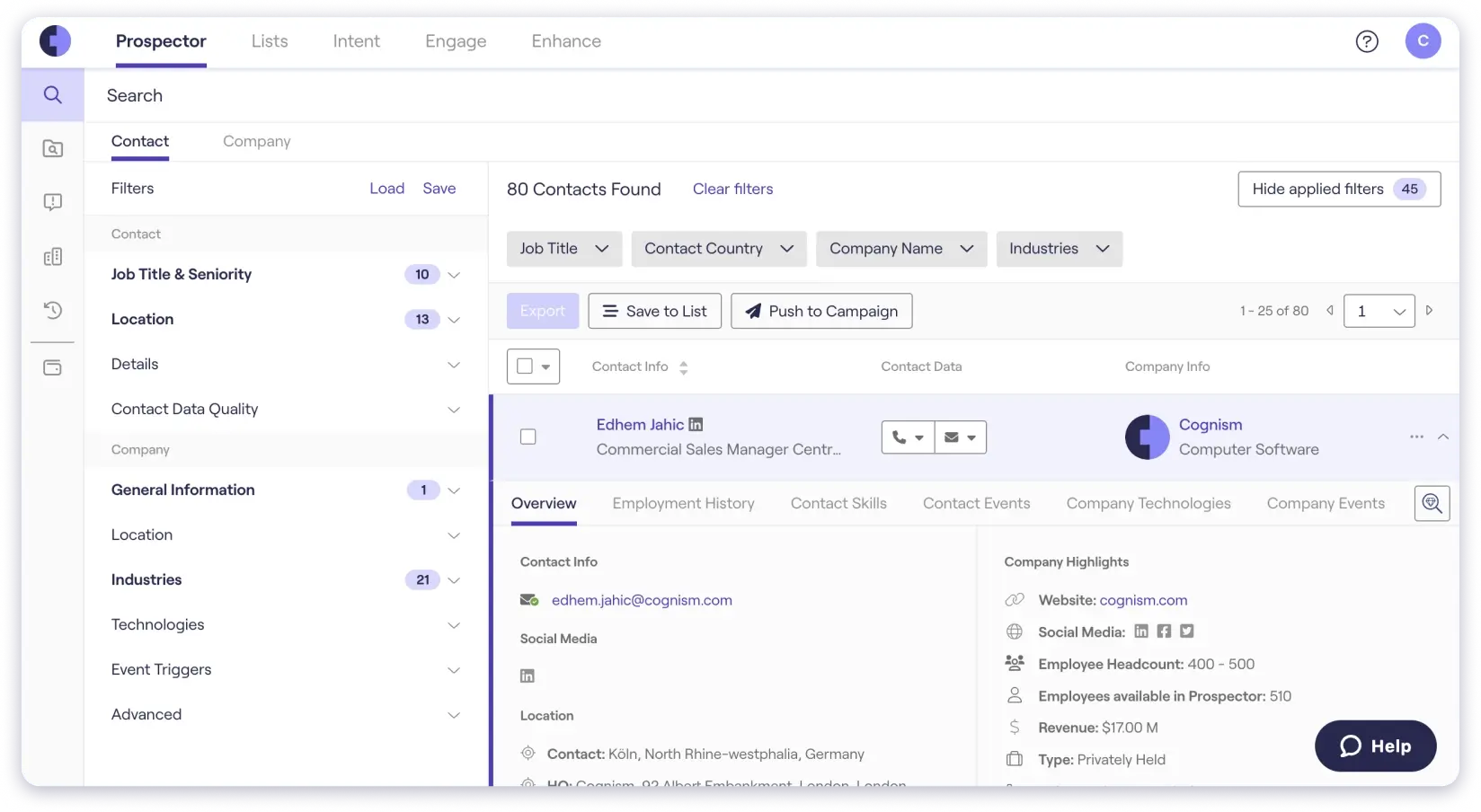
Cognism also offers phone-verified mobile numbers. This helps when email alone is not enough for outreach.
Compliance: GDPR, SOC 2, and ISO 27701, and CCPA compliant
Best For: Sales teams needing compliant and verified emails at scale
What stands out is the focus on data quality. The database is checked against global Do Not Call lists and privacy rules.
Cognism covers regions like EMEA, North America, and APAC. This works well for teams targeting international markets.
On top of that, the best part? Email finding connects with context signals. So, I can see job changes, hiring activity, and buying intent alongside contact details.
The browser extension supports daily prospecting work. It lets me update contact records while working inside sales tools.
Plus, Cognism allows CRM and sales tool integrations. Its users get the flexibility to sync contacts with platforms like Salesforce and HubSpot.
Overall, Cognism feels built for teams that care about verified and compliant emails. I use it when data trust matters more than speed or volume.
Pros
- Multi-layer verified business emails
- Phone-verified mobile numbers available
- Strong focus on data compliance
- International data coverage
- CRM and sales tool integrations
Cons
- More complex than basic email finders
- Pricing suits mid-size and enterprise teams
Pricing (Billed Annually)
- You need to contact Cognism’s sales team.
Final Verdict: In my experience, Cognism works best when email accuracy and compliance matter most. If you want verified emails with context for B2B outreach, it fits that need well.
7. GetProspect
Accuracy: 95% | Free Credits: Limited | Ease of Use: 4.2/5
The next email finding tool in the list is GetProspect, which I primarily use to find emails at scale. GetProspect is really useful when you want to find emails from names, companies, domains, or LinkedIn profiles.
GetProspect gives access to a large B2B database. It covers 200M+ B2B contacts, 230M+ corporate emails, and 26M+ companies worldwide. That’s great, right?
Basically, I start by searching emails using a person’s full name and company. This works perfectly when I already know who I want to contact.
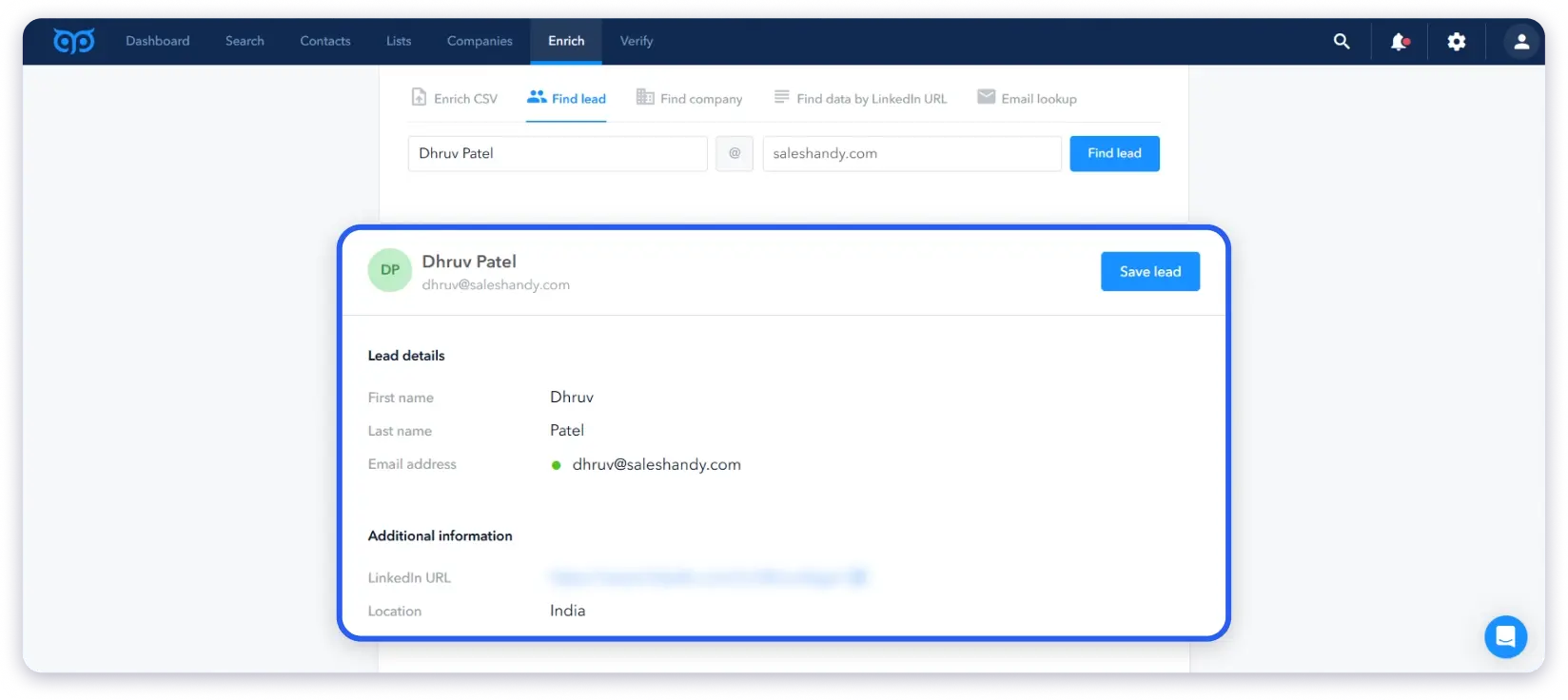
GetProspect also supports domain-based email search. As a result, I can enter a company domain and view available business email addresses.
LinkedIn support is available through a Chrome extension. It helps get emails and enrich contact data while browsing profiles or lists.
Compliance: GDPR compliant
Best For: Teams wanting bulk email finding with verification and enrichment
Not only that, email accuracy is a key part of the workflow. GetProspect verifies emails in real time and claims credit refunds for invalid data.
It even offers bulk email finding for larger lists. This way, I can save and export thousands of contacts without manual cleanup.
GetProspect also offers bulk email verification. This helps clean lists before sending cold email campaigns.
Next, while checking this email finder tool, I also used its data enrichment. It appends details like job title, location, industry, and technologies.
Overall, GetProspect feels built for structured email finding. I use it when I want verified emails with enrichment in one place.
Pros
- The accuracy of the email addresses is good
- You get advanced filters to find email addresses
- Team collaboration features included
- Real-time email verification included
- Bulk email finder and enrichment support
- Data enrichment to get additional contact information
- Chrome extension to find emails from LinkedIn
Cons
- The interface is complex and not easy to use
- Free credits are limited
- Cold email features may feel unnecessary for email-only use cases
Pricing (Billed Annually)
GetProspect offers three plans to its customers.
- Free plan with 600 email credits
- Starter plan with $34/month with 1,000 email credits
- Growth plan with $69/month with 5,000 email credits
Final Verdict: In my experience, GetProspect works well for bulk email finding with verification. If you want emails plus enrichment without using multiple tools, it fits that need.
8. UpLead
Accuracy: 95% | Free Trial: Available | Ease of Use: 4.4/5
UpLead helps when I want verified emails and do not want to pay for bad data. I rely on it to find emails using company names or website URLs.
UpLead lets me find emails by company name or website URL. I can also add a contact name to get a specific business email address.
The platform gives access to 180M+ B2B contacts. This helps when building lists across different industries and regions.
Compliance: GDPR and CCPA compliant
Best For: Teams wanting verified emails by company or domain
Email verification runs in real time. UpLead flags accept-all and catch-all emails before export.
The best part? I pay only for valid emails. If there is no match, it does not consume credits.
UpLead also provides bulk email lookups. I just need to upload names and companies and get emails with extra details.
Along with emails, I also get phone numbers and social links. This adds context, but email finding remains the main aim.
Data accuracy stays consistent across searches. The 95% accuracy guarantee adds confidence before outreach.
Overall, UpLead fits structured email finding workflows. I use it when I want verified emails without guessing patterns.
Pros
- Real-time email verification
- Native CRM integrations with Salesforce, HubSpot, and more
- The user interface is easy and quick to use
- Pay only for valid emails
- You will find limited data for niche markets
- Bulk email lookup service is supported
Cons
- Free trial is limited
- No credit rollover if you don’t use them
- The interface feels heavy for quick email finding
Pricing (Billed Annually)
UpLead offers four plans to its customers.
- Free trial for 7 days with five valid credits
- Essential plan with $99/month with 170 credits
- Plus plan with $199/month with 400 credits
- Professional plan with a custom quote
Final Verdict: In my experience, UpLead works well when email accuracy is non-negotiable. If you want verified emails without paying for guesses, it fits that need.
9. Findymail
Accuracy: 90% | Free Trial: 10 finder credits | Ease of Use: 4.6/5
Next in the list is Findymail, which I review mainly for one reason. It allows you to find verified and bounce-free email addresses without wasting credits.
All I have to do is enter a person’s name and company domain. In most cases, FindyMail returns a verified business email directly.
What stands out is how billing works. FindyMail charges only for valid emails, not duplicates or failed results.
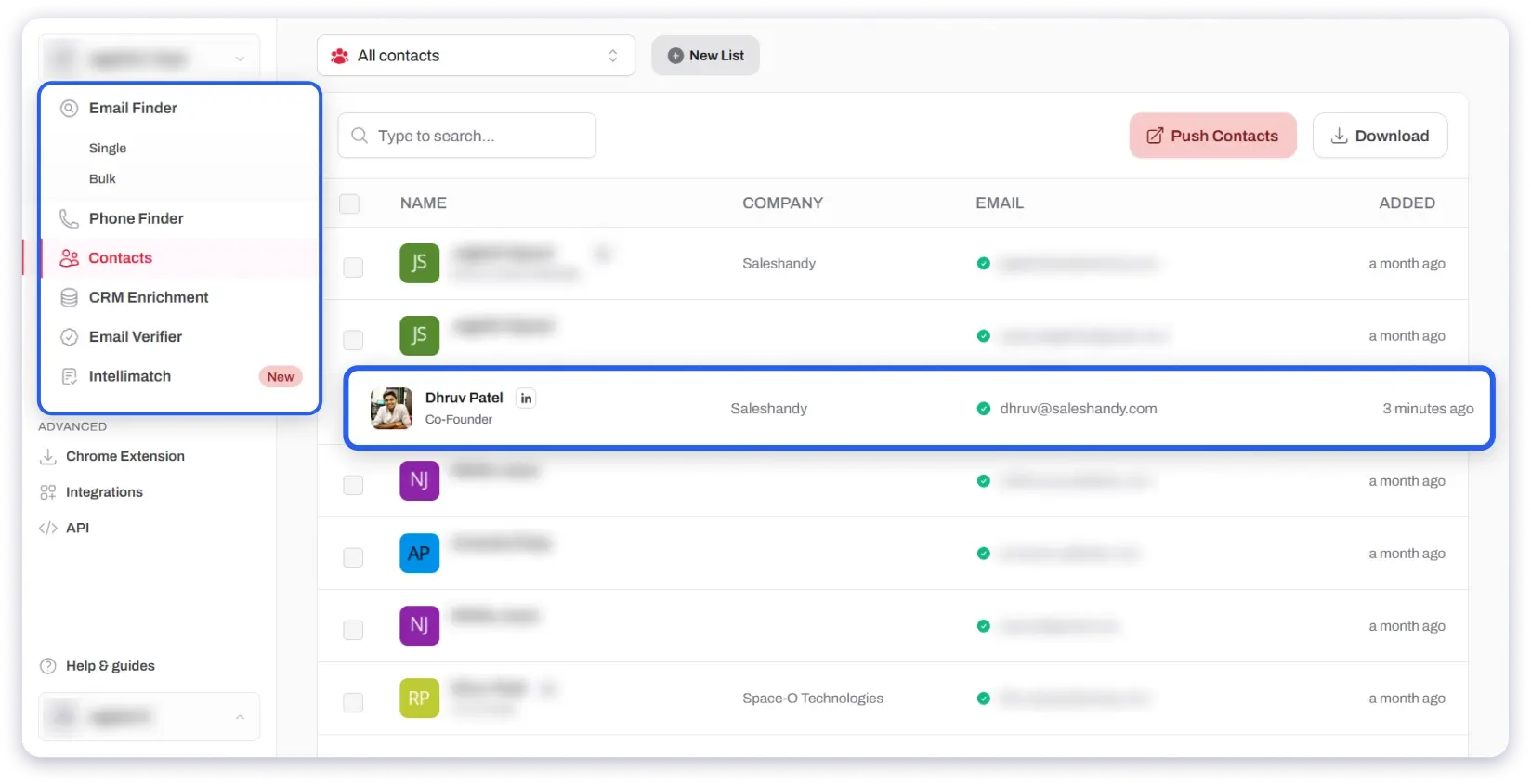
This matters when running cold email campaigns at scale. I do not lose credits on emails I cannot use.
Email verification is built into the core workflow. FindyMail guarantees less than 5% invalid emails, and my tests stayed below 2%.
Compliance: GDPR compliant
Best For: Teams wanting verified emails without paying for invalid results
I do not need to re-verify emails using another tool. That saves both time and cost during outreach setup.
FindyMail also supports bulk email finding, which is super helpful when you have a large list of emails. This helps you to get the email addresses of a bulk of your prospects without much hassle.
Plus, FindyMail offers email enrichment. It helps to update CRM data without extra steps. That’s not all.
You can even use AI to find email addresses, which makes the entire process easy and quick, as you just need to type a prompt.
Overall, FindyMail feels built for cold email deliverability. I use it when I want clean emails without paying for unusable data.
Pros
- Guaranteed less than 5% bounce rate
- Pay only for valid email results
- Built-in email verification
- FindyMail integrates with LinkedIn Sales Navigator and Apollo Data Scraper
- Bulk email finding and enrichment support
- Unused credits roll over
Cons
- No free forever plan
- Support response can slow down during peak times
Pricing
It comes with a pay-as-you-go pricing model.
- Free Trial: 10 finder + 10 verifier credits (one-time)
- Starter: $41/month (billed annually)
- 1,000 finder credits
- 1,000 email verification credits
Final Verdict: In my experience, FindyMail works best when deliverability is non-negotiable. If you want verified emails without paying for bad data, it is a strong choice.
You can also read our guide on top email scraping tools to find accurate email addresses.
10. Skrapp.io
Accuracy: 93% | Free Credits: Limited | Ease of Use: 4.5/5
Next in the list is Skrapp.io, which I check mainly for finding business email addresses. The platform allows me to get email addresses from a name, a company name, or a company website.
To find emails, I begin by entering a full name and company. Skrapp returns business emails that I can review before outreach.
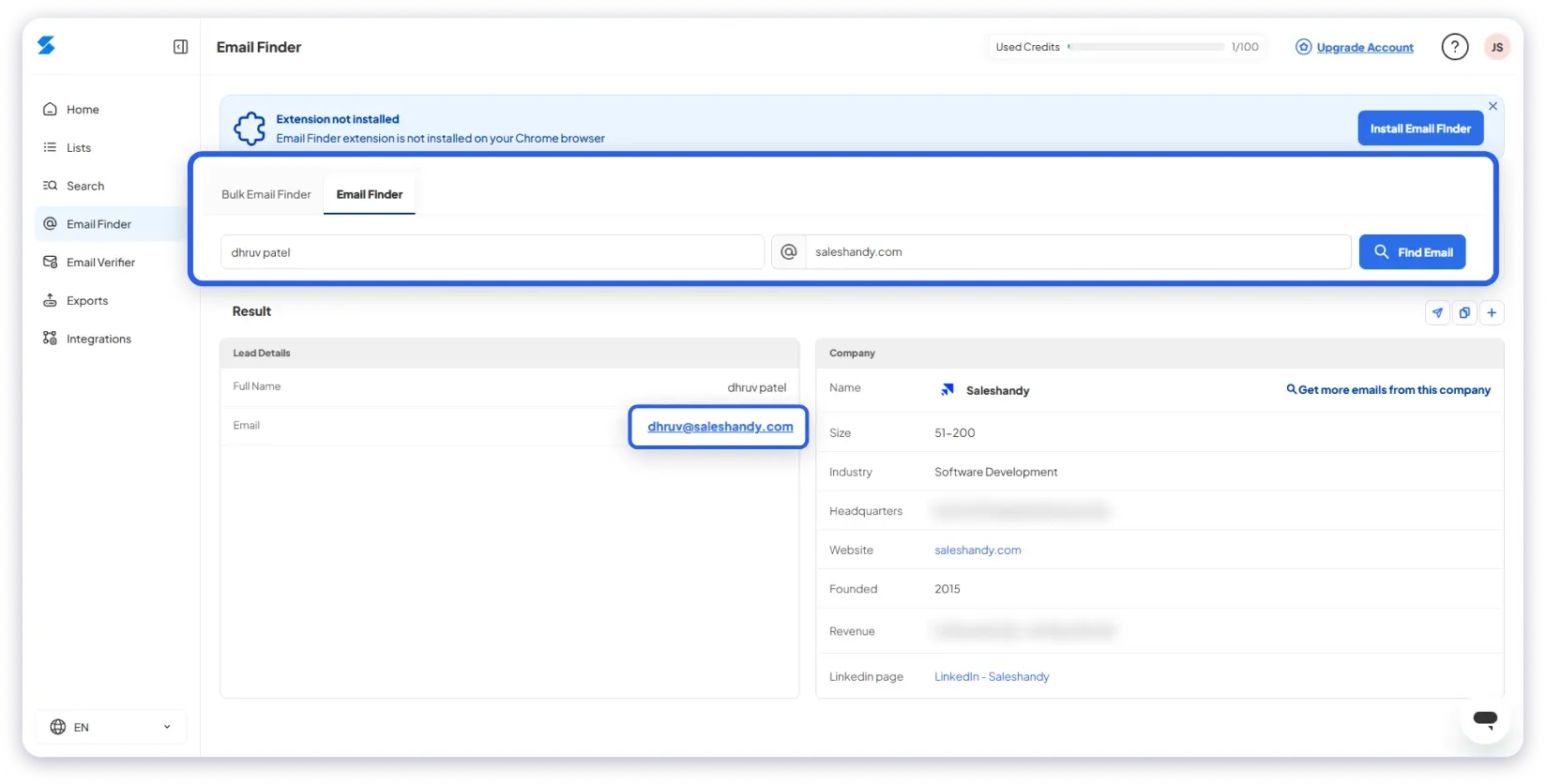
It also supports company-based email search. I enter a company name or website and see available professional emails.
Compliance: GDPR and CCPA compliant
Best For: Sales, marketing, or BDR teams wanting simple email finding without extra steps
I also explored Skrapp’s integration with LinkedIn and Sales Navigator. I can find anyone’s email while browsing profiles without switching tabs.
The next important thing is email verification. Skrapp runs email verification during email search. So, I only get the emails that are valid and safe for cold email outreach.
You also have the option to use bulk email finding, supporting CSV or Excel uploads if you already have a large contact list.
The platform also offers an Email Finder API. This helps when email finding needs to run inside another workflow. The interface stays easy to follow during searches.
It makes it easy to find emails without setting up rules or filters. Overall, Skrapp is best for email finding. I use it to verify email addresses associated with names, companies, or LinkedIn profiles.
Pros
- Find emails by name and company
- Company email revealer is supported
- Real-time email verification
- LinkedIn and Sales Navigator support
- Bulk email finder and API access
- Native integrations with Salesforce, Outreach, and Zoho
Cons
- Free usage is limited
- Sometimes the platform is buggy
- Bulk email search doesn’t remove invalid and catch-all email addresses
Pricing (Billed Annually)
Skrapp offers three plans to its customers.
- Free plan with 100 email credits per month
- Professional plan with $18 per month, with 1000 email credits/month
- Enterprise plan with $157 per month, with 50,000 email credits/month
Final Verdict: In my experience, Skrapp.io works well for direct email finding tasks. If the goal is to get business emails without added layers, it fits well.
For emails sourced specifically from LinkedIn profiles, you may also want to read our guide on LinkedIn email finder tools.
11. Snov.io
Accuracy: 75–79% | Free Credits: 50/month | Ease of Use: 4.0/5
Snov.io shows up in almost every email finder discussion, and for good reason.
It packs email finding, verification, drip campaigns, and a basic CRM into one platform. For teams that want to consolidate tools on a smaller budget, it is worth looking at.
The email finder searches a database of 50M+ company profiles using 15 filters.
You can also look up emails by name and domain, pull contacts from LinkedIn with their Chrome extension, or upload CSVs for bulk searches.
I tested it with my standard 100-contact list, and Snov.io found verified emails for 79 out of 100 contacts. That is below most other tools here, but the ones it found were generally usable.
One pattern I noticed — Snov.io works better for mid-to-large companies.
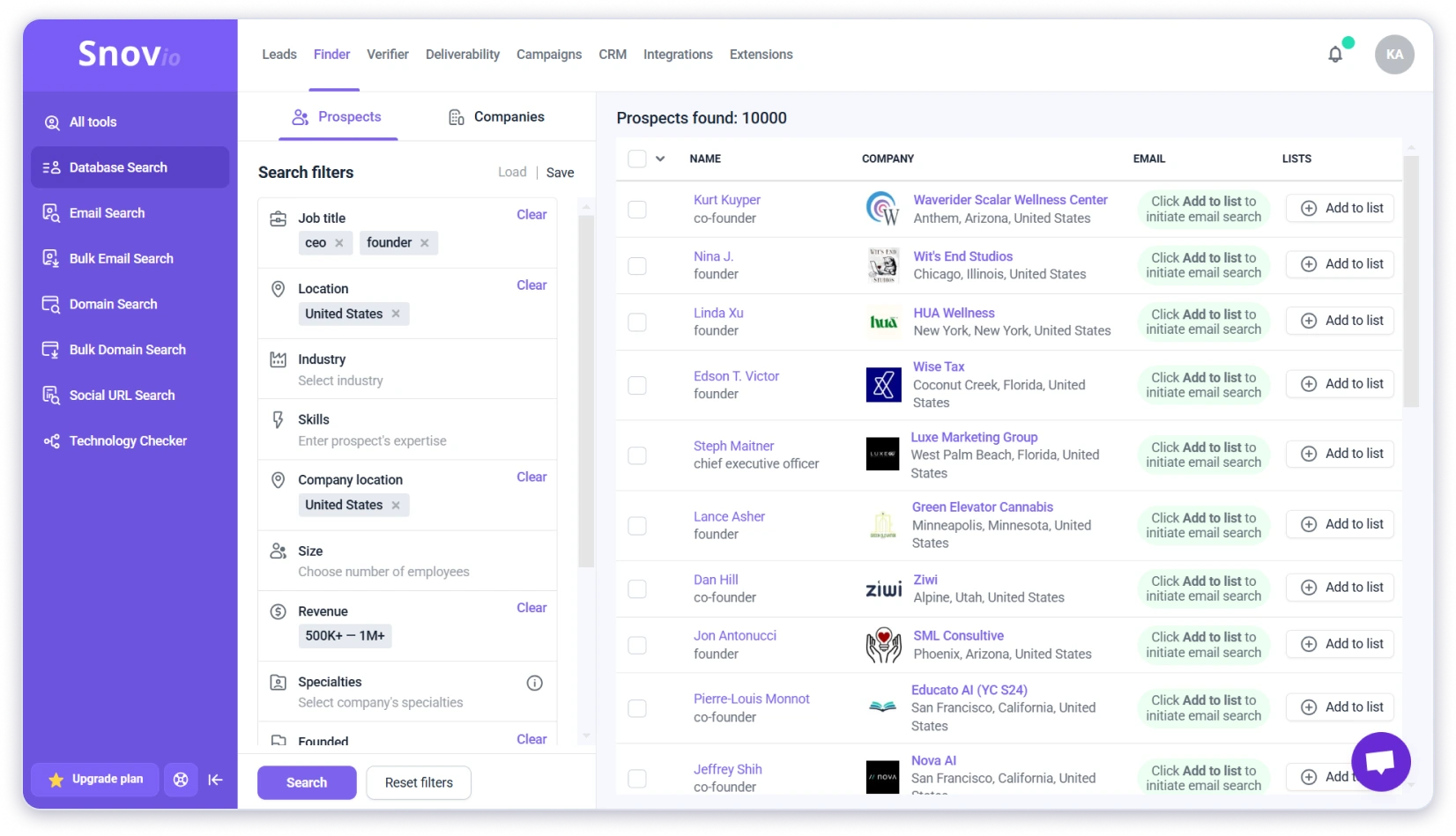
When I searched for contacts at smaller firms or niche industries, the hit rate dropped. The database does not include phone numbers either, so if you need both emails and direct dials, this is not the right pick.
The verification side is solid.
Snov.io runs a 7-tier check covering syntax, MX records, SMTP responses, and disposable email detection.
When it marks an email as “valid,” I can trust it more than some tools that just guess patterns and hope for the best.
Pros
- All in one setup: finding, verification, campaigns, and CRM in one tool
- Free trial renews every 30 days for ongoing light testing
- Verification system is thorough and reliable
- Bulk domain search can process up to 20,000 domains at once
- Integrates with 5,000+ apps through Zapier
Cons
- Accuracy is lower than most tools on this list
- Database lacks phone numbers entirely
- Credits are shared between finder and verifier, so verification reduces search quota
- Starter plan is restrictive with limited warm up slots and no A B testing
- LinkedIn automation costs extra per account
- UI can feel cluttered for first time users
Pricing
- Trial: Free (50 credits/month, 100 recipients/month) — renewable but limited
- Starter: $39/month (1,000 credits, 5,000 recipients)
- Pro S: $74.25/month (5,000 credits, 25,000 recipients)
- LinkedIn automation: +$69/month per slot (separate from all plans)
All prices reflect annual billing.
Final Verdict
Snov.io is a reasonable all-in-one option if your outreach volume stays low and you want email finding plus campaigns in one workspace. The verification is solid, and the renewable free trial is useful for testing.
12. RocketReach
Accuracy: 82–85% | Free Credits: 5/month | Ease of Use: 4.2/5
RocketReach has a strong reputation in recruiting and enterprise sales. The main draw is getting email addresses and direct dial phone numbers from the same lookup — something most standalone email finders do not offer.
The database covers 700M+ professional profiles across 35M+ companies. You can search by name, company, title, location, and industry.
The tool returns both professional and personal emails when available, which is particularly useful for recruiting and C-level outreach where a work email alone may not get through.
I ran the same 100-contact test. RocketReach returned results for 82 contacts, but some came back flagged as “likely” rather than “verified.”
When I filtered strictly for verified emails, the usable count was closer to 78-80. That is mid-range for this list — better than Snov.io, but noticeably behind the top performers.

The phone number data is where RocketReach justifies its higher price. If you need direct dials alongside email addresses, this is one of the better options available.
Many email finder tools either skip phone data entirely or hide it behind expensive enterprise tiers. RocketReach makes it a core part of the offering, though the per-credit cost reflects that.
Bulk lookups work through CSV uploads, and the API is solid for teams automating enrichment workflows.
Exports come back clean and structured. But there is no outreach functionality — RocketReach is purely a data tool. You find contacts, export them, and take them somewhere else to actually run campaigns.
Pros
- Strong phone number coverage alongside emails
- Returns personal emails, useful for recruiting and executive outreach
- Broad coverage across industries and company sizes
- Clean bulk exports and a solid API for enrichment workflows
- Chrome extension works on LinkedIn and company websites
Cons
- Expensive compared to most tools on this list
- Users report higher bounce rates on some searches
- No outreach, campaign, or CRM functionality
- Credits do not roll over, unused lookups expire monthly
- Only 5 free lookups, not enough for a proper test
- Accuracy is inconsistent across company sizes and industries
Pricing
- Essentials: $69/month (100 lookups/month, email only)
- Pro: $119/month (250 lookups/month, email + phone)
- Ultimate: $249/month (500 lookups/month, email + phone + API)
All plans billed annually. No free trial — just 5 free lookups.
Final Verdict
RocketReach makes sense if your primary need is phone numbers and personal emails alongside work addresses.
For recruiting, executive outreach, and account-based sales, the data coverage is broad and the phone number quality is above average.
But the cost per lookup is high, accuracy does not match the top tools here, and there is zero outreach functionality.
Cold Email ROI Starts With Choosing the Right Email Finder
Cold email provides ROI only when you reach your prospect’s inboxes.
If emails bounce or land in the wrong inbox, your ROI drops before outreach even begins.
That is why choosing the right email finder matters.
A reliable tool protects deliverability, saves time, and keeps campaigns consistent.
Saleshandy’s B2B Lead Finder stands out because it focuses on accuracy first.
With up to 98% deliverability and bulk extraction of 10,000 leads, it supports real outreach at scale.
Still, no single tool fits every team. Your choice should depend on budget, volume, and how much accuracy you need.
If Saleshandy fits your workflow, it is a strong place to start. Give it a try, and I am sure you won’t regret it.
Explore reliable platforms to get a realtor email list.
FAQs About Email Finding Tools
1. How can you choose the right email finder tool?
Choosing the right email finder depends on how you plan to use it. Start by checking the accuracy rate, since verified emails reduce bounce issues. Then look at ease of use, as some tools are simpler than others.
Also, review the features you need, such as bulk email finding, LinkedIn support, or CRM integrations. Finally, compare pricing plans and ensure they match your budget and usage needs.
2. Is there a free way to look up an email address?
Yes, some tools allow limited free email lookups. Platforms like Saleshandy Lead Finder and AnyMail Finder provide free searches with restrictions. Many paid tools also offer free credits or trials, which help test accuracy before upgrading.
3. Are email finder tools legal to use?
Yes, email finder tools are legal when used for legitimate business purposes. You should focus on work email addresses, keep outreach relevant, and include an unsubscribe option. Using these tools for spamming or misuse can be unethical and illegal.
4. Is there an AI tool for finding emails?
Yes, some tools use AI to speed up email discovery. For example, Saleshandy’s AI Lead Finder lets you type a simple prompt and get verified leads. This helps build prospect lists faster with less manual work.
5. What features should you look for in an email finder tool?
Important features include email verification, bulk email finding, and data accuracy. Integrations with CRMs, APIs, and automation tools can also be useful. The goal is to remove guesswork and ensure the emails you find are usable.
6. How do email finder tools work?
Email finder tools collect data from public sources like websites, company pages, directories, and social platforms. They use pattern matching and domain analysis to predict email formats.
Modern tools also use AI and verification checks to confirm accuracy and reduce bounces.